
BLOCKSIFY PRO
Build dynamic WordPress experiences visually.
Build searchable directories, smarter stores, dynamic listings, and tailored content inside the WordPress block editor you already use.
Requires Blocksify Free · Built for the native block editor
FLAGSHIP WORKFLOW
Help visitors find the right result faster.
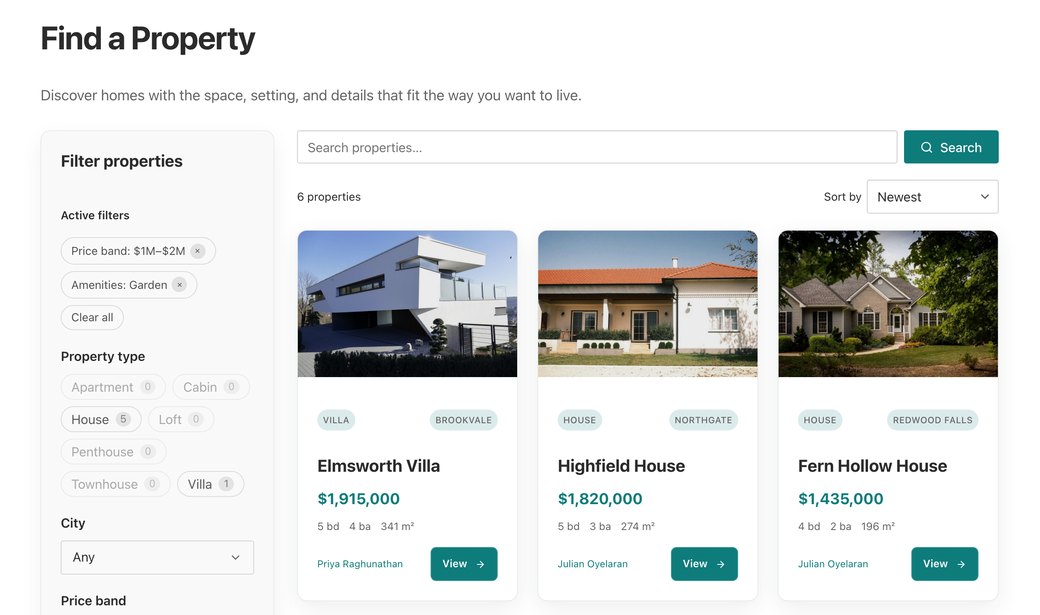
Turn a Blocksify Content Loop into faceted discovery for directories, resource libraries, property sites, stores, and any content-heavy build.
Loop Filter
Build taxonomy, field, custom-data, number, date, and relationship facets. Choose list, buttons, dropdown, or swatches.
Loop Search Bar
Give every Content Loop a focused search experience while keeping results, counts, and URL state in sync.
Loop Toolbar
Add result counts, catalog sorting, active filters, and clear actions around the loop.
DYNAMIC SITE BUILDING
Turn custom fields into complete site experiences.
Keep content structured in WordPress, then decide visually how it appears. Blocksify Pro connects advanced queries and custom-field providers directly to Content Loop.

Query any public post type
Build single- or multi-post-type loops with meta queries, related records, and custom-field sorting.
Use your existing field stack
Work with native WordPress fields, Raw Meta, ACF or SCF, Meta Box, Pods, and Toolset.
Create richer cards
Add Dynamic Field, Group, and Link elements, plus a Media Slider sourced from featured or gallery fields.
WOOCOMMERCE
Make product discovery feel purpose-built.
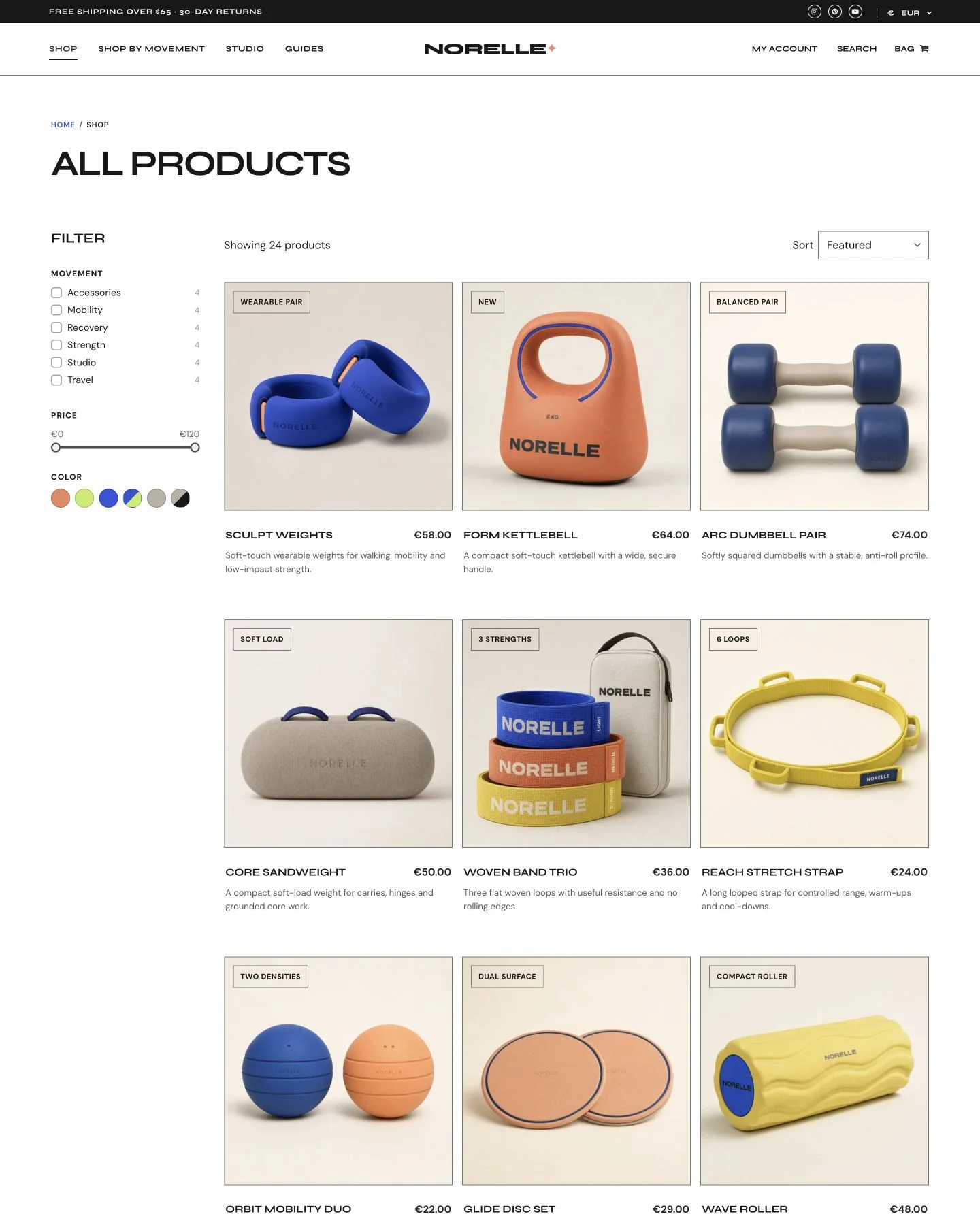
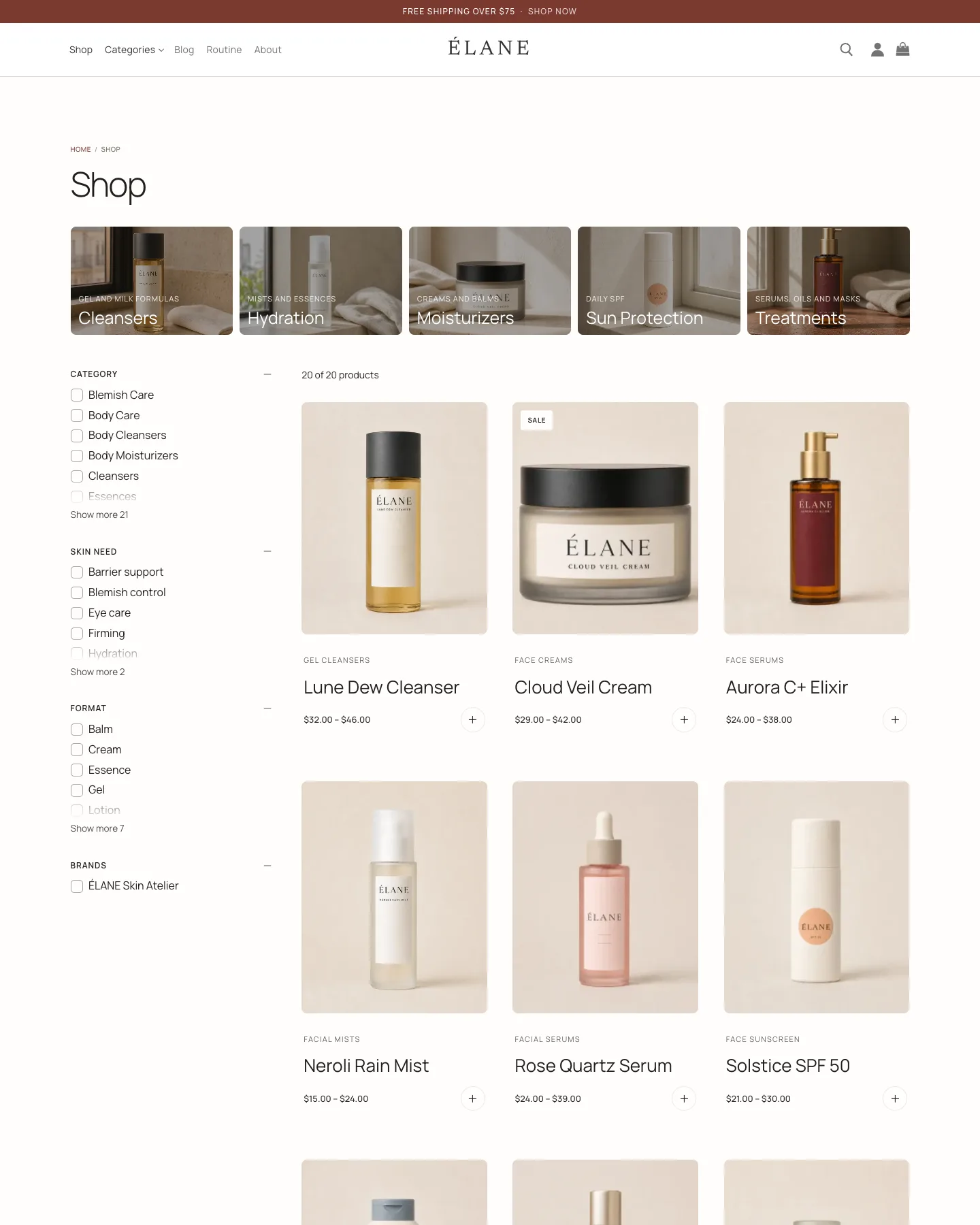
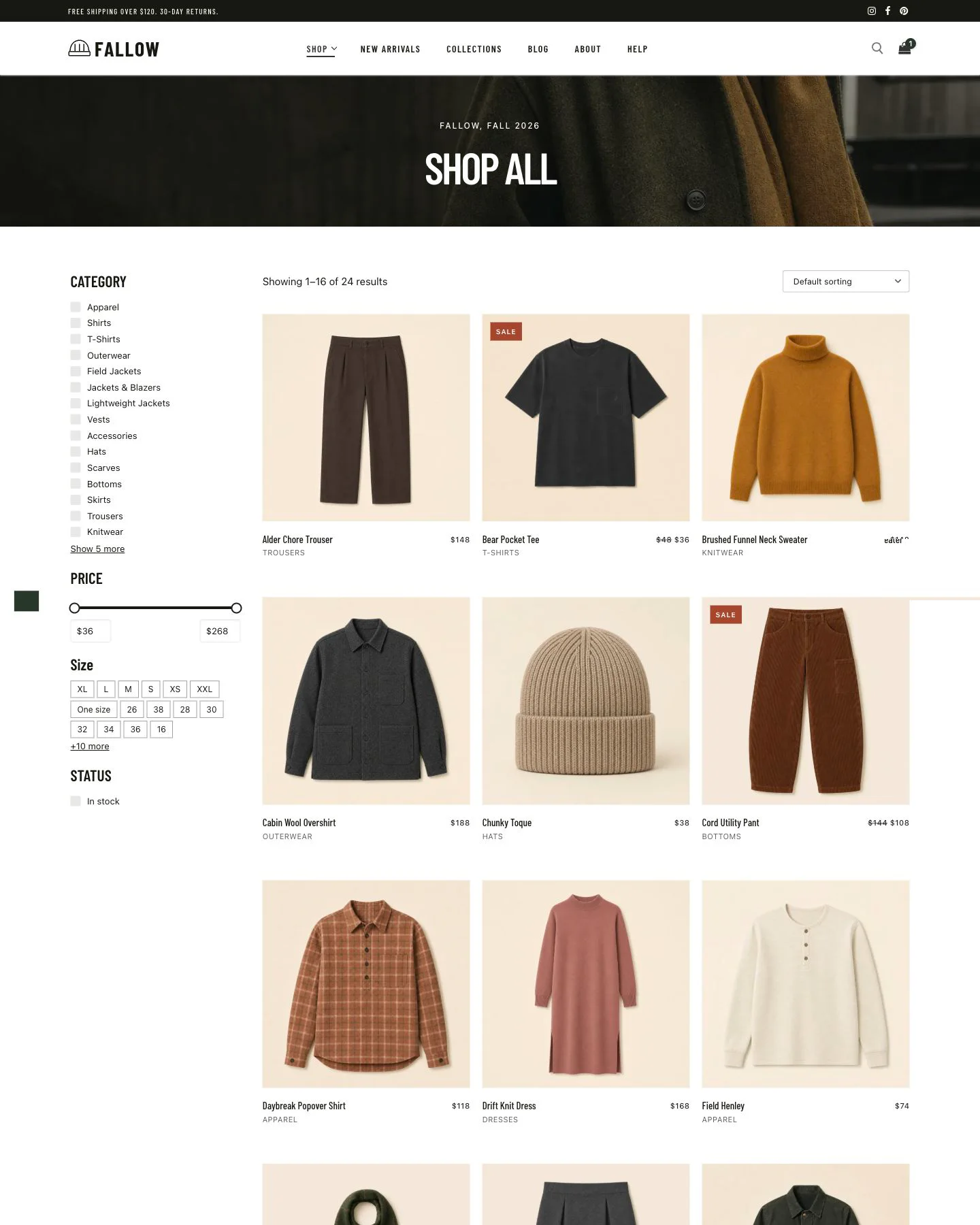
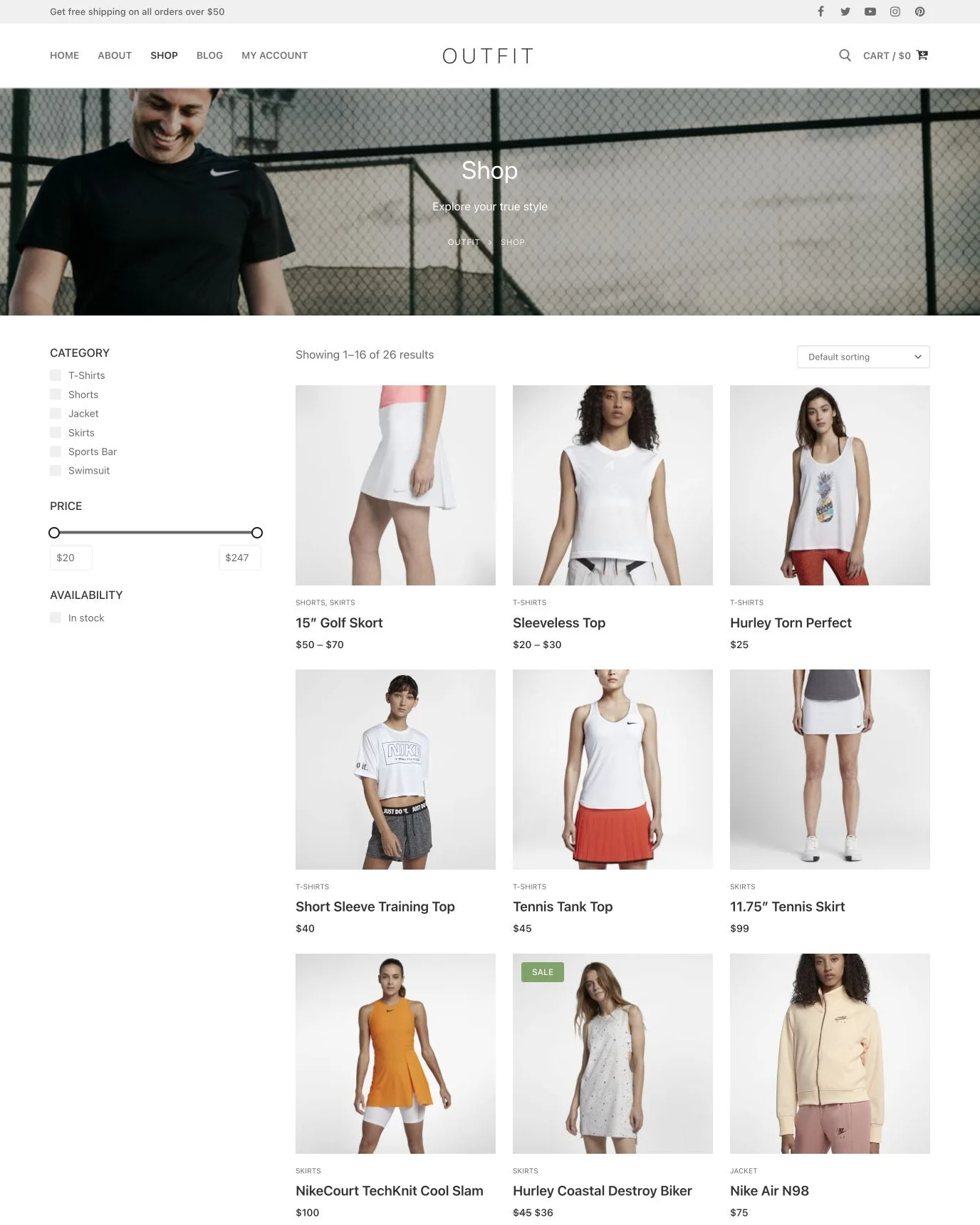
Bring faceted navigation to Product Loop with commerce-aware fields and familiar catalog controls.
Price and availability
Filter by price, on-sale status, stock status, and product rating with live result counts.
Variation swatches
Use color, image, and two-tone attribute swatches, including variation-aware product data.
Catalog controls
Combine product facets with search and catalog sorting so shoppers can narrow a loop without leaving the page.
SMARTER BEHAVIOR
Show the right experience at the right moment.
Personalize block visibility, build a useful search journey, and add interaction where it clarifies the interface.
Conditional Visibility
Save reusable rule sets for entire-site, singular, archive, user, cookie, URL, or device conditions, then apply them to Blocksify blocks.
Search Kit
Design search-result templates with a tab per searchable post type, live counts, and a deliberate empty state.
Advanced Interactions
Trigger motion on hover, click, mouse-follow, scroll out, or scroll position, with per-device control.
INTEGRATIONS
Works with the data stack you already have.
Connect structured content to Blocksify without rebuilding the project around a proprietary data layer.

WordPress
Public post types and native fields.

WooCommerce
Catalog fields, facets, and sorting.

ACF
Advanced Custom Fields data.

SCF
Secure Custom Fields data.

Meta Box
Custom fields and relationships.

Pods
Structured content and custom fields.

Toolset
Custom types and field values.
Prefer a direct connection? Raw post meta is supported too.
FREE AND PRO
See exactly what Blocksify Pro adds.
Blocksify Free provides the complete building foundation. Pro adds advanced data, discovery, visibility, search, and interaction systems without replacing your workflow.
| Feature | Blocksify Free | Blocksify Pro |
|---|---|---|
| Building foundation | ||
| Layout and content block library | ✓ | ✓ |
| Responsive desktop, tablet, mobile, and hover controls | ✓ | ✓ |
| Global design tokens and reusable Style Classes | ✓ | ✓ |
| Content Loop and paging | ✓ | ✓ |
| Form block with standard fields and actions | ✓ | ✓ |
| WooCommerce product blocks and Product Loop presets | ✓ | ✓ |
| Lean per-block asset loading | ✓ | ✓ |
| Content Loop and dynamic data | ||
| Content Loop data sources | Limited Featured | Full Featured |
| Content Loop query controls | Limited Featured | Full Featured |
| Native post, term, author, archive, and search data | ✓ | ✓ |
| Custom post type query support | − | ✓ |
| ACF and SCF field binding | − | ✓ |
| Meta Box, Pods, and Toolset field binding | − | ✓ |
| Raw post meta binding | − | ✓ |
| Related records and relationship values | − | ✓ |
| Media carousel-style elements inside loop cards | − | ✓ |
| Extended dynamic image behavior | − | ✓ |
| Loop Filter and toolbar | ||
| Loop discovery controls | Limited Featured | Full Featured |
| Faceted filtering for Content Loop | − | ✓ |
| Taxonomy and post-meta facets | − | ✓ |
| Numeric range, currency, and date facets | − | ✓ |
| Relationship facets | − | ✓ |
| List, button, dropdown, and swatch displays | − | ✓ |
| Checkbox and radio selection modes | − | ✓ |
| Loop Search Bar | − | ✓ |
| Toolbar sort, per-page, and result-count controls | − | ✓ |
| Instant filtering and Apply-button mode | − | ✓ |
| Inline, popover, drawer, and off-canvas shells | − | ✓ |
| Shareable URL-persisted filter state | − | ✓ |
| Indexed result counts and index management | − | ✓ |
| WooCommerce discovery | ||
| Product discovery experience | Limited Featured | Full Featured |
| Price, on-sale, stock-status, and rating facets | − | ✓ |
| Variation-aware product data rollup | − | ✓ |
| Catalog sorting that follows store settings | − | ✓ |
| Color, image, and two-tone attribute swatches | − | ✓ |
| Search counts that honor product visibility | − | ✓ |
| Conditional Visibility | ||
| Block visibility controls | Limited Featured | Full Featured |
| Saved and reusable visibility rule sets | − | ✓ |
| Entire-site, singular, and archive conditions | − | ✓ |
| User login-state and role conditions | − | ✓ |
| Cookie, URL-pattern, and device conditions | − | ✓ |
| Compound AND/OR rule groups | − | ✓ |
| Quick-create rules without leaving the editor | − | ✓ |
| Search Kit | ||
| Search-results presentation | Limited Featured | Full Featured |
| One Search Tab per searchable post type | − | ✓ |
| Live result count on each search tab | − | ✓ |
| Designed Search Empty State | − | ✓ |
| Interactions and management | ||
| Motion and interaction triggers | Limited Featured | Full Featured |
| Hover and click triggers | − | ✓ |
| Mouse-follow trigger | − | ✓ |
| Scroll-out and scroll-position triggers | − | ✓ |
| Pro settings inside the Blocksify dashboard | − | ✓ |
Blocksify Free is required. WooCommerce and custom-field rows require their corresponding plugins.
Go Pro TodayQUESTIONS
What to know before you go Pro.
The essentials for choosing Blocksify Pro and planning it into a production WordPress build.
Does Blocksify Pro replace the free plugin?
Does it work with my theme?
Which custom-field tools are supported?
What should I know about cached conditions?
Where can I get Blocksify Pro?
Does Pro change the building workflow?
BUILD BEYOND THE BASICS
Turn Blocksify into a dynamic site-building system.
Start with the same native editor. Add advanced discovery, dynamic data, conditions, search, and interaction when the project calls for them.
Go Pro Today