Description
Smart and Easy Way to Display Product Variations in WooCommerce
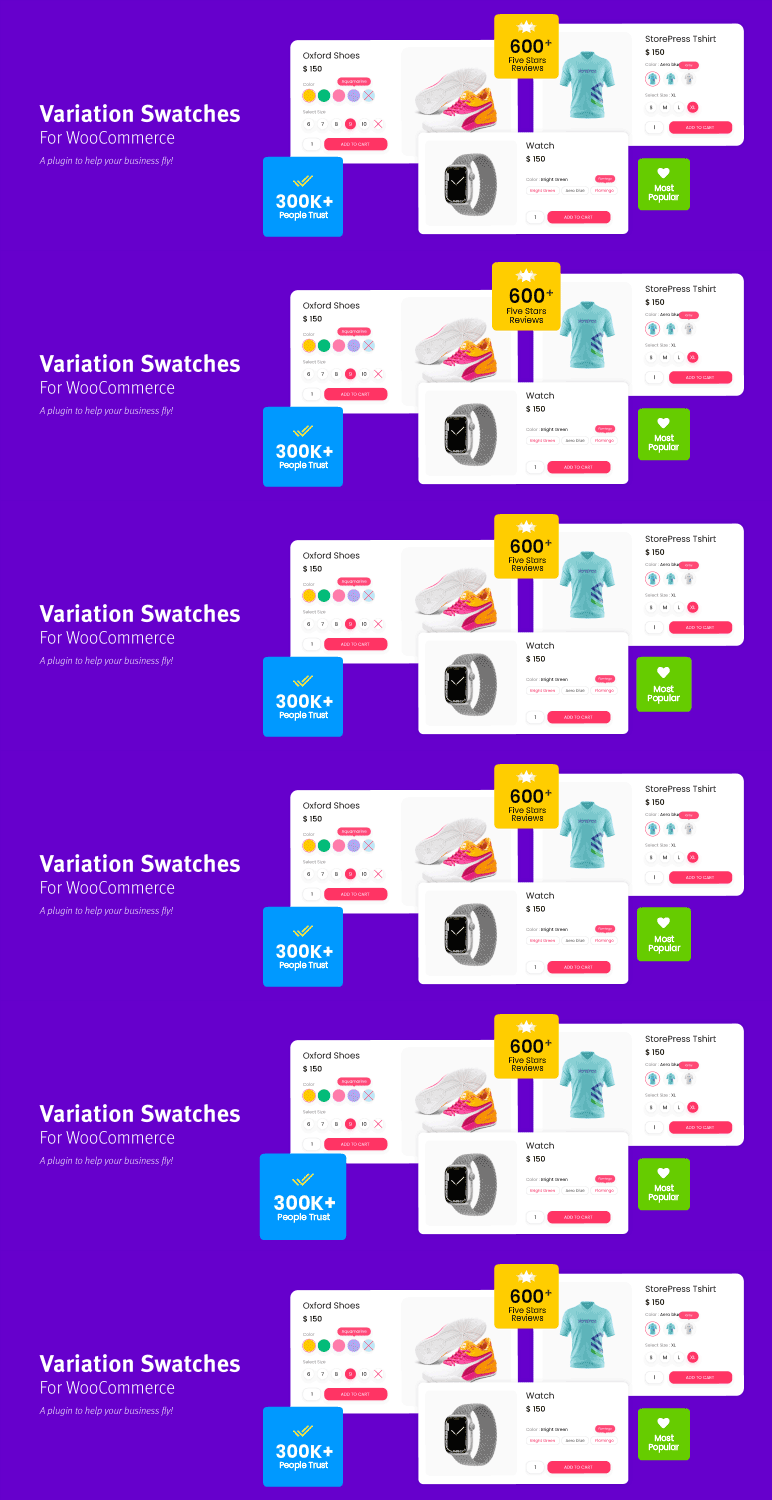
Variation Swatches for WooCommerce replaces WooCommerce’s default variation dropdowns with interactive color, image, and button/label swatches, giving customers a more visual and engaging way to choose product variations. Trusted by 300,000+ active stores and downloaded more than 9.4 million times, the plugin has earned a 4.8 out of 5 rating from 850+ reviews-making it the leading and most trusted plugin in the WooCommerce swatches category.
Make Product Variations Easier to See and Select
WooCommerce’s default variation dropdowns provide a basic, text-based way to display product variations, making it harder for customers to quickly understand and compare what’s available. Variation Swatches for WooCommerce transforms these traditional dropdowns into interactive color, image, and button swatches, giving customers a smarter and more engaging way to explore available variations.
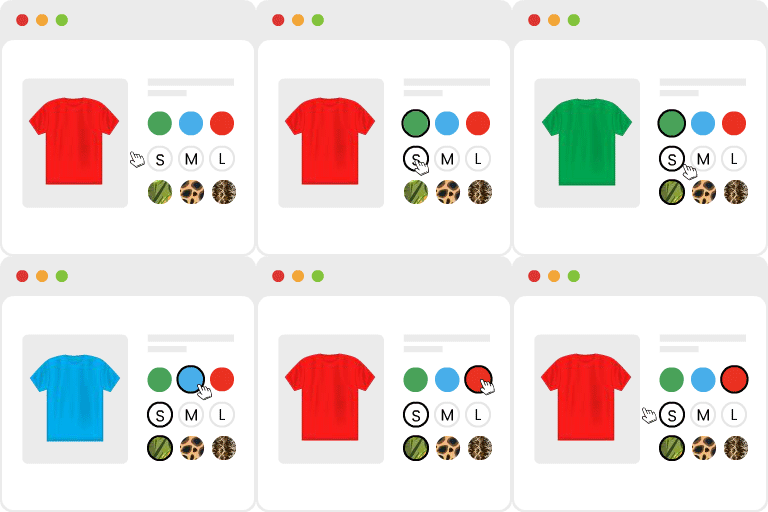
Customers can instantly explore and select colors, sizes, styles, and other product options without opening multiple dropdowns one by one. This makes the selection process faster, more engaging, and easier to understand.
By turning variation selection into a visual experience, the plugin keeps product pages clean and easy to navigate while helping customers find and choose the right product variation with greater confidence.
How Does It Work?
- Install and activate the plugin. Dropdowns convert to button swatches automatically.
- Go to Products > Attributes and change an attribute’s type to Color, Image, or Button/Label.
- Edit the attribute’s terms and set a color, image, or label for each one.
- Save. The dropdown on your product page is now a swatch.
Key Features
Color, Image & Button/Label Swatches for Product Attributes
WooCommerce’s default dropdown shows every variation as plain text, whether it’s a color, a style, or a size. This feature replaces that dropdown with an actual color swatch, a small image, or a clickable button, matched to whichever attribute type you choose.
Customers can choose their desired variations instead of reading and guessing what a label means. You can mix swatch types across different attributes on the same product – color as swatches, size as buttons, for example.
Auto Convert Dropdown Into Image Swatches If Variation Has a Featured Image Set
If a variation already has its own featured image uploaded in WooCommerce, this feature uses that image directly as the swatch, without any extra setup. It’s useful for stores where every color or style variation already has its own product photo.
This saves the step of manually assigning a swatch image to each attribute term. The swatch stays in sync automatically if the variation’s featured image is updated later.
Auto Color Name Matching
Instead of opening a colorpicker and guessing a hex code, you can type a color’s name – like “Forest Green” or “Sky Blue” – and the plugin looks up a matching shade for you. This is powered by the StorePress Colors API; see “External services” below for exactly what is and isn’t sent.
It speeds up setup for stores with many color terms to configure. You can still fine-tune the exact shade afterward if the automatic match isn’t quite right.
Round or Square Swatch Shape
Choose whether swatches display as circles or squares, store-wide, without writing any custom CSS. Round shapes tend to suit color swatches, while square shapes often work better for image or button swatches.
This is a global setting applied across your whole catalog. Premium adds the variation to override the shape for one product at a time.
Adjustable Swatch Size on the Product Page
Control exactly how large or small swatches appear on the single product page, directly from the plugin’s settings screen. Larger swatches help on image-heavy product pages, while smaller ones fit tightly packed layouts better.
No theme editing or custom CSS is required. The setting applies globally across your product pages.
Text Tooltip on Hover
When a customer hovers over a swatch, a text tooltip can pop up with extra detail – the full color name, a material description, or anything else useful. This adds context without cluttering the page with extra text.
It’s especially helpful for color swatches, where the swatch alone doesn’t always make the exact shade obvious. Image tooltips are available as a Premium upgrade from this text-only version.
Show Selected Variations Name Beside the Attribute Label
After a customer picks a swatch, the plugin can display that variation’s name next to its attribute label – for example, “Color: Ocean Blue” appears once selected.
This gives customers a clear confirmation of exactly what they’ve chosen, useful when the visual alone might be ambiguous. It updates instantly as a customer clicks between variations, with no extra setup beyond enabling it.
Return Swatches Back to the default Dropdown
If swatches aren’t the right fit for a particular attribute, or you’re testing something on one product, you can switch button swatches back to a plain WooCommerce dropdown with a single setting change.
No data is lost – your attribute terms and values stay exactly as they were. This gives you the flexibility to mix swatch and dropdown display across different parts of your store.
Cross Out, Blur, or Hide Out-of-Stock Swatches (Up to 30 Variations)
WooCommerce’s default dropdown can’t visually indicate that a product variation is out of stock, since browsers don’t allow that kind of styling inside a default dropdown box. This plugin solves that by crossing out, blurring, or fully hiding swatches for variations that are sold out.
In the free version, this works for up to 30 variations per product, and needs WooCommerce’s “Hide out of stock items from the catalog” setting turned on. Premium removes both the variation limit and that setting requirement.
Supported With Quick View
Swatches display correctly inside Quick View popups triggered from shop or archive pages, not just on the full product page. Customers browsing a grid of products can pick a color or size without ever leaving the shop page.
Compatibility depends on how a theme or Quick View plugin loads WooCommerce’s variation form, but it’s tested against common implementations.
Works With Elementor, Printful, AliDropship & Dokan Multivendor
The plugin is tested to work correctly alongside these widely used WooCommerce tools. Elementor compatibility means swatches display properly inside Elementor-built product pages and templates.
Elementor: Live Demo | Documentation
Printful and AliDropship support matters for dropshipping stores syncing products and variations from those platforms.
Printful: Live Demo | Documentation
AliDropship: Live Demo | Documentation
Dokan Multivendor compatibility means vendors on a multi-seller marketplace can use swatches on their own listings.
Dokan: Live Demo | Documentation
Compatible With 300+ WooCommerce Themes
The plugin is tested against more than 300 WooCommerce-compatible themes, including OceanWP, Flatsome, Divi, Astra, Avada, Enfold, Salient, Uncode, The7, and Kalium. Because themes can change WooCommerce’s default markup, styling, or JavaScript in different ways, a small CSS adjustment is occasionally needed for certain layouts.
Most stores can activate the plugin and see swatches working immediately, with no theme-specific configuration required.
WordPress Multisite Support
The plugin works correctly across WordPress Multisite network installs, where a single WordPress installation runs multiple sites. Settings and swatch configurations can be managed the same way as on a single-site install.
This matters for agencies or larger operations running several WooCommerce stores from one network.
WPML & RTL Support
Swatch labels and attribute terms can be translated using WPML, so multilingual stores can offer swatches in every language they support. The plugin also supports right-to-left (RTL) languages, like Arabic or Hebrew, with layout and swatch alignment adjusted accordingly.
This makes the plugin usable for international and regional WooCommerce stores, not just English-language ones.
HPOS Compatible
The plugin is compatible with WooCommerce’s High-Performance Order Storage (HPOS), the newer order data storage system WooCommerce has been moving stores toward.
Swatch-related order and variation data continues to work correctly whether a store uses the legacy post-based storage or HPOS. No extra configuration is needed to enable this compatibility.
Gutenberg Block Support
Swatches, filters, and archive listings can be added to pages and templates using dedicated Gutenberg blocks, instead of relying only on shortcodes or theme templates.
This fits naturally into WooCommerce’s own block-based product page and shop page building tools. It’s useful for stores using a block theme or the Site Editor to build custom shop layouts.
WooCommerce REST API Support for Swatch Data
Color and image swatch data is exposed through the WooCommerce REST API, alongside standard product and variation data. This is useful for developers building custom storefronts, mobile apps, or headless WooCommerce setups that need swatch information outside the standard WordPress front end.
No additional API keys beyond standard WooCommerce REST API authentication are required.
Regular Updates & Security Fixes
The plugin receives ongoing updates to maintain compatibility with new WordPress and WooCommerce releases, add small improvements, and fix reported issues. Staying updated ensures fixes reach your store as soon as they’re available.
Pro Features
Display Swatches in Catalog / Archive Page
Shows swatches directly on shop, category, and archive pages, not just the individual product page. Customers browsing a grid of products can see and interact with color, image, or button swatches before clicking into a product.
You can control whether all attributes or just one selected attribute appears per product card, and adjust swatch size and alignment for archive layouts.
Create Product Variation Swatches From Custom Product Level Attribute
Adds swatch support for attributes created directly inside a single product, rather than shared globally across the catalog under Products > Attributes.
This is useful for a one-off product that needs an attribute no other product uses. The free version only supports swatches on global attributes.
Radio Button Swatches (Premium)
A fourth swatch type, alongside color, image, and button/label, showing variations as radio-style selectable buttons. This suits attributes where a more form-like, structured selection style fits your store’s design better than color or image swatches. Like the other swatch types, radio swatches can be styled and sized to match your theme.
WooCommerce Filter Widgets (Premium)
Converts WooCommerce’s built-in “Filter Products by Attribute” widget from a plain checkbox or dropdown list into visual swatches.
Customers filtering a shop or category page by color or size see the same visual swatches they’d see on a product page, instead of a plain text list. This keeps the filtering experience consistent with the rest of the store.
Variation Image Tooltip in Catalog / Archive Page (Premium)
Shows an image preview tooltip when a customer hovers over a swatch on shop, category, or archive pages, similar to the image tooltip available on the single product page.
This lets customers preview a variation’s appearance without leaving the catalog page. It pairs naturally with the archive page swatch display feature above.
Unlimited Out-of-Stock Variation Handling (Premium)
Removes the free version’s 30-variation cap on crossing out, blurring, or hiding out-of-stock swatches, and removes the requirement to enable WooCommerce’s “Hide out of stock items from the catalog” setting.
This matters most for products with large variation counts, since WooCommerce itself switches to Ajax-based loading past roughly 30 variations.
Premium Features
- Radio button swatches
- Product-level (custom) attribute swatches
- Per-product overrides (color, image, shape)
- Image tooltips, border styling, tooltip color customization
- Larger size for a highlighted attribute
- Category and group swatches
- Dual/multi-color swatches
- Unlimited out-of-stock handling
- Shop, category, and archive page swatches
- Filter widget swatches
- Archive “MORE” link and attribute display limit
- Gallery change on attribute select
- Direct variation links
- Remaining stock display
- Priority support, automatic updates
Who is This Plugin For?
Any WooCommerce store selling variable products – clothing, shoes, jewelry, furniture, electronics, and beauty products all benefit from visual swatches over plain dropdowns. It matters most once a product has more than a couple of variations per attribute.
Why Use Variation Swatches?
- Works on every theme. WooCommerce’s default wc visual attribute type (added in version 10.9) only support on block themes. This plugin support wc visual attribute type which works on classic themes too, including StoreFront, Flatsome, Divi, and Astra.
- Handles out-of-stock properly. A plain dropdown can’t be blurred or crossed out. This plugin can.
- A genuinely useful free version. Core swatch types and out-of-stock handling for up to 30 variations, at no cost.
- Support that shows up. Most reviews mention the support team before any single feature.
Documentation & Support
Documentation · Support · Facebook Group
Premium purchases include 365 days of support and a 30-day money-back guarantee.
External services
This plugin connects to one outside service, and only when you turn it on.
Service: StorePress Colors API
Provider: StorePress
Service URL: https://colors.storepress.com/
What it does: looks up a color’s hex code from the color name you type.
What is sent: only the color name you type in the search box. Nothing else. A search for “Green” sends this request: https://colors.storepress.com/v1/?name=Green. The service sends back the matching hex code and 8 related shades from 45000+ colors.
When it is sent: only when you turn on the color API in Settings, and only when you type a search. It is off by default. While off, the plugin makes no request at all – not on install, not on page load, and not in the background.
What is not sent: no personal data. license key, email, username, or WordPress version. Not any data about your site’s visitors. The request comes from your own server, not from a customer’s browser, so no visitor IP address, cookie, or referrer is sent either.
You can turn this feature off any time in Settings. See the FAQ below for details.
Screenshots


Installation
From your WordPress dashboard 1. Go to Plugins > Add New. 2. Search for “Variation Swatches for WooCommerce”. 3. Click Install, then Activate.
Upload a ZIP file 1. Download the plugin ZIP file. 2. Go to Plugins > Add New > Upload Plugin. 3. Choose the ZIP file and click Install, then Activate.
By FTP
1. Download and unzip the plugin.
2. Upload the folder to wp-content/plugins/ using an FTP client such as FileZilla or CyberDuck.
3. Go to Plugins in your dashboard and click Activate.
FAQ
-
I installed the plugin but I still see dropdowns. What’s wrong?
-
The plugin needs at least one attribute set to Color, Image, or Button/Label before it can show swatches. Go to Products > Attributes, click an attribute, and change its type. Then add a color, image, or label to each term. Dropdowns for attributes still set to “Select” or “Text” will keep showing as dropdowns.
-
The free version covers the core swatch types (color, image, button/label), basic styling, and out-of-stock handling for up to 30 variations. Premium adds radio button swatches, shop and archive page swatches, per-product control, unlimited out-of-stock handling, and extra styling variations. The full list is above, split into “Free features” and “Premium features”.
-
Why does the out-of-stock feature only work up to 30 variations?
-
That limit only applies to the free version. Past around 30 variations, WooCommerce switches to loading variations by Ajax, and simple free-tier code stops keeping up. Premium is built to handle unlimited variations, with or without Ajax loading.
-
Does this replace WooCommerce’s own color swatches?
-
WooCommerce added its own color swatches in version 10.9, but they only appear on block themes. This plugin works on classic themes too, plus it adds image and button swatches, out-of-stock handling, per-product control, and more – none of which WooCommerce’s built-in swatches offer.
-
Will this work with my theme?
-
Yes, in almost every case. This plugin works with over 300 WooCommerce themes, including StoreFront, OceanWP, Flatsome, Astra, Divi, Avada, Enfold, and Salient. Some themes may need a small CSS tweak.
-
Does it work with Quick View?
-
Yes. It works with Quick View popups from any theme or plugin.
-
Can I use swatches with custom (product-level) attributes?
-
Yes, but this is a Premium feature. The free version turns your global attributes (the ones under Products > Attributes, shared across products) into swatches. If you type an attribute directly into a single product without saving it globally, converting that one-off, product-level attribute into a swatch needs Premium.
-
Does it work on WordPress Multisite?
-
Yes.
-
How do I use it with “Ajax load more” or infinite scroll?
-
If your theme fires the standard WordPress
post-loadevent, you don’t need to do anything. If it doesn’t, add this small script on your Ajax load event:`$(‘.variations_form’).each(function(){
$(this).wc_variation_form();
});
` -
Can I turn the color lookup (Colors API) off?
-
Yes. It is off by default. Turn it on or off any time from the plugin’s Settings page. While it’s off, the plugin sends no requests to the outside service at all.
-
Will this slow down my store?
-
No. Swatches load with your normal WooCommerce scripts, and the color lookup only runs when you search for a color name inside wp-admin – it never loads on your storefront.
-
Yes. Premium adds radio button swatches, product-level (custom) attribute support, per-product overrides, shop and archive page swatches, unlimited out-of-stock handling, deeper styling control, and priority support. See the “Premium features” list above, or visit https://getwooplugins.com/plugins/woocommerce-variation-swatches/ for full pricing.
Reviews


Contributors & Developers
“Variation Swatches for WooCommerce” is open source software. The following people have contributed to this plugin.
Contributors


“Variation Swatches for WooCommerce” has been translated into 14 locales. Thank you to the translators for their contributions.
Translate “Variation Swatches for WooCommerce” into your language.
Interested in development?
Browse the code, check out the SVN repository, or subscribe to the development log by RSS.
Changelog
2.5.0 – 17-09-2026
- Added: WC 11.1+ compatibility.
- Added: WooCommerce WC Visual Attribute support for Classic themes.
- Added: Attribute label change shape style.
2.4.0 – 19-08-2026
- Added: WP 7.1+ compatibility.
- Added: WC 11.0+ compatibility.
- Added: StorePress Colors API integration, to find a color’s hex value from its name.
- Fixed: A security issue reported by Fraudless.tech.
2.3.0 – 08-06-2026
- Added: WP 7.0+ compatibility.
- Added: WC 10.8+ compatibility.
- Added: YITH WooCommerce Waitlist compatibility.
- Added: filter
woo_variation_swatches_add_to_cart_variation_params. - Fixed:
woo_variation_swatches_total_childrenreturning{}.
2.2.3 – 08-02-2026
- Added: WP 6.9+ and WC 10.5+ compatibility.
- Fixed: disabled Add to Cart button issue.
- Updated: archive stock info position.
2.2.2 – 11-11-2025
- Added: WC 10.3+ compatibility.
2.2.1 – 11-09-2025
- Added: WP 6.8+ and WC 10.1+ compatibility.
- Fixed: composite product re-insert label issue.
2.2.0 – 16-02-2025
- Added: lazy loading on swatch images, to improve page speed.
- Fixed: broken settings table.
2.1.3 – 11-12-2024
- Added: WP 6.7+ and WC 9.4+ compatibility.
- Fixed: JS setting update warning trigger issue.
2.1.2 – 29-08-2024
- Added: WC 9.2+ compatibility.
- Added: “Clear swatches transient” tool in the admin menu.
2.1.1 – 02-07-2024
- Updated: WC 9.0+ compatibility.
- Fixed: attribute meta save issue.
2.1.0 – 06-06-2024
- Added:
wpml-config.xmlfile, for WPML support. - Updated: WC 8.9+ compatibility.
- Updated: theme support hook renamed to
woo_variation_swatches, e.g.add_theme_support( 'woo_variation_swatches', array( 'enable_stylesheet' => 'no', 'enable_tooltip' => 'no' ) ); - Fixed: PHPCS issues.
2.0.31 – 23-04-2024
- Updated: WP 6.5+ and WC 8.8+ compatibility.
2.0.30 – 15-01-2024
- Updated: WC 8.4+ compatibility.
2.0.29 – 21-11-2023
- Updated: WP 6.4+ and WC 8.3+ compatibility.
2.0.28 – 25-10-2023
- Fixed: hide disabled variation attributes.
2.0.27 – 18-10-2023
- Updated: WC 8.2 compatibility.
- Added: filters
woo_variation_swatches_remove_attribute_itemandwoo_variation_swatches_get_swatch_data. - Fixed: blocked variation add-to-cart, and a Select2 hover CSS issue.
2.0.26 – 05-09-2023
- Fixed: import plugin conflict.
2.0.25 – 31-08-2023
- Added: WP 6.3 and WC 8.0 compatibility.
- Updated: color and image data can now update by API request.
2.0.24 – 05-07-2023
- Fixed: bundle product radio attribute issue.
2.0.23 – 18-06-2023
- Updated: WC 7.8 compatibility.
- Fixed: API issue.
2.0.22 – 11-06-2023
- Fixed: tooltip width issue.
2.0.21 – 02-06-2023
- Updated: WC 7.7 compatibility, responsive tooltip.
- Added: extra REST API response data and filters for the attribute template.
2.0.20 – 13-04-2023
- Updated: WP 6.2 compatibility.
- Fixed: product children check issue.
2.0.19 – 16-03-2023
- Added: High-Performance order storage (HPOS) compatibility.
- Updated: WC 7.5 compatibility.
- Fixed: variation cache cleaning issue.
2.0.18 – 18-01-2023
- Updated: WC 7.3 compatibility, caching function.
2.0.17 – 06-01-2023
- Added: show the variation image if an image-type attribute has none selected.
- Fixed: transient clearing after attribute update.
2.0.16 – 13-12-2022
- Fixed: LiteSpeed Cache plugin error.
2.0.15 – 12-12-2022
- Fixed: object cache issue.
2.0.14 – 06-12-2022
- Fixed: variation delete error.
2.0.13 – 17-11-2022
- Updated: performance improvements.
2.0.12 – 31-10-2022
- Updated: migration script and
woo_variation_swatches_variable_item_custom_attributesfilter.
2.0.11 – 28-09-2022
- Updated: WooCommerce support.
2.0.10 – 15-09-2022
- Updated: WooCommerce support and JS scripts.
- Fixed: WPML option issue.
2.0.9 – 28-08-2022
- Updated: translation strings, settings script, RTL support.
2.0.8 – 17-08-2022
- Fixed: caching header issue.
2.0.7 – 11-08-2022
- Updated: WC 6.8 support.
- Added: caching header for Ajax response.
2.0.6 – 31-07-2022
- Fixed: product page settings save issue.
2.0.5 – 20-07-2022
- Added: filters
woo_variation_swatches_htmlandwoo_variation_swatches_nav_widget_html. - Updated:
[wvs_show_archive_variation]shortcode now acceptsproduct_id.
2.0.4 – 08-07-2022
- Added: option to change the tick and cross icon color, option to enable/disable the preloader.
- Fixed: composite product selection issue.
2.0.3 – 26-06-2022
- Fixed: out-of-stock info issue.
2.0.2 – 23-06-2022
- Added: image fallback for attributes with no image, Ajax Quick View / Load More support.
- Fixed: archive add-to-cart issue.
2.0.1 – 16-06-2022
- Added: hex-to-RGBA color conversion on migration.
- Fixed: attribute hide CSS and variation-selected CSS issues.
2.0.0 – 13-06-2022
- Updated: full plugin structure rewrite, with more features added.
Legacy 1.x history (2017–2021)
Versions 1.0.0 through 1.1.19 were the plugin’s original codebase, before the 2022 rewrite. Highlights from that period:
* 2017: initial release, with core color, image, and button swatch support.
* 2018: added attribute behavior (out-of-stock handling), tooltips, and RTL support.
* 2019–2020: added WooCommerce Composite Products support, importer/exporter, and dozens of theme-specific CSS fixes.
* 2021: added Dokan Multivendor support and WPML compatibility improvements.
The full version-by-version log for this period is available in the plugin’s SVN repository on WordPress.org.
