Key takeaways
- Malware is malicious software designed to harm, disrupt, or take control of devices and data.
- It can steal information, encrypt or delete files, spy on activities, or hijack system functions.
- Common infection signs include slow performance, pop‑ups, crashes, strange network activity, or changed settings.
- Malware spreads mainly through hacked sites, malicious downloads, risky apps, and phishing emails.
- Major types include adware, spyware, viruses, worms, Trojans, ransomware, rootkits, keyloggers, cryptominers, and exploits.
- To remove malware, run a scan with a cybersecurity program, change your passwords, and turn on MFA.
What is malware?
Malware, or “malicious software,” is an umbrella term that describes any malicious program or code that is harmful to systems.
Hostile, intrusive, and intentionally nasty, malware seeks to invade, damage, or disable computers, computer systems, networks, tablets, and mobile devices, often by taking partial control over a device’s operations. Like the human flu, it interferes with normal functioning.
The motives behind malware vary. Malware can be about making money off you, sabotaging your ability to get work done, making a political statement, or just bragging rights. Although malware rarely damages physical hardware of systems or network equipment, it can steal, encrypt, or delete your data, alter or hijack core computer functions, and spy on your computer activity without your knowledge or permission.
You know how every year the medical community campaigns for everyone to get a flu shot? That’s because flu outbreaks typically have a season—a time of year when they start spreading and infecting people. In contrast, there are no predictable seasonal infections for PCs, smartphones, tablets, and enterprise networks. For them, it’s always flu season. But instead of suffering chills and body aches, users can fall ill from a kind of machine malady—malware.
Types of malware
Here are the most common offenders in the rogues’ gallery of malware:
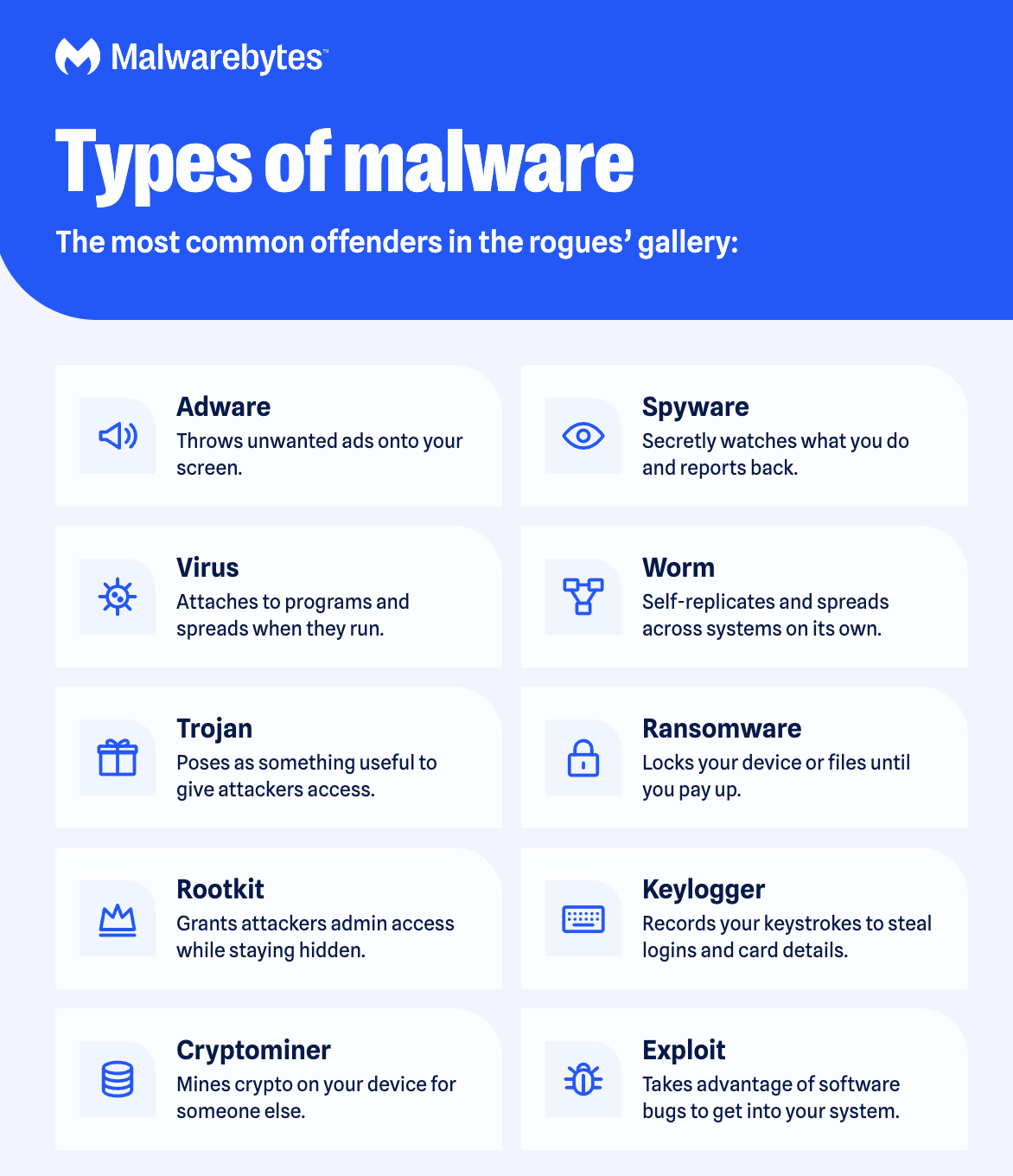
- Adware is unwanted software designed to throw advertisements up on your screen, most often within a web browser.
- Spyware is malware that secretly observes the computer user’s activities without permission and reports it to the software’s author.
- A virus is malware that attaches to another program and, when executed replicates itself by modifying other computer programs and infecting them with its own bits of code.
- Worms are a type of malware similar to viruses.
- A Trojan, or Trojan horse, is one of the most dangerous malware types. It usually presents itself as something useful in order to trick you. Once it’s on your system, the attackers behind the Trojan gain unauthorized access to the affected computer. From there, Trojans can be used to steal financial information or install other forms of malware, often ransomware.
- Ransomware is a form of malware that locks you out of your device and/or encrypts your files, then forces you to pay a ransom to regain access.
- Rootkit is a form of malware that provides the attacker with administrator privileges on the infected system, also known as “root” access.
- A keylogger is malware that records all the user’s keystrokes on the keyboard.
- Exploits are a type of malware that takes advantage of bugs and vulnerabilities in a system in order to give the attacker access to your system.
Signs of malware
Malware can reveal itself with many different aberrant behaviors. Here are a few telltale signs that you have malware on your system:
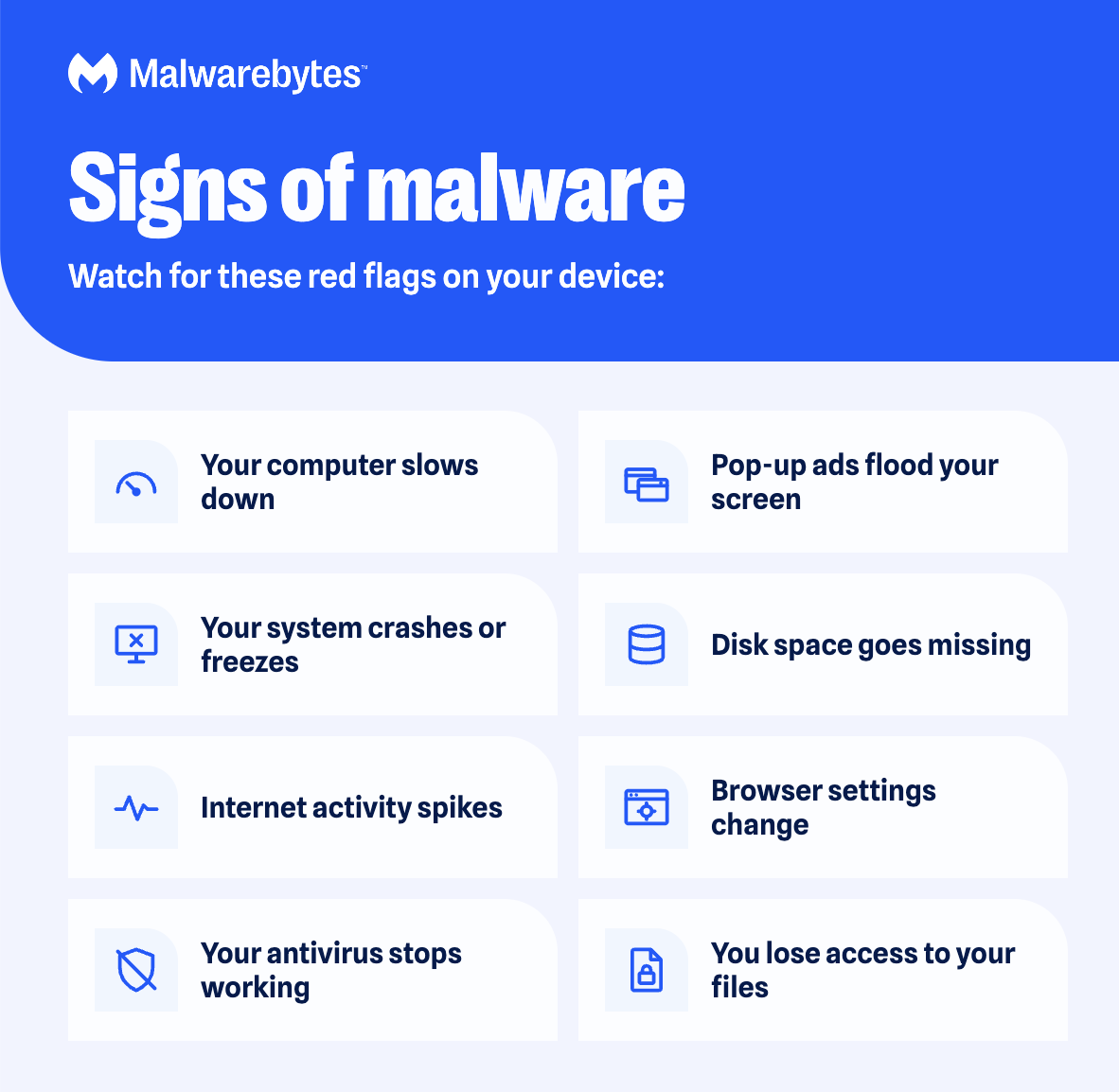
- Your computer slows down. One of malware’s side effects is to reduce the speed of your operating system (OS), whether you’re navigating the internet or just using your local applications. Your system’s resources usage appears abnormally high. You might even notice your computer’s fan whirring away at full speed.
- Your screen is inundated with annoying ads.
- Your system crashes. This can come as a freeze or a BSOD (Blue Screen of Death); the latter occurs on Windows systems after encountering a fatal error.
- You notice a mysterious loss of disk space. This could be due to a bloated malware squatter, hiding in your hard drive, aka bundleware.
- There’s a weird increase in your system’s internet activity.
- Your browser settings change. If you notice your homepage changed or you have new toolbars, extensions, or plugins installed, then you might have some sort of malware infection.
- Your antivirus product stops working and you cannot turn it back on, leaving you unprotected against the sneaky malware that disabled it.
- You lose access to your files or your entire computer. This is symptomatic of a ransomware infection.
Even if everything seems to be working just fine on your system, don’t get complacent, because no news isn’t necessarily good news. Powerful malware can hide deep in your computer, evading detection, and going about its dirty business without raising any red flags. While we’ve provided a quick malware spotter’s guide, it really takes the unfaltering eye of a good cybersecurity program to detect malware on your system (more on that later).
How do you get malware
The two most common ways that malware accesses your system are the internet and email. So basically, anytime you’re connected online, you’re vulnerable.
Malware can penetrate your computer when (deep breath now) you surf through hacked websites, view a legitimate site serving malicious ads, download infected files, install programs or apps from unfamiliar providers, open a malicious email attachment (malspam), or pretty much everything else you download from the web onto a device that lacks a quality anti-malware security application.
Malicious apps can hide in seemingly legitimate applications, especially when they are downloaded from websites or direct links (in an email, text, or chat message) instead of an official app store. Here it’s important to look at the warning messages when installing applications, especially if they seek permission to access your email or other personal information.
How to remove malware
Follow these three easy steps to remove malware from your device.
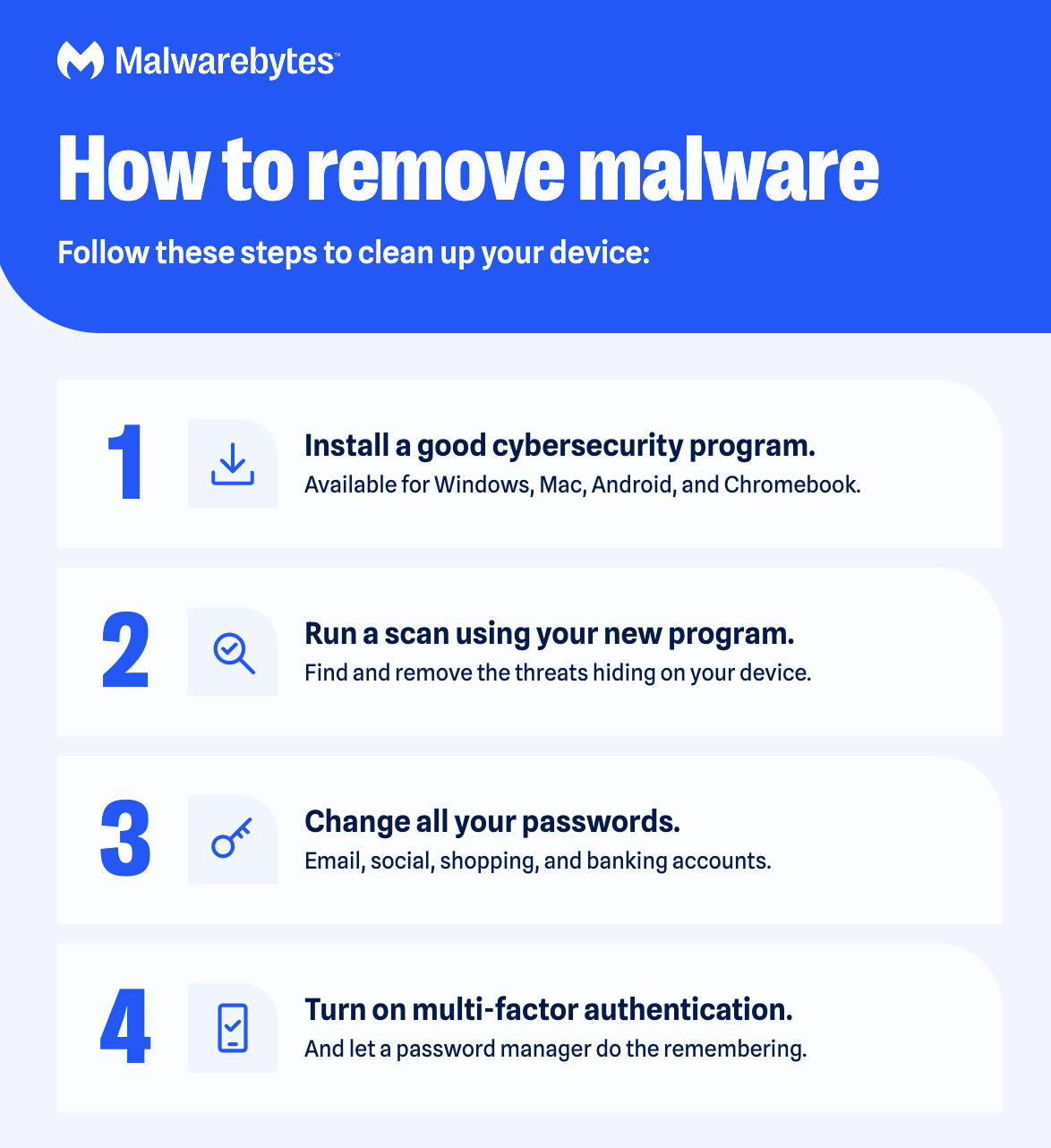
1: Download and install smarter antivirus and cybersecurity protection
2: Run a scan using your new program.
3: Change all your passwords.
4: Turn on multi-factor authentication.
How can you prevent getting your device infected
Here are our tips on protecting against malware.
- Don’t click on scam and phishing links. Be wary of strange or unverified links in emails, texts, and social media messages, even when they seem to come from someone you know. Check that the domain is spelled correctly, because scammers often use lookalike addresses such as “paypa1.com” or “amazon-support.net.” If you’re not sure, paste the link into the free Malwarebytes Scam Link Check to see whether it’s safe before you click. Learn more about how to check if a link is safe.
- Use strong passwords with multi-factor authentication.
- Avoid clicking on pop-up ads while browsing the internet. Use Malwarebytes Browser Guard extension to block these.
- Avoid opening email attachments from unknown senders.
- Don’t download software from untrustworthy websites or peer-to-peer file transfer networks.
- Stick to official app stores: Google Play on Android, and Apple’s App Store on iPhone and Mac (and don’t jailbreak your phone). Windows users should check the ratings and reviews before installing any software.
- Make sure your operating system, browsers, and plugins are patched and up to date.
- Delete any programs you don’t use anymore.
- Back up your data regularly. If your files become damaged, encrypted, or otherwise inaccessible, you’ll be covered.
- Download and install a reputable cybersecurity software (think a smarter antivirus!) that actively scans for and blocks threats before they get on your device.
Malware on Mac, Android and iPhone
Conventional wisdom has sometimes held that Macs and iPads are immune to catching viruses (and don’t need an antivirus). For the most part, that’s true, but Macs aren’t immune to cyberthreats. Mobile devices are also attractive targets for cyber criminals. After all, smartphones are sophisticated, complex handheld computers.
Protect your Mac with Malwarebytes Premium: Mac antivirus and anti-malware.
Android and iPhone malware infection signs
Mobile devices infection signs are similar. If you notice any of these, chances are your phone has been infected:
- A sudden appearance of pop-ups with invasive advertisements. If they appear out of nowhere and send you to sketchy websites, you’ve probably installed something that hides adware within it. It suffices to say—don’t click on these ads.
- A puzzling increase in data usage. Malware chews up your data plan by displaying ads and sending out the purloined information from your phone.
- Bogus charges on your bill. This happens when malicious software makes calls and sends texts to premium numbers.
- Your battery runs down quickly. Malware is a resource burden, gulping down your battery’s juice faster than normal.
- Your contacts receive strange emails and texts from your phone. Mobile malware often spreads from one device to another by means of emails and texts containing malicious links.
- A hot phone generally means the processor is being taxed by a lot of resource intensive activity.
History of malware
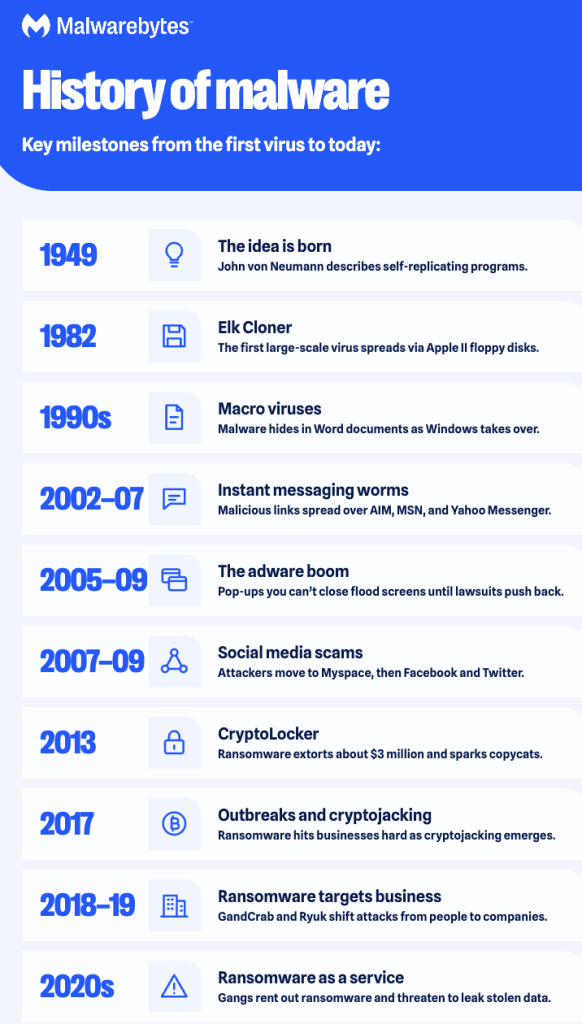
Malware has evolved from a theoretical idea in the 1940s into a profit-driven criminal industry. Here are the key milestones.
1949: Mathematician John von Neumann lectures on “self-reproducing automata,” the theory behind computer viruses.
1982: Elk Cloner infects Apple II systems through floppy disks, becoming the first large-scale computer virus outbreak.
1990s: As Windows becomes the world’s most popular OS, attackers write macro viruses that hide inside Microsoft Word documents.
2002–2007: Instant messaging worms spread across AIM, MSN Messenger, and Yahoo Messenger, sending malicious links to everyone on a victim’s contact list.
2005–2009: Adware floods screens with pop-ups you can’t close, until lawsuits drive many adware companies out of business. Today’s tech support scams still use the same tricks.
2007–2009: Scammers move to social networks, first Myspace, then Facebook and Twitter, to spread phishing links and malicious apps.
2013: CryptoLocker ransomware extorts about $3 million from victims and inspires an endless stream of copycats.
2017: Huge ransomware outbreaks hit businesses of all kinds, while cryptojacking emerges as criminals secretly use victims’ devices to mine cryptocurrency.
2018–2019: Ransomware gangs like GandCrab and Ryuk shift their focus from individuals to businesses.
2020s: Ransomware becomes a service that criminal gangs rent out, and attackers steal data before encrypting it so they can threaten to leak it.