
Crucial Track for July 13, 2026
"Rock Around the Clock" by Bill Haley and His Comets
What song makes you feel nostalgic for a time you never lived through? - Rock Around the Clock by Bill Haley and His Comets
The first few seasons of Happy Days, a must watch TV show about a family in the 1950s, this tune was the theme song (until the producers got tired of paying for it and wrote their own.) I'm pretty sure it was also used in American Graffiti.

Mac Tools Consolidates Your Utility Bloat — With One Catch

Apple, in its infinite wisdom, buries a great many popular system controls three layers deep in Settings, or worse, leaves them accessible only via the command line. Luckily, we have a community of indie developers who are pretty good at surfacing that stuff, building an app around it, and selling it for $5. An app for brightness. An app for the notch. An app to keep the Mac awake. An app to mute the mic. Then one day your menu bar has 40 icons in it and your login items are out of control.
There's a relatively new, free and open-source app that takes the opposite approach. Currently sporting over 500 GitHub stars, Mac Tools folds more than 40 of those functions into a single menu bar icon. It's built natively in SwiftUI and AppKit; the functions run on native Mac architecture, not scripts. Brightness goes through CoreDisplay, audio through CoreAudio, and disk cleanup runs path verification before it deletes anything. That last one matters: a cleanup tool that checks its work before emptying folders is rarer than it should be.
Check out the Mac Tools website. Mac Tools is available through Homebrew:
brew tap ggbond268/mactools
brew install --cask mactools
What It Does
The features break down into five groups. You enable the plugins for what you want and leave the rest turned off.
Display Control -- resolution switching per monitor, DDC/CI brightness for external displays, True Tone, dark mode, Night Shift, display sleep, prevent sleep, notch hiding, and menu bar icon hiding. This group alone covers what most people buy three or four separate utilities to do.
System Operations -- Stage Manager toggle, system and microphone mute, disk cleanup, Xcode cleanup, eject all disks, empty trash, clear clipboard, lock screen, batch quit apps, and a fix for the "app is damaged and can't be opened" error, which is really just quarantine flag removal with a file picker instead of an xattr command.
Efficiency Tools -- three-finger middle click on the trackpad, a cleaning mode that blacks out the screen and locks input so you can wipe the keyboard, IP lookup, translation, global app hotkeys, a full-screen Launchpad replacement, Finder right-click enhancements, and a zsh config editor.
Monitoring Panel -- CPU, GPU, memory, disk, network, and battery with one-hour history curves; keyboard, mouse, and app usage statistics; battery levels for the Mac plus Bluetooth peripherals and AirPods; fan control; and a charge limiter that defaults to 80 percent.
Personalization -- custom menu bar icons including GIF and MP4 animations, Launchpad appearance controls, 11 languages, and a plugin marketplace.
The plugin architecture is what keeps this from becoming bloatware. Everything can be enabled, hidden, or reordered, so the panel only shows what you actually use.
What It Replaces
The point of Mac Tools is consolidation, not feature-for-feature parity with every indie tool it overlaps. Lunar is still the king of independent monitor control, but if you just need brightness adjustment, Mac Tools handles it. If Amphetamine is only in your Dock to stop the Mac from sleeping, Mac Tools does that too. Across a whole set of single-purpose categories, it's a credible replacement for:
- a notch hider
- a mic mute utility
- an eject-all tool
- Itsycal-style calendar duty
- a Stats-style monitor
- a fan controller
- a charge limiter
- an app usage tracker
The Catch and a Reality Check
This is a relatively new app. After it appeared on GitHubDaily and in a Medium article, its popularity spiked fast. The developer's true identity is unknown; "ggbond268" is a pseudonym, and the project came out of the Chinese Mac community. The README is in Chinese, though the app itself is localized into English and ten other languages. That's not disqualifying on its own -- I run Chinese-built apps like Qspace regularly -- but it's the kind of context you want before you grant an app broad system access, not after.
And several of these features do ask for broad access. Fan control installs a helper with admin rights. Disk cleanup deletes files. The middle-click feature uses an event tap. Quarantine removal is the kind of thing you want done carefully, not casually. The code being open and the app being native counts for a lot -- that's the whole argument for shipping as a public repo instead of a black box. What it doesn't have yet is a public security audit. Worth knowing before you install, not a reason to skip it outright.
Is This For You?
If you're comfortable installing from a Homebrew tap, you like open source, and your menu bar currently hosts a small orchestra of single-purpose utilities, Mac Tools is an easy experiment. It's free, it's light, and the plugin design means you can turn on three features and ignore the rest.
If you'd rather pay for a mature tool with a support address and years of releases behind it, or handing admin rights to a young, pseudonymous project makes you itch, stick with the battle-tested standalones for now and check back in six months. Promising and early -- both are true at once.
Viraam Made Me Admit I Was Wrong About Break Reminders

I've resisted the whole category of apps that nag you about breaks, posture, hydration, and eyestrain. Being told what to do by my computer felt like an insult to my judgment.
The reality: my judgment about when to take a break is bad. I lose track of time at the keyboard, I resist interruptions on principle, and by the end of most days I'm running well under 100%. None of that is a software problem until you decide it's worth fixing with software.
I evaluated a handful of the popular Mac App Store options for this. I landed on Viraam.
The features that actually matter
Context detection. Viraam auto-pauses during meetings, calls, screen sharing, fullscreen video (Netflix, YouTube, VLC), and when you've stepped away from the Mac. This is the feature that makes the rest of the app tolerable — a break reminder that fires mid-screen-share is a break reminder you'll disable within a week.
Six routines, not one timer. Eye rest (20-20-20), stand and stretch, hydration, general breaks, walking, meditation. Most competitors in this category do the eye-strain timer and stop there.
Guided audio eye exercises. Palming and blinking sessions with calming sound. This is the one feature I hadn't considered before trying the app, and it's the one none of the comparable apps below offer.
Quiet Mode, Pomodoro, and automation. A toggle for cafés and shared offices, a configurable Pomodoro timer (5–120 min), Shortcuts and Siri support, and Focus Filter awareness so behavior changes per Focus mode.
Local-only data. No account, no analytics, no telemetry. The App Store privacy label says "Data Not Collected," which for once matches the actual product.
Who this is for
Anyone who spends long uninterrupted hours at a screen and has already proven, to themselves, that willpower alone doesn't produce breaks. Developers, writers, designers — the people whose flow state is exactly the thing that erases the sense of time passing.
Who this isn't for
If you just want a plain 20-20-20 timer with no wellness scope creep, Viraam is more app than you need. Stretchly or BreakTimer will do the one job without asking you to also think about hydration and meditation.
The competition
Time Out (App Store) — free, with one-time supporter tips ($3.99–$14.99, no subscription). Mature and deeply configurable via AppleScript/Automator, but it has no automatic meeting or video detection and no guided exercises. This is a scriptable utility, not an adaptive system.
Stretchly (GitHub) — free and open source, cross-platform. The honest choice if you want zero cost and don't care about native polish. It's Electron, it ships unsigned on Mac, and it has no eye exercises, hydration, or meditation content. Does the timer job and nothing else.
LookAway (lookaway.com) — starts at $19 one-time, also on the App Store and Setapp. The closest real competitor: posture/blink reminders and "Smart Pause" context awareness are comparable to Viraam's context detection. Where it stays narrower is scope — it's built around screen breaks and iPhone sync, not hydration, meditation, or sleep wind-down.
DeskRest (App Store) — free with in-app purchases. Pairs breaks with posture alerts and an end-of-day "quitting time" boundary reminder, which is a genuinely useful idea Viraam doesn't have. It doesn't do guided audio eye exercises or mindfulness routines, though.
For me, context-aware pausing and breadth of routine mattered than "is it free". Trialing Viraam and LookAway side by side helped me decide to go with Viraam.
Details
- Website: viraam.app
- Price: $2.99/month, $19.99/year, or $49.99 lifetime; 7-day free trial
- Availability: Mac App Store only, direct download via developer site
- Privacy: No data collected
Free and Discounted Copies of Sxitch for Reader

Umang Syrana, the developer of Sxitch, a keyboard tree based app switcher gave me 10 free licenses and 10 licenses at a 50% discount to distribute to AppAddict readers.
Get it free: Use code AMERPIE
50% Discount: Use code AppAddict
Sxitch
Sxitch is a variation on the Right-Cmd launcher pioneered by the Low-Tech Guys. Right-Cmd opens a popup; type letters and the list narrows -- "tree-based navigation" -- until one app is left, which auto-focuses. No cycling.
What I like: The tree-based, letter-narrowing mechanic is the clear differentiator versus Cmd+Tab's unpredictable cycling. The free tier includes tree-based switching and themes; Pro adds window switching, a Hide/Quit mode, overrides, blacklists, and priority support via Discord. The developer is responsive to user feedback and has already shipped a list-view feature based on Reddit requests.
Cons: May not be enough of a difference from Raycast or Alfred to justify a separate tool for some users.
Price: $10 for lifetime access on up to 3 Macs, or $2 a month, cancel anytime.
Sources: Sxitch homepage · Sxitch vs rcmd vs Dory
Crucial Track for July 10, 2026
"Summertime" by Louis Armstrong & Ella Fitzgerald
Share a song that captures the moment when seasons change. - Summertime by Louis Armstrong and Ella Fitzgerald
Summertime and the living is easy, Catfish are jumping , That old cotton is high, Your Daddy's rich and your Mama's good looking, Hush pretty baby, don't you cry

The World Needs More $5 Apps Like NanoClip

NanoClip is a menu-bar app combining clipboard history, text-expansion snippets, and clipboard automation "flows." Free/demo tier; Pro is $9.99 one-time ($5 with code EARLYBIRD through Jul 31). macOS 14+, local-first, optional iCloud sync, no account. By Victor Baro. (getnano.dev/clip)
The world needs more $5 apps like NanoClip. Before you roll your eyes at yet another clipboard utility, this one is actually three utilities rolled into one, and each can be summoned with its own global hotkey, fully remappable:
- Clipboard history (⌃⌘V) -- everything you've copied, searchable
- Snippets (⌃⌘S) -- text expansion with keyword auto-triggers
- Flows (⌃⌘F) -- automations that transform whatever's on your clipboard
Upfront, I'll tell you that you can get a portion (but not all) of what NanoClip offers from Raycast or Alfred. The developer isn't hiding from that; right on the product page he features detailed comparisons against both of those big-name launchers, plus Maccy and Paste.
I'm a heavy Raycast user, and inside it I keep a large set of text expansion snippets I've been using for years, imported from the OG TextExpander app, which is now subscription-based. NanoClip's snippets can go head to head with Raycast's: they support dynamic placeholders for the current date, clipboard contents, or fields you fill in before pasting.
I also use Raycast's clipboard manager, and unlimited history is one of the main reasons I pay for Pro. Raycast, however, doesn't sync clipboard history between machines, and that's why I'm continually tempted to leave it. NanoClip Pro gives me unlimited clipboard history for $5 once versus $8 every month for Raycast Pro (which adds more than just clipboard history, to be fair). It also syncs history and snippets between Macs via iCloud -- optional, for obvious privacy reasons.
The tools power users expect are here too: search, pinned items, and a paste queue that lets you copy several items and then paste them out in order -- handy for forms and spreadsheets. History captures text, rich text, code, links (with rich previews), images, GIFs, files, and color values, each rendered with an inline preview so you can see what you're about to paste.
Although I write a lot, I confess to underusing the text manipulation tools I already own. Flows might fix that. You get 30 built-in blocks across text, image, URL, and AI categories, including regex extraction, JSON formatting, OCR, image resize/convert, URL tracking-parameter stripping, QR generation, and even Bash commands (direct-download build only). The AI blocks are strictly optional and run either locally (Apple Intelligence or Ollama) or through your own API key for OpenAI, Anthropic, or Gemini.
Comparable apps
- Maccy is free and open source, the default recommendation for pure clipboard history, but has no snippets, flows, sync, or rich previews.
- Paste ($29.99/year or $89.99 lifetime) has the prettiest UI and iPhone/iPad sync, but it's a subscription for what NanoClip charges $9.99 once for.
- Raycast includes clipboard history (30-day retention) and snippets free inside its launcher; unlimited history and sync need Pro at $8/month.
- Alfred's Powerpack (one-time, ~£34) similarly bundles clipboard history and snippets into a launcher.
NanoClip's free tier is a demo more than a daily driver (last 5 clipboard items, 3 snippets), but at $5 through July 31 -- $9.99 after -- Pro is a bargain if you need all its features.
Crucial Track for July 9, 2026
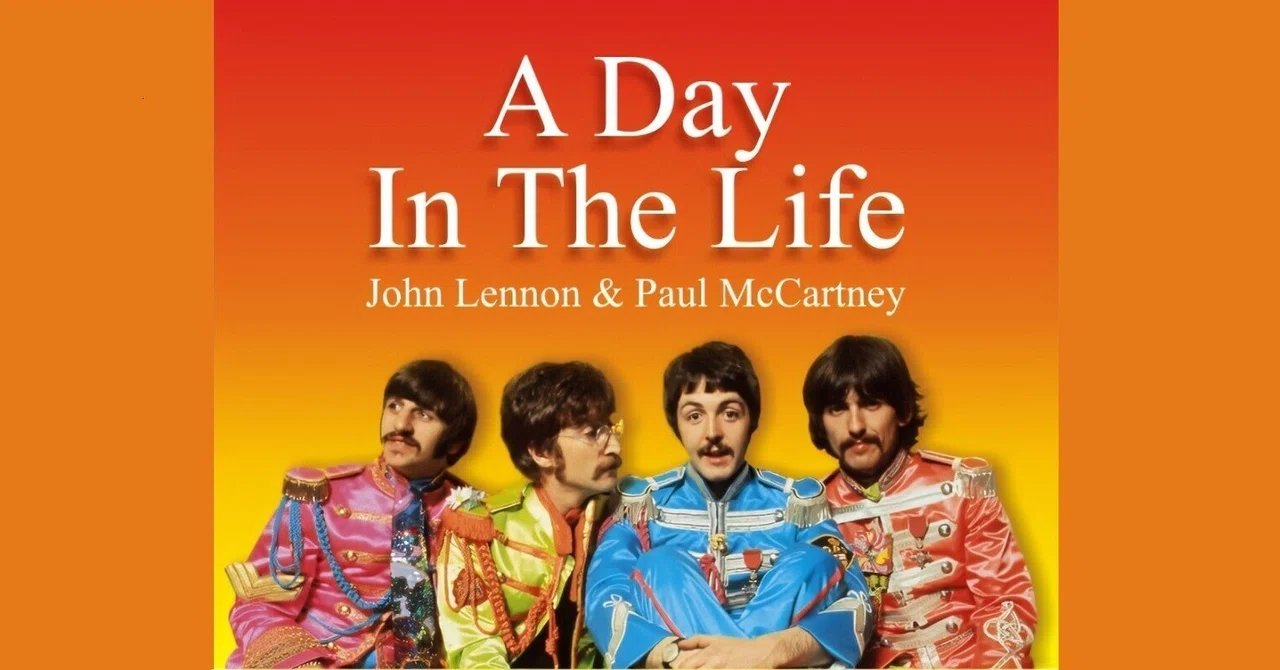
"A Day In the Life" by The Beatles
What song makes you feel like you're floating? A Day in the Life by The Beatles
It always makes me happy to hear a song by The Fab Four, especially when it's unexpected. This tune used to win a lot of polls as the best rock sone ever. I don't know about that, but it's pretty damn good.
I Know Everything About You

I worked with a guy for twenty years. I knew his three daughters by sight and watched them progress and graduate from the school system that employed their father and me. I knew this guy's wife, his father, his mom's health history. I knew what he did in the Air Force and I knew about most of the other jobs he'd had. He was a nice person, helpful, knowledgeable, personable. He drove me crazy.
He talked about himself and his life a fair bit, which I don't mind. I like getting to know people. I'm not invasive, but I'll ask questions when people tell stories. I'm not above repeating those stories (not the private ones) if I'm around a crowd that listens. For instance, the guy at work that I'm talking about was a nuclear weapons specialist. He had a picture of himself in his office, in an Air Force uniform, sitting casually atop an atomic bomb. He'd served during the Cold War. He talked honestly about how much it affected his psyche to be constantly worried about having to deploy one of those things.
I'm a Cold War vet too, but if you asked this fellow what branch of the military I was in, he would have no idea. He couldn't tell you the names of my children to save his life. If you asked him to name a fact about one of my parents, he couldn't do it. It wasn't just me either. Several of us worked side by side for more than a decade and his knowledge about their lives was the same as it was about mine. He just wasn't the least bit interested in anyone else. He listened because he was polite, but he didn't care enough to retain anything.
The universe handed me a few lifelong impediments, but that's balanced with the unearned gifts it also provided. One of those gifts is a good memory. I can absorb facts, any facts, like a sponge. Although some people view that as a sign of intelligence, I know better. I'm no better than average at problem solving. I don't like unknowns, so I never liked math. I did well in science classes where we learned about systems, like biology. I did poorly in classes where we solved problems, like chemistry.
Remembering facts about the people I meet is the one people skill I've used over the years. I get a kick out of surprising someone when I remember where they went to elementary school or their pet's name because, at one time, they'd mentioned it in a conversation. Lots of people stuff is hard for me. I think I have poor emotional intelligence. I'm judgy as hell. I forget that people need to hear "Hey, would you mind doing me a favor, when you get a chance?" before I ask them to do the job they're already paid to do. If we work together long enough, I'll grow on you. I promise. You just have to get to know me.
I've found that most people are flattered if you show interest in their lives, meaning that you see them as a human being and not just a cog in a big machine. Even introverts will open up after a while. I don't give up easily. If we are in any situation, work or otherwise, I'm going to get you to talk.
The counter to that is the trait that brings out that judgy side I mentioned. If you only want to talk about you, if you don't ask questions, if you go slack-jawed with boredom unless you're the center of a conversation, well, then, I'm probably not going to be one of your fans. Sorry. I guess one thing I need to know about the people in my life is that they see others as the complicated, imperfect but endlessly fascinating creatures that we all are. The guy I worked with for twenty years never learned a thing about me, and I've forgotten nothing about him. That's the whole difference, right there.
Show me you see the people around you, and I'm in your corner for life. Don't, and I already know how that story ends.
Enjoyed it? Please upvote 👇
Allihat: Good App, Hard Sell

Reviewing software has become a minefield. Post something positive and somebody decides you must be the developer in disguise. Review a paid app and a crowd shows up to litigate every penny; make it a subscription and they bring reinforcements. Privacy-focused readers want to know where every byte goes, and given the state of surveillance capitalism, that's fair. Then there's the elephant in the room: AI. Half the internet bristles at it for reasons that are at least partly justified, while the other half has quietly used it to do things that would have been difficult to impossible without it.
None of that changes what a review is for: what the app does, who it helps, and what I learned from actually testing it. So here goes.
AlliHat
AlliHat is a Safari extension by Nathan Kontny that puts an AI assistant — Claude, ChatGPT, Gemini, or Apple's on-device model — in the Safari sidebar (App Store). Free download, $29.99/year IAP, macOS 14 or later.
Features
- BYOK. Bring your own key from any of the paid models, or use Apple's built-in model entirely on-device. Communication with the paid models is direct — no middleman — and your key stays on your machine.
- Agent Mode (Claude only). Clicks, fills forms, scrolls, and navigates pages for you; essentially Claude-in-Chrome for Safari. If you've de-Googled and want to stay that way, this gets you a Chrome-native feature without Chrome.
- Per-URL conversations. Chats about a page are saved against its URL and reappear when you revisit. In Agent Mode, you can save and reuse workflows for repeated tasks.
- PDF handling. Open a PDF in Safari and AlliHat can read and summarize it, NotebookLM-style. It handles scans and tables too.
- YouTube summaries via video transcripts.
- Native Safari App Extension. 603 KB, no Electron. Global hotkey (⌘⇧C) and right-click actions on selected text: Explain, Summarize, Synonyms.
Comparable Apps
- Sider works in Safari, Chrome, and Edge with a free tier and paid plans from roughly $8.30/month, but it's credit-metered and routes through Sider's servers rather than your own API key.
- Elephas ($9.99/month, $99/year, or lifetime tiers) is a Mac-wide AI assistant that works in every app, not just Safari, but has no browsing agent mode.
- BrainyAI is a free, open-source sidebar alternative to Sider and Monica, but Chrome-only.
Beyond extensions, an AI sidebar is a built-in feature of the AI browsers (Dia, Perplexity's Comet, OpenAI's Atlas) and of Anthropic's own Claude extension for Chrome. AlliHat exists precisely because Safari has none of these.
Who It's For
If you only use Safari for privacy or battery reasons and want page-aware AI without switching browsers or paying a second subscription on top of your API costs. BYOK plus a native extension is exactly the right architecture for that person, and nothing else on Safari that I am aware of offers an agent mode at all.
That's the catch: $29.99/year plus your own API bills for one browser's sidebar is a hard sell when switching to Chrome gets you Claude's extension free, and Apple keeps folding more AI into Safari itself. Good app; the pricing math is the part you have to make peace with.
Crucial Track for July 8, 2026
"Growin' Up" by Bruce Springsteen
What's your favorite song about growing up? - Growing Up by Bruce Springsteen
"I hid in the clouded wrath of the crowd, but when they said, "Sit down," I stood up" - Man, that describes my Rebel Without a Clue teenage years. I was the embodiment of Brando's famous line in The Wild Ones - "What are you rebelling against, Johnny?" Brando: "What have you got?".

Crucial Track for July 6, 2026
"Old Man" by Neil Young
What song would you dedicate to your younger self? - Old Man by Neil Young
To me, this is a song about continuity. We are who we are, regardless of age. Sure, there have been plenty of changes, but the core remains the same - the need for love, and home and self worth. It's just pure poetry.


I spend a lot of time watching the free-software sites, and for a couple of years now one name keeps earning a click: WidgetWorx. There are currently 17 "unquestionably niche, but surprisingly useful apps" on offer, none of them more than $4.99. In a throwback to yesteryear, a few are fully functional donation-ware. Every app is signed and notarized. No subscriptions, no telemetry, no Electron bloat.
The developer answers support quickly and keeps the apps current with bug fixes and new features. You can tell he put real thought into each title, and I've used enough of them long enough to speak to whether they hold up. They do.
My Favorite WidgetWorx Apps
Command Keeper - A searchable, personal library you build over time: command-line snippets, shell scripts, SQL queries, even AI prompts, all a click away. That single click can insert a command or script straight into macOS Terminal, iTerm, Warp, Ghostty, or Alacritty. It lives in the menu bar, but it's useful enough that you'll want to memorize the keyboard shortcut. Once you've invested some time building your library, take advantage of the export (JSON or CSV) as a backup. A lifetime license is $4.99. If you're a try-before-you-buy person, you can use it as long as you like; it just shows a time-delayed nag screen on each launch until you enter a key.
Butterfly Collector - A well-thought-out app for tracking your software licenses, and a lot more than just license keys: version, publisher, category, cost, architecture, minimum OS version, platform, and plenty of other fields. If you use something like Hazel that relies on license files, you can attach those to the entry. Automation fans get 10 built-in AppleScript actions, and there's an import function from another WidgetWorx app, Revok. Once it's populated, you can crunch some sobering numbers on what your software habit actually costs. The nicest touch: renewal reminders, which double as a prompt to re-evaluate your stack. A lifetime license is $4.99, with the same try-before-you-buy mechanism as Command Keeper.
Revok - I'm a little meta about my software; I keep apps about apps, and this is the one I reach for most. Point it at your Applications folder and it scans in a few seconds, returning an almost absurd 171 attributes. Want to see how many Electron apps you're carrying? (I'm down to four.) Curious which framework a developer used? Short on space and looking for what can go? Revok has a "seldom used apps" category for exactly that, and it'll show you which apps installed login items. The user guide is worth a read for use-case ideas. One caveat: you need the Xcode command-line tools installed to use it. Revok is $3.99, works without a license, and gains features once you buy one.
Book 'em Danno - I have the ebook collection of a true data hoarder: 28K titles and counting. I manage my collections with a mix of tools, so when WidgetWorx released Book 'em Danno I imported everything just to see what would happen. TL;DR: it didn't break. Drag your ebook files right in; it handles EPUB, MOBI, AZW3, CBZ, and PDF, extracts the metadata, and builds a searchable database. You can add notes and ratings. If you think Calibre is too ugly to live with, Book 'em Danno covers a good chunk of that ground. Pair it with a free reader like Readest and you've got a genuinely capable setup. The app is free to use, but the developer asks for a donation.
Notcho Libre - There are some clever apps that put the notch to work, but that's cold comfort if you just want to be rid of the damn thing. Notcho Libre is a recently released free app that redraws your display so the notch disappears, and it does it without invasive permissions. Set it as a startup item and get on with your (notchless) business.
Other Free Apps
You can find all of these on the WidgetWorx website.
- DoD - Get word definitions on demand with this pop-up dictionary
- Stim - Keep your Mac awake on a schedule or while specific apps are open
- Disk-O - Monitor your built-in storage
- Menu Snappr II - A screenshot utility for capturing your screen, windows, and selected areas
- Menupedia - Bring Wikipedia into your Mac's menu bar
- A.B.M. Command - A retro-styled arcade defense game for players who like frantic action
DonationWare
- File Fingerprints - Run hash scans at scale with a security angle
- Quill - A menu bar-accessible notes app
Paid Apps
- MountBatten - Apply rules to external drives and disk images before they can mount on your Mac
- Trash Buddy Plus - A shortcut-friendly trash management app
- Unibrow - A task manager focused on speed, structure, and flexibility
- Breakin' - Break reminders throughout the day
Developer Q & A
How did you get started in app development?
During the winter 2020 COVID lockdown. I built a Spotify player that ran in the menu bar to pass the time. It leaked memory like a sieve, but the sense of accomplishment and creative fulfillment was addictive, so I kept at it.
WidgetWorx isn't your full-time job. What else do you do?
I'm a Product Manager at Unity, where I lead a small team focused on mobile game monetization. Over a long, unremarkable tech career, I've worked on everything from simple video games and ad systems to Google's contract management platform and tools supporting US national security.
Which developers do you admire?
Double-Click Software, a long-defunct Atari ST developer from my teenage years who built many elegant, lightweight tools. More contemporary inspiration comes from The Low Tech Guys, who make some really well-designed apps.
Which of your apps do you take the most pride in? Why?
I take pride in all of them to a degree, but if I had to choose: Notcho Libre, for being a surprisingly simple fix for the MacBook's notch; Book 'em Danno, because it does a good job managing your ebook catalog if you invest the time to learn it; and Revok, for the genuinely useful insight it gives users into what's installed on their Macs.
What are you working on next?
I'm trying to work up the motivation to start on Video Cat, a video cataloging app that will share a codebase with Book 'em Danno. That's on top of fixing bugs and adding features to my existing crop of apps.
The Best eBook Readers: Readest vs. Bookshelves

TL;DR: Apple Books is a storefront that happens to read ebooks. If you own your library, the real choice is between two apps. Readest is open-source, runs on everything (Mac, iOS, Windows, Linux, Android, web), and has the deepest feature set I've seen (side-by-side reading, sentence-level translation, KOReader/WebDAV sync), but it's still v0.x and some marquee features are unfinished. Bookshelves is Apple-only and commercial, but it's polished, ships fast, and pairs a strong reader with a 1.5-million-book built-in catalog. Cross-platform reader? Readest. Living entirely on the Mac and want the nicer native app? Bookshelves. Full breakdown below.
I spend a significant portion of every day managing and curating an embarrassingly large ebook collection. For a long time, I was a dead tree books guy and honestly, I can be talked in to visiting a book store with very little effort, but for sheer usability and utility, nothing matches a digital collection.
I still rely on calibre for the heavy lifting. While aesthetically, it may look like a Windows app from 1996, nothing can match it feature for feature for format conversion, metadata retrieval from multiple sources at once, file management and search ability. Using it as a reader is a non-starter though.
Calibre Keeps Getting Better | AppAddict
Apple Books
macOS has included an ereader, Apple Books, formerly iBooks, since 2013 when it was introduced as a stand alone app in Mavericks, Mac OS X 10.9. But even before that, iTunes offered ebook management. For casual readers who buy most of their books directly from Apple, it's enough. You get a clean, distraction free reading experience, annotation support, world class typography and excellent synchronization across Apple platforms. Apple Books is a storefront, first and foremost, just like Apple Music. Both are designed to get you to spend money. Apple Books also has very limited support for library management and for many file formats.
The real ereader competition
While there are a lot of options available to Mac users for a native ebook experience, the top tier as I see it comes down to two apps: Readest and Bookshelves.
Readest
Developer: Open-source community (AGPL-3.0) Price: Free and open-source; App Store version available Formats: EPUB, MOBI, KF8/AZW3, FB2, CBZ, TXT, PDF Platform: macOS, iOS, iPadOS, Windows, Linux, Android, Web GitHub: readest/readest
Readest is a modern rewrite of Foliate (the well-regarded Linux ebook reader), rebuilt in Next.js and Tauri v2. It has 21.5k GitHub stars, 89 contributors, and ships on every major platform including a web app at web.readest.com. It's technically a v0.x release (currently at 0.11.17), but the feature list reads like a mature product.
Readest's feature depth is uncommon: parallel reading (two books side-by-side in split screen), DeepL/Yandex translation at the sentence or whole-book level, text-to-speech with multilingual support within a single book, KOReader sync, WebDAV sync, code syntax highlighting for technical books, a reading ruler, paragraph-by-paragraph focus mode, and full accessibility support including VoiceOver, NVDA, and Orca.
The translation feature alone separates it from every competitor in this category. If you read in multiple languages or work through texts in a non-native language, there is no real competition.
OPDS and Calibre integration are first-class, not bolted on. If you run a Calibre library, Readest slots in without ceremony.
There is a catch: AGPL-3.0 licensing keeps the code open, but the business model is donation-based. That's fine for now (the project is clearly active), but it's a different kind of bet than a commercial app with a defined revenue stream. The v0.x version number also signals that the API and sync behaviors may shift. AI summarization and advanced reading stats are still "building," and audiobook support is currently vaporware.
Bookshelves
Developer: CPE Verm. GmbH Price: Free (10-book limit); one-time Pro upgrade ($6.99) Formats: EPUB, PDF, CBZ/CBR/CB7, FB2, MOBI/AZW3/KF8/KEPUB Platform: Apple ecosystem only (Mac, iPhone, iPad) App Store: Bookshelves eBook Reader
I've been using Bookshelves since the day of the first public release. It has always impressed me as the solution for most design issues faced by Mac App Store ereaders. It's 67.4 MB, currently sitting at #24 in the Books category, and the developer ships new features at a blistering pace. The most recent update dropped localization in 33 languages and a batch of reader and comics fixes.
The reading experience is the priority here. Paginated and scroll modes, 10 themes, 10 fonts, full-text search, highlighting, and annotations: all the basics, executed cleanly. Comic and manga readers get CBZ/CBR support with two-page spreads and right-to-left mode, which most ereaders skip entirely.
The built-in catalog is useful in practice: 1.5 million free books from Project Gutenberg, Standard Ebooks, the Internet Archive, and a Spanish-language collection. Standard Ebooks alone makes this worthwhile; that project produces beautifully formatted public domain texts that most readers ignore entirely.
The Pro tier ($6.99) unlocks iCloud sync (progress, highlights, preferences across devices), Calibre wireless transfer, OPDS server access, and highlight export. If you're in the Apple ecosystem and already use iCloud for everything else, this is the path of least friction.
The main drawback is lack of support for any other platform. It's Apple-only by design. If any part of your reading life happens on Android, Windows, or Linux, Bookshelves has no answer for you. It's also not open source and it's not free.
Which one should you use?
Choose Apple Books if:
- You primarily buy books from Apple.
- You only use Apple devices.
- Syncing notes across your Apple ecosystem matters more than library flexibility.
Choose Readest if:
- You own your ebooks.
- You use multiple operating systems.
- You run Calibre-Web or another OPDS server.
- You prefer open-source software.
Choose Bookshelves if:
- You live primarily on the Mac.
- You want a polished native application.
- You care as much about browsing your collection as reading it.
- Most of your library consists of DRM-free EPUB files.
Variations on a Theme: Five Recent Cmd+Tab Interpretations

Apple's Cmd+Tab has real blind spots. It works on apps, not windows. It doesn't know about Spaces. It has no search, fuzzy or otherwise. Several independent developers have recently taken a crack at fixing it, each with a different idea of what "better" means. I'm not picking a winner here -- just laying out what each one gets right and where it falls short, in case you want to try one yourself.
GroupCtrl -- Free, Open Source (GPL-3.0)
Instead of assigning a different hotkey to each app, GroupCtrl walks you through building app groups that match your actual workflow -- Bloom, BBEdit, and Preview under "Files," say, or BBEdit, Sublime Text, and Visual Studio Code under "Text Editors."
What I like: Git-friendly YAML config -- a real advantage for dotfiles fans, since setup is versionable and shareable as plain text.
Price: Free and open source (GPL-3.0) -- no subscription, no paid tier.
Sources: GroupCtrl on GitHub
Switch -- Free, Source-Available
Switch fixes the "apps not windows" limitation of the native Cmd+Tab switcher. It cycles through every open window -- or just the current app's -- with inline type-to-filter.
What I like:
- Lightweight: 1.7 MB
- Actively maintained
- Licensing converts to full MIT in May 2028
- Can replace the AltTab + DockDoor combo a lot of people already run
Price: Free, source-available (FSL-1.1-MIT, converts to plain MIT in May 2028). No subscription, no paid tier.
Sources: Switch on GitHub · switch-dev.sanyamgarg.com
Dory -- $9.99 Lifetime (App Store)
Dory swaps the switcher for a tiny search menu: hold the middle mouse button or the right Command key, then type. It does smart search -- first letter, middle letters, acronyms, even names that just sound similar -- and tracks which apps you switch to most, so your muscle memory builds around how you actually use your Mac instead of a fixed list.
What I like: Broader adoption than the other apps in this roundup. The developer is responsive -- after Dory landed on Product Hunt (where it hit #6), he shipped almost every user suggestion in the very next release, v1.3.
Cons: No free trial.
Price: $9.99 one-time purchase. No subscription.
Sources: Dory homepage · App Store · Product Hunt
Sxitch -- $10 Lifetime (3 Macs) or $2/Month
Sxitch is a variation on the Right-Cmd launcher pioneered by the Low-Tech Guys. Right-Cmd opens a popup; type letters and the list narrows -- "tree-based navigation" -- until one app is left, which auto-focuses. No cycling.
What I like: The tree-based, letter-narrowing mechanic is the clear differentiator versus Cmd+Tab's unpredictable cycling. The free tier includes tree-based switching and themes; Pro adds window switching, a Hide/Quit mode, overrides, blacklists, and priority support via Discord. The developer is responsive to user feedback and has already shipped a list-view feature based on Reddit requests.
Cons: May not be enough of a difference from Raycast or Alfred to justify a separate tool for some users. If you install via Homebrew, double-check the formula -- some users have reported it lagging behind the latest release.
Price: $10 for lifetime access on up to 3 Macs, or $2 a month, cancel anytime.
Sources: Sxitch homepage · Sxitch vs rcmd vs Dory
Scopo -- $1.25/Month Subscription
I really hope the Scopo developer rethinks the pricing strategy, because there's a lot of resistance to paying a subscription for an app that doesn't carry ongoing costs to maintain. That said, Scopo fills a real niche: it scopes Cmd+Tab to the current Space, so a project's windows don't get buried under Slack, email, and browser tabs from other contexts.
What I like: 30-day trial, no card required. Native Swift, not Electron -- and it only needs Accessibility permission.
Cons: Subscription only, no lifetime option.
Price: $1.25 a month.
Source: scopo.app
None of these replaces the others outright. Pick based on what's actually broken for you: free and hackable (GroupCtrl, Switch), a fast one-time purchase (Dory), tree-based muscle memory (Sxitch), or Space-scoped (Scopo).
Crucial Track for July 2, 2026
"Louie Louie" by The Kingsmen
Share a song that feels like it was written specifically for you. - Louie, Louie by The Kingsmen
Ah, I can only hope to be as famously obtuse and mysterious as the lyrics to this classic. I mean, this is a song that was banned BY THE GOVERNMENT because they thought it MIGHT contain obscenities. That sounds like the suspiscions that Mrs. Satz, my 7th grade math teacher harbored about me.

Crucial Track for July 1, 2026
"Bring the Noise" by Public Enemy
What's a song you only listen to when you're completely alone? - Bring the Noise by Public Enemy
No one in my house has any appreciation for the social conscious of 80's HipHop but me. Old white dudes with whiter hair ( the shoe that fits me) MIGHT look a little pretentious chanting "Farrakhan's a prophet, I think you outa listen to." so I avoid all of that by making this song and the album it's on a solitary pleasure.

Punching Nazis for Fun and Profit

My recipe for not hating myself consists of three elements:
1. Keep changing -- and by changing, I mean improving, and by improving, I don't mean "be more productive." I mean be a better person today than I was yesterday. Better means more patient, more kind, more loving. Not richer.
2. Practice gratitude. If I'm constantly looking for things to be thankful for, I don't have time for self-pity, and self-pity destroys.
3. Punch Nazis.
I want to go into Nazi punching in a little more detail. There's nothing wrong with balling up your fist and smashing a Nazi right in the face -- I realize some of you are constitutionally incapable of violence, which is good. The human race needs those people to survive. But the true essence of Nazi punching is active resistance. It's the absolute refusal to accept the normalization of evil. If your Republican Sunday school teacher doesn't personally support ripping immigrant children from their parents and locking them in camps, but he keeps voting for the people who do, I hate to break it to you: your Sunday school teacher is a Nazi. Take every chance you get to remind him of that. If you don't, you and him are standing together in a Nazi bar to take communion.
You can give a pass on Nazi punching to your 90-year-old aunt, your dog, and yourself if you get hives just thinking about confrontation.
I realize this is not the way to win friends and influence people, but:
A) You don't need Nazi friends.
B) You're definitely influencing the poor bastard who thinks he's Making America Great Again. And you're showing your fellow travelers that it's OK to resist.
Active resistance means vigilance, not polarization. We got polarized when half of America decided the Nazification of our country was acceptable, by tacitly accepting:
- Laws targeting religious groups, like the Muslim ban
- A president who says immigrants are "poisoning the blood of our country" -- the same phrase Hitler used in Mein Kampf
- The elevation of white people above people of color for refugee status: Afrikaners get fast-tracked resettlement while everyone else's asylum claims stall for years
- Roughly $170 billion in new funding for a federal police agency (ICE) with a documented pattern of deadly force and, per the Supreme Court, the blessing to stop Americans like Mubashir Hussen, 20 years old, who kept repeating "I'm a citizen" while masked agents wouldn't look at his ID
- Culling the Armed Forces based on race, gender, and adherence to the political beliefs of the supreme leader
I could go on, but hopefully you get the idea. Speaking out against those things is an absolute requirement if you want to stop the bastards imposing them on a country with a proud history of not putting up with crap like that. We really do have that history. My grandmother lost her younger brother, Gratton McFadyen to Nazi bullets outside of Rome in 1944. He was a North Carolina farm boy who had never been outside the state until he went to war. The son he never met is my cousin, David. We aren't that far removed from being a nation of anti-fascists.

If Nazi punching isn't a core part of your identity yet, that's OK. See Rule One, above. I'm counting on you to carry this message as best you can. It's OK to be scared, to be tired, and to be unsure exactly what to do in the face of the banal evil we find ourselves confronted with. Just know that you want future you to be proud of present you, because when it mattered, you were there. All you had to do was punch some Nazis.
My Life in Cars

Age: 61
Number of Years driving: 45
Approximate number of cars owned: 13
New Cars purchased: 1
In a twist of fate so cruel it was almost unbelievable, the universe broke my beloved 2005 Camry last Saturday, the same day I wrote about a bad luck streak that included a new dishwasher, an expensive HVAC repair and $9,000 in stolen copper pipes and plumbing bills. Wonder Woman ran over a nail around mid-day and took my car to run an errand. She promptly called me to announce that the check engine light, which has been permanently on for months, was now blinking and the car wouldn't go faster than 45mph and could barely climb the smallest hill. We both knew it was the end.
The next day we did a little research and headed for CarMax for what is supposed to be the most painless car purchasing experience in America. No haggling. No talking to managers. No salesman disappearing into the back to talk to finance. All of that was true, but it still took four hours. We live in an age of miracles and wonders and it still takes a chunk out of your life to buy a 21st century necessity. (Side note: They gave me a whopping $300 for the dying Toyota.)
I am not a car guy. I've never changed my own oil, or god forbid, spark plugs. I'm not real big on going to the car wash. The only new car I've ever owned, a 1986 Nissan Sentra hatchback did not have a radio, air conditioning or floor mats. I loaned it to my ex-wife shortly after buying it so she could drive from North Carolina to Florida to see her grandparents. She had never driven a five-speed, didn't understand what fifth gear was for and consequently, never shifted into it for 1500 miles of interstate driving. It never really ran right after that.
When we were married, she'd been involved in an accident that totaled the first car I'd ever purchased, a Chevy Chevette. We were both 19. She stayed at home with our son and I worked in construction making about $5 an hour. The car disappeared from our lives, but the payments didn't. I had months to go on a loan for a car I no longer owned. My grandmother rescued us by buying a car from a friend of hers for us, deferring my payments until I got the Chevette paid off.
I've only had to deal with the whole go to the car lot for half a day experience a few times. Most of my vehicles have come from relatives and friends or co-workers. The Toyota that just died came from my Mom, 15 years ago. My siblings and I all know what a value her used cars can be. She religiously gets the oil changed and the car serviced. She keeps them immaculate. I was really lucky to get it from her, way back during Obama's first term in office. Between the two of us, we managed to accumulate well over 200,000 miles on the car.
I had a couple of Saturns and really liked them. I was sad when the company folded. When we first got married, Wonder Woman and I swapped cars. She drove the Camry. I drove her Honda Civic hybrid, into the ground. It gave us 200,000 miles too. I got another Chevette for $500 and drove it until it caught fire on Interstate 95. I pulled into a rest stop. Put out the fire. Used a dime to back out the license plate screws. Called my uncle for a ride home. Never looked back. I bought a mini-van for $1,800 and drove it, courageously and foolishly, to take my family on vacation six hours away. It broke down on the way. Of course it did. I've had cars so decrepit I had to buy black market inspection stickers — for years. I spent insurance money from accidents on other stuff and never got the car fixed. In my younger days, I was kind of impervious to shame.
Those days are over though. Wonder Woman has reformed me, mostly. Our new home has a garage and we actually use it to house our cars. I am scared to think of what will happen if I don't take care of the nice new used one she and I just bought. I was assigned to read the owner's manual yesterday, my first full day of ownership. I accomplished the task. Part of me hopes that this will be the last car I ever buy, although outliving it would be OK too.
Enjoyed it? Please upvote 👇
Crucial Track for June 29, 2026
"Bad to the Bone" by George Thorogood & The Destroyers
Share a song that makes you feel invincible. - Bad to the Bone by George Thorogood and The Destroyers
"On the day I was born, kings and queens stepped aside." This is not a song that someone with self-confidence problems would sing... or identify with.

Can a Brother Catch a Break?

The first world problems have been coming at us hard the past couple of weeks. Amidst the excitement of moving into our new house we started to experience a streak of serial disappointments so consistent that it seems scripted.
It started with a load of dishes, the first load in the new house, a milestone. Well, this milestone promptly leaked all over the kitchen floor and a quick check of the dishwasher's interior revealed a lake of dirty dishwater. WTF? Time to call a plumber.
We got a delightful Navy vet who told us funny stories while methodically disassembling the offending appliance. His diagnosis was technical and involved an additional $400. He was shaking his head as he told us the cost, indicating that, no, we did not want to spend that amount on a 20-year-old Whirlpool. Time for a new one, meaning time to hand over $1000 to Major Appliances, our local purveyor of kitchen machinery.
The same day we spent that money, we were forced to call the regional garage door experts because ours, while good at opening, was not so good at closing. That cost $100 for a fix that took our man 60 seconds to perform (realigning the sensors).
But wait, that's not all! My brother came for a rare overnight visit. When we woke up, the house was muggier than it should have been. This I discovered was a direct result of our now non-functional air conditioner. I called the HVAC company the moment they opened, but they couldn't get anyone out until late in the day. You take what you can get. Did I mention that here in southeastern North Carolina we were dealing with temps in the high 90s and humidity that never relents?
This repairman was a young but very competent fellow, who said "Technical, technical, technical. That will be $500."
I said "OK" because what else is there to say when you are deprived of one of life's great necessities.
That's still not all.
We went to our old house the next day to work on getting it clean as we prepare to put it on the market. I started to disassemble the refrigerator for cleaning when I found that the water was off. I angrily called the utilities company since we hadn't requested disconnection. The lady on the phone thought she was talking to a crazy person, because no one had turned off our water. Well, no one from the utility company had turned it off.
You know who did that? The thoughtful thieves who'd been under our house to steal the copper water lines, that's who did that. In the process they destroyed the water heater and the washing machine hookup. When the plumber came, not only did he discover that damage, he also found that all the galvanized drain lines (installed in 1965) were past the end of their life span. Even with a payout from our homeowners insurance, we had to pay four grand.
Thankfully, we've been able to roll with the punches and take care of each issue sequentially. Shit happens. I am still excited by the move. I spend a lot more time being grateful for that than I do letting my soul be corroded from useless self-pity. This bad luck streak will end. They always do. One of the things I'm grateful for is not being the kind of person who becomes homicidal when they are the victim of a property crime. While I hope the police catch this crew, I'm not giving them much pointless headspace. Wallowing in revenge fantasies isn't my thing.
Today's going to be a good day. Nothing has broken so far, although it is only 5:30 AM. Three of our grandkids are coming to spend the weekend, always a treat. That may be all the break I need.
Enjoyed it? Please upvote 👇
