
Mobile screens, bigger stages, fewer cables
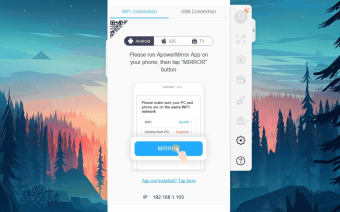
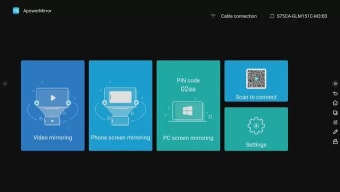
ApowerMirror, from Apowersoft Limited, is a screen mirroring app that sends mobile displays to a desktop or supported TV receiver through USB, Wi-Fi, or remote sharing tools. It also includes Android control from a computer, session recording, screenshots, whiteboard markup, game keyboard mapping, and support for displaying up to four devices at once. The software fits presentations, mobile gameplay, demonstrations, and media sharing where a phone screen needs more room to breathe.

Unlock your creativity with Adobe Stock
Get 10 images or 1 video with a free trial
Your phone screen gets a seat at the big table
ApowerMirror mirrors mobile video and audio to a larger display, giving users a clearer way to show apps, games, photos, videos, or demonstrations. Android devices can also be controlled from a computer with a mouse and keyboard, while recording and screenshot tools capture mirrored sessions for later use. Whiteboard and annotation options add useful presentation support, keeping live explanations and visual markups in the same workspace.
USB brings the steadier hand
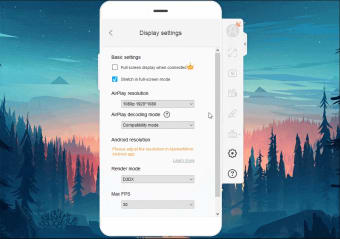
Connection quality depends on the device, network, and sharing method, although USB connections generally provide a more stable option for live use than wireless mirroring. The program supports high-resolution mirroring where compatible, but available quality depends on the device and access tier. Audio can travel with the mirrored display, while game keyboard mapping gives supported mobile titles a more desktop-like control setup during play.
AirCast stretches beyond the living room
AirCast gives ApowerMirror a wider reach by enabling screen sharing between devices on different networks. This makes the feature useful for remote demonstrations, offsite collaboration, or sharing a phone display beyond the local Wi-Fi connection. Since a mirrored screen can reveal notifications, messages, and account details, users should check the receiving device and visible content before starting a session in a classroom, meeting, stream, or shared space.
Four screens, one command center
The program can display up to four devices on one desktop view, which gives teachers, presenters, streamers, and support teams a practical way to compare screens or manage group demonstrations. Recording, screenshots, whiteboard tools, and Android control give the software more depth than a basic casting utility. Remote-control options still vary by device type and connection method, so the experience is not identical across every mobile device.
Strong tools, with a paywall in the wings
ApowerMirror works best for users who need more than occasional screen casting. Its mix of mirroring, recording, annotation, and Android control makes it useful for lessons, gameplay capture, and live demonstrations. The free version has time and feature limits, while premium access unlocks longer sessions and additional capabilities. That structure makes the app easy to test, although regular users can run into its paid limits quickly.
A capable mirror for busy screens
ApowerMirror is a flexible mobile screen sharing tool for people who want to mirror, record, control, or present phone content from a larger display. Multi-device viewing, Android remote control, AirCast, and built-in capture tools make it more capable than a simple casting app. Its free limits and device-dependent controls keep it from feeling universal, yet it remains a strong option for media-focused workflows.