Create smarter automations with built-in tools for AI decisions, routing, conditions, loops, scheduling, and data handling.
AIエージェント
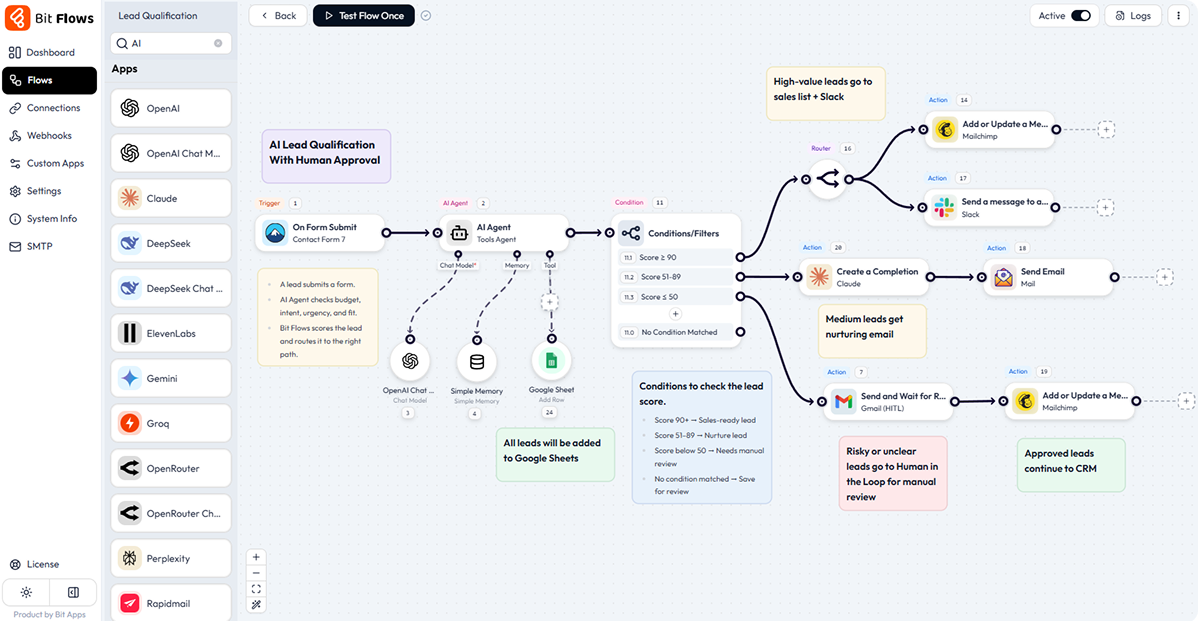
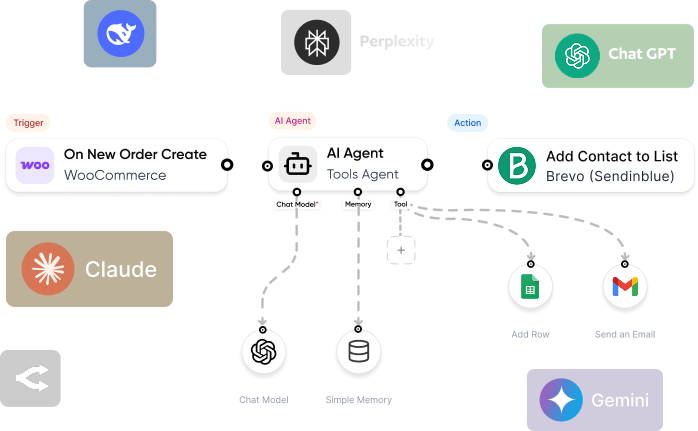
Use AI Agent to read data, understand context, make decisions, and create smart workflow outputs using connected AI models, prompts, tools, and mapped fields in one flow.
ルーター
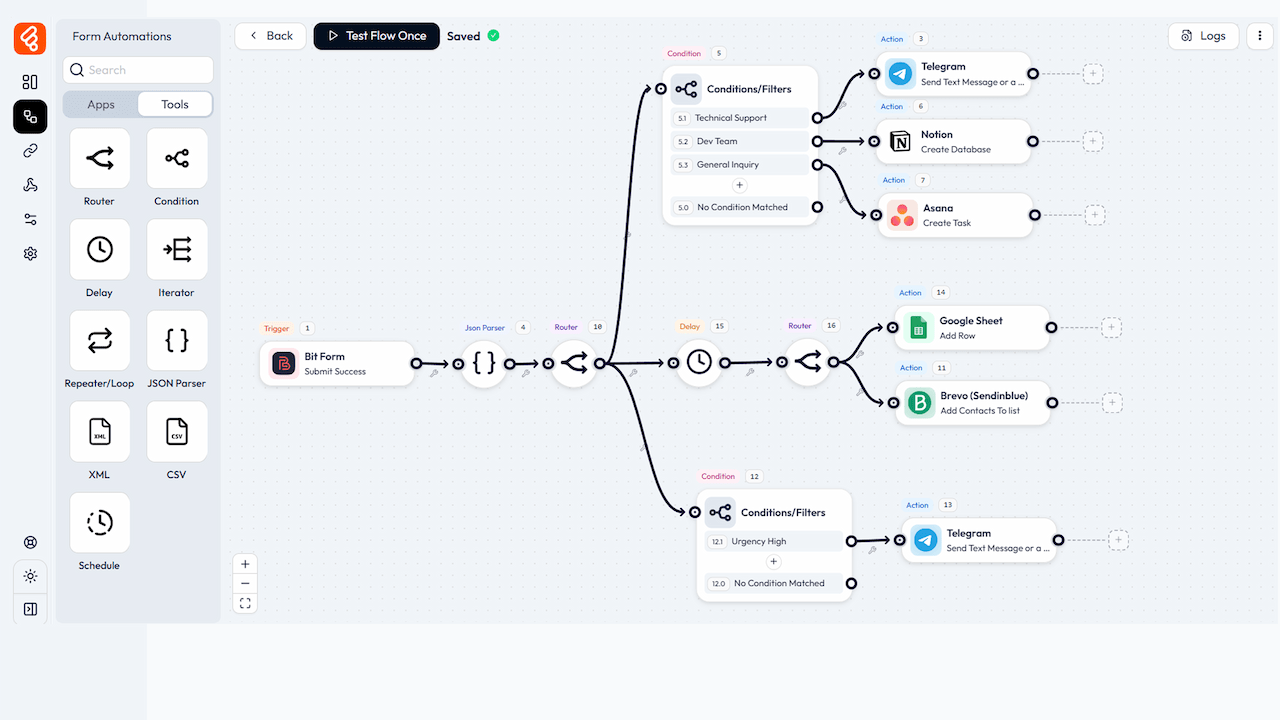
Router to split one workflow into different paths based on rules. Send leads, orders, form entries, or tasks to the right app without building separate flows each time.
条件
Use Conditions to check data before the next step runs. Continue, stop, or send each path based on values like status, amount, role, date, answer, or app fields from any app.
Repeater/ Loop
Use Repeater/Loop to run a set of steps again until the job is done. Handle repeated actions, batches, retries, lists, and multi-step tasks with clear control in one flow.
遅延
Delay to pause a workflow before the next action. Wait for minutes, hours, days, weeks, or months before sending emails, updates, reminders, or follow-ups when needed.
イテレータ
An iterator processes a list of data one item at a time. Run the same next steps for each product, row, user, attachment, task, or record in your workflow safely without code.
JSON Partner
JSON Parser to read JSON data from APIs, webhooks, or apps. Extract the fields you need and map them into emails, sheets, CRMs, reports, or next steps with field mapping.
画像ヘルパー
Image Helper to work with image data inside a flow. Pass image URLs, files, or mapped fields to the next app when your workflow needs visual content during workflow runs.
XML
XML Parser to read XML data from APIs, feeds, or older systems. Pull the values you need and map them into the next workflow step with cleaner data and clean mapping.
CSV
Use CSV Parser to read CSV files or text and turn rows into usable workflow data. Send records to sheets, CRMs, emails, apps, or custom actions with mapping in each flow run.
スケジュール
Use Schedule to start a workflow at a fixed time or repeat interval. Run daily, weekly, monthly, or custom tasks without waiting for a form or webhook trigger automatically.
日時
Use Date Time to format, parse, add, subtract, or compare dates inside a workflow. Prepare booking dates, due dates, reminders, timestamps, and reports for the next apps.






















































 JA
JA  EN
EN  DE
DE  ES
ES  NL
NL  IT
IT  PT
PT