MadMapper Documentation
Welcome to the official online documentation and user manual for
MadMapper
.
1. Introduction
Get started with MadMapper at a glance, explore what's new in version 6, discover extensions, and learn about the history of projection mapping.
2. The Interface
Jump into the basics and explore the interface overview, toolbar, workspace, keyboard shortcuts, preferences, and project file structure.
3. Media
Manage your Media Bin, understand supported video codecs, access the online material library, and learn to write custom GLSL materials.
4. Surfaces
Create and manipulate digital canvases including video quads, triangles, circles, masks, 3D objects, and freehand lines.
5. DMX & LED Mapping
Configure DMX outputs and dive into pixel mapping for LED arrays, light tubes, and external lighting fixtures.
6. Outputs
Master advanced output techniques including Soft-Edge Blending, timeline exports, and MiniMad hardware integration.
7. Laser MadLaser
Create stunning laser shows, manage safety zones, and route vector graphics to supported high-power laser projectors.
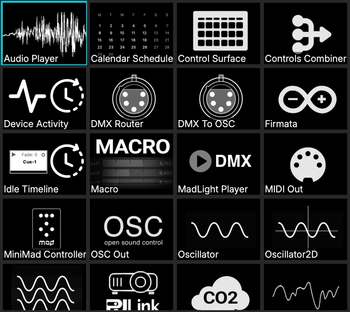
8. Modules
Extend MadMapper's capabilities with internal modules for generative content, specialized logic, and interactive routing.
9. Master Settings
Configure global project settings including Audio Input, Beat Detection, and advanced Scheduling & Automation (ICS calendar triggers).
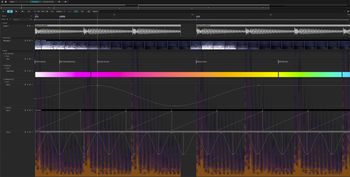
10. Timelines
Sequence your show using timeline-based playback, the Conductor, and precise cue programming.
11. Live Performance & Control
Take control during live events using external MIDI hardware, DMX lighting desks, and a comprehensive OSC commands list.
12. Advanced
Explore the Mad AI Extension, MadProjectorControl, Space Scanner auto-calibration, Firmata/Arduino integration, and project backups.
13. Setup & Installation
Review system requirements, licensing, and mass deployment installations.
14. Technical Notes
DMX Fixture Definitions, GLSL Shader Functions Reference, complex Audio Routing matrices, and DMX fixture definitions.
15. Troubleshooting
Find solutions, get direct technical support, learn how to update from previous software versions, and read historical release notes.
FAQs, Appendices, & Index
Reference material including technical cheat sheets, command lists, glossary, and alphabetical directory.
×
Advertisement
Page Content
1. Introduction
2. The Interface
3. Media
4. Surfaces
5. DMX & LED Mapping
6. Outputs
7. Laser MadLaser
8. Modules
9. Master Settings
10. Timelines
11. Live Performance & Control
12. Advanced
13. Setup & Installation
14. Technical Notes
15. Troubleshooting
FAQs, Appendices, & Index
×
Advertisement