Transform your notetaking with Goodnotes
Goodnotes is a digital note-taking application developed by Goodnotes Limited, designed to enhance the note-taking experience on PC. This app is ideal for individuals seeking organized digital notebooks and flexible handwriting options. It caters to students and professionals, offering tools for handwriting, PDF annotation, and efficient note organization.
Top Recommended Alternative

Built for intuitive and natural notetaking
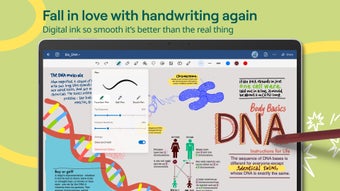
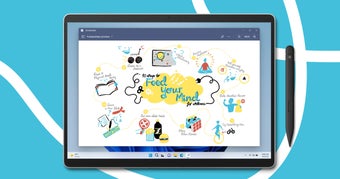
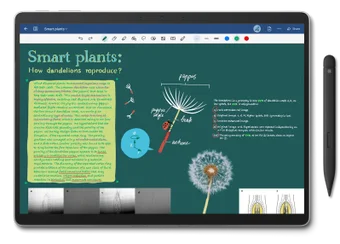
The application features an intuitive and easy-to-navigate user interface. Goodnotes offers a variety of templates, including lined, grid, dotted, and blank layouts, to suit different note-taking styles. Users can write naturally using a stylus, digital pen, or their fingers, with strong handwriting support that provides a smooth, realistic writing experience—a highlight for those who prefer a tactile approach to digital notes.
Additionally, Goodnotes includes a variety of customizable pen tools, allowing users to adjust thickness and color for a personalized writing experience. Users can also export notes as PDF files, making it easy to share or back up their work.
Cross-platform access and feature availability
Goodnotes enables users to create, write, and organize digital notes across supported devices. Notes are synced through a Goodnotes Account, allowing easy access between platforms. Users can open and edit notebooks even without an internet connection, but syncing and cloud-based updates require being online.
Moreover, some features may work differently depending on the device. For example, certain tools available on tablets—particularly iPads—might not yet be available on other platforms. This means your experience may vary slightly, but you can always keep your notes connected through your account.
A simple and enjoyable way to take notes
Goodnotes stands out in the digital note-taking space for its smooth handwriting experience and easy-to-use interface, making it an excellent choice for both students and professionals. While the app performs best on iPad, where more advanced tools are available, its cross-platform access still offers a convenient and consistent way to stay organized and creative across devices.