ຂ້າມໄປທີ່ເນື້ອຫາ
WordPress.org

ລາວ

  • ທິມ
  • ປັກອິນ
  • ຂ່າວ
  • ກ່ຽວກັບ
  • ທິມລາວ
  • ຕິດຕໍ່
  • ດາວໂຫລດ WordPress
ດາວໂຫລດ WordPress
WordPress.org

Plugin Directory

hideShowPassword

  • ສົ່ງປລັກອິນ
  • ທີ່ມັກຂອງຂ້ອຍ
  • ເຂົ້າສູ່ລະບົບ
  • ສົ່ງປລັກອິນ
  • ທີ່ມັກຂອງຂ້ອຍ
  • ເຂົ້າສູ່ລະບົບ
Image

ປລັກອິນນີ້ ຍັງບໍ່ທັນໄດ້ຮັບການທົດສອບກັບ WordPress 3 ເວີຊັນຫຼັກຫຼ້າສຸດ. ມັນອາດຈະບໍ່ໄດ້ຮັບການເບິ່ງແຍງ ຫຼື ສະໜັບສະໜູນອີກຕໍ່ໄປ ແລະ ອາດມີບັນຫາການເຮັດວຽກຮ່ວມກັນເມື່ອໃຊ້ກັບ WordPress ເວີຊັນທີ່ໃໝ່ກວ່າ.

Image

hideShowPassword

ໂດຍ Barry Ceelen
ດາວໂຫຼດ
  • ລາຍລອຽດ
  • ການຣີວິວ
  • ການຕິດຕັ້ງ
  • ການພັດທະນາ
ການຊ່ວຍເຫຼືອ

ຄຳອະທິບາຍ

Lets you easily show or hide the contents of the password field on the WordPress login screen. Uses the excellent hideShowPassword jQuery plugin by the equally excellent Cloud Four.

Suggested reading: “a compendium of why and how to show passwords and what’s coming next” by Luke Wroblewski.

Options

A settings section is added to the ‘General Settings’ page. You can select between toggling password visibility via an icon in the password field (default) or via a checkbox below the password field.

​ການ​ແປ

The default setting of toggling the password via an icon in the password field does not require translation as no text will be visible to the user. If you select the option of toggling the password via a checkbox, the following translations are included:

  • Dutch
  • German

Github

Fork me on Github.

ພາບໜ້າຈໍ

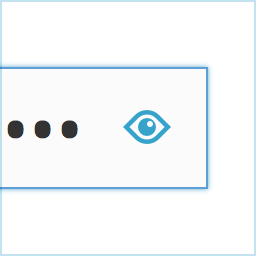
Adds an icon to the password field on the login screen.
Show your password by clicking the icon.
Alternatively, toggle the password via a checkbox labeled "Show Password".
Alternatively, toggle the password via a checkbox labeled “Show Password”.

ການຕິດຕັ້ງ

  1. Install hideShowPassword either via the Plugins Add New Screen, or by uploading the files to your server
  2. Activate the plugin through the ‘Plugins’ menu in WordPress

ຄຳຖາມທີ່ພົບເລື້ອຍ

Installation Instructions
  1. Install hideShowPassword either via the Plugins Add New Screen, or by uploading the files to your server
  2. Activate the plugin through the ‘Plugins’ menu in WordPress

ການຣີວິວ

Image

Woocommerce Admin Only?

flyingkites 3 ກຸມພາ 2022
Seems to only work on the admin login. Does not work on the site login for Woocommerce.
Image

Password protected pages

josanto48 9 ມັງກອນ 2020
Is there any way to use it on password protected pages?
Image

Indispensable

lhberg 5 ສິງຫາ 2019
is it possible to motivate you to update the plugin for WP 5.x compatibility by sending you some bucks for the coffee you’ll need? If yes, please provide a donation link on the plugin page! Thanks, Lukas
Image

It Works!

the masked cat 11 ເມສາ 2018
I am using WP 4.9.5 and this old buddy still works.
ອ່ານການຣີວິວທັງໝົດ 6 ລາຍການ

ຜູ້ຮ່ວມພັດທະນາ ແລະ ຜູ້ພັດທະນາ

“hideShowPassword” ແມ່ນຊອຟແວໂອເພັນຊອດ (Open Source). ບຸກຄົນຕໍ່ໄປນີ້ໄດ້ມີສ່ວນຮ່ວມໃນການພັດທະນາປລັກອິນນີ້.

ຜູ້ຮ່ວມພັດທະນາ
  • Image Barry Ceelen

“hideShowPassword” ໄດ້ຖືກແປເປັນ 1 ພາສາທ້ອງຖິ່ນ. ຂໍຂອບໃຈ ທີມງານຜູ້ແປ ສຳລັບການປະກອບສ່ວນຂອງເຂົາເຈົ້າ.

ແປ “hideShowPassword” ເປັນພາສາຂອງເຈົ້າ.

ສົນໃຈຮ່ວມພັດທະນາບໍ່?

ເບິ່ງລະຫັດ, ກວດເບິ່ງ ຄັງເກັບ SVN, ຫຼື ຕິດຕາມ ບັນທຶກການພັດທະນາ ຜ່ານ RSS.

ບັນທຶກການປ່ຽນແປງ

2.0.1

  • For WordPress version 4.3 and up, Dashicons is used for the toggle icon.

2.0.0

  • Adds the option of toggling password visibility via a checkbox below the password field
  • Update hideShowPassword.js to version 2.0.4

1.0.4

  • Update hideShowPassword.js to version 2.0.3, fixes #11, #13

1.0.3

  • Update hideShowPassword.js to version 2.0.1, fixes #10

1.0.2

  • Update hideShowPassword.js to version 1.0.3, set touchSupport to true

1.0.1

  • Hide default Internet Explorer 10 control for toggling password visibility

1.0.0

  • Initial version

ຂໍ້ມູນກຳກັບ (Meta)

  • ເວີຊັນ 2.0.1
  • ອັບເດດຫຼ້າສຸດເມື່ອ 8 ປີ ທີ່ຜ່ານມາ ທີ່ຜ່ານມາ
  • ການຕິດຕັ້ງທີ່ໃຊ້ງານຢູ່ 400+
  • ເວີຊັນ WordPress 3.5.1 ຫຼື ສູງກວ່າ
  • ທົດສອບເຖິງເວີຊັນ 4.9.29
  • ພາສາ

    English (US) ແລະ Swedish.

    ແປເປັນພາສາຂອງເຈົ້າ

  • ແທັກ
    loginpasswordshow passwordtoggle
  • ມຸມມອງຂັ້ນສູງ

ການໃຫ້ຄະແນນ

4.5 ຈາກທັງໝົດ 5 ດາວ.
  • ການວິຈານ 5 ດາວ ຈຳນວນ 4 ລາຍການ 5 ດາວ 4
  • ການວິຈານ 4 ດາວ ຈຳນວນ 1 ລາຍການ 4 ດາວ 1
  • ການວິຈານ 3 ດາວ ຈຳນວນ 1 ລາຍການ 3 ດາວ 1
  • ການວິຈານ 2 ດາວ ຈຳນວນ 0 ລາຍການ 2 ດາວ 0
  • ການວິຈານ 1 ດາວ ຈຳນວນ 0 ລາຍການ 1 ດາວ 0

Your review

ເບິ່ງ ຄຳຄິດເຫັນ ທັງໝົດ

ຜູ້ຮ່ວມພັດທະນາ

  • Image Barry Ceelen

ການຊ່ວຍເຫຼືອ

ມີຄຳຖາມ ຫຼື ຕ້ອງການຄວາມຊ່ວຍເຫຼືອບໍ່?

ເບິ່ງຟໍຣັມການຊ່ວຍເຫຼືອ

  • ກ່ຽວກັບ
  • ຂ່າວສານ
  • ໂຮສຕິງ
  • ຄວາມເປັນສ່ວນຕົວ
  • ງານທີ່ໂດດເດັ່ນ
  • ທີມ
  • ປລັກອິນ
  • ຮູບແບບບລັອກ
  • ຮຽນຮູ້
  • ຊ່ວຍເຫຼືອ
  • ນັກພັດທະນາ
  • WordPress.tv ↗
  • ມີສ່ວນຮ່ວມ
  • ກິດຈະກຳ
  • ບໍລິຈາກ ↗
  • Five for the Future
  • WordPress.com ↗
  • Matt ↗
  • bbPress ↗
  • BuddyPress ↗
WordPress.org
WordPress.org

ລາວ

  • ຢ້ຽມຊົມບັນຊີ X (ຊື່ເກົ່າ Twitter) ຂອງພວກເຮົາ
  • ຢ້ຽມຊົມບັນຊີ Bluesky ຂອງພວກເຮົາ
  • ຢ້ຽມຊົມບັນຊີ Mastodon ຂອງພວກເຮົາ
  • ຢ້ຽມຊົມບັນຊີ Threads ຂອງພວກເຮົາ
  • ຢ້ຽມຊົມໜ້າ Facebook ຂອງພວກເຮົາ
  • ຢ້ຽມຊົມບັນຊີ Instagram ຂອງພວກເຮົາ
  • ຢ້ຽມຊົມບັນຊີ LinkedIn ຂອງພວກເຮົາ
  • ຢ້ຽມຊົມບັນຊີ TikTok ຂອງພວກເຮົາ
  • ຢ້ຽມຊົມຊ່ອງ YouTube ຂອງພວກເຮົາ
  • ຢ້ຽມຊົມບັນຊີ Tumblr ຂອງພວກເຮົາ
Code is Poetry.
The WordPress® trademark is the intellectual property of the WordPress Foundation.
Image
Image
Advertisement
Advertisement