
3D modeling software for all
Meshmixer is a free 3D modeling tool developed by Autodesk that helps designers work with existing 3D models. With this graphic and design program, users can either make changes or add new layers on top of them. It supports a wide range of 3D file types and allows users to export projects to other formats for use with other 3D editing tools.

Unlock your creativity with Adobe Stock
Get 10 images or 1 video with a free trial
What’s more, Meshmixer can be used by anyone, whether for commercial or non-commercial purposes. Its user-friendly interface, coupled with powerful functionality, ensures that both beginners and experienced designers can achieve high-quality results.
What is Meshmixer used for?
When it comes to 3D modeling, one of the first steps is to create what’s called a polygon mesh. This mesh is essentially a collection of vertices, edges, and faces that help define the shape of a 3D object. This is an important step to having a visual representation of an idea that you are trying to materialize. It’s a complicated process that requires a lot of editing and manipulation to get right. Here is where Meshmixer comes into play.
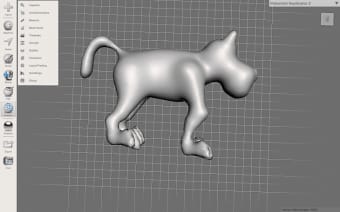
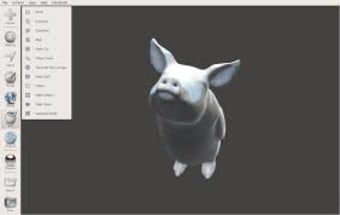
With this 3D design software, you’ll be able to import your projects and edit them easily. It supports various 3D files, including common STL files, OBJ, PLY, and AMF. Once a project has been imported, editing tools are available to help you scale, clean up, and even repair your mesh to ensure no holes or gaps are in the final 3D model.
What’s more, it comes with a Slice feature that allows you to split your mesh into separate pieces. This is quite useful if you’re working with a rather large 3D model. Your completed projects will be exported by default as STL files, but others, such as OBJ, PLY, and AMF, are available as well. One thing to be aware of, though, is that the program has not been updated in a while. Long-term support for it is up in the air.
How Meshmixer helps you avoid failed prints
When it comes to avoiding failed prints, the software really proves its value. For instance, the “Make Solid” tool quickly repairs holes or messy areas in a model, making it easier for your printer to understand what you want it to build. Additionally, the hollowing feature helps you save resin on SLA prints, which is particularly useful for larger projects. You can also run quick checks to spot thin walls or weak spots before printing, helping you avoid wasted materials and long print times that end in errors.
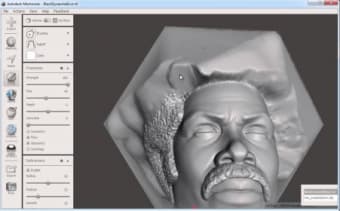
Beyond repairs, the application also encourages creativity in a way that feels approachable. The sculpting brushes, for example, work like shaping soft clay, letting you adjust details with a natural feel. Meanwhile, the Meshmix browser lets you drag and drop ready-made parts onto your model. And once you’re ready to print, the software can generate smart supports that use less material and break off cleanly. Altogether, these tools help you move smoothly from a rough idea to a clean final print with far less frustration.
Alternative programs for 3D model repair and preparation
If you’re exploring tools similar to Meshmixer, Microsoft 3D Builder is a good place to start. It’s free, easy to use, and comes preinstalled on many computers. The repair tools work with a single click, which is helpful if you’re still getting used to preparing models. You can also make quick adjustments like resizing, splitting, or combining parts without digging through complicated menus. For many beginners, it feels like a simple, reliable companion for basic print prep.
If you want something with more depth, Blender is a strong alternative. It’s known as a full 3D creation program, but it also offers solid tools for cleaning meshes, sculpting details, and preparing models for printing. It takes more time to learn, yet it’s flexible enough to grow with you as your skills improve. You might also look into Netfabb Basic, which provides accurate model analysis and repairs, making it useful when you need clearer insights into what might cause a print to fail.
A free and solid choice
As a 3D modeling and CAD software, Meshmixer does its job admirably. The fact that it’s also free makes it more enticing and accessible to just about anyone. It has all the basics covered for most needs, be it for 3D computer graphics development for video games or 3D printing applications. While its long-term support is a bit questionable, it’s still a solid option, and it’s still worth considering.




.png)









.png)