Android Studio Quail.1 is STABLE! 🚀
We're bringing efficiency gains to your debugging workflows, letting you fix complex crashes seamlessly with AI-generated code→ goo.gle/quail1
Here’s what’s new: ⬇️
Develop faster with Android Studio, AI, and skills. ⚡
New AI features in @AndroidStudio give you the power to code with speed and confidence, whether creating a new app or maintaining a legacy codebase → goo.gle/4fmnADU#BuildwithGemini#GoogleIOConnect
Use Gemini Flash 3.5 in Android Studio via API key. ⚡
Better for coding and agentic development, the model helps break down complex goals.
Try out the latest Gemini model for AI assistance → goo.gle/4xO0cXs
🛠️🐦 Say goodbye to manual debugging!
App Quality Insights in Android Studio now uses AI to analyze stack traces and write code fixes for you → goo.gle/4dKOK5y
To get the latest Android XR tools, use the most recent Canary build of Android Studio.
☝🏼 Remember, you can install multiple versions to keep your existing version and the Canary version side-by-side!
Use the @AndroidStudio tools you already know and love — like Compose previews, Layout Inspector, and emulator — to build brand new XR experiences. ⚒️
Test your existing app in XR or build something totally new → goo.gle/4gb5FRu
Legacy code doesn’t have to be a slog. 🛠️
I’m using #Gemini in @AndroidStudio to automate the "grunt work": boilerplate, config, and debugging; so I can focus on building. 🚀
Workflow:
✅ Contextualize
✅ Role-based prompts
✅ Diff view
✅ Iterate
✅ Validate
Android CLI is stable at v1.0 🛠️
Version 1.0 adds Journeys support and a new ‘studio’ command so agents can integrate directly with @AndroidStudio to access profilers and Compose Previews. @antigravity also now supports Android via the resources bundle.
Fix crashes faster with Android Studio. ⚡
App Quality Insights is now fully integrated with Gemini. You can view a crash summary within the AQI panel, and have the agent apply the needed code changes to resolve the crashes, all under your control → goo.gle/4dKOK5y
🐞➡️✨ Fix Crashes with agents
App Quality Insights is now fully integrated with Gemini! Click a crash for an instant summary, or click "Fix with AI" to let the agent analyze the issue, propose a step-by-step plan, and apply the code changes for you.
🛠️ Quality & Stability
Beyond the new AI workflows, Quail.1 brings essential bug fixes and the latest IntelliJ platform improvements to elevate your daily development.
Download the latest version to get started ⬇️
This is a total game changer for rapid prototyping. Once your initial draft is ready, you can download the project files as a zip and seamlessly hand it off to Gemini in Android Studio for fine-tuning. ⚡
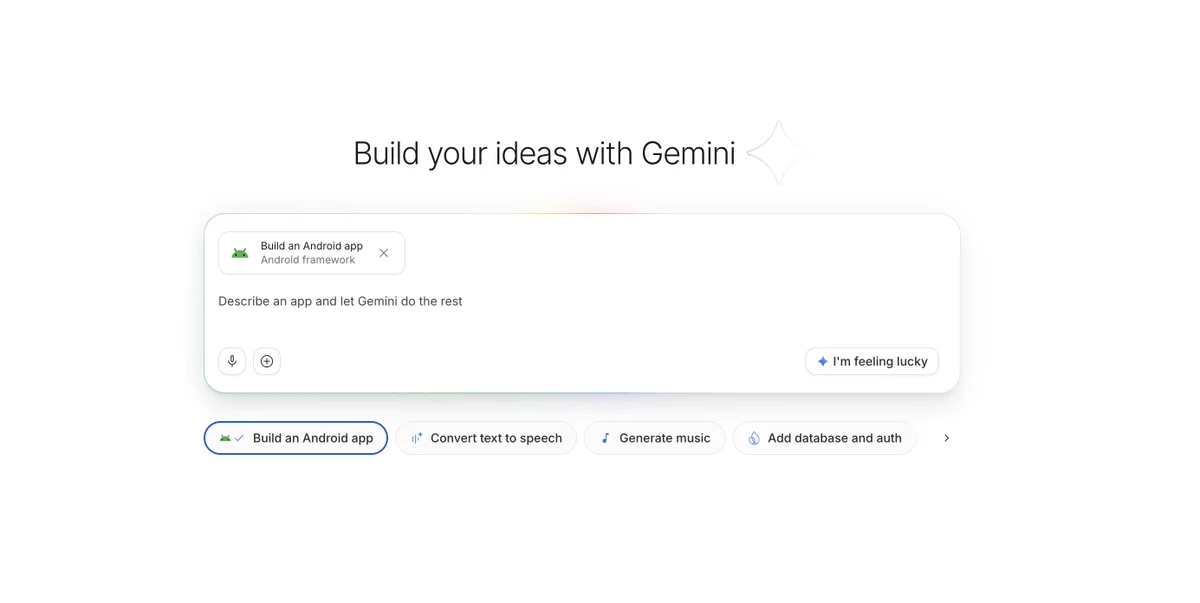
We just launched the ability to build native Android apps directly in Google AI Studio for free!
Since launch last week, people have created more than 250,000 Android apps. Likely >99% of these folks never built an Android app before, everyone can now build, no coding required!
Your Google AI subscription now includes Gemini in Android Studio. 🤖
Google AI Pro and Ultra subscribers now have higher limits and dedicated capacity for Gemini in Android Studio → goo.gle/4dtC42E#GoogleIO