Features

Everything You Need to Build and Run a WordPress Community

Run a WordPress community with discussions, feature requests, post voting, Pro polls and groups, member profiles, moderation, notifications, and built-in SEO controls, all on your own site.
Portal structure
Posting & Voting
Members & Roles
Moderation
Search Visibility
Setup & Admin
everything_bit_connect_does
Community Structure

Organize Your Community Your Way

Organize posts using topics, stages, statuses, and tags. Add Pro community groups for your products, customers, teams, or projects.

Stages

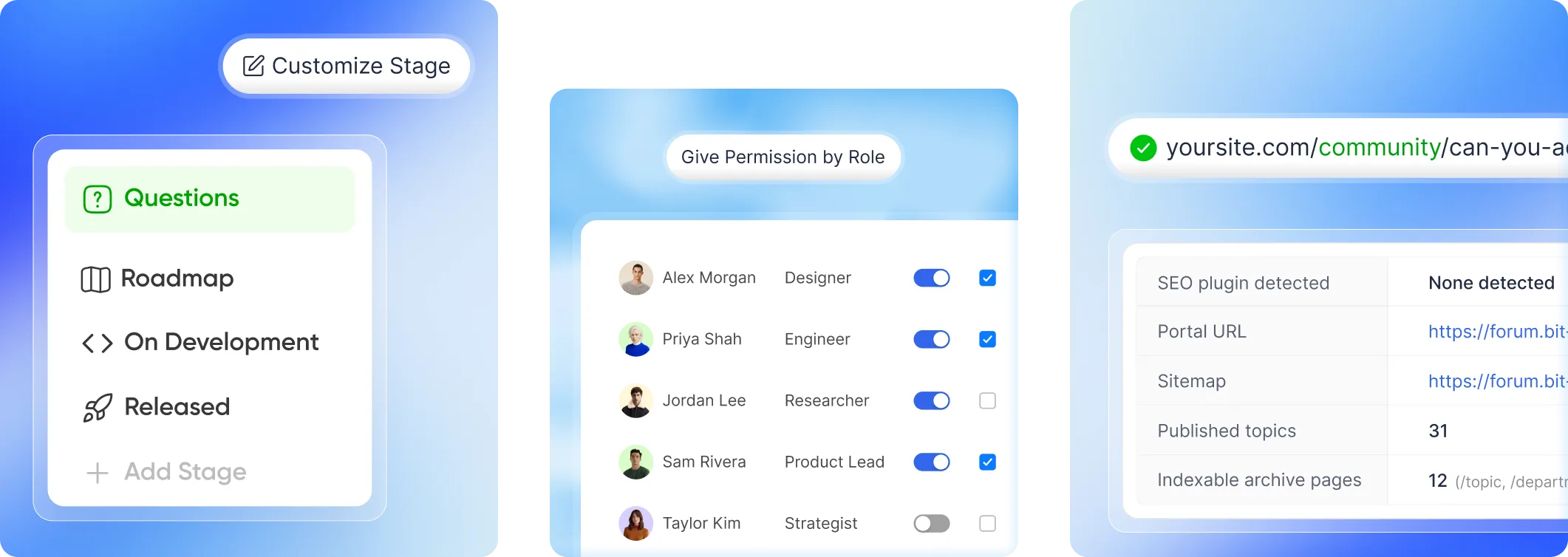
Create custom stages to organize posts and show progress from ideas to release.
stages view

Stages icons

Add separate light and dark mode icons to make each stage easy to recognize.
question marktagmap (2)rocket

Topic

Organize posts into topics like Questions, Feedback, and Ideas with custom labels and colors.
topic type

Community Groups

Create public or private groups to bring members together around shared interests.
Groups

Statuses

Show whether a post is Open, Answered, or Resolved with custom statuses and colors.
statuses

Tags

Add tags to group related posts and help members find discussions faster.
tags

Drag to reorder

Arrange topics, stages, and other items in your preferred display order.
question

Required fields

Make topic selection required so members organize their posts before publishing.
required_field
Portal

Posting and voting

Let members post ideas, ask questions, vote and join discussions. Keep each conversation on your WordPress community site.
upvote
comment view
video embed

Post Upvoting

Let members upvote posts so popular ideas and requests rise to the top.

Threaded comments

Keep conversations organized with replies nested under the comments they answer.

Following

Follow posts and discussions to stay updated on new activity.

Rich text editor

Format posts with bold text, lists, links, code blocks, and images.

File attachments

Attach files to posts and replies to share more details.

Images & Videos

Upload images and videos or embed videos directly in posts.

Post Approval

Review and approve member posts before they appear in the community.

Custom permalink

Choose custom URLs for posts instead of using automatically generated ones.

Mentions

Mention members in posts and replies to notify them directly.

Pin and lock

Pin important posts to the top or lock them to stop new replies.
Members & Access

Give Every Member the Right Level of Access

Permissions map onto the WordPress roles you already use, and members can see what they are allowed to do.

Private Post Pro

Hide posts from public view with Pro

Applied instantly

Change a role and every user in it is updated

Per-member overrides

Set custom permissions for one member

Visible permissions panel

Members see their own capabilities

Profile pages

Avatar, cover image, bio up to 500 characters

Profile URLs

Editable slug, and old slugs keep resolving as aliases

Social links

Website, GitHub, X, LinkedIn and Mastodon

Activity tabs

A member's posts, comments and upvotes

Profile badges

Reward contributors with badges

Self-service accounts

Change email with verification, change or reset password

no_limit_on_member
Moderation

Keep Discussions Healthy Without Losing Control

Review reports and moderator actions in one screen. Pro adds post approval and automatic hiding at a set report threshold.
Moderation & admin

Grouped reports

Multiple reports on the same item stay together for one clear decision

Decision states

Move reported content through Needs Review, Kept, or Removed

Activity log

See who took action, what they changed, and when.

Smart filters

Filter moderation activity by action, content type, or item ID.

Auto-Hide Reports

Automatically hide content after it reaches your chosen report threshold.

Portal moderation

Pin, lock and delete without leaving the portal
Community SEO

Turn Community Discussions Into Searchable Content

Public posts and topic archives live on your domain, with XML sitemaps, schema and canonical URLs that help search engines find and understand them.

Community Sitemap

Help search engines discover published community content automatically.

Search-Friendly Posts

Public posts get custom URLs and editable post slugs.

Searchable Archives

Choose which topic, tag, stage and status archive pages search engines index.

Sitemap splitting

These sitemaps automatically split at 2,000 URLs.

Term archives

Get archive pages for every topic, tag, stage or status.

Structured Data

Bit Connect adds discussion, collection, and breadcrumb schema automatically.

SEO Plugin Compatibility

Bit Connect handles portal SEO while avoiding conflicts with major WordPress SEO plugins.

Member Profile Indexing

Choose whether public member profiles should appear in search.
Admin

Set Up, Brand, and Manage Everything

Launch your portal, control access and authentication, customize the experience, and manage notifications from one WordPress admin area.

Setup wizard

Portal location, branding, then authentication

Portal location

Its own page, your homepage, or the shortcode anywhere

Slug checking

Confirms the address is free before creating the page

Portal access

Everyone, or logged-in users only

Built-in login pages

Your banner, heading, email template and new-account role

Email verification

Required or optional on registration

Your own auth pages

Point it at a membership plugin instead

Branding

Community title, logo and logo destination

Portal Banner

Add promotional or informational banners inside your community

Themes

Light, dark and follow-the-system

Dashboard

Track posts, comments, members, votes, and monthly trends

Top topics

Ranked by votes, in the admin

Notifications by event

Set in-app and email alerts per event

Member email frequency

Instant, daily, weekly or never

Notification retention

How long read notifications are kept

Custom email sender

Send as your own address

Email digests

Daily or weekly instead of instant

Email text & label

Edit email greetings and sign-offs label

User Management

Search members and manage their roles and permissions.

Test Emails

Send a test notification before emails go live.

Data Controls

Choose what happens to Bit Connect data when the plugin is removed.
Get Bit Connect

Your Community Creates Content.
Make Sure You Own It.

Public conversations get their own URLs on your domain, with SEO controls that help search engines discover them.
Bit Connect turns discussions into product insight, feature priorities, and searchable content on your own domain. One place for your users to speak, vote, and help shape what comes next.
Subscribe Our Newsletter
footer text 2x