
Beschrijving
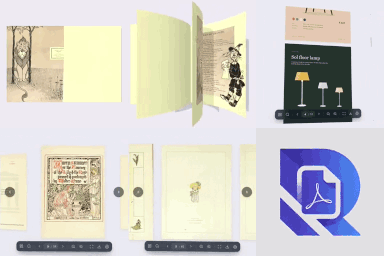
Turn any PDF into a realistic 3D flipbook on your WordPress site. PDF Rack is a PDF flipbook maker, PDF viewer and PDF embedder in one plugin: upload a catalogue, magazine, brochure, menu, e-book or report and your visitors flip through it like a real book — with page curl, page-turn shadows and click-to-flip — right on your page.
Prefer a classic layout? Every PDF can also be shown in a vertical scroll reader or a page-by-page slider, inline or in a full-screen popup. No iframes, no Flash, no browser plugins and no external service: the PDF flipbook runs in the visitor’s browser with Mozilla’s PDF.js and WebGL, on desktop, tablet and phone.
Unlike the WordPress Media Library that buries PDFs among thousands of images, PDF Rack gives you a dedicated PDF library to upload, categorise and find documents, then embed them with a Gutenberg block, an Elementor widget or a shortcode in seconds.
📖 Popular uses for the PDF flipbook
- Digital catalogues & product brochures — let shoppers flip through your catalogue and add products to the cart from the page (Pro).
- Online magazines, newsletters & e-books — a page-flip reading experience that keeps readers on your site.
- Restaurant menus, price lists & flyers — a mobile-friendly PDF viewer instead of a download.
- Annual reports, white papers & course handouts — searchable, shareable, with reading analytics (Pro).
🚀 Why site owners choose PDF Rack
- Save time — Upload, categorize, and find any PDF in seconds with built-in search and filters.
- Better user experience — Visitors read PDFs right on your page without leaving your site or installing anything.
- Works everywhere — Gutenberg block, Elementor widget, or a simple shortcode. Pick whatever fits your workflow.
- Mobile-ready — The viewer automatically adapts to any screen size so your content looks great on phones and tablets.
📋 Feature Highlights
- Dedicated PDF Dashboard — A focused admin panel just for your PDF documents, separate from the Media Library clutter.
- Categories & Tags — Organize documents with custom taxonomies for easy sorting and retrieval.
- Quick Search & Filter — Find any document instantly by name, category, or upload date.
- Media Library Preview — Preview PDF contents directly within the WordPress Media Library details view.
- Auto-Generate Covers — Generate and set a cover image for your PDFs on demand.
- 3D PDF Flipbook — A realistic WebGL page-flip book with page curl, shadows, spread detection, click or drag to turn pages, and zoom.
- PDF Reader & Slider — A vertical-scroll PDF reader and a page-by-page slider. Every viewer has thumbnails, outline, full-text search, zoom, fullscreen, download and print — powered by Mozilla’s PDF.js.
- Toolbar Modes — Keep the toolbar visible, auto-hide it while reading, or minimize it to a small page counter.
- Lightbox Viewer & Link Interceptor — Open PDFs in a responsive full-screen modal overlay from any button, link, image, or automatically intercept standard PDF links on your site.
- Gutenberg PDF Viewer Block — Embed a PDF viewer or flipbook in the block editor.
- Elementor Widgets — PDF Viewer and PDF Shelf widgets with a live preview in the Elementor editor.
- Shortcode Support — Use
[pdf-rack id="123"]in the Classic Editor or any text widget. - PDF Shelf — Show a category, a tag or hand-picked PDFs as a responsive cover gallery with
[pdf-rack-shelf]or the PDF Rack Shelf block; each cover opens in the popup viewer. - Share & Resume — A Share button and
#pagelinks open any PDF at a given page; returning readers can continue where they left off. - Lightweight & Fast — No bloat. The viewer loads only on pages where you embed a PDF.
💎 PDF Rack Pro
- Hardcover Flipbook — Rigid first & last pages that open like a real hardcover book.
- Coverflow Slider — A 3D coverflow effect for the slider viewer.
- Right-to-Left Reading — Turn pages right to left for Arabic, Hebrew, manga and more.
- Custom Viewer Background — Match the viewer stage to your brand.
- Brand Themes — Your accent colour, a dark, light or glass toolbar, round, soft or square corners, your theme’s font and your logo on every viewer.
- Download & Print Controls — Hide the download and print buttons per embed.
- Password Protection — Lock individual PDFs behind a password; the file address is never shown on the page.
- Watermarks — Stamp your site name, the viewer’s name or email, or the date across every page, including downloaded and printed copies.
- Reading Analytics — Views, unique visitors, reading time, read-through rate, downloads and prints, without storing IP addresses. Page attention shows the time spent on each page and where readers stop; export sessions as CSV and get a weekly email report.
- Shelf Styles — Wooden bookshelf, carousel and list-with-descriptions layouts for the PDF shelf, plus a search box and category filter.
- WooCommerce Documents — Attach manuals, datasheets and catalogues to products; they appear in a “Documents” tab and open in the viewer, optionally only for customers who bought the product.
- Interactive Hotspots — Draw clickable areas on any page: open a link, jump to a page, show a note, play a YouTube, Vimeo or MP4 video, or add a WooCommerce product to the cart. Works in every viewer and counts clicks.
- Sound — A soft page-turn sound for the flipbook and slider, and background music or narration per PDF with a play/pause button.
- Expiring & Limited Links — Share a private link to one PDF that stops working after a date or a number of viewers, with download on or off; turn it off at any time.
- Lead Capture — Ask for an email before a PDF opens or after a free preview of a few pages, then search, filter and export your leads as CSV.
⚙️ How It Works
- Go to PDF Rack Add New and upload your PDF.
- Assign a category (optional) to keep things organized.
- Embed it anywhere using the Gutenberg block, Elementor widget, or the auto-generated shortcode, and pick the flipbook, slider or reader.
That’s it — your visitors can now read the PDF directly on your site.
Third Party Libraries
This plugin utilizes the following third-party libraries to provide its functionality:
- PDF.js (Mozilla) – https://github.com/mozilla/pdf.js (Apache License 2.0)
- three.js – https://threejs.org (MIT) — 3D flipbook rendering
- React (Meta) – https://reactjs.org (MIT)
- Lucide Icons – https://lucide.dev (ISC)
- Date-fns – https://date-fns.org (MIT)
- pdf-lib – https://pdf-lib.js.org (MIT) — watermarked downloads
Schermafbeeldingen


Blokken
Deze plugin heeft 2 blokken.
- PDF Rack Shelf Show a set of PDFs as a cover gallery or bookshelf. Each cover opens the PDF in a popup viewer.
- PDF Rack Viewer Embed a beautiful PDF viewer in your content.
Installatie
- Upload the plugin files to
/wp-content/plugins/pdf-rack, or install directly from the WordPress plugin directory. - Activate through Plugins Installed Plugins.
- Navigate to the new PDF Rack menu in your admin sidebar to start uploading documents.
FAQ
-
Does this plugin modify my existing Media Library files?
-
Not at all. PDF Rack stores its data separately. Your existing Media Library files remain completely untouched.
-
Can I use this with the Classic Editor?
-
Absolutely. Every uploaded PDF gets a unique shortcode (e.g.,
[pdf-rack id="10"]) that you can paste into the Classic Editor or any text widget. -
Is the PDF viewer mobile-friendly?
-
Yes. The viewer is fully responsive and adapts to any screen width — phones, tablets, and desktops.
-
Will it slow down my site?
-
No. The PDF viewer scripts load only on pages where you embed a PDF, so the rest of your site stays fast.
-
Does it support large PDF files?
-
The plugin will load any PDF your server allows. For very large files (50 MB+), performance depends on your hosting
upload_max_filesizesetting and your visitor’s connection speed. -
How do I create a PDF flipbook?
-
Upload your PDF in PDF Rack Add New, then embed it with the PDF Rack block, the Elementor “PDF Viewer” widget or the shortcode
[pdf-rack id="123" mode="flipbook"]. The flipbook is built from the PDF on the fly — there is nothing to convert. -
Can I embed a PDF without a flipbook?
-
Yes. Use
mode="reader"for a vertical scroll PDF viewer ormode="slider"for one page at a time. Addlightbox="true"to open the PDF in a popup from a button. -
Does the flipbook work on mobile?
-
Yes. Drag or tap a page to turn it, and the flipbook resizes to fit phones, tablets and desktops. On small screens you can also switch to the reader or slider per embed.
-
Do visitors need to install anything?
-
No. The built-in viewer runs entirely in the browser — no plugins, extensions, or third-party apps required.

Bijdragers & ontwikkelaars
“PDF Rack – 3D Flipbook, PDF Viewer & Embed PDF” is open source software. De volgende personen hebben bijgedragen aan deze plugin.
Bijdragers
Vertaal “PDF Rack – 3D Flipbook, PDF Viewer & Embed PDF” in je eigen taal.
Interesse in ontwikkeling?
Bekijk de code, haal de SVN repository op, of abonneer je op het ontwikkellog via RSS.
Changelog
1.5.3
- Fix: PDFs failed to load with “Setting up fake worker failed” on NGINX and other servers that don’t recognise
.mjsfiles.
1.5.2
- New: An occasional, easy-to-dismiss review request in the PDF Rack dashboard. It only appears after you have used PDF Rack for a while with at least one PDF, can be snoozed for 14 days or turned off for good, and links to the support forum if something isn’t working.
- Improvement: No opt-in screen after activation. You go straight to the PDF Rack dashboard.
1.5.1
- Improvement: Clearer plugin name and description: “PDF Rack – 3D Flipbook, PDF Viewer & Embed PDF”.
- Improvement: Refreshed readme with flipbook use cases, new FAQs and new screenshots.
1.5.0
- New: Search inside the PDF. A Search tab in the viewer panel lists every match with its page and surrounding text, highlights matches on the page (in the flipbook, in the zoom view) and steps through them with Enter / Shift+Enter. Ctrl/Cmd+F opens it while the mouse is over the viewer. Hide the button with
search="false". - New: PDF shelf.
[pdf-rack-shelf]and the new PDF Rack Shelf block show a category, tag or hand-picked PDFs as a cover gallery; each cover opens the PDF in the popup viewer. Build the shortcode with “Embed a shelf” in the Library. - New: Elementor widgets. “PDF Viewer” (pick a PDF, choose the viewer, inline or popup, all Pro options) and “PDF Shelf” (categories, tags, order, styles), both with a live preview in the Elementor editor.
- New: Deep links and sharing. A Share button copies a link to the current page or shares it by email, X, LinkedIn, Facebook or WhatsApp. Links like
#pdf=12&page=5open that PDF at that page, even when it is a popup or a shelf cover. Newpage="N"andshare="false"shortcode attributes. - New: Resume where you left off. Returning readers are offered to continue from the last page they read (kept in their browser only).
resume="auto"continues automatically,resume="off"always starts at page 1. - New (Pro): Lead capture. Ask readers for their email before a PDF opens (the file address stays hidden until they sign up) or after a free preview of a few pages. Optional name and consent checkbox, and returning visitors are remembered.
- New (Pro): Leads tab with search, filter by PDF, CSV export and delete. Leads are included in WordPress’ personal data export and erase tools.
- New (Pro): Interactive hotspots. Draw areas on PDF pages that open a link, go to a page, show a note, play a YouTube, Vimeo or MP4 video, or add a WooCommerce product to the cart. Shown in the reader, slider, flipbook and zoom view, with click counts in the editor.
- New (Pro): WooCommerce product documents. Attach PDFs on the product edit screen; a “Documents” tab on the product page opens them in the viewer. Documents can be limited to customers who bought the product (served through a short-lived signed address).
- New (Pro): Expiring and limited share links. Create private links to a PDF from its details panel, with an expiry date and/or a viewer limit and download on or off. Links open the PDF on its own full-screen page without revealing the file address, count viewers, and can be turned off at any time.
- New (Pro): Watermarked downloads and prints. With a watermark on, Download and Print hand out a copy carrying the same watermark (prepared in the reader’s browser, files up to 150 MB). Can be turned off in Settings.
- New (Pro): Brand themes. Settings Branding sets the accent colour, toolbar style (dark, light, glass), corners, font and a logo shown in the toolbar and on the loading screen, with a live preview. Password and sign-up screens use the brand too.
- New (Pro): Shelf styles: wooden bookshelf, carousel and list with descriptions, plus a search box and category filter above the shelf.
- New (Pro): Page attention. See the average time spent on each page and the share of readers who reach it, in the Analytics tab (click a PDF) and in a new Analytics tab in each PDF’s details.
- New (Pro): Export reading sessions as CSV, and a weekly email report (Settings Analytics) with a “send now” button.
- New (Pro): Page-turn sound for the flipbook and slider (Settings Sound,
sound="false"per embed). It is synthesised in the browser, so there is no extra file to load. - New (Pro): Background audio. Pick an audio file in a PDF’s details; the viewer shows a play/pause button and can start on the reader’s first click. Override per embed with
audio="ID|URL|false". - New: Toolbar modes.
toolbar="autohide"fades the toolbar and side arrows out while reading and brings them back when the reader moves the mouse or taps;toolbar="minimize"shrinks the toolbar to a small page counter that expands on hover or tap. Also in the shortcode builder, block and Elementor widget; site default via thepdfrack_toolbar_modefilter. - Improvement: Flipbook pages curl more as they turn, and clicking the right or left page turns forward or back.
- Improvement: Search and Share switches in the shortcode builder.
- Improvement: Custom popup triggers (
[pdf-rack lightbox="true"]...[/pdf-rack]) can be opened with the keyboard. - Improvement: Viewers replaced while editing in the block editor or Elementor are cleaned up.
- Fix: The Devices card in Analytics showed wrong percentages.
- Fix: The Top PDFs table in Analytics could be cut off on narrower screens.
- Developers: New filters
pdfrack_shelf_atts,pdfrack_resume_mode,pdfrack_product_tab_title,pdfrack_link_viewer_configandpdfrack_settings_response; new actionspdfrack_lead_captured(PDF ID, email, name, consent) andpdfrack_hotspot_clicked(PDF ID, hotspot ID).
1.4.0
- New (Pro): Password protection for individual PDFs. Visitors unlock the document with a password, and the file address is never shown on the page.
- New (Pro): Watermarks with your site name, the viewer’s name or email, or the date, tiled or centered across every page.
- New (Pro): Reading analytics with views, unique visitors, reading time, read-through rate, downloads, prints and devices, without storing IP addresses.
- New: Analytics and Settings tabs in the PDF Rack dashboard.
- New: Watermark switch in the shortcode builder and
watermark="false"shortcode attribute. - Fix: The viewer’s Download button opened the PDF in a popup instead of downloading it.
1.3.0
- New: Redesigned viewer toolbar with previous/next buttons, a type-to-jump page number and tooltips.
- New: Redesigned sidebar panel with Pages/Contents tabs, a two-column thumbnail grid and a highlighted current chapter.
- Improved: A simple, non-blocking loading spinner replaces the full-screen black loading screen.
- Fix: Clicking a page thumbnail could highlight a different page while the flipbook was turning.
- Fix: Clicking a thumbnail or contents entry in the Reader scrolled the whole web page instead of just the viewer.
1.2.0
- New: Redesigned PDF library with a shortcode builder — pick Reader, Slider or 3D Flipbook, inline or popup, size and options, then copy the shortcode or PHP snippet in one click.
- New: Live preview of any PDF in the real viewer, with instant switching between Reader, Slider and Flipbook.
- New: Quick “Copy shortcode” menu on every PDF with one-click copy per viewer mode.
- New: Library stats, one-click cover generation for PDFs without a cover, multi-select upload, bulk selection in grid view and keyboard search (press “/”).
- New: Illustrated placeholder covers for PDFs without a cover image.
- Improved: The mouse wheel scrolls the page over the flipbook instead of zooming, and the 3D book can no longer be rotated by dragging.
- Improved: Touch users can scroll the page while their finger is over the flipbook.
- Improved: Browser caching of plugin assets between releases.
- Fix: PDF link areas showed as large overlapping boxes on themes that style
sectionelements. - Fix: Pro viewer options were ignored on some sites and the 3D Flipbook fell back to the Reader.
- Fix: Clicking a row in list view did not open the PDF details.
- Fix: Pagination counted all PDFs instead of the filtered results.
1.1.0
- New: Brand-new viewer engine with Reader and Slider modes, thumbnails, outline, zoom overlay and clickable PDF links.
- New: 3D Flipbook viewer (free), including flipbook popups via the lightbox.
- New: PDF Rack Pro — hardcover flipbook, coverflow slider, RTL reading, custom background and download/print controls.
- New:
mode="slider"/mode="flipbook"andlightbox="true"shortcode attributes; viewer mode selector in the block. - Updated: PDF.js 5.4.
- Removed: Toolbar position/style options (the new viewer uses a single floating toolbar).
1.0.6
- New: Added Lightbox Viewer mode for shortcodes and custom trigger elements (
data-pdfrack-lightboxorclass="pdfrack-lightbox"). - New: Added automatic PDF link interception to open standard PDF links in the Lightbox viewer overlay.
- Updated: In-app documentation slideover with Lightbox usage guide and code examples.
1.0.5
- Tested compatibility with WordPress version 7.0.2.
- Minor updates.
1.0.4
- Minor updates.
1.0.3
- New: Added PDF Rack Viewer Gutenberg Block.
- New: Added Light/Dark Mode and Position, dock/float options for Toolbar.
- Fix: Fixed the issue of PDF thumbnail not displaying in the admin dashboard.
1.0.2
- New: Added in-app documentation slideover for easier usage.
- New: Added keyboard shortcuts for PDF viewer navigation and zoom.
- New: Added custom background color support for shortcode.
1.0.1
- Added Quick View lightbox feature in the admin dashboard.
1.0.0
- Initial release.
- Dedicated PDF dashboard with upload, categorization, and search.
- Responsive frontend PDF viewer powered by PDF.js.
- Gutenberg block, Elementor widget, and shortcode embedding.
- Category and tag taxonomy support for document organization.
