
Descripziun
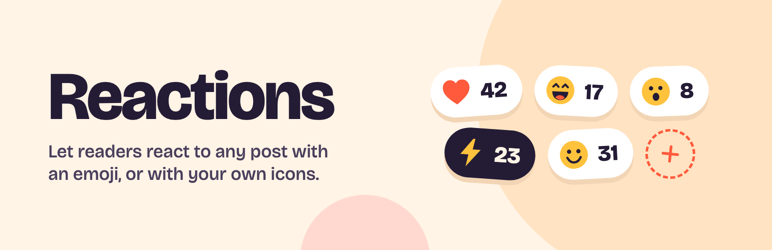
Adds an emoji reaction picker under each post’s content.
Reactions are stored as ordinary WordPress comments (with a reaction comment type), so they inherit your existing comment moderation. They’re also automatically excluded from your theme’s comment list, comment feeds, things like the Recent Comments widget, and the Comments screen in wp-admin, so they never show up twice or inflate your comment count.
Additional background is at https://make.wordpress.org/core/2016/03/07/reactions/.
Settings
Settings > Discussion gains a Reactions section:
- Default reactions — emoji shown under every post, even before anyone has reacted, so visitors can react in one click.
- Emoji picker — turn off to hide the picker button, restricting reactions to the default set above.
- Skin tones — turn off to record reactions with the default skin tone.
- Reacting — require visitors to be logged in. Reaction counts stay visible to everyone; logged-out visitors get a link to the log in screen instead of a reaction button.
- Custom reaction icons — upload your own SVG icons to use as reactions alongside emoji, registered through the Icon Registration API added in WordPress 7.1.
Changing a setting is never retroactive. Turning off skin tones or the picker, or retiring a custom icon, stops new reactions of that kind without stranding any that visitors have already left — those keep showing, and can still be removed.
Maletgs dal visur


Installaziun
- Upload the plugin files to
/wp-content/plugins/react, or install through the WordPress plugins screen directly. - Activate the plugin through the ‚Plugins‘ screen in WordPress.
- Optionally, visit Settings > Discussion to choose your default reactions.
FAQ
-
Will reactions clutter up my comments?
-
No. Reactions are stored as comments, but they’re filtered out of your theme’s comment list, comment feeds, and comment counts, so they only appear as reactions.
They’re kept out of Comments in wp-admin too. To find one — say, to delete it — choose „Reactions“ from the comment type dropdown on that screen.
-
Can visitors react without logging in?
-
Yes, by default. If you’d rather they didn’t, tick „Users must be logged in to react“ in Settings > Discussion. Counts stay visible to everyone either way.
-
Can I limit which emoji people use?
-
Yes. Set the reactions you want under „Default reactions“, then untick „Let visitors react with any emoji“. Only your chosen set will be offered and accepted.
-
Can I use my own icons instead of emoji?
-
Yes — upload SVG icons under „Custom reaction icons“ (this needs WordPress 7.1 or newer). They appear as one-click reactions under your posts, alongside your default emoji.
-
Why was my SVG icon rejected?
-
WordPress sanitizes registered icons quite aggressively, and only keeps
<svg>,<path>and<polygon>elements. It also stripsstrokeattributes.That means outline-style icon sets render as solid shapes, and icons drawn with shapes like
<circle>or<rect>, or wrapped in a<g>group, would come out blank or misplaced. Rather than let that happen silently, uploads that wouldn’t survive are rejected with an explanation. Flatten your artwork to filled paths in your vector editor first.Your file is never added to your media library, and SVG uploads stay disabled site-wide — only the sanitized icon markup is kept.
-
What does the plugin store about the people who react?
-
Each reaction is a comment, so it records the post, the emoji and the time.
- Logged-in users: the reaction is linked to their account, and their display name, email address and website are copied onto it, just as they would be for an ordinary comment.
- Logged-out visitors: no name, email or account. Their browser generates a random ID, kept in
localStorageand saved with the reaction so they can undo it later. It isn’t linked to anything else about them, is only sent with a reaction, and isn’t a cookie.
No IP address or browser user agent is stored. The emoji data is served from your own site, so the plugin makes no requests to third-party services.
-
Where can I report a bug or contribute?
-
Development happens at https://github.com/pento/react.
Reviews


Contributors & Developers
“Reactions – Emoji Reactions for Posts” is open source software. The following people have contributed to this plugin.
Contributors

“Reactions – Emoji Reactions for Posts” has been translated into 7 locales. Thank you to the translators for their contributions.
Translate “Reactions – Emoji Reactions for Posts” into your language.
Interested in development?
Browse the code, check out the SVN repository, or subscribe to the development log by RSS.
Changelog
0.2.0
- Reaction tallies are now counted by the database and cached per post, instead of every reaction on a post being loaded on each page view. Both the reactions under a post and the REST endpoint use the same cached tallies.
- Reactions no longer show up in wp-admin’s Comments screen, the dashboard’s Activity widget, or the comment counts in the posts list. They can still be listed by choosing „Reactions“ from the Comments screen’s comment type dropdown.
- Added a Reactions section to Settings > Discussion: configurable default reactions, an optional emoji picker, a skin tone toggle, an option to require visitors to be logged in, and custom SVG reaction icons registered via the WordPress 7.1 Icon Registration API. Every setting is enforced on the server, and changing one never strands reactions that have already been left.
- Fixed a click on the reactions container’s own padding being treated as a click on a reaction, which sent a malformed request.
- Fixed a reaction toggled back off keeping a stale count until the next page load.
- Swaps the hand-rolled emoji picker for the third-party emoji-picker-element web component (Apache-2.0 licensed, compatible with this plugin’s GPLv2-or-later license via the „or later“ clause). This drops support for browsers old enough to lack
document.addEventListener(). Breaking: removes thereact_categoriesfilter — the new picker manages its own category grid internally, with no equivalent per-category customization hook. - Fixes reactions always being attributed to „Anonymous“, even when the reacting user is logged in.
- Adds the ability to remove a reaction by reacting again with the same emoji (a toggle), for both logged-in users and logged-out visitors (via a per-browser identifier kept in
localStorage, never sent except with a reaction request). - Fixes WP 7.1 / PHP 8.5 compatibility issues.
- Fixes a stored-XSS vector where unescaped reaction comment content could be rendered on the front end.
- Fixes reactions being counted twice (in both the reaction widget and the normal comment count/list/feeds) by filtering them out of default comment queries, with a cache to avoid a per-post-per-page-load COUNT query.
- Fixes two DOM-based injection issues where post content containing an element with a reused, unreserved ID could be picked up by the reaction picker’s
getElementById()lookups and treated as trusted markup. - Adds
react_reaction_created,react_reaction_removedandreact_reaction_count_invalidatedactions, andreact_reaction_markup,react_reaction_count_cache_group, andreact_reaction_count_cache_ttlfilters.
0.1.0
First release.
