

House

Vehicles

Jobs

Skills

Messages

Events

Recipes

Settings

RoTunes

Calendar

Map

Wallpaper

Wordy

Mines


Events App is one of the apps featured on your phone. The app is located on the first page.

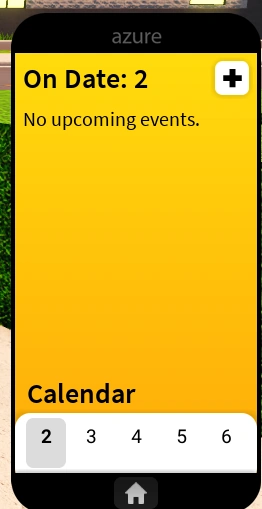
A picture of the Events App on your phone.
Hosting Events[]
Click the black "+" button in the top right hand corner of the Events App, then begin inputting the information required:
Overview[]
- Name: (Name of Event)
- Description: (Description of Event)
- Location: (Where Event will be located)
When[]
- Date: (Which Date the Event will be hosted on)
- Time: (What Time the Event will be hosted at)
- Duration: (ow long the Event will take place)
Specifics[]
- Dress Code: (Specify what you want your guests to wear)
- Entry Fee: (How much the Event will cost to get in, maximum of $1,000)
- RSVP Required: (Specify whether or not your guests will need to let you know if they are coming ahead of time)
Guest List[]
Allows you to choose who is coming to your Event.
Going to Events[]
If someone else invites you to an Event, you can teleport to their Event by opening the Events App and clicking the Event when it's time to go.
Trivia[]
- If you invite people to your Event, they will spawn in the front of it, by the door. However, if you invite someone to a party and your house is the Antine Villa the person invited will be spawned on the floor to the right of the pool, instead of in the front of the house.

