
Best Engineering & Development Startups & Tools

Recently Listed

48 launches
Sort
Agentiqa — AI QA Testing Agent Premium

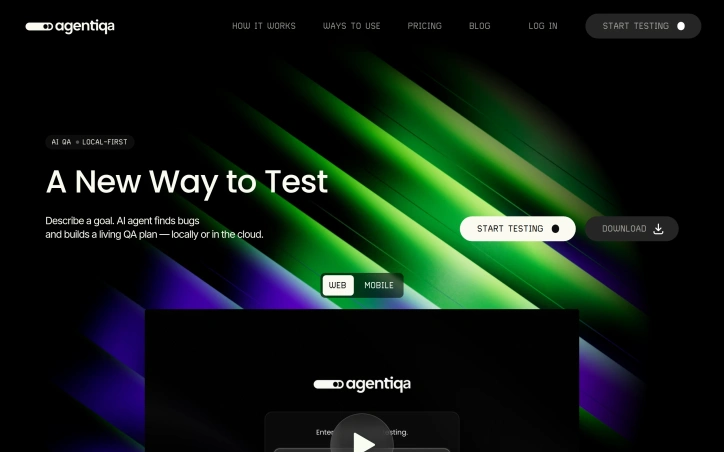
Teams shipping web or mobile apps with limited QA headcount end up choosing between slow manual testing and brittle scripted automation. Agentiqa eliminates that compromise by letting product managers or engineers paste a URL and have an autonomous AI act as a tireless human tester. The tool starts where most cloud services stop: it runs directly on the developer’s machine so localhost and internal staging environments are covered without any CI setup. That fact alone makes it indispensable for startups that push nightly builds to feature branches hidden behind firewalls. Beyond local support, the agent examines the rendered interface as a user would, relying on computer vision instead of brittle DOM selectors. Once it discovers a bug—visual glitches, broken states, or purely frustrating UX—it records a video, writes concise reproduction steps, and folds the new insight into a reusable QA plan. Each iteration refines the plan, making the test suite self-healing and continuously more valuable over time. Privacy concerns have been addressed head-on: source code never leaves the developer’s workstation, and credentials are encrypted so the AI can type a password without ever learning its value. Companies bound by GDPR, HIPAA, or internal compliance rules can therefore invite the agent onto sensitive apps without opening a proverbial back door. The product is offered as a downloadable desktop client, complemented by Agentiqa Web for cloud runs that can be triggered from any browser. Pricing or usage tiers are not yet disclosed, yet “no per-run cloud overhead” signals an approachable model for smaller teams, while local-first execution removes the queueing penalty that often sabotages fast iterations.

Testing-and-qa-software
R
Radik Zagirov

Teams shipping web or mobile apps with limited QA headcount end up choosing between slow manual testing and brittle scripted automation. Agentiqa eliminates that compromise by letting product managers or engineers paste a URL and have an autonomous AI act as a tireless human tester. The tool starts where most cloud services stop: it runs directly on the developer’s machine so localhost and internal staging environments are covered without any CI setup. That fact alone makes it indispensable for startups that push nightly builds to feature branches hidden behind firewalls. Beyond local support, the agent examines the rendered interface as a user would, relying on computer vision instead of brittle DOM selectors. Once it discovers a bug—visual glitches, broken states, or purely frustrating UX—it records a video, writes concise reproduction steps, and folds the new insight into a reusable QA plan. Each iteration refines the plan, making the test suite self-healing and continuously more valuable over time. Privacy concerns have been addressed head-on: source code never leaves the developer’s workstation, and credentials are encrypted so the AI can type a password without ever learning its value. Companies bound by GDPR, HIPAA, or internal compliance rules can therefore invite the agent onto sensitive apps without opening a proverbial back door. The product is offered as a downloadable desktop client, complemented by Agentiqa Web for cloud runs that can be triggered from any browser. Pricing or usage tiers are not yet disclosed, yet “no per-run cloud overhead” signals an approachable model for smaller teams, while local-first execution removes the queueing penalty that often sabotages fast iterations.

Agentiqa — AI QA Testing Agent preview

Key features

  • Autonomous AI Testing: Paste a URL and have an autonomous AI act as a tireless human tester for web and mobile apps
  • Local Machine Execution: Runs directly on the developer's machine to cover localhost and internal staging environments without CI setup
See full listing
360 Solution

The modern web development landscape is cluttered with bloated software that prioritizes revenue over user needs. In response, a suite of online tools has emerged to cater to the needs of developers and business professionals. 360 Solution is a curated collection of utilities designed to be lightweight and privacy-focused, addressing the issue of inaccessible and cumbersome software. At its core, 360 Solution is built around the philosophy that software should be accessible, transparent, and respectful of the user's intent. This is evident in the design and functionality of its tools, which are geared towards solving specific problems without unnecessary features. The tools are browser-based, ensuring that data remains on the user's machine, and there is no requirement to create an account or provide an email address to access them. Notable tools include an Image Slug Generator for SEO-friendly image renaming, an Expo App Icon Generator for React Native app assets, and a CSV Viewer & Editor for analyzing and manipulating data files. These tools react quickly, with no loading screens or spinners, and are designed with a clean and tactical interface focused on productivity. The absence of tracking, cookies, and advertisements underscores the commitment to user privacy, making it an attractive option for those seeking straightforward, effective solutions. By being completely free and open-source, 360 Solution positions itself as a developer-centric resource, aligning with its mission to empower the next generation of web builders. With its emphasis on instant usability and zero ads, 360 Solution presents a compelling alternative to traditional software models.


The modern web development landscape is cluttered with bloated software that prioritizes revenue over user needs. In response, a suite of online tools has emerged to cater to the needs of developers and business professionals. 360 Solution is a curated collection of utilities designed to be lightweight and privacy-focused, addressing the issue of inaccessible and cumbersome software. At its core, 360 Solution is built around the philosophy that software should be accessible, transparent, and respectful of the user's intent. This is evident in the design and functionality of its tools, which are geared towards solving specific problems without unnecessary features. The tools are browser-based, ensuring that data remains on the user's machine, and there is no requirement to create an account or provide an email address to access them. Notable tools include an Image Slug Generator for SEO-friendly image renaming, an Expo App Icon Generator for React Native app assets, and a CSV Viewer & Editor for analyzing and manipulating data files. These tools react quickly, with no loading screens or spinners, and are designed with a clean and tactical interface focused on productivity. The absence of tracking, cookies, and advertisements underscores the commitment to user privacy, making it an attractive option for those seeking straightforward, effective solutions. By being completely free and open-source, 360 Solution positions itself as a developer-centric resource, aligning with its mission to empower the next generation of web builders. With its emphasis on instant usability and zero ads, 360 Solution presents a compelling alternative to traditional software models.

360 Solution preview

Key features

  • Lightweight Tools: Designed to be browser-based with no unnecessary features
  • Image Slug Generator: For SEO-friendly image renaming
See full listing
ThinkReview

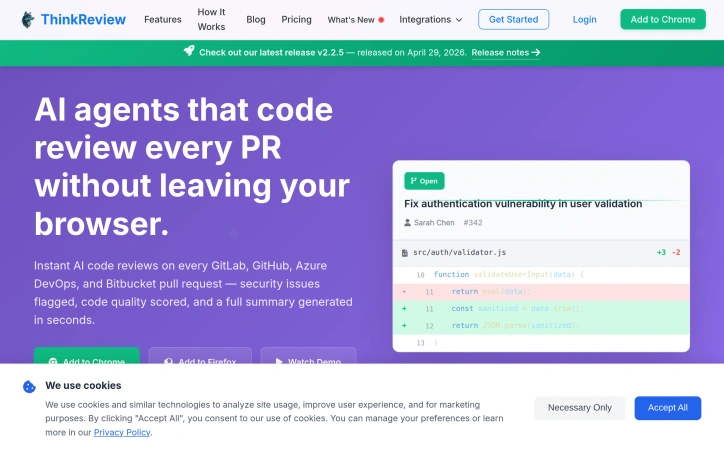
Code reviews are a crucial step in the development process, but manual reviews can be slow, inconsistent, and prone to missing critical security issues. ThinkReview addresses this pain point by providing an AI-powered copilot for GitLab, GitHub, Azure DevOps, and Bitbucket. The tool is designed for developers who care about code quality and want to streamline their review process. What stands out about ThinkReview is its ability to integrate seamlessly into existing workflows without requiring CI setup, admin access, or repo-level integrations. The extension can be installed in under 60 seconds and automatically detects pull requests and merge requests on supported platforms. The AI analysis provides a comprehensive summary, security insights, and smart suggestions, making it an invaluable resource for teams looking to improve their code quality. The tool's capabilities extend beyond basic syntax checking, catching security holes, logic flaws, and performance pitfalls before they reach production. Users can also engage in conversational PR reviews, asking questions and generating inline comments using natural language. Additionally, custom rules and review agents can be defined to enforce team-wide review standards. While pricing details are not explicitly mentioned, the product's frictionless installation and zero-setup approach suggest a potentially attractive offering for teams looking to enhance their code review process without added administrative burdens. Overall, ThinkReview has the potential to transform the way development teams approach code reviews, making it an attractive solution for those seeking to improve code quality and reduce review times.

Code-review-tools
J
Jay from ThinkReview

Code reviews are a crucial step in the development process, but manual reviews can be slow, inconsistent, and prone to missing critical security issues. ThinkReview addresses this pain point by providing an AI-powered copilot for GitLab, GitHub, Azure DevOps, and Bitbucket. The tool is designed for developers who care about code quality and want to streamline their review process. What stands out about ThinkReview is its ability to integrate seamlessly into existing workflows without requiring CI setup, admin access, or repo-level integrations. The extension can be installed in under 60 seconds and automatically detects pull requests and merge requests on supported platforms. The AI analysis provides a comprehensive summary, security insights, and smart suggestions, making it an invaluable resource for teams looking to improve their code quality. The tool's capabilities extend beyond basic syntax checking, catching security holes, logic flaws, and performance pitfalls before they reach production. Users can also engage in conversational PR reviews, asking questions and generating inline comments using natural language. Additionally, custom rules and review agents can be defined to enforce team-wide review standards. While pricing details are not explicitly mentioned, the product's frictionless installation and zero-setup approach suggest a potentially attractive offering for teams looking to enhance their code review process without added administrative burdens. Overall, ThinkReview has the potential to transform the way development teams approach code reviews, making it an attractive solution for those seeking to improve code quality and reduce review times.

ThinkReview preview

Key features

  • Seamless Integration: Integrates into existing workflows without CI setup or admin access
  • AI Analysis: Provides comprehensive summary, security insights, and smart suggestions
See full listing
mac-dev-station

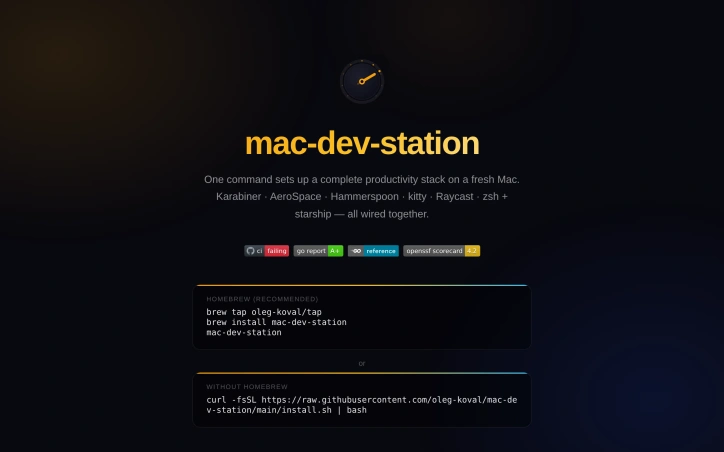
Setting up a development environment on a fresh Mac can be a tedious task, involving the manual installation and configuration of multiple tools and apps. mac-dev-station addresses this problem by providing a streamlined solution that allows developers to set up a complete productivity stack with just one command. This tool is particularly useful for developers who frequently switch between machines or need to configure multiple devices. What stands out about mac-dev-station is its comprehensive approach to setting up a development environment. It not only installs a wide range of CLI tools and GUI apps via Homebrew, but also configures them to work together seamlessly. The tool covers everything from setting up a tiling window manager and terminal configuration to installing fonts and configuring shell aliases. The level of automation and customization is impressive, with 13 idempotent phases that ensure a consistent and reliable setup process. The key features of mac-dev-station include its ability to install and configure a wide range of development tools, including git, gh, fzf, and neovim, as well as GUI apps like kitty, Raycast, and Karabiner-Elements. It also sets up a hotkey map with a hyper key ( Caps Lock) that provides quick access to various apps and functions. The tool also includes shell aliases that simplify common tasks, such as switching between projects and triggering display layout changes. The fact that mac-dev-station is available for installation via Homebrew or a simple curl command makes it easily accessible to developers. While the business model is not explicitly stated, the fact that it is hosted on a personal website and GitHub repository suggests that it is an open-source project, available for use at no cost. Overall, mac-dev-station is a valuable resource for developers looking to simplify their workflow and boost productivity on their Macs.

Command-line-tools
O
Oleg Koval

Setting up a development environment on a fresh Mac can be a tedious task, involving the manual installation and configuration of multiple tools and apps. mac-dev-station addresses this problem by providing a streamlined solution that allows developers to set up a complete productivity stack with just one command. This tool is particularly useful for developers who frequently switch between machines or need to configure multiple devices. What stands out about mac-dev-station is its comprehensive approach to setting up a development environment. It not only installs a wide range of CLI tools and GUI apps via Homebrew, but also configures them to work together seamlessly. The tool covers everything from setting up a tiling window manager and terminal configuration to installing fonts and configuring shell aliases. The level of automation and customization is impressive, with 13 idempotent phases that ensure a consistent and reliable setup process. The key features of mac-dev-station include its ability to install and configure a wide range of development tools, including git, gh, fzf, and neovim, as well as GUI apps like kitty, Raycast, and Karabiner-Elements. It also sets up a hotkey map with a hyper key ( Caps Lock) that provides quick access to various apps and functions. The tool also includes shell aliases that simplify common tasks, such as switching between projects and triggering display layout changes. The fact that mac-dev-station is available for installation via Homebrew or a simple curl command makes it easily accessible to developers. While the business model is not explicitly stated, the fact that it is hosted on a personal website and GitHub repository suggests that it is an open-source project, available for use at no cost. Overall, mac-dev-station is a valuable resource for developers looking to simplify their workflow and boost productivity on their Macs.

mac-dev-station preview

Key features

  • Development Tool Installation: Installs a wide range of CLI tools and GUI apps via Homebrew.
  • Tiling Window Manager Setup: Configures a tiling window manager as part of the setup process.
See full listing
Trembita - a lightweight TypeScript HTTP client

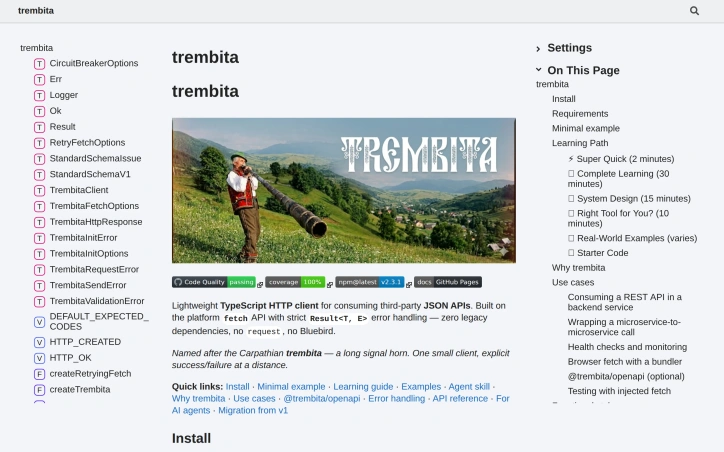
When building applications that rely on third-party JSON APIs, developers often face challenges with error handling and legacy dependencies. A new lightweight TypeScript HTTP client addresses these issues by providing a robust and maintainable solution. Developers of backend services written in TypeScript or JavaScript, particularly those targeting Node environments or browsers, are the primary beneficiaries of this client. It simplifies the process of consuming REST APIs from third-party services such as payment providers, CRM systems, or shipping integrations. Notably, this client's design prioritizes type safety, particularly in error handling. It achieves this through a tagged discriminated union approach, allowing for more precise error handling and narrowing by TypeScript. The absence of runtime dependencies, leveraging instead the platform's fetch and URL APIs, contributes to its lightweight nature. It is compatible with Node versions 20.10 and above, as well as browsers when used with a bundler. The client's API surface is intentionally minimal, consisting primarily of the createTrembita function, which returns an object with request and client capabilities. This simplicity, combined with its testable design that allows for the injection of a custom fetch implementation, makes it an attractive option for developers seeking a straightforward and maintainable HTTP client. The documentation provides a comprehensive learning path, ranging from a super quick start guide to a complete learning guide and system design overview. Real-world examples, including interactions with the GitHub API, payments, and microservices, further enhance its utility. The client is available for installation via npm, with optional OpenAPI helpers available in a separate package. No explicit pricing or business model details are provided, suggesting an open-source approach. Overall, this lightweight TypeScript HTTP client offers a compelling solution for developers seeking a robust, type-safe, and dependency-free way to interact with third-party JSON APIs.

Command-line-tools
O
Oleg Koval

When building applications that rely on third-party JSON APIs, developers often face challenges with error handling and legacy dependencies. A new lightweight TypeScript HTTP client addresses these issues by providing a robust and maintainable solution. Developers of backend services written in TypeScript or JavaScript, particularly those targeting Node environments or browsers, are the primary beneficiaries of this client. It simplifies the process of consuming REST APIs from third-party services such as payment providers, CRM systems, or shipping integrations. Notably, this client's design prioritizes type safety, particularly in error handling. It achieves this through a tagged discriminated union approach, allowing for more precise error handling and narrowing by TypeScript. The absence of runtime dependencies, leveraging instead the platform's fetch and URL APIs, contributes to its lightweight nature. It is compatible with Node versions 20.10 and above, as well as browsers when used with a bundler. The client's API surface is intentionally minimal, consisting primarily of the createTrembita function, which returns an object with request and client capabilities. This simplicity, combined with its testable design that allows for the injection of a custom fetch implementation, makes it an attractive option for developers seeking a straightforward and maintainable HTTP client. The documentation provides a comprehensive learning path, ranging from a super quick start guide to a complete learning guide and system design overview. Real-world examples, including interactions with the GitHub API, payments, and microservices, further enhance its utility. The client is available for installation via npm, with optional OpenAPI helpers available in a separate package. No explicit pricing or business model details are provided, suggesting an open-source approach. Overall, this lightweight TypeScript HTTP client offers a compelling solution for developers seeking a robust, type-safe, and dependency-free way to interact with third-party JSON APIs.

Trembita - a lightweight TypeScript HTTP client preview

Key features

  • Type Safety: Provides precise error handling through a tagged discriminated union approach.
  • Lightweight Design: Has no runtime dependencies, leveraging the platform's fetch and URL APIs.
See full listing
mcpmeter

Simplifying access to multiple Model Context Protocol servers is a significant challenge for developers working with AI coding tools. Managing numerous API keys and reconciling invoices from various providers can be cumbersome. mcpmeter's solution is to offer a unified authentication and billing system, allowing users to interact with multiple MCP servers through a single proxy using one bearer key. What stands out about mcpmeter is its straightforward approach to authenticating, routing, and billing for MCP calls. The proxy sits between the agent and the publisher's MCP server, handling authentication, forwarding the JSON-RPC body, counting responses, and writing ledger rows. This pass-through design ensures that only relevant traffic is metered and billed. The proxy's performance is also noteworthy, with a P95 latency of 52ms, which is well below the target of 100ms. Key features of mcpmeter include its per-call metering and billing, with reconciliation happening nightly, and payouts made on the 1st of each month via Stripe Connect. The platform supports various AI coding tools and platforms, such as Claude, Cursor, and OpenAI. The fact that it provides a live ledger and statement, with every call recorded, adds to its transparency and auditability. mcpmeter's pricing model is based on a per-call charge, with no subscription fees, and is claimed to be 5 times cheaper than traditional API marketplaces. Publishers listing their MCP servers on the platform are charged a 10% platform fee, with payouts made monthly, subject to a $50 minimum. Overall, mcpmeter presents a compelling solution for developers and publishers looking to simplify their interactions with multiple MCP servers, offering a streamlined and cost-effective alternative to managing multiple API keys and invoices.


Unified-api
N
Nick G

Simplifying access to multiple Model Context Protocol servers is a significant challenge for developers working with AI coding tools. Managing numerous API keys and reconciling invoices from various providers can be cumbersome. mcpmeter's solution is to offer a unified authentication and billing system, allowing users to interact with multiple MCP servers through a single proxy using one bearer key. What stands out about mcpmeter is its straightforward approach to authenticating, routing, and billing for MCP calls. The proxy sits between the agent and the publisher's MCP server, handling authentication, forwarding the JSON-RPC body, counting responses, and writing ledger rows. This pass-through design ensures that only relevant traffic is metered and billed. The proxy's performance is also noteworthy, with a P95 latency of 52ms, which is well below the target of 100ms. Key features of mcpmeter include its per-call metering and billing, with reconciliation happening nightly, and payouts made on the 1st of each month via Stripe Connect. The platform supports various AI coding tools and platforms, such as Claude, Cursor, and OpenAI. The fact that it provides a live ledger and statement, with every call recorded, adds to its transparency and auditability. mcpmeter's pricing model is based on a per-call charge, with no subscription fees, and is claimed to be 5 times cheaper than traditional API marketplaces. Publishers listing their MCP servers on the platform are charged a 10% platform fee, with payouts made monthly, subject to a $50 minimum. Overall, mcpmeter presents a compelling solution for developers and publishers looking to simplify their interactions with multiple MCP servers, offering a streamlined and cost-effective alternative to managing multiple API keys and invoices.

mcpmeter preview

Key features

  • Unified Authentication: allows users to interact with multiple MCP servers through a single proxy using one bearer key
  • Per-Call Metering: metering and billing happen on a per-call basis, with reconciliation nightly
See full listing
100% Free web tools - Banglawp.shop

Web developers and individuals seeking a suite of utility tools for various tasks now have a comprehensive resource at their disposal. Banglawp.shop offers a broad array of 100% free web tools designed to simplify and streamline numerous online tasks. The platform is geared towards users requiring a one-stop solution for a wide range of utilities, from basic web development tools to data conversion and security checks. What stands out about Banglawp.shop is its extensive collection of tools that cater to diverse needs. The platform is replete with features such as a website status checker, user agent finder, and SSL checker, which are particularly useful for web developers and site administrators. Additionally, it offers a variety of converters for data formats, including JSON, CSV, and XML, as well as image converters and compressors. The platform's capabilities extend to security-related tools, including a password generator and an email validator, highlighting its focus on providing a comprehensive toolkit. Furthermore, its suite of URL-related tools, such as a URL unshortener and encoder/decoder, demonstrates a clear understanding of the requirements of web professionals. Notably, Banglawp.shop emphasizes that its tools are 100% free, suggesting a commitment to providing accessible resources without cost barriers. While the business model is not explicitly detailed, the absence of any mentioned pricing or premium features implies that the platform is sustained either through other means or is genuinely committed to being free for all users. Overall, Banglawp.shop presents itself as a valuable resource for anyone in need of a wide range of web tools and utilities, offering a convenient and free solution that simplifies various online tasks.


Website-analytics
T
The Youtube Great Flims

Web developers and individuals seeking a suite of utility tools for various tasks now have a comprehensive resource at their disposal. Banglawp.shop offers a broad array of 100% free web tools designed to simplify and streamline numerous online tasks. The platform is geared towards users requiring a one-stop solution for a wide range of utilities, from basic web development tools to data conversion and security checks. What stands out about Banglawp.shop is its extensive collection of tools that cater to diverse needs. The platform is replete with features such as a website status checker, user agent finder, and SSL checker, which are particularly useful for web developers and site administrators. Additionally, it offers a variety of converters for data formats, including JSON, CSV, and XML, as well as image converters and compressors. The platform's capabilities extend to security-related tools, including a password generator and an email validator, highlighting its focus on providing a comprehensive toolkit. Furthermore, its suite of URL-related tools, such as a URL unshortener and encoder/decoder, demonstrates a clear understanding of the requirements of web professionals. Notably, Banglawp.shop emphasizes that its tools are 100% free, suggesting a commitment to providing accessible resources without cost barriers. While the business model is not explicitly detailed, the absence of any mentioned pricing or premium features implies that the platform is sustained either through other means or is genuinely committed to being free for all users. Overall, Banglawp.shop presents itself as a valuable resource for anyone in need of a wide range of web tools and utilities, offering a convenient and free solution that simplifies various online tasks.

100% Free web tools - Banglawp.shop preview

Key features

  • Website Status Checker: checks the status of a website
  • Data Format Converters: converts data between JSON, CSV, and XML formats
See full listing
starters

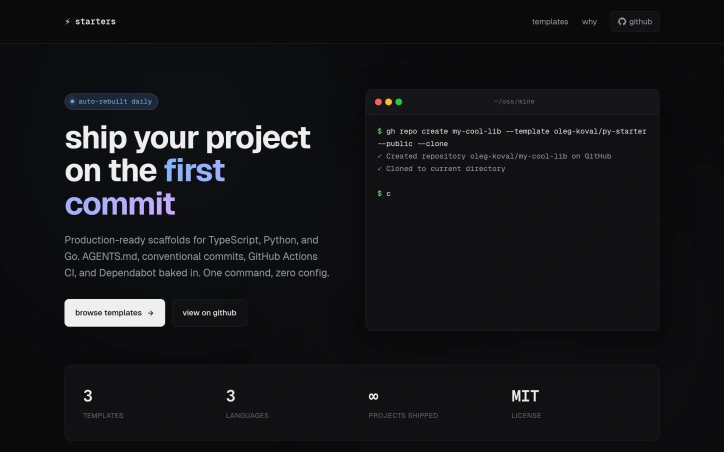
Production-ready project scaffolding is a crucial step in the development process, and tedious setup can be a significant hindrance to getting started. Starters tackle this problem head-on by providing pre-configured templates for TypeScript, Python, and Go projects. The target audience is clearly developers looking to kickstart their projects with a robust foundation, eliminating the need for manual setup and reducing the likelihood of errors. What stands out about Starters is its commitment to consistency across templates, ensuring that users don't have to spend time figuring out different conventions. The templates are packed with industry-standard features, including GitHub Actions CI, Dependabot for dependency updates, and conventional commits for semantic versioning. The inclusion of hand-written instructions for popular AI coding tools is also a thoughtful touch, highlighting the project's focus on developer experience. The templates themselves are feature-rich, with the TypeScript template, for instance, coming with tsup, vitest, and TypeDoc, making it ready for publishing npm packages. Similarly, the Python template uses modern tools like uv, ruff, and pytest. The Go template follows the standard layout and includes golangci-lint and Makefile targets. The saas-init template takes it a step further by scaffolding out a full-fledged SaaS application with Next.js, authentication, payments, and more. Notably, Starters ships with a permissive MIT License, allowing users to utilize the templates without restrictive licensing. While pricing details are not explicitly mentioned, the fact that the templates are available for use under an open standard license suggests that the project is geared towards supporting developer productivity rather than generating revenue through licensing fees. Overall, Starters provides a valuable resource for developers seeking to rapidly establish a solid foundation for their projects.

Command-line-tools
O
Oleg Koval

Production-ready project scaffolding is a crucial step in the development process, and tedious setup can be a significant hindrance to getting started. Starters tackle this problem head-on by providing pre-configured templates for TypeScript, Python, and Go projects. The target audience is clearly developers looking to kickstart their projects with a robust foundation, eliminating the need for manual setup and reducing the likelihood of errors. What stands out about Starters is its commitment to consistency across templates, ensuring that users don't have to spend time figuring out different conventions. The templates are packed with industry-standard features, including GitHub Actions CI, Dependabot for dependency updates, and conventional commits for semantic versioning. The inclusion of hand-written instructions for popular AI coding tools is also a thoughtful touch, highlighting the project's focus on developer experience. The templates themselves are feature-rich, with the TypeScript template, for instance, coming with tsup, vitest, and TypeDoc, making it ready for publishing npm packages. Similarly, the Python template uses modern tools like uv, ruff, and pytest. The Go template follows the standard layout and includes golangci-lint and Makefile targets. The saas-init template takes it a step further by scaffolding out a full-fledged SaaS application with Next.js, authentication, payments, and more. Notably, Starters ships with a permissive MIT License, allowing users to utilize the templates without restrictive licensing. While pricing details are not explicitly mentioned, the fact that the templates are available for use under an open standard license suggests that the project is geared towards supporting developer productivity rather than generating revenue through licensing fees. Overall, Starters provides a valuable resource for developers seeking to rapidly establish a solid foundation for their projects.

starters preview

Key features

  • Pre-Configured Templates: Available for TypeScript, Python, and Go projects
  • Consistent Conventions: Ensuring uniformity across templates
See full listing
TextsBert

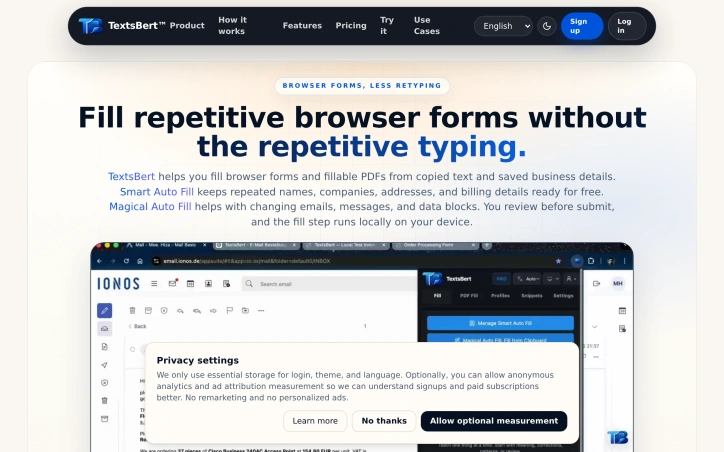
Repetitive form-filling is a fact of work life — whether you're processing customer intake, managing vendor data, or shuffling through billing portals — and most existing solutions either force your sensitive data into cloud AI services or only work with fixed, unchanging information. TextsBert addresses both problems by letting users automate form entry without leaving their device or surrendering control. The product splits its approach into two complementary workflows. Smart Auto Fill caters to stable, repeatable data: business details, company addresses, and billing information that users enter frequently. It works with saved profiles and URL-specific rules, pulling from locally stored records without interference from native browser autofill. Magical Auto Fill handles the messier side of real work — emails with inconsistent formatting, portal exports, and loosely structured notes that change from submission to submission. It analyzes copied text, maps it to the right fields, and waits for user approval before filling anything. What distinguishes TextsBert from competitors is its privacy architecture. The extension processes form data entirely on the user's device, sidestepping the regulatory and compliance headaches that arise when customer or supplier information travels to external AI services. The company explicitly grounds this in European data protection guidelines and international transfer restrictions. Sync across devices is available for users who need it, but it's encrypted, optional, and off by default — the default posture keeps everything local. The product respects user agency throughout. There is no auto-submit; before any form gets filled, users see exactly what will change and can reject the action. This review step is central to the pitch, particularly for workflows involving sensitive customer or internal data. The founder's underlying frustration is clear: existing tools either sacrifice privacy or fail on variable, real-world inputs. TextsBert was built to solve both constraints simultaneously. Features like saved profiles for recurring identities and snippet storage for approved language reduce the daily overhead. The extension also handles fillable PDFs, not just browser forms. The business model includes a free tier for Smart Auto Fill with paid PRO tier unlocking encrypted sync, positioned as founder pricing for early adopters. For teams processing customer data, managing supplier information, or handling billing workflows where privacy compliance matters, TextsBert offers a genuine alternative to cloud-dependent form fillers. Its willingness to sacrifice convenience for control — review before submit, processing stays on-device — represents a deliberate architectural choice rather than a limitation.

Browser-automation
M
Moe. Hiza

Repetitive form-filling is a fact of work life — whether you're processing customer intake, managing vendor data, or shuffling through billing portals — and most existing solutions either force your sensitive data into cloud AI services or only work with fixed, unchanging information. TextsBert addresses both problems by letting users automate form entry without leaving their device or surrendering control. The product splits its approach into two complementary workflows. Smart Auto Fill caters to stable, repeatable data: business details, company addresses, and billing information that users enter frequently. It works with saved profiles and URL-specific rules, pulling from locally stored records without interference from native browser autofill. Magical Auto Fill handles the messier side of real work — emails with inconsistent formatting, portal exports, and loosely structured notes that change from submission to submission. It analyzes copied text, maps it to the right fields, and waits for user approval before filling anything. What distinguishes TextsBert from competitors is its privacy architecture. The extension processes form data entirely on the user's device, sidestepping the regulatory and compliance headaches that arise when customer or supplier information travels to external AI services. The company explicitly grounds this in European data protection guidelines and international transfer restrictions. Sync across devices is available for users who need it, but it's encrypted, optional, and off by default — the default posture keeps everything local. The product respects user agency throughout. There is no auto-submit; before any form gets filled, users see exactly what will change and can reject the action. This review step is central to the pitch, particularly for workflows involving sensitive customer or internal data. The founder's underlying frustration is clear: existing tools either sacrifice privacy or fail on variable, real-world inputs. TextsBert was built to solve both constraints simultaneously. Features like saved profiles for recurring identities and snippet storage for approved language reduce the daily overhead. The extension also handles fillable PDFs, not just browser forms. The business model includes a free tier for Smart Auto Fill with paid PRO tier unlocking encrypted sync, positioned as founder pricing for early adopters. For teams processing customer data, managing supplier information, or handling billing workflows where privacy compliance matters, TextsBert offers a genuine alternative to cloud-dependent form fillers. Its willingness to sacrifice convenience for control — review before submit, processing stays on-device — represents a deliberate architectural choice rather than a limitation.

TextsBert preview

Key features

  • Smart Auto Fill: Automates entry of stable, repeatable data like business details, company addresses, and billing information.
  • Magical Auto Fill: Analyzes copied text and maps it to form fields with user approval.
See full listing
Real Market API

Developing fintech applications and trading platforms requires access to accurate, fast market data—but integrating directly with multiple exchanges creates operational overhead and infrastructure complexity. Real Market API addresses this by providing a unified data layer that aggregates pricing from leading exchanges like Binance, Coinbase, and OANDA, eliminating the need for developers to maintain separate connections and custom pipelines. The service targets fintech builders, algorithmic traders, and developers building applications that depend on live market information. It covers 60+ instruments spanning forex pairs, cryptocurrencies, major stocks, commodities like gold and oil, and market indices. The platform guarantees sub-150 millisecond latency with 99.99% uptime—critical performance requirements for price-sensitive applications where delays cost money. What distinguishes Real Market API is its flexibility in how developers consume data. Beyond traditional REST endpoints, it offers WebSocket streaming for continuous price feeds and a Telegram bot that brings market data into chat without requiring separate apps or dashboards. This breadth of access patterns makes it viable across different use cases: web applications using REST for periodic updates, trading systems leveraging WebSocket for real-time streams, and mobile-first scenarios where a Telegram interface makes sense. The API delivers structured OHLC data (open, high, low, close) with bid-ask spreads, volume, and multi-timeframe support—the standard inputs for both simple price tracking and complex technical analysis. The team emphasizes speed of deployment, positioning the service as ready-to-use within minutes rather than weeks of integration work. The pricing model keeps the barrier to entry low. A free tier requires no credit card and can be cancelled anytime, lowering friction for developers evaluating whether the service fits their needs. The specifics of paid tiers are not detailed in available materials, but the freemium approach is standard in developer-focused infrastructure services. For teams building fintech products, the main trade-off is architectural: adopting an external data dependency rather than self-hosting. The uptime guarantee and unified integration suggest this is acceptable for most use cases, particularly startups where maintaining exchange infrastructure is less defensible than focusing on product differentiation.


Developing fintech applications and trading platforms requires access to accurate, fast market data—but integrating directly with multiple exchanges creates operational overhead and infrastructure complexity. Real Market API addresses this by providing a unified data layer that aggregates pricing from leading exchanges like Binance, Coinbase, and OANDA, eliminating the need for developers to maintain separate connections and custom pipelines. The service targets fintech builders, algorithmic traders, and developers building applications that depend on live market information. It covers 60+ instruments spanning forex pairs, cryptocurrencies, major stocks, commodities like gold and oil, and market indices. The platform guarantees sub-150 millisecond latency with 99.99% uptime—critical performance requirements for price-sensitive applications where delays cost money. What distinguishes Real Market API is its flexibility in how developers consume data. Beyond traditional REST endpoints, it offers WebSocket streaming for continuous price feeds and a Telegram bot that brings market data into chat without requiring separate apps or dashboards. This breadth of access patterns makes it viable across different use cases: web applications using REST for periodic updates, trading systems leveraging WebSocket for real-time streams, and mobile-first scenarios where a Telegram interface makes sense. The API delivers structured OHLC data (open, high, low, close) with bid-ask spreads, volume, and multi-timeframe support—the standard inputs for both simple price tracking and complex technical analysis. The team emphasizes speed of deployment, positioning the service as ready-to-use within minutes rather than weeks of integration work. The pricing model keeps the barrier to entry low. A free tier requires no credit card and can be cancelled anytime, lowering friction for developers evaluating whether the service fits their needs. The specifics of paid tiers are not detailed in available materials, but the freemium approach is standard in developer-focused infrastructure services. For teams building fintech products, the main trade-off is architectural: adopting an external data dependency rather than self-hosting. The uptime guarantee and unified integration suggest this is acceptable for most use cases, particularly startups where maintaining exchange infrastructure is less defensible than focusing on product differentiation.

Real Market API preview

Key features

  • Unified Data Layer: Aggregates pricing from multiple exchanges including Binance, Coinbase, and OANDA
  • Multi-Access Patterns: Supports REST endpoints, WebSocket streaming, and Telegram bot integration
See full listing
semantic-release-npm-github-publish

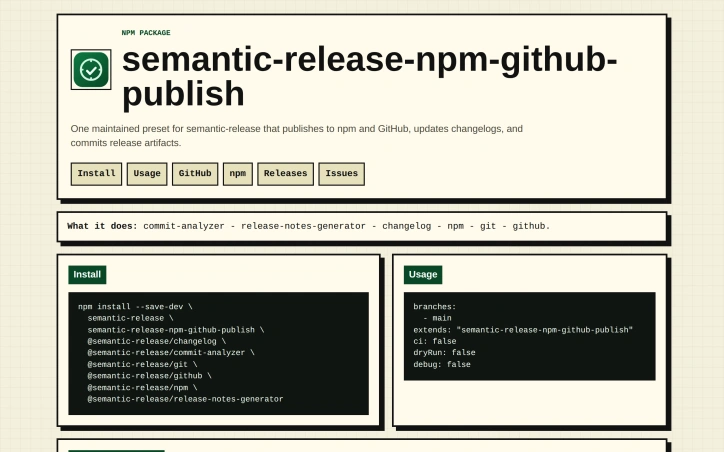
Release automation for Node.js developers typically demands orchestrating numerous plugins and configurations—a process that becomes tedious when repeated across multiple projects. This semantic-release preset consolidates the most common components of an automated release workflow into a single, reusable configuration that handles commit analysis, changelog generation, version bumping, npm publishing, and GitHub release management without requiring developers to wire them together manually. The target audience is JavaScript developers who maintain open-source projects or applications that need reliable, standards-based release automation. The preset implements conventional commit semantics out of the box, mapping commit types (feat, fix, refactor, docs, etc.) to semver version increments automatically. Breaking changes trigger major version bumps, while feature commits produce minor increments and patch fixes advance patch versions—eliminating manual version management entirely. What distinguishes this preset is its comprehensiveness. Rather than asking developers to select, install, and configure five to ten separate semantic-release plugins independently, it presents a single drop-in configuration that orchestrates the full pipeline. The setup is straightforward—installing a few npm packages and writing a minimal .releaserc file—and the release logic follows conventions that most JavaScript developers already understand. This reduction in configuration friction directly addresses a genuine pain point for open-source maintainers repeating this setup across projects. The preset covers the essential release operations: analyzing commits to determine version increments, generating release notes and changelogs, publishing packages to npm, pushing release commits back to git, and creating GitHub releases. The workflow operates on the main branch by default and supports dry-run and debug modes during development. The configuration is opinionated but functional, reducing decision-making without restricting typical use cases. Built from the founder's own maintenance workflow, the preset reflects practical priorities—eliminating repetitive scaffolding so developers focus on writing code rather than managing release infrastructure. The project is open-source and free to use, making it accessible to teams of any size. For Node.js projects adopting conventional commits and needing automated releases, this preset removes a significant setup burden and operational complexity from the development lifecycle.

Git-clients
O
Oleg Koval

Release automation for Node.js developers typically demands orchestrating numerous plugins and configurations—a process that becomes tedious when repeated across multiple projects. This semantic-release preset consolidates the most common components of an automated release workflow into a single, reusable configuration that handles commit analysis, changelog generation, version bumping, npm publishing, and GitHub release management without requiring developers to wire them together manually. The target audience is JavaScript developers who maintain open-source projects or applications that need reliable, standards-based release automation. The preset implements conventional commit semantics out of the box, mapping commit types (feat, fix, refactor, docs, etc.) to semver version increments automatically. Breaking changes trigger major version bumps, while feature commits produce minor increments and patch fixes advance patch versions—eliminating manual version management entirely. What distinguishes this preset is its comprehensiveness. Rather than asking developers to select, install, and configure five to ten separate semantic-release plugins independently, it presents a single drop-in configuration that orchestrates the full pipeline. The setup is straightforward—installing a few npm packages and writing a minimal .releaserc file—and the release logic follows conventions that most JavaScript developers already understand. This reduction in configuration friction directly addresses a genuine pain point for open-source maintainers repeating this setup across projects. The preset covers the essential release operations: analyzing commits to determine version increments, generating release notes and changelogs, publishing packages to npm, pushing release commits back to git, and creating GitHub releases. The workflow operates on the main branch by default and supports dry-run and debug modes during development. The configuration is opinionated but functional, reducing decision-making without restricting typical use cases. Built from the founder's own maintenance workflow, the preset reflects practical priorities—eliminating repetitive scaffolding so developers focus on writing code rather than managing release infrastructure. The project is open-source and free to use, making it accessible to teams of any size. For Node.js projects adopting conventional commits and needing automated releases, this preset removes a significant setup burden and operational complexity from the development lifecycle.

semantic-release-npm-github-publish preview

Key features

  • Automated Version Bumping: Maps commit types to semantic version increments automatically
  • Changelog Generation: Generates release notes and changelogs without manual effort
See full listing
mac-onboarding

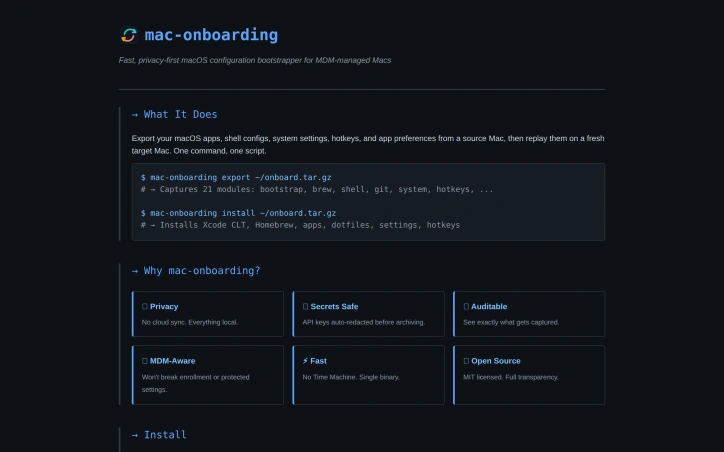
Configuring a fresh Mac is a repetitive slog. Every new machine means reinstalling Homebrew packages, copying dotfiles, adjusting system preferences, syncing hotkeys, and reconfiguring shell environments. For developers juggling multiple machines—whether freelancers working across client infrastructure or IT teams managing MDM-enrolled fleets—this overhead drains productivity and invites consistency errors. Mac-onboarding solves this by capturing an entire configuration state from one machine and replaying it on another with a single command. The export step archives 21 distinct configuration modules, spanning Homebrew packages, shell configs, system settings, application preferences, hotkeys, and dozens of specialized tools. The install step unpacks everything onto a fresh target Mac, automating what would otherwise require manual recreation. What distinguishes this tool from simpler dotfile repos or conventional configuration management approaches is its explicit respect for the constraints of managed environments. Organizations using Mobile Device Management to enforce security policies risk breaking enrollment if configuration tooling overwrites protected system defaults. Mac-onboarding acknowledges this friction—it explicitly refuses to touch settings that MDM controls, and it avoids migrating SSH keys that require careful per-environment handling. This pragmatism signals the tool was built by someone who has actually operated within corporate infrastructure, not just imagined it. Privacy is similarly foregrounded as a first-class concern rather than an afterthought. The entire workflow runs offline and locally. Secrets—API keys, git credentials, and other sensitive material extracted from shell configuration files—are automatically redacted before archiving, preventing accidental leakage. The archive is inspectable via standard tar utilities, giving users genuine transparency about what gets captured and stored. The product supports 21 modules covering major development tools (Kitty, Claude, Tailscale, OrbStack), utilities (Alfred, Synology, 1Password), and system-level preferences. A bridge mode allows pulling configuration directly from a source machine via Tailscale SSH, bypassing the archive step entirely for environments with direct network access. The tool is open source under the MIT license, available via Homebrew or direct download, and built as a single compiled binary with no runtime dependencies. There is no mention of pricing or proprietary licensing, confirming this is a free utility maintained by its creator for the developer community.
Command-line-tools
O
Oleg Koval

Configuring a fresh Mac is a repetitive slog. Every new machine means reinstalling Homebrew packages, copying dotfiles, adjusting system preferences, syncing hotkeys, and reconfiguring shell environments. For developers juggling multiple machines—whether freelancers working across client infrastructure or IT teams managing MDM-enrolled fleets—this overhead drains productivity and invites consistency errors. Mac-onboarding solves this by capturing an entire configuration state from one machine and replaying it on another with a single command. The export step archives 21 distinct configuration modules, spanning Homebrew packages, shell configs, system settings, application preferences, hotkeys, and dozens of specialized tools. The install step unpacks everything onto a fresh target Mac, automating what would otherwise require manual recreation. What distinguishes this tool from simpler dotfile repos or conventional configuration management approaches is its explicit respect for the constraints of managed environments. Organizations using Mobile Device Management to enforce security policies risk breaking enrollment if configuration tooling overwrites protected system defaults. Mac-onboarding acknowledges this friction—it explicitly refuses to touch settings that MDM controls, and it avoids migrating SSH keys that require careful per-environment handling. This pragmatism signals the tool was built by someone who has actually operated within corporate infrastructure, not just imagined it. Privacy is similarly foregrounded as a first-class concern rather than an afterthought. The entire workflow runs offline and locally. Secrets—API keys, git credentials, and other sensitive material extracted from shell configuration files—are automatically redacted before archiving, preventing accidental leakage. The archive is inspectable via standard tar utilities, giving users genuine transparency about what gets captured and stored. The product supports 21 modules covering major development tools (Kitty, Claude, Tailscale, OrbStack), utilities (Alfred, Synology, 1Password), and system-level preferences. A bridge mode allows pulling configuration directly from a source machine via Tailscale SSH, bypassing the archive step entirely for environments with direct network access. The tool is open source under the MIT license, available via Homebrew or direct download, and built as a single compiled binary with no runtime dependencies. There is no mention of pricing or proprietary licensing, confirming this is a free utility maintained by its creator for the developer community.

mac-onboarding preview

Key features

  • Configuration Replication: Exports entire Mac setup from one machine and replays it on another with a single command
  • Comprehensive Modules: Supports 21 configuration modules including Homebrew packages, shell configs, system settings, and application preferences
See full listing
O

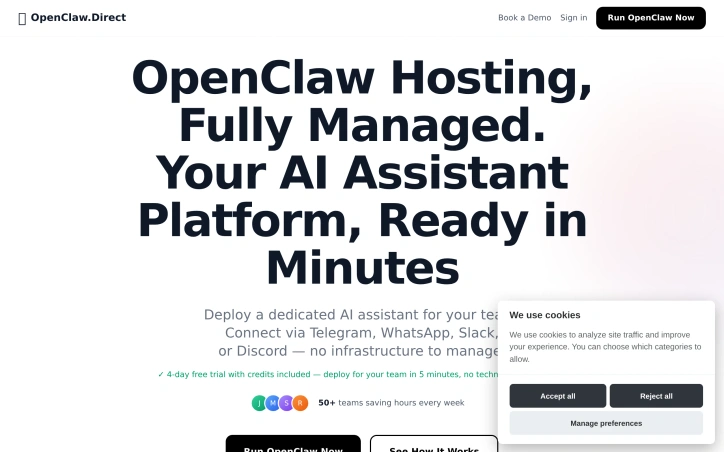
Teams that live inside Telegram, WhatsApp, Slack, or Discord spend their days dodging the accidental slog of opening yet another tab just to ask a bot for help. OpenClaw Direct dissolves that friction by putting a single, private AI coworker right where the messages already flow. Early adopters who lack the appetite—or hire—for DevOps but need Claude-grade intelligence on their own data can spin up a complete environment without writing a deployment script. The allure lies in the five-minute onboarding and the price lock of nineteen dollars a month, cancellable whenever the experiment loses its shine. Beyond provisioning, the platform behaves like an overstretched teammate who never forgets. It consumes inbox threads, staging deployments, support tickets, pull-request noise, SSL expirations, marketing figures, and half-written drafts, then surfaces only the decisions that still require human judgment. Code reviews happen in-chat, with critical issues patched and tests re-run before the reviewer reaches for coffee. Customer tickets get drafted replies, while feature requests bubble into a shared roadmap where community weight can be tracked with tags. Blog traffic gets analysed on the fly and turned into scheduled social threads with open rates reported back as early morning banter. Ownership stays with the customer: the assistant lives on a dedicated machine, listens exclusively to the API key they supply, and connects to the chat apps they already trust. Whatever internal context, documents, or repositories the team grants access to remains unseen by anyone else. The built-in dashboard simply tracks the number of messages, workflows completed, and time reclaimed—enough data to justify the monthly coffee budget the tool replaces.
Web-hosting-services
Y
Yuri Kovalov

Teams that live inside Telegram, WhatsApp, Slack, or Discord spend their days dodging the accidental slog of opening yet another tab just to ask a bot for help. OpenClaw Direct dissolves that friction by putting a single, private AI coworker right where the messages already flow. Early adopters who lack the appetite—or hire—for DevOps but need Claude-grade intelligence on their own data can spin up a complete environment without writing a deployment script. The allure lies in the five-minute onboarding and the price lock of nineteen dollars a month, cancellable whenever the experiment loses its shine. Beyond provisioning, the platform behaves like an overstretched teammate who never forgets. It consumes inbox threads, staging deployments, support tickets, pull-request noise, SSL expirations, marketing figures, and half-written drafts, then surfaces only the decisions that still require human judgment. Code reviews happen in-chat, with critical issues patched and tests re-run before the reviewer reaches for coffee. Customer tickets get drafted replies, while feature requests bubble into a shared roadmap where community weight can be tracked with tags. Blog traffic gets analysed on the fly and turned into scheduled social threads with open rates reported back as early morning banter. Ownership stays with the customer: the assistant lives on a dedicated machine, listens exclusively to the API key they supply, and connects to the chat apps they already trust. Whatever internal context, documents, or repositories the team grants access to remains unseen by anyone else. The built-in dashboard simply tracks the number of messages, workflows completed, and time reclaimed—enough data to justify the monthly coffee budget the tool replaces.

OpenClaw Direct preview
O

Key features

  • Private AI Coworker: Integrates directly into Telegram, WhatsApp, Slack, or Discord without leaving the chat platform.
  • Five-Minute Setup: Deploy a complete environment without DevOps skills or deployment scripts.
See full listing
dcli - docker and git workflows, stremlined

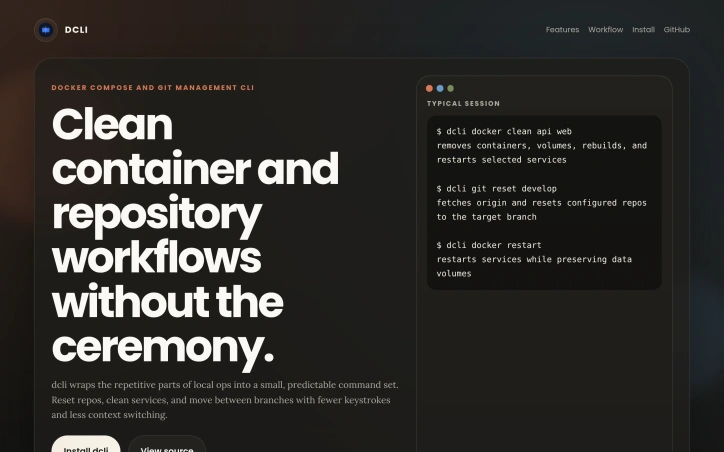
Micro-service teams waste untold hours sweeping up stale containers, juggling Git resets, and hunting down “it works on my machine” gremlins; dcli compresses that busywork into three verb-heavy commands. The utility targets any developer who juggles Docker Compose stacks and multiple source repositories on a daily basis—essentially anyone who has cursed at a half-dead dev environment five minutes before stand-up. What elevates dcli above a dusty binder full of shell aliases is its ruthless focus on single-shot outcomes. Resetting state means one shot, one story: ask for “docker clean api web” and it tears down the listed containers, purges volumes, rebuilds images, and restarts only the services you name, while keeping persistent volumes intact. Repeat the same mindset on the Git side when you tell it to “git reset develop”; the CLI fetches upstream and snaps each configured repository onto the exact branch without you ever having to open another window. It reports successes and failures in terse, colored lines, sparing you the Kubernetes-grade prose dump. The binary is delivered via Homebrew on macOS and Linux, with direct executables for Windows, so onboarding is literally two shell commands and a version check. No setup dance, no cloud service to register—just fetch, drop in your PATH, and start pruning noise from local dev. Because the entire surface area is nine sub-commands wrapped in a Go binary, updates are equally light; a new tag shows up in the tap, you pull, done. No pricing information is surfaced on the landing page, nor are there reference to paid tiers or enterprise licensing; the code lives in a public GitHub repository and binaries are distributed free of charge today. That leaves room for future monetization, but right now the pitch is simple: dcli trades ceremony for speed, and if you live in Docker and Git all day, that trade is convincingly one-sided.

Command-line-tools
O
Oleg Koval

Micro-service teams waste untold hours sweeping up stale containers, juggling Git resets, and hunting down “it works on my machine” gremlins; dcli compresses that busywork into three verb-heavy commands. The utility targets any developer who juggles Docker Compose stacks and multiple source repositories on a daily basis—essentially anyone who has cursed at a half-dead dev environment five minutes before stand-up. What elevates dcli above a dusty binder full of shell aliases is its ruthless focus on single-shot outcomes. Resetting state means one shot, one story: ask for “docker clean api web” and it tears down the listed containers, purges volumes, rebuilds images, and restarts only the services you name, while keeping persistent volumes intact. Repeat the same mindset on the Git side when you tell it to “git reset develop”; the CLI fetches upstream and snaps each configured repository onto the exact branch without you ever having to open another window. It reports successes and failures in terse, colored lines, sparing you the Kubernetes-grade prose dump. The binary is delivered via Homebrew on macOS and Linux, with direct executables for Windows, so onboarding is literally two shell commands and a version check. No setup dance, no cloud service to register—just fetch, drop in your PATH, and start pruning noise from local dev. Because the entire surface area is nine sub-commands wrapped in a Go binary, updates are equally light; a new tag shows up in the tap, you pull, done. No pricing information is surfaced on the landing page, nor are there reference to paid tiers or enterprise licensing; the code lives in a public GitHub repository and binaries are distributed free of charge today. That leaves room for future monetization, but right now the pitch is simple: dcli trades ceremony for speed, and if you live in Docker and Git all day, that trade is convincingly one-sided.

dcli - docker and git workflows, stremlined preview

Key features

  • Docker Container Management: Teardown, purge volumes, rebuild images, and restart services in one command.
  • Git Repository Reset: Snap configured repositories to exact branches with a single command.
See full listing
Code Meter

Managing API costs for AI coding tools is a practical concern developers face regularly. When integrating Claude, Codex, Z.ai, or Minimax into your workflow, exceeding your usage limit or hitting rate ceilings can disrupt development or trigger unexpected charges. Code Meter addresses this problem by delivering real-time usage monitoring in the macOS menu bar, giving developers visibility into consumption before issues occur. The product's core value is immediate and simple: install it, authenticate with your chosen provider, and see usage metrics without checking dashboards or guessing remaining capacity. Setup completes in seconds, and the app supports four major AI coding providers, making it relevant across different tool preferences. What distinguishes Code Meter is its privacy architecture. Rather than funneling credentials through intermediary services, the application reads credentials locally from macOS Keychain and communicates directly with each provider's API—Anthropic, OpenAI, Z.ai, or Minimax. Credentials never leave your device. Usage history stores locally via SwiftData, and widget data remains isolated in App Group containers. This design choice appeals to developers concerned about credential exposure, especially in regulated industries or security-sensitive environments. The privacy commitment extends to analytics. Code Meter uses PostHog for anonymous product telemetry—recording only app version, OS version, and feature interactions—hosted on EU Cloud infrastructure with IP capture and device fingerprinting disabled. It represents a transparent approach to usage analytics; the company documents what it collects and explicitly discloses why. The feature set covers essentials: the menu bar widget shows usage at a glance, additional widgets provide supplementary views, and historical charts enable tracking over time. Alerts flag overages before they compound. The product is a free download from the Mac App Store, requiring macOS 26 or later. RevenueCat infrastructure suggests potential premium features, though none are documented currently. Code Meter solves a concrete problem for developers managing multiple AI APIs with a privacy-first architecture that rejects the surveillance model prevalent in developer tools. Its strength lies in restrained functionality delivered without data extraction. Developers get visibility where it matters—their own usage—without surrendering credentials or behavioral data to another platform.


Observability-tools
A
Andrea

Managing API costs for AI coding tools is a practical concern developers face regularly. When integrating Claude, Codex, Z.ai, or Minimax into your workflow, exceeding your usage limit or hitting rate ceilings can disrupt development or trigger unexpected charges. Code Meter addresses this problem by delivering real-time usage monitoring in the macOS menu bar, giving developers visibility into consumption before issues occur. The product's core value is immediate and simple: install it, authenticate with your chosen provider, and see usage metrics without checking dashboards or guessing remaining capacity. Setup completes in seconds, and the app supports four major AI coding providers, making it relevant across different tool preferences. What distinguishes Code Meter is its privacy architecture. Rather than funneling credentials through intermediary services, the application reads credentials locally from macOS Keychain and communicates directly with each provider's API—Anthropic, OpenAI, Z.ai, or Minimax. Credentials never leave your device. Usage history stores locally via SwiftData, and widget data remains isolated in App Group containers. This design choice appeals to developers concerned about credential exposure, especially in regulated industries or security-sensitive environments. The privacy commitment extends to analytics. Code Meter uses PostHog for anonymous product telemetry—recording only app version, OS version, and feature interactions—hosted on EU Cloud infrastructure with IP capture and device fingerprinting disabled. It represents a transparent approach to usage analytics; the company documents what it collects and explicitly discloses why. The feature set covers essentials: the menu bar widget shows usage at a glance, additional widgets provide supplementary views, and historical charts enable tracking over time. Alerts flag overages before they compound. The product is a free download from the Mac App Store, requiring macOS 26 or later. RevenueCat infrastructure suggests potential premium features, though none are documented currently. Code Meter solves a concrete problem for developers managing multiple AI APIs with a privacy-first architecture that rejects the surveillance model prevalent in developer tools. Its strength lies in restrained functionality delivered without data extraction. Developers get visibility where it matters—their own usage—without surrendering credentials or behavioral data to another platform.

Code Meter preview

Key features

  • Real-Time Usage Monitoring: Menu bar widget displays API consumption at a glance.
  • Privacy-First Architecture: Credentials stored locally in macOS Keychain, never transmitted to intermediaries.
See full listing
AgentCall

Building AI agents that can operate in the real world requires bridging the gap between digital systems and traditional communication channels. AgentCall solves a critical problem: enabling AI agents to interact via phone—both making outbound calls and receiving inbound communication—without the friction and failures that plague existing VoIP-based approaches. The core offering is elegant in scope. Developers provision real SIM-backed phone numbers through an API, connect their agents with a single API key, and receive all incoming calls and SMS messages through webhooks. The platform handles provisioning in seconds, supports country and capability selection, and guarantees that numbers pass strict platform verification checks that typically block VoIP alternatives. For AI agents, this means actually being able to register accounts, complete SMS-based verification flows, and operate in environments where traditional virtual numbers get rejected. What distinguishes AgentCall is how it handles the full communication stack. Voice calls aren't just passive; agents initiate outbound calls with AI-powered conversation using one of eight distinct voice options—from the neutral "Alloy" to the energetic "Shimmer"—each tuned for different contexts. The AI voice system accepts a system prompt and autonomously manages the conversation, returning a full transcript. This makes customer service outreach and verification workflows genuinely practical. On the messaging side, agents get a dedicated SMS inbox per number, send and receive messages, and automatically extract verification codes from incoming SMS, delivering them to webhook endpoints in real-time. The architecture reflects strong security thinking. Each agent gets its own isolated number, preventing compromise of one agent from cascading across others. The async, webhook-based design eliminates the need for persistent connections or complex state management. The platform supports diverse use cases: agents test SMS-based authentication on their own apps, run outbound calling campaigns with follow-up SMS, maintain two-way SMS conversations, and handle inbound calls through webhook forwarding. This breadth indicates the founders understood the landscape of agentic workflows rather than optimizing for a single scenario. The "Works with MCP" mention signals integration with the Anthropic Model Context Protocol, positioning AgentCall within the broader AI infrastructure stack. For developers building sophisticated AI agents that need reliable phone capabilities, AgentCall delivers what the market currently lacks—a practical alternative to the constraints and unreliability of virtual number services.


Unified-api
Z
Zen Fox

Building AI agents that can operate in the real world requires bridging the gap between digital systems and traditional communication channels. AgentCall solves a critical problem: enabling AI agents to interact via phone—both making outbound calls and receiving inbound communication—without the friction and failures that plague existing VoIP-based approaches. The core offering is elegant in scope. Developers provision real SIM-backed phone numbers through an API, connect their agents with a single API key, and receive all incoming calls and SMS messages through webhooks. The platform handles provisioning in seconds, supports country and capability selection, and guarantees that numbers pass strict platform verification checks that typically block VoIP alternatives. For AI agents, this means actually being able to register accounts, complete SMS-based verification flows, and operate in environments where traditional virtual numbers get rejected. What distinguishes AgentCall is how it handles the full communication stack. Voice calls aren't just passive; agents initiate outbound calls with AI-powered conversation using one of eight distinct voice options—from the neutral "Alloy" to the energetic "Shimmer"—each tuned for different contexts. The AI voice system accepts a system prompt and autonomously manages the conversation, returning a full transcript. This makes customer service outreach and verification workflows genuinely practical. On the messaging side, agents get a dedicated SMS inbox per number, send and receive messages, and automatically extract verification codes from incoming SMS, delivering them to webhook endpoints in real-time. The architecture reflects strong security thinking. Each agent gets its own isolated number, preventing compromise of one agent from cascading across others. The async, webhook-based design eliminates the need for persistent connections or complex state management. The platform supports diverse use cases: agents test SMS-based authentication on their own apps, run outbound calling campaigns with follow-up SMS, maintain two-way SMS conversations, and handle inbound calls through webhook forwarding. This breadth indicates the founders understood the landscape of agentic workflows rather than optimizing for a single scenario. The "Works with MCP" mention signals integration with the Anthropic Model Context Protocol, positioning AgentCall within the broader AI infrastructure stack. For developers building sophisticated AI agents that need reliable phone capabilities, AgentCall delivers what the market currently lacks—a practical alternative to the constraints and unreliability of virtual number services.

AgentCall preview

Key features

  • Real SIM-Backed Numbers: Provision country-specific phone numbers through an API that pass strict platform verification checks.
  • AI Voice Calls: Initiate outbound calls with AI-powered conversation using eight distinct voice options and receive full transcripts.
See full listing
Infrabase.ai

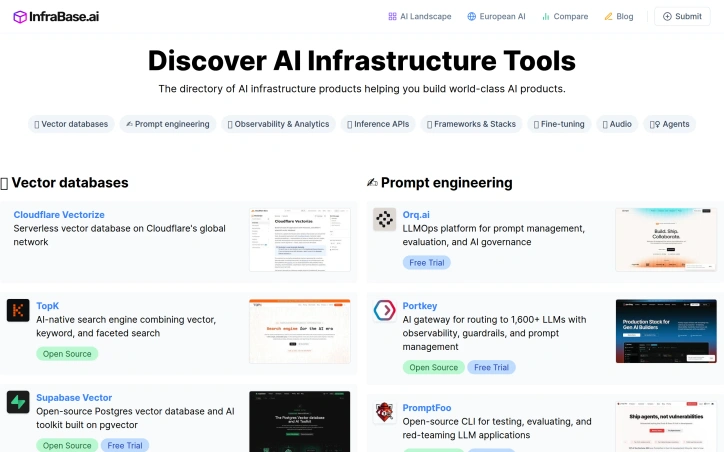
Evaluating AI infrastructure tools sprawls across dozens of specialized vendors, pricing models, and documentation sites, creating significant friction for teams assembling their tech stack. Infrabase.ai consolidates this fragmentation into a single directory organized by functional category—vector databases, prompt engineering tools, observability platforms, inference APIs, and more—making it possible to compare options within each domain without hunting across the web. The directory serves builders deciding which AI infrastructure components to adopt: founders prototyping at seed stage, engineering teams scaling inference and observability, and architects selecting vector database solutions. The categories span the full infrastructure stack, from foundational services like vectorization and embedding APIs to higher-order tools for prompt management, agent monitoring, and evaluation frameworks. What distinguishes Infrabase from generic tool aggregators is the specificity of its curation. Each category contains substantive options rather than purely aspirational listings. The directory emphasizes practical attributes: it flags open-source projects alongside commercial offerings, marks free trial availability, and acknowledges the diversity of deployment models—serverless, self-hosted, EU-sovereign—relevant to different organizational constraints. This matters because infrastructure decisions often turn on operational characteristics like data residency and cost scaling, not just feature parity. The founder built Infrabase from direct experience evaluating infrastructure for a real project, accumulating working lists of products and technical notes substantial enough to justify sharing. This origin explains the site's practical bias. Rather than listing every tangential tool, it focuses on products that demonstrably function within specific categories. The selection acknowledges that the AI infrastructure market extends far beyond dominant cloud providers, a reality that reshapes purchasing power for teams taking AI seriously. The directory's limitations stem from its breadth. With sixty-one inference APIs, twenty vector databases, and comparable volumes across categories, individual product comparisons flatten into metadata. Users cannot evaluate full feature matrices, benchmark results, or integration patterns within the directory itself. The site succeeds by redirecting focus to vendor pages rather than attempting comprehensive comparison. For teams in early evaluation stages this works appropriately; for detailed diligence it points the right direction without replacing specialized analysis.

Automation-tools
A
Arvid Andersson

Evaluating AI infrastructure tools sprawls across dozens of specialized vendors, pricing models, and documentation sites, creating significant friction for teams assembling their tech stack. Infrabase.ai consolidates this fragmentation into a single directory organized by functional category—vector databases, prompt engineering tools, observability platforms, inference APIs, and more—making it possible to compare options within each domain without hunting across the web. The directory serves builders deciding which AI infrastructure components to adopt: founders prototyping at seed stage, engineering teams scaling inference and observability, and architects selecting vector database solutions. The categories span the full infrastructure stack, from foundational services like vectorization and embedding APIs to higher-order tools for prompt management, agent monitoring, and evaluation frameworks. What distinguishes Infrabase from generic tool aggregators is the specificity of its curation. Each category contains substantive options rather than purely aspirational listings. The directory emphasizes practical attributes: it flags open-source projects alongside commercial offerings, marks free trial availability, and acknowledges the diversity of deployment models—serverless, self-hosted, EU-sovereign—relevant to different organizational constraints. This matters because infrastructure decisions often turn on operational characteristics like data residency and cost scaling, not just feature parity. The founder built Infrabase from direct experience evaluating infrastructure for a real project, accumulating working lists of products and technical notes substantial enough to justify sharing. This origin explains the site's practical bias. Rather than listing every tangential tool, it focuses on products that demonstrably function within specific categories. The selection acknowledges that the AI infrastructure market extends far beyond dominant cloud providers, a reality that reshapes purchasing power for teams taking AI seriously. The directory's limitations stem from its breadth. With sixty-one inference APIs, twenty vector databases, and comparable volumes across categories, individual product comparisons flatten into metadata. Users cannot evaluate full feature matrices, benchmark results, or integration patterns within the directory itself. The site succeeds by redirecting focus to vendor pages rather than attempting comprehensive comparison. For teams in early evaluation stages this works appropriately; for detailed diligence it points the right direction without replacing specialized analysis.

Infrabase.ai preview

Key features

  • Consolidated Directory: Aggregates dozens of AI infrastructure vendors into a single organized database by functional category.
  • Category-Based Organization: Structures tools into domains including vector databases, prompt engineering, observability platforms, and inference APIs.
See full listing
queryd - slow query detection for Node.js

Catching database performance regressions before they reach users requires both visibility into query execution and the discipline to enforce latency budgets. Queryd addresses this gap by instrumenting SQL queries in Node.js applications with measurable performance guardrails. The tool wraps database clients at multiple levels—supporting postgres.js tagged templates, raw query functions, or Prisma—to intercept queries and measure their execution time against configurable thresholds. The product solves a real pain point for teams building latency-sensitive applications. Query performance degrades gradually, and without systematic detection, slow queries often go unnoticed until they cause visible impact. Queryd brings three mechanisms to prevent this: per-query latency thresholds that flag individual slow queries, per-request query budgets that set cumulative limits on database work within a single user request, and sampling controls that keep observability costs minimal in production. What distinguishes queryd is its pragmatic design philosophy. Rather than requiring a complete database abstraction or architectural restructuring, it integrates at the query execution layer across multiple driver APIs. The sampling-first approach acknowledges that continuous monitoring of all queries in high-traffic applications becomes prohibitively expensive; instead, teams can set sampling rates to stay within their observability budget while still surfacing meaningful regressions. Optional EXPLAIN ANALYZE integration allows deeper investigation of offending queries when needed, shifting between cheap signal and expensive detail. The implementation provides useful context awareness through request-scoped budgets—tracking not just individual query times but also cumulative query volume and duration within a single request. This catches a different class of performance issues: endpoints that perform many quick queries instead of fewer optimized ones. The configurable sink architecture suggests thoughtful extensibility, allowing teams to route alerts to their existing monitoring systems rather than forcing a new workflow. As an early-stage open-source project, queryd makes a modest but useful contribution to the Node.js observability ecosystem. It fills a specific niche—SQL query latency monitoring with minimal overhead—without attempting to be a comprehensive database performance platform. Teams already running SQL databases in production and concerned with query regressions will find the tool immediately applicable to their latency budgeting workflow.
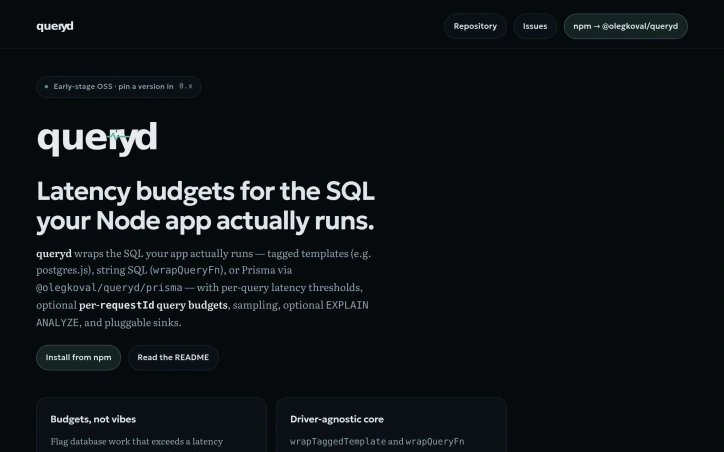
Databases-and-backend-frameworks
O
Oleg Koval

Catching database performance regressions before they reach users requires both visibility into query execution and the discipline to enforce latency budgets. Queryd addresses this gap by instrumenting SQL queries in Node.js applications with measurable performance guardrails. The tool wraps database clients at multiple levels—supporting postgres.js tagged templates, raw query functions, or Prisma—to intercept queries and measure their execution time against configurable thresholds. The product solves a real pain point for teams building latency-sensitive applications. Query performance degrades gradually, and without systematic detection, slow queries often go unnoticed until they cause visible impact. Queryd brings three mechanisms to prevent this: per-query latency thresholds that flag individual slow queries, per-request query budgets that set cumulative limits on database work within a single user request, and sampling controls that keep observability costs minimal in production. What distinguishes queryd is its pragmatic design philosophy. Rather than requiring a complete database abstraction or architectural restructuring, it integrates at the query execution layer across multiple driver APIs. The sampling-first approach acknowledges that continuous monitoring of all queries in high-traffic applications becomes prohibitively expensive; instead, teams can set sampling rates to stay within their observability budget while still surfacing meaningful regressions. Optional EXPLAIN ANALYZE integration allows deeper investigation of offending queries when needed, shifting between cheap signal and expensive detail. The implementation provides useful context awareness through request-scoped budgets—tracking not just individual query times but also cumulative query volume and duration within a single request. This catches a different class of performance issues: endpoints that perform many quick queries instead of fewer optimized ones. The configurable sink architecture suggests thoughtful extensibility, allowing teams to route alerts to their existing monitoring systems rather than forcing a new workflow. As an early-stage open-source project, queryd makes a modest but useful contribution to the Node.js observability ecosystem. It fills a specific niche—SQL query latency monitoring with minimal overhead—without attempting to be a comprehensive database performance platform. Teams already running SQL databases in production and concerned with query regressions will find the tool immediately applicable to their latency budgeting workflow.

queryd - slow query detection for Node.js preview

Key features

  • Multi-Driver Support: Integrates with postgres.js, raw queries, and Prisma without requiring database abstraction
  • Query Latency Thresholds: Flags individual queries that exceed configurable performance limits
See full listing
S

A Varanasi-based digital agency founded by Shashwat Maurya, Synor addresses a gap in the Indian software market where regional businesses need production-grade custom applications but have historically been forced to either hire expensive enterprise software houses or settle for template-based solutions. The agency's primary value is demonstrated through two live projects launched within six months of its founding. TheDawai is a full-stack pharmacy e-commerce platform paired with backend management software for the healthcare sector in Uttar Pradesh. Shivora Technologies operates as a multi-tenant school management system currently supporting five or more institutions with real-time data management across the state. Both systems handle production workloads—processing actual transactions, managing student and patient records, and supporting dozens of concurrent users continuously. What distinguishes Synor from the broader landscape of web agencies and freelancers in UP is the scope of what it builds. The deliverables are not websites, landing pages, or WordPress installations. Instead, Synor delivers systems designed to manage sensitive data reliably, operate under real load, and scale to institutional needs. The education and healthcare sectors demand this level of robustness, and the fact that both projects reached operational status in six months indicates engineering competence and execution efficiency uncommon in the regional market. The agency frames these two projects as proof of capability. For organizations in healthcare, education, or other sectors needing custom software, Synor claims it can deliver what previously required engagement with large enterprise vendors charging ₹20-50 lakhs over 18+ months. This represents a significant acceleration of both timeline and cost structure for institutions that historically had limited alternatives between expensive vendors and generic solutions. No specific pricing or business model details are disclosed in the available content. The agency operates on a project basis, handling the design, development, and deployment of domain-specific software platforms. For clients in UP's institutional and commercial sectors needing custom software built at industrial grade and delivered rapidly, Synor offers an alternative to both expensive enterprise consultancies and generic template solutions, backed by documented examples of execution.


Website-builders
S
Shashwat Maurya

A Varanasi-based digital agency founded by Shashwat Maurya, Synor addresses a gap in the Indian software market where regional businesses need production-grade custom applications but have historically been forced to either hire expensive enterprise software houses or settle for template-based solutions. The agency's primary value is demonstrated through two live projects launched within six months of its founding. TheDawai is a full-stack pharmacy e-commerce platform paired with backend management software for the healthcare sector in Uttar Pradesh. Shivora Technologies operates as a multi-tenant school management system currently supporting five or more institutions with real-time data management across the state. Both systems handle production workloads—processing actual transactions, managing student and patient records, and supporting dozens of concurrent users continuously. What distinguishes Synor from the broader landscape of web agencies and freelancers in UP is the scope of what it builds. The deliverables are not websites, landing pages, or WordPress installations. Instead, Synor delivers systems designed to manage sensitive data reliably, operate under real load, and scale to institutional needs. The education and healthcare sectors demand this level of robustness, and the fact that both projects reached operational status in six months indicates engineering competence and execution efficiency uncommon in the regional market. The agency frames these two projects as proof of capability. For organizations in healthcare, education, or other sectors needing custom software, Synor claims it can deliver what previously required engagement with large enterprise vendors charging ₹20-50 lakhs over 18+ months. This represents a significant acceleration of both timeline and cost structure for institutions that historically had limited alternatives between expensive vendors and generic solutions. No specific pricing or business model details are disclosed in the available content. The agency operates on a project basis, handling the design, development, and deployment of domain-specific software platforms. For clients in UP's institutional and commercial sectors needing custom software built at industrial grade and delivered rapidly, Synor offers an alternative to both expensive enterprise consultancies and generic template solutions, backed by documented examples of execution.

Synor Web development and digital marketing agency preview
S

Key features

  • Custom Enterprise Software: Delivers production-grade custom applications for institutional clients needing robust data management.
  • Multi-Tenant Architecture: Builds scalable systems supporting multiple institutions with real-time data management capabilities.
See full listing
Proxy-solutions

Access to region-locked content and IP masking represent core use cases that Proxy Solutions addresses through a global proxy network. The service targets developers, marketers, data researchers, and network administrators who need reliable proxy infrastructure to bypass geographic restrictions or maintain privacy in their operations. The platform distinguishes itself through breadth rather than specialization. Instead of focusing on a single proxy category, Proxy Solutions bundles personal proxies, package proxies, mobile proxies, UDP proxies, and multi-protocol options alongside VPS and dedicated server infrastructure. The company maintains 200+ global locations sourced from legitimate internet service providers and carriers worldwide, with individual endpoints distributed across different geographic regions and IP ranges. Technical execution prioritizes stability. The service claims 99.97% uptime with continuous equipment monitoring and proxy throughput reaching 100 MB/sec. Authentication supports both credential-based and IP-based approaches, with HTTP/HTTPS and SOCKS5 connection types available. This flexibility accommodates diverse integration scenarios across applications and workflows without forcing users into a single architectural choice. Automation drives user onboarding. Proxies appear in personal dashboards immediately after payment, and an API enables programmatic ordering and management for developers. Multi-channel support through website and messenger-based bots reduces friction compared to traditional ticketing systems. The platform provides round-the-clock support across issue complexities. Pricing strategy emphasizes accessibility. Purchases range from single IP addresses to tens of thousands, with subscription periods spanning one month through extended terms featuring automatic renewal. A 25% affiliate commission incentivizes reseller partnerships. A refund guarantee backs service delivery claims if proxies fail to provision. The service succeeds in consolidating infrastructure. Users seeking only proxies might explore specialists, but organizations wanting integrated proxy, VPS, and dedicated server options under one vendor find consolidated management valuable. The geographic scale and uptime metrics position this as infrastructure-grade rather than consumer-tier, though the proxy market remains crowded with competitors offering similar technical baselines. Proxy Solutions' primary differentiation rests on coverage breadth combined with automated provisioning and multi-protocol flexibility. These factors address operational complexity for organizations running distributed infrastructure, but they represent incremental improvements rather than fundamental advantages over established competitors in this category.

Access to region-locked content and IP masking represent core use cases that Proxy Solutions addresses through a global proxy network. The service targets developers, marketers, data researchers, and network administrators who need reliable proxy infrastructure to bypass geographic restrictions or maintain privacy in their operations. The platform distinguishes itself through breadth rather than specialization. Instead of focusing on a single proxy category, Proxy Solutions bundles personal proxies, package proxies, mobile proxies, UDP proxies, and multi-protocol options alongside VPS and dedicated server infrastructure. The company maintains 200+ global locations sourced from legitimate internet service providers and carriers worldwide, with individual endpoints distributed across different geographic regions and IP ranges. Technical execution prioritizes stability. The service claims 99.97% uptime with continuous equipment monitoring and proxy throughput reaching 100 MB/sec. Authentication supports both credential-based and IP-based approaches, with HTTP/HTTPS and SOCKS5 connection types available. This flexibility accommodates diverse integration scenarios across applications and workflows without forcing users into a single architectural choice. Automation drives user onboarding. Proxies appear in personal dashboards immediately after payment, and an API enables programmatic ordering and management for developers. Multi-channel support through website and messenger-based bots reduces friction compared to traditional ticketing systems. The platform provides round-the-clock support across issue complexities. Pricing strategy emphasizes accessibility. Purchases range from single IP addresses to tens of thousands, with subscription periods spanning one month through extended terms featuring automatic renewal. A 25% affiliate commission incentivizes reseller partnerships. A refund guarantee backs service delivery claims if proxies fail to provision. The service succeeds in consolidating infrastructure. Users seeking only proxies might explore specialists, but organizations wanting integrated proxy, VPS, and dedicated server options under one vendor find consolidated management valuable. The geographic scale and uptime metrics position this as infrastructure-grade rather than consumer-tier, though the proxy market remains crowded with competitors offering similar technical baselines. Proxy Solutions' primary differentiation rests on coverage breadth combined with automated provisioning and multi-protocol flexibility. These factors address operational complexity for organizations running distributed infrastructure, but they represent incremental improvements rather than fundamental advantages over established competitors in this category.

Proxy-solutions preview

Key features

  • Global Proxy Network: 200+ locations across legitimate ISPs and carriers with endpoints distributed across different geographic regions
  • High Uptime Guarantee: 99.97% uptime with continuous equipment monitoring and 100 MB/sec throughput
See full listing