Image

Clotty The Custom Period Tracker Can, Of Course, Run DOOM

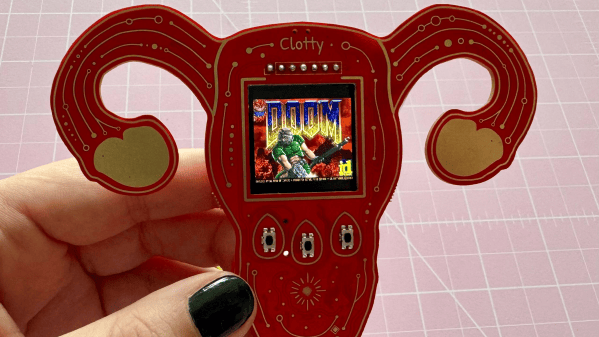
[kati]’s Clotty might run DOOM and game-ify the menstrual tracking process with a playful Tamagotchi-like aspect, but don’t let that distract you. It is, at its heart, a personal menstrual cycle tracking device that is defined as much by what it does do as what it doesn’t.

Image
Clotty brings a Tamagotchi-like playfulness to the table.

What doesn’t it do? Well, it will never quietly upload one’s menstrual tracking data to a remote server. Nor will it harvest, mishandle, disclose, or sell that same data. Shamefully, that alone sets it far apart from the wide range of period tracking services and apps out there. Also setting it apart is its cheerful lack of discretion. As [kati] puts it, she wanted Clotty’s design to scream “HELLO I AM A PERIOD TRACKING DEVICE” and at this she absolutely succeeded.

Clotty uses an RP2040, color LCD display, and a small variety of sensors built into a palm-sized, uterus-shaped PCB complete with touchpad ovaries. Right now it’s still in its early stages, and basically at the point that everything works hardware-wise and the essentials are there for software, but it’s still in active development. Keep an eye on Clotty’s GitHub repository for updates as features get fleshed out.

Of course, as [kati] observes, the core validity of a device can be defined by whether it can run DOOM, which of course Clotty can. You can find [kati]’s fork of RP2040-DOOM here.

[kati] has a knack for designing effective hardware that gamifies functions and incorporates a playfulness to the design that’s a delight to see. Take a moment to check out her Slightly Sentient D20 which is another excellent example of the kind of work she does.
Image

The 10€ Gamepad

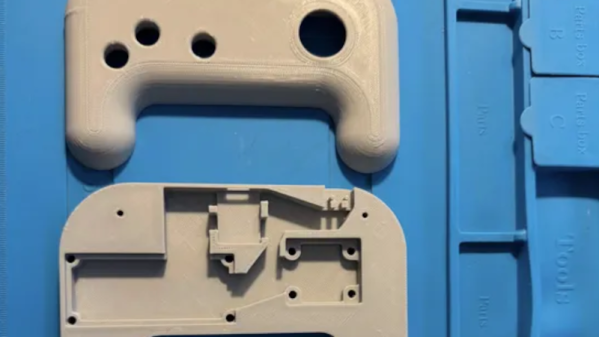
We aren’t sure what [Lazy_Duck] is doing with video games, but it must require a lot of controllers. Dismayed at the cost and complexity of commercial gamepads, they started soldering and 3D printing to get a cheaper basic controller.

The emphasis is on throwing things together, so there’s no dedicated PCB. Just a protoboard with an RP2040-Zero, a joystick, a few buttons, and a microswitch. A 3D-printed case rounds out the project.

Continue reading “The 10€ Gamepad” →

Image

2026 Retrocomputing Challenge: USBSID-Pico Has Two SIDs, Many Inputs

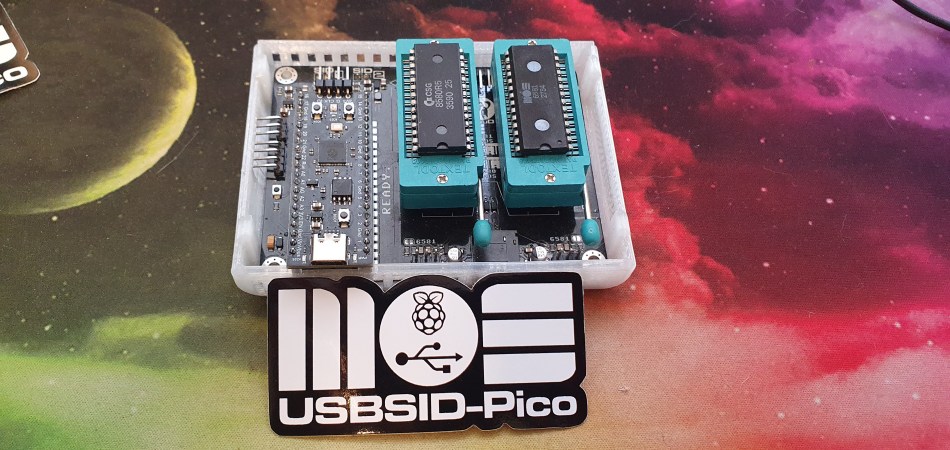
We’ll give you three guesses what the most important bits of silicon in [LouD]’s USBSID-Pico are, and two don’t count. Yes, there’s a Raspberry Pi Pico, and a pair of the unforgettable SID chips from MOS– the sound chip of the C64, the die that launched a thousand chiptunes. Well, unless you build it with a hardware SID replacement, but the goal of this device is to get SIDs hooked up to modern hardware.

To that end, USBSID-Pico can be controlled via USB– obviously– in the form of CDC/WebUSB/WebSerial but also MIDI, and even ASID, which is a specific protocol for streaming SID register data over MIDI. You might be wondering the point, since surely you can get cycle-accurate SID emulation on an RP2040, right? Well, not everyone agrees that cycle-accurate emulation is accurate enough; like the people who swear by the subtle distortions tube amplifiers introduce into the sound, some say the chip’s own inaccuracies give the sound out of the physical device a unique vibe emulators don’t match. That’s a fight for others to litigate; we just appreciate the work that went into getting these old sound chips talking to modern hardware, and getting the project certified as Open Source Hardware.

This combination of old sound and new microcontroller makes the USBSID-Pico a good entry for our ongoing retrocomputing contest, particularly the retro-modern category. Just be aware of PAL and NTSC differences with these old chips, or your beeps and boops might be out of tune. They haven’t made them in decades, but there are more than a few modern replacements for the MOS 6581.

Image

A Modular Macro Keypad

The introduction of the ATmega32U4 microcontroller, with its integrated USB controller, made a lot of hardware tasks much simpler than they were before. One of the arenas it revolutionized was custom keyboards, making it much easier to build not only standard mechanical keyboards, but keyboards of all kinds of shapes and layouts and custom macro keyboards as well. This trend has continued on for the better part of the past decade with other microcontrollers beyond the 32U4 now available as well, but this modular macro keypad takes it to a new level by keeping that simplicity but also keeping costs down.

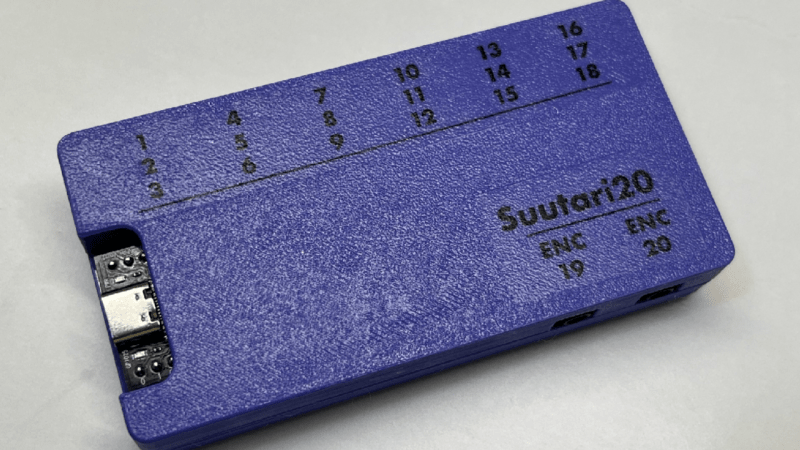
The suutari20, as it is called by its creator [Squalius] is able to achieve these aims by using 3.5 mm jacks commonly found in audio equipment. Each jack can support up to three keys, with the hub ultimately able to support 18 different keys. Those can include analog devices as well, such as volume knobs or jog controllers. The macro pad is powered by an RP2040 microcontroller from a Raspberry Pi Pico and uses QMK firmware, so those already familiar with custom keyboard programming will have no problem getting started.

From there, all that’s needed is a case, in this example a 3D printed one, and the commodity audio hardware to plug everything in to. It enables whatever functions can be thought of in a macro pad, and although the design focuses on simplicity and cost, this macro pad takes the concept to the extreme with modular keys that each have their own microcontroller built-in.

Continue reading “A Modular Macro Keypad” →

Image

A Thoroughly Modern Minimalist Transceiver

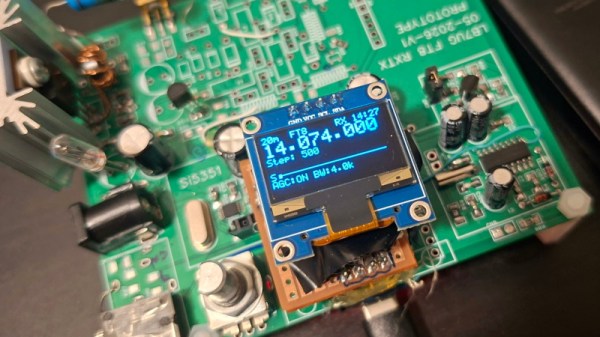
Making a radio is so often a case of taking tried and tested designs and working with them to create something new. It’s a safe way to make something that works. [Riyas] however has gone for an entirely different tack, creating an entirely modern transceiver with as much as possible going on in the silicon.

At its heart are three integrated circuits, the familiar Si5351 as a transmit VFO, an Si4372 receiver, and an RP2040 tying it all together. This microcontroller functions both as controller, and as an ADC to provide a software defined radio via its USB port. The Si4372 having an internal SDR architecture and its output being digitized again is not lost on us.

It’s for digital modes and CW only, but we’d venture the opinion that those are where the interesting stuff is anyway. We certainly like it for its simplicity, and also for the one-cable solution it offers. So many other designs need a sound card and extra cables, this one makes for a lot less clutter. We hope we’ll see more development on this design over time, it could become a favorite in the homebrew rig stakes.

Meanwhile the Si5351 is notoriously annoying to program. A while back we covered a library that might help, if you get stuck.

Image

Your Laptop Keyboard, On Another Device

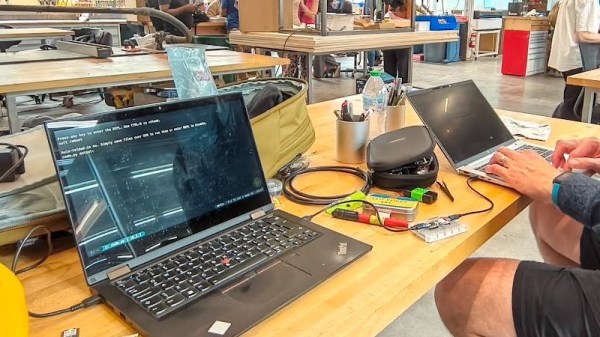
It’s likely many of us have been in the position of first set-up on a machine such as a Raspberry Pi, and had keyboard problems. Either no spare keyboard is to be found, or a cluttered desk has to find extra space for a full-size keyboard. [Þórarinn] and [Arni] have a handy solution: use the existing keyboard on your laptop.

His approach is both ingenious and simple, as it’s only the K part of a KVM. On the laptop end, it’s a serial terminal, without the receiving side. The serial port in question is an RP2040 board which implements a USB-to-serial port. This serial connection goes to another RP2040, which does the ingenious bit. It’s a serial-to-USB HID keyboard. All of this means that keystrokes on the laptop are sent down the serial connection, and appear on the Pi or whatever computer as a USB keyboard as though typed locally. The mildly annoying first set-up can be done, and then it can be run via SSH or whatever other remote access protocol as normal. The code is provided, so anyone with a couple of RP2040 boards can do it.

We like this hack, because we’ve had the annoyance of needing a keyboard to set up what would otherwise be a completely headless machine too many times. It’s one to store away at the back of your mind, for those rare improvisational need-an-extra-keyboard moments.

Thanks [Henk] for the tip.

Image

Wrist Welcomes Wii Nunchuk As Gloriously Ergonomic Macropad

[John Dingley] spends a lot of time editing videos, and as many of us know, when it comes to repetitive tasks the more ergonomic the better.

Image

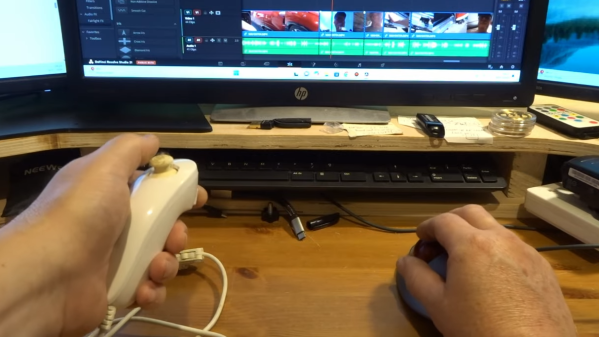
Keyboard shortcuts exist for common video editing functions, but [John] found that the vast majority of his work needed only three or four of them. Feeling he could do better than a three-key macropad, he turned to what’s perhaps one of the most ergonomic devices ever designed — the Wii Nunchuk.

A Wii Nunchuk is an I2C device, so there needs to be some intermediary device involved if you want to plug it into a computer. [John] solves that with the ANAVI Handle, an open source adapter to make a Nunchuk act like a USB Human Interface Device (HID). That addresses the connectivity problem, but the default firmware on the adapter only treats the Nunchuk as a mouse or joystick, so a few more changes are required before it can be pressed into service as an ultra-comfortable macropad.

The ANAVI Handle runs CircuitPython code on an RP2040, and modifying its behavior is as simple as plugging it in via USB and editing the code right on the device. One has to define some keyboard events, configure the device to act as a keyboard, and send the right events when the buttons or joystick get pushed. [John] provides the code, and walks through the changes on video so even those without any coding experience can get it done.

The Nunchuk design is still being sold and used today, and it’s shown up in all kinds of places. We’ve seen a Bluetooth-enabled one and even seen a Raspberry Pi Zero shoehorned into one, complete with HDMI output.

Continue reading “Wrist Welcomes Wii Nunchuk As Gloriously Ergonomic Macropad” →