Ask Figma’s agent to create, edit, and refine

Explore ideas quickly, edit directly on the canvas, and build with your team in one shared space. Get started for free.
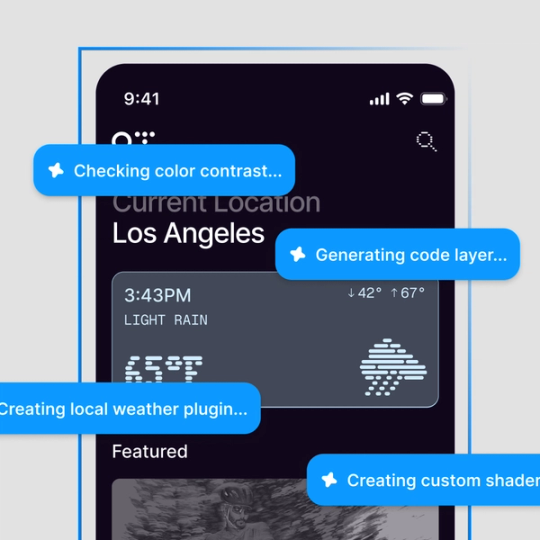
A mobile weather app for Los Angeles on the Figma canvas, with agent status messages reading 'Checking color contrast', 'Generating code layer', 'Creating local weather plugin', and 'Creating custom shader'.
  • AirBnb
  • Atlassian
  • Dropbox
  • Duolingo
  • GitHub
  • Microsoft
  • Netflix
  • The New York Times
  • Pentagram
  • Slack
  • Stripe
  • Zoom

Find the best option without losing time

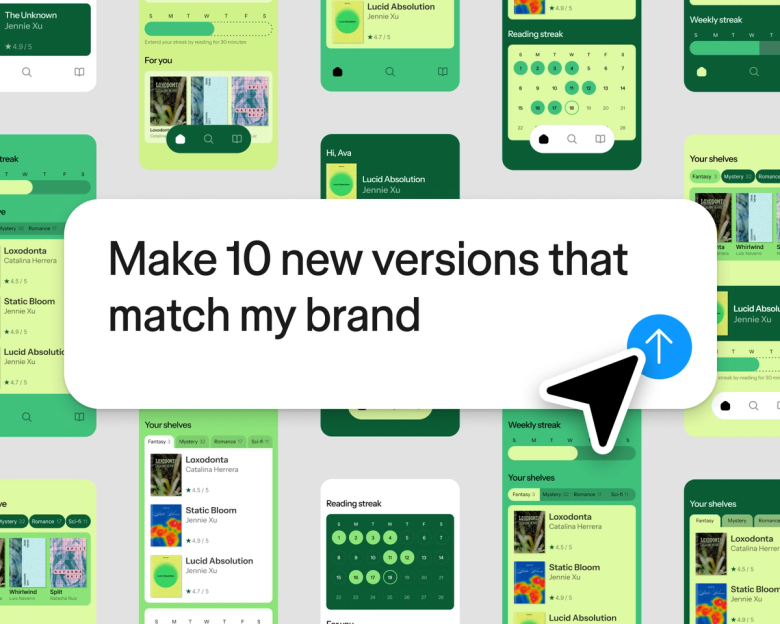
A grid of green and yellow reading-app screen variations generated from the prompt 'Make 10 new versions that match my brand'.A grid of green and yellow reading-app screen variations generated from the prompt 'Make 10 new versions that match my brand'.

Iterate on multiple ideas, fast

Figma’s AI agent generates multiple layout directions, builds user flows, explores states, and more—using your actual components. Spend more time shaping the outcome instead of tedious design tasks.

Collaborate and connect all your workflows

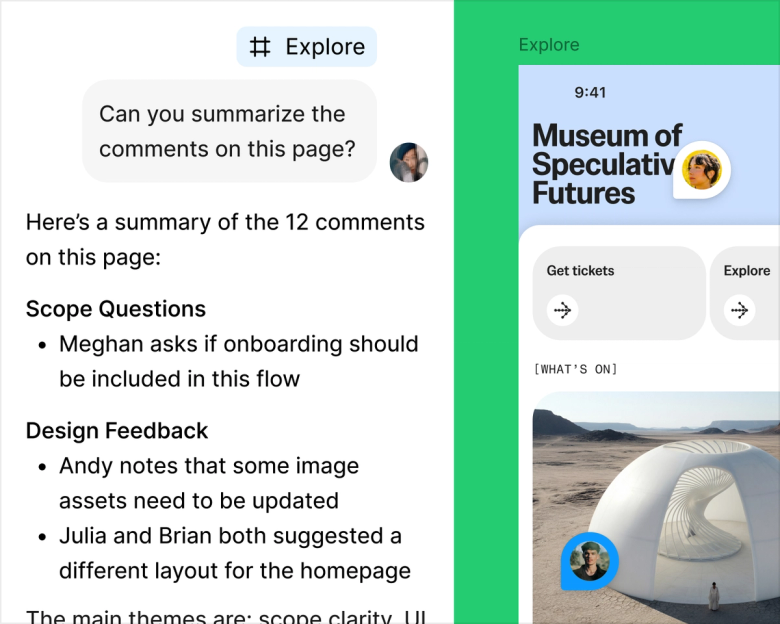
An agent thread summarizing 12 comments on a page into scope questions and design feedback, next to the museum app design the comments refer to.An agent thread summarizing 12 comments on a page into scope questions and design feedback, next to the museum app design the comments refer to.

Create in a shared space

Ask Figma to summarize feedback, identify themes, and turn input into next steps. You can also share an agent thread with teammates, so anyone can keep prompting.

Attach and bring context

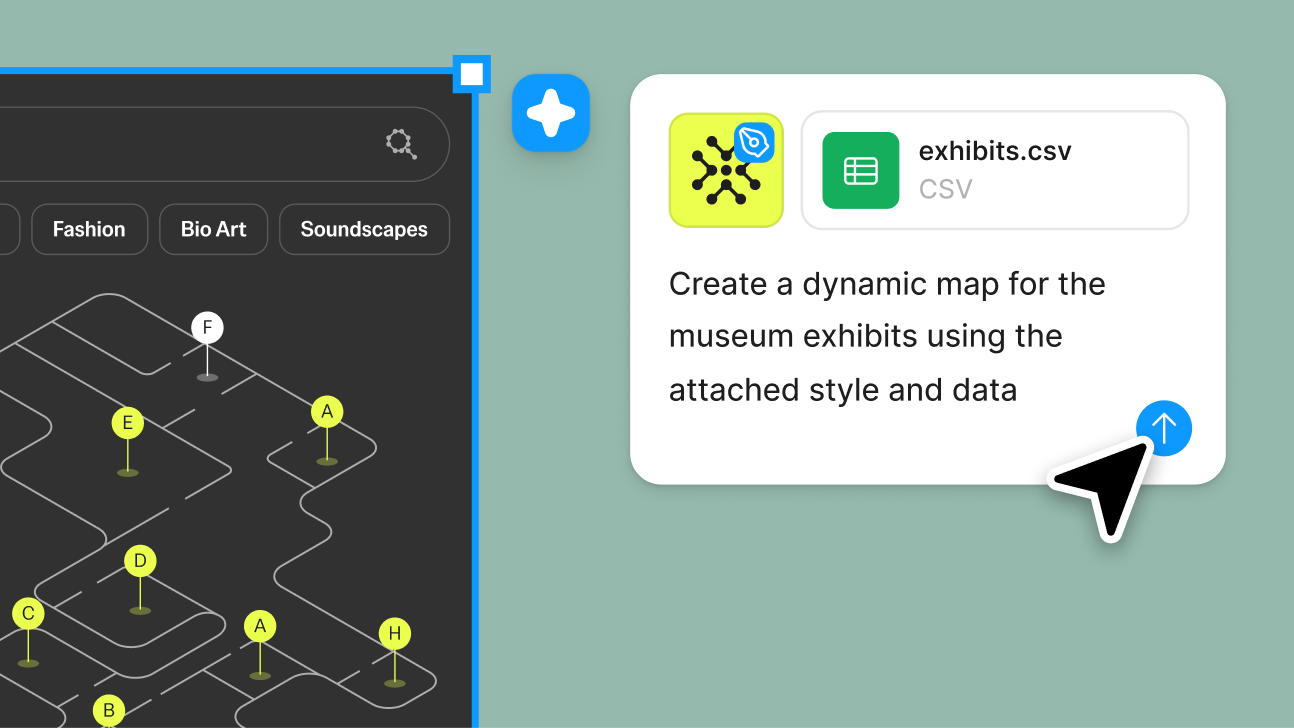
  • An attached style file and exhibits.csv used with the prompt 'Create a dynamic map for the museum exhibits using the attached style and data', beside the resulting interactive map.An attached style file and exhibits.csv used with the prompt 'Create a dynamic map for the museum exhibits using the attached style and data', beside the resulting interactive map.

    Attach files for better outputs

    Give Figma’s agent any project reference—like a PRD, or spreadsheet—and get more precise iterations.

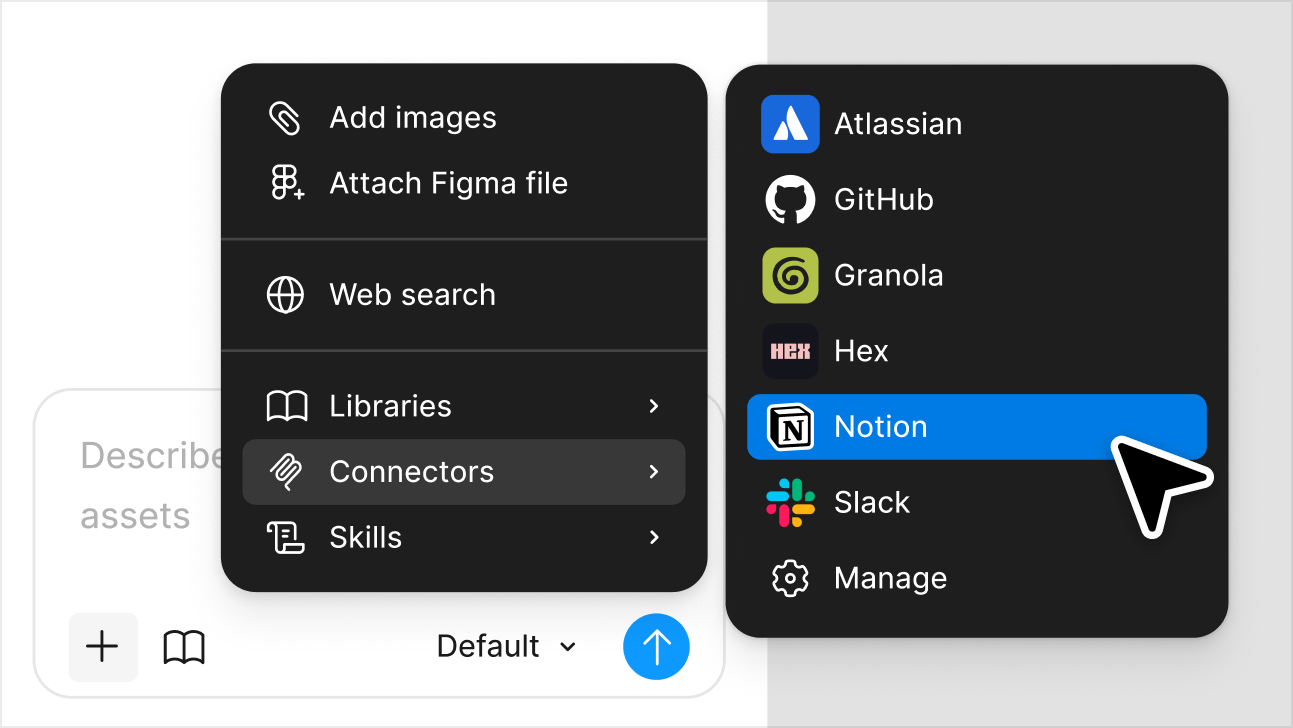
  • An agent menu for attaching context, showing web search, libraries, and connectors for Atlassian, GitHub, Granola, Hex, Notion, and Slack.An agent menu for attaching context, showing web search, libraries, and connectors for Atlassian, GitHub, Granola, Hex, Notion, and Slack.

    Bring outside context into Figma

    Using Figma’s MCP server, the agent pulls information from outside tools—including Notion, GitHub, Slack, and more—straight into your files.

Figma’s agent has been a massive time saver. The quicker you can get a design in front of a user, the better. Everything I do with the agent is in service with that.

Paavan Buddhdev
Product Designer, Granola

Try agent

More creative expression. 
Less tool switching.

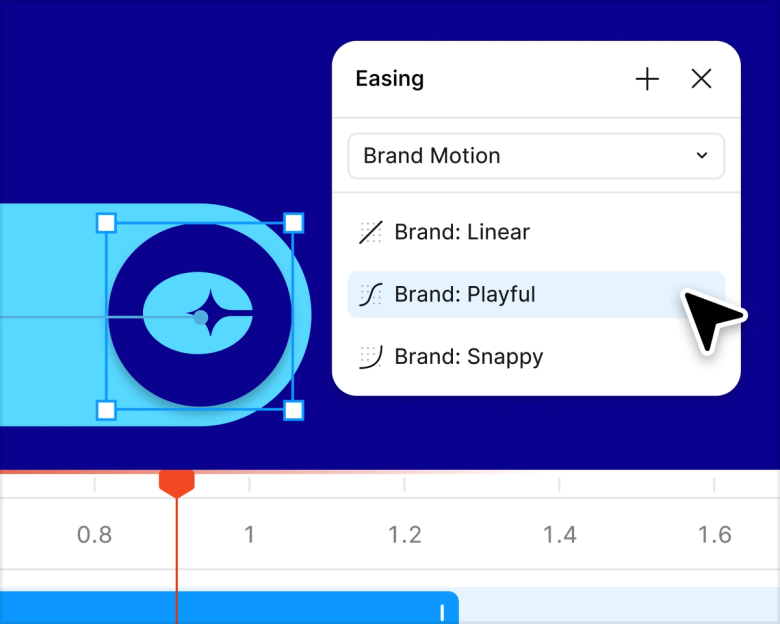
An easing panel with Brand: Linear, Brand: Playful, and Brand: Snappy presets applied to an animated logo on the canvas.An easing panel with Brand: Linear, Brand: Playful, and Brand: Snappy presets applied to an animated logo on the canvas.

Animate using Figma’s agent

Get pro-level motion in a prompt. Figma’s agent can animate almost anything on the canvas, from simple loading states to complex interactions.

Add expression and prompt plugins

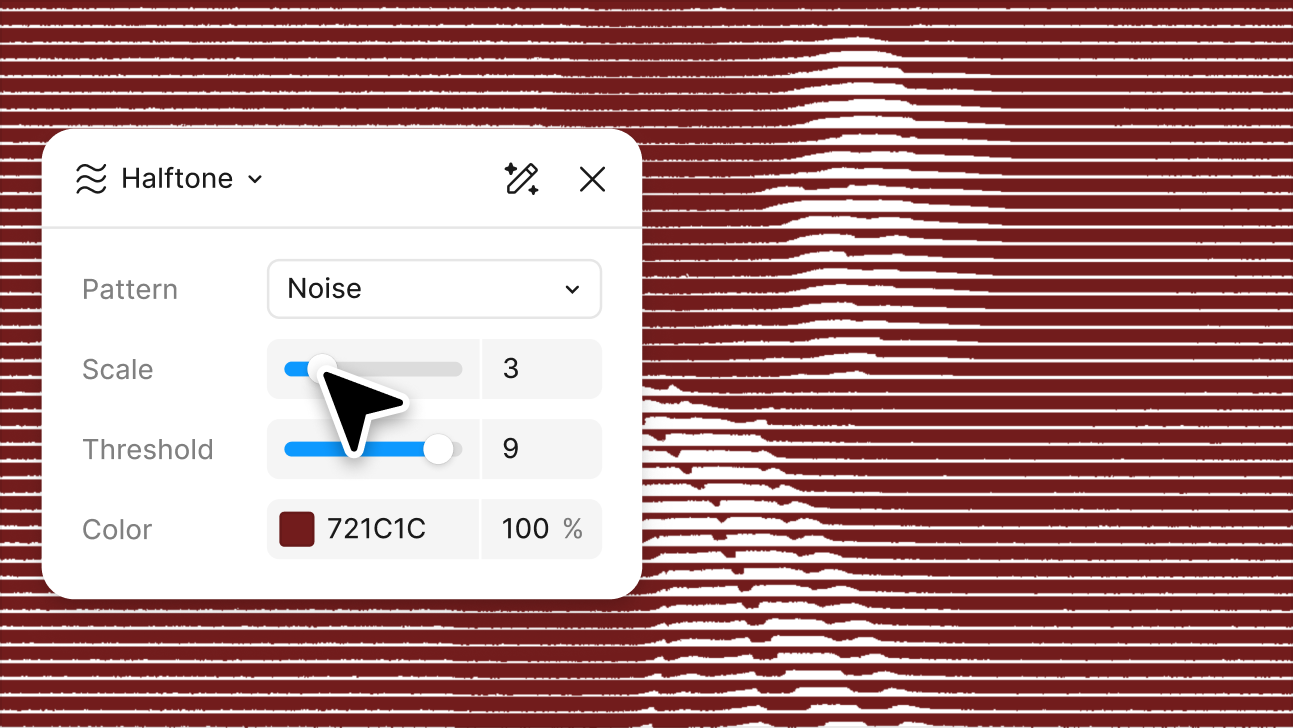
  • A halftone shader panel with pattern, scale, threshold, and color controls, previewing a dark red noise texture live on the canvas.A halftone shader panel with pattern, scale, threshold, and color controls, previewing a dark red noise texture live on the canvas.

    Add expression with shaders

    Prompt custom shader effects and fills. Create rich textures, patterns, and gradients right on the canvas. You can even animate them, or export to Figma Make.

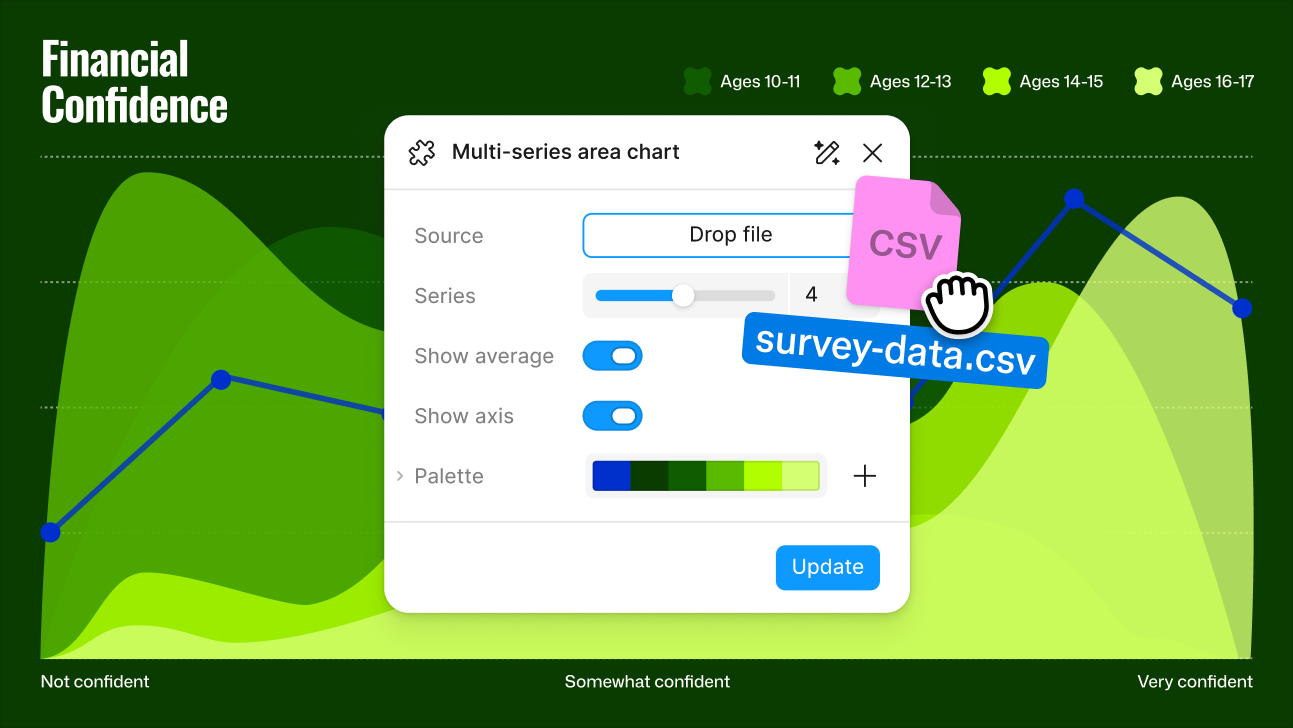
  • A generated multi-series area chart plugin with controls for source data, series count, and palette, charting financial confidence by age group.A generated multi-series area chart plugin with controls for source data, series count, and palette, charting financial confidence by age group.

    Prompt generative plugins

    Ask Figma’s agent to build reusable plugins that meet your team’s specific workflow needs. Plugins can check for accessibility, add real data, export files, and more.

Build from one source of truth

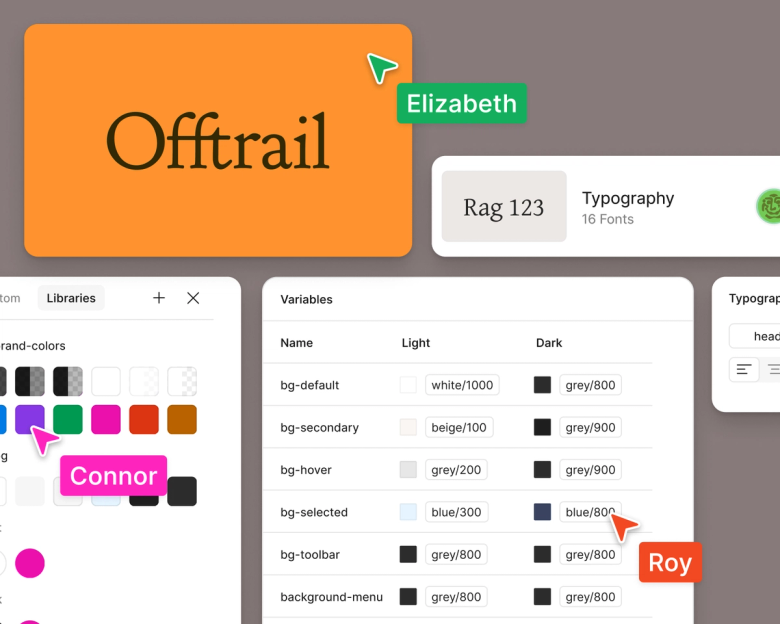
A shared design library showing brand color swatches, a variables table of light and dark token values, and typography styles, with several teammates' cursors on the file.A shared design library showing brand color swatches, a variables table of light and dark token values, and typography styles, with several teammates' cursors on the file.

AI assistance for your systems

Design libraries are the foundation for all your products. Figma’s agent can create, maintain, use, and document design systems to keep builds consistent.

Start with a skill

Skills are reusable instructions that make regular tasks more efficient. Explore AI skills built by the Figma Community.