Image

Making An LCD UI Look More Like Classic Indicator Lamps

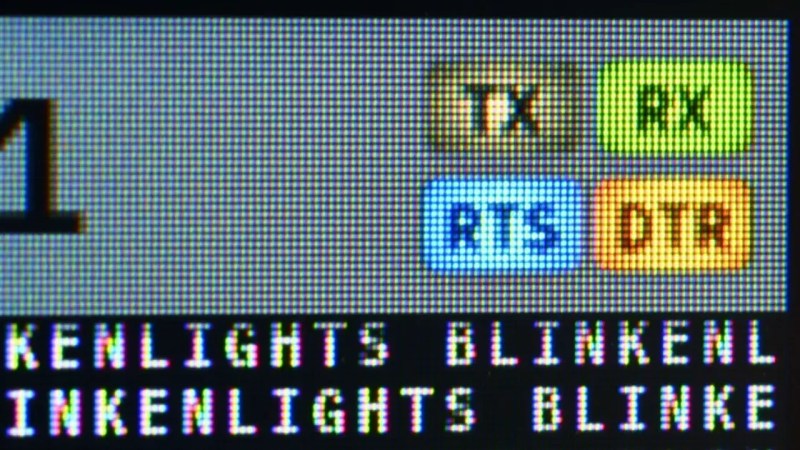
The TermDriver 2 is a USB-to-serial interface with a twist—it has a built-in screen for displaying relevant information. It can run at anywhere from 100 bit/s to 2Mbit/s, while showing you what’s happening on the wire. [James Bowman] worked on the TermDriver 2, and paid special attention to one feature—the visual look of the status indicators on the display.

[James] had hoped to make the status indicators look a little more old-school, a little more analog. His inspiration was the classic indicator panels from Apollo-era space hardware, which used bulbs behind plastic indicators. Incandescent bulbs don’t switch instantly on and off; they take time to warm and cool. This behaviour is both more pleasant, visually speaking, and would aid in making short-duration events on the TX, RX and other indicators more visible. Thus, [James] set about giving the LCD UI elements sixteen steps of brightness from off to fully on. The simulated bulbs get brighter the more rapidly activity is happening on a given pin. The indicator graphics, while tiny, are also given a nice superellipse shape, to recreate the warm centered glow of an incandescent indicator.

If you’re a UI fanatic who loves to make things as visually pleasing as possible, the work [James] has done is well worth looking at. We’ve featured other great GUI projects before, too, like this particularly visually pleasing effort. If you’ve had grand ideas in this space, be sure to tell us over on the tipsline.
Image

A KVM Without The V (Or The M)

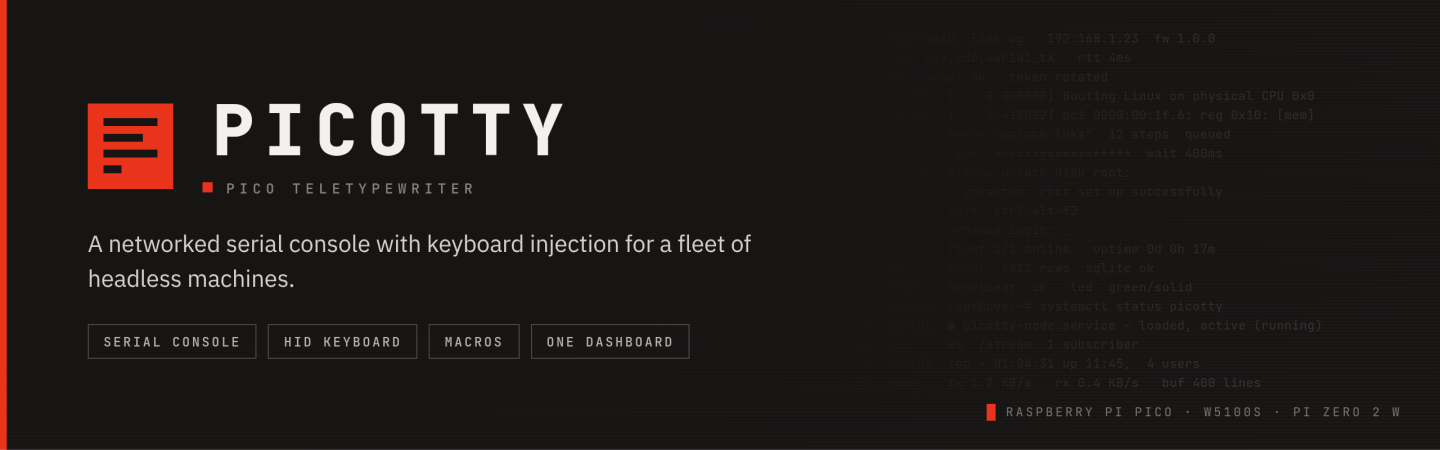
Many of us will be used to the idea of a KVM, a device that pipes keyboard, video, and mouse over the network from a remote machine to your own. But many remote machines don’t run a GUI, so there’s not always the need for a full video experience. Enter [morpheuslord] with the PicoTTY. It’s somewhere between an old-fashioned serial terminal and a KVM.

The system has two components, a Pi Pico which plugs in to the USB port of each client machine and connects to the network with a WIZnet W5100S Ethernet Hat, and a Pi Zero 2 W which forms the hub. The Pico acts as both a keyboard and a serial terminal, and streams both to the user via a web interface on the Zero.

We can see the use of a machine like this, but we have a few questions. Why for instance is the keyboard needed, given that the serial terminal could provide input in itself. But however it works we can see it might have a use in cases where a terminal can’t be accessed over the network directly, and we especially like it that a single USB peripheral does the job that a conventional KVM would use a bunch of cables for.

If it’s a more conventional KVM you seek, they can now be done using a microcontroller.

Image

Serial And UPDI Handled Together With One Convenient Circuit

Sometimes it’s nice when you can do everything you need to do with just one single port. In this vein, [Nicola Strappazzon] whipped up a circuit to combine serial and UPDI programming in a very convenient way.

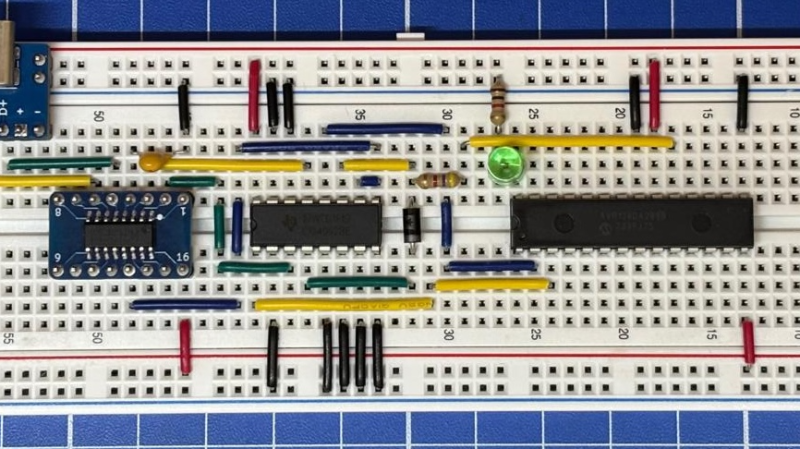
As an example, [Nicola] demonstrates the concept using an AVR128DA28 microcontroller. It’s paired with a 4052 multiplexer IC and a CH340 USB-to-serial chip. Everything is wired up such that the 4052 acts as a switch for the signal coming from the CH340. When the RTS flow-control signal is set high, it switches the 4052 to hook up the CH340’s RX and TX pins to the UDPI interface on the AVR microcontroller. Conversely, when the RTS signal is set low, the CH340 is instead hooked up to the serial UART on the microcontroller. From there, it’s a simple matter of configuring avrdude to properly set the RTS pin when attempting to program the attached device.

If you’re working with UPDI devices and you want to be able to talk to them and program them with a minimum of fuss, this project might be useful for you. We’ve looked at dedicated UPDI programmers before, too. If you’re cooking up your own nifty microcontroller hacks, don’t hesitate to let us know on the tipsline.

Image

Capture And Plot Serial Data In The Browser

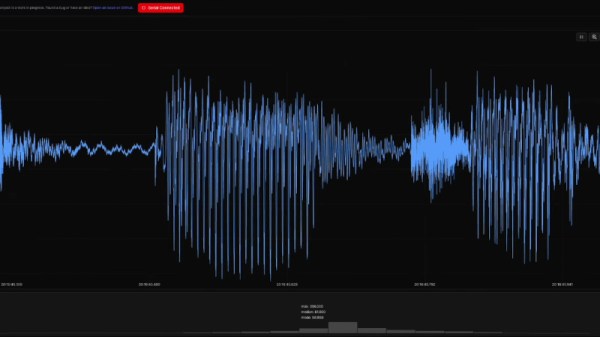
If you’re working with a microcontroller that reads a sensor, the chances are that at some point you’re faced with a serial port passing out continuous readings. The workflow of visualizing this data can be tedious, involving a cut-and-paste from a terminal to a CSV file. What if there were a handy all-in-one serial data visualization tool, a serial data oscilloscope, if you will? [Atomic14] has you covered, with the web serial plotter.

It’s a browser-based tool that uses the WebSerial API, so sadly if you’re a Firefox user you’re not invited to the party. Serial data can be plotted and exported, and there are a range of options for viewing. Behind the scenes there’s some Node and React magic happening, but should you wish to avoid getting your hands dirty there’s an online demo you can try.

Looking at it we’re ashamed to have been labouring under a complex workflow, particularly as we find this isn’t the first to appear on these pages.

Continue reading “Capture And Plot Serial Data In The Browser”

Image

An Awful 1990s PDA Delivers AI Wisdom

There was a period in the 1990s when it seemed like the personal data assistant (PDA) was going to be the device of the future. If you were lucky you could afford a Psion, a PalmPilot, or even the famous Apple Newton — but to trap the unwary there were a slew of far less capable machines competing for market share.

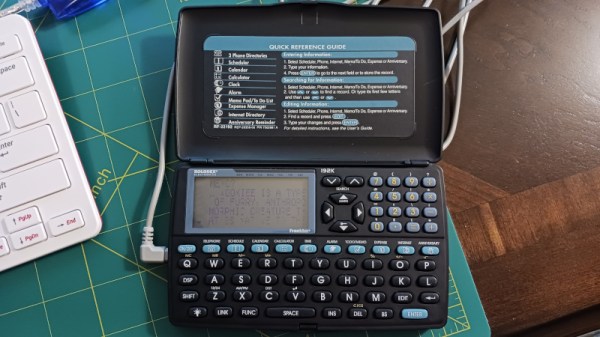
[Nick Bild] has one of these, branded Rolodex, and in a bid to make using a generative AI less alluring, he’s set it up as the interface to an LLM hosted on a Raspberry Pi 400. This hack is thus mostly a tale of reverse engineering the device’s serial protocol to free it from its Windows application.

Finding the baud rate was simple enough, but the encoding scheme was unexpectedly fiddly. Sadly the device doesn’t come with a terminal because these machines were very much single-purpose, but it does have a memo app that allows transfer of text files. This is the wildly inefficient medium through which the communication with the LLM happens, and it satisfies the requirement of making the process painful.

We see this type of PDA quite regularly in second hand shops, indeed you’ll find nearly identical devices from multiple manufacturers also sporting software such as dictionaries or a thesaurus. Back in the day they always seemed to be advertised in Sunday newspapers and aimed at older people. We’ve never got to the bottom of who the OEM was who manufactured them, or indeed cracked one apart to find the inevitable black epoxy blob processor. If we had to place a bet though, we’d guess there’s an 8051 core in there somewhere.

Continue reading “An Awful 1990s PDA Delivers AI Wisdom”

Image

Ancient Pocket Computer Gets A Serious Serial Upgrade

[Robert’s Retro] is one of those great YouTube channels that shows us the ins and outs of old and obscure computers. [Robert] likes going a step beyond the traditional teardown though, repairing and upgrading these old machines. His latest project involves giving the ZEOS Pocket PC a fully-functional serial port. 

If you’re unfamiliar with the ZEOS Pocket PC, you might know it as the Tidalwave PS-1000—it’s a pretty straightforward clone. Originally, these machines could be had with a proprietary serial adapter to enable them to interface with external peripherals. However, like most obscure cables and connectors from three decades ago, they’re virtually unobtainable today.

To solve this problem, [Robert] decided to hack in a traditional DE-9 connector instead. Commonly referred to as the DB-9, this is the most common serial port design used on IBM PCs and compatibles. Getting the larger port into the compact PC required some careful hacking of the case, as well as delicate soldering to hook up the pins to the right signals on the tightly-packed motherboard. This video does involve cutting some vintage plastic, but overall it’s a very neat mod that is handled with due respect and care.

This isn’t the first time we’ve seen him upgrade a classic portable computer, either.

Continue reading “Ancient Pocket Computer Gets A Serious Serial Upgrade”

Image

Hacking Digital Calipers For Automated Measurements And Sorta-Micron Accuracy

We’ll take a guess that most readers have a set of digital calipers somewhere close to hand right now. The cheapest ones tend to be a little unsatisfying in the hand, a bit crusty and crunchy to use. But as [Matthias Wandel] shows us, these budget tools are quite hackable and a lot more precise than they appear to be.

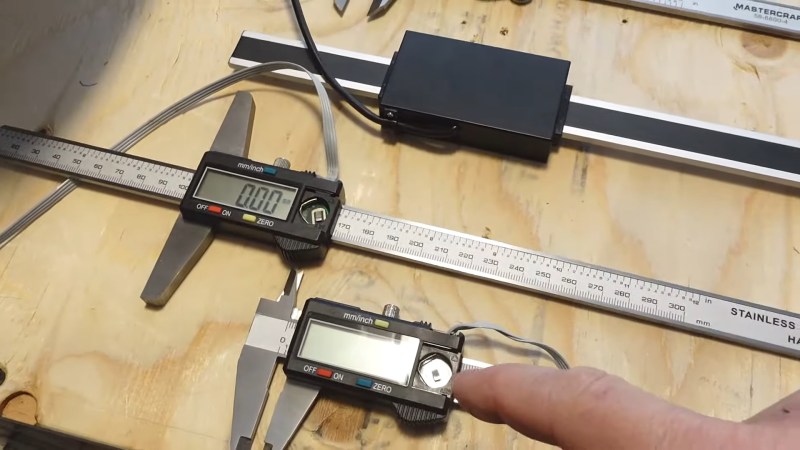
[Matthias] is perhaps best known around these parts for making machine tools using mainly wood. It’s an unconventional material for things like the CNC router he loves to hate, but he makes it work through a combination of clever engineering and a willingness to work within the limits of the machine. To assess those limits, he connected some cheap digital calipers to a Raspberry Pi by hacking the serial interface that seems to be built into all of these tools. His particular calipers output a pair of 24-bit words over a synchronous serial connection a couple of times per second, but at a level too low to be read by the Pi. He solved this with a clever resistor ladder to shift the signals to straddle the 1.8 volt transition on the Pi, and after solving some noise problems with a few strategically placed capacitors and some software debouncing, he was gathering data on his Pi.

Although his setup was fine for the measurements he needed to make, [Matthias] couldn’t help falling down the rabbit hole of trying to milk better resolution from the calipers. On paper, the 24-bit output should provide micron-ish resolution, but sadly, the readings seem to fluctuate rapidly between two levels, making it difficult to obtain an average quickly enough to be useful. Still, it’s a good exercise, and overall, these hacks should prove handy for anyone who wants to dip a toe into automated metrology on a budget.

Continue reading “Hacking Digital Calipers For Automated Measurements And Sorta-Micron Accuracy”