


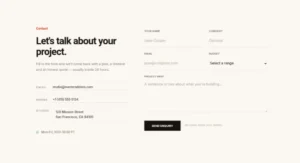


Gravity Forms Elementor Widget: Add and Style Gravity Forms Without CSS

Gravity Forms is a Pro widget in Master Addons that places any Gravity Form on an Elementor page and lets you style it from the panel. Pick the form from a dropdown, start from one of 11 design variations, then adjust labels, fields, checkboxes, the submit button, multi-page progress bars and error messages. The form keeps working exactly as you built it in Gravity Forms.

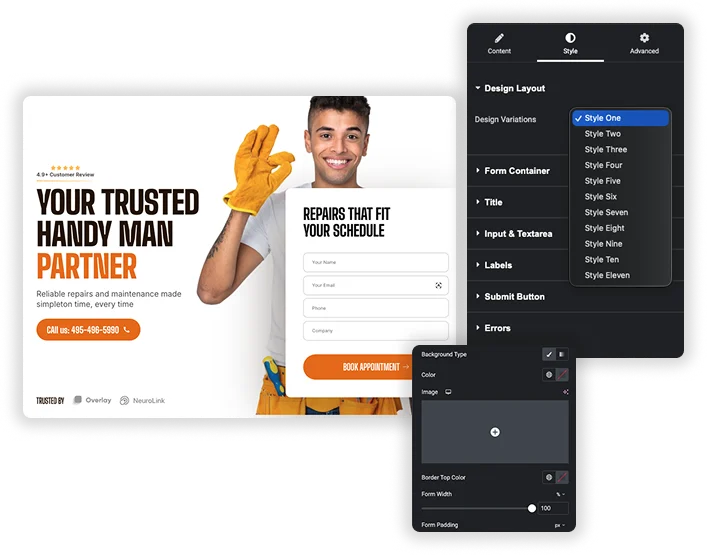
weForms widget Design Variations presets in Master Addons

11 ready-made form designs

The Design Variations dropdown has 11 styles. Pick one as a starting point, then change anything you like in the Style tab. You can also hide the title and description set in Gravity Forms and write a custom heading in Elementor instead.

  • Switch between 11 design variations from one dropdown.
  • Show or hide the form title, description, labels and placeholders.
  • Add a custom title and description without editing the form itself.

Field, checkbox and radio button styling

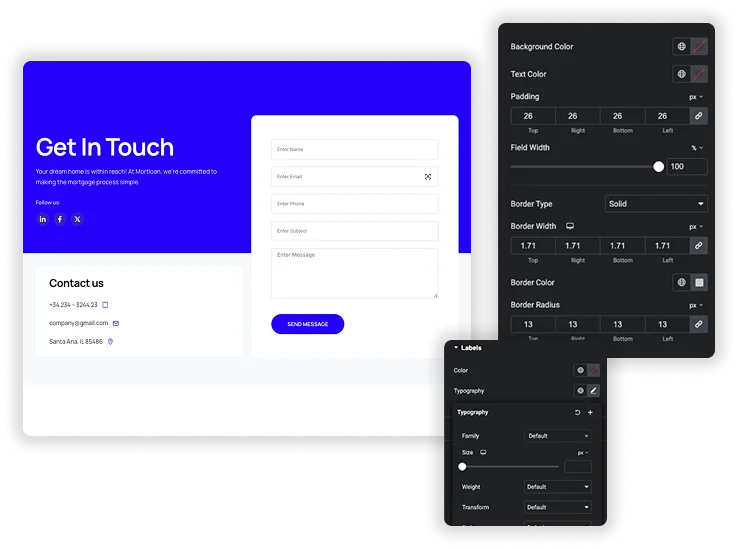
Inputs and textareas get background, text color, border, radius, box shadow and typography, with a separate Focus state. Set widths and heights for inputs and textareas independently, plus padding and text indent. Radio buttons and checkboxes can have custom sizes, colors and border radius for the normal and checked states.

  • Normal and Focus states for input fields.
  • Separate width and height for inputs and textareas.
  • Custom radio and checkbox styles, section dividers and product price colors.
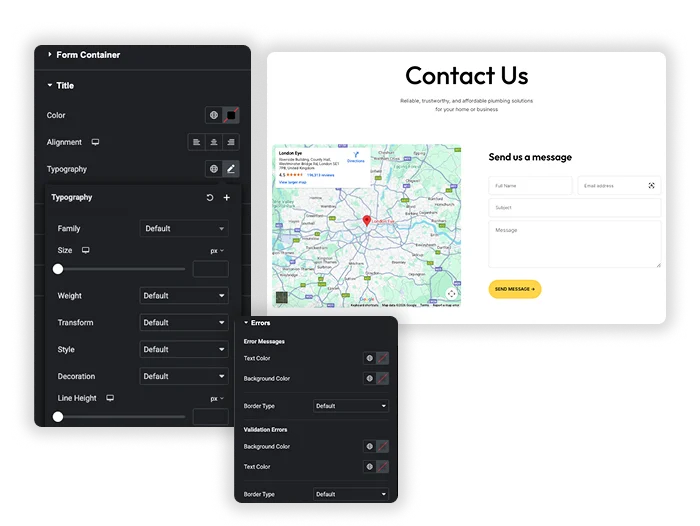
weForms form container styles in the Master Addons widget
weForms input, textarea and label styling

Submit button, multi-page forms and messages

Make the submit button auto, full width or a custom width, then style its colors, border, radius, padding, box shadow and typography, with hover colors. Multi-page forms get styling for the page buttons and the progress bar. Error messages, invalid fields and the thank you message each have their own color settings, and you can hide error messages completely.

  • Auto, full width or custom width submit button with hover colors.
  • Page button and progress bar styling for multi-page forms.
  • Colors for error messages, invalid fields and the thank you message.

Elementor's Shortcode widget vs the Gravity Forms widget

Elementor’s free Shortcode widget can also show a Gravity Form with [gravityform id="1"]. The form works, but it looks however your theme and Gravity Forms style it, and changing that means writing CSS.

Shortcode widgetMaster Addons Gravity Forms
PriceFreeMaster Addons Pro
Choosing the formType the form ID in a shortcodePick it from a dropdown
Ready-made designsNone11 design variations
Field and button stylingCustom CSSStyle tab, with focus and hover states
Progress bar and error stylingCustom CSSStyle tab
Mobile adjustmentsCSS media queriesResponsive controls for sizes and spacing

Using a different form plugin? Master Addons has free styling widgets for Contact Form 7, WPForms, Ninja Forms and weForms.

Template Viewer
Facebook
Twitter
WhatsApp
Copy Link
Buy Now
Advanced Contact Form
Caldera Forms
Caldera Forms
Google Map with Contact Form
Basic Contact Form
Basic Contact Form
Business Enquiry Form
Glass Contact Form
Glass Contact Form

How to add a Gravity Form to Elementor

You need Gravity Forms with at least one form created, and Master Addons Pro. Then follow these steps:

  1. Turn on the Gravity Forms widget in the Master Addons dashboard.
  2. Open your page in Elementor, search the widget panel for “Gravity Forms” and drag the Master Addons widget into place.
  3. Choose your form in the Contact Form dropdown.
  4. Pick one of the 11 Design Variations.
  5. Decide whether to show the form title, description, labels and placeholders. Turn on Use Ajax to submit the form without reloading the page.
  6. Open the Style tab to set colors, borders, spacing and typography, then publish.

If the dropdown is empty, check that Gravity Forms is active and that you have created a form.

Frequently Asked Questions For Gravity Forms

Learn the most asked queries users have about Gravity Forms and find answers in one place.
Do I need the Gravity Forms plugin installed?

Yes. The widget styles forms you build in Gravity Forms, so that plugin has to be installed and active. Without it, the widget shows a notice asking you to activate Gravity Forms.

Install Gravity Forms and create your form. In Elementor, drag the Master Addons Gravity Forms widget onto the page, choose the form in the Contact Form dropdown, pick a design variation and style it in the Style tab. The step-by-step guide above covers each setting.

Can I make the forms responsive on mobile devices?

Yes. Many of the size, spacing and alignment controls have separate desktop, tablet and mobile values, so you can change padding, field widths and the button width for smaller screens.

Yes. The widget outputs your form through Gravity Forms itself, so conditional logic, multi-page forms and add-ons work the way you set them up. The widget only changes how the form looks.

Trending Elementor Widgets & Extensions

Build sophisticated websites in less time.

Master Addons Glassmorphism extension for Elementor: frosted glass cards with the Blur Value control set to 20px

Glassmorphism

Home Free Elementor Glassmorphism Extension: Frosted Glass Effect in One Toggle Glassmorphism is the frosted...
View Details

Master Addons Container Extras extension for Elementor: container capped at a 1400px Max Width, with Max Width, Max Height, Min Width and Min Height controls

Container Extras

Home Elementor Container Max Width and Max Height Controls Container Extras is a free Master...
View Details

Master Addons Patterns extension for Elementor: hero with the Purple Gradient Grid Left style, three more pattern styles and the Enable Pattern panel

Patterns

Home 70+ Free Elementor Background Patterns Patterns is a free Master Addons extension that adds...
View Details
Master Addons Post/Page Duplicator extension for Elementor: MA Duplicator row link in the WordPress Pages list creating a Landing Page - [Duplicated #128] draft

Post/Page Duplicator

Home Duplicate Elementor Pages and Posts in One Click Post/Page Duplicator is a free Master...
View Details

Master Addons Reading Progress Bar extension for Elementor: blue bar 42% filled across the top of a privacy policy page, with enable, position, height and fill color settings

Reading Progress Bar

Home Add a Reading Progress Bar in WordPress (Elementor) Reading Progress Bar is a free...
View Details