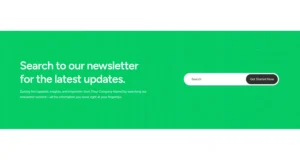


Free Elementor Search Widget with Search Bar and Icon Popup

Search is a free Master Addons widget that adds a WordPress search box to any Elementor page, header or sidebar. Choose Form for an always-visible search bar with an icon or text button, or Icon Popup for a search icon that opens a full-screen search overlay. Visitors press Enter and see results on your theme’s normal search results page. It works with free Elementor and does not show live results as you type.

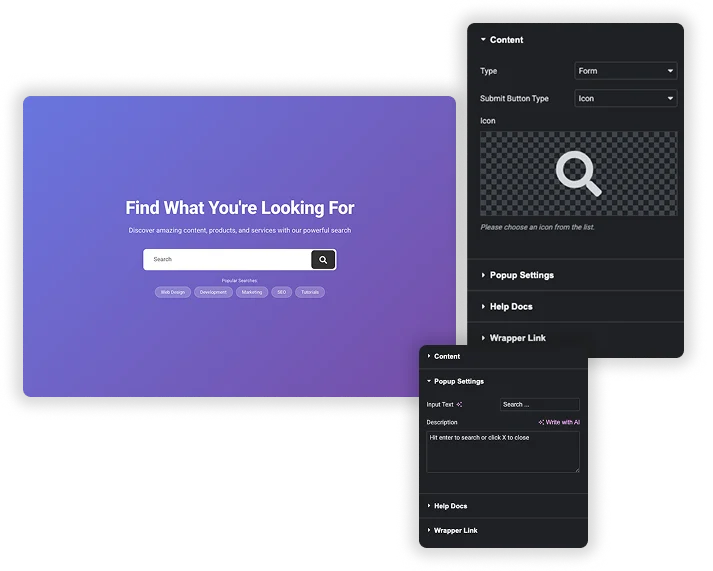
Search widget Content settings with Type set to Form and Popup Settings fields beside a purple hero with a search bar

Search Bar or Icon Popup

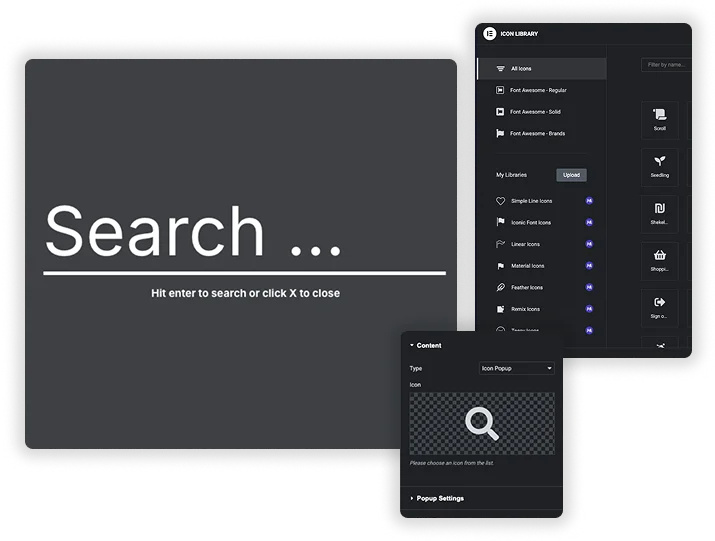
Set Type to Form or Icon Popup. With Form, Submit Button Type is an Icon or a Button with your own Button Text. With Icon Popup, the widget shows just the icon, and clicking it opens a large search field over the page. Popup Settings let you set the Input Text placeholder and a Description line such as “Hit enter to search or click X to close”.

  • Pick any icon from the Elementor icon library.
  • The search goes to WordPress, so results use your theme’s search template.
  • Use a form in a sidebar or 404 page and the popup in a crowded header.

Form, Input and Button Styling

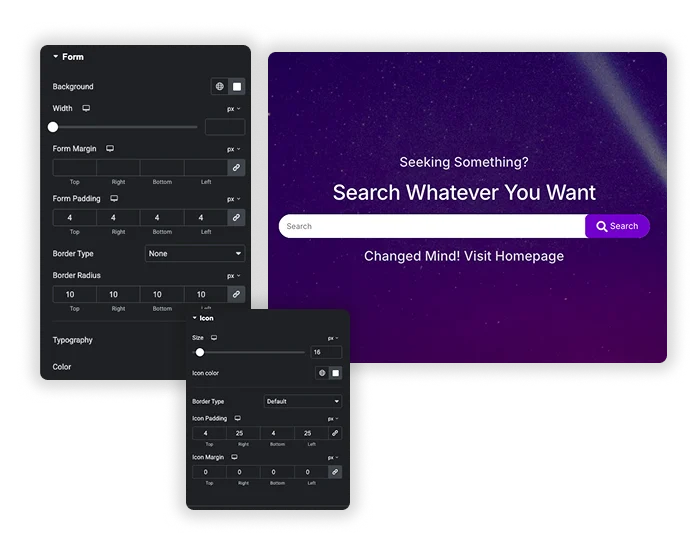
The Form style section sets background color, width, margin, padding, border and border radius, plus typography and text color. Input options cover width, margin, padding, input background color, border and radius. The Button section sets background color, color, padding, margin and typography for the submit control.

  • A rounded pill search bar with a colored button.
  • A borderless input on a dark hero section.
  • There are no separate focus or hover color settings, so add custom CSS if you need them.
Search widget Form style settings and Icon style settings beside a dark section with a search bar and purple Search button
Full-screen search popup reading Search with the hint Hit enter to search or click X to close, beside the icon library and Icon Popup setting

Search Icon Styling

The Icon style section sets the icon Size, Icon color, border, Icon Padding and Icon Margin. This styles the trigger icon for Icon Popup and the icon button in Form mode.

  • Match the icon color to your menu links in a header.
  • Add a border and padding for a round icon button.
  • Keep the popup description short so it reads well on phones.

Elementor Pro Search vs Master Addons Search

Elementor Pro has its own Search widget with live results. Here is how the free Master Addons widget compares.

FeatureElementor Pro SearchMaster Addons Search
PriceNeeds Elementor ProFree
LayoutsSearch input with optional submit buttonForm, or Icon Popup that opens a full-screen search
Live results while typingYes, using a Loop templateNo
Query controlInclude or exclude by term, author and dateStandard WordPress search
Results pageLive results panel, or the search results pageYour theme’s search results page
StylingNormal and hover colors, transition durationForm, input, button and icon colors, borders and spacing

Elementor Pro is the better pick if you need live results or control over which posts are searched. Master Addons Search is a free way to add a styled search bar or header popup on free Elementor. For a slide-out header panel, see Off-Canvas Content (Pro).

Template Viewer
Facebook
Twitter
WhatsApp
Copy Link
Buy Now
Search Element – with Newsletter
Quick Search
Quick Search

Frequently Asked Questions For Search

Learn the most asked queries users have about Search and find answers in one place.
Is the Master Addons Search widget free?

Yes. Search is part of the free Master Addons plugin and works with free Elementor, so you do not need Elementor Pro for a styled search bar.

No. It submits to the standard WordPress search, and results show on your theme’s search results template. For live results, Elementor Pro’s Search widget is the option.

Can I search only products or one post type?

Not from the widget settings. It uses the default WordPress search, which covers public posts and pages. Your theme, WooCommerce or a search plugin decides what the results include.

Yes, you can add the widget in several places with different settings. Test the pages where you use more than one Icon Popup, since each popup needs its own trigger to open.

Trending Elementor Widgets & Extensions

Build sophisticated websites in less time.

Master Addons Glassmorphism extension for Elementor: frosted glass cards with the Blur Value control set to 20px

Glassmorphism

Home Free Elementor Glassmorphism Extension: Frosted Glass Effect in One Toggle Glassmorphism is the frosted...
View Details

Master Addons Container Extras extension for Elementor: container capped at a 1400px Max Width, with Max Width, Max Height, Min Width and Min Height controls

Container Extras

Home Elementor Container Max Width and Max Height Controls Container Extras is a free Master...
View Details

Master Addons Patterns extension for Elementor: hero with the Purple Gradient Grid Left style, three more pattern styles and the Enable Pattern panel

Patterns

Home 70+ Free Elementor Background Patterns Patterns is a free Master Addons extension that adds...
View Details
Master Addons Post/Page Duplicator extension for Elementor: MA Duplicator row link in the WordPress Pages list creating a Landing Page - [Duplicated #128] draft

Post/Page Duplicator

Home Duplicate Elementor Pages and Posts in One Click Post/Page Duplicator is a free Master...
View Details

Master Addons Reading Progress Bar extension for Elementor: blue bar 42% filled across the top of a privacy policy page, with enable, position, height and fill color settings

Reading Progress Bar

Home Add a Reading Progress Bar in WordPress (Elementor) Reading Progress Bar is a free...
View Details