
uploadthefile.com
Sharing files and publishing static content has long required friction: account creation, platform navigation, or comman...

CrabTap
Small businesses have long struggled to implement loyalty programs without massive overhead. CrabTap addresses this gap...

Catalyst Healthspan Audit
Personal trainers typically sell training sessions. This startup reversed the equation by building assessment first, mak...
Best Engineering & Development Startups & Tools
Recently Listed
99 launches
Featured
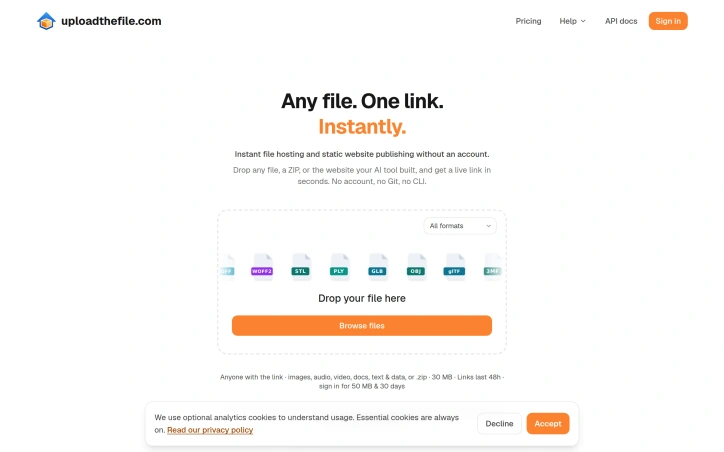
Sharing files and publishing static content has long required friction: account creation, platform navigation, or command-line knowledge. This service eliminates those barriers entirely, offering instant file hosting through a single drop-and-go interface. Users drag any file—a PDF, website ZIP, video, or data file—onto the interface and receive a shareable link within seconds, with zero setup required. The core appeal targets several overlapping audiences. Developers publishing AI-generated websites gain a frictionless deployment path without Git repositories or build processes. Anyone sharing documents avoids the account-creation gauntlet of traditional hosting platforms. Content creators hosting audio, video, or images benefit from simplicity over feature complexity. The service particularly shines for ephemeral sharing: sending a presentation, reviewing a design file, or hosting a temporary webpage requires no planning or infrastructure decisions. What distinguishes this offering is its format breadth and intentional minimalism. The platform accepts over 100 file types, from common formats like HTML, PDF, and images to specialized ones like 3D models (STL, GLB, OBJ), design files (PSD), audio (FLAC, WAV, OGG), video (MP4, WebM), and data formats (Parquet, Avro). This range means users rarely encounter unsupported file types. Equally important is what the product does not require: no account, no login flow, no subscription decision at upload time. The interface asks nothing beyond the file itself. The product highlights privacy-conscious features, noting that files never leave the browser in certain operations—a meaningful detail for users handling sensitive documents. Real-world examples underscore practical utility: a complete website deployed as a ZIP archive, an Ethereum whitepaper readable in-browser without download, a video playing immediately. Each demonstrates that the platform handles serious use cases, not just novelty sharing. The business model remains unstated in available materials. No pricing is mentioned, nor are details on monetization strategy, storage limits, or account-optional features that might drive eventual conversion. This opacity is typical for early-stage services testing product-market fit but represents a gap for users evaluating long-term viability or hidden costs. Upload The File succeeds at its narrowly defined mission: removing all friction from file hosting and static publishing. It trades feature depth for speed and simplicity, targeting users who value getting from file to live link faster than platform login screens allow. For that specific job, it executes with unusual directness.

Enterprises that depend on large-scale data extraction face a persistent challenge: sourcing reliable IP infrastructure that maintains trustworthiness across global markets while handling massive concurrent requests. Minosphere addresses this by operating a distributed network of proxy services spanning residential, mobile, and datacenter IPs. The core value proposition centers on reliability and scale. The service maintains a portfolio of over 100 million residential IP addresses sourced across 190 countries, backed by claims of 99.9 to 99.99 percent uptime depending on the proxy type. For teams extracting data at enterprise scale, the reported 99.82 percent success rate and average response time of 0.41 seconds suggests infrastructure built to handle consistent, high-throughput operations without frequent bottlenecks. What differentiates Minosphere is its tiered approach to proxy types. Residential proxies leverage authentic ISP-assigned addresses to real homeowners, positioning them as the most trusted option. Mobile proxies tap into carrier-assigned IP space across 3G, 4G, and 5G networks in 30-plus countries and regions, addressing use cases requiring carrier fidelity. Datacenter proxies prioritize raw performance for scenarios where speed matters more than trust perception. Static ISP proxies represent a middle ground, offering dedicated, never-rotating addresses officially registered to consumer ISPs. The platform emphasizes operational convenience. A unified console and standardized APIs reduce friction for teams integrating multiple proxy types into existing workflows. Features like precise geotargeting, session control, and optimized routing for low-latency performance indicate thoughtful engineering around real production constraints rather than basic proxy forwarding. Pricing is granular and varies significantly by proxy type. Residential proxies start at 1.60 dollars per gigabyte, datacenter proxies at 0.54 dollars per gigabyte, while mobile proxies range from 2.49 dollars per gigabyte for USA coverage to 3.5 dollars per gigabyte for international options. Static ISP proxies offer unlimited bandwidth at a presumably different cost model. The pricing structure invites cost optimization—teams can mix proxy types based on actual use case requirements rather than overpaying for residential quality when datacenter speed suffices. The target audience is clear: data-driven enterprises conducting research, competitive intelligence, market monitoring, or other large-scale information collection that demands both reliability and geographic breadth. Whether the infrastructure and uptime claims hold under real production stress remains a question only deployment experience answers, but the architecture and feature set suggest a product designed for serious operational demands rather than casual use.

Slow WordPress sites hemorrhage visitors before pages even finish loading, and this service targets that specific pain point with a straightforward optimization package. Designed for business owners, agencies, publishers, and e-commerce stores struggling with sluggish performance, the offering promises measurable improvements to Core Web Vitals and page load times within a compressed five-hour engagement window. The approach centers on a fixed-price model of $239 per site, structured as a one-time fee with no recurring optimization costs or upfront charges. The service flows through three phases: a free speed audit that runs actual user tests to identify bottlenecks, hands-on optimization work targeting server response times and code bloat, and a final reporting stage that documents before-and-after metrics. What distinguishes this offering from generic WordPress optimization agencies is its focus on specificity. Rather than relying on screenshots or simulated improvements, the case studies surface real-world data pulled from independent tools and actual visitor measurements. One project achieved a 79% reduction in Largest Contentful Paint, another improved a GTmetrix grade from D to A with server response times dropping from 4.9 seconds to 1.5 seconds. The company also published its own performance metrics sourced from Google's CrUX report, demonstrating that its own site consistently passes all three Core Web Vitals. The technical implementation addresses common WordPress slowdowns systematically. Edge caching through Cloudflare and FlyingPress distributes content to regional data centers, eliminating single-origin bottlenecks. Image optimization handles conversion to modern formats like WebP and AVIF. CSS and JavaScript are streamlined to reduce parsing overhead. Server response improvements tackle Time to First Byte, a metric that directly impacts perceived load speed across all traffic sources but particularly on mobile connections where most WordPress traffic now originates. The five-hour window represents an unusual constraint in the optimization space, where many agencies pitch open-ended engagements or retainer relationships. This compressed timeline suggests the service targets WordPress sites where the slowdown stems from known architectural issues rather than sites requiring deep strategic overhauls. For site owners dealing with poorly configured caching, unoptimized images, or accumulated plugin debt, the combination of fixed pricing, rapid execution, and documented performance gains offers a low-friction alternative to hiring developers or larger agencies.


Integrating AI agents into server management workflows presents a security and usability challenge that few tools address directly. This SSH terminal fills that gap by building MCP server capabilities directly into the application, allowing developers to grant Claude, Cursor, or other AI agents controlled access to their infrastructure without exposing credentials or adopting complex custom solutions. The core insight is elegant: instead of piecing together separate SSH clients, file managers, and monitoring dashboards, this application consolidates these functions while adding a local MCP server that exposes server operations as callable tools to AI agents. An agent can execute shell commands, read and write files over SFTP, and retrieve live snapshots of CPU, memory, disk usage, and running processes. The design keeps the user in control by running this MCP server locally inside the app rather than routing through cloud intermediaries, addressing a legitimate concern for teams working with sensitive infrastructure. The terminal itself includes practical features like multiple tabs, command history with fuzzy search, support for ProxyJump multi-hop SSH chains, and process management tools for killing or pausing remote processes. A library of 68 built-in commands across nine languages provides quick access to common operations. The interface supports curated color themes alongside custom palettes, and session state persists across application restarts. Security is treated as a first-class concern. The application implements end-to-end encryption for sensitive data, uses Ed25519 verification for updates, and relies on SSH key authentication rather than passwords. These choices suggest the authors understand the threat model for a tool designed to interface with AI agents and production servers. The business model splits functionality between a free tier and a Pro version. The core SSH terminal, SFTP manager, and local MCP server are available without payment. Cloud synchronization of hosts, keys, and command history across devices requires a Pro subscription, as does multi-device pairing with secure codes. This separation makes the essential AI agent integration features accessible to everyone while monetizing convenience features for larger teams. The product targets a specific emerging use case: developers who have adopted AI agents for coding or infrastructure tasks but lacked a safe, integrated way to extend those agents onto remote systems. By handling the infrastructure side cleanly, it removes a technical hurdle that currently forces teams to choose between manual server management or homegrown scripting solutions.

Seeking personal insight through alternative means has gained mainstream acceptance, but most digital offerings in this space either demand lengthy questionnaires or present themselves with unearned certainty. This AI-powered palm reading service takes a different approach by condensing the experience into a single photograph, making self-reflection accessible without requiring existing knowledge of palmistry. The product addresses a genuine gap in the wellness and self-discovery market. People curious about exploring their patterns through palmistry traditionally faced barriers: finding a practitioner, paying professional rates, or learning the symbolic language from scratch. This service removes friction by automating the interpretation of four primary palm lines—life, head, heart, and fate—using artificial intelligence to translate visible patterns into readable, personal narratives. What distinguishes the offering is its restraint. Rather than making definitive claims about destiny, the platform positions itself as a tool for reflection. Users provide a clear palm photo along with their name and birthday, then receive a personalized reading that can be saved or shared. The interface emphasizes clarity with an overall palm score, thematic summaries, and plain-language explanations of what different palm features traditionally signify. An example reading showed categories like energy, action, love, and calm, suggesting the system weaves multiple palm characteristics into a cohesive narrative rather than offering disconnected data points. The core features include automated line tracing, interpretation of traditional palmistry symbols (ring finger length, thumb strength, marriage lines, and finger proportions), and the ability to revisit or download results. The promised one-minute turnaround prioritizes quick gratification over complexity, which aligns with how many people approach wellness applications today—something between curiosity and genuine engagement. The business model remains unexplained in available materials, though the prominent "free" language suggests either a freemium structure, ad-supported model, or future monetization path not yet detailed. The real test of this product lies in whether users find genuine value in AI-interpreted palmistry or treat it as novelty entertainment. The emphasis on making self-discovery approachable and thoughtful indicates sincere intent, though palm reading itself carries inherent skepticism among rationalist audiences. For those genuinely interested in alternative reflection tools or curious about palmistry without commitment, the service removes enough friction to warrant trying.


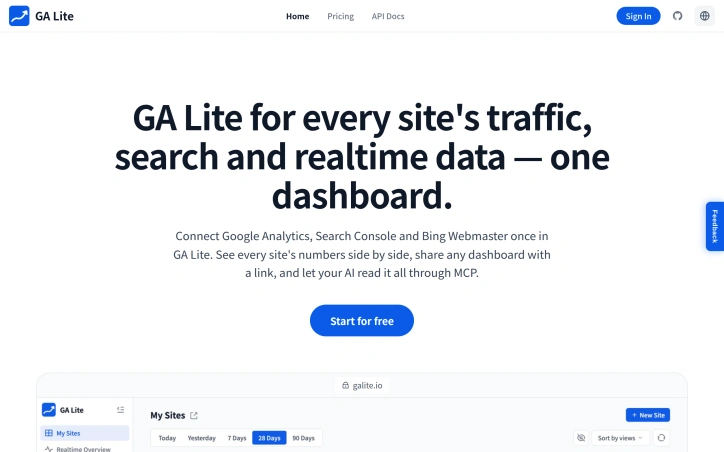
Managing analytics across multiple websites typically means juggling tabs between Google Analytics, Search Console, and Bing Webmaster—each dashboard isolated from the others. GA Lite consolidates this fragmented view into a single interface designed for site operators who run multiple properties and need to monitor their collective performance without constant switching between platforms. The core offering is straightforward: authenticate once to pull Google Analytics properties, Search Console sites, and Bing Webmaster accounts into one place. Each site appears as a card showing traffic metrics alongside search performance data, letting users spot correlations between visitor drops and search ranking changes at a glance. Period-over-period deltas make growth or decline immediately visible, and users can toggle between daily, weekly, monthly, and quarterly views to identify trends at different scales. What distinguishes GA Lite from simply opening multiple tabs is its emphasis on collective visibility. The realtime map displays active users across the entire portfolio simultaneously, with geographic distribution shown on an interactive map that refreshes without manual reloading. This gives site operators running networks of properties a bird's-eye view of traffic patterns that no single analytics tool provides by default. For teams sharing responsibility for multiple sites, shareable dashboards offer flexible privacy controls: public profile mode for basic transparency, anonymous mode that strips site identity while keeping metrics, or password protection for restricted audiences. The funnel analysis feature lets users build lightweight funnels using existing GA4 page or event data, automatically highlighting conversion drop-off points across 2-5 steps. This is useful for identifying which pages in a user journey are underperforming across a portfolio. A notable differentiator is MCP integration, which allows AI assistants like Claude and Cursor to query analytics through a remote endpoint after browser approval. This positions the tool as more than a dashboard—it becomes a data source that AI agents can autonomously explore to surface insights or answer questions about traffic and search performance. The product uses OAuth for multi-account Google access and API keys for Bing, streamlining credential management. Reconnection is one-click when credentials expire. The product launched with a free tier, though specific pricing tiers or premium features are not detailed in the available information. GA Lite targets a specific niche: individuals and small teams managing analytics across multiple properties who value speed over deep granularity. For this audience, eliminating tab switching and creating a unified view of distributed data solves a real friction point.
Small businesses operating brick-and-mortar locations—restaurants, salons, shops—often maintain active Google Maps presence with reviews and photos but lack either the technical knowledge or budget to build a proper website. Blasa solves this gap by automatically converting a Google Maps listing into a fully functional, multilingual business website. The product's core strength lies in its content philosophy: the website draws exclusively from genuine customer reviews, photos, and business metadata already on Google. Nothing is AI-invented. Headlines, testimonials, and competitive advantages all trace back to what real customers have written. This authenticity-first approach distinguishes it from template-based website builders that generate generic copy. Multilingual support emerges as a notable capability. Rather than treating languages as an afterthought, Blasa defaults to generating websites in the language of the reviews plus English, with proper right-to-left formatting for Arabic, Hebrew, Persian, and Urdu. This design choice acknowledges the reality of modern local businesses serving diverse neighborhoods. The user experience reduces to its essentials: paste a Google Maps link, and the system handles everything else. No code, no template selection, no form-filling. The AI derives a color scheme from the business's logo and selects typography based on the business name, creating thematic coherence without manual configuration. The resulting website publishes immediately on a custom subdomain. From a discovery standpoint, Blasa embeds LocalBusiness structured data and applies SEO optimizations, helping websites surface in search results and AI assistant recommendations. For a local business competing against larger establishments, this integration with machine-searchable data matters. The pricing model reflects accessibility as a core principle. The free tier includes a complete multilingual website with structured data and SEO capabilities, offset by a small labeled advertisement. The Growth plan costs $19.99 annually, dropping to roughly $1.67 per month. An alternative $39.99 one-time purchase conveys permanent ownership. These price points remain within reach for micro-enterprises that might otherwise skip having a web presence entirely. The product targets an underserved segment: businesses too small to justify agency fees or developer time, yet established enough to have genuine customer reviews worth showcasing. For this audience, Blasa addresses a genuine friction point in moving online.


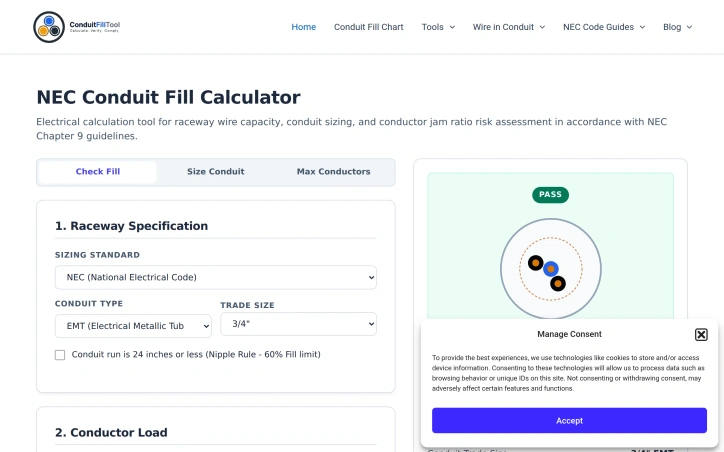
Electrical contractors and their teams often face a repetitive but critical task: verifying that the conductors installed in a given raceway comply with National Electrical Code fill restrictions. The Conduit Fill Tool addresses this calculation burden head-on, offering a free online calculator designed specifically for electricians, engineers, apprentices, and students who need quick, accurate conduit fill compliance checks. The core value proposition is simplicity and speed. Rather than manually cross-referencing NEC Chapter 9 tables or wrestling with spreadsheets, users input their conduit type (choosing from EMT, IMC, RMC, PVC Schedule 40/80, FMC, LFMC, or ENT), trade size, conductor material and gauge, and the tool instantly calculates whether their installation meets code. The interface walks users through each variable systematically, then displays both the raw calculation and a compliance verdict, complete with a percentage breakdown showing how much of the raceway's cross-sectional area the conductors actually occupy. What distinguishes this tool is its alignment with current NEC standards and its educational scaffolding. The calculator enforces the correct fill percentages for different scenarios—53 percent for single conductors, 31 percent for two, 40 percent for three or more, and up to 60 percent under the 24-inch nipple rule—ensuring users stay within code. The tool does not simply return a yes-or-no answer; it explains the underlying geometry, citing the specific NEC tables that govern the calculations. For users new to conduit sizing, the site includes reference guides on why fill limits exist, primarily to prevent conductor shearing during installation and to allow heat dissipation under load, along with step-by-step walkthroughs of the mathematics itself. The sizing engine pulls wire dimensions from official NEC sources rather than relying on estimates or lookup tables that may drift from the standard. This commitment to source accuracy matters in an industry where code compliance carries legal weight. Pricing is not mentioned in the available content, though the tool is described as free, suggesting a bootstrapped service rather than a subscription model. For a narrow but important use case, the tool eliminates friction from a recurring professional task while strengthening the user's understanding of the underlying code. It demonstrates how focused software can serve skilled trades without requiring deep platform overhead.

Developers working with large local log files on macOS, Windows, or Linux can struggle with unwieldy text files and time-consuming manual investigation. LogoRRR addresses this friction by bringing visual analysis tools to desktop-based log exploration, eliminating the need to upload data to cloud services or maintain external accounts. The product's core value proposition centers on privacy and speed. Log files remain on the user's machine throughout the analysis process, with no uploads or server dependencies required. This approach matters for enterprises handling sensitive data, developers in restricted network environments, and anyone who simply wants to avoid the overhead of cloud-based log ingestion. The application works offline, making it practical for field investigations or work in disconnected settings. Visually distinguishing error clusters is what sets LogoRRR apart from basic text editors. The interface uses an interactive block view that color-codes log entries by severity or search terms, allowing investigators to spot patterns across millions of lines at a glance. This shifts the workflow from scrolling and searching toward pattern recognition. Complementary features include multi-file merging to correlate logs from different sources, time-based activity views, and filter-driven narrowing to isolate relevant events. Performance handling large files is central to the pitch. The application claims to open gigabyte-scale logs while maintaining responsiveness and modest memory consumption, a constraint that matters when analysts are also running other tools on the same machine. The implementation prioritizes native performance over web-based convenience. The quick-start workflow is straightforward: drop a log file, directory, or compressed bundle onto the application window, then navigate using filters and searches. LogoRRR targets developers and support engineers who perform hands-on log analysis rather than relying on centralized observability platforms. It competes not against cloud logging services but against manual investigation of local files or lightweight text tools. For teams that need to trace incidents in local production logs, legacy application output, or offline environments, the local-first model eliminates friction without requiring infrastructure changes.


Performant data visualization in the browser has long required choosing between rich functionality and the responsiveness users expect. KanuniLabs addresses this by delivering a data grid and pivot table component that processes a million rows without blocking the user interface, handling sorting, filtering, and aggregation through a Web Worker engine that keeps the main thread responsive. The product targets React teams and vanilla JavaScript developers who need to display, analyze, and export large datasets. It shines where off-the-shelf grids typically falter: applications that must handle real-world data volumes without sacrificing interactivity. The founder's engineering philosophy surfaces clearly in the execution—the most difficult problem solved was not the performance itself but making that performance accessible through a straightforward installation process. Web Workers typically require framework-specific configuration across bundler environments. KanuniLabs compiles the worker directly into the package and launches it from a Blob URL, meaning developers install the library and immediately have a functioning grid without additional setup in Vite, Next.js, webpack, or plain HTML. DataGrid provides virtualized rendering of rows and columns with built-in sorting, filtering, grouping, and export capabilities. PivotGrid layers drag-and-drop field manipulation and aggregation on the same engine, making it suitable for users who need to explore data interactively. Both components support 12 locales including Arabic with full right-to-left rendering and six themes across light and dark variants. Calculated fields incorporate a formula editor designed around content security policies, avoiding dangerous eval patterns while still offering live preview and editing. The licensing model clarifies a straightforward split: 98 of 136 documented features work without a license key, covering the functionality most teams rely on—virtualization, filtering, grouping, and basic export. No watermarks, trial timers, or sign-ups gate access to this tier, even for commercial use. The paid edition adds inline editing, master-detail views, styled Excel and PDF export, calculated fields with advanced functionality, and drill-down navigation. A single key covers both components. The approach inverts the typical freemium structure: the free tier delivers a complete product rather than a time-limited taste, making it genuinely useful for smaller teams and side projects while clearly signaling where businesses requiring full feature coverage should invest. Verification is built into the product philosophy. The site runs a live playground with a million-row dataset under user control, making performance claims reproducible rather than theoretical. This transparency, combined with the straightforward business model and the pragmatic focus on solving real installation headaches, distinguishes the offering.


Launching an Android app on Google Play requires navigating a confusing closed testing phase—one where developers must provide real human testers on actual devices before Google will grant production access. Many indie developers lack the network to assemble such testers, leading to rejections that can delay launches by weeks or months. AppBanana addresses this gap by matching app developers with verified testers and guaranteeing approval within fourteen days. The platform's core value proposition is straightforward and compelling. Rather than leaving developers to coordinate friends and acquaintances—a process that often fails to meet Google's quality standards—AppBanana supplies between twelve and twenty-five real Android users who interact with the app on physical devices. The company positions this against cheaper alternatives that rely on emulators or bot accounts, which Google's algorithms quickly flag as inauthentic. All testing happens on verified physical hardware from active users, addressing Google Play's core requirement. What sets AppBanana apart is its guarantee structure. If an app fails to gain approval after the testing cycle, the developer receives a full refund and unlimited free retesting until the app passes. This zero-risk model inverts the typical dynamic—developers only pay when they succeed. Setup is rapid, with onboarding completed in under an hour and tester recruitment happening immediately. The platform adds practical support features beyond raw tester supply. Developers receive step-by-step guidance through Google's questionnaire process, templates for compliant submissions, and access to human specialists via WhatsApp around the clock. The company cites a median response time of under five minutes, suggesting responsive support infrastructure. The testimonial evidence shows real developer wins—apps that were previously rejected twice, or where competitors failed, gaining approval through AppBanana's testers. Pricing begins at roughly seven Canadian dollars, though the full cost structure isn't detailed in available materials. The "pay only on success" model means actual expenses depend on whether the initial approval attempt succeeds. With over ten thousand apps reportedly approved through the platform, AppBanana has scaled beyond a novelty solution. The service fills a genuine friction point in Android development: the gap between having a finished app and meeting Google Play's human-testing requirements. For developers frustrated by rejections or unable to assemble an adequate testing cohort, the combination of real testers, guarantees, and support offers measurable value.

Finding the right open source software can be frustrating when most recommendation sites are cluttered with sponsored listings and marketing noise. Open Source Alternative Tools takes a different approach by curating a focused directory of 100 lightweight alternatives to commercial software, organized around practical use cases rather than brand names. The platform addresses a real problem: popular software often becomes heavier and more intrusive over time, while costs steadily increase. Users deal with unwanted tracking, unnecessary features, subscription escalations, and bloated updates that consume resources without adding value. Open Source Alternative Tools helps people escape this cycle by providing a structured way to discover lighter, more privacy-respecting alternatives. What distinguishes this directory is its commitment to objectivity and transparency. Each tool listing includes three verification layers: a privacy check, a license check, and a human verdict. The directory explicitly rejects pay-to-rank listings, which removes financial incentives from the curation process. Tools are organized into ten focused categories spanning Browsers, Communication, Office & Notes, Design & Creative, Media, Productivity, Developer Tools, Privacy & Security, Operating Systems, and Cloud & Self-hosting. The interface recognizes that users don't necessarily know the name of their replacement software—they know what they're trying to replace. The search function works in both directions: you can search for a specific tool, or you can input the commercial software you currently use and receive open source alternatives. This decision-first approach, combined with clear explanations of tradeoffs, sets it apart from generic recommendation lists. Each tool receives comparable treatment through five decision signals per listing, allowing users to evaluate alternatives against consistent criteria rather than inconsistent reviews. The site positions itself as written for general users first, rather than assuming technical expertise. The business model remains implicit in the content provided. The absence of subscription mentions or advertising suggests a clean, user-focused approach to discovery, though the specific sustainability model isn't detailed. For users fatigued by the endless cycle of expensive, resource-hungry software, this directory offers a structured exit path rather than random searching through GitHub repositories.


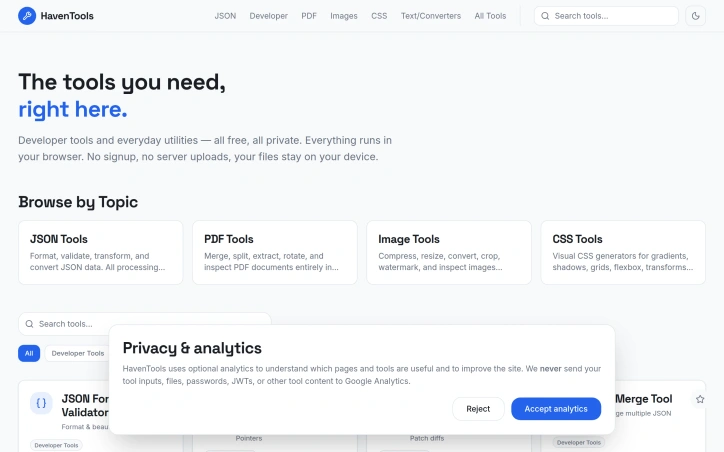
Developers spending hours tracking down the right utility tool for quick data transformations now have a consolidated alternative. HavenTools consolidates dozens of commonly-needed utilities into a single browser-based platform, eliminating the friction of finding specialized tools scattered across the internet. The core value proposition centers on privacy and convenience. Every operation processes entirely within the user's browser, with no data transmitted to servers or requiring account creation. This architectural choice addresses a legitimate concern in developer workflows: the hesitation to upload sensitive configuration files, API responses, or internal data to unfamiliar online services, even nominally reputable ones. By running computationally in the browser itself rather than on remote infrastructure, HavenTools removes that friction point for routine tasks. The feature breadth is substantial. The platform spans JSON processing including format validation, schema generation, and RFC-standard operations like JSON Pointer evaluation and JSON Patch generation. PDF capabilities handle merging, splitting, extraction, and rotation. Image tools cover compression, resizing, conversion, and color extraction. CSS generation tools produce production-ready output for gradients, shadows, flexbox layouts, transforms, and border-radius specifications. Beyond these categories, the platform includes utilities for GraphQL query building and formatting, HTTP request construction and inspection, XML validation and XPath testing, URL query string encoding, and SQL IN clause generation. The breadth suggests the creator identified common repetitive tasks in development workflows and built targeted solutions for each. The positioning emphasizes eliminating friction from everyday development activities. Rather than marketing as a comprehensive platform, it positions individual tools as replacements for fragmentary web searches. Each utility handles a specific transformation or validation task without the overhead of authentication, file upload dialogs, or waiting for server-side processing. The business model centers on free access, with no mention of premium tiers, paywalls, or subscription options in available materials. This positions HavenTools against both free tools scattered across the web and paid SaaS utilities, betting that consolidated access and privacy-first architecture create sufficient value that users won't seek alternatives. The execution appears focused on completeness within chosen categories rather than attempting total tool coverage. The JSON and developer-centric tools are particularly comprehensive, while file manipulation and visual generators fill practical secondary needs. This narrower scope potentially makes the platform more coherent than attempting to be everything.
Getting multilingual products to market typically requires developers to coordinate with localization teams, manage files across multiple languages and directories, and orchestrate translation work that often repeats when content changes. JsonTranslate addresses this friction by building a workspace specifically designed around incremental translation workflows rather than treating localization as a generic text translation problem. The platform accepts JSON, Markdown, and TXT files and preserves the structural elements that matter to developers—keys, nested paths, and directory hierarchies. What distinguishes it from broader translation tools is the emphasis on change-based workflows. Using Git-diff-like detection, JsonTranslate translates only newly added or modified content in incremental modes, avoiding the overhead and cost of re-translating unchanged material. This applies across single files, entire files, or full projects, giving teams granular control over translation scope. Project-level organization sets this apart further. Rather than a single text box, JsonTranslate maps source directories, target directories, and locale conventions together. It automatically generates corresponding locale files after translation and supports common patterns like locale folders, module-based organization, and locale-suffixed filenames. Teams can import or export full projects and download results with directory structure intact, streamlining integration back into version control. The interface combines file management, source content, translation results, and settings in a unified responsive studio. Source files appear in a left pane while translated output displays across tabs for quick comparison between languages. A task center handles batch jobs and tracks progress for project-scale workflows, while a CLI maintains synchronization between the hosted workspace and local repositories. Language coverage spans 20+ common languages by default, with the option to extend to 100+ for markets and long-tail localization. The product balances flexibility through two implementation models: a hosted service or bring-your-own-key options that let teams integrate their own translation models and cost strategies. Available on a freemium basis, JsonTranslate targets developers, product teams, and dedicated localization specialists who need translation workflows that treat source structure and selective translation as first-class concerns rather than afterthoughts.


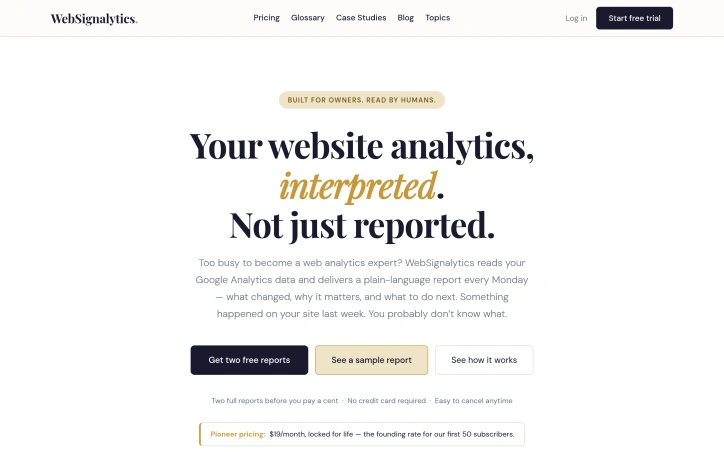
Analytics platforms record everything but rarely explain anything. That's the gap WebSignalytics addresses. Rather than leaving small business owners, consultants, and solo practitioners drowning in metrics and charts, the service connects to Google Analytics and delivers a plain-language summary every Monday—complete with what actually changed on their site, why it matters, and which changes warrant action. The core insight is straightforward: most website owners aren't analytics specialists. They connected Google Analytics because it seemed important, which it is. But GA4 faithfully records data without interpretation. A traffic drop of 40 percent to a top-performing page looks like one data point in a dashboard filled with hundreds. A broken contact form doesn't announce itself; it just quietly stops converting. A surge from an unexpected source stays invisible until the moment passes. WebSignalytics bridges that gap by doing the interpretive work upfront. The weekly report format itself is notable. Rather than inviting users into another dashboard they'll rarely visit, the service brings insight directly—a narrative account of what shifted in the past week, flagged issues like tracking gaps, and concrete next steps. This is built for humans who run businesses, not for people who've chosen analytics as a profession. The founder, who trained in graphic design and marketing before moving into AI-assisted development, brings a user-centric philosophy to the work. That sensibility shows: the product skips the industry jargon and complex menus in favor of clarity. There's no nomenclature to learn, no dashboard to master. The pricing structure reflects early-stage ambitions. At 19 dollars per month, locked in permanently for the first 50 subscribers, it's positioned as founder pricing rather than a standard market rate. New users can request two free reports before committing, with no credit card required. The simplicity extends to cancellation—the copy emphasizes how easy it is to walk away. The most immediate use case is for owners of small to medium websites who've invested in Google Analytics but lack the expertise or bandwidth to monitor it consistently. The weekly cadence assumes they're too busy to check daily but not so disconnected that they'd miss weekly intelligence. For that specific audience, the value proposition is direct: keep your site healthy without becoming an analyst.

Removing backgrounds from images has long required either manual effort or expensive software. Bg Remover addresses this friction by bringing AI-powered editing directly to browsers, eliminating the need for installations or account signups. The platform targets eCommerce businesses, social media content creators, designers, and marketers who regularly need clean product shots and professional-looking visuals. The tool delivers on its core promise: processing images through AI that detects edges and fine details like hair and fabric textures with precision, completing the work in seconds rather than minutes. What distinguishes Bg Remover in a crowded space is its execution. The browser-based approach means users upload an image and receive a transparent PNG without friction. The live preview comparison, which lets users drag a slider to inspect the output against the original, demonstrates confidence in the edge detection quality. The platform claims hair-level precision with no halos or manual touch-ups required. Support for major formats including PNG, JPG, and WEBP, with a generous 20MB file size limit, covers the typical use cases. Beyond background removal, the platform positions itself as a broader image editing suite. The offerings include a background changer for different contexts, an image upscaler for resolution improvements, and color correction tools. All of these run in-browser, avoiding the upload-wait-download cycle users typically endure with cloud services. The stated user base of 250,000 creators worldwide suggests meaningful traction. The missing element from the public-facing materials is clarity on the business model and pricing. This could indicate either a completely free offering or a freemium model with premium features not highlighted on the homepage. Also absent from the marketing materials is acknowledgment of limitations. Every AI background removal tool has edge cases where it struggles, whether with complex hair, transparent objects, or unusual lighting. Prospective users should test the tool before committing workflows to it. For creators and businesses tired of expensive editing software or manual cleanup work, Bg Remover offers a low-friction entry point. The test-without-signup approach lets potential users validate the tool's output quality for their specific use cases before deciding whether it fits their workflow.


Tarot readings traditionally occupied a niche intersection of spirituality and mystique, often requiring in-person sessions with expensive practitioners and demanding significant prior knowledge to interpret results. iTarot addresses this gatekeeping by combining traditional 78-card tarot with AI-powered interpretation, making the practice accessible to beginners and non-English speakers alike. The platform supports 15 languages and offers 25 different card spreads ranging from simple single-card pulls to complex multi-card layouts designed for specific life domains—relationships, career decisions, personal growth, and long-term trajectory. Rather than presenting isolated card meanings, the AI component differentiates itself by explaining how cards relate to one another, analyzing upright and reversed positions, and offering structured, actionable interpretations tailored to the user's specific question. Accessibility extends beyond language support. The site includes a comprehensive help center addressing common misconceptions about tarot's predictive power, explicitly clarifying that readings reflect current energy and possibilities rather than fixed fate. This ethical framing discourages users from employing tarot to circumvent professional advice on medical, legal, or financial matters—a responsible boundary that strengthens rather than weakens the product's credibility. Beginners can start with explanations of all 78 card meanings before diving into complex spreads. The business model uses a freemium approach: basic readings and card meaning lookups are available without payment, while unlocking the AI deep-report analysis requires purchase. Stripe and Alipay are supported, indicating deliberate geographic focus toward global audiences, particularly Asia. What distinguishes iTarot is its positioning at the intersection of ancient divination practice and modern generative AI—a combination that makes subjective interpretation feel more systematic and transparent. Whether users consult tarot for genuine spiritual guidance or self-reflection exercises, the product acknowledges the distinction without judgment. The interface layers structure and clarity over mystique, making it suitable for skeptics and believers alike to explore tarot as a decision-making aid or personal journaling prompt.


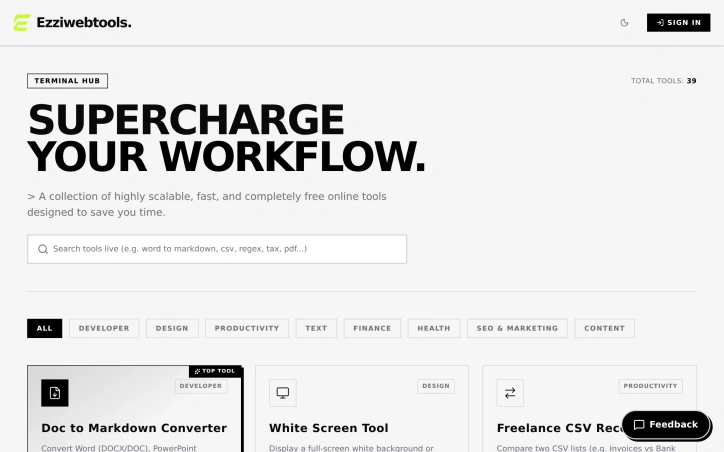
A comprehensive collection of web-based utilities addresses the pain point of repetitive manual work for developers, designers, freelancers, and creators. The platform aggregates 39 tools across multiple categories—development, design, productivity, text formatting, finance, health, SEO, and content creation—each designed to eliminate friction from common workflows. The breadth of the offering stands out immediately. Rather than scattered, single-purpose utilities, this acts as a one-stop toolkit. Tools range from practical developer aids like a visual Git command generator to diagnose and fix version control mistakes, JSON-to-TypeScript converters, regex extractors for parsing logs, and robots.txt builders to creator-focused features like fancy font generators and social media text formatters. Finance and health tools add unexpected utility—a self-employment tax estimator for freelancers, a TDEE calculator with macro breakdowns, and an intermittent fasting timer extend the platform's reach beyond purely technical tasks. Several design choices reflect consideration for user needs. The Doc-to-Markdown converter explicitly operates in-browser with zero server uploads, addressing privacy concerns that plague many free web tools. Visual builders for complex tasks like Cron expressions and CSS gradients lower the barrier to entry for users uncomfortable memorizing syntax. The timezone overlap finder directly solves the remote work problem of coordinating across distributed teams. The product model is straightforwardly stated: these tools are entirely free. No pricing tiers, no freemium limitations, no upsell. This positions the platform as a genuine utility rather than a lead magnet, which could explain its appeal to users seeking to streamline workflows without friction or commitment. The catalog does feel scattered—covering everything from financial calculations to health metrics to Unicode font styling means the platform lacks a cohesive identity. Whether this breadth strengthens its value as a Swiss Army knife or dilutes its focus depends on whether users encounter everything they need in one place or continue bouncing between specialized tools elsewhere. The 39-tool collection suggests the creator favored comprehensiveness over specialization, a bet that convenience outweighs coherence. For developers and freelancers juggling multiple workflow pain points, that calculation may pay off.

Finding a viable product idea requires more than intuition. Build or Skip addresses a core challenge for independent builders and early-stage SaaS teams: deciding which opportunity merits months of engineering effort versus which should be abandoned. Rather than building in isolation and hoping customers appear, the platform inverts the validation process by identifying products already generating commercial traction. The product works by tracking observable market signals across candidate products, using these indicators to estimate monthly order volume and compare growth patterns over time. This approach acknowledges a fundamental truth: money leaves a trail. Instead of surveying potential users or conducting customer interviews from scratch, builders can tap into real purchasing behavior to validate demand before committing significant resources. The platform's decision framework is its most useful component. Products are categorized into three buckets: Build for opportunities showing strong order volume, accelerating growth, and recurring signals across multiple months; Watch for products with momentum but insufficient baseline data or observation history; and Skip for weak, fading, or inconsistent signals. This three-tier system removes ambiguity and forces prioritization. What distinguishes Build or Skip is its transparency about limitations. The platform explicitly states that estimated orders represent model outputs, not verified revenue or private transaction data. It acknowledges the difference between identifying where payment intent may be building and proving actual revenue and product-market fit. This intellectual honesty is rare in tools claiming to solve discovery problems and suggests realistic expectations. The ranking methodology weighs three dimensions: meaningful order scale, momentum as both percentage and absolute growth, and staying power measured by recurring monthly signals. Rather than chasing one-month spikes, the platform rewards products that demonstrate consistent commercial activity across multiple observation windows. This reduces noise from temporary trends. The core value proposition centers on founders who feel paralyzed by option overload or skeptical of their own market intuition. By showing what money is already moving, the platform shifts validation from pure guesswork to evidence-informed decision making. It won't prove that a specific idea will succeed, but it can redirect energy toward opportunities with demonstrated demand rather than speculative ones. The tool serves a specific audience: builders operating under time and resource constraints who prioritize speed and evidence over certainty. For this group, reducing the number of failed bets matters more than achieving perfect conviction before starting.

Repetitive infrastructure work often delays indie developers from building actual product. TANSHIP addresses this friction by delivering a complete, deployable SaaS boilerplate where authentication, payments, database, email, and AI workflows are already wired and ready to configure. The boilerplate targets four distinct audiences: indie hackers testing early ideas, small teams launching MVPs, developers operating across Chinese and global markets, and AI-assisted developers. The product philosophy centers on depth rather than window dressing—this is full source code, not a UI template. The codebase runs on Cloudflare's infrastructure, with D1 for database, R2 for storage, Workers AI for machine learning tasks, and Turnstile for form protection. Five systems ship fully integrated. Authentication uses Better Auth with email/password and Google OAuth options. Payments span three providers—Stripe, PayPal, and Creem—with webhook signature verification and production-ready billing interfaces already implemented. The database layer includes Drizzle ORM binding to D1 with 18 prebuilt tables to establish a common foundation. Email runs through Resend with double opt-in newsletter logic and a protected contact form. AI workflows execute on Workers AI, with built-in credit metering and rate limiting—systems that normally require custom engineering. Beyond backend infrastructure, the template includes 34 theme presets with a visual customization interface and URL routing for both English and Chinese-language deployments. The codebase carries annotations—AGENTS.md and CLAUDE.md files—explicitly designed to help AI coding agents understand project structure and conventions. A practical decision worth noting: the payment setup handles webhook idempotency, a detail many boilerplates skip that prevents duplicate charges and failed transaction recovery issues. Similarly, profile and billing dashboards come fully implemented rather than as empty scaffolding. The business model follows a straightforward approach. A single one-time purchase unlocks perpetual source code access delivered through a private repository invitation, ongoing email support, and inclusion of future template updates. This differs from subscription models and aligns with the indie developer audience's preference for ownership over ongoing licensing fees. The stack assembles mature, type-safe tools: TanStack Start, React, TypeScript, Tailwind CSS, shadcn/ui components, and Drizzle ORM. Cloudflare Workers as the primary compute target keeps operational overhead minimal for teams without DevOps bandwidth. The product's target audience—developers eager to skip months of plumbing work—makes this template's focus on completeness and type safety more valuable than another UI-only starter kit.