


WPForms PDF Addon

Convert Form Entries Into Professional PDFs Instantly

Turn form submissions into ready-to-share PDF documents automatically. Whether it’s contracts, certificates, invoices, or simple notifications, you can generate polished PDFs without extra tools or manual formatting.

  • Built-in PDF Templates
  • 40+ Themes
  • Live Preview Editing
  • Quick Setup
Image

Create PDFs From Your Form Entries
the Easy Way

Skip the copy-paste hassle. The WPForms PDF Addon transforms form data into downloadable PDFs right when entries are submitted — with built-in templates, themes, and live customization tools. Used by over 5,000,000 site owners. Get started with WPForms today!

Quick Setup

Create a PDF from any form in minutes, no coding required. The default settings pull your email notification content and turn it into a PDF instantly.

Built-In Templates

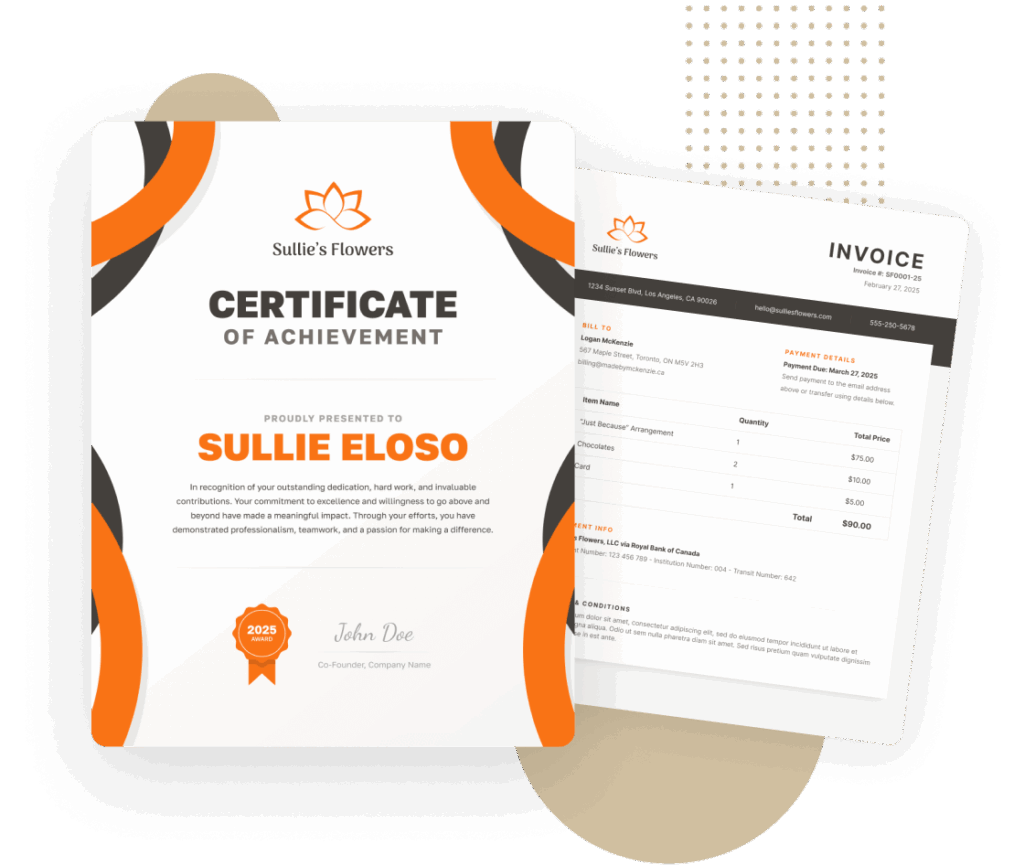
Choose from notification layouts, legal documents, applications, cover pages, tables, invoices, and certificates — all professionally designed.

40+ Themes

Apply pre-made color themes, or fine-tune every color, background, and border for a unique look.

Live Preview Editing

See changes in real time. Edit text, swap images, and insert form data with smart tags, all in a visual preview window.

Dynamic Backgrounds

Pick from pattern and gradient backgrounds that adapt to your chosen theme colors.

Advanced Controls

Change paper size, switch between portrait and landscape, restrict access by user role, or password-protect your PDFs.

Smart Conditional Logic

Control which files are generated as a PDF based on form selections and conditions.

Andy Broomhead

Verified Customer

The reason I write this today is due to the quality of the support team. They respond relatively quickly, usually within a few hours, and their assistance is detailed and practical, especially for advanced customisations. This level of support is beneficial for those who need additional help in tailoring forms to specific requirements. Overall, WPForms provides the necessary features and support to effectively enhance a WordPress site and I would (and do) recommend it to others.

The Best WordPress Drag & Drop Form Builder Plugin

Create and publish forms in minutes… What are you waiting for?

2,100+ Ready-Made Templates for the PDF Addon

  • Job Application Form
  • Legal Document Form
  • Project Proposal Form
  • Report Submission Form
  • Contract Agreement Form
  • Event Registration Form
  • Work Agreement Form
  • Payment Authorization Form
  • Certificate Request Form
  • Training Completion Form
  • Client Intake Form
  • Medical Consent Form
  • Invoice Request Form
  • Product Order Form
  • Support Ticket Form
  • Photo Contract Form

Before You Buy, Give It A Try

Take the plugin for a free spin.
No installation, no credit card, no strings attached.

PDF Addon – Frequently Asked Questions

Do you have a question about the PDF Addon? See the list below for our most frequently asked questions. If your question is not listed here, then please contact us.

What does the PDF Addon do for my forms?

It automatically creates PDF documents from form submissions. You can send them as email attachments, download them from entries, or link to them securely.

Can I customize the PDF’s look?

Yes. You can change templates, colors, fonts, images, and layout. You can also insert form data anywhere using smart tags.

How many templates and themes are included?

The addon ships with multiple PDF templates (notifications, documents, invoices, certificates, and more) and over 40 themes you can use or customize.

Will my existing forms work with the PDF Addon?

If your form collects information, it can be turned into a PDF — no changes needed.

Is it secure?

Yes. PDFs can be restricted to logged-in users, limited by role, or password-protected. Files are generated via our secure cloud service to ensure reliability.

Unlock the Full Potential of WPForms and the PDF Addon

Combine the PDF addon with other WPForms features to maximize your data management capabilities.

User Registration

Create custom WordPress user registration forms.

  • Turn sign-up forms into branded welcome PDFs.
  • Store PDFs with user profiles.
  • Send PDF agreements during onboarding.

Digital Signatures

Accept secure digital signatures on any form.

  • Add signature fields for contracts, approvals, and agreements.
  • Store signatures directly inside generated PDFs.
  • Use for legal documents or project sign-offs.

Surveys and Polls Addon

Easily create survey forms and analyze the data with interactive reports.

  • Turn survey results into formatted PDF reports.
  • Export charts and data tables directly into your PDF.
  • Keep records for compliance or presentations.
View all
🔔 Subscribe to get our latest updates
📧 Subscribe to Emails

Email Subscription

Join our Newsletter

We won’t spam you. We only send an email when we think it will genuinely help you. Unsubscribe at any time!
Integration New Feature

Airtable Addon

Send form data directly into your Airtable bases and tables the moment a form is submitted, with no Zapier in between.
Map form fields to the exact Airtable columns you want, connect different forms to different bases and tables, and watch entries appear in real time in the project tracker, CRM, or inventory base your team already works in.
Integration New Feature

Google Calendar Addon

Turn form submissions into Google Calendar events.
Map form fields to event start and end times or set a fixed duration.
Fill in the event title, description, and location with Smart Tags, enable daily, weekly, monthly, or custom recurrence, and add the submitter and other contacts as guests.
Connect several calendars and choose where each event goes, and use conditional logic to decide which submissions create events at all.
New Feature

PDF Addon

Our most requested feature ever: generate PDFs from form submissions!
Choose from seventeen templates across Notifications, Documents, Financial, and Certificates, customize in a live-preview editor with 40+ themes, your logo, decorative backgrounds, and A4, Letter, or Legal paper in portrait or landscape.
Smart Tags pull in any field’s data, PDFs can be generated only when conditions are met, and you can password-protect them or restrict access to specific user roles.
Improvement

Form Themes for Everyone

Form Styles and Themes, previously tied to the block editor and Elementor, now live inside the form builder for everyone.
Open Settings » Themes, pick from more than forty preset themes with a live preview, or build your own with custom colors and stock or uploaded background images.
No CSS, no page builder required.
Integration New Feature

Zoho CRM Addon

Send form entries straight into Zoho CRM as new contacts or leads, or update and delete existing records from a form.
Map form fields, including custom fields, to your Zoho CRM fields within WPForms.
Pass uploaded files through to CRM records, control when data is sent with conditional logic, and connect securely through Zoho’s official OAuth permissions.