









WordPress QR Code Form Plugin

Turn Every Scan Into a Submission

The WPForms QR Code allows you to generate a scannable QR code for any form, right inside your WordPress dashboard. Point it at your form’s page, download it as a PNG or SVG, and put it on anything you print.

Everything You Want in a WordPress QR Code Form Plugin

Forget standalone generators and design software. The whole job starts and ends inside the form builder you already use.

One-Click Generation

Pick a destination in your form’s settings and click Generate QR Code. That’s the whole job.

Any Page or URL

Point the code at a page picked from a list or any web address you type in.

PNG & SVG Exports

Copy or download your code as a PNG image or a true vector SVG.

Print-Ready Sizing

Codes export at a generous 1024 pixels with proper margins, sized for crisp printing.

Stale-Code Alerts

Change the destination and WPForms flags the old code before it reaches your printer.

Custom Center Logo

Keep the default mark, remove it, or upload your own on Pro and Elite plans.

Saves With Your Form

Your code stays with the form, ready to copy or download whenever you come back.

Built-In Validation

WPForms checks the destination first, so an invalid URL never becomes a printed code.

Free on Every Plan

QR codes come with every WPForms license, including WPForms Lite.

One Scannable Code for Every Counter, Flyer, and Front Desk

Wherever your audience meets you in person, a QR code puts your form one scan away.

Small Business Owners

Put a code on the counter card, the storefront window, or the box an order ships in, and every scan opens your lead or feedback form. For example, a café can drop a QR code on each table tent and collect reviews while the visit is still fresh.

Small business QR code on a counter card opening a WordPress lead form

Events & Nonprofits

Print a QR code on flyers, posters, and programs so a scan opens your registration or donation form on the spot. There’s no web address to mistype or paper signup sheet to transcribe later, which keeps your submissions flowing easily.

Event flyer QR code opening a WordPress registration form

Fitness & Memberships

A sticker by the front desk sends every prospective member straight to your signup form. Gyms, studios, and clubs put the form where people already stand, with nothing to type and nothing to remember.

Gym front desk QR code sticker linking to a membership signup form

Marketing Teams

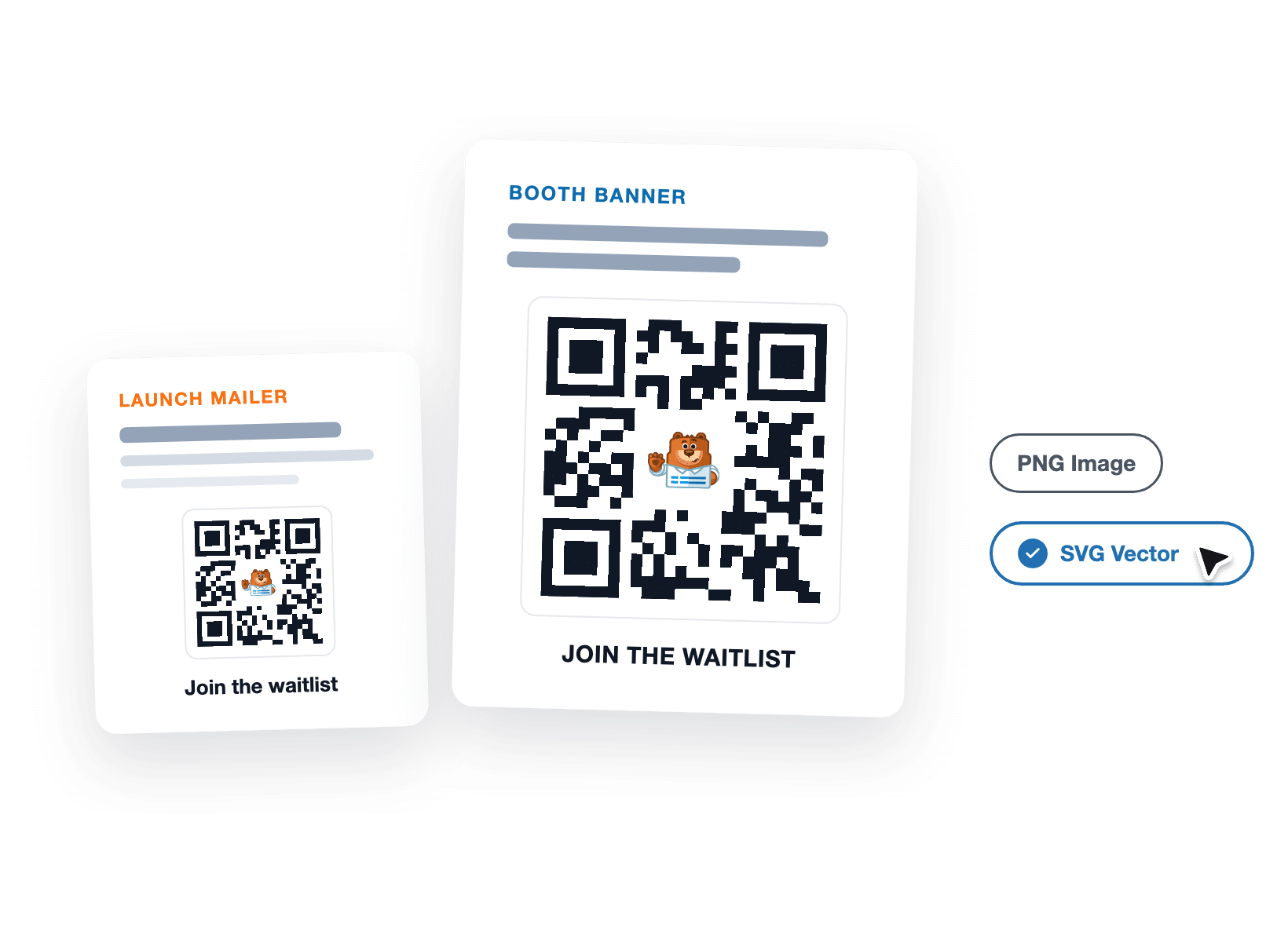
Download the PNG or SVG and drop it into mailers, handouts, and booth banners at any size. Point it at a waitlist, a survey, or a campaign page built with WPForms, and the code stays pin-sharp from postcard to poster.

Marketer scaling a print-ready SVG QR code onto a poster

Agencies & Freelancers

Skip the separate QR tool on every client install. The generator lives in the same builder as the client’s forms, and when a destination changes, the client can regenerate the code themselves.

Agency regenerating a client's WordPress QR code in the form builder

Why 5+ Million Websites Trust WPForms

Your forms live online, but your audience doesn’t. Here’s how WPForms puts a working, scannable code on anything you print.

Generate It Right Where Your Form Lives

Open your form’s settings, pick where the code should point, and click Generate QR Code. The code appears right there in the builder and saves with the form, so it’s still waiting the next time you open it. That’s the entire workflow of this WordPress QR code form plugin. No separate generator and nothing extra to buy.

WordPress QR code form plugin generating a scannable code in Form Settings
Choosing a page or custom URL destination for a WordPress form QR code

Point It at Any Page or URL

Choose one of your published form pages from a handy picker, or paste in it’s URL if you like. WPForms checks the destination before generating anything, so a broken or misspelled URL gets flagged instead of printed. Each form carries one QR code at a time, and you can change where it points whenever you need to.

Print It Sharp at Any Size

Copy and Download each offer two formats: PNG for screens and quick jobs, and SVG for serious print. The SVG is a true vector, so the same file stays crisp on a business card and on a banner. Even the PNG exports at a print-friendly 1024 pixels with a proper margin, because a code that can’t be scanned is just decoration.

Two left CTA buttons: Download, and a dark card with PNG Image and SVG Vector options; right side shows a white panel with a QR code and 'SCAN FOR EARLY ACCESS'.
Stale QR code flagged with a Regenerate QR Code button after a destination change

Never Print an Outdated Code

Change the destination and the old code fades on the spot, with a Regenerate QR Code button taking the place of Copy and Download. As a result, an out-of-date code can’t sneak onto your next print run. One click generates a fresh code for the new destination, and you’re ready for the printer again.

Make the Center of the QR Code Your Own

Every code renders a small logo in its middle, and on WPForms Pro and Elite plans that square is yours. Keep the default, remove it for a clean center, or upload your own logo straight from the WordPress media library. It’s the finishing touch that makes the QR code more look on-brand, polished, and worth scanning

QR code generator with logo in the middle showing a custom brand logo option

Turn Scans Into Submissions. It’s That Simple.

Join the 5+ million professionals who use WPForms to capture leads and entries wherever people find them.

✓ 14-Day Money-Back Guarantee ✓ Setup in Under 5 Minutes ✓ No Coding Required ✓ Used on 5,000,000 Sites

View all

Frequently Asked Questions and Resources

Have questions about WPForms QR Code? We’ve got answers.

What is WPForms QR Code?

WPForms QR Code is a built-in generator that turns any form settings into a scannable, print-ready code. Open any form, choose the page that form lives on (or paste in its URL), and WPForms creates a code you can copy or download as a PNG or SVG. It lives at the bottom of your form’s Settings under General, and there’s no separate service or account involved.

Is the WPForms QR code feature free?

Yes, WPForms QR Code is free on every plan, including WPForms Lite. Choosing a form destination, generating the QR code, and exporting it as a PNG or SVG are all included at no cost.

The only part that upgrading changes is control of the logo in the center of the QR code, which unlocks on Pro and Elite plans.

How do I create a QR code for a WordPress form?

To create a QR code for a WordPress form, open the form in WPForms, go to Settings, then General, and scroll down to QR Code.

Choose Page and pick the page your form lives on, or choose Custom URL and paste in its address, then click Generate QR Code.

The finished QR code appears right in the builder with Copy and Download buttons, all in just a few clicks. If your form isn’t on a page yet, embed it first so the code has somewhere to send people.

Where can my QR code point?

Your QR code can point at any published form page on your site, chosen from a picker, or at any web address you type.

You can send scanners to a dedicated form landing page, a signup page, or anywhere other form of your choice. Each form holds one code at a time, and you can change its destination whenever you like.

Should I download my QR code as a PNG or an SVG?

Download a PNG for screens and everyday print jobs, and an SVG when size or print quality matters.

The SVG is a true vector, so it scales from a business card to a banner without losing sharpness, while the PNG exports at a generous 1024 pixels.

Both formats are available from the Copy and Download buttons on every plan.

What happens if I change where the code points?

WPForms marks your QR code as out of date the moment the destination changes.

The preview fades, a refresh icon appears, and the buttons switch to Regenerate QR Code, so the old QR code can’t be downloaded for your next print run by accident.

One click regenerates the QR code for the new destination.

Can I put my own logo in the middle of the QR code?

Yes, on WPForms Pro and Elite plans you control the logo in the middle of the QR code.

Choose None for a clean center, keep the default WPForms mark, or upload your own image through the WordPress media library.

On other plans, including Lite, Basic, and Plus, the code renders with the WPForms logo in the center. Compare plans to unlock the logo control.

Will my QR code work with any phone?

Yes, WPForms generates standard QR codes that any modern smartphone camera can scan.

The destination opens in the visitor’s mobile browser, and every WPForms form is mobile-friendly out of the box, so the form is easy to complete on a small screen.

Where do submissions from QR code scans go?

Submissions arrive in your WordPress dashboard like any other WPForms entry, stored in your own database rather than on a third-party service.

You can view, search, and export entries whenever you need them. The QR code simply changes how people reach your form, not where your data lives.

🔔 Subscribe to get our latest updates
📧 Subscribe to Emails

Email Subscription

Join our Newsletter

We won’t spam you. We only send an email when we think it will genuinely help you. Unsubscribe at any time!
New Feature

WPForms Dashboard

Dark blue hero with a circular bear logo on the left, large headline'Introducing the New WPForms Dashboard' and an ANNOUNCEMENT badge; a dashboard mockup is visible on the right.

The WPForms Dashboard is a new home screen that opens the moment you click WPForms in your admin menu. Stat cards across the top total up your forms, entries, payments, views, and spam across the whole site.

An Entries widget charts activity over your chosen date range with a per-form table of entries, views, interactions, and conversion rate, and a payments widget totals everything collected once a gateway is connected.

With the Geolocation addon active, Top Locations ranks the countries your visitors come from, and a Suggested Next Steps panel points to features worth turning on.

Nothing to install, as it comes with every plan, including Lite!

New Feature

WPForms QR Code

Announcement banner: dark blue background with headline'Say Hello to WPForms QR Code: One Scan Opens Your Form' and a large QR code on the right.

Every form now has its own built-in QR code generator, with nothing extra to install or buy.

Open a form’s General settings, choose the page the form lives on or paste its URL, and click Generate QR Code to copy it or download it as a PNG or a print-ready SVG.

Put it on menus, packaging, event badges, or business cards, and every scan opens your form instead of a page that only hands people something to read.

Included with every plan, including Lite; Pro and Elite plans can keep, remove, or replace the WPForms logo in the center with their own.

New Feature

Ranking Field for Surveys & Polls

Announcement hero: dark blue background, bear avatar left, large'Introducing the New WPForms Ranking Field' text, and three stacked white option cards with 'Movies' highlighted.

The Surveys & Polls addon gains a Ranking field!

Instead of scoring each option separately, respondents drag options (or tap arrow buttons on a phone) into the order they prefer, so one option always has to come first.

WPForms tallies every response into a “Times at #1” count and an average rank for each option, with a chart that makes the winner obvious.

Lay options out as a vertical list or a grid, and use Image Choices or Icon Choices in place of plain text labels.

Integration New Feature Payments

Mercado Pago Addon

Introducing the WPForms Mercado Pago Addon: Card Payments Built for Latin America

The Mercado Pago addon brings on-page card payments built for Latin America to your forms.

Buyers enter their card details into secure, Mercado Pago-hosted fields inside the form, choose an installment plan, and pay in ARS, BRL, CLP, COP, MXN, PEN, or UYU without leaving your page.

An approved charge fires your confirmation, notifications, and integrations at the moment money actually moves, and full or partial refunds can be issued from WPForms » Payments.

WPForms takes no transaction fee, and it works with Quantities, Coupons, multi-page forms, Conversational Forms, Lead Forms, and Form Pages.

AI New Feature

WPForms Analytics

Dark blue hero with a bear avatar left, large WPForms v2.0 headline and a form analytics screenshot on the right.

WPForms 2.0 adds a complete form performance tracking suite inside your WordPress dashboard.

The All Forms page now shows Views, Entries, and Conversion Rate for every form, and each form gets its own analytics dashboard with views, interactions, conversion rate, abandonments, and errors over the last 7, 30, or 90 days or a custom range.

A field-by-field table shows interactions, time spent, errors, and abandonment for every field, so you can see exactly where people give up, and you can set a conversion goal to track progress.

There’s also a built-in AI chat reads your form data and tells you what is working, what is hurting conversions, and what to fix first.