
Back to school offer with a backpack and 40% discount badge

The kids are finally back to school. Here’s a 40% discount for surviving.

BUY 40% OFF 🎒

ExtraDock 5

Create more docks for macOS

A simple, lightweight way to create multiple docks on your Mac. Built for macOS 26+.

Built for Tahoe. Liquid Glass and all.

Redesigned from the ground up for macOS 26. Smoother, faster, more responsive.

ExtraDock 5 running on macOS Tahoe

Customization

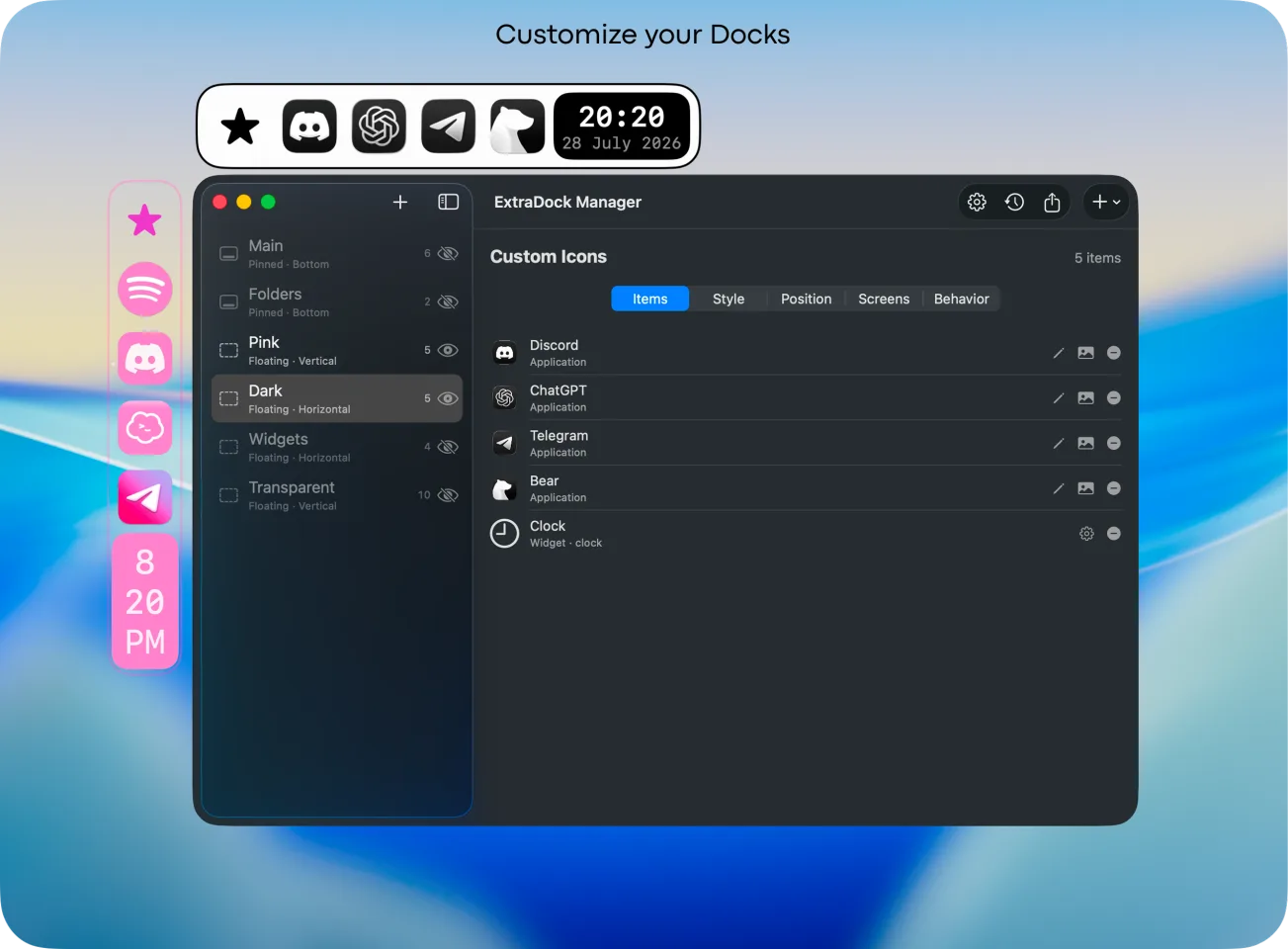
No two docks have to look alike. Style each one with its own colors, size, and personality.

  • Color themes from classic macOS to full neon
  • Solid, transparent, or Liquid Glass backgrounds
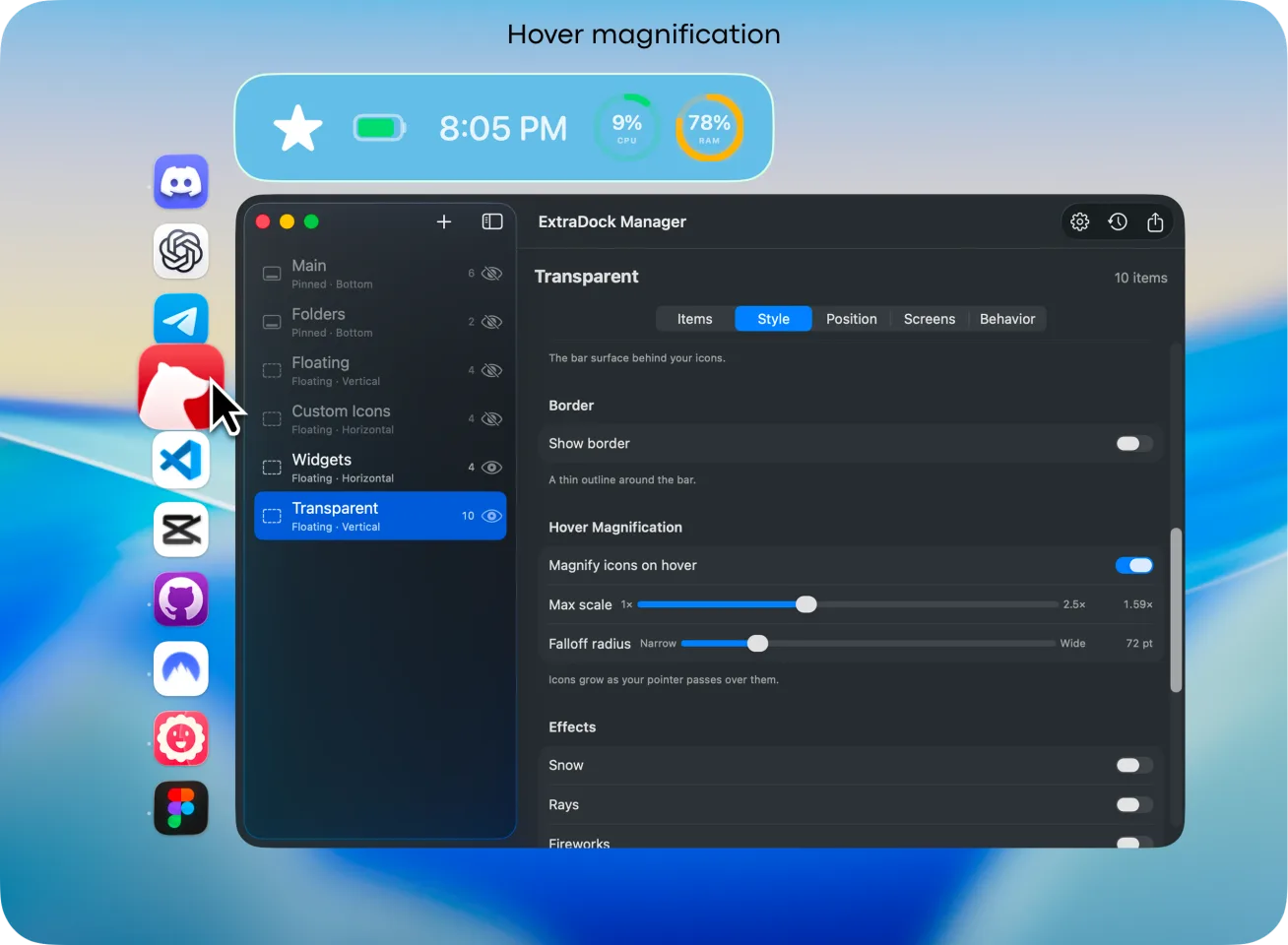
  • Adjust icon size, gaps, and dock scale
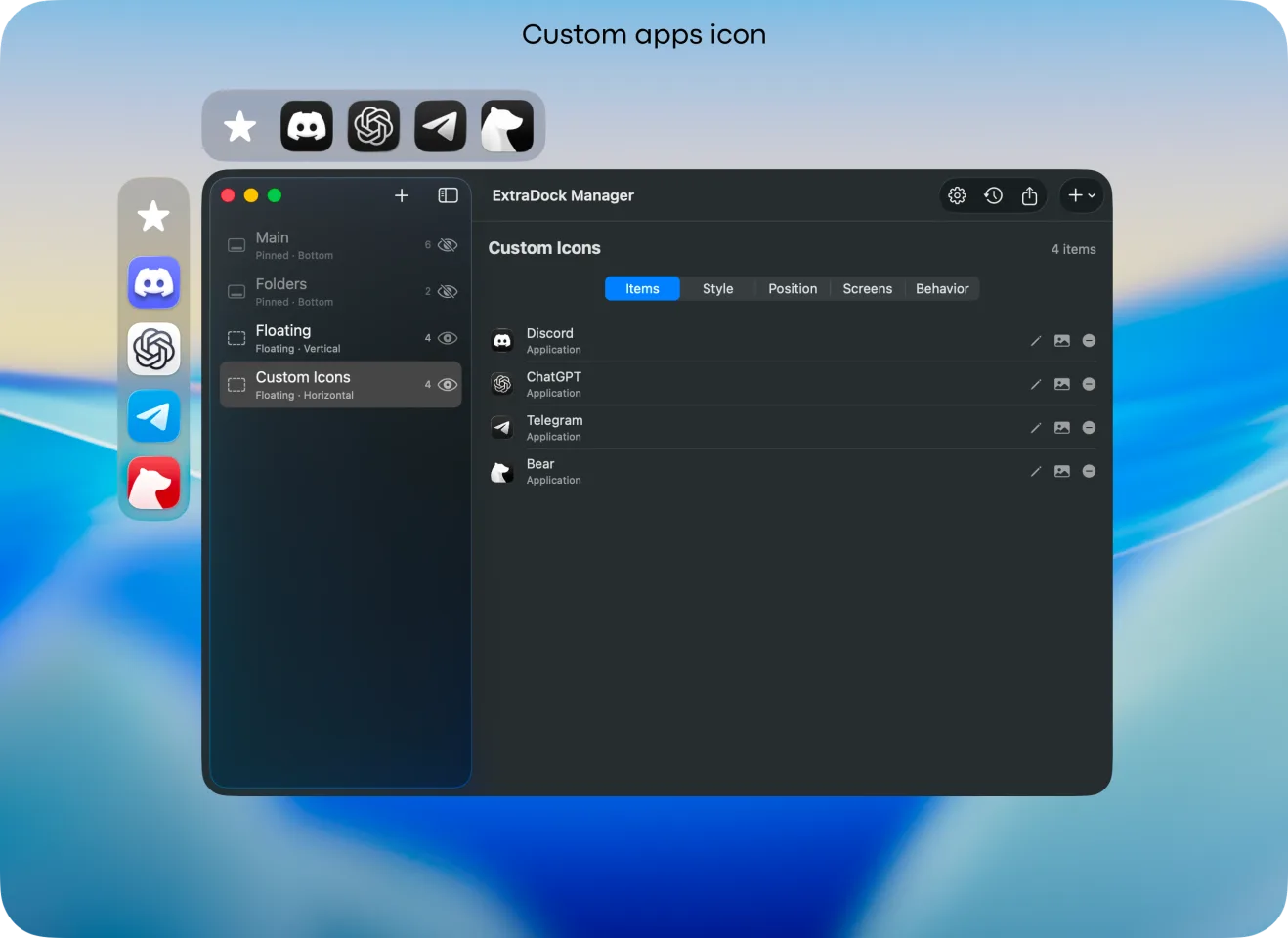
  • Give every app the custom icon it deserves

Position

Your dock doesn't have to live at the bottom. Put a dock on any screen, any edge, or let it float.

  • Snap docks to an edge or let them float anywhere
  • Go horizontal or vertical, your call
  • Assign each dock to its own screen
  • When a display disconnects, its docks hide automatically and return to their exact spot the moment it's back

Behavior

Your docks, on their best behavior. There when you need them, gone when you don't.

  • Auto-hide when not in use, reappear on hover
  • Collapse a dock into a single button
  • Hide on fullscreen, or always visible
  • Each dock has its own behavior settings

Widgets

Apps are just the start. Widgets bring your dock to life.

  • Clock, Shelf, App Folders and more
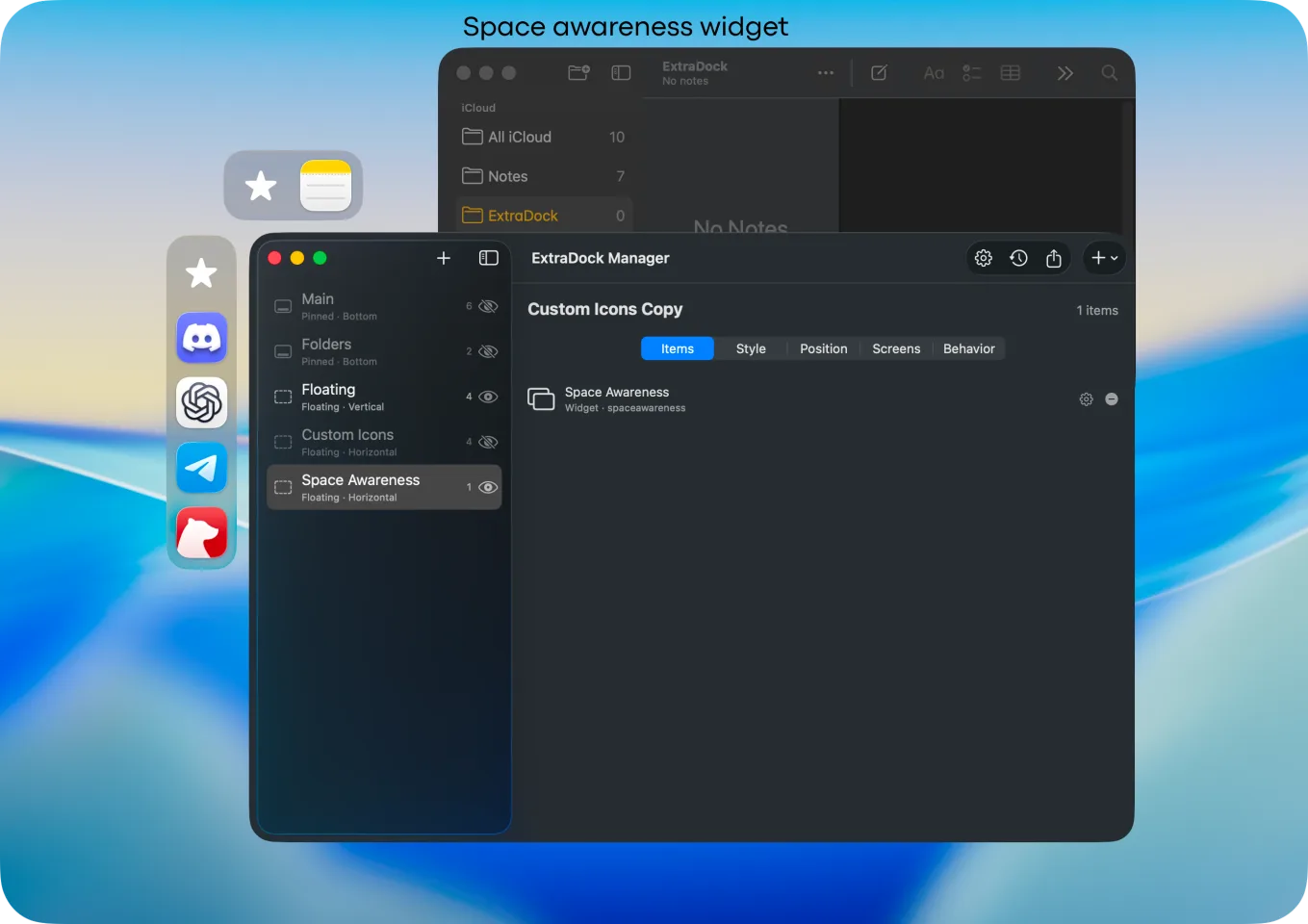
  • Docks that know which Space you're in and what's running
  • Drag and drop files into folders, right from your dock
  • Meet TamaDocky. Your dock has a pet now.

Some more details…

Image

Live Dock

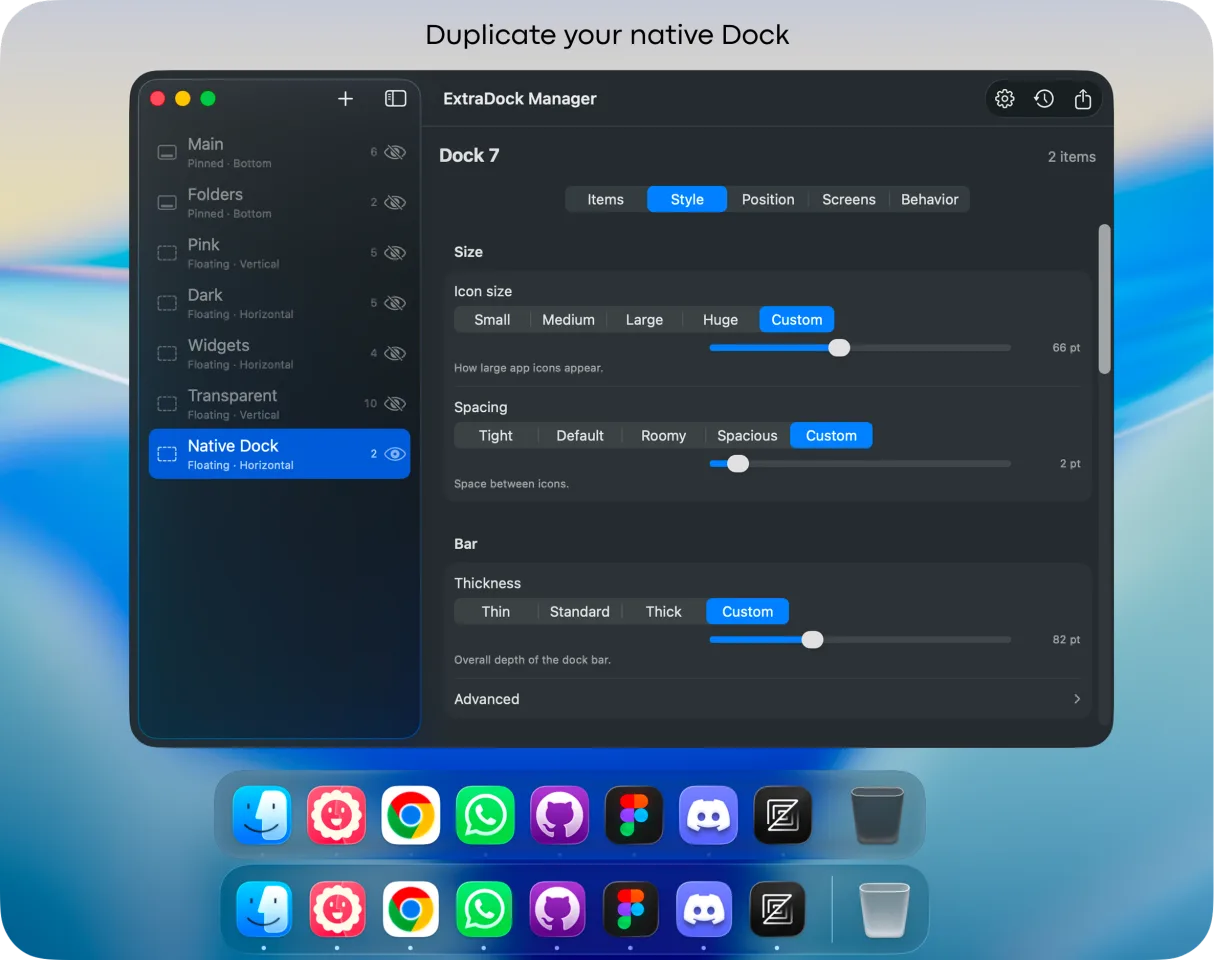
Mirror your native macOS Dock on any screen using the Live Dock widget. Finally, every screen has a dock.

Image

Display awareness

Attach a dock to a specific display. It stays where it belongs, even after you unplug and reconnect.

Image

Collapse mode

Shrink any dock into a single button. Expand it with a hover or a click.

Image

Drag & Drop

Drag files into folders, or drop a folder onto your IDE to open a project.

Image

App icon customization

Some app icons just don't fit. Replace them with ones that do.

Image

Your ideas, our code

Over 90% of ExtraDock's features came from user requests. Yours could be next.

5:00 Pomodoro

Get ExtraDock
and explore the whole widget collection

BUY 40% OFF 🎒

See it in action

Real screenshots from the app

ExtraDock duplicating the native macOS Dock ExtraDock custom dock layouts and icons ExtraDock hover magnification settings ExtraDock space awareness widget ExtraDock custom app icons

Wall of Love

Don't take our word for it… Take theirs

Extradock has enjoyed, and will continue to enjoy, my rave support. When it comes to creating multiple docks, there is no other app that not only does this but also adds a massive amount of functionality. If your aim is countless docks, there are options. If your aim is countless docks with incredible customisation and placement anywhere on screen, there is only Extradock that has created this functionality and continues to lead the way. I fully endorse this app.

Just bought the app and I'm loving it so far! I already found the Effects section where you can add things like snowflakes or fireworks as background animations — great feature!

Didn’t know this app existed, I’m using two monitors (one for figma and indesign, and the 2nd monitor for entertainment like youtube and spotify) so this docks will help to organize my main app that I’m using frequently. Thank you! 🙏

wow this looks crazy powerful. had no idea you could this. Kudos!

I love this app so much! I'm using it like a launcher. I group my apps into ctegories and put many docks on my desktop.

Congrats on releasing the new update! Looks great :)

Really hyped to follow along this journey! :D Every time I open my app updater and spot ExtraDock, I get super excited because legit every single time there's something made smoother or generally better, and because I use the extra docks (ha) all the time, it's super noticeable. Really appreciate all the hard work and again, really excited for what's to come! ❤️✨

I did not realise there was an update until two days ago, and again I was left incredibly impressed. I absolutely love all the new features.

ExtraDock is my favorite launcher/switcher to use when I am remoted into my mothership machine. It makes things manageable when I am trying to use 27-inch displays via a 15-inch MBA.

This is a great solution to a problem that drives me nuts. The worst for me is when I accidentally get the Dock from my MBP onto the secondary display and have to get it back down on the MBP. Awesome app idea

Another excellent update to an already amazing app from a company that does customisation incredibly well. Thinking about trying the app, take it for a test run - I have been very impressed.

Pricing

40% OFF LIFETIME

One Year License

$14.99

Tax might apply

  • Image One year access for 1 Mac
  • Image One year of updates
  • Image 14-day money-back guarantee
1 Device - $14.99

Forever Edition

$116.50

$69.90

Tax might apply

  • Image Forever access up to 5 Macs
  • Image Forever Updates
  • Image All future app versions
  • Image 14-day money-back guarantee
BUY 40% OFF 🎒

Standard Lifetime licenses include one year of updates and keep working forever.
Renewal is optional at $9.99 per year. Forever Edition includes all future updates for life.

The 3-in-1 productivity bundle

ExtraBar brings custom actions to your menu bar.

DockFlow switches your Dock for every workflow.

Explore the Bundle

ExtraBar
ExtraDock
DockFlow

FAQ

Is ExtraDock a subscription? Image
No. ExtraDock is a one-time purchase. Standard Lifetime licenses include one year of new features and updates, while Forever Edition includes all future updates for life.
What happens after my first year of updates? Image
Standard Lifetime licenses keep working forever on every version released during the included update window. Access to later updates may be extended separately. Forever Edition includes all future updates for life.
Can I extend access to future updates? Image
Yes. A separate update extension will be available later through the Appit Dashboard. It will extend update access without changing your permanent ownership of ExtraDock.
Do existing ExtraDock customers keep lifetime updates? Image
Yes. Purchases completed before 1 September 2026 at 00:00 (midnight) Europe/Sofia time (EEST, UTC+3) retain lifetime updates under their original terms. Standard Lifetime purchases completed at or after that cutoff include updates released during the 12 months following purchase, while Forever Edition includes all future updates for life. A purchase is completed when Stripe confirms successful payment. Existing lifetime-update customers do not need to do anything.
Can macOS show the Dock on all screens? Image
Not natively. macOS only shows one Dock, on one screen at a time. ExtraDock fixes that. It can show the Dock on all screens, or give each monitor its own custom dock.
What makes ExtraDock different from other dock apps? Image
ExtraDock gives you multiple lightweight docks that you can pin anywhere across your screens. Use it as an add-on to your native Dock, or go all-in and replace it entirely. It's up to you.
Can ExtraDock replace the native macOS Dock? Image
Yes. ExtraDock works independently of the native Dock, so you can use both side by side or hide the native Dock and let ExtraDock take over. It's designed to fit however you work.
What macOS versions does ExtraDock support? Image
ExtraDock 5 supports macOS 26 Tahoe and later. On macOS 12 through 15, use ExtraDock 4, the previous generation that remains fully supported.
Do resized windows respect ExtraDock like they do the native Dock? Image
Yes. ExtraDock has a setting that ensures resized and maximized windows respect your docks and won't cover them.
Are Extra Docks customizable? Image
Yes. You can choose from a variety of both visual and behavioral customizations: colors, effects, opacity, borders, custom app icons, as well as auto hide/show, hide on full screen, and more.
Can ExtraDock show notification badges? Image
Partially. macOS does not provide a way to read badges for Apple apps such as Mail and Messages, so those cannot be shown. Third-party apps like Slack and WhatsApp work as expected.
Does ExtraDock work with docking stations and DisplayLink monitors? Image
Yes, with limitations. ExtraDock docks can be attached to a specific screen, so they appear when that screen connects and hide when it disconnects. This relies on macOS identifying each display consistently. DisplayLink monitors and displays connected through docking stations or daisy chains can behave inconsistently, especially after sleep or replugging, which can affect screen recognition.
What are the Live Dock and Dock Awareness widgets? Image
Live Dock mirrors your native macOS Dock on any screen, either your full Dock or just running apps. Dock Awareness shows only the apps running in your current Space and updates as you switch. Both update dynamically.

Ready for your ExtraDocks?

Don't hesitate, we have a 14-day money-back guarantee.

BUY 40% OFF 🎒