Search the Community
Showing results for tags 'block'.
Found 17 results
-

Version 1.2.2
941 downloads
NoEscape stands out as a robust solution to control rust players raiding & combat actions. As an innovative plugin for Rust, offering a range of unique features along with a visually appealing overlay. It provides 10 different colors for customization and a visible dome adjuster, enhancing user interaction. This plugin is designed to deliver optimal performance while maintaining backward compatibility with the free NoEscape from umod ensuring a smooth transition. Features Twig Building Ignorance: The plugin intelligently ignores twig buildings, preventing griefers from exploiting the raid/combat block system during simple base construction. Door Shooting Logic: Shooting a door outside the predefined radius won't trigger a raid block, even if the door is destroyed. Reliability and Compatibility Reload Behavior: Reloading NoEscape clears all existing raid/combat blocks. Team and Clan Support: Compatible with Teams & Clans, especially beneficial when used with the Auto Team plugin(umod clans). Removal Tools Support: Fully compatible with remove tools within the game or plugins. Command Blocking: Offers optional command blocking. Commands can be specified to block only for raids ("shop": 1) or combat ("shop": 2), or both ("shop": 3). Health/Regen Logic for Raids: Optional feature to manage health and regeneration of building blocks during raids / base building. Sound Effects: Option to include sound effects for enhanced user experience. UI System: Implements a user interface specifically for raid & combat scenarios that includes complete customization support. Hud Preset Positions: ( 0 Left Top | 1 Left Bottom | 2 Right Top | 3 Right Bottom | 4 Custom ) Combat-Blocking Logic: Combat-blocking is only active when not in a raid-blocked state. This not only saves on performance but also improves the gameplay experience. Raid-Block Self-Ignorance: Prevents raid-blocking on one's own buildings. MLRS Support: Yes, but only the vanilla ones launched by the vehicle on the map are supported, 3rd party plugins are not. Fire Damage Logic: If a wooden (but not twig) base takes fire damage, it triggers a raid. Damage Source Ignorance: Ignores non-player damage and buildings set to owner ID 0 by third-party plugins. Visual Enhancements: Color Support for Spheres: Adds color customization options for the visible spheres. Visualization Level Setter: Allows users to set the level of visualization for easier navigation and interaction. In conclusion, NoEscape provides a comprehensive and robust solution for Rust players, offering a blend of unique features, compatibility, and visual enhancements to elevate the gaming experience. Permissions noescape.combatblock.ignore <now ignores players from being combat blocked> noescape.raidblock.ignore <now ignores players from being raid blocked & becoming combat blocked when leaving a raid-zone> noescape.admin Allows you to use the console / F1 command "newcolor" for changing the Raid overlay settings in game. Also allows you to use the console / F1 command "noescape" for allowing to raid your self or trigger combat block on npcs. Command /blocked -- shows the remaining time of your combat block or raid block in chat. newcolor <1-10> <0-8> -- first number is the color setting, second number is the sphere darkness level. noescape or noescape steamID Need to trigger raids on your self or combat block for NPCs? For testing! Use the new noescape command! Example: F1 menu Type "noescape" in game to toggle for your self. Example: F1 menu or server-console Type "noescape steamID" to toggle for someone else. Requires the noescape.admin perm to use in game. Configuration { "Specify commands to block ( 3 = Block Both | 1 = Block Raid | 2 = Block Combat )": { "shop": 3, "kill": 3, "tp": 3 }, "Combat Block": { "Enable Combat Block For Shooter": true, "Enable Combat Block For Being Shot": true, "Block Time (Seconds)": 60, "Damaged Health Percentage on a player to trigger combat block (0 = disabled)": 0 }, "Raid Block": { "Enable Raid Block?": true, "Allows Raid Block to trigger for your own stuff.": false, "3rd party plugin Raid-Protection GetProtectionPercent to trigger a raid. Example: 50 means at 50% protection it will trigger a raid zone-bubble.": 50, "Raid Block player until death instead of distance checks or zones. + 'Optional' timer setting in seconds Default: 0.0 = disabled.": { "Die": false, "Time": 0.0 }, "Block Time (Sec)": 300.0, "Block Radius": 100.0, "Damaged Health Percentage on an entity to trigger a raid (0 = disabled)": 0, "Sphere Visibility (Recommend 3 or 5, 0 = disabled)": 3, "Sphere Color (0 = none, 1 = Blue, 2 = Cyan, 3 = Green, 4 = Pink, 5 = Purple, 6 = Red, 7 = White, 8 = Yellow, 9 = Turquoise, 10 = Brown)": 6, "Sphere generation speed, how fast the bubble grows Default: 10f, max 100f": 10.0, "Enable Random Sphere Colors? (Randomly selects a new color each time a raid block is triggered)": false, "Allow Upgrade or Block?": true, "Override facepunches default repair wait time after being attacked? Default: 30sec": 30, "Enable Base Building Block Features": true, "Apply Combat Blocking when leaving a raid zone": true }, "User Interface": { "Enable uMods UI: Not Configurable.": false, "RaidGUI": { "Enable Raid UI": true, "Item ID Default: 1248356124, 0 = None": 1248356124, "Skin ID: Default 0": 0, "Switch to sprite instead of Icon": false, "Sprite Default: assets/icons/explosion.png": "assets/icons/explosion.png", "Sprite Color Default: 0.95 0 0.02 0.67": "0.95 0 0.02 0.67", "Hud Preset Positions: ( 0 Left Top | 1 Left Bottom | 2 Right Top | 3 Right Bottom | 4 Custom )": 0, "Hud Transparency Default: #, 0.1f": { "Hex": "#", "Rgb": "0 0 0 0.1" }, "Text Color Default: #09ff00": { "Hex": "#09ff00", "Rgb": "0.0352941176470588 1 0 1" }, "Text Font Size Default: 13": 13, "Hex or RGB toggle: Default is Hex": true, "Custom UI POS: Key is anchorMin | Value is anchorMax": { "Hud": { "Key": "0.345 0.11", "Value": "0.465 0.14" }, "Icon": { "Key": "0 0", "Value": "0.13 1" }, "Text": { "Key": "0.15 0", "Value": "1 1" } } }, "CombatGUI": { "Enable Combat UI": true, "Item ID Default: 1545779598, 0 = None": 1545779598, "Skin ID: Default 0": 0, "Switch to sprite instead of Icon": false, "Sprite Default: assets/icons/bullet.png": "assets/icons/bullet.png", "Sprite Color Default: 0.95 0 0.02 0.67": "0.95 0 0.02 0.67", "Hud Preset Positions: ( 0 Left Top | 1 Left Bottom | 2 Right Top | 3 Right Bottom | 4 Custom )": 0, "Hud Transparency Default: #, 0.1f": { "Hex": "#", "Rgb": "0 0 0 0.1" }, "Text Color Default: #09ff00": { "Hex": "#09ff00", "Rgb": "0.0352941176470588 1 0 1" }, "Text Font Size Default: 13": 13, "Hex or RGB toggle: Default is Hex": true, "Custom UI POS: Key is anchorMin | Value is anchorMax": { "Hud": { "Key": "0.345 0.11", "Value": "0.465 0.14" }, "Icon": { "Key": "0 0", "Value": "0.13 1" }, "Text": { "Key": "0.15 0", "Value": "1 1" } } } }, "Building (None = Doors, VendingMachine, ShopFront, Barricades)": { "None": { "Raid Blocked Building Spawned Health Percentage": 35, "Health Regen Rate (Sets how fast it gens the health every x(Sec)": 1.0, "Regen Amount (0 = Disabled Sets how much to regen every x(Sec)": 20.0, "After Being Attacked Regen Time (Sec)": 30.0 }, "Twigs": { "Raid Blocked Building Spawned Health Percentage": 10, "Health Regen Rate (Sets how fast it gens the health every x(Sec)": 1.0, "Regen Amount (0 = Disabled Sets how much to regen every x(Sec)": 1.0, "After Being Attacked Regen Time (Sec)": 30.0 }, "Wood": { "Raid Blocked Building Spawned Health Percentage": 20, "Health Regen Rate (Sets how fast it gens the health every x(Sec)": 1.0, "Regen Amount (0 = Disabled Sets how much to regen every x(Sec)": 20.0, "After Being Attacked Regen Time (Sec)": 30.0 }, "Stone": { "Raid Blocked Building Spawned Health Percentage": 30, "Health Regen Rate (Sets how fast it gens the health every x(Sec)": 1.0, "Regen Amount (0 = Disabled Sets how much to regen every x(Sec)": 25.0, "After Being Attacked Regen Time (Sec)": 30.0 }, "Metal": { "Raid Blocked Building Spawned Health Percentage": 40, "Health Regen Rate (Sets how fast it gens the health every x(Sec)": 1.0, "Regen Amount (0 = Disabled Sets how much to regen every x(Sec)": 30.0, "After Being Attacked Regen Time (Sec)": 30.0 }, "TopTier": { "Raid Blocked Building Spawned Health Percentage": 50, "Health Regen Rate (Sets how fast it gens the health every x(Sec)": 1.0, "Regen Amount (0 = Disabled Sets how much to regen every x(Sec)": 40.0, "After Being Attacked Regen Time (Sec)": 30.0 } }, "Upgrading only works for BuildingBlocks": { "Twigs": { "Raid Blocked Upgrading Spawned Health Percentage": 10, "Health Regen Rate (Sets how fast it gens the health every x(Sec)": 1.0, "Regen Amount (0 = Disabled Sets how much to regen every x(Sec)": 1.0, "After Being Attacked Regen Time (Sec)": 30.0 }, "Wood": { "Raid Blocked Upgrading Spawned Health Percentage": 20, "Health Regen Rate (Sets how fast it gens the health every x(Sec)": 1.0, "Regen Amount (0 = Disabled Sets how much to regen every x(Sec)": 20.0, "After Being Attacked Regen Time (Sec)": 30.0 }, "Stone": { "Raid Blocked Upgrading Spawned Health Percentage": 30, "Health Regen Rate (Sets how fast it gens the health every x(Sec)": 1.0, "Regen Amount (0 = Disabled Sets how much to regen every x(Sec)": 25.0, "After Being Attacked Regen Time (Sec)": 30.0 }, "Metal": { "Raid Blocked Upgrading Spawned Health Percentage": 40, "Health Regen Rate (Sets how fast it gens the health every x(Sec)": 1.0, "Regen Amount (0 = Disabled Sets how much to regen every x(Sec)": 30.0, "After Being Attacked Regen Time (Sec)": 30.0 }, "TopTier": { "Raid Blocked Upgrading Spawned Health Percentage": 50, "Health Regen Rate (Sets how fast it gens the health every x(Sec)": 1.0, "Regen Amount (0 = Disabled Sets how much to regen every x(Sec)": 40.0, "After Being Attacked Regen Time (Sec)": 30.0 } }, "Sound Effects": { "RaidStart": "assets/bundled/prefabs/fx/takedamage_hit.prefab", "CombatSart": "assets/bundled/prefabs/fx/kill_notify.prefab", "RaidEnd": "assets/prefabs/building/door.hinged/effects/vault-metal-close-end.prefab", "CombatEnd": "assets/prefabs/building/door.hinged/effects/vault-metal-close-end.prefab", "Denied": "assets/prefabs/weapons/toolgun/effects/repairerror.prefab" }, "Message Responses": { "ChatIcon": 0, "RaidBlocked": "You are now <color=#00FF00>raid blocked</color>! For <color=#00FF00>{0}</color>!", "UnRaidBlocked": "You are <color=#00FF00>no longer</color> raid blocked.", "CombatBlocked": "You are <color=#00FF00>combat blocked</color> For <color=#00FF00>{0}</color>.", "UnCombatBlocked": "You are <color=#00FF00>no longer</color> combat blocked.", "CommandBlocked": "Access Denied: Cannot use <color=#FFA500>'{0}'</color> command during <color=#FFA500>{1}</color>: <color=#FFA500>{2}</color>", "ActionBlocked": "Denied: Cannot <color=#FFA500>{0}</color> while <color=#FFA500>raid blocked</color>", "RepairBlocked": "Unable to repair: Recently damaged. Repairable in: ", "CmdBlocked": "Raidblocked: for {0}\nCombatblocked: for {1}", "CmdNotBlocked": "You're not Blocked" } } API Hooks Useful to force quit 3rd party plugin actions when players trigger Combat/Raid Blocks. private void OnCombatBlock(BasePlayer player) private void OnRaidBlock(BasePlayer player) Useful for checking commands, etc, before allowing a player to do something private bool IsCombatBlocked(BasePlayer player) | IsCombatBlocked(string player) | IsCombatBlocked(ulong player) private bool IsRaidBlocked(BasePlayer player) | IsRaidBlocked(string player) | IsRaidBlocked(ulong player) private bool IsEscapeBlocked(BasePlayer player) | IsEscapeBlocked(string player) | IsEscapeBlocked(ulong player)$24.99 -
Version 2.1.13
996 downloads
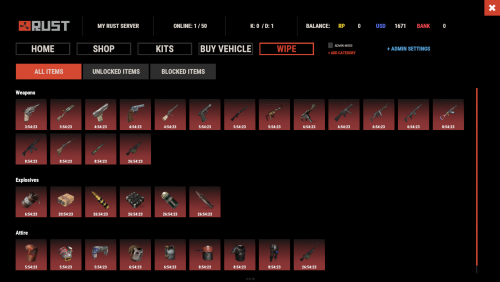
Introducing WipeBlock, the essential Rust server management plugin that allows you to control which items players can access at different stages after a server wipe! Create a balanced progression system that prevents early access to powerful weapons, explosives, and high-tier gear, ensuring a fair and enjoyable experience for all players during the critical early-game phase. ️ Features of WipeBlock Elegantly prevents access to high-tier items for configurable time periods after a server wipe Customizable categories for Weapons, Explosives, and Attire with independent timers Beautiful user interface showing players which items are currently blocked and when they will unlock Visual gradient system to indicate how much time remains until an item becomes available Seamless integration with ServerPanel for easy access Compatible with Notify plugin for player notifications when items are blocked On-screen indicator showing when blocked items are about to unlock Permission system to allow VIPs or admins to bypass item restrictions Notification system for players when items become available Handles all item interactions - equipping, moving, reloading weapons, etc. Automatic monitoring of player inventories to enforce restrictions Multiple UI templates (Fullscreen, ServerPanel V1, ServerPanel V2) Commands /block or /wipeblock - Open the WipeBlock menu to view blocked items and timers wb.indent [seconds] - Admin command to adjust the time indent from the wipe date Permissions WipeBlock.ignore - Allows players to bypass the WipeBlock restrictions WipeBlock.unlocknotify - Players with this permission receive notifications when items unlock Showcase Fullscreen Template ServerPanel V1 Template ServerPanel V2 Template On-Screen Indicator TEST SERVER Join our test server to experience WipeBlock and our other plugins in action! Copy the IP Address below to start playing! connect 194.147.90.239:28015 Developer API WipeBlock provides a developer-friendly API for integration with other plugins: bool AnyBlocked() - Checks if any items are currently blocked int SecondsFromWipe() - Returns the number of seconds since the wipe (adjusted by time indent) bool IsBlocked(ItemDefinition def) - Checks if a specific item definition is blocked bool IsBlocked(string shortName, ulong skin = 0) - Checks if an item with the specified shortname and skin is blocked int LeftTime(string shortName, ulong skin = 0) - Returns the remaining time in seconds until the specified item unlocks Hooks WipeBlock provides the following hooks that other plugins can subscribe to: void OnWipeBlockEnded() - Called when all items have been unblocked Example usage in your plugin: private void OnWipeBlockEnded() { // Execute code when all WipeBlock items are unlocked Puts("All items have been unblocked!"); // Perhaps enable your PVP plugin or other game-changing features } FAQ Q: How do I configure which items are blocked and for how long? A: In the WipeBlock.json configuration file, you can define categories (Weapons, Explosives, Attire, etc.) and set time periods in seconds for each item. For example, setting "3600" means the item will be blocked for 1 hour after wipe. Q: Can players still find these items in-game during the block period? A: Yes, players can still find or loot these items, but they cannot equip, use, or place them in their hotbar until the block period expires. The items will automatically move to their main inventory. Q: Does this plugin affect all players equally? A: By default, yes. However, you can grant the "WipeBlock.ignore" permission to specific players or groups to allow them to bypass the restrictions. Q: How will players know which items are blocked? A: Players will see notifications when they try to use blocked items. Additionally, they can use the /block command to view a complete list of blocked items and their remaining time until unlocking. Q: Can I adjust the timers during a running wipe? A: Yes, administrators can use the /wb.indent command to adjust the time indent, effectively changing when items will unlock. Q: Does WipeBlock work with modded or custom items? A: Yes, you can add any item to the configuration using its shortname and skin ID. Q: How do I add WipeBlock to the ServerPanel menu? A: Follow these simple steps: 1. Open ServerPanel menu in-game and click "+ADD CATEGORY" button 2. Set these exact parameters: Type: Plugin Plugin Name: WipeBlock Plugin Hook: API_OpenPlugin 3. Click "SAVE" button to create the category$21.95- 48 comments
- 1 review
-
- 4
-

-

-
- #wipeblock
- #auto wipe
- (and 7 more)
-

Version 1.1.3
121 downloads
One banlist. Every server covered. A complete, database-backed ban system for Rust. One banlist for your whole network, enforced at the loading screen, managed from a real in-game panel. /ban <name|steamid> [duration] [reason] Issue a real ban that follows the player across the network. Standalone by default No dependency required. The panel is optional. Commands, enforcement and storage work with nothing else installed. PowerfulAdmin only adds the in-game ban management panel. Start with the ban system you need now, then add the panel when your staff needs it. 01 - One banlist for the network Your own database. Not a text file waiting for a wipe. Run SQLite with zero setup, or point every server at MySQL or MariaDB when you need shared enforcement. A ban issued on one server applies on all of them instantly. SQLite first, shared storage later Bans live in SQLite with no setup, or in MySQL/MariaDB when your servers need the same records. Stopped before spawn Banned players are rejected during the connection handshake. No join-then-kick flash in the world. 02 - In-game management A real panel. Not another chat command. With PowerfulAdmin installed, a dedicated Bans section appears in Tools. Search, page, ban, extend and unban without leaving the UI your staff already knows. Search and act with context Pick a player, add a reason and duration, keep an internal comment, or extend an existing ban. Player card history Ban state and history sit on the PowerfulAdmin player card alongside Steam VAC and game ban status. 03 - Duration format Fast to type. Easy to scan. Expired bans are lifted lazily on the next check, so there is no sweep task burning server time. Anything that fails to parse falls back to a permanent ban. perm, 0, empty permanent 30 a plain number is MINUTES 45s · 90m · 2h · 1d seconds · minutes · hours · days 1d12h compound duration 1d2h30m combine freely, evaluated left to right 04 - Commands and permissions Console or chat. The same banlist either way. RCON and the server console run unrestricted. A player running the command needs the listed permission. Chat /ban <name|steamid> [duration] [reason] powerfulbans.ban /unban <name|steamid> powerfulbans.unban /baninfo <name|steamid> powerfulbans.view or .ban Console pb.ban <name|steamid> [duration] [reason] powerfulbans.ban pb.unban <name|steamid> powerfulbans.unban pb.info <name|steamid> powerfulbans.view pb.list [page] powerfulbans.view pb.migrate <sqlite|mysql> server console only 05 - Storage migration Start small. Move without losing a ban. A new server can start on SQLite with zero setup. When it grows into a network, move to a shared MySQL database later without losing a single ban. pb.migrate <sqlite|mysql> Run it from the server console to move the whole ban database between backends. It copies bans, history and cached Steam data, verifies row counts, then switches storage and saves the config. It refuses to begin when another migration is running, and does nothing when the target is already the current backend. Built for the bad day. Clear failures, useful controls. Configure SQLite or MySQL storage, broadcast settings, Steam ban checking with a recent-ban kick threshold, and reason templates shared with PowerfulAdmin. English and Russian ship with the plugin, including the loading-screen rejection text. If the database is unreachable, bans are refused with a clear message and the broken connection is reported on startup. 06 - Developer API Issue a real ban. Not just a kick. Anti-cheat plugins, report systems and chat filters can drive PowerfulBans directly. Every call is guarded and behaves identically on Oxide and Carbon. [PluginReference] private Plugin PowerfulBans; private bool BansReady() => PowerfulBans != null && PowerfulBans.Call("API_IsReady") is true; object API_IsReady() True when the database is connected and the schema is ready. Reads and writes are rejected while it is not ready. object API_Ban(string steamId, string name, string duration, string reason, string by, string comment = "") Written asynchronously. Invalid IDs return false; existing bans are never silently overwritten; an online target is kicked immediately. The comment is internal and never shown to the banned player. object API_Unban(string steamId, string by) Asynchronous. by defaults to "Server" and the call is a no-op when the player is not banned. object API_IsBanned(string steamId, Action<bool> callback) The result arrives through the callback, not the return value. The query also lazily expires temporary bans that have run out. void OnPowerfulBanAdded(...) void OnPowerfulBanRemoved(...) Added fires for new bans. Removed fires only on an explicit unban from a command, the UI or API_Unban, not when a temporary ban expires. PowerfulBans?.Call("API_Ban", steamId.ToString(), "Cheater", "perm", "Aimbot detected", "AntiCheat"); PowerfulBans?.Call("API_Ban", steamId.ToString(), "Player", "7d", "Toxic in chat", "ChatGuard", "3rd warning");$12.99 -

Version 1.0.1
472 downloads
Prevents spamming of chat & console commands perfect for players abusing plugins excessively! Includes Debugging issues for any configuration mishaps! Example of adding GUIShop: "Add commands to block ( Must be lowercased do not add the slash! / ) ( 3 = Block Both | 1 = Block Chat | 2 = Block Console )": { "shop": 3, "shop.buy": 2, "shop.sell": 2, }, ## Configuration { "Add commands to block ( Must be lowercased do not add the slash! / ) ( 3 = Block Both | 1 = Block Chat | 2 = Block Console )": { "command": 3 }, "Sets the time between command usage": 3.0, "Sets the max accumulated cooldown time limit before kicking the player if they keep trying to spam": 120.0, "Exclude players from being blocked ( Add their steam 64 id's to the list )": [ 4678678647, 4678678678 ], "Message Responses": { "( Chat Icon ) Just insert a valid steam 64 ID to set": 0, "CommandBlocked": "You are on command cooldown, try again in {0} seconds", "KickReason": "Kicked for excessive command spam!" } }Free -

Version 0.0.20
851 downloads
This plugin removes the sending of map markers through the API, which prevents users from using services such as RustLink from tracking when cargo, crates, heli, or other things spawn or despawn from the map. This plugin uses Harmony. Follow the instructions on https://umod.org/guides/oxide/disabling-plugin-sandboxing to disable plugin-sandboxing and enable Harmony. This should block the functionality of: Abused tracking of Vending Machines Abused tracking of the Bradley APC Abused tracking of Oil Rig Crates Abused tracking of Helicopters Abused tracking of Chinooks Abused usage of the Team Chat via 3rd Parties This plugin also allows for the specific blocking/unblocking of: -Explosion Markers (Downed Heli Locations, etc) -Vending Machine Markers -Patrol Helicopter Marker -Crate Location Marker -CargoShip Marker -Chinook Marker -Player Markers Edit the boolean values within the plugin to toggle the above markers.Free- 7 comments
- 1 review
-
- 4
-
-
-
- #rust plus
- #block
- (and 3 more)
-
Version 0.1.0
23 downloads
What is it? Zone Command Blocker is a tool which prevents using specific commands (in data folder) in specific zones Permissions: zonecommandblocker.bypass - None of your command will be blocked in any zone zonecommandblocker.clear - Access for the /zcb.clear command Commands: /zcb.clear - Clears/wipes the data folder which contains zones with saved permissions etc.. Features: Zone Command Blocker will make your life easy and will on load take all zones and add them into it's data file where you can just add blocked commands Multiple blocked commands - Supports multiple blocked commands for specific zone Data file: Data of all reports and staff's statistics are being saved into a data file. Path: Your_Server\oxide\data\ZoneCommandBlocker\ZoneCommandBlocker.json Localization: { "CommandBlocked": "This command cannot be used in zones!", "DataFileClear": "Cleared data folder" }$4.99 -
Version 1.2.2
32 downloads
Allows you to restrict specific actions in TC areas to authorized players only. Permissions tczonerestriction.use - Use the plugin. tczonerestriction.bypass - bypass the restrictions Configuration { "Blocked Actions in Building Blocked Zone": { "Farming Trees": false, "Mining Ores": false, "Building": false, "Looting": false, "Crafting": false, "Collectible Pickup": false, "Dropped Items/Entities Pickup": false, "Damaging Entities": false, "Damaging Players": false, "Vehicles Interaction": false }, "Extended TC Radius (0 to use default TC range)": 0.0, "Deal Damage to Intruder": 0.0, "Notify TC Owner on Intrusion": false, "Notify Player When Blocked": true }$11.99 -

Version 2.6.11
544 downloads
IQWipeBlock – a reliable, time-tested plugin! Many servers choose this plugin for temporary item blocking! A large number of reviews, discussions, and updates throughout the plugin's existence! I present to you the new version of the plugin! Features List: UI Interface: Scrollable UI with support for pagination – add unlimited categories and items, everything is scrollable! New notifications with animations – yes, animations in RUST! It's more than possible – try it yourself! Configuration: Simplified configuration – even a beginner admin can handle it. Everything is clear and easy to use! Item Block Notification: Simplified and familiar to players – GameTip style. This is the built-in notification from Rust. Welcome Notification: When a player joins the server, they are greeted with an animated notification informing them about the current temporary item block. Block End Notification: As soon as the item block ends, all players receive a chat message. Meanwhile, the plugin disables 90% of its functions to reduce server load, keeping only the essential ones! Permissions: iqwipeblock.ignore – ignore all item blocks$24.99- 28 comments
-
- 1
-
-
- #wipeblock
- #rust
- (and 8 more)
-
Version 0.1.8
869 downloads
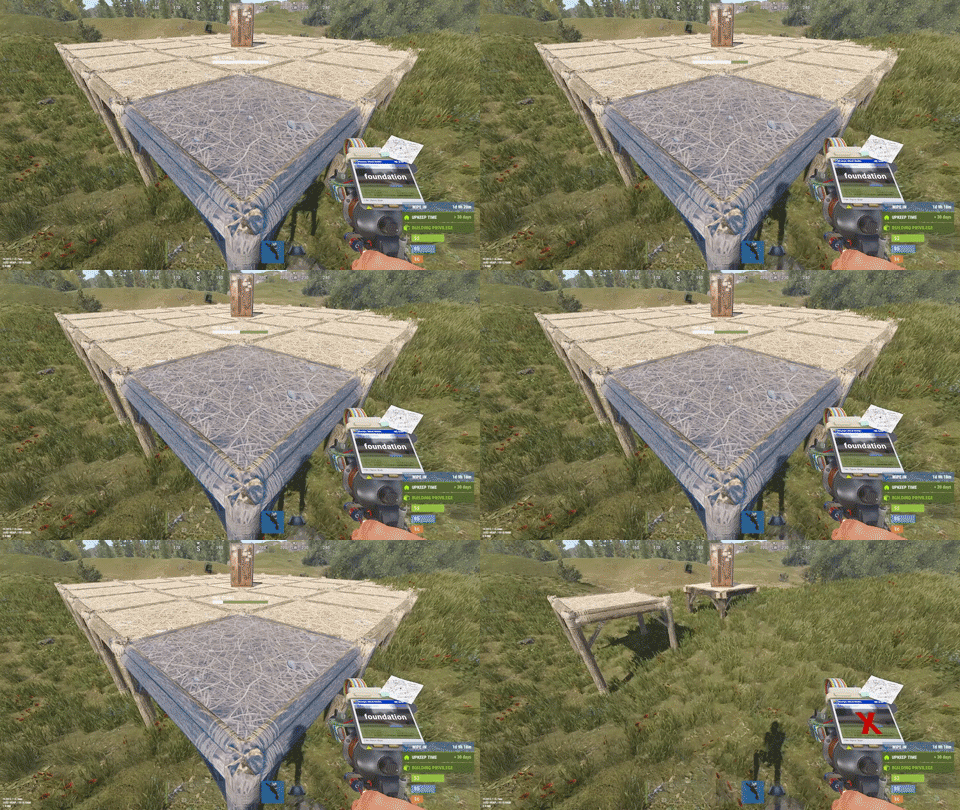
This plugin is designed for the forced decay of Building Blocks with Twigs grade. This plugin will be especially useful for PvE servers. The ability to enable and disable forced decay of Building Blocks with Twigs grade; The ability to specify the type of building block that will decay; The ability to adjust the interval of decay damage; The ability to specify the amount of decay damage; The ability to prevent players and the tool cupboard from repairing Building Blocks with a grade of Twigs; The ability to show warnings when placing/repairing Building Blocks with Twigs grade; The ability to specify the style type for GameTips; The ability to personally enable or disable warnings; The ability to automatically grade Building Blocks from Twig grade to Wood grade upon plugin initialization, if the owner player is offline. This helps to avoid the complete decay of buildings for those players who are offline and unable to upgrade right now; The ability to upgrade only undamaged building blocks during forced upgrades. { "Chat command": "twigs", "Is it worth enabling GameTips for messages?": true, "GameTips message style type - Blue_Normal(0), Red_Normal(1), Blue_Long(2), Blue_Short(3), Server_Event(4), Error(5).": 5, "Is it worth using Notify plugins for messages instead of the vanilla UI?": false, "Specify the message type for Notify": 1, "List of language keys for creating language files": [ "en" ], "Is it worth upgrading Building Blocks from Twigs grade to Wood grade during plugin initialization if the players are offline?": false, "Is it worth forcing the upgrade to apply only to undamaged blocks? This is an addition to the setting above.": true, "Is it worth disallowing the repair of Building Blocks with Twigs grade?": true, "The interval, in seconds, at which damage is inflicted on the building.": 60.0, "The periodic damage inflicted. Ranges from 0 to 10. Set to 0 to disable.": 1.0, "Is it worth enabling the tracking list? If it's disabled, it will track all types of building blocks without needing to check the list each time.": false, "List of tracked building block types. Leave empty or null to return the default list.": [ "foundation", "foundation.triangle", "foundation.steps", "ramp", "floor", "floor.triangle", "floor.frame", "floor.triangle.frame", "wall", "wall.doorway", "wall.window", "wall.frame", "wall.half", "wall.low", "block.stair.ushape", "block.stair.lshape", "block.stair.spiral", "block.stair.spiral.triangle", "roof", "roof.triangle" ], "Version": { "Major": 0, "Minor": 1, "Patch": 8 } } EN: { "MsgWarningEnabled": "Forced decay warnings are enabled!", "MsgWarningDisabled": "Forced decay warnings are disabled!", "MsgOnTwigsPlace": "On this server, forced decay of Building Blocks with Twigs grade is enabled!\n<size=12><color=#9A9A9A>To toggle notifications, use </color><color=#BBBBBB>/{0} warn</color></size>", "MsgOnTwigsRepair": "Repairing of Building Blocks with Twigs grade is prohibited!\n<size=12><color=#9A9A9A>To toggle notifications, use </color><color=#BBBBBB>/{0} warn</color></size>" } RU: { "MsgWarningEnabled": "Предупреждения принудительного гниения включены!", "MsgWarningDisabled": "Предупреждения принудительного гниения выключены!", "MsgOnTwigsPlace": "На данном сервере включено принудительное гниение построек из соломы!\n<size=12><color=#9A9A9A>Чтобы включить или выключить уведомления, введите </color><color=#BBBBBB>/{0} warn</color></size>", "MsgOnTwigsRepair": "Ремонт построек из соломы запрещен!\n<size=12><color=#9A9A9A>Чтобы включить или выключить уведомления, введите </color><color=#BBBBBB>/{0} warn</color></size>" } warn - Enabling and disabling personal warning. Example: /twigs warn$6.99 -
![More information about "[RC] Softcore Building System"](https://codefling.com/uploads/monthly_2026_01/softbuild.thumb.png.3c4e1a5b53643f072f72f61bb1242105.png)
Version 2.3.2
20 downloads
Author: MEMUARE Type: BuildBlock / Deployables / repair Version: 2.3.1 Lang files included : (RU/ENG) Description Advanced Softcore Base Destruction System for Rust Vanilla servers SoftBuild is an advanced softcore system for Rust servers that changes how base destruction works — without breaking vanilla mechanics. The plugin is designed to make raids less destructive, bases more recoverable, and gameplay fairer and more controlled, while still rewarding raiders. System Features After a cupboard is destroyed, the people registered in it don't lose their building privileges. Raiders can't install their own cupboard and ruin your house. After a raid, attackers won't be able to steal your deployables; they can only break them. The house owner is given N amount of time to restore broken deployables. Deployables remember their skinid to restore their skin when repaired. The visual appearance of cupboard debris depends on the cupboard's skin. Why SoftBuild? Reduce raid frustration Give players a recovery window Keep raids rewarding, not destructive Maintain the vanilla Rust feeling Configuration You can configure how long broken cupboard and deployables will stay in place. Ability to disable certain deployables to restore them. { "CleanupTimeSeconds": 86400.0, "SoftDeployables": { "Enabled": true, "Deployables": { "assets/prefabs/deployable/bed/bed_deployed.prefab": { "Enabled": true, "CorpsePrefab": "assets/prefabs/deployable/bed/bed_deployed.corpse.prefab" },$13.99 -
![More information about "Plugin Interface [Wipe-block]"](https://codefling.com/uploads/monthly_2025_07/3452.thumb.png.405ff08664faa713e1b0d48a158cddff.png)
Version 1.0.0
1 download
Introducing our unique design for the [Wipe-block] plugin. A very stylish and minimalistic design. If you have any problems, do not write angry comments, write to me, and I will be happy to help you solve the problem. IMPORTANT: Please do not use the design for plugins that will be sold (public distribution). Do not resell the design or place our design on other platforms. If you want to release forks with my development, you can buy them on the rights or order a design from me for your fork. Below you will see a reminder on how to launch our design in Figma. Under the reminders, our social networks are indicated, where you can contact us. Thank you all for your attention. With love, Spacesett.$10.00 -
Version 1.0.0
5 downloads
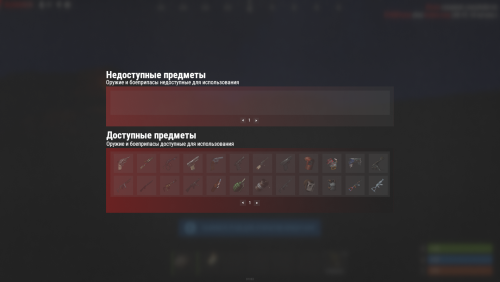
PWipeBlock is a plugin that allows blocking items after wipe! Features Beautiful user interface Performance On-screen alert Ignore blocking by permission Commands block (open interface) Permissions wipeblock.ignore (ignore blocking) Config Config$10.00 -
Version 1.0.1
174 downloads
Simple Plugins Block Splash Radioactive Water Prevent Splash Radioactive Water (Prevents spraying of radioactive water using water guns and buckets.) No Config, Perms Image Made Thanks @AzmoFree -
Version 1.0.0
12 downloads
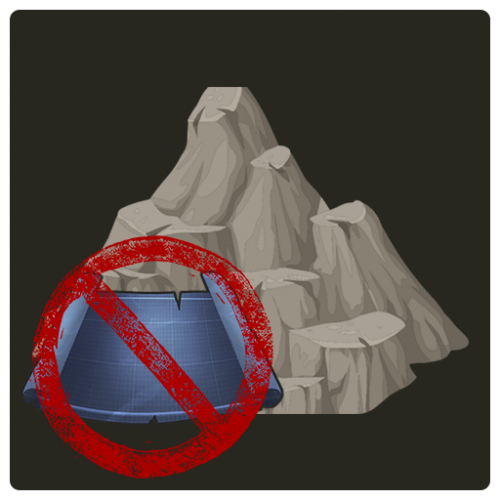
It often happens when players can find a loophole and get under the texture, in order not to allow players to build their shelters in rocks and rocks, this plugin was created, it will simplify the life of server administrators, they will not have to track violators and punish them. Plugin features: 1. Track the location of the player when he tries to penetrate the texture, an alert will be sent to the rcon console. 2. Blocks the construction of the foundation, Wood Storage Box, Large Wood Box, small Furnace, Small Oil Refinery and sleeping bag 3. There is a lang file, you can customize the language 4. In the config you can select the language to send notifications to rcon console. Does not interfere with building in standard caves and custom Virtually no impact on server performance$10.00- 1 comment
-
- 1
-
-
- #rust plugin
- #plugin
- (and 7 more)
-
Version 1.0.1
15 downloads
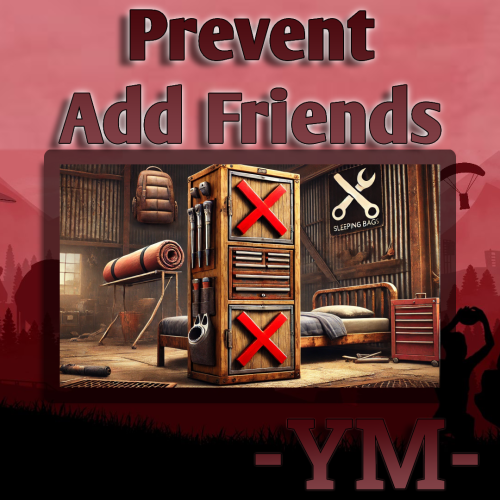
Prevent Add Friends Bag, Bed, Cupboard Permissions: preventaddfriends.bypass Image Made by @Azmo thanks$2.00 -
Version 1
5 downloads
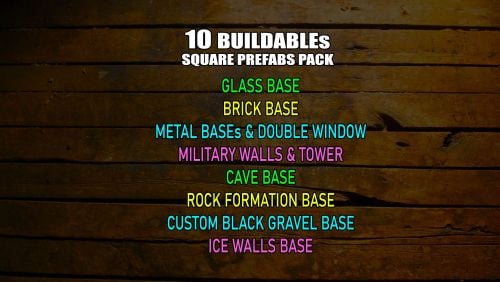
Collection of my 10 Buildable Square Prefabs. Designed to have small entity counts and be open inside, letting the player run wild with their creativity. All prefabs are made to easily fit the foundation with a door into the prefab entrance Brick base - has a 8x8 buildable place, it has open roof so players are not limited with height. Contains 7 entities Ice Wall base - has a 7x7 buildable place, but a 8x8 fit in too with walls in the prefab. It has an open roof so players are not limited with height. Contains 17 entities Metal base with double sided windows - has a 7x7 buildable place, and 4 floors if level with ground. Contains 17 entities Cave base - has a 7x7 buildable place, and 4.5 floors if level with ground. Contains 20 entities Rock Wall base - has a 7x7 buildable place, it has open roof so players are not limited with height. Contains 12 entities Glass base - has a 7x7 buildable place, and 4 floors if level with ground. Contains 13 entities Sheet Metal base - has a 8x8 buildable place, it has an open roof so players are not limited with height. Contains 14 entities Black Gravel Block base - has a 7x7 buildable place, and 3 floors if level with ground. Contains 13 entities Military Walls Base with a Watch Tower - has a 8x8 buildable place, it has an open roof so players are not limited with height. Contains 19 entities Military Walls base - has a 6x7 buildable place, with still a lot of free space around. It has an open roof so players are not limited with height. Contains 20 entities$5.00 -

Version 1.0.0
221 downloads
This is a simple plugin that lock the SnowMobile storage . When you spawn a new snowmobile on map you need to open one time the storage of the Snowmobile and after that it will never be able to open again. This plugin was meant and made for a RolePlay server.Free-
- 1
-
-
- #snowmobile
- #block
- (and 1 more)