Search the Community
Showing results for tags 'cooking'.
Found 7 results
-

Version 2.2.1
6,467 downloads
Automate devices and light sources to turn on and off depending on the time of day and toggle them from anywhere using the provided chat and console commands. You can also configure lights to consume no fuel when on, and each type is easily configurable in the config file. Permissions lightson.allowed Granting that to a group or player allows them to toggle the lights for the entire server (Admin level). Example: o.grant group admin lightson.allowed Console Commands lights on - Turn on specified lights (either all for all entities or a specific name) lights off - Turn off specified lights (either all for all entities or a specific name) lights check - Check the lights after reloading the config to allow changes without reload There is a second parameter where you can specify a portion of the light source short name to force all of them to the on or off state, ignoring the config. Example: lights on fireplace -- Turn on all fireplaces regardless of the config settings Chat Commands /lights on - Turn on specified lights (either all for all entities or a specific name) /lights off - Turn off specified lights (either all for all entities or a specific name) /lights check - check the lights after reloading the config to allow changes without reload There is a second parameter where you can specify a portion of the light source short name to force all of them to the on or off state, ignoring the config. Example: /lights check candle -- Turn on all candles if the the flag is appropriate for the time of day Configuration Default Config: The settings and options for this plugin can be configured in the LightsOn.json file under the oxide/config directory. The use of a JSON editor or validation site such as jsonlint.com is recommended to avoid formatting issues and syntax errors. Console Output set to false will stop messages (other than errors and night toggles) from logging in to the console. These can be set in the JSON, which lets you determine what is turned off and on automatically: BBQs BoomBoxes (deployed and portable) Campfires Candles Carvable Pumpkins Cauldrons Ceiling Lights CCTVs Chandelier Cooking Workbench Deluxe Christmas Lights Electric Furnace (not for processing, just lights) Fairy Lights Fire Pits (skull fire pits) Fireplaces Flasher Lights Fluorence Lights Fluid Splitters Fog Machines Fridges (full size and mini) Furnaces (all types) Heaters Hobo Barrels (environmental and player) Hoppers Igniters Industrial Combiners (processing, not just lights on) Industrial Conveyors (processing, not just lights on) Industrial Crafters (processing, not just lights on) Industrial Electric Furnace (not for processing, just lights) Industrial Splitters (processing, not just lights on) Industrial Lights (Lamps, all colours) Jukeboxes Lanterns (which include Carvable Pumpkins, Chinese Lanterns, Tuna Can Lamps, Lanterns, and Jack'O Lanterns, and Torch Holders) Laser Detectors Laser Lights light up Frames Mining Quarries Mixing Tables Neon Signs Pump Jacks Reactive Targets Refineries RF Broadcasters RF Receivers Searchlights Simple Lights Siren Lights Smart Alarm Smart Switch Snow Machine Spooky Speakers Storage Alarms String Lights Strobe Lights Table Lamps Telephones Twitch Rival Sign Vehicle Lifts Water Pumps Water Purifiers Weapon Racks Electric Water Purifiers Valid values are a - always on, d - on during the day only, n - on during the night only, i - do not process this entity. To avoid automatically turning off active processing, there is protection you can set to true for the following: BBQs Campfires Cauldrons Fire Pits Fireplaces Furnaces (including electric ones) Hobo Barrels Mixing Tables Refineries If there is anything inside these (including fuel), they will not have their state changed. You can still force them off by the name. For example: /lights off furnace Additional control parameters: Console Output Check Frequency (10-600) Dusk Time (0-24) Dawn Time (0-24) Use Zone Manager Plugin Boom boxes On (to toggle them to play) Notes Exciting New Feature: Now, with optional instant cooking, fuel can be optional. New configuration for instant cooking, optional fuel. Simple toggle on, and it will instantly cook the contents. The most over-powered cooking in Rust. If you use this feature, you do not need to set Protection to true, as it will not be needed. Note: Instant cooking does not work with Industrial equipment. Please cook (instantly) and put the materials in a box as the source of ingredients. Note you can fine tune per device family in the configuration. Please note, the latest update might conflict with other plugins that alter mixing tables and cooking workbench. Please contact me if that occurs. New Feature: Players can toggle on/off any light that is not electric based if it is empty. Useful for cave bases and emergency lighting. Note: if the item is set to ignore, you can't do this. Note: the timed process will turn it back on/off the next time it runs. Quick Hack for players to note: placing any items in an "oven" with protections set to true will prevent the light source from being toggled by the plugin. So you could turn on/off an oven and then place a single stone (for example), and it will stay in that state. Note Ovens include all furnaces, cauldrons, BBQ, campfire, fireplace, fire pits, oil refineries, and hobo barrels. Operators, please note the protection flag now has two uses. Hopefully, this is acceptable. A big thank you to Wulf and k1lly0u for their awesome lights plugins. If you need fine-grained control of lights, they are both superior options. If you want fuel use for lighting, then AutoFuel is an awesome choice. My understanding of lights came directly from reading these plugins, and they inspired me to make this low load and slightly more inclusive of entities plugin. If it generates lights or effects, I tried to include it. I include a lot of non-light devices (Water Pumps, Fog Machine, Snow Machine, Spooky Speakers, Strobe Lights) to allow operators to have fun with players. I am open to suggestions to improve this plugin as long as it does not hurt performance. I use it on my PVE server, and it has a lot of lights. By using "always on" the load of the lights is light on the server. It can still be brutal on the client due to the graphics load. Night Toggle (turning the lights on and off is reasonably efficient, but can spike server load). It is nice for role-playing, but use "always on" if you want the best server-side performance. This plugin is not designed to support user-level permissions. The only permission is for admin access. This is to minimize the overhead for efficient processing. There are alternative plugins with permissions if you want it as a VIP perk. Please do not ask for player permissions. It will not be added. If the server lights are on (either via "always on" or the night toggle is on) and you place a light source you have selected to be on, it is turned on when placed. This avoids having to periodically turn the lights on to catch newly placed lights. This alters fuel requirements to zero through the methods it is using to toggle the lights, since you are removing player agency around fuel usage. Note: Furnaces etc., turned on will not process their contents. Just look active and produce light. You are giving free light, but not free processing (unless you activate InstaCook). Simply turn them off and back on for normal processing. It is important to let players know this, as they may initially be confused or frustrated. Since this plugin is toggling animation flag states (where ever possible), it allows things like hobo barrels to light up with no fuel in them. It does some "hacky" flag settings to avoid needing fuel in other light sources. It is not elegant, but efficient. If you want free fuel, NoFuelRequirements or AutoFuel are good solutions, this plugin tries to avoid altering the fuel level in entities other than hats and jack o lanterns. I only add fuel where the toggle of animation state trick is not working in that use case. It is best to set any item being processed by another plugin to ignore to avoid conflicts. Hats and Jack O'Lanterns usually require at least one fuel in them to allow players to toggle them. Toggling Lanterns (which includes Jack O'Lanterns) with the commands do not need fuel. If you are using the commands to turn a light source on, and it is already on, it is not altered. If you are turning a light source off with the commands, and it is already off, it is not altered. Toggling lights on should not mess up processing content, as their state is not changed. It will mess up processing if you toggle off and then back on for an entity that processes things (grills, furnaces, refineries, campfires, fire pits, and fireplaces). Since I added the Night Toggle feature, I also added Protection for light sources that also process contents. I would recommend you leave these to true. Doing so will not turn these off when dawn happens. That is, to avoid annoying players by interrupting their processing. The side effect is they will always appear if they are set to automatically turn on in the configuration. Choose carefully what you will configure to be controlled if you plan to use the off command or Night Toggle. If you are going to use the off command, I recommend you do not include Furnaces, Grills, or Refineries, as it will stop processing if they are in legitimate use. If folks tend to cook in campfires, fire pits, and fireplaces, you may want to skip them as well if you plan to use the off command. Honest, I normally just turn items not normally used to do processing on and leave them on, as it has the smallest server load and will not annoy players. It is important to consider the consequences of turning things off or toggling them on and off. Check Frequency controls how often the plugin checks for the night or to toggle the lights in seconds. It has a relatively small load unless there are lights to process. If you want the lights on at a very precise time, then a lower number (more frequent check) will help increase the accuracy. I like to light up all the hobo barrels on the map to give a nice effect. That is why I originally wrote this. It should cover all light sources, please let me know if any are missing. I will do my best to ensure this keeps functioning as entities keep changing. The light source name tries to match, so "a" would match all light sources with "a" in their name. Use "all" to force all lights server-wide regardless of the configuration setting. Support for Zone manager via adding zones to \oxide\data\LightsOn-Zones.json Example: ["supermarket_1","supermarket_2","gas_station_1","miningoutpost_1","miningoutpost_2","supermarket_3","gas_station_2","gas_station_3","miningoutpost_3","sphere_tank","launch_site"] LightsOn.jsonFree- 109 comments
- 4 reviews
-
- 13
-

-

-
- #lighting
- #automation
- (and 7 more)
-
Version 2.3.0
244 downloads
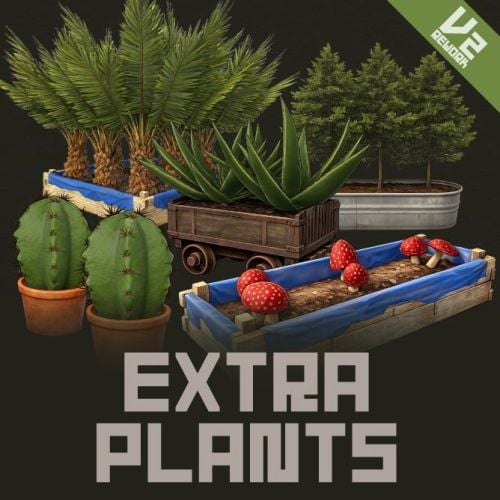
Extra Plants V2 Expand your farming with 20 unique cultivatable plants ! ExtraPlants introduces a brand-new farming system that goes beyond vanilla crops. Grow mushrooms, harvest resources from grubs, cultivate fruits, vegetables, herbs, and more. By default, all custom items are based on apples, etc. These seeds can be obtained from wild trees, ores, and plants. Using a shovel, you can cultivate fields in various locations. This item is a default item in Rust, but it is not used in the game; however, it can be given to the player using a special command. This also includes data that allows you to configure ingredients and cooking recipes added by ExtraPlants, which are compatible with the Cooking plugin. You can add over 40 cooking recipes using the included files. This plugin has a trial version. If you are considering purchasing it, please download it here. Harvestable Plants Aloe - Produces Aloe Vera Cactus - Low water requirement, yields cactus flesh Sugarcane - Produces sugar cane Wood Tree - Grow your own wood supply Fruits Tree - 15 fruit varieties: Apple, Apricot, Strawberry, Fig, Orange, Kiwi, Plum, Cherry, Pomegranate, Loquat, Grape, Lemon, Persimmon, Peach, and Pear. Tropical Fruits Tree - 11 exotic fruits: Avocado, Guava, Star Fruit, Dragon Fruit, Pineapple, Passion Fruit, Banana, Papaya, Mango, Mangosteen, and Lychee. Nuts Tree - 10 nut varieties: Almond, Cashew, Walnuts, Peanuts, Brazil Nuts, Hazelnuts, Chestnut, Pistachio, Pine Nuts, and Coconut. Sulfur Grub - Harvestable grub that yields sulfur ore — explodes when attacked! You need to raise the larvae without being detected by enemies. Zombie Soul - Mysterious Soul that yields bones. Emits a scream sound when grown. Mushroom - 9 mushroom varieties including Enoki, King Oyster, Maitake, Shiitake, Shimeji, and rare drops like Truffles and Matsutake. Metal Grub - Harvestable grub that yields metal ore Rice - Produces rice (high water requirement) Narcotic Herb - 4 herb varieties: Marijuana leaf, Tobacco leaves, Damiana leaves, and Coca leaves. Potato Plants - 6 tuber varieties: Potato, Sweet Potato, Konjac taro, Nagaimo, Taro, and Yacon. Yellow Plants - 5 varieties: Onion, Burdock, Carrots, Zucchini, and Hop. Green Plants - 5 varieties: Broccoli, Cucumber, Green pepper, Parsley, and Spinach. Black Plants - 3 varieties: Black Raspberries, Coffee Beans, and Black pepper. Blue Plants - 8 varieties: Blueberries, Eggplant, Purple cabbage, Lettuce, Chinese cabbage, Cabbage, Beets, and Asparagus. White Plants - 6 varieties: Radish, Turnip, Lotus root, Green onion, Bamboo shoots, and Garlic. Red Plants - 4 varieties: Tomato, Paprika, Swiss chard, and Chili peppers. By default, all custom items are based on apples, etc. Added a shovel that can be used to cultivate fields. Using a shovel, you can cultivate fields in various locations. This item is a default item in Rust, but it is not used in the game; however, it can be given to the player using a special command. When you pick up a field you've cultivated, it disappears and returns to normal land. It cannot be used in areas where construction is prohibited or on hard terrain. How to obtain seeds Wood Sapling, Tropical Fruits Tree Sapling, Fruits Tree Sapling, Nuts Tree Sapling, Sugarcane Sapling Gather Wood Mushroom mycelium Collect Wild Mushrooms Sulfur Grub Collecting and mining sulfur ore Metal Grub Collecting and mining metal ore Zombie Soul Collect bone fragments Narcotic Herb Seedlings, Rice Seedlings, Seed Tuber, Yellow Plants Seed, Green Plants Seed, Black Plants Seed, Blue Plants Seed, White Plants Seed, Red Plants Seed Gathering wild hemp Cactus Sapling, Aloe Sapling Gathering wild cactus Custom Seeds System • Seeds use the fertilizer item with custom skins • Place seeds in any planter box to start growing • Each plant type has unique growth requirements Fully Configurable Every plant type can be customized: • Growth time intervals • Growth success chance • Water requirements • Drop items and quantities • Custom item names and skins • Death/consume probability for grubs • Setting the method for obtaining seeds. Cultivation method 1. Obtain Seeds - Obtaining Seeds - Players can obtain seeds by gathering wood or mining ore. Alternatively, they can be purchased in the shop, or administrators can distribute seeds using the giveseed command. 2.Plant the seeds - Place the seeds (fertilizer with custom skin) in the storage box for fertilizer in any planter. 3. Water Plants - Ensure adequate water level for growth 4. Wait for Growth - Plants grow based on configured intervals 5. Harvest - grown plants to collect resources Special Mechanics • Sulfur Grub - Explodes when attacked Explosion Conditions The player attacks the sulfurous body with an axe or gun. The planter box containing the sulfurous is destroyed by the player or NPC, or is destroyed by weathering. (Pickup collection does not cause an explosion.) How to use a shovel You use a shovel to strike the ground, which is not in a building-restricted area and is not hard terrain. You then cultivate the field at the spot where you struck. This process consumes condition points. The maximum water volume is 3000 by default. When you pick up a field you've cultivated, it disappears and returns to normal land. It cannot be used in areas where construction is prohibited or on hard terrain. Chat Commands (Admin Only) /seed Obtain 100 seeds of each type. ServerConsole Commands giveseed <steamID> <skinID> <amount> - Give special seeds to a player. Entering only "giveseed" will show the names of all plants. giveshovel <SteamID> - Give the player a shovel. Seed Skin IDs Aloe Sapling 3601726840 Cactus Sapling 3601727134 Tropical Fruits Tree Sapling 3601727963 Fruits Tree Sapling 3601727819 Wood Sapling 3601729292 Sulfur Grub 3601729483 Metal Grub 3601729552 Zombie Soul 3601727291 Sugarcane Sapling 3601727002 Nuts Tree Sapling 3601727388 Mushroom mycelium 3675820909 Rice Seedlings 3675814595 Narcotic Herb Seedlings 3675814321 Seed Tuber 3675814757 Yellow Plants Seed 3675815517 Green Plants Seed 3675815146 Black Plants Seed 3675814927 Blue Plants Seed 3675815024 White Plants Seed 3675815400 Red Plants Seed 3675815276 Give Seed Example: giveseed 76561198000000000 3601726840 10 (Give 10 Aloe Sapling to 76561198000000000) Shop Settings Shortname "fertilizer" + SkinID Option Settings "Condition Loss When Using Shovel": 5.0, "Shovel Pot Max Water": 3000, "Batch Harvest Special Plants": false, "Enable Dispenser Gather Seed Drops": true, ///This setting determines whether to enable the feature that drops seeds when harvesting wild plants. Plant Settings { "Mushroom Settings": { "Enabled": true, "Seed Name": "Mushroom mycelium", "Seed Skin ID": 3675820909, "Growth Time (seconds)": 900.0, "Growth Chance (0.0-1.0)": 1.0, "Water Required": 300.0, "Max Drop Types Per Harvest": 1, "Guarantee At Least One Drop": true, ///When all Drop Chance rolls fail, one item is granted instead of an empty harvest. "Seed Return On Harvest Settings": { "Enabled": true, "Return Chance (0.0-1.0)": 0.05, "Min Amount": 2, "Max Amount": 3 }, "Drop Items": [ { "Item Short Name": "mushroom", "Custom Item Name": null, "Skin ID": 0, "Min Amount": 1, "Max Amount": 3, "Drop Chance (0.0-1.0)": 1.0 }, ... Seed Drop Settings Set the species that can be obtained by triggering items (short names) that can be acquired through activities such as cutting down trees, gathering wild hemp, and mining ore. "Dispenser Gather Seed Drops": { "wood": { ///Trigger Item "Max Drop Types": 1, "Guarantee At Least One Drop": false, ///new Guarantee At Least One Drop option per trigger item, for a per-hit guarantee. "Guarantee At Least One Drop On Bonus": false, ///When all Drop Chance rolls fail, one item is granted instead of an empty harvest. This feature is not available for items such as hemp or mushrooms. "Seeds": [ { "Seed Name": "Wood Sapling", "Drop Chance (0.0-1.0)": 0.08, "Min Amount": 1, "Max Amount": 3 }, Configuration Options Condition Loss When Using Shovel : This setting determines the amount of condition consumed when tilling the ground with a shovel. Shovel Pot Max Water : This setting determines the maximum water volume for areas tilled with a shovel. Batch Harvest Special Plants : Setting this to True allows you to harvest all special plants in a planter at once. Dispenser Gather Seed Drops : You can configure the item triggers and the seeds that players can obtain when they collect or gather items. For All Plants : Growth Time (seconds) - Time between growth checks Growth Chance (0.0-1.0) - Probability of successful growth Water Required - Minimum water level needed Seed Skin ID - Custom skin ID for the seed item Max Drop Types Per Harvest - Number of different items dropped Drop Items - List of items with amounts and drop chances For Grubs (Sulfur Grub, Metal Grub, Zombie Soul) : Probability Of Death (0.0-1.0) - Chance the seed is consumed after a growth cycle For Sulfur Grub : Enable Explosion (true/false) - Whether the grub explodes when attacked For Zombie Soul : Enable Sound (true/false) - Whether a scream sound plays when grown How to set harvested custom items and new cooking recipes into the cooking plugin. This includes data for configuring ingredients and cooking recipes added by ExtraPlants, which are compatible with the Cooking plugin. You can add 40+ cooking recipes using the included files. 1. Open Cooking.json and add all items listed in ExtraPlants_Ingredients.txt (included with your ExtraPlants download) to the "ingredients" section. Rice, tomatoes, and pineapples are duplicates in the default Cooking.json settings, so replace the original entries. 2. Add all cooking recipes listed in ExtraPlants_Meals.txt to the "Meals" section. This will add cooking recipes that use ExtraPlants items. Q: How do players obtain seeds? A: Seeds can only be given by server admins using the console command: giveseed <steamID> <skinID> <amount> You can integrate this with your server's shop plugin or reward system. Q: Do plants survive server restarts? A: Yes! All plant data is automatically saved and restored when the server restarts. The plugin uses persistent data files to track all planted seeds and their growth states. Q: Can I customize the drop items and amounts? A: Absolutely. Every plant type has fully configurable drop settings in the config file. You can change item types, quantities, drop chances, custom names, and skin IDs. Q: What happens if I attack the Sulfur Grub? A: The Sulfur Grub will explode, dealing 500 damage within a 12-meter radius. This is intentional — harvest it normally by interacting with it instead of attacking. Q: Why aren't my plants growing? A: Check the following: • Ensure the planter has enough water (each plant type has different requirements) • Verify the growth chance in config is set properly (0.0-1.0) • Wait for the configured growth interval to pass Q: I can't till the ground with a shovel. A: It's not permitted on hard terrain, in areas where construction is prohibited, etc. Q: Can I add my own custom plants? A: The current version supports 20 pre-configured plant types. Each plant type's drops, growth times, and requirements are fully customizable through the config file. Q: Do the fruit trees drop all fruits at once? A: No. The "Max Drop Types Per Harvest" setting controls how many different fruit types drop each harvest. For example, if set to 3, players will receive 3 random fruit types from the configured list. Q: What's the difference between Grubs and other plants? A: Grubs (Sulfur Grub, Metal Grub, Zombie Soul) have a "Probability Of Death" setting. After each growth cycle, there's a chance the grub will die and need to be replanted. Regular plants like trees continue producing indefinitely. Q: Which planters are supported? A: All vanilla planter types are supported: • Large Planter Box • Small Planter Box • Bathtub Planter • Minecart Planter • Railroad Planter • Triangle Planter • Single Plant Pot Q: Can players craft the seeds? A: No, seeds cannot be crafted by default. They must be distributed by admins. This gives you full control over your server's economy and progression. Q: Are the custom skins included? A: Yes, all skin IDs are pre-configured and included. The skins are applied automatically when seeds and harvested items are created. Q: Item skin images aren't displayed in the UI. A: Please install the Image Library. Q: Can I change the seed item from fertilizer to something else? A: The current version uses fertilizer items with custom skins as seeds. Changing the base item would require code modification. Q: How do I give seeds to offline players? A: The giveseed command works with sleeping players too. As long as the player has logged in at least once, you can give them seeds using their Steam ID. Q: What happens if a player's inventory is full when receiving seeds? A: The seeds will be dropped on the ground near the player's position. Q: How to set harvested custom items and new cooking recipes into the cooking plugin. A: 1. Open Cooking.json and add all items listed in ExtraPlants_Ingredients.txt (included with your ExtraPlants download) to the "ingredients" section. Rice, tomatoes, and pineapples are duplicates in the default Cooking.json settings, so replace the original entries. 2. Add all cooking recipes listed in ExtraPlants_Meals.txt to the "Meals" section. This will add cooking recipes that use ExtraPlants items. VOID / NINJA WORKS DISCORD : https://discord.gg/U8uxePjSyA MADE IN JAPAN$30.00- 51 comments
- 3 reviews
-
- 6
-
-
- #rust
- #facepunch
- (and 12 more)
-
Version 2.0.35
7,533 downloads
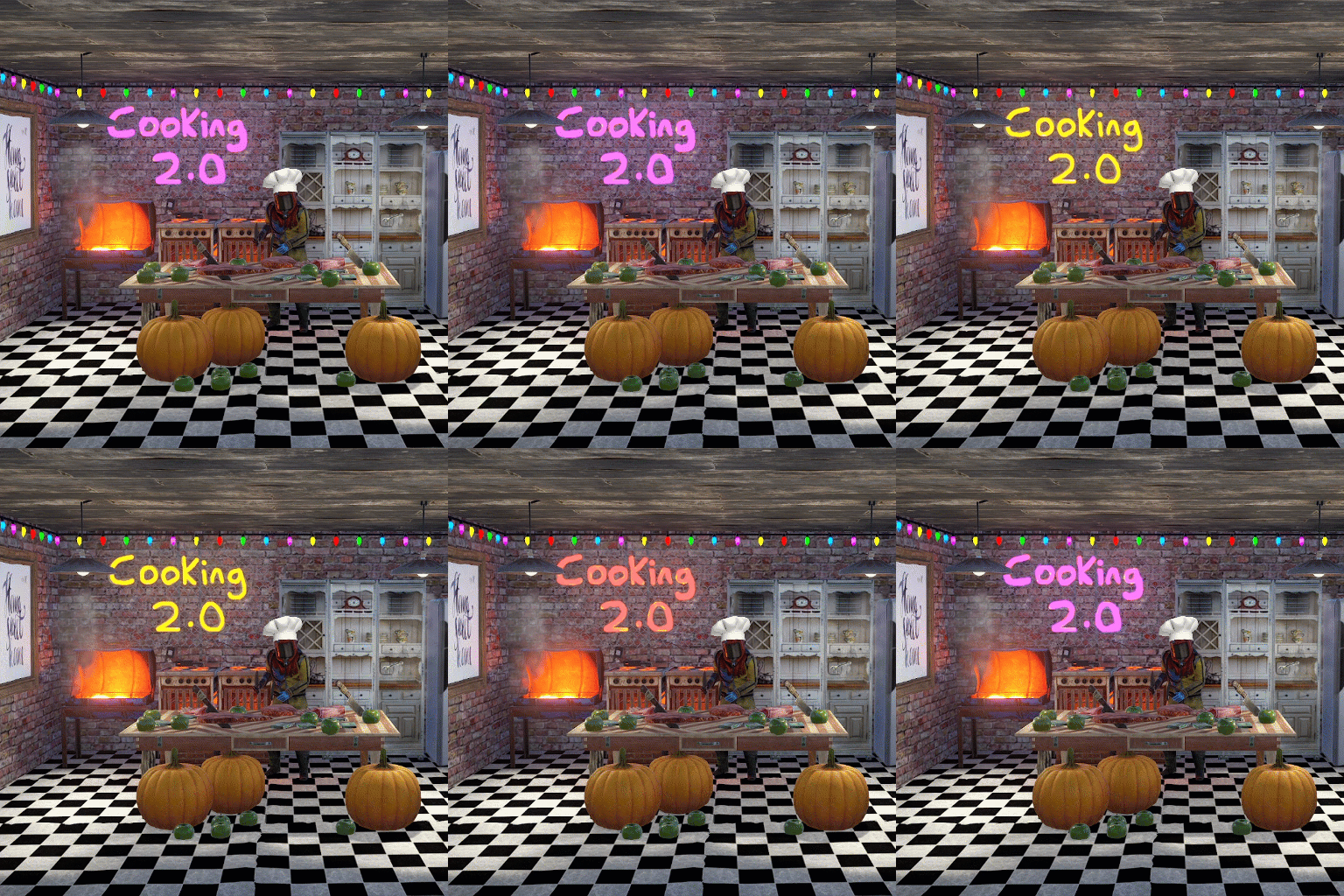
This plugin extends the vanilla cooking system in rust by adding a number of ingredients and advanced recipes to the game. The ingredients are obtained from any of the 45+ different sources, from ore nodes, to trees, to collectibles such as hemp and pumpkins. These ingredients are used to create delicious meals that will provide the player with 1 of the 55 different buffs the plugin has to offer, or your own custom buffs should you wish to create your own using permissions from other plugins. The plugin comes standard with 47 custom recipes and 11 custom ingredients included. It also utilizes a number of rusts existing items, such as pumpkins, corn, wheat and potatoes. There are over 47 recipes that come with the default configuration. Each recipe allows for any number of ingredients to be added (default is up to 4), and any number of the 46 buffs to be added to each meal. Recipes can be easily added via the config. This allows server owners to get creative by creating their own custom meals and buffs. The above video showcases how new recipes and ingredients can be easily added to your configuration. The plugin comes with 11 unique custom ingredients, and also utilizes 16 of the default items in rust. Ingredients can be easily added to the configuration (see the above video). All non-default ingredients can be found from 49 different sources including cutting trees, mining nodes, collecting hemp etc. Each sources drop rate can be customized to suit your server, and the sources for ingredients can be changed incredible easily by simply adjusting a number in the config file. There are 49 unique sources that ingredients can be obtained from from cutting trees to collecting pumpkins. The chances for each ingredient drop are based on the interaction with that source. For example, picking a pumpkin offers 1 chance, as it is 1 interaction to pick a pumpking, while cutting a tree may be 10-20 chances (depending on the tool), as it takes a number of hits to fall a tree (this can be adjusted to be based on 1 chance per tree/node etc via the config). When a roll is successful, it then rolls through each item type and selects the item based on that items "dropWeight", allowing you to make ingredients more or less common than others on the same drop table. The Farmers Market is an in-built market that allows players to buy and sell ingredients for scrap, server rewards or economics. By default, the markets stocks will start at 0, and will only increase as players sell their unwanted ingredients to it. It can be configured to allow all items, or only custom items to be bought and sold through it, and also allows for a maximum stock to be set (default 100), meaing that it cannot have more than 100 of an item type. The buy/sell values for each ingredient can be adjusted in the config file (default $10 buy, $5 sell). Starting quantities can also be set if you do not want the market to start at 0. The market can be accessed by typing in /market (if config is enabled) or by speaking to an NPC that can be spawned with the plugin (addmarketnpc). Ingredient: A useful ingredient used to make more complex meals. Woodcutting_Yield: Increases the amount of wood received by a percentage when cutting trees and logs. Mining_Yield: Increases the amount of ore received by a percentage when mining any ore type. Skinning_Yield: Increases the amount of animal products received by a percentage when skinning animals. Heal_Share: Heals those around you for a percentage of the healing you receive. Heal: Instantly heals you for a percentage of your maximum health. Food_Share: Shares your food with nearby players, providing them with a percentage of the calories that you consume. Metabolism_Overload: Increases your maximum calories and hydration capacity by a percentage. Comfort: Provides an aura of comfort around you. Each nearby player will receive a percentage comfort. Water_Breathing: Will allow you to breath underwater for the duration. Fire_Resist: Reduces the damage taken from all sources of fire/heat by a percentage. Cold_Resist: Reduces the damage taken from the cold by a percentage. Explosion_Resist: Reduces the damage taken from explosives by a percentage. Animal_Resist: Reduces the damage taken from animals by a percentage. Melee_Resist: Reduces the damage taken from attacks made with a melee weapon by a percentage. Wounded_Resist: If you would enter the wounded state while this buff is active, you will instead be brought to your feet. Any negative modifiers will be removed. Spectre: You will become invisible to auto-turrets, flame turrets and shotgun traps for the duration. Madness: This food will make you sound strange to others. Wealth: Provides you with a percentage find scrap/economics/points when breaking barrels. Barrel_Smasher: Provides you with a percentage chance to instantly break a barrel with any amount of damage. Crafting_Refund: Provides you with a percentage chance to refund components when crafting an item. Passive_Regen: Will passively regenerate a percentage health each second. Horse_Stats: Will increase the speed any horse you ride by a percentage. Fall_Damage_resist: Reduces damage taken from falling by a percentage. Condition_Loss_Reduction: Reduces the condition loss of all worn and held items by a percentage. Ingredient_Chance: Increases the chance to obtain cooking ingredients by a percentage. Upgrade_Refund: Provides you with a percentage chance to receive a free upgrade when upgrading your building blocks. Research_Refund: Provides you with a percentage chance to receive a scrap refund when using a research bench. Role_Play: This item provides no buffs as it a Roleplay item. Anti_Bradley_Radar: Makes you invisible to the Bradley APC. Fishing_Luck: Provides you with a percentage chance to obtain a random item while fishing. Farming_Yield: Increases the amount of resources collected by a percentage when harvesting player-grown plants. Component_Luck: Provides a percentage chance to receive a random component when breaking barrels. Electronics_Luck: Provides a percentage chance to receive a random electrical item when breaking barrels. Permission: Used for firing off custom commands such as assigning and removing permissions. Bleed_Resist: Reduces the damage taken from bleeding by a percentage. Radiation_Resist: Reduces the damage taken from radiation by a percentage. Max_Repair: Any item that is repaired while this buff is active, will have its maximum condition reset. Smelt_On_Mine: Provides you with a percentage chance to receive refined resources instead of ores, when mining sulfur and metal nodes. Loot_Pickup: Provides you with a percentage chance for all items to be moved directly into your inventory when breaking barrels. Reviver: Sets a players health to a percentage when bringing them up from the wounded state. Duplicator: Provides you with a percentage chance to duplicate an item when crafting. Harvest: Increases the amount of resources collected by a percentage> when harvesting wild entities. Ingredient_Storage: Stores ingredients. Extra_Calories: Instantly provides you with a percentage of your maximum calories when consumed. Extra_Hydration: Instantly provides you with a percentage of your maximum hydration when consumed. Max_Health: Increases your maximum health by a percentage. Fishing_Yield: Increases the amount of fish received by a percentage. Damage_Over_Time: This perk will damage the consumer every second for the set value. Mining_Hotspot: The player will always hit the hot spot while mining. Woodcutting_Hotspot: The player will always hit the marker while chopping wood. Dehydration: Removes hydration when applied. Damage: Damages the consumer by the value. Radiation: Gives the consumer radiation equal to the value. Hunger: Removes calories when applied. Lifelink: Heals the user for a percentage of damage done. SkillTreeXp: Increases the amount of Skill Tree xp received from all sources.. Default: Default Rust item AnyTree: Chopping any tree ArcticTree: Chopping arctic trees DesertTree: Chopping palm trees TemperateTree: Chopping temperate trees TundraTree: Chopping tundra trees Cactus: Chopping cacti AnyNode: Mining any node AnyArcticNode: Mining any arctic nodes AnyDesertNode: Mining any desert nodes AnyTemperateNode: Mining any temperate nodes AnyTundraNode: Mining any tundra nodes StoneNode: Mining stone nodes MetalNode: Mining metal nodes SulfurNode: Mining sulfur nodes AnyAnimal: Skinning any animal Deer: Skinning deer Bear: Skinning bears Wolf: Skinning wolves Chicken: Skinning chickens PolarBear: Skinning polar bears Shark: Skinning sharks Boar: Skinning boar horse: Skinning horses Fishing: Catching fish Gut: Gutting fish Pumpkin: Harvesting pumpkins Potato: Harvesting potatos Corn: Harvesting corn Mushroom: Picking mushrooms BerryBush: Picking berries BerryBushBlack: Picking black berries BerryBushBlue: Picking blue berries BerryBushGreen: Picking green berries BerryBushRed: Picking red berries BerryBushWhite: Picking white berries BerryBushYellow: Picking yellow berries Hemp: Harvesting hemp CollectableSulfur: Collectable sulfur nodes CollectableStone: Collectable stone nodes CollectableMetal: Collectable metal nodes Crafted: Crafted Foodbox: Food boxes Excavated: Digging up metal detector sites Wheat: Picking up wheat JungleTree: Picking up wheat Tiger: Picking up wheat Panther: Picking up wheat Crocodile: Picking up wheat Snake: Picking up wheat AnyJungleNode: Picking up wheat Command: cook or recipemenu Action: Opens the recipe menu from anywhere. Permission: cooking.recipemenu.chat Command: market Action: Opens the farmers market from anywhere. Permission: cooking.market.cmd Command: ibag Action: Opens the ingredient bag from anywhere. Permission: cooking.bag.cmd Command: addmarketnpc Action: Creates a farmers market NPC Permission: cooking.admin Command: removemarketnpc Action: Removes the targeted farmers market NPC Permission: cooking.admin Command: clearingredientbags Action: Clears the contents of ingredient bags for all players Permission: cooking.admin Command: giverecipe <recipe> Action: Gives the command user the specified recipe card Permission: cooking.admin Command: givemeal <target> <meal> <amount> Action: Gives the specified meal to the target player. Permission: cooking.admin Command: giveingredient <target> <ingredient> <amount> Action: Gives the specified ingredient to the target player. Permission: cooking.admin Command: setmarketquantity <ingredient> <amount> Action: Sets the available market quantity of the specified item. Permission: cooking.admin // Recipe menu chat command cooking.recipemenu.chat // Using the cooking menu cooking.use // Admin related cooking comands cooking.admin // Bypass cooking time cooking.instant // Bypass ingredient requirements cooking.free // Removes ability to gather ingredients cooking.nogather // Allows the ingredient bag to be opened via CMD cooking.bag.cmd // Disables drop notifications cooking.disable.notify.drop // Disables Notify notifications cooking.disable.notify.proc // Disables menu sounds cooking.disable.sound // Allows access to the farmers market via CMD cooking.market.cmd // Allows the user to speak to the market NPC cooking.market.npc // Allows the user to gather ingredients cooking.gather // Required to find recipe cards cooking.recipecards Economics - Used for the farmers market and the Wealth buff type. ServerRewards - Used for the market and the Wealth buff type. SkillTree - Will provide xp when creating meals with the Cooking plugin. bool CanGatherIngredient(BasePlayer player, uint source) Returning a non-null value will prevent players from receiving ingredients from certain drop sources. the source is the networked ID of the entity. void OnMealCrafted(BasePlayer player, string meal, Dictionary<string, int> ingredients, bool isIngredient) Called after a meal has been created and given to the player. bool IsCookingMeal(Item item) Useful if you want to see if an item is from the recipe menu. bool IsHorseBuffed(RidableHorse horse) Used to prevent stacking modifiers if a horse is buffed by the Cooking plugin. object OnAddRecipeCardToLootContainer(BasePlayer player, LootContainer container) Returning a non-null value will prevent recipe cards from being added to the container. object OnIngredientBagDrop(BasePlayer player) Returning a non-null value will prevent the bag from dropping. void OnMealConsumed(BasePlayer player, Item item, int duration) Triggered when a player successfully consumes a meal. No return types.$24.99 -

Version 1.6.1
23 downloads
Smelt Everything — a Rust plugin that lets you melt, cook, and refine anything you can get your hands on. Transform your server’s crafting system into a fully dynamic smelting experience. Weapons, food, resources — if it exists, you can smelt it. This plugin automatically detects cookable items and expands their definitions, allowing players to turn everyday materials into valuable outputs. Features Smelt any item, from raw meat to rifles Customizable cook times, temperatures, and outputs Seamless integration with Rust’s item system Perfect for creative servers, economy balancing, or hardcore survival setups Forge your own rules. Burn everything. Smelt Everything turns heat into power. Configuration { "Definitions": [ { "Original item": "bearmeat", "Change": true, "Target item": "bearmeat.cooked", "Cook time": 30.0, "Cook amount": 1, "Minimal temperature": 150, "Maximal temperature": 1600, "Set cooking flag": true }, { "Original item": "bigcatmeat", "Change": true, "Target item": "bigcatmeat.cooked", "Cook time": 30.0, "Cook amount": 1, "Minimal temperature": 150, "Maximal temperature": 1600, "Set cooking flag": true }, { "Original item": "chicken.raw", "Change": true, "Target item": "chicken.cooked", "Cook time": 30.0, "Cook amount": 1, "Minimal temperature": 150, "Maximal temperature": 1600, "Set cooking flag": true }, { "Original item": "crocodilemeat", "Change": true, "Target item": "crocodilemeat.cooked", "Cook time": 30.0, "Cook amount": 1, "Minimal temperature": 150, "Maximal temperature": 1600, "Set cooking flag": true }, { "Original item": "deermeat.raw", "Change": true, "Target item": "deermeat.cooked", "Cook time": 30.0, "Cook amount": 1, "Minimal temperature": 150, "Maximal temperature": 1600, "Set cooking flag": true }, { "Original item": "fish.raw", "Change": true, "Target item": "fish.cooked", "Cook time": 20.0, "Cook amount": 1, "Minimal temperature": 150, "Maximal temperature": 1600, "Set cooking flag": true }, { "Original item": "horsemeat.raw", "Change": true, "Target item": "horsemeat.cooked", "Cook time": 30.0, "Cook amount": 1, "Minimal temperature": 150, "Maximal temperature": 1600, "Set cooking flag": true }, { "Original item": "humanmeat.raw", "Change": true, "Target item": "humanmeat.cooked", "Cook time": 30.0, "Cook amount": 1, "Minimal temperature": 150, "Maximal temperature": 1600, "Set cooking flag": true }, { "Original item": "meat.boar", "Change": true, "Target item": "meat.pork.cooked", "Cook time": 30.0, "Cook amount": 1, "Minimal temperature": 150, "Maximal temperature": 1600, "Set cooking flag": true }, { "Original item": "snakemeat", "Change": true, "Target item": "snakemeat.cooked", "Cook time": 30.0, "Cook amount": 1, "Minimal temperature": 150, "Maximal temperature": 1600, "Set cooking flag": true }, { "Original item": "wolfmeat.raw", "Change": true, "Target item": "wolfmeat.cooked", "Cook time": 30.0, "Cook amount": 1, "Minimal temperature": 150, "Maximal temperature": 1600, "Set cooking flag": true }, { "Original item": "crude.oil", "Change": true, "Target item": "lowgradefuel", "Cook time": 10.0, "Cook amount": 3, "Minimal temperature": 800, "Maximal temperature": 1600, "Set cooking flag": true }, { "Original item": "corn", "Change": true, "Target item": "lowgradefuel", "Cook time": 10.0, "Cook amount": 3, "Minimal temperature": 150, "Maximal temperature": 1600, "Set cooking flag": true }, { "Original item": "potato", "Change": true, "Target item": "lowgradefuel", "Cook time": 10.0, "Cook amount": 3, "Minimal temperature": 150, "Maximal temperature": 1600, "Set cooking flag": true }, { "Original item": "pumpkin", "Change": true, "Target item": "lowgradefuel", "Cook time": 10.0, "Cook amount": 3, "Minimal temperature": 150, "Maximal temperature": 1600, "Set cooking flag": true }, { "Original item": "can.beans.empty", "Change": true, "Target item": "metal.fragments", "Cook time": 30.0, "Cook amount": 15, "Minimal temperature": 150, "Maximal temperature": 2000, "Set cooking flag": true }, { "Original item": "can.tuna.empty", "Change": true, "Target item": "metal.fragments", "Cook time": 30.0, "Cook amount": 10, "Minimal temperature": 150, "Maximal temperature": 2000, "Set cooking flag": true }, { "Original item": "cloth", "Change": true, "Target item": "leather", "Cook time": 10.0, "Cook amount": 1, "Minimal temperature": 800, "Maximal temperature": 1200, "Set cooking flag": true }, { "Original item": "rifle.ak", "Change": true, "Target item": "metal.refined", "Cook time": 6.0, "Cook amount": 50, "Minimal temperature": 800, "Maximal temperature": 1200, "Set cooking flag": true }, { "Original item": "hq.metal.ore", "Change": false, "Target item": "metal.refined", "Cook time": 20.0, "Cook amount": 1, "Minimal temperature": 800, "Maximal temperature": 1200, "Set cooking flag": true }, { "Original item": "metal.ore", "Change": false, "Target item": "metal.fragments", "Cook time": 10.0, "Cook amount": 1, "Minimal temperature": 800, "Maximal temperature": 1200, "Set cooking flag": true }, { "Original item": "sulfur.ore", "Change": false, "Target item": "sulfur", "Cook time": 5.0, "Cook amount": 1, "Minimal temperature": 800, "Maximal temperature": 1200, "Set cooking flag": true } ], "Version": { "Major": 1, "Minor": 6, "Patch": 0 } }$5.99 -

Version 1.0.5
33 downloads
Raffles is a plugin that allows servers to create and host raffles. These raffles are a fun way to give players an outlet to dispose of excess resources, and a great way for server owners to hand out rare and valuable items! Raffles features full language support and can be translated into other languages with oxides lang system. This plugin allows for the following reward types: Item rewards: Whether it be vanilla or custom items, Raffles will support it. Economics: Reward your players with an injection of economic dollars, straight into their account. Server Rewards: The same as Economics, but for the Server Rewards plugin! Commands: You can run as many commands as you like, and have them listed in the raffle with a custom name. For example, you could have a command that gives the player a random S tier Epic Loot item for winning. It allows for the userid and name to be substituted with {id} and {name}, so will support most command types. The raffles are broken down into 2 types. Daily raffles are the primary raffle structure in the plugin. They allow you to set item currencies (yes, it supports custom items), which the player will use to purchase raffle tickets. Some features it includes: Custom ticket items. Variable duration, allowing you to have the raffle run for as long as you want. Scheduled start date/time, allowing for you to create the raffle in the config, and have it automatically start when its date/time values are met. Ticket limits, allowing you to set a maximum number of tickets, which will conclude the raffle once met. Item, economics, server rewards and command prizes. Raffles that are in the config and set for a future date, will appear under the "Future Raffles" category. This allows users to see what raffles are coming up and when. This can be disabled by setting the visible flag to false. Future raffles can be force started by admins via this menu or command. Wipe Raffles contain the same prize structure as regular raffles, allowing for economics, server rewards, items and commands to be awarded to the winners, but their participation works a little differently. Rather than having players purchase a ticket for the raffle directly, it will count any raffle tickets that the player purchases from a daily raffle as an entry. This means that if a player purchases 60 raffle tickets between 3 different daily raffles over the course of the wipe, they will have 60 entries into the wipe raffle. The wipe raffle will roll when the server wipes and will allow you to award players with prizes that are redeemable AFTER the server wipes. This can be as simple as a pickaxe and hatchet that can be redeemed when they login, or as advanced as S tier Epic Loot items, the choice is yours. The plugin allows for multiple wipe raffles, so you can have multiple winners! The plugin has 2 permissions: raffles.allow - required to use the raffles plugin. raffles.admin - required to use admin commands and see admin elements. Commands: Command: forcestartraffle Parameters: <partial raffle name> Description: forces the specified raffle to start, even if the raffle has already run its course. The start date of the raffle will be modified to time the command is run.$19.99 -
Version 1.1.1
342 downloads
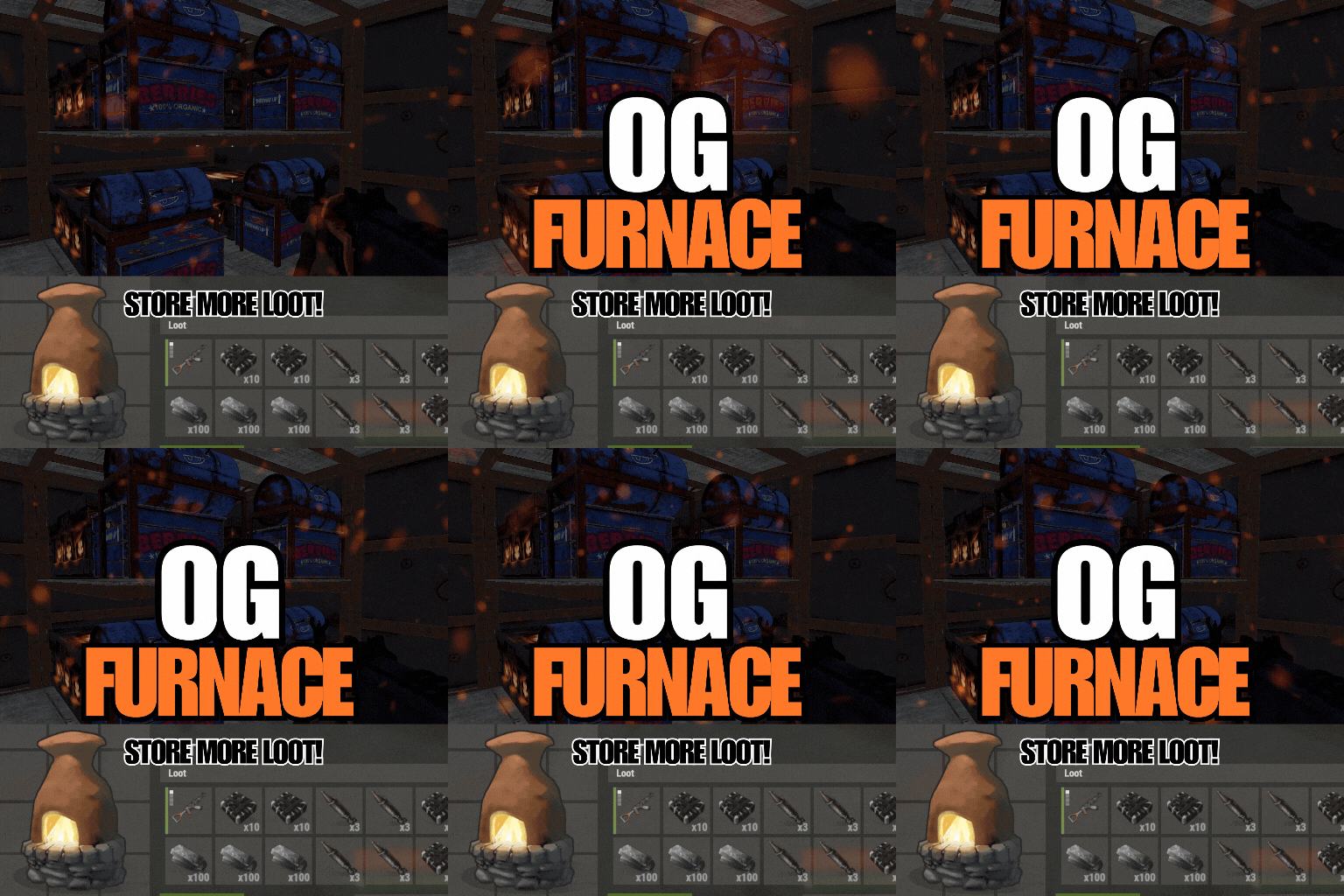
OGFurnace brings back the original rust furnace interface. This gives a player primary control over how they want to utilize their furnace slots! Features: Includes smelting and cooking speed/output config options Compatible with OGSplitter, FurnaceLevels, QuickSmelt & PowerSmelt Store and cooking multiple stacks of wood for your coal farm Custom capacities (permissions based) Customize your loot room with furnace storage Customize and upgrade the amount of slots for your ovens! Accessible splitter API! Permissions and Commands: Custom permissions can be set using the custom capacities options in the config. This will allow players to place furnaces with slot amounts according to their permissions. Config: { "Configure oven capacity": { "bbq.static": 12, "bbq.static_hidden": 12, "campfire_static": 5, "furnace_static": 18, "hobobarrel_static": 5, "small_refinery_static": 6, "bbq.campermodule": 12, "bbq.deployed": 12, "campfire": 5, "fireplace.deployed": 5, "furnace": 6, "furnace.large": 18, "jackolantern.angry": 1, "jackolantern.happy": 1, "lantern.deployed": 1, "refinery_small_deployed": 6, "tunalight.deployed": 1, "chineselantern.deployed": 1, "carvable.pumpkin": 1, "cursedcauldron.deployed": 5, "skull_fire_pit": 5, "hobobarrel.deployed": 5 }, "Show oven toggle UI": true, "UI Button Toggle Min Position": "0.65 0.07", "UI Button Toggle Max Position": "0.73 0.12", "UI Button Toggle Font Size": 17, "Configure cookable items": { "hq.metal.ore": { "cooktime": 10.0, "amountToBecome": 1 }, "metal.ore": { "cooktime": 5.0, "amountToBecome": 1 }, "sulfur.ore": { "cooktime": 2.5, "amountToBecome": 1 }, "fish.cooked": { "cooktime": 30.0, "amountToBecome": 1 }...... "Configure burnable items": { "lowgradefuel": { "byproductAmount": 1, "byproductChance": 0.0, "fuelAmount": 150.0 }, "wood": { "byproductAmount": 2, "byproductChance": 0.0, "fuelAmount": 20.0 } }, "Custom Capacity (Set custom capacities per furnace via permission-name : capacities)": { "customPerm1": { "bbq.static": 12, "bbq.static_hidden": 12, "campfire_static": 5, "furnace_static": 18, "hobobarrel_static": 5, "small_refinery_static": 6, "bbq.campermodule": 12, "bbq.deployed": 12, "campfire": 5, "fireplace.deployed": 5, "furnace": 6, "furnace.large": 18, "jackolantern.angry": 1, "jackolantern.happy": 1, "lantern.deployed": 1, "refinery_small_deployed": 6, "tunalight.deployed": 1, "chineselantern.deployed": 1, "carvable.pumpkin": 1, "cursedcauldron.deployed": 5, "skull_fire_pit": 5, "hobobarrel.deployed": 5 } } }$7.00 -

Version 1.0.0
127 downloads
AutoCooking.cs Description : - This plugin allows you to farm already cooked ores, it also works on animal feed. You can configure the elements you want it to cook instantly or not. No more furnace needed Settings : - Meats cooking (true/fasle) - Fishs cooking (true/fasle) - Ores cooking (true/fasle) - Charcoal bonus (true/fasle) Permissions : - oxide.grant user <steamID/user> autocooking.use WuyZar's Discord : https://discord.gg/NVwRcQwGwhFree



.thumb.jpg.7b7118ca6f13ed2752b37b38bf188582.jpg)