Search the Community
Showing results for tags 'oven'.
Found 6 results
-
Version 2.4.2
1,242 downloads
Smelting & cooking control Quick smelt as a rank, not a server setting Speed, output and fuel burn are set per permission and per cooker — a large furnace behaves one way for your default group and another for VIP, and the furnaces standing in monuments get a tier of their own. Grant a rank and the ovens that player already placed change on the spot, still burning. Everything is edited from an in-game menu. 8 Cookers supported out of the box 9 Settings per cooker, per rank 3 Tiers preconfigured, unlimited more 0 Dependencies ✓ Speed, output and fuel burn — three independent multipliers per cooker ✓ Ranks apply instantly — existing ovens switch tier the moment the permission lands ✓ Cooking with no fuel at all — including electric furnaces with no power ✓ A separate tier for ownerless ovens — monument furnaces don't inherit anyone's rank ✓ One-click reorganize button inside the oven — load it, fuel it exactly, empty it ✓ A live line telling you when it's done — and whether the fuel or the output space runs out first ✓ Ovens that feed themselves — wood in from the boxes next to them, metal out into the same boxes 01 — Tiers A furnace that knows who placed it Every oven is matched to its owner's permission when it spawns, so the same building looks identical and behaves differently depending on who built it. Per rank, per cooker Not one blanket smelt rate. A rank sets its own numbers for the small furnace, the large furnace, the electric furnace, the refinery, campfires, the BBQ, the hobo barrel and the fireplace — eight cookers, nine settings each, per tier. Grant a rank, the ovens change immediately Permissions and groups are watched live. Sell VIP at 2am and the furnaces that player left burning speed up right then — no relog, no re-placing, no server restart. Revoke it and they drop back just as fast. Ownerless ovens get their own tier Furnaces and campfires that came with the map or with an event have no owner and therefore no rank. A dedicated static tier covers exactly those, so a monument furnace can stay at 1x while your players' ovens run at 4x — or the other way around. 02 — The dials Three multipliers that don't overlap Speed, yield and fuel are separate problems, so they're separate numbers. Combine them into anything from a slightly generous furnace to one that never needs wood. Quick smelt Scales how fast the oven ticks. At 4x an ore stack finishes in a quarter of the time — and everything else about the oven, including charcoal, stays proportional. Output, with fractions that aren't thrown away More metal out of the same ore. Set 1.5x and the leftover halves are carried over and paid out as whole items later, so a fractional multiplier really is 1.5x over a stack instead of quietly rounding down to 1x on every tick. Fuel burn Make wood last twice as long, or twice as short. Independent of speed, so a fast furnace doesn't have to be a hungry one. Or no fuel at all One toggle and the oven runs empty — put ore in, take metal out, no wood involved. Electric furnaces get the same treatment and cook without being wired to anything, which is the version people actually ask for. And a multiplier for one resource High quality ore can smelt at half speed while everything else runs at four times, or give double metal without touching the rest of the economy. Any shortname goes into Multipliers for a single raw item with its own speed and yield, multiplied on top of the tier. 03 — Reorganize One button instead of thirty drag-and-drops A small icon appears inside the oven interface for ranks you enable it for. Pressing it does the whole loading routine at once. Fills, fuels and empties in one press Ore goes from your inventory into the oven, finished output comes back out to you, and the wood is trimmed to exactly what this batch needs — the surplus is handed straight back rather than sitting there burning. The fuel maths accounts for your rank The amount of wood it leaves is calculated from that oven's real smelting speed and temperature, so a VIP furnace running at 4x isn't loaded with four times the wood it will actually burn. 04 — Hands off Ovens that run themselves Three switches per rank, per cooker. Turn them on for VIP and their base stops being a queue of furnaces waiting to be poked. A line that says when it's done Open an oven and it tells you the time left in green. It turns yellow and counts down to the moment the wood runs out, or to the moment the output slots fill up, whichever comes first. If the oven is already stuck it says so in red instead of pretending it's working. Wood in, metal out, without the player An oven out of fuel takes what it needs from a box standing next to it, and finished bars and charcoal go back into a box instead of clogging the output. It only touches boxes belonging to the same owner, only what the current batch needs, and only inside the radius you set. Off when there's nothing left to smelt The last ore turns into metal and the furnace shuts down instead of burning through the rest of the stack. Pull the ore out mid-batch and it stops the same second. 05 — Setup Configured by looking at things Three chat commands and a menu. The config file exists, but you shouldn't need to open it. Menu: rank, then cooker, then numbers Pick a permission, pick a cooker, set three values and six toggles. Every change is saved and pushed to every matching oven on the map right away — including the ones currently burning. Any cooker, including modded ones Look at an oven that isn't in the list and add it with a command — it appears under every tier with its in-game name, ready to configure. Custom furnaces from other plugins work the same way, as long as they're built on the game's own oven type. Reliability Built to be left alone ✓ No dependencies — nothing to install alongside it ✓ Unloads back to vanilla without a restart — burning ovens are restarted on plain game rules and carry on cooking ✓ Charcoal and byproducts behave exactly as vanilla — the game's own byproduct rules are kept, including the charcoal rate of each oven ✓ Other plugins keep working — the standard fuel-consumption hooks are still called, so anything listening to them isn't cut out ✓ Multipliers can't be set to zero — a typo can't freeze every furnace on the server ✓ Destroyed ovens are forgotten immediately — no growing table of dead entities Commands & permissions Three admin commands, none for players All three require setupfurnaces.use; admins have access anyway. Players never type anything. /fsetup Open the setup menu /fadd Look at a cooker to add it to every tier /fremove Look at a cooker to drop it from the list setupfurnaces.use Access to the setup menu and commands setupfurnaces.static The tier for ovens with no owner. Never grant this one to a player setupfurnaces.default Vanilla speed, with the reorganize button and no-fuel cooking on setupfurnaces.vip 4x smelt speed on every cooker. Rename it, retune it, or add more tiers Questions Before you buy Does a player have to re-place their furnaces after getting VIP? No. Granting or revoking a permission, and adding or removing someone from a group, re-applies the tier to every oven that player owns, right then. What about furnaces in monuments and event ovens? They have no owner, so they use the static tier, which you configure separately. Don't grant that permission to anyone — it exists to describe ownerless ovens, not people. A player has two tiers. Which one applies? The one further down the config list, so keep your tiers in ascending order and the top rank last. Is 1.5x output actually 1.5x, or does it round down? It's actually 1.5x. Fractions left over from each tick are carried and paid out once they add up to a whole item, so fractional multipliers aren't silently lost. Which boxes will an oven pull fuel from? Only boxes with the same owner as the oven, only inside the radius you set in the config, and only the amount the current batch actually needs. Someone else's box next door is never touched. Can an electric furnace run without electricity? Yes, with the no-fuel toggle on for that tier and that cooker. What happens to ovens if I unload the plugin? Everything burning is restarted on vanilla rules and keeps cooking. No restart needed, nothing stuck on. Will it conflict with another smelting plugin? Two plugins both rewriting smelting will fight, as always — run one. Plugins that only listen to fuel consumption are fine: those hooks are still fired.$14.99- 125 comments
- 5 reviews
-
- 5
-

-

-
- #furnace
- #quick smelt
- (and 17 more)
-
Version 2.6.11
3,205 downloads
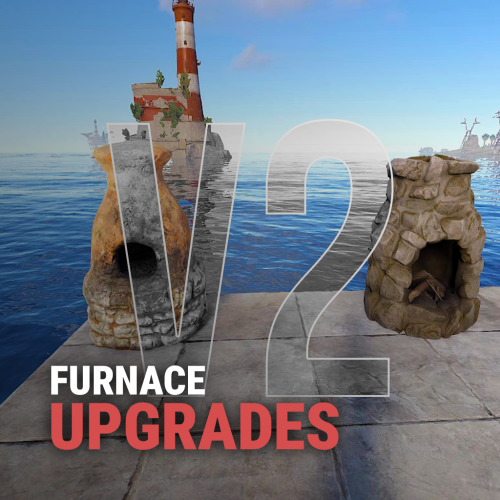
Upgrades your furnaces, ovens, refinery, mixing table & etc to beyond. Key Features Upgrade each attribute of your furnace; Supports different oven types; It is possible to define default attributes for all ovens on the server; You can set a default value for all base ovens (replacing quicksmelt); You can enable/disable any features you want; Option to keep attributes when removing the furnace; Option to auto split ores; Automatic fuel calc based on the upraded oven attributes; Now BBQ and Campfire can also be improved; Option so that only the furnace owner can upgrade it; Option so that only owner's teammates can upgrade it; A new completely redesigned UI; NEW Supports Mixing Table NEW Permission based upgrade furnaces Video Showcase Permissions furnaceupgrades.use - This is the unique permission. required for all players to upgrade furnaces Configuration Support$14.99 -

Version 1.6.1
23 downloads
Smelt Everything — a Rust plugin that lets you melt, cook, and refine anything you can get your hands on. Transform your server’s crafting system into a fully dynamic smelting experience. Weapons, food, resources — if it exists, you can smelt it. This plugin automatically detects cookable items and expands their definitions, allowing players to turn everyday materials into valuable outputs. Features Smelt any item, from raw meat to rifles Customizable cook times, temperatures, and outputs Seamless integration with Rust’s item system Perfect for creative servers, economy balancing, or hardcore survival setups Forge your own rules. Burn everything. Smelt Everything turns heat into power. Configuration { "Definitions": [ { "Original item": "bearmeat", "Change": true, "Target item": "bearmeat.cooked", "Cook time": 30.0, "Cook amount": 1, "Minimal temperature": 150, "Maximal temperature": 1600, "Set cooking flag": true }, { "Original item": "bigcatmeat", "Change": true, "Target item": "bigcatmeat.cooked", "Cook time": 30.0, "Cook amount": 1, "Minimal temperature": 150, "Maximal temperature": 1600, "Set cooking flag": true }, { "Original item": "chicken.raw", "Change": true, "Target item": "chicken.cooked", "Cook time": 30.0, "Cook amount": 1, "Minimal temperature": 150, "Maximal temperature": 1600, "Set cooking flag": true }, { "Original item": "crocodilemeat", "Change": true, "Target item": "crocodilemeat.cooked", "Cook time": 30.0, "Cook amount": 1, "Minimal temperature": 150, "Maximal temperature": 1600, "Set cooking flag": true }, { "Original item": "deermeat.raw", "Change": true, "Target item": "deermeat.cooked", "Cook time": 30.0, "Cook amount": 1, "Minimal temperature": 150, "Maximal temperature": 1600, "Set cooking flag": true }, { "Original item": "fish.raw", "Change": true, "Target item": "fish.cooked", "Cook time": 20.0, "Cook amount": 1, "Minimal temperature": 150, "Maximal temperature": 1600, "Set cooking flag": true }, { "Original item": "horsemeat.raw", "Change": true, "Target item": "horsemeat.cooked", "Cook time": 30.0, "Cook amount": 1, "Minimal temperature": 150, "Maximal temperature": 1600, "Set cooking flag": true }, { "Original item": "humanmeat.raw", "Change": true, "Target item": "humanmeat.cooked", "Cook time": 30.0, "Cook amount": 1, "Minimal temperature": 150, "Maximal temperature": 1600, "Set cooking flag": true }, { "Original item": "meat.boar", "Change": true, "Target item": "meat.pork.cooked", "Cook time": 30.0, "Cook amount": 1, "Minimal temperature": 150, "Maximal temperature": 1600, "Set cooking flag": true }, { "Original item": "snakemeat", "Change": true, "Target item": "snakemeat.cooked", "Cook time": 30.0, "Cook amount": 1, "Minimal temperature": 150, "Maximal temperature": 1600, "Set cooking flag": true }, { "Original item": "wolfmeat.raw", "Change": true, "Target item": "wolfmeat.cooked", "Cook time": 30.0, "Cook amount": 1, "Minimal temperature": 150, "Maximal temperature": 1600, "Set cooking flag": true }, { "Original item": "crude.oil", "Change": true, "Target item": "lowgradefuel", "Cook time": 10.0, "Cook amount": 3, "Minimal temperature": 800, "Maximal temperature": 1600, "Set cooking flag": true }, { "Original item": "corn", "Change": true, "Target item": "lowgradefuel", "Cook time": 10.0, "Cook amount": 3, "Minimal temperature": 150, "Maximal temperature": 1600, "Set cooking flag": true }, { "Original item": "potato", "Change": true, "Target item": "lowgradefuel", "Cook time": 10.0, "Cook amount": 3, "Minimal temperature": 150, "Maximal temperature": 1600, "Set cooking flag": true }, { "Original item": "pumpkin", "Change": true, "Target item": "lowgradefuel", "Cook time": 10.0, "Cook amount": 3, "Minimal temperature": 150, "Maximal temperature": 1600, "Set cooking flag": true }, { "Original item": "can.beans.empty", "Change": true, "Target item": "metal.fragments", "Cook time": 30.0, "Cook amount": 15, "Minimal temperature": 150, "Maximal temperature": 2000, "Set cooking flag": true }, { "Original item": "can.tuna.empty", "Change": true, "Target item": "metal.fragments", "Cook time": 30.0, "Cook amount": 10, "Minimal temperature": 150, "Maximal temperature": 2000, "Set cooking flag": true }, { "Original item": "cloth", "Change": true, "Target item": "leather", "Cook time": 10.0, "Cook amount": 1, "Minimal temperature": 800, "Maximal temperature": 1200, "Set cooking flag": true }, { "Original item": "rifle.ak", "Change": true, "Target item": "metal.refined", "Cook time": 6.0, "Cook amount": 50, "Minimal temperature": 800, "Maximal temperature": 1200, "Set cooking flag": true }, { "Original item": "hq.metal.ore", "Change": false, "Target item": "metal.refined", "Cook time": 20.0, "Cook amount": 1, "Minimal temperature": 800, "Maximal temperature": 1200, "Set cooking flag": true }, { "Original item": "metal.ore", "Change": false, "Target item": "metal.fragments", "Cook time": 10.0, "Cook amount": 1, "Minimal temperature": 800, "Maximal temperature": 1200, "Set cooking flag": true }, { "Original item": "sulfur.ore", "Change": false, "Target item": "sulfur", "Cook time": 5.0, "Cook amount": 1, "Minimal temperature": 800, "Maximal temperature": 1200, "Set cooking flag": true } ], "Version": { "Major": 1, "Minor": 6, "Patch": 0 } }$5.99 -

Version 1.5.15
1,897 downloads
SAVE 10% WHEN BUYING THE BUNDLE No oxide sh*t, fast af Now supporting electric and legacy Furnaces ! The best smelting plugin you will find, guaranteed™ Still using Quick/Power Smelt ? Well.. let me welcome you to 2023. Straightforward configuration, let's make our large furnaces x5 and refineries x2 but keep small furnaces vanilla: "Ovens": { "furnace.large": { "Multiplier": 5, "Charcoal": 5, }, "furnace": { "Multiplier": 1, "Charcoal": 1, }, "refinery_small_deployed": { "Multiplier": 2, "Charcoal": 2, } } Yeah.. all smelting plugins can do that you said ? Fair enough.. How about changing the cook time (in seconds) per item type ? "Products": { "hq.metal.ore": { "CookTime": 0.5, "Amount": 1 }, "metal.ore": { "CookTime": 10.0, "Amount": 1 }, "sulfur.ore": { "CookTime": 1.0, "Amount": 1 } } Still not impressed ? What if you'd like one metal.ore to give you 5 metal frags instead of the default 1:1 ratio ? Easy.. grab my beer. "metal.ore": { "CookTime": 10.0, "Amount": 5 }$6.99 -
Version 1.1.1
342 downloads
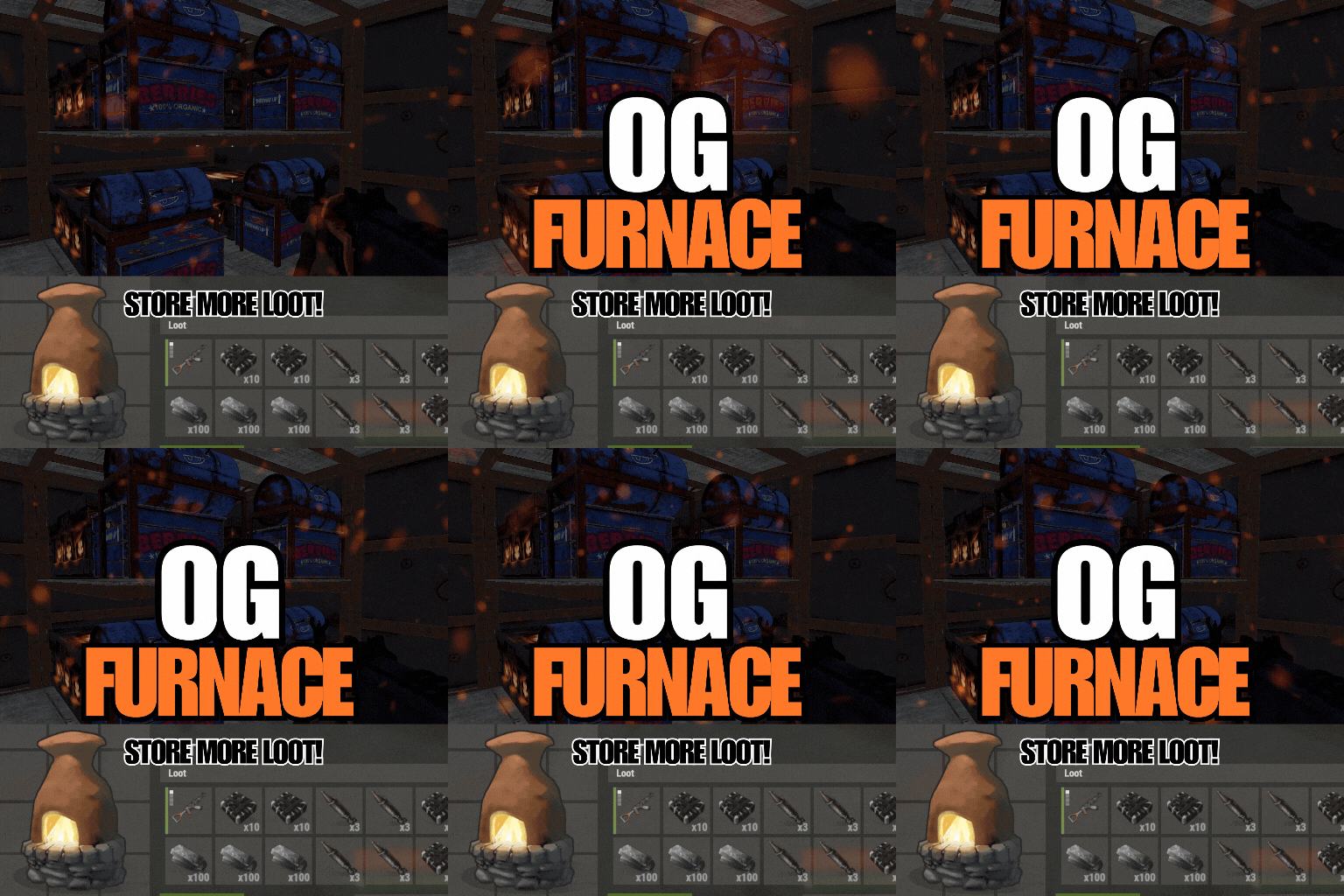
OGFurnace brings back the original rust furnace interface. This gives a player primary control over how they want to utilize their furnace slots! Features: Includes smelting and cooking speed/output config options Compatible with OGSplitter, FurnaceLevels, QuickSmelt & PowerSmelt Store and cooking multiple stacks of wood for your coal farm Custom capacities (permissions based) Customize your loot room with furnace storage Customize and upgrade the amount of slots for your ovens! Accessible splitter API! Permissions and Commands: Custom permissions can be set using the custom capacities options in the config. This will allow players to place furnaces with slot amounts according to their permissions. Config: { "Configure oven capacity": { "bbq.static": 12, "bbq.static_hidden": 12, "campfire_static": 5, "furnace_static": 18, "hobobarrel_static": 5, "small_refinery_static": 6, "bbq.campermodule": 12, "bbq.deployed": 12, "campfire": 5, "fireplace.deployed": 5, "furnace": 6, "furnace.large": 18, "jackolantern.angry": 1, "jackolantern.happy": 1, "lantern.deployed": 1, "refinery_small_deployed": 6, "tunalight.deployed": 1, "chineselantern.deployed": 1, "carvable.pumpkin": 1, "cursedcauldron.deployed": 5, "skull_fire_pit": 5, "hobobarrel.deployed": 5 }, "Show oven toggle UI": true, "UI Button Toggle Min Position": "0.65 0.07", "UI Button Toggle Max Position": "0.73 0.12", "UI Button Toggle Font Size": 17, "Configure cookable items": { "hq.metal.ore": { "cooktime": 10.0, "amountToBecome": 1 }, "metal.ore": { "cooktime": 5.0, "amountToBecome": 1 }, "sulfur.ore": { "cooktime": 2.5, "amountToBecome": 1 }, "fish.cooked": { "cooktime": 30.0, "amountToBecome": 1 }...... "Configure burnable items": { "lowgradefuel": { "byproductAmount": 1, "byproductChance": 0.0, "fuelAmount": 150.0 }, "wood": { "byproductAmount": 2, "byproductChance": 0.0, "fuelAmount": 20.0 } }, "Custom Capacity (Set custom capacities per furnace via permission-name : capacities)": { "customPerm1": { "bbq.static": 12, "bbq.static_hidden": 12, "campfire_static": 5, "furnace_static": 18, "hobobarrel_static": 5, "small_refinery_static": 6, "bbq.campermodule": 12, "bbq.deployed": 12, "campfire": 5, "fireplace.deployed": 5, "furnace": 6, "furnace.large": 18, "jackolantern.angry": 1, "jackolantern.happy": 1, "lantern.deployed": 1, "refinery_small_deployed": 6, "tunalight.deployed": 1, "chineselantern.deployed": 1, "carvable.pumpkin": 1, "cursedcauldron.deployed": 5, "skull_fire_pit": 5, "hobobarrel.deployed": 5 } } }$7.00 -

Version 2.1.1
3,841 downloads
Lock Your Ovens v2.1.0 Make all your furnaces and refineries lockable in Rust! Supports all vanilla ovens and any custom ovens you add. Key Features Auto-lock ovens - All configured ovens become lockable on spawn Legacy Furnace Support - Works with legacy furnaces Dynamic Addition - Add new oven types with a hammer Custom Lock Positions - Each oven type has configurable lock placement Multilingual - English & French support Quick Start Install the plugin Grant admin permission: oxide.grant user lockoven.admin Use /lockoven_refresh to make existing ovens lockable NEW: Use /lockoven_add + hammer to add custom ovens Commands /lockoven_refresh - Make all configured ovens lockable /lockoven_add - Toggle oven addition mode /lockoven_list - List supported ovens with lock positions /lockoven_clean - Remove invalid entries /lockoven_reset - Reset to defaults Adding Custom Ovens Type /lockoven_add to enable addition mode Equip a hammer Hit any oven/furnace to add it Type /lockoven_add again to disable mode Supported Ovens (Default) Standard Furnace Legacy Furnace Large Furnace Small Oil Refinery Electric Furnace Configuration Located in oxide/config/Lockoven.json: { "RefreshCommand": "lockoven_refresh", "AddCommand": "lockoven_add", "ListCommand": "lockoven_list", "CleanCommand": "lockoven_clean", "ResetConfigCommand": "lockoven_reset", "PermAdmin": "lockoven.admin", "ActivatePermUse": false, "PermUse": "lockoven.use", "SupportedOvens": { "assets/prefabs/deployable/furnace/furnace.prefab": { "LockPosition": {"x": -0.02, "y": 0.3, "z": 0.5}, "LockRotation": {"x": 0, "y": 90, "z": 0} } } } Permissions lockoven.admin - Required for all admin commands lockoven.use - Required to lock ovens (optional, disabled by default) Pro Tips Ovens placed before plugin installation need /lockoven_refresh New ovens are automatically lockable if in config Edit lock positions in config for perfect placement Language Support Automatically detects player language (French/English)Free

.thumb.jpg.f2f378cbb4943d7036c8a674f8a23b40.jpg)
.thumb.jpg.7b7118ca6f13ed2752b37b38bf188582.jpg)