Search the Community
Showing results for tags 'developer api'.
Found 2 results
-

Version 1.0.0
338 downloads
The PlayerEventStates plugin provides a system to manage and track event states for individual players and globally across the server. This system can be particularly useful for developers who wish to create conditional gameplay mechanics based on specific events or states. Features Player-Specific Event States: Allows tracking of individual player event states. Global Event States: Provides a mechanism to track global events that apply server-wide. API Access: Exposes several API methods for developers to interact with the system, making it versatile for integration with other plugins or custom scripts. Data Persistence: Ensures that both player-specific and global event states are saved and can be loaded across server restarts. API Methods (For Developers) GetEventStatePlayer_API(ulong playerId, string eventName); // Fetches the event state for a specific player. GetEventStateGlobal_API(string eventName); // Retrieves the global event state. SetEventStatePlayer_API(ulong playerId, string eventName, bool value); // Sets the event state for a specific player. SetEventStateGlobal_API(string eventName, bool value); // Modifies the global event state. PlayerHasRecquiredStates_API(ulong playerId, Dictionary<string,bool> states); //Checks if a player meets specific event state conditions. Usage Examples Quest Systems: If you're developing a quest system, you can use event states to track a player's progress. For instance, if a player completes a task, you can set an event state to true. This can then influence future interactions or dialogues with NPCs. Dynamic World Events: Global event states can be used to track server-wide events. For example, if a server-wide event like a festival is active, you can set a global event state. This could change interactions or available quests for all players. Conditional Dialogues: As mentioned, integration with the Dialogs plugin can lead to dynamic dialogues. An NPC might have different dialogues for players who have or haven't completed specific tasks. Setup & Configuration Ensure the PlayerEventStates plugin is installed on your server. The plugin will automatically create necessary data files in the oxide/data/PlayerEventStates directory. Developers can directly interact with the plugin using the provided API methods. Note for Developers: When developing with this plugin, pay special attention to the variables ending with _API. These are the methods you'll primarily interact with to get or set event states. Conclusion The PlayerEventStates plugin is a powerful tool for developers looking to add depth and dynamism to their Rust servers. By tracking both player-specific and global event states, it opens up a plethora of gameplay possibilities, especially when combined with plugins like Dialogs. Whether you're crafting a complex quest system or just want NPCs to recognize player achievements, PlayerEventStates is a valuable addition to your plugin arsenal. Support : You can also contact me via discord : https://discord.gg/JJnxFgP27GFree- 1 comment
-
- 2
-

-
- #development
- #developer api
- (and 5 more)
-
Version 1.0.5
1,180 downloads
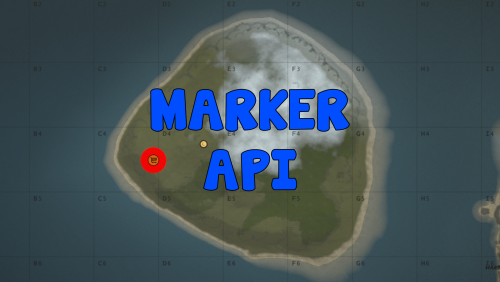
A lightweight API that allows other plugins to place markers on the map. On its own it serves no purpose. Developer API: position: world position of the marker entity: the entity the marker is attached to uname: unique name of the marker, used when removing it ownerid: marker is only visible to player with that id duration: time before the marker will be removed automatically refreshRate: time between marker refesh, useful for markers attached to entities radius: radius of the circle on the map displayName: name of the marker on the map colorMarker: color of the marker, in hex format colorOutline: color of the marker outline, in hex format with transparency Create a map marker visible for everyone at a given position. Returns false when a marker with the given name already exists. (bool) API_CreateMarkerPublic (Vector3 position, string uname, int duration = 0, float refreshRate = 3f, float radius = 0.4f, string displayName = "Marker", string colorMarker = "00FFFF", string colorOutline = "00FFFFFF") Create a map marker visible for everyone attached to an entity. Returns false when a marker with the given name already exists. (bool) API_CreateMarkerPublic (BaseEntity entity, string uname, int duration = 0, float refreshRate = 3f, float radius = 0.4f, string displayName = "Marker", string colorMarker = "00FFFF", string colorOutline = "00FFFFFF") Create a map marker only visible for a certain player at a given position. Returns false when a marker with the given name already exists. (bool) API_CreateMarkerPrivate (Vector3 position, string uname, ulong ownerid, int duration = 0, float refreshRate = 3f, float radius = 0.4f, string displayName = "Marker", string colorMarker = "00FFFF", string colorOutline = "00FFFFFF") Create a map marker only visible for a certain player attached to an entity. Returns false when a marker with the given name already exists. (bool) API_CreateMarkerPrivate (BaseEntity entity, string uname, ulong ownerid, int duration = 0, float refreshRate = 3f, float radius = 0.4f, string displayName = "Marker", string colorMarker = "00FFFF", string colorOutline = "00FFFFFF") Remove map marker (fast) (bool) API_RemoveCachedMarker (string uname) Remove map marker (slow, use only if marker is not cached) (void) API_RemoveMarker (string uname) Credit: Credit to https://umod.org/user/DezLife for the original plugin. This plugin is a fork of https://umod.org/plugins/marker-managerFree