Search the Community
Showing results for tags 'api'.
-
Version 0.1.26
8,631 downloads
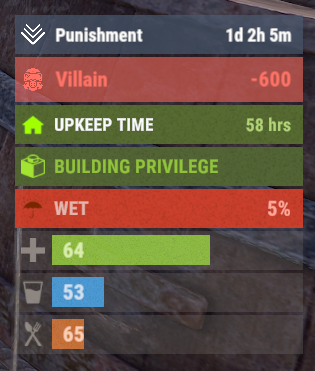
A useful API plugin that mimics in-game status bars and allows the addition of custom ones. Note: AdvancedStatus does not display any bars on its own. This is done by other plugins that work with it. An example plugin demonstrating interaction with AdvancedStatus. The ability to specify the frequency of calculating the number of bars; The ability to specify the order of the bar; The ability to change the height of the bar; The abillity to customize the color and transparency of the background; The ability to set a material for the background; The ability to switch between CuiRawImageComponent and CuiImageComponent for the image; The ability to get images from the local folder(*SERVER*\oxide\data\AdvancedStatus\Images); The abillity to set own image and customize the color and transparency of the image; The abillity to set sprite instead of the image; The ability to specify custom text; The ability to customize the color, size and font of the text; No need to pass all parameters; No need to manually delete your bar when unloading your plugin. advancedstatus.admin - Grants access to the chat command(by default /bar). { "Chat command": "bar", "Is it worth enabling console notifications for the successful loading of local images?": false, "Interval(in seconds) for counting in-game status bars": 0.5, "Interval(in seconds) for counting Building Privileges status bars. Note: Calculating Building Privileges is resource-intensive": 1.0, "Is it worth counting Vehicle Privilege? Useful if you don't have a Tugboat or PlayerBoat": true, "Is it worth counting Entity Privilege? Useful if you don't have a Legacy Shelter": true, "Ui layer for displaying bars. For button bars, it is recommended to use the 'Hud' layer(https://umod.org/guides/rust/basic-concepts-of-gui#layers)": "Under", "Is it worth displaying bar components left to right?": true, "Vertical spacing between bars": 2, "The height of the bar by default": 26, "The background color of the bar by default": "#505F75", "The background transparency of the bar by default": 0.7, "The background material of the bar by default, leave empty to disable": "", "The image of the bar by default": "AdvancedStatus_Default", "The color of the bar image by default": "#6B7E95", "The transparency of the bar image by default": 1.0, "The outline color of the bar image by default": "#000000", "The outline transparency of the bar image by default": 1.0, "The outline distance of the bar image by default. Example '0.75 0.75'": "", "The size of the bar text by default": 12, "The color of the bar text by default": "#FFFFFF", "The transparency of the bar text by default": 1.0, "The font of the bar text by default(https://umod.org/guides/rust/basic-concepts-of-gui#fonts)": "RobotoCondensed-Bold.ttf", "The horizontal offset of the bar text by default": 0, "The outline color of the bar text by default": "#000000", "The outline transparency of the bar text by default": 1.0, "The outline distance of the bar text by default": "", "The size of the bar subtext by default": 12, "The color of the bar subtext by default": "#FFFFFF", "The transparency of the bar subtext by default": 1.0, "The font of the bar subtext by default": "RobotoCondensed-Bold.ttf", "The outline color of the bar subtext by default": "#000000", "The outline transparency of the bar subtext by default": 1.0, "The outline distance of the bar subtext by default": "", "The color of the bar progress by default": "#89B840", "The transparency of the bar progress by default": 0.7, "The OffsetMin of the bar progress by default": "25 2.5", "The OffsetMax of the bar progress by default": "-3.5 -3.5", "Version": { "Major": 0, "Minor": 1, "Patch": 25 } } EN: { "MsgDays": "d", "MsgHours": "h", "MsgMinutes": "m", "MsgSeconds": "s" } RU: { "MsgDays": "д", "MsgHours": "ч", "MsgMinutes": "м", "MsgSeconds": "я" } images reload *ImageName* - Reloads the specified image from the image folder; all - Reloads all local images from the image folder. Example: /bar images reload all Note: To access the commands, the player must be an admin(console or owner) or have the advancedstatus.admin permission. OnAdvancedStatusLoaded: Called after the AdvancedStatus plugin is fully loaded and ready. OnPlayerGainedBuildingPrivilege: Called after the player enters their building privilege. OnPlayerLostBuildingPrivilege: Called after the player exits their building privilege. void OnAdvancedStatusLoaded() { Puts("The AdvancedStatus plugin is loaded and ready to go!"); } void OnPlayerGainedBuildingPrivilege(BasePlayer player) { Puts($"{player.displayName} entered the authorized building privilege zone."); } void OnPlayerLostBuildingPrivilege(BasePlayer player) { Puts($"{player.displayName} exited the authorized building privilege zone."); } [PluginReference] private Plugin AdvancedStatus; There are 15 methods: IsReady CreateBar UpdateContent DeleteBar DeleteCategory DeleteAllBars GetTotalClientBars GetTotalPlayerBars LoadImages LoadImage CopyImage DeleteImages DeleteImage BarExists InBuildingPrivilege There are 5 types of bar: Default - A simple bar that displays the provided information. Does not update the value of SubText by itself; Timed - Similar to the default bar, but it automatically disappears after the specified time in the TimeStamp parameter; TimeCounter - The SubText shows the remaining time until TimeStamp. Also automatically removed upon expiration of the TimeStamp; TimeProgress - Similar to the Timed bar, but additionally features an automatically filling progress bar; TimeProgressCounter - Similar to the TimeCounter bar, but additionally features an automatically filling progress bar. IsReady: Used to check if the AdvancedStatus plugin is loaded and ready to work. The IsReady method returns true if it is ready, or null if it is not. (bool)AdvancedStatus?.Call("IsReady");//Calling the IsReady method. If the result is not null(bool true), the plugin is ready. CreateBar: Used to create a bar or update bar values for a player. To call the CreateBar method, you need to pass 2 parameters. The first one is BasePlayer or <ulong>playerID. The second one is a dictionary with the parameters you need. In the CreateBar method, all parameters are optional, except for two: Id; Plugin. Parameters not specified when creating a new bar will use the values set in the AdvancedStatus plugin's configuration file. Parameters not specified during bar update will retain the values they had before the update. Note: The plugin does not update values automatically, you need to manually send new values. Dictionary<string, object> parameters = new Dictionary<string, object> { { "Id", "AdvancedStatusDemo_1" }, //<string>Unique identifier for the bar in your plugin. ***This is a required field. { "BarType", "Default" }, //<string>Type of the bar. There are 4 types: Default, Timed, TimeCounter and TimeProgress. { "Plugin", "AdvancedStatusDemo" }, //<string>Name of your plugin. ***This is a required field. { "Category", "Default" }, //<string>Internal plugin category of the bar. { "Order", 10 }, //<int>The position of your bar relative to others. Order is determined by increasing values(ASC). { "Height", 26 }, //<int>The height of your bar. A standard bar is 26 pixels. { "Main_Color", "#505F75" }, //<string>HTML Hex color of the bar background. { "Main_Transparency", 0.7f }, //<float>Transparency of the bar background. { "Main_Material", "assets/content/ui/uibackgroundblur.mat" }, //<string>Material of the bar background(empty to disable). { "Image", "scrap" }, //<string>Name of the image saved in the ImageLibrary or a direct link to the image if ImageLibrary is not used. { "Image_Local", "AdvancedStatusDemo_Scrap" }, //<string>The name of the image file(without its extension) located in *SERVER*\data\AdvancedStatus\Images. Leave empty to use Image. { "Image_Sprite", "" }, //<string>Sprite image of the bar. Leave empty to use Image_Local or Image. { "Is_RawImage", true }, //<bool>Which type of image will be used? True - CuiRawImageComponent. False - CuiImageComponent. { "Image_Color", "#6B7E95" }, //<string>HTML Hex color of the bar image. { "Image_Transparency", 1.0f }, //<float>Transparency of the image. { "Text", "Scrap" }, //<string>Main text. { "Text_Size", 12 }, //<int>Size of the main text. { "Text_Color", "#FFFFFF" }, //<string>HTML Hex color of the main text. { "Text_Font", "RobotoCondensed-Bold.ttf" }, //<string>Font of the main text. { "Text_Offset_Horizontal", 0 }, //<int>Horizontal offset for the main text. { "SubText", "35" }, //<string>Sub text. { "SubText_Size", 12 }, //<int>Size of the sub text. { "SubText_Color", "#FFFFFF" }, //<string>HTML Hex color of the sub text. { "SubText_Font", "RobotoCondensed-Bold.ttf" }, //<string>Font of the sub text. { "TimeStampStart", Network.TimeEx.currentTimestamp }, //<double>Responsible for specifying the start point of the time reference and 0% for TimeProgress and TimeProgressCounter bars. Used if the bar type is Timed, TimeCounter, TimeProgress or TimeProgressCounter. { "TimeStamp", Network.TimeEx.currentTimestamp + 6 }, //<double>Specifies the end time point after which the bar will be destroyed and 100% for TimeProgress and TimeProgressCounter bars. Used if the bar type is Timed, TimeCounter, TimeProgress or TimeProgressCounter. { "TimeStampDestroy", Network.TimeEx.currentTimestamp + 3 }, //<double>If TimeStampDestroy is specified and it is less than TimeStamp, the bar will be destroyed by TimeStampDestroy. Used if the bar type is Timed, TimeCounter, TimeProgress or TimeProgressCounter. { "Progress", (float)35 / 100f }, //<float>Progress. From 0.0 to 1.0. { "Progress_Reverse", false }, //<bool>Progress reverse. A value of false means that the progress will increase. Used if the bar type is TimeProgress or TimeProgressCounter. { "Progress_Color", "#89B840" }, //<string>Progress color. { "Progress_Transparency", 1f }, //<float>Progress transparency. { "Progress_OffsetMin", "25 2.5" }, //<string>Progress OffsetMin: "*left* *bottom*". { "Progress_OffsetMax", "-3.5 -3.5" }, //<string>Progress OffsetMax: "*right* *top*". { "Command", "kit" } //<string>If the field is not empty, the bar becomes clickable, and the specified command is executed upon clicking. Note: the command must be covalence. }; AdvancedStatus?.Call("CreateBar", player.userID.Get(), parameters); //Calling the CreateBar method with the passing of BasePlayer/playerID and a dictionary containing the required parameters. UpdateContent: Used to update only the content of an existing status bar. To call the UpdateContent method, you need to pass 2 parameters. The first one is BasePlayer or <ulong>playerID. The second one is a dictionary with the parameters you need. In the UpdateBar method, all parameters are optional, except for two: Id; Plugin. var parameters = new Dictionary<string, object> { { "Id", "MyID" }, //<string>Unique identifier for the bar in your plugin. ***This is a required field. { "Plugin", Name }, //<string>Name of your plugin. ***This is a required field. { "Text", "MyText" }, //<string>Main text. { "SubText", "MyText" }, //<string>Sub text. { "Progress", (float)amount / 100f }, //<float>Progress. From 0.0 to 1.0. }; AdvancedStatus?.Call("UpdateContent", player.userID.Get(), parameters); //Calling the UpdateContent method with the passing of BasePlayer/playerID and a dictionary containing the required parameters. DeleteBar: Used to remove the bar for a player. There are two methods for removing a bar by ID: with specifying a particular player; To call this method, you need to pass 3 parameters. The first one is BasePlayer or <ulong>playerID. The second one is Id of your bar and the third one is name of your plugin. without specifying a particular player (which removes it for all players) To call this method, you need to pass 2 parameters. The first one is Id of your bar and the second one is name of your plugin. AdvancedStatus?.Call("DeleteBar", player.userID.Get(), barID, Name); //Calling the DeleteBar method with the passing of BasePlayer/playerID, ID of the bar and the name of your plugin. AdvancedStatus?.Call("DeleteBar", barID, Name); //Calling the DeleteBar method with the passing of ID of the bar and the name of your plugin. If you try to delete a bar that doesn't exist, nothing bad will happen. So feel free to delete the bar without checking its existence. P.S. When unloading your plugin, there is no need to manually delete bars for players, AdvancedStatus will handle it automatically. DeleteCategory: Used to remove all bars associated with the plugin's category. To call the DeleteCategory method, you need to pass 2 parameters. The first one is category and the second one is name of your plugin. AdvancedStatus?.Call("DeleteCategory", "Default", Name);//Calling the DeleteCategory method by passing the category and name of your plugin DeleteAllBars: Used to remove all bars associated with the plugin. To call the DeleteAllBars method, you need to pass only 1 parameter. It is name of your plugin. AdvancedStatus?.Call("DeleteAllBars", Name);//Calling the DeleteAllBars method, passing the name of your plugin GetTotalClientBars: Used to get the number of client bars for the player. To call the GetTotalClientBars method, you need to pass only 1 parameter. It is BasePlayer or <ulong>playerID. (int)AdvancedStatus?.Call("GetTotalClientBars", player.userID.Get());//Calling the GetTotalClientBars method, passing the name of BasePlayer/playerID GetTotalPlayerBars: Used to get the number of active custom bars for the player. To call the GetTotalPlayerBars method, you need to pass only 1 parameter. It is BasePlayer or <ulong>playerID. (int)AdvancedStatus?.Call("GetTotalPlayerBars", player.userID.Get());//Calling the GetTotalPlayerBars method, passing the name of BasePlayer/playerID LoadImages: Used to check if the local images specified in the list are loaded. If any of the images are not loaded but their files exist in the images folder, the plugin will load them. To call the LoadImages method, you need to pass only 2 parameters. The first one is the <List<string>>list of image's name and the second one(optional) is <bool>force, which, if set to true, will force reload the image even if it already exists. AdvancedStatus?.Call("LoadImages", list, false);//Calling the LoadImages method, passing a list of image names LoadImage: Used to check if the local image is loaded. If the file is not loaded and exists in the images folder, the plugin will load it. To call the LoadImage method, you need to pass 2 parameters. The first one is the <string>image's name and the second one(optional) is <bool>force, which, if set to true, will force reload the image even if it already exists. AdvancedStatus?.Call("LoadImage", imgName, false);//Calling the LoadImage method, passing an image's name CopyImage: Used to create and load a copy of an existing image. To call the CopyImage method, you need to pass 3 parameters. The first parameter is the <string>source image's name, the second parameter is the <string>new image's name and the third one(optional) is <bool>force, which, if set to true, will force copy and reload the image even if it already exists. AdvancedStatus?.Call("CopyImage", "ZoneStatus_Default", "ZoneStatus_NewZone", false);//Calling CopyImage, passing the source image name and the new image name. DeleteImages: Used to delete a list of images and their files. To call the DeleteImages method, you need to pass 2 parameters. The first one is the <List<string>>list of image's name and the second one(optional) parameter is <bool>deleteFile, which, if set to true, will delete image's file too. AdvancedStatus?.Call("DeleteImages", list, true);//Calling DeleteImages, passing a list of image names. DeleteImage: Used for removing the image and the image file. To call the DeleteImage method, you need to pass 2 parameters. The first parameter is the <string>image's name and the second one(optional) parameter is <bool>deleteFile, which, if set to true, will delete image's file too. AdvancedStatus?.Call("DeleteImage", "ZoneStatus_NewZone", true);//Calling DeleteImage, passing the image name. BarExists: Used to check if the specified bar exists. To call the BarExists method, you need to pass 3 parameters. The first one is BasePlayer or <ulong>playerID. The second one is Id of your bar. And the third one is name of your plugin. (bool)AdvancedStatus?.Call("BarExists", player.userID.Get(), barID, Name);//Calling the BarExists method with the passing of BasePlayer/playerID, ID of the bar and name of your plugin. InBuildingPrivilege: Used to check if the player has authorized building privileges. To call the InBuildingPrivilege method, you need to pass BasePlayer or <ulong>playerID. (bool)AdvancedStatus?.Call("InBuildingPrivilege", player.userID.Get());//Checking if the player has Building Privilege.$1.99 -
Version 1.0.5
1,582 downloads
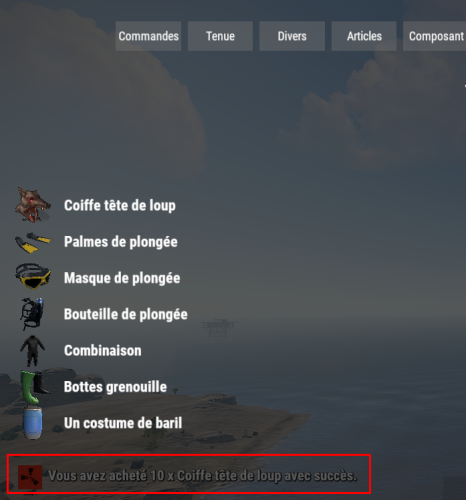
Automatically translates rust item display names & descriptions to use in you're plugins. Most Recent Update for Repo is 12-16-2021 at 1pm ( Pacific Standard Time ) Features No config needed! Automatic language generations! Supports All 30 Rust Native Translations! Works With latest GUIShop beta branch, StackModifier, and EasyResearch! GitHub repository is updated when Facepunch updates which in return means as soon as your server is rebooted or you reload this plugin it will take affect! API Hooks // OnLangAPIFinished is called when LangAPI is finished processing private bool _isLangAPIReady; private void OnLangAPIFinished() { _isLangAPIReady = true; } // Added IsReady bool which will return true/false when your plugin is loaded to know if it's ready // Example usage below. private void OnServerInitialized() { if (LangAPI != null && LangAPI.IsLoaded) _isLangAPIReady = LangAPI.Call<bool>("IsReady"); } //How to properly check valid displaynames when using custom item displaynames in plugins. //Example first hook call usage method expects item.DisplayName.english ( returns true or false ) //Example second hook call usage method expects item.shortname, item.DisplayName.english, player.UserIDString string GetItemDisplayName(string shorname, string displayName, string userID) { if (LangAPI != null && LangAPI.Call<bool>("IsDefaultDisplayName", displayName)) { return LangAPI.Call<string>("GetItemDisplayName", shorname, displayName, userID) ?? displayName; } return displayName; } //Example expects the item.shortname, item.displayName.english, player.UserIDString //Return type is string LangAPI.Call<string>("GetItemDisplayName", "rifle.ak", "Assault Rilfe", player.UserIDString) //Example expects the item.shortname, item.displayDescription.english, player.UserIDString //Return type is string LangAPI.Call<string>("GetItemDescription", "rifle.ak", "High damage machine rilfe", player.UserIDString) //Added a new API bool check to detect valid item displaynames. //Retrun type is bool LangAPI.Call<bool>("IsDefaultDisplayName", "Assault Rifle") // IsReady bool will return true/false when your plugin is loaded to know if it's ready LangAPI.Call<bool>("IsReady")Free -
Version 1.3.1
10,125 downloads
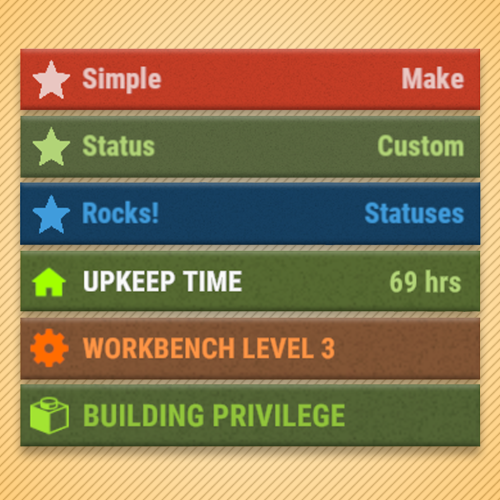
Overview Provides an API for adding custom status messages that fit alongside the vanilla Rust status UI. Simple Status does not add gameplay statuses on its own; it provides an API that other plugins can use to display them. As of version 1.3.0, Simple Status supports Facepunch's native CustomVitals system. Compatible statuses are rendered using the native Rust status UI, while unsupported features automatically fall back to the Legacy CUI renderer when required. Simple Status also supports Advanced Status integration and can automatically switch between Advanced Status, native CustomVitals, and Legacy CUI depending on the server configuration and the features used by each status. Commands /ts Toggles the visibility of statuses for a player. This command can be changed in the config settings. Configuration { "ChatMessageSteamId": 0, "ToggleStatusCommand": "ts", "UseCustomVitals": true, "UseInternalCustomVitalsWrapper": true, "ForceCustomVitalsForUnsupportedStatuses": false, "IgnoreAdvancedStatus": false } UseCustomVitals - Enables the native Facepunch CustomVitals renderer when available. UseInternalCustomVitalsWrapper - Uses Simple Status' built-in Facepunch CustomVitals wrapper. This does not require Carbon. If disabled, Simple Status will attempt to use the Carbon/CarbonAliases CustomVitalManager provider instead. ForceCustomVitalsForUnsupportedStatuses - Forces statuses to remain on CustomVitals even when they use unsupported features. Unsupported features such as progress bars or asset-path icons will not be rendered. IgnoreAdvancedStatus - When enabled, Simple Status will not use Advanced Status as its renderer and will instead use CustomVitals or Legacy CUI. Custom Status Framework This plugin is a sequel to Custom Status Framework and features much better performance. They do the same thing, but are NOT compatible with each other. Do not load both on your server or you may run into issues. Plugins that require Custom Status Framework will need to be updated to support Simple Status, it is not backwards compatible. If you are a plugin developer and need help writing your plugin to use Simple Status, please reach out to me! Advanced Status Simple Status can integrate automatically with Advanced Status. When Advanced Status is installed and IgnoreAdvancedStatus is disabled, it remains the preferred renderer for traditional Simple Status statuses. If Advanced Status is not being used, Simple Status can render compatible statuses through Facepunch's native CustomVitals system and automatically fall back to Legacy CUI when required. Developers using the regular Simple Status API do not need to explicitly support each renderer. API void CreateStatus(Plugin plugin, string statusId, Dictionary<string, object> properties) // Registers a status definition. // OnSimpleStatusReady() is recommended when Simple Status may load after your plugin. // See the Properties section for supported values. void SetStatus(string userId, string statusId, int duration = int.MaxValue, bool pauseOffline = true) // Assigns a player a status with a duration. Set duration to int.MaxValue for an infinite status. Set to 0 to clear a status. void SetStatusProperty(string userId, string statusId, Dictionary<string, object> properties) // Set multiple properties for a player status with a single API call. Will minimize the number of redraws, so its better than individually setting properties. // See the properties section for a list of properties to set. int GetDuration(string userId, string statusId) // Returns the duration in seconds of a status that a player has. Returns 0 if the player does not have that status. Hooks void OnStatusSet(string userId, string statusId, int duration) // Called when a status is initially set for a player. void OnStatusEnd(string userId, string statusId, int duration) // Called when a status is removed for a player. (When the duration reaches 0). void OnStatusUpdate(string userId, string statusId, string property, string value) // Called when a status property is updated. // See the properties section for a list of properties to set. Properties // The following are valid property keys that are used in multiple API methods var properties = new Dictionary<string, object> { ["color"] = "1 1 1 1", // Background color ["title"] = "hello", // Left-side text. Localization keys are supported. ["titleColor"] = "0 0 0 1", // Left-side text color ["text"] = "subtext", // Right-side text. Set null to use the duration counter for timed statuses. ["textColor"] = "0 0 0 1", // Right-side text color ["icon"] = "star", // ImageLibrary key, direct URL, raw image key, asset path, or itemid. See Image Types. ["iconColor"] = "0 0 0 1", // Icon color ["progress"] = 0.0, // Progress value between 0.0 and 1.0. Progress bars require Legacy CUI. ["progressColor"] = "0 0 0 0.5", // Progress bar color ["rank"] = 0 // Lower ranks are rendered before higher ranks. }; Image Types Simple Status supports several icon formats: ImageLibrary key ["icon"] = "my_icon" The image must already be registered with ImageLibrary. Direct image URL ["icon"] = "https://example.com/icon.png" As of 1.3.0, direct URLs are automatically downloaded through ImageLibrary. Once the image becomes available, Simple Status automatically refreshes affected players. Raw ImageLibrary key ["icon"] = "raw:my_icon" Rust asset path ["icon"] = "assets/icons/example.png" Asset paths can be found here and item ids can be found here. Item ID ["icon"] = "itemid:123456789" Rust asset paths and itemid: icons are supported by the Legacy CUI renderer, but Facepunch CustomVitals does not currently support these formats directly. When CustomVitals is enabled and a status uses an unsupported icon type, Simple Status automatically falls back to Legacy CUI for that player's Simple Status statuses and prints a one-time compatibility warning. ImageLibrary keys and direct image URLs are recommended for plugins that want to remain compatible with native CustomVitals. Native CustomVitals Version 1.3.0 adds native support for Facepunch CustomVitals. Standard Simple Status properties map automatically to the native Rust status UI, including: background color title/left text text/right text text colors compatible icons icon color rank native countdown timers Some Simple Status features do not currently have a native CustomVitals equivalent: progress bars Rust assets/... icon paths itemid: icons By default, if any active Simple Status status for a player requires one of these features, all regular Simple Status statuses for that player are temporarily rendered through Legacy CUI. This keeps status ordering and layout consistent. A one-time console warning identifies which plugin, status, and unsupported feature caused the fallback. Setting ForceCustomVitalsForUnsupportedStatuses to true disables this automatic fallback, but unsupported features will not be displayed. Public CustomVitals API bool IsInternalCustomVitalsWrapperAvailable() bool SetCustomVital(Plugin plugin, ulong userId, string vitalId, Dictionary<string, object> properties) bool RemoveCustomVital(Plugin plugin, ulong userId, string vitalId) bool RemoveCustomVitals(Plugin plugin, ulong userId) bool RemoveAllCustomVitals(Plugin plugin) bool HasCustomVital(Plugin plugin, ulong userId, string vitalId) The Public CustomVitals API provides direct access to Simple Status' internal Facepunch CustomVitals wrapper. It is available when UseCustomVitals and UseInternalCustomVitalsWrapper are enabled and the internal wrapper is available. This API is separate from the regular Simple Status API and is intended for plugins that specifically need direct native CustomVitals access. Code Example This is an example of a plugin that utilizes Simple Status to produce the image in the thumbnail. For plugin developer reference. Download link below: SimpleStatusDemo.csFree -
Version 2.0.1
178 downloads
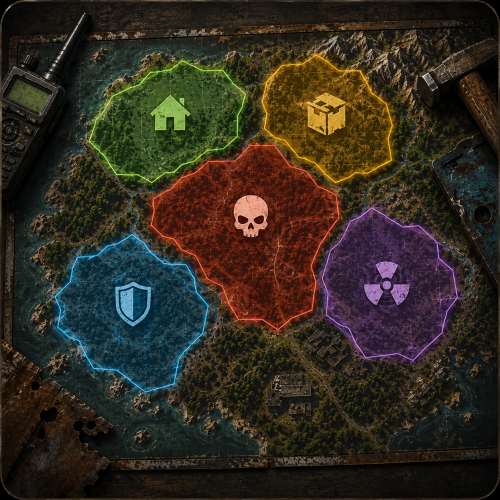
Zones and areas Draw a zone where you stand — and let every plugin see it A safe area at the trader, an arena with damage on, a poisoned crater that drains health: you make each one in game, watch it as a sphere around you, and drag the radius until it fits. Other plugins read the same zones through a ZoneManager compatible API, so your event plugin knows exactly when a player walks in. 28 API methods 7 Zone hooks 11 Chat commands 0 Dependencies ✓Resize a zone while looking at it — the sphere follows every step you take ✓Three ready templates — safe, arena and event, one click each ✓Six effects inside a zone — healing, damage, radiation, speed, warmth, full stomach ✓Drop in for ZoneManager — same hook and method names, plugins work as they are ✓Nothing to edit by hand — menu, chat commands and live preview, config stays untouched 01 — Making zones Stand there, name it, done Walk to the spot, type one command or press one button, and the zone exists. No coordinates typed by hand, no server restart, no guessing what a radius of eighty actually covers. Edit it in the world A sphere is drawn around the zone with its name and current size. Buttons under it change the radius in steps of one and ten, drop the centre where you stand, save or roll back. Only you see it, and cancel restores the size and position you started with. The zone drawn around you while you change its radius, with the enter message players see Templates instead of seven fields Safe, arena and event come preconfigured. One button in the menu creates a zone from a template where you stand, and an existing zone takes a template with a single command. Templates live in the config, so your own presets sit next to them. A list that stays usable at thirty zones Search by name, type or id. Sort by name, type, radius or distance from you. Every row shows the type and the size and carries a teleport button, so checking a zone on the far side of the map takes one click. Every zone with its type and size, search, sorting and a teleport button on each row Copy what already works A tuned arena becomes the next arena with one command: the copy lands at your feet with every flag and effect carried over, ready to be renamed. 02 — What a zone does Rules and effects that hold inside the border Each zone decides who may hurt whom, and what happens to everyone standing in it. Both parts are switches in the same screen, applied the moment you press them. Damage rules per zone Players, player structures, NPCs and the patrol helicopter, four independent switches. A safe area at the trader and an arena two hundred metres away can hold opposite rules on the same map. Six effects on everyone inside Health per second, positive or negative · radiation · movement speed · bonus maximum health · warmth · hunger and thirst held full. A healing camp, a snow shelter, a radioactive pit or a sprint arena is one zone and no extra plugin. Admins in god mode are left alone. Players see where they are The zone type sits on screen in your colour, and entering or leaving pops a message you write yourself. Zones can also be drawn as a visible dome and marked on the map, both optional per zone. Overlapping zones behave Walk out of a small zone inside a bigger one and the plugin shows the one you are still standing in, instead of telling you that you left for the open world. One screen per zone: damage rules on top, effects underneath, applied the moment you press them 03 — For other plugins A ZoneManager replacement, not another island Hooks and methods carry the names ZoneManager uses, so a plugin written for it works here without waiting for its author. Zones are addressed by a readable id you choose, for example event_arena, instead of a random number. Events you can listen to OnEnterZone · OnExitZone · OnEntityEnterZone · OnEntityExitZone · OnZoneCreated · OnZoneUpdated · OnZoneErased Ask a zone anything Who is inside right now, players and entities separately, is this position or this player in a zone, which zones cover a point, name, type, radius, location and the whole field list. Twenty eight methods in total, with no allocation variants for the ones called every tick. Zones that clean themselves up An event plugin can raise a temporary zone for the length of a fight. It never touches the config and disappears the moment that plugin unloads, so a crashed event leaves no arena behind. Hooks Every id that crosses the API is a string: the readable id from the zone field Zone ID for other plugins, or the zone number when that field is empty. Both forms are accepted by every method. OnEnterZone (string zoneId, BasePlayer player) A real player walked in. OnExitZone (string zoneId, BasePlayer player) And walked out. OnEntityEnterZone (string zoneId, BaseEntity entity) An NPC, a vehicle or a dropped item entered. Players never come through here. OnEntityExitZone (string zoneId, BaseEntity entity) It left. OnZoneCreated (string zoneId) A zone was made, from the menu or through the API. OnZoneUpdated (string zoneId) A field or a flag changed. Editing never fires fake enter and exit events. OnZoneErased (string zoneId) The zone is gone. Ask a zone GetZoneIDs () → string[] Every zone id. GetZoneIDsNoAlloc(List<string> list) fills your own list instead of allocating. CheckZoneID (string zoneId) → object The id of the zone when it exists, null otherwise. The cheapest way to test an id. GetZoneName (string zoneId) → object The name, null when there is no such zone. GetZoneType (string zoneId) → object The type label, null when there is no such zone. GetZoneRadius (string zoneId) → object Radius in metres as a float, null when there is no such zone. GetZoneLocation (string zoneId) → Vector3 Centre of the zone, Vector3.zero when it does not exist. ZoneFieldList (string zoneId) → Dictionary<string, string> Every field of the zone as text: ID, name, type, color, radius, location, visible and the flags. Null when there is no such zone. ZoneFieldListRaw () → List<string> The names of the fields and flags a zone has, for building your own editor. IsPositionInZone (string zoneId, Vector3 position) → bool Is the point inside that zone. IsPositionInAnyZone (Vector3 position) → bool Is the point inside any zone at all. GetZonesAtPosition (Vector3 position, List<string> results) Adds the id of every zone covering the point to your list. GetPlayersInZone (string zoneId) → List<BasePlayer> Players inside right now, as a fresh list. GetPlayersInZoneNoAlloc(string zoneId, List<BasePlayer> list) fills yours. GetEntitiesInZone (string zoneId) → List<BaseEntity> NPCs, vehicles and dropped items inside. GetEntitiesInZoneNoAlloc(string zoneId, List<BaseEntity> list) fills yours. IsPlayerInZone (string zoneId, BasePlayer player) → bool Is the player inside right now. IsEntityInZone (string zoneId, BaseEntity entity) → bool Is the entity inside right now. GetPlayerZoneIDs (BasePlayer player) → string[] Every zone the player is standing in. GetEntityZoneIDs (BaseEntity entity) → string[] Every zone the entity is in. Flags Flag names are candamageplayers, candamagestructures, candamagenpc, candamagehelicopter and visible. Case does not matter. An unknown name writes a warning to the console and reads as false. HasFlag (string zoneId, string flag) → bool Is the flag on for that zone. PositionHasFlag (Vector3 position, string flag) → bool True when any zone covering the point has the flag on. PlayerHasFlag (BasePlayer player, string flag) → bool True when any zone the player stands in has the flag on. AddFlag (string zoneId, string flag) → bool Turns the flag on, saves a permanent zone to the config and fires OnZoneUpdated. RemoveFlag (string zoneId, string flag) → bool Turns it off the same way. Create and remove args is a flat list of field and value pairs: name, type, color, radius, visible and any of the flags. Booleans take true, false, 1 or 0. An unknown field or a radius that is not a number is skipped with a warning, the rest of the call still applies. CreateOrUpdateZone (string zoneId, string[] args, Vector3 position = default) → bool Creates the zone when the id is new and updates it otherwise, then writes it to the config. A readable id becomes the zone id other plugins see, a number becomes its zone number. The position moves the centre when given. CreateOrUpdateTemporaryZone (Plugin owner, string zoneId, string[] args, Vector3 position = default) → bool The same zone, but it lives in memory only: never written to the config and erased the moment the owner plugin unloads. Another plugin cannot update it, the call returns false. EraseZone (string zoneId) → bool Deletes the zone, false when there is none. Reliability Safe on a live server ✓Zones survive restarts and plugin reloads, and everyone standing inside is picked up again ✓Unloading removes every dome, marker and interface, leaving the map vanilla ✓Editing a zone does not fire fake enter and exit events at the plugins listening to it ✓The menu is behind a permission, so a random player cannot delete your safe zone ✓Detects TruePVE and steps aside instead of fighting it over damage ✓Works on Oxide and Carbon, no dependencies Commands Everything from chat /zmOpen the zone menu /zm create <name> [radius]New zone where you stand /zm edit <zone>Resize and move it in the world /zm radius <zone> <value>Set the radius by number /zm move <zone>Move the centre to you /zm copy <zone> [name]Copy it to your position /zm apply <zone> <template>Put a template on a zone /zm templatesList the presets /zm listAll zones with size and headcount /zm hereWhich zones cover your position /zm tp <zone>Teleport to a zone /zm remove <zone>Delete it A zone is addressed by its number, by the readable id you gave it for other plugins, or simply by its name. Permission managezone.useOpens the menu and the commands, admins have it by default Questions Before you buy Will my plugin that needs ZoneManager work with this? If it talks to zones through the usual hooks and methods, yes. The names are the same, so pointing it at ManageZone is enough. Only zones you create here exist, ZoneManager data is not imported. Do I need TruePVE or anything else? No. The plugin has no dependencies. If TruePVE is installed, ManageZone leaves damage decisions to it instead of overriding them. Are the zones round only? Yes, a zone is a sphere with a centre and a radius. Overlapping zones are handled correctly, so a large area with a smaller one inside works. What happens if I remove the plugin? Domes, map markers and the interface go away with it and the map is vanilla again. Your zones stay in the config, so putting the plugin back restores them. Can a moderator manage zones without full admin rights? Yes, grant managezone.use to the group and the menu opens for them. Does it work on Carbon? Yes, the same file runs on Oxide and Carbon.$12.99 -

Version 0.1.7
382 downloads
A plugin for collecting game statistics with database support, compatible with both SQL and web API methods. This functionality empowers website owners to display the desired statistics from the database on their sites. Moreover, it offers the capability to send data via API, which proves highly beneficial in scenarios where your gaming server and database reside on separate machines and the database restricts connections beyond localhost. Please note that an instruction manual will be included in the downloaded file and it is imperative for users to read it thoroughly. Collecting(The full list is available below in the section Collected Data) : Server information; Team information; Clan information; Feedback(F7) information; Report(F7) information; Player information. Sending data through: direct MySQL; via API(POST query) to MySQL. extendedstats.admin - Provides access to command estats. { "Chat command": "estats", "Is it worth enabling GameTips for messages?": true, "Unique ID of the current server": 0, "Database upload method(Disabled, WebAPI, MySQL)": "WebAPI", "Interval in seconds at which an attempt to load changes into the database will occur": 300.0, "Is it worth logging messages to the console when uploading to the database?": true, "API - Service URL": "https://localhost/ExtendedStats/index.php", "API - Service access key": "GlBRw-elM6v-gjko3-cxSDk-Tsy7B", "API - Timeout": 5.0, "MySQL - Host": "localhost", "MySQL - Port": 3306, "MySQL - Database name": "db_playrust", "MySQL - Username": "root", "MySQL - Password": "root", "Database table name - Servers": "db_servers", "Database table name - Teams": "db_teams", "Database table name - Clans": "db_clans", "Database table name - Feedbacks": "db_feedbacks", "Database table name - Reports": "db_reports", "Database table name - Players": "db_players", "Database table name - Players Balances": "db_players_balances", "Database table name - Players Stats": "db_players_stats", "Database table name - Players Farms": "db_players_farms", "Database table name - Players Gambling": "db_players_gambling", "Database table name - Players Kills": "db_players_kills", "Database table name - Players Explosions": "db_players_explosions", "Database table name - Players Raids": "db_players_raids", "Is it worth clearing saved statistics when a wipe is detected?": true, "Is it worth clearing the database when a wipe is detected?": true, "List of statistic categories to clear when a wipe is detected. Leave empty to recreate defaults": [ "players", "teams", "clans", "feedbacks", "reports" ], "List of language keys for creating language files": [ "en" ], "Wipe ID": null, "Version": { "Major": 0, "Minor": 1, "Patch": 6 } } EN: { "CmdMain": "Available commands:\n\n<color=#D1CBCB>/estats</color> <color=#D1AB9A>upload</color> - Initialize a forced data upload to the database\n<color=#D1CBCB>/estats</color> <color=#D1AB9A>save</color> - Save data to a local file on the server\n\n--------------------------------------------------", "CmdDBNotSelected": "Database connection method not selected!", "CmdAlreadyUploading": "You can't initialize a data upload to the database because there is already an active upload!", "CmdUpload": "You have successfully started a forced data upload to the database.", "CmdSave": "Saving data to a local file on the server:\n\n<color=#D1CBCB>/estats save</color> <color=#D1AB9A>clans</color> - Save all clans to a local file on the server\n\n--------------------------------------------------", "CmdSaveNotEnough": "Not enough records to save!", "CmdSaveClans": "Successfully saved {0} clans!" } RU: { "CmdMain": "Доступные команды:\n\n<color=#D1CBCB>/estats</color> <color=#D1AB9A>upload</color> - Инициализация принудительной загрузки данных в базу данных\n<color=#D1CBCB>/estats</color> <color=#D1AB9A>save</color> - Сохранение данных в локальный файл на сервере\n\n--------------------------------------------------", "CmdDBNotSelected": "Метод подключения к базе данных не выбран!", "CmdAlreadyUploading": "Вы не можете инициализировать загрузку данных в базу данных, так как уже существует активная загрузка!", "CmdUpload": "Вы успешно начали принудительную инициализацию загрузки данных в базу.", "CmdSave": "Сохранение данных в локальный файл на сервере:\n\n<color=#D1CBCB>/estats save</color> <color=#D1AB9A>clans</color> - Сохранение все кланы в локальный файл на сервере\n\n--------------------------------------------------", "CmdSaveNotEnough": "Не достаточно записей для сохранения!", "CmdSaveClans": "Успешно сохранено {0} кланов!" } Admin commands. Permission "extendedstats.admin" required: upload - Initialize a forced data upload to the database; save - Save data to a local file on the server: clans - Save all clans to a local file on the server; Example: /estats upload /estats save clans ServerData: ServerName ServerIdentity ServerIP ServerPort QueryPort ServerDescription ServerHeader ServerURL ServerTime ServerTags GameTags MaxPlayers ServerEntities ServerFPS ServerAvgFPS ServerUptime ServerMap MapSize MapSeed FirstSave LastSave WipeID ServerVersion ServerProtocol RconPort RconPassword TeamData: TeamID TeamName CreatorID LeaderID TeamMembers ClanData: ClanID ClanName ClanNameNormalized CreatorID CreatedTime ClanLogo LogoColor Motd MotdTimestamp MotdAuthor ClanRoles ClanMembers Score FeedbackData(Since the corresponding Oxide hook has shifted, not all types of feedback are processed) : ID UserID Subject Type Message Time ReportData: ID UserID TargetID TargetName Subject Type Message Time PlayerData: Info: UserID DisplayName Flags Language GroupsList TeamID ClanID BanReason Connection: PlayedTime - requires the PlaytimeTracker/PlayTimeRewards plugins IdleTime - requires the PlaytimeTracker/PlayTimeRewards plugins Connections Ping FirstConnectionIP LastConnectionIP FirstConnectionDate LastConnectionDate Balance: Balance - requires the Economics plugin Points - requires the ServerRewards plugin BankBalance - requires the BankSystem plugin IQBalance - requires the IQEconomic plugin Experience Reputation - requires the ReputationMaster plugin Statistics: TimeAlive - updates only after the player's death TimeSleeping - updates only after the player's death DistanceWalked - updates only after the player's death DistanceRun - updates only after the player's death TimeWilderness - updates only after the player's death TimeInBase - updates only after the player's death TimeInMonument - updates only after the player's death TimeSwimming - updates only after the player's death TimeFlying - updates only after the player's death TimeBoating - updates only after the player's death TimeDriving - updates only after the player's death Wounded WoundsInflicted WoundAssisted WoundRecovered DamageInflicted DamageTaken - updates only after the player's death Healed - updates only after the player's death ShotsFired - updates only after the player's death ShotsHit RentedAptPenthouses RentedAptStandards RentedAptBasements RentedShops OutbidShops BreakInAptPenthouses BreakInAptStandards BreakInAptBasements BreakInShops HalloweenVisits XmasVisits DeepSeaVisits ExcavatorStarts HeavyFusesInserted BearTrapInflicted BearTrapSteps MineInflicted MineSteps HandcuffsApplied Handcuffed PhoneCalls PhoneCallsTimeout MissionsStarted MissionsSucceeded MissionsFailed DeployedsList MonumentsList - requires the MonumentsWatcher plugin Farming: Barrels UnderWaterCrates ShreddedEntities DetectResourceFlags GreenDoors BlueDoors RedDoors FishAttempts Guts Supplies ExcavatorSupplies TropicalSupplies Chinooks Surveys ChickensHatched ChickenEggs BeehiveXP Blueprints CraftList GatherList RecycleList BuyerPurchaseList BuyerSpentList SellerSalesList SellerRevenueList CratesList FishList Gambling: BWG_Spins BWG_WinSpins BWG_SpendScraps BWG_WinScraps Slot_Spins Slot_WinSpins Slot_SpendScraps Slot_WinScraps Poker_Games - Placeholder Poker_WinGames - Placeholder Poker_SpendScraps - Placeholder Poker_WinScraps - Placeholder BlackJ_Games BlackJ_WinGames BlackJ_StandoffGames BlackJ_SpendScraps BlackJ_WinScraps RPS_Wins RPS_Losses RPS_Draws Kills: Kills FriendlyKills Deaths Suicides Beehives Chickens FarmChickens Snakes Boars Stags Horses Wolves Bears Polarbears Panthers Tigers Crocodiles Sharks PlayerNPCs Scientists Zombies Patrols Bradleys KillVehicles: PedalBikes MotorBikes Cars RowBoats RHIBs SubmarinesSolo SubmarinesDuo Tugs MiniHelis AttackHelis ScrapHelis Balloons Trains TrainWagons TrainCabooses Snowmobiles Ballistas BatteringRams Catapults SiegeTowers HitParts KillParts KillWeapons Explosions: Rockets RocketsHV RocketsIncendiary RocketsSmoke RocketsMissile RocketsMLRS Torpedoes ExplosiveAmmo Ammo40mmExplosive Ammo40mmSmoke GrenadesF1 GrenadesMolotov GrenadesFlash GrenadesSmoke GrenadesBean SatchelCharges C4Explosives PropaneBombs FireBombs CannonBalls MortarShells MortarFragShells Raids: Cupboards Doors Windows Foundations Ceilings Walls Doorways WindowFrames Stairs Hatches ExtWoodenGates ExtWoodenWalls ExtStoneGates ExtStoneWalls ExtIceWalls ExtIceShortWalls RaidedConstructionsList RaidedDeployableConstructionsList RaidableBases$19.99 -

Version 0.1.8.1
1,617 downloads
Useful plugin for managing temporary permissions, temporary groups and temporary permissions for groups. This is done through chat commands, built-in Oxide commands, and API methods. Note: The dates is in UTC format. The ability to grant players temporary permissions by specifying either the number of seconds, an exact expiration date or until the wipe occurs; The ability to add players to temporary groups by specifying either the number of seconds, an exact expiration date or until the wipe occurs; The ability to grant groups temporary permissions by specifying either the number of seconds, an exact expiration date or until the wipe occurs; The ability to revoke temporary permissions from players and groups prematurely; The ability to remove players from groups prematurely; The ability to perform all the above actions using existing and familiar console commands(e.g., o.grant), simply by adding the number of seconds, the expiration date or the word "wipe" at the end; The ability to perform all the above actions using a chat command (by default /tperm); The ability to perform all the above actions using API methods; The ability to remove all temporary permissions and groups upon wipe detection. temporarypermissions.admin - Grants access to the admin command(by default /tperm). { "Chat command": "myperm", "Chat admin command": "tperm", "Is it worth enabling GameTips for messages?": true, "List of language keys for creating language files": [ "en" ], "Is it worth saving logs to a file?": true, "Is it worth using console logging?": true, "Interval in seconds for expiration check": 1.0, "Interval in seconds for checking the presence of temporary permissions and temporary groups. A value of 0 disables the check": 600.0, "Is it worth restoring removed temporary permissions and temporary groups if the timer hasn't expired? There are cases where removal cannot be tracked in the usual way": true, "Is it worth revoking temporary permissions and temporary groups when unloading the plugin, without removing them from the data file?": true, "Is it worth revoking temporary permissions and temporary groups that haven't expired yet upon detecting a wipe?": false, "Custom wipe date(detected only during initialization). Only required if you're experiencing issues with the Wipe ID. Leave empty to use the Wipe ID. Example: 2025-06-25 13:00": "", "Wipe ID": null, "Version": { "Major": 0, "Minor": 1, "Patch": 8 } } EN: { "CmdAdmin": "Available admin commands:\n\n<color=#D1CBCB>/tperm</color> <color=#D1AB9A>grant user *nameOrId* realpve.vip wipe</color> - Grants or extends the specified permission for the specified player until the end of the current wipe\n<color=#D1CBCB>/tperm</color> <color=#D1AB9A>grant user *nameOrId* realpve.vip *intValue* *boolValue*(optional)</color> - Grants or extends the specified permission for the specified player for the given number of seconds\n<color=#D1CBCB>/tperm</color> <color=#D1AB9A>grant user *nameOrId* realpve.vip *expirationDate* *assignmentDate*(optional)</color> - Grants or extends the specified permission for the specified player until the given date\n<color=#D1CBCB>/tperm</color> <color=#D1AB9A>grant group *groupName* realpve.vip wipe</color> - Grants or extends the specified permission for the specified group until the end of the current wipe\n<color=#D1CBCB>/tperm</color> <color=#D1AB9A>grant group *groupName* realpve.vip *intValue* *boolValue*(optional)</color> - Grants or extends the specified permission for the specified group for the given number of seconds\n<color=#D1CBCB>/tperm</color> <color=#D1AB9A>grant group *groupName* realpve.vip *expirationDate* *assignmentDate*(optional)</color> - Grants or extends the specified permission for the specified group until the given date\n<color=#D1CBCB>/tperm</color> <color=#D1AB9A>revoke user *nameOrId* realpve.vip</color> - Revokes the specified permission from the specified player\n<color=#D1CBCB>/tperm</color> <color=#D1AB9A>revoke group *groupName* realpve.vip</color> - Revokes the specified permission from the specified group\n<color=#D1CBCB>/tperm</color> <color=#D1AB9A>add *nameOrId* *groupName* wipe</color> - Adds or extends the specified player's membership in the specified group until the end of the current wipe\n<color=#D1CBCB>/tperm</color> <color=#D1AB9A>add *nameOrId* *groupName* *intValue* *boolValue*(optional)</color> - Adds or extends the specified player's membership in the specified group for the given number of seconds\n<color=#D1CBCB>/tperm</color> <color=#D1AB9A>add *nameOrId* *groupName* *expirationDate* *assignmentDate*(optional)</color> - Adds or extends the specified player's membership in the specified group until the given date\n<color=#D1CBCB>/tperm</color> <color=#D1AB9A>remove *nameOrId* *groupName*</color> - Removes the specified player from the specified group\n<color=#D1CBCB>/tperm</color> <color=#D1AB9A>wipe *wipeDate*</color> - Set a custom wipe date. Used in case of issues with the Wipe ID. Format: yyyy-MM-dd HH:mm\n<color=#D1CBCB>/tperm</color> <color=#D1AB9A>wipe reset</color> - Reset the custom wipe date\n\n<color=#D1CBCB>Optional values:</color>\n*boolValue* - If false(default) and an existing permission or group membership has not expired, the specified time will be added to the existing time. Otherwise, including when true, the specified time will be counted from the current time\n*assignmentDate* - If the assignment date is not specified and there is no existing permission or group membership, the assignment date will be set to the current time. If the assignment date is specified, it will be applied regardless of existing permissions or group memberships\n\n--------------------------------------------------", "CmdPermissionNotFound": "Permission '{0}' not found!", "CmdPlayerNotFound": "Player '{0}' not found! You must provide the player's name or ID.", "CmdMultiplePlayers": "Multiple players found for '{0}': {1}", "CmdGroupNotFound": "Group '{0}' not found!", "CmdGrantWrongFormat": "Incorrect command format! Example: /tperm grant user/group *nameOrId* realpve.vip *secondsOrDateTime*", "CmdRevokeWrongFormat": "Incorrect command format! Example: /tperm revoke user/group *nameOrId* realpve.vip", "CmdUserGroupWrongFormat": "Incorrect command format! Example: /tperm group add/remove *nameOrId* *groupName*", "CmdUserGranted": "Permission '{0}' granted to player '{1}'.", "CmdGroupGranted": "Permission '{0}' granted to group '{1}'.", "CmdUserGroupAdded": "Player '{0}' has been added to group '{1}'.", "CmdUserRevoked": "Permission '{0}' has been revoked for player '{1}'.", "CmdGroupRevoked": "Permission '{0}' has been revoked for group '{1}'.", "CmdUserGroupRemoved": "Player '{0}' has been removed from group '{1}'.", "CmdWipeNew": "New wipe date successfully set to '{0}'. The wipe will take effect only after the plugin is loaded following this date.", "CmdWipeReset": "The custom wipe date has been reset. The wipe is now determined by the Wipe ID.", "CmdWipeFailed": "The specified date '{0}' has an invalid format(yyyy-MM-dd HH:mm) or has already passed. Example: '{1}'.", "CmdCheckNoActive": "You have no active temporary permissions or temporary groups!", "CmdCheckTargetNoActive": "Player '{0}' has no active temporary permissions or temporary groups!", "CmdCheckPermissions": "<color=#D1AB9A>You have {0} temporary permissions(time in UTC):</color>\n{1}", "CmdCheckGroups": "<color=#D1AB9A>You have {0} temporary groups(time in UTC):</color>\n{1}", "CmdCheckTargetPermissions": "<color=#D1AB9A>Player '{2}' has {0} temporary permissions(time in UTC):</color>\n{1}", "CmdCheckTargetGroups": "<color=#D1AB9A>Player '{2}' has {0} temporary groups(time in UTC):</color>\n{1}", "CmdCheckFormatPermissions": "'{0}' - {1}({2})", "CmdCheckFormatGroups": "'{0}' - {1}({2})", "CmdUntilWipe": "Until Wipe" } RU: { "CmdAdmin": "Доступные админ команды:\n\n<color=#D1CBCB>/tperm</color> <color=#D1AB9A>grant user *имяИлиАйди* realpve.vip wipe</color> - Выдать или продлить указанный пермишен указанному игроку до конца текущего вайпа\n<color=#D1CBCB>/tperm</color> <color=#D1AB9A>grant user *имяИлиАйди* realpve.vip *числовоеЗначение* *булевоеЗначение*(опционально)</color> - Выдать или продлить указанный пермишен указанному игроку на указанное количество секунд\n<color=#D1CBCB>/tperm</color> <color=#D1AB9A>grant user *имяИлиАйди* realpve.vip *датаИстечения* *датаНазначения*(опционально)</color> - Выдать или продлить указанный пермишен указанному игроку до указанной даты\n<color=#D1CBCB>/tperm</color> <color=#D1AB9A>grant group *имяГруппы* realpve.vip wipe</color> - Выдать или продлить указанный пермишен указанной группе до конца текущего вайпа\n<color=#D1CBCB>/tperm</color> <color=#D1AB9A>grant group *имяГруппы* realpve.vip *числовоеЗначение* *булевоеЗначение*(опционально)</color> - Выдать или продлить указанный пермишен указанной группе на указанное количество секунд\n<color=#D1CBCB>/tperm</color> <color=#D1AB9A>grant group *имяГруппы* realpve.vip *датаИстечения* *датаНазначения*(опционально)</color> - Выдать или продлить указанный пермишен указанной группе до указанной даты\n<color=#D1CBCB>/tperm</color> <color=#D1AB9A>revoke user *имяИлиАйди* realpve.vip</color> - Снять указанный пермишен у указанного игрока\n<color=#D1CBCB>/tperm</color> <color=#D1AB9A>revoke group *имяГруппы* realpve.vip</color> - Снять указанный пермишен у указанной группы\n<color=#D1CBCB>/tperm</color> <color=#D1AB9A>add *имяИлиАйди* *имяГруппы* wipe</color> - Добавить или продлить пребывание в указанной группе указанному игроку до конца текущего вайпа\n<color=#D1CBCB>/tperm</color> <color=#D1AB9A>add *имяИлиАйди* *имяГруппы* *числовоеЗначение* *булевоеЗначение*(опционально)</color> - Добавить или продлить пребывание в указанной группе указанному игроку на указанное количество секунд\n<color=#D1CBCB>/tperm</color> <color=#D1AB9A>add *имяИлиАйди* *имяГруппы* *датаИстечения* *датаНазначения*(опционально)</color> - Добавить или продлить пребывание в указанной группе указанному игроку до указанной даты\n<color=#D1CBCB>/tperm</color> <color=#D1AB9A>remove *имяИлиАйди* *имяГруппы*</color> - Отменить пребывание в указанной группе указанному игроку\n<color=#D1CBCB>/tperm</color> <color=#D1AB9A>wipe *датаВайпа*</color> - Установка кастомной даты вайпа. Используется при проблемах с Wipe ID. Формат: yyyy-MM-dd HH:mm\n<color=#D1CBCB>/tperm</color> <color=#D1AB9A>wipe reset</color> - Сброс кастомной даты вайпа\n\n<color=#D1CBCB>Опциональные значения:</color>\n*булевоеЗначение* - Если false(по умолчанию) и существующий пермишен или группа не истекли, указанное время будет добавлено к существующему времени. В противном случае, в т.ч. при true, указанное время будет отсчитываться от текущего времени\n*датаНазначения* - Если дата назначения не указана и нет существующего пермишена или группы, дата назначения будет равна текущей. Если дата назначения указана, то вне зависимости от существования пермишенов или групп, присвоится указанная дата\n\n--------------------------------------------------", "CmdPermissionNotFound": "Пермишен '{0}' не найден!", "CmdPlayerNotFound": "Игрок '{0}' не найден! Вы должны указать имя или ID игрока.", "CmdMultiplePlayers": "По значению '{0}' найдено несколько игроков: {1}", "CmdGroupNotFound": "Группа '{0}' не найдена!", "CmdGrantWrongFormat": "Не верный формат команды! Пример: /tperm grant user/group *имяИлиАйди* realpve.vip *секундыИлиДата*", "CmdRevokeWrongFormat": "Не верный формат команды! Пример: /tperm revoke user/group *имяИлиАйди* realpve.vip", "CmdUserGroupWrongFormat": "Не верный формат команды! Пример: /tperm group add/remove *имяИлиАйди* *имяГруппы*", "CmdUserGranted": "Пермишен '{0}' выдан игроку '{1}'.", "CmdGroupGranted": "Пермишен '{0}' выдан группе '{1}'.", "CmdUserGroupAdded": "Игрок '{0}' был добавлен в группу '{1}'.", "CmdUserRevoked": "Пермишен '{0}' был удален для игрока '{1}'.", "CmdGroupRevoked": "Пермишен '{0}' был удален для группы '{1}'.", "CmdUserGroupRemoved": "Игрок '{0}' был удален из группы '{1}'.", "CmdWipeNew": "Новая дата вайпа успешно установлена на '{0}'. Вайп вступит в силу только при загрузке плагина после этой даты.", "CmdWipeReset": "Кастомная дата вайпа была сброшена. Вайп снова определяется по Wipe ID.", "CmdWipeFailed": "Указанная дата '{0}' имеет неверный формат(yyyy-MM-dd HH:mm) или уже прошла. Пример: '{1}'.", "CmdCheckFormatGroups": "'{0}' - {1}({2})", "CmdCheckNoActive": "У вас нет активных временных пермишенов или временных групп!", "CmdCheckTargetNoActive": "У игрока '{0}' нет активных временных пермишенов или временных групп!", "CmdCheckPermissions": "<color=#D1AB9A>У вас есть {0} временных пермишенов(время по UTC):</color>\n{1}", "CmdCheckGroups": "<color=#D1AB9A>У вас есть {0} временных групп(время по UTC):</color>\n{1}", "CmdCheckTargetPermissions": "<color=#D1AB9A>У игрока '{2}' есть {0} временных пермишенов(время по UTC):</color>\n{1}", "CmdCheckTargetGroups": "<color=#D1AB9A>У игрока '{2}' есть {0} временных групп(время по UTC):</color>\n{1}", "CmdCheckFormatPermissions": "'{0}' - {1}({2})", "CmdUntilWipe": "До вайпа" } /myperm - Displays a list of all your temporary permissions and temporary groups; /myperm *NameOrId* - Displays a list of all temporary permissions and temporary groups of the specified player. Permission "temporarypermissions.admin" required. Admin commands(/tperm). Permission "temporarypermissions.admin" required: grant - Grants a temporary permission to a player or group. user *NameOrId* realpve.vip wipe - Grants a temporary permission to a player until the next wipe by specifying the player's name or Id, the permission name and the word "wipe"; *NameOrId* realpve.vip 3600 true/false - Grants a temporary permission to a player by specifying the player's name or Id, the permission name, the number of seconds and true/false(optional). If false(default) and an existing permission has not expired, the specified time will be added to the existing time. Otherwise, including when true, the specified time will be counted from the current time; *NameOrId* realpve.vip "2024-08-19 17:57" "2024-08-19 16:57" - Grants a temporary permission to a player by specifying the player's name or Id, the permission name, the expiration date and the assigned date(optional). If the assignment date is not specified and there is no existing permission, the assignment date will be set to the current time. If the assignment date is specified, it will be applied regardless of existing permissions. group *GroupName* realpve.vip wipe - Grants a temporary permission to a group until the next wipe by specifying the group's name, the permission name and the word "wipe"; *GroupName* realpve.vip 3600 true/false - Grants a temporary permission to a group by specifying the group's name, the permission name, the number of seconds, and true/false(optional). If false(default) and an existing group membership has not expired, the specified time will be added to the existing time. Otherwise, including when true, the specified time will be counted from the current time; *GroupName* realpve.vip "2024-08-19 17:57" "2024-08-19 16:57" - Grants a temporary permission to a group by specifying the group's name, the permission name, the expiration date and the assigned date(optional). If the assignment date is not specified and there is no existing group membership, the assignment date will be set to the current time. If the assignment date is specified, it will be applied regardless of existing group memberships. revoke - Revokes a temporary permission from a player or group. user *NameOrId* realpve.vip - Revokes a temporary permission from a player by specifying the player's name or Id and the permission name; group *GroupName* realpve.vip - Revokes a temporary permission from a group by specifying the group's name and the permission name. add - Temporary addition of a player to a group. *NameOrId* *GroupName* wipe - Temporary addition of a player to a group until the next wipe by specifying the player's name or Id, the group name and the word "wipe"; *NameOrId* *GroupName* 3600 true/false - Temporary addition of a player to a group by specifying the player's name or Id, the group name, the number of seconds, and true/false(optional). If true, the specified seconds will count from the current moment, otherwise(default), they will be added to the existing time; *NameOrId* *GroupName* "2024-08-19 17:57" "2024-08-19 16:57" - Temporary addition of a player to a group by specifying the player's name or Id, the group name, the expiration date and the assigned date(optional). If not specified, the assigned date will default to the current date, otherwise, it will be set to the provided date. remove *NameOrId* *GroupName* - Removal of a player from a temporary group by specifying the player's name or Id and the group name. wipe - Setting a custom wipe date. Used if you're experiencing issues with using the Wipe ID. *wipeDate* - Set a custom wipe date(yyyy-MM-dd HH:mm). Used in case of issues with the Wipe ID; reset - Reset the custom wipe date. Example: /tperm grant user iiiaka realpve.vip wipe /tperm grant user iiiaka realpve.vip 3600 true /tperm grant user iiiaka realpve.vip "2024-08-19 17:57" "2024-08-19 16:57" /tperm wipe "2025-06-25 13:00" Note: To access the commands, the player must be an admin(console or owner) or have the temporarypermissions.admin permission. P.S. Templates for the commands above can also be used with existing console commands. For example: o.grant user iiiaka realpve.vip 3600 true All developer documentation can be found in the GitHub repository.Free -
Version 1.1.1
209 downloads
Need a robust foundation for creating custom Rust entities and prefabs from your own plugins? ServerPrefabs is a powerful library plugin for Oxide/uMod and Carbon that lets plugin developers register custom server-side prefabs and entities, with support for custom networking, persistent save/load, built-in inventories, and runtime scaling. What Is ServerPrefabs? ServerPrefabs is not a standalone gameplay plugin — it’s a developer library. It does nothing on its own. Instead, other plugins use its API to define, register, and manage their own custom prefabs and entities on the server. If you’re building advanced Rust systems with custom deployables, persistent world objects, or specialized networked entities, ServerPrefabs provides the core framework you need. Core Features Custom Server-Side Prefab Registration: Create and register fully custom prefabs directly from your plugin. Once registered, they become usable and spawnable by the game. Custom Entity Component Support: Attach your own BaseEntity-derived component to a prefab and define custom entity logic exactly how your plugin needs it. Persistent Save / Load System: Custom entity save data is written to: oxide/data/ServerPrefabs/<prefab>.sav Custom Network Serialization: Provide your own network save behavior so clients receive the exact entity state they need. Arbitrary Per-Entity Data Storage: Implement stream-based save/load methods for custom entity state and plugin-specific data. Built-In Inventory Component: Use EntityInventory for a built-in, network-replicated item container with configurable capacity and optional handler callbacks. Runtime Scaling Support: Use Scaler to persist and replicate transform scale for custom entities. Lightweight Stub Entities: Use StubEntity for lightweight, non-saving entities with RPC and save event hooks, plus a helper factory for cloning visuals and bounds from a base prefab. Per-Entity Behavior Flags: Opt into special behaviors such as disabling disk saving or excluding entities from spawn command lists via CustomFlags. Public API The main entry point is: ServerPrefabs.For(plugin) This returns a per-plugin context you can use to create and register prefabs. Example usage: var prefab = ServerPrefabs.For(this) .CreatePrefab("my_thing") .AddEntityComponent<MyEntity>(clientPrefabId) .Register(); This workflow allows a consumer plugin to: Create a custom prefab Attach a custom BaseEntity component Register it with the game Make it available for spawning and runtime use Bundles Use CreateBundle() to group multiple prefabs so they are registered and loaded together as one save batch. This is ideal when one custom entity references, depends on, or is parented to an entity from another prefab. Registers all prefabs first Preloads all save files in one batch Spawns all bundled entities in a single pass You can also add an existing prefab with bundle.Add(prefab). If one prefab fails to register or load, the rest of the bundle will still continue. var bundle = ServerPrefabs.For(this).CreateBundle(); bundle.CreatePrefab("station").AddEntityComponent<StationEntity>(stationClientId); bundle.CreatePrefab("module").AddEntityComponent<ModuleEntity>(moduleClientId); bundle.Register(); Extension Interfaces ICustomPrefab Calls OnCustomPrefabRegistered() once the prefab is registered. ICustomEntity Calls OnCustomEntityRegistered() when the custom entity is registered. ICustomEntity.SaveForNetwork Lets you customize the network proto sent to clients. ICustomEntity.SaveData Adds Save(Stream) and Load(Stream) support for arbitrary per-entity data. Entity Flags Optional behaviors are controlled through the EntityFlags CustomFlags property on ICustomEntity. By default, the value is EntityFlags.None, so you only override it when special behavior is needed. The property is named CustomFlags specifically to avoid colliding with BaseEntity.Flags. Example: class MyEntity : BaseEntity, ServerPrefabs.ICustomEntity { public void OnCustomEntityRegistered() { } public ServerPrefabs.EntityFlags CustomFlags => ServerPrefabs.EntityFlags.DisableSaving | ServerPrefabs.EntityFlags.NoSpawnCommand; } Available flags: EntityFlags.None No special behavior. EntityFlags.DisableSaving Excludes the entity from disk saving by setting enableSaving = false. EntityFlags.NoSpawnCommand Prevents the entity from being added to the spawnable-entity command list. Included Components EntityInventory A built-in, network-replicated item container. Set Capacity and optionally assign an EntityInventory.IHandler with callbacks such as: OnCreated OnInventoryDirty OnItemAddedOrRemoved ItemFilter Scaler Persists and replicates entity transform scale. StubEntity A lightweight, non-saving entity with onRpcMessage and onSave events, plus a StubEntity.Create<T>(...) factory for cloning visuals and bounds from a base prefab. Installation Drop ServerPrefabs.cs into: oxide/plugins/ or carbon/plugins/ The server will compile and load it automatically. On first load, a config file is generated. Dependent plugins can reference it via: [PluginReference] Plugin ServerPrefabs; or the static API Configuration Configuration file: oxide/config/ServerPrefabs.json Allow outdated saves Default: false Allows loading .sav files written by a different Rust save protocol version. Enable debug logging Default: false Enables verbose [ServerPrefabs] [DEBUG] log output for troubleshooting. Safe Config Recovery: If the config becomes invalid or unreadable, it is automatically backed up as ServerPrefabs.json.bak. A new default config is then generated, so a broken manual edit won’t silently destroy your settings. Compatibility Notes ServerPrefabs uses Harmony IL transpilers against Rust internals, specifically: SaveRestore.Load SaveRestore.WriteEntities Because these patches rely on specific internal instruction patterns, a Rust update can break compatibility. After a force wipe or game update, check the server console during load for errors like: Phase 1 failed! Phase 2 failed! Phase 3 failed! or other patch-related errors If those appear, the plugin likely needs to be updated to match the current Rust version. Why Use ServerPrefabs? Create advanced custom entities directly from your plugin Add server-side prefabs with persistent save/load support Customize network behavior for non-standard entities Use built-in inventory and scaling systems instead of building your own Control save and spawn-list behavior with simple entity flags Perfect for framework plugins, deployables, machines, automation systems, and persistent world objects ServerPrefabs is a core utility library for Rust plugin developers who want deeper control over custom entities and prefab-based systems. One library. Custom prefabs. Persistent entities. A powerful base for advanced Rust modding.Free -
Version 2.0.3
2,853 downloads
RUST Plugin Test Server TEST MY PLUGINS THERE! connect play.thepitereq.ovh:28050 Discord Core creates essential links between your RUST and Discord servers. It let you display player count, synchronize ranks, chat between game and Discord, even manage tickets and votes. You can also print F7 reports into your discord and manage cupboard access through private messages. Allows you to connect users RUST accounts to their Discord accounts. Most recent Discord methods implementation (modals, buttons, slash commands) Send private messages to connected players through the API.. You can grant Discord or game roles to players who have linked their accounts. Show your player count in the bot's status. Grant game group reward for boosting your discord server Create Rust - Discord chat channel to communcate between platforms. You can create a chat between Discord and RUST, displaying messages from RUST in a Discord channel. Create discord tickets. Needed something for myself, so I though it might be cool to add it to the plugin. Make votes on the Discord, where vote weight is based on playtime and owned ranks. Send F7 reports into your admin channels. Send F7 ideas into discord channel so players can vote for best ideas. Manage cupboard authorization. Recommended for PvE servers. You can make that player before authorization need to accept auth through game if he is online, or through Discord if he have connected account. To make this plugin work, you need to have the Discord Extension and a pre-made Discord Bot. A full tutorial on how to set it up is available on the Discord Extension web page. Please note, the bot must be connected to only one server! How to connect? To connect your Steam account to Discord: As an Discord admin you need to use /generateconnect command to create button for verification. This message is visible for everyone and everyone can use this button. Click the button on generated message. It will generate an 6-digit code. Write this code in /connect <code> command (default command, can be changed) in-game, and if code is valid your account is connected. In-Game Commands /connect <code> - If code is valid, makes connection between your game and Discord account. (Editable in config) Discord Commands /close - Closes the ticket. /vote - Opens modal for vote creation. (requires admin perms) /voteend <messageId> - Force-end vote and print results. Must be sent on same channel as vote exist. (requires admin perms) /generateconnect - Creates embed for Discord-RUST connection. (requires admin perms) /generateticket - Creates ticket creation embed. (requires admin perms) void API_SendPrivateMessage(string userId, string message) - If player is connected, it sends private message to connected discord user. void API_SendMessage(string channelId, string message) - Sends message to channel on discord. void API_SendEmbedMessage(string channelId, string title, string description, string color, string thumbnailUrl = "", string footerUrl = "", string footerText = "") - Sends embed message to channel on discord. void API_SynchronizeDiscord(ulong userId) - Synchronize discord connection with player. If not present will remove all bonuses. { "BOT API Token": "Paste Token Here!", "Show Player Count In Status": true, "Connection - In-Game Command": "connect", "Connection - Granted Discord Group ID": "", "Connection - Synced Groups": { "svip": "332265", "vip": "123456" }, "Connection - Synchronize In-Game Nickname": true, "Connection - Granted RUST Group Name": "", "Connection - Nitro Boost Granted RUST Group Name": "", "Discord Rust Chat - Enabled": true, "Discord Rust Chat - Channel ID": "", "Discord Rust Chat - Discord To Rust Format": "<color=#aaee32>[Discord]</color> <color=#5c81ed>{0}</color> » {1}", "Discord Rust Chat - Discord To Rust Format With Required Permission": { "discordcore.chat.admin": "<color=#aaee32>[Discord]</color> <color=red>[Admin]</color> <color=#5c81ed>{0}</color> » {1}", "discordcore.chat.vip": "<color=#aaee32>[Discord]</color> <color=yellow>[VIP]</color> <color=#5c81ed>{0}</color> » {1}" }, "Discord Rust Chat - Rust To Discord Format": "**{0}** » *{1}*", "Discord Rust Chat - Rust To Discord Format With Required Permission": { "discordcore.chat.admin": "*[A]* **{0}** » *{1}*", "discordcore.chat.vip": "*[VIP]* **{0}** » *{1}*" }, "Discord Rust Chat - Valid ChatNations Channels": [ "en", "pl", "de", "ru" ], "Tickets - Enabled": true, "Tickets - Language Buttons": { "en": { "Displayed Name": "English", "Displayed Icon": "", "Assigned Support Discord Group IDs": [ "5643345", "223235" ], "Response Message": "Ticket has been created! {0}", "Greeting Message - Title": "New Ticket", "Greeting Message - Description": "Hey, <@{0}>! Welcome in your ticket! \nSupport group has been informed about your problem.\n**Describe your problem here and wait for the answer!**\nIf you want to close your ticket, feel free to write **/close** command." }, }, "Tickets - Log Tickets To Files": true, "Tickets - New Tickets Parent ID": "", "Tickets - Closed Tickets Parent ID": "", "Votes - Enabled": true, "Votes - Ping Role ID": "", "Votes - Default Vote Title": "Map Vote", "Votes - Default Vote Description": "Feel free to vote for one of the maps that will appear on the next wipe.\nYour vote will have more points if you played enough on current wipe.\nYour ranks also may vary on the point amount.\nIf your account is not connected to discord you will vote with 1 point.", "Votes - Default Vote Fields": "Procedural Map\nCustom Map", "Votes - Default Vote Time": "24h", "Votes - Playtime Vote Points (minutes : points)": { "1800": 3, "300": 2, "4500": 4, "9000": 5 }, "Votes - Permission Vote Points Multipliers (perm : multiplier)": { "discordcore.svip": 2.0, "discordcore.vip": 1.5 }, "F7 Reports - Enabled": true, "F7 Reports - Abuse Report Channel (0, to disable)": "", "F7 Reports - Bug Report Channel (0, to disable)": "", "F7 Reports - Cheat Report Channel (0, to disable)": "", "F7 Reports - General Report Channel (0, to disable)": "", "F7 Reports - Offensive Report Channel (0, to disable)": "", "F7 Reports - Idea Report Channel (0, to disable)": "", "F7 Reports - Idea Yes Emote": ":yes:1038108556542627891", "F7 Reports - Idea No Emote": ":no:1038108555007492187", "Cupboard Auth Check - Enabled": true, "Cupboard Auth Check - Command": "tcallow", "Text Messages": { "Connection - Embed Title": "[Discord - RUST] Connection Verification", "Connection - Embed Description": "Click button below to generate code that will allow you to connect your Discord account with your RUST account.", "Connection - Embed Button Text": "Verify Connection", "Connection - Sent Code": "Your verification code is **{0}**.\nGo to the server and run `/{1} {0}` to connect your Discord to Rust account.", "Vote - End Title": "Vote has ended.", "Vote - End Description": "These are the vote results:\n\n", "Vote - End Time": "\nVote results will be available {0}.", "Vote - Ended": "This vote has been ended. You can no longer vote for that!", "Vote - Button": "Vote", "Vote - Voting Title": "Vote Submit - Your vote will have {0} points", "Vote - Voting Text": "Vote by letter. You can use {0} letters.", "Vote - Not Valid Input": "Your vote input is not valid. Try again!", "Vote - Valid Input": "You've successfully voted for **{0}** with **{1}** points!", "Tickets - Embed Title": "Create Report", "Tickets - Embed Description": "If you need help, feel free to create a ticket to get in touch with **Admins**.\nSelect in what language you need to get in touch.", "Tickets - Cannot Close": "This channel isn't an ticket that can be closed or it has been closed already.", "Tickets - Closed Title": "Ticket Closed", "Tickets - Closed Description": "Ticket has been closed.\nIt will be automatically removed after 24 hours.", "Cupboard Auth Check - Title": "Cupboard Authorization Request", "Cupboard Auth Check - Description": "Player **{0}** is requesting for cupboard access at **{1}**.\nClick button to grant him access or just ignore this message.", "Cupboard Auth Check - Button": "Authorize", "Cupboard Auth Check - Error": "An error occured while trying to respond to this request. Probably cupboard is missing, or you've already responded to this request.", "Cupboard Auth Check - Granted Access": "You've successfully granted access to the cupboard!" } }Free- 28 comments
- 1 review
-
- 1
-

-
- #discord
- #discordbot
- (and 14 more)
-
.gif.c9f1fd92d75d1e42a07c43249a1701e0(2).thumb.gif.571cc70b6c19dd79750a3d66bf6f2706.gif)
Version 2.1.3
58 downloads
Collect votes from supported server-list providers, keep provider identities correctly separated, and turn verified vote totals into points or optional server rewards. At a glance Poll Top-Serveurs, Top-Games, and Rust-Servers.net from one configurable service. Keep Top-Serveurs and Top-Games nickname ledgers separate until an administrator binds each nickname to a Steam ID. Use the authenticated Steam ID returned by Rust-Servers.net when its Steam ranking feed supplies one. Expose a stable points API for player-facing integrations. Optionally mirror accepted points into Custom Rewards or Economics. Preserve accepted vote data before invoking an optional external reward effect. How it helps Vote System centralizes provider polling and attribution so server owners can build voting rewards without treating an untrusted display name as a Steam owner. Each provider has separate configuration, points, interval, and storage boundaries. Key features Three independently enabled provider configurations. Empty tokens and disabled providers by default. Minimum polling interval enforcement and bounded point multipliers. Provider-specific nickname-to-Steam bindings for Top-Serveurs and Top-Games. Authenticated Steam ledger for Rust-Servers.net. Checked point arithmetic and durable wipe generations. Optional Custom Rewards and Economics effects. Clear warnings for unbound votes and post-save effects that require administrator review. How it works Top-Serveurs and Top-Games historical feeds return a provider nickname but do not authenticate its Steam owner in the vote list. Vote System records that nickname's vote, then applies owner-scoped points only when the administrator has configured a binding for that provider. Rust-Servers.net is different: the configured request asks for Steam ranking, and only a valid steamid returned by the provider enters the authenticated Steam ledger. A nickname-only row is rejected. votesystem.wipe The administrator console command begins a durable wipe generation, captures a fresh Rust-Servers.net baseline when that provider is enabled, and resumes polling only after the new state is stored. Requirements and compatibility Rust server using Oxide or Carbon. Provider account and token for every feed you choose to enable. Optional Custom Rewards for owner-point mirroring and reward UI integrations. Optional Economics for deposits. Vote Reward is an optional separate product that supplies the familiar player chat commands and opens the Custom Rewards UI. Provider accounts, availability, rules, and pricing are owned by their respective provider. They are not included with Vote System. Review the current provider terms and any free access or charges before enabling a feed. Setup Install VoteSystem.cs in the framework plugin directory. Keep all providers disabled while reviewing the generated configuration. Obtain each API token directly from the provider and store it only in the server configuration. For Top-Serveurs or Top-Games, add reviewed nickname-to-Steam bindings before expecting owner-scoped points. Decide whether Custom Rewards and Economics should be enabled; disable any integration you do not use. Back up the oxide/data/VoteSystem directory. Enable one provider at a time and watch the server log for validation or attribution warnings. Commands and permissions CommandPurposeAuthorization votesystem.wipeStart a durable vote-baseline resetRust administrator or votesystem.admin votesystem_wipeHistorical compatibility alias for the same operationRust administrator or votesystem.admin Vote System has no player chat command. Install Vote Reward only if you want the historical /vote-style command layer. Configuration highlights The following example keeps all providers disabled until tokens, bindings, and integrations have been reviewed: { "Data Version": 2, "Plugin Extensions": { "CustomRewards": { "Enabled": true, "Custom Rewards Template Name": "VoteSystem" }, "Economics": { "Enabled": false, "Multiplicator": 100 } }, "Vote Servers Settings": { "TopServer": { "Enabled": false, "API Token": "", "Points by vote": 1, "Nickname to Steam ID bindings": { "provider nickname": "76561198000000000" }, "Routine Settings": { "Check Interval (seconds)": 30 } } } } Bindings are provider-specific. Multiple nicknames may map to one Steam ID, but changing a binding later reallocates that nickname ledger's existing balance. Review ownership before enabling the provider and avoid later reassignment. Practical tutorials Tutorial: enable Top-Serveurs safely Back up oxide/data/VoteSystem. Add the Top-Serveurs token and keep the provider disabled. Add every known provider nickname to Nickname to Steam ID bindings. Confirm each value is the intended 17-digit Steam ID. Set a positive points value and an interval of at least 15 seconds. Enable Top-Serveurs and monitor the first responses. Treat an unbound-vote warning as an attribution task; the vote is stored but creates no owner-scoped reward. Tutorial: enable Rust-Servers.net Configure the provider token and keep the shipped Steam-ranking URL. Verify that Steam OpenID voting is enabled on the provider side. Leave nickname bindings empty; Rust-Servers.net attribution uses the returned authenticated Steam ID. Enable the provider and confirm that invalid or nickname-only rows are rejected. Run the administrator wipe command only when you intend to capture a new baseline. Recovery tutorial Stop polling before recovery. Restore the last known-good oxide/data/VoteSystem backup, including the wipe epoch and player vote files, then reload the plugin. Do not merge nickname and Steam ledgers or rename files to force ownership. Provider data and privacy Vote System sends the configured provider URL, server token, and request parameters to the selected provider. It receives vote identities and counts defined by that provider's response. It does not send Custom Rewards catalogues, Economics balances, server chat, or unrelated player data. Tokens remain in local configuration and should be redacted from logs and support messages. Vote ledgers remain on the server. The plugin does not provide a provider account or change a provider's privacy policy. Limits and failure behavior Providers are disabled when configuration is invalid. Unsafe identities, malformed JSON, stale periods, negative values, and arithmetic overflow are rejected. An unbound Top-Serveurs or Top-Games vote is stored but has no owner-scoped effect. Accepted state is stored before optional hooks or Economics deposits. A failed optional effect is not retried automatically because retrying could duplicate a deposit; the log supplies a reconciliation key. Provider caching, rate limits, outages, and response changes remain external to the plugin. Troubleshooting A provider stays disabled: verify its token, URL, interval, and positive points value. Top votes are stored but points remain zero: add the missing provider-specific nickname binding. Rust-Servers.net rows are rejected: confirm the feed returns a valid authenticated steamid and uses Steam ranking. Economics did not deposit: check the reconciliation warning before making a manual adjustment. Polling does not resume after a wipe: restore or repair the wipe state and obtain a valid Rust-Servers.net baseline. FAQ Are display names matched automatically? No. Top-Serveurs and Top-Games require administrator bindings. Numeric-looking nicknames are not treated as Steam IDs. Does every accepted vote grant an Economics deposit? Only when the provider identity is owner-scoped, Economics is enabled, and the deposit call succeeds after the vote is stored. Was every real provider validated live? No. A real provider request was not executed for every supported provider during the final historical validation. Support Use the Codefling support section with the plugin version, framework, provider name, redacted error, and whether the identity was a provider nickname or authenticated Steam ID. Never include provider tokens or full player ledgers.$4.99 -

Version 0.1.12
2,179 downloads
An API plugin which helps interact with players, NPCs, animals, and other entities inside monuments. More detailed information can be found in the GitHub repository.Free -
Version 1.0.1
115 downloads
Zen Panel is my modular UI framework/API, designed to power an ecosystem of UI plugins through one shared panel and common functions. It provides the main interface, centralized theme and layout handling, notification support, image utilities, and a clean integration surface for my utility plugins like Zen Mail, Zen Tickets, Zen Team Finder, and more. This plugin servers as a dependency and has no real function on it's own. Carbon Aliases by thepitereq is required only if your server uses the Oxide modding framework (Carbon users do not need to install Carbon Aliases) Zen Panel comes with it's own configuration where you can specify which Zen plugin tabs to display and their order. You can also modify the themes to your liking and configure the timestamp if you wish to offset it (in minutes) from your server time. You can configure the position and size of the HUD notification bell using a chat command (opens a basic repositioning tool) Permissions: zenpanel.admin - Lets you use the /notif_iconpos command to resize/reposition the HUD notification bell Chat commands: /notif_iconpos - Opens and uses the HUD bell position/size editor Default Config: { "UI - Tabs In Order (omit to hide)": [ "mail", "tickets", "teamfinder", "changelog" ], "Notification Icon Image URL (HUD bell)": "https://i.ibb.co/FkBKbkVc/bell.png", "UI - Default Theme (Dark/Light)": "Dark", "UI - Dark Theme": { "Overlay": "0.03 0.04 0.06 0.78", "Window": "0.05 0.08 0.12 0.985", "Header": "0.06 0.09 0.14 1.00", "Panel": "0.07 0.10 0.16 1.00", "PanelAlt": "0.08 0.11 0.17 1.00", "Card": "0.11 0.15 0.22 1.00", "CardAlt": "0.09 0.13 0.20 1.00", "Border": "0.16 0.21 0.31 1.00", "BorderStrong": "0.26 0.34 0.48 1.00", "Text": "0.92 0.95 0.98 1.00", "TextMuted": "0.60 0.67 0.76 1.00", "Accent": "0.45 0.66 1.00 1.00", "AccentSoft": "0.18 0.25 0.39 1.00", "AccentText": "1.00 1.00 1.00 1.00", "Success": "0.29 0.77 0.48 1.00", "SuccessSoft": "0.12 0.24 0.17 1.00", "Warning": "0.92 0.72 0.33 1.00", "WarningSoft": "0.28 0.19 0.06 1.00", "Danger": "0.92 0.42 0.42 1.00", "DangerSoft": "0.28 0.11 0.11 1.00", "Offline": "0.54 0.61 0.70 1.00", "OfflineSoft": "0.16 0.19 0.25 1.00", "Input": "0.09 0.13 0.20 1.00", "AvatarFill": "0.08 0.11 0.18 1.00" }, "UI - Light Theme": { "Overlay": "0.10 0.14 0.20 0.12", "Window": "0.87 0.90 0.94 0.985", "Header": "0.84 0.88 0.93 1.00", "Panel": "0.86 0.89 0.93 1.00", "PanelAlt": "0.83 0.87 0.92 1.00", "Card": "0.92 0.94 0.97 1.00", "CardAlt": "0.89 0.92 0.96 1.00", "Border": "0.69 0.76 0.85 1.00", "BorderStrong": "0.56 0.66 0.82 1.00", "Text": "0.16 0.20 0.25 1.00", "TextMuted": "0.41 0.48 0.58 1.00", "Accent": "0.30 0.51 0.92 1.00", "AccentSoft": "0.80 0.87 0.98 1.00", "AccentText": "1.00 1.00 1.00 1.00", "Success": "0.24 0.62 0.36 1.00", "SuccessSoft": "0.83 0.93 0.86 1.00", "Warning": "0.79 0.58 0.18 1.00", "WarningSoft": "0.94 0.90 0.80 1.00", "Danger": "0.79 0.34 0.34 1.00", "DangerSoft": "0.95 0.86 0.86 1.00", "Offline": "0.55 0.62 0.70 1.00", "OfflineSoft": "0.86 0.90 0.95 1.00", "Input": "0.96 0.97 0.99 1.00", "AvatarFill": "0.86 0.90 0.96 1.00" }, "UI - HUD Anchor Min": "0.5 0.00", "UI - HUD Anchor Max": "0.5 0.00", "UI - HUD Offset Min (px)": "-326 4", "UI - HUD Offset Max (px)": "-294 36", "UI - HUD Unread Counter Font Size": 15, "UI - HUD Unread Counter Text Color": "0.98 0.99 1.00 1.00", "UI - HUD Unread Counter Shadow Color": "0.04 0.05 0.07 0.98", "Timestamp Offset (minutes)": 0 } Sample image from plugins using Zen Panel:Free -
Version 1.2.9
3,289 downloads
This plugin does not have its own functionality This plugin is only used as an API for other plugins Creates a configurable PVE mode out of compatible events and plugins Supported Plugins AirEvent HarborEvent WaterEvent Satellite Dish Event Power Plant Event JunkyardEvent Defendable Bases BossMonster BetterNpc Convoy API void EventAddPveMode(string shortname, JObject configJson, Vector3 position, float radius, HashSet<uint> crates, HashSet<uint> scientists, HashSet<uint> tanks, HashSet<ulong> owners, BasePlayer owner) Creates a PVE event mode shortname – name of event configJson – PVE mode configuration (more details below in the description) position – event position on the map radius – radius of the event zone crates – list of all event crates (including locked crates) scientists – list of all NPCs active during event tanks – list of all Bradley events owners – list of all event owners (this parameter is necessary if you need to create an event zone several times) owner – event owner (this parameter is required if you need to run an event with the owner) void EventRemovePveMode(string shortname, bool addCooldownOwners) Removes PVE mode for the event shortname – name of event addCooldownOwners – should there be a cooldown for all event owners if this parameter is active in the PVE mode configuration? (this parameter is necessary if you need to create an event zone several times and issue a cooldown only in the last iteration) void EventAddCrates(string shortname, HashSet<uint> crates) Adds crates to the event if active in PVE mode shortname – name of event crates – list of event crates to be added (including locked crates) void EventAddScientists(string shortname, HashSet<uint> scientists) Adds NPCs to the event if active in PVE mode shortname – name of event scientists – list of added event NPCs to be added void EventAddTanks(string shortname, HashSet<uint> tanks) Adds Bradley to the event if active in PVE mode shortname – name of event tanks – list of added Bradleys event to be added HashSet<ulong> GetEventOwners(string shortname) Returns a list of SteamID for all of the Event Owners during the operation of an event shortname – name of event ulong GetEventOwner(string shortname) Returns the SteamID of the current Event Owner (if there is no Event Owner, it returns 0) shortname – name of event void SetEventOwner(string shortname, ulong owner) Sets the current Event Owner shortname – name of event owner – SteamID of the player HashSet<string> GetEventsPlayer(ulong id) Returns a list of event zones where the player is located id - SteamID of the player Dictionary<string, double> GetTimesPlayer(ulong id) Returns a list of events and the time when the player participated in the event the last time id - SteamID of the player PVE Mode Configuration float Damage – The amount of damage that the player has to do to become the Event Owner HashSet<ScaleDamageConfig> ScaleDamage – Damage coefficients for calculation to become the Event Owner bool LootCrate – Can other players and teams loot the crates if not Event Owner or their team? [true/false] bool HackCrate – Can other players and teams hack locked crates if not Event Owner or their team? [true/false] bool LootNpc – Can other players and teams loot NPC corpses if not Event Owner or their team? [true/false] bool DamageNpc – Can other players and teams deal damage to the NPC if not Event Owner or their team? [true/false] bool DamageTank – Can other players and teams do damage to Bradley if not Event Owner or their team? [true/false] bool TargetNpc – Can an Npc attack other players and teams if not Event Owner or their team? [true/false] bool TargetTank – Can Bradley attack other players and teams if not Event Owner or their team? [true/false] bool CanEnter – Allow other players and teams to enter the Event Zone if not Event Owner or their team? [true/false] bool CanEnterCooldownPlayer – Allow a player who has an active cooldown as the Event Owner to enter the event zone? [true/false] int TimeExitOwner – The time that the Event Owner can leave the Event Zone and retain title [sec.] int AlertTime – The Warning time until Event Owner status will end [sec.] bool RestoreUponDeath – Prevent RestoreUponDeath plugin from functioning in the Event Zone? (Player will drop gun and inventory when in Event Zone) [true/false] double CooldownOwner – Cooldown timer for Event Owner until they can achieve the title again, after the end of an event where the player was its owner [sec.] int Darkening – Darkening of the dome (0 – disables the dome) Example: JObject config = new JObject { ["Damage"] = 500f, ["ScaleDamage"] = new JArray { new JObject { ["Type"] = "NPC", ["Scale"] = 1f }, new JObject { ["Type"] = "Bradley", ["Scale"] = 2f } }, ["LootCrate"] = false, ["HackCrate"] = false, ["LootNpc"] = false, ["DamageNpc"] = false, ["DamageTank"] = false, ["TargetNpc"] = false, ["TargetTank"] = false, ["CanEnter"] = false, ["CanEnterCooldownPlayer"] = true, ["TimeExitOwner"] = 300, ["AlertTime"] = 60, ["RestoreUponDeath"] = true, ["CooldownOwner"] = 86400, ["Darkening"] = 12 }; Chat commands EventsTime - shows the player a list of how much time has passed since participating in the event the last time Console commands (RCON only) ClearTimePveMode {steamid} - clears the list of the time when the player with SteamID ({steamid}) participated in the event the last time My Discord: KpucTaJl#8923 Join the Mad Mappers Discord here! Check out more of my work here!$15.00 -
.thumb.gif.88b2fe972bac57e852c9e4e25f40c4ae.gif)
Version 1.4.2
697 downloads
NCP is a highly optimized and professional notification system designed specifically for Rust servers. Built with performance in mind, it provides server administrators with a powerful yet lightweight solution for displaying custom notifications to players using authentic Rust UI elements and color schemes. The plugin features extensive customization options, multiple positioning presets, and seamless integration with other plugins through a comprehensive API system. All notifications use genuine Rust game assets and follow the official UI design patterns for a native gaming experience. Main Features Authentic Rust UI: Uses genuine Rust game assets, icons, and color palette for native look and feel High Performance: Optimized for minimal server impact Fully Customizable: Configure colors, gradients, materials, sprites, icons, and positioning for each notification type Flexible Positioning: Support for TopLeft, TopRight, BottomLeft and BottomRight screen positioning Easy Integration: Comprehensive API for seamless integration with other plugins Smart Management: Automatic notification queuing, duration control, and fade effects Sound Effects: Optional sound effects for each notification type Multiple Types: Pre-configured Info, Warning, Error, and Success notifications with unlimited custom types Visual Effects: Gradient overlays, borders, shadows, and material effects using Rust's UI system Lightweight: Minimal memory footprint with automatic cleanup and resource management Permissions ncp.see: Allows players to see notifications (required for visibility) ncp.notify: Grants permission to use the show command for testing ncp.player: Allows sending notifications to specific players ncp.allplayers: Permits broadcasting notifications to all online players Chat Commands /ncp.show <type> <message>: Display notification to yourself (testing purposes) /ncp.player <player> <type> <message>: Send notification to specific player /ncp.allplayers <type> <message>: Broadcast notification to all online players /ncp.edit <type>: Opens the configurator UI Console Commands ncp.show <type> <message>: Display notification from server console ncp.player <player> <type> <message>: Send notification to player from console ncp.allplayers <type> <message>: Broadcast to all players from console Notification Types: 0 (Info), 1 (Warning), 2 (Error), 3 (Success), or any custom type configured Note: Most commands require appropriate permissions except for viewing notifications API Methods SendNotify(BasePlayer player, int type, string message) SendNotify(string userId, int type, string message) SendNotify(ulong userId, int type, string message) SendNotifyAllPlayers(int type, string message) Usage Examples // Send notification to specific player NCP?.Call("SendNotify", player, type, message); // BasePlayer NCP?.Call("SendNotify", "76561198000000000", type, message); // String UserID NCP?.Call("SendNotify", 76561198000000000L, type, message); // uLong UserID // Send notification to all online players NCP?.Call("SendNotifyAllPlayers", type, message); Example Integration [PluginReference] private Plugin NCP; private void ShowPlayerNotification(BasePlayer player) { NCP?.Call("SendNotify", player, 0, "Welcome to our server!"); // Info NCP?.Call("SendNotify", player, 1, "Low health detected!"); // Warning NCP?.Call("SendNotify", player, 2, "Access denied!"); // Error NCP?.Call("SendNotify", player, 3, "Item crafted successfully!"); // Success // Global broadcast NCP?.Call("SendNotifyAllPlayers", 1, "Server event starting in 5 minutes!"); } Config { "Permission (empty = no permission required)": "", "UI Settings": { "Anchor Position (TopLeft, TopRight, BottomLeft, BottomRight)": "TopRight", "Width": 240.0, "Height": 50.0, "X Offset": -15.0, "Y Offset": -15.0, "Spacing": 5.0, "Max Visible": 5 }, "Notification Types": { "0": { "Enabled": true, "Title": "Information", "Icon Asset": "assets/icons/info.png", "Background Color": { "HEX": "#1a1a1a", "Opacity (0 - 100)": 92.0 }, "Enable Gradient": true, "Gradient Color": { "HEX": "#4A90E2", "Opacity (0 - 100)": 20.0 }, "Sprite": "assets/content/ui/ui.background.transparent.linearltr.tga", "Material": "Assets/Icons/IconMaterial.mat", "Icon Background Color": { "HEX": "#4A90E2", "Opacity (0 - 100)": 80.0 }, "Border Color": { "HEX": "#4A90E2", "Opacity (0 - 100)": 50.0 }, "Title Color": { "HEX": "#FFFFFF", "Opacity (0 - 100)": 80.0 }, "Text Color": { "HEX": "#CCCCCC", "Opacity (0 - 100)": 85.0 }, "Title Font Size": 12, "Message Font Size": 8, "Duration": 5.0, "Fade In": 0.3, "Fade Out": 1.2, "Sound Effect": "assets/bundled/prefabs/fx/notice/item.select.fx.prefab" }, "1": { "Enabled": true, "Title": "Warning", "Icon Asset": "assets/icons/warning.png", "Background Color": { "HEX": "#1a1a1a", "Opacity (0 - 100)": 92.0 }, "Enable Gradient": true, "Gradient Color": { "HEX": "#E2A04A", "Opacity (0 - 100)": 20.0 }, "Sprite": "assets/content/ui/ui.background.transparent.linearltr.tga", "Material": "Assets/Icons/IconMaterial.mat", "Icon Background Color": { "HEX": "#E2A04A", "Opacity (0 - 100)": 80.0 }, "Border Color": { "HEX": "#E2A04A", "Opacity (0 - 100)": 50.0 }, "Title Color": { "HEX": "#FFFFFF", "Opacity (0 - 100)": 80.0 }, "Text Color": { "HEX": "#CCCCCC", "Opacity (0 - 100)": 85.0 }, "Title Font Size": 12, "Message Font Size": 8, "Duration": 7.0, "Fade In": 0.3, "Fade Out": 1.2, "Sound Effect": "assets/bundled/prefabs/fx/notice/item.select.fx.prefab" }, "2": { "Enabled": true, "Title": "Error", "Icon Asset": "assets/icons/close.png", "Background Color": { "HEX": "#1a1a1a", "Opacity (0 - 100)": 92.0 }, "Enable Gradient": true, "Gradient Color": { "HEX": "#CE422B", "Opacity (0 - 100)": 25.0 }, "Sprite": "assets/content/ui/ui.background.transparent.linearltr.tga", "Material": "Assets/Icons/IconMaterial.mat", "Icon Background Color": { "HEX": "#CE422B", "Opacity (0 - 100)": 85.0 }, "Border Color": { "HEX": "#CE422B", "Opacity (0 - 100)": 60.0 }, "Title Color": { "HEX": "#FFFFFF", "Opacity (0 - 100)": 80.0 }, "Text Color": { "HEX": "#CCCCCC", "Opacity (0 - 100)": 85.0 }, "Title Font Size": 12, "Message Font Size": 8, "Duration": 8.0, "Fade In": 0.3, "Fade Out": 1.2, "Sound Effect": "assets/bundled/prefabs/fx/notice/item.select.fx.prefab" }, "3": { "Enabled": true, "Title": "Success", "Icon Asset": "assets/icons/thumbsup.png", "Background Color": { "HEX": "#1a1a1a", "Opacity (0 - 100)": 92.0 }, "Enable Gradient": true, "Gradient Color": { "HEX": "#7ED321", "Opacity (0 - 100)": 20.0 }, "Sprite": "assets/content/ui/ui.background.transparent.linearltr.tga", "Material": "Assets/Icons/IconMaterial.mat", "Icon Background Color": { "HEX": "#7ED321", "Opacity (0 - 100)": 80.0 }, "Border Color": { "HEX": "#7ED321", "Opacity (0 - 100)": 50.0 }, "Title Color": { "HEX": "#FFFFFF", "Opacity (0 - 100)": 80.0 }, "Text Color": { "HEX": "#CCCCCC", "Opacity (0 - 100)": 85.0 }, "Title Font Size": 12, "Message Font Size": 8, "Duration": 5.0, "Fade In": 0.3, "Fade Out": 1.2, "Sound Effect": "assets/bundled/prefabs/fx/notice/item.select.fx.prefab" } } }Free -
Version 2.0.4
3,700 downloads
RUST Plugin Test Server TEST MY PLUGINS THERE! connect play.thepitereq.ovh:28050 PopUp API streamlines notifications into one minimalist plugin, particularly handy during player inventory actions when the chat is hidden. Pop-ups are fully customizable, allowing for infinite designs to be created. Please note that the ImageLibrary plugin is only required if you intend to use images in your pop-ups. You can generate an infinite number of customized pop-ups and display them to players using the built-in command. The PopUp API supports detailed customization, allowing you to add multiple panel/image details to your pop-up background. You can create pop-up presets within your plugins by hooking the function to generate a new preset with a simple JObject hook. showpopup <userId> <configName> <time> <fontSize> "<text>" - Shows pop-up with set preset to desired player. showpopup * <configName> <time> <fontSize> "<text>" - Shows pop-up with set preset to all players. How to create presets? Creating presets is very easy. You just need to know basics of RUST UI. Let's start from the beginning. Anchor Position It's a position on screen where pop-up will be hooked. It's based on 2 values in one string. Example: "0.5 1" Values are numbers from 0 to 1. First one is the width position of the anchor. Width is calculated from left to right. The second one is the height position of the anchor. Height is calculated from the bottom to the top. In our example, our pop-up is anchored to the middle-top of the screen. Value "0 0" would be bottom-right, and "1 1" would be top-left. Panel Parent Each UI have their parent. Based on that, it will know how "deep" it needs to be displayed. Sometimes we want pop-up to be shown in inventory, some of them not. Here is a small list of valid values with addition of RUST screen UIs. Indexes are from top to bottom. Overall > RUST Chat Overlay Hud.Menu > RUST Inventory Hud Under Panel Family Name It's a really basic config value. If you don't want your different pop-ups to overlap if they are in the same position, make the family name the same. Like if you want to create the pop-up on the middle top, keep the family name "Legacy", it will keep pop-ups remove if new one will show up there. Text/Background Position Basic RUST UI scale 1.0 is made on 1280x720 resolution. Position is just an offset from your previously set anchor. It's based on 2 values in one string. Example: "-180 -250" First value is width position, second is height position. Like in anchor option. For example, if you set Min. Value to "-200 -100" and Max. Value to "200 0" and if we will take the anchor of "0.5 1" our UI will be the size of 400x100 proportionally scaled to your resolution from 1280x720. Text Anchor These values are how text is positioned on your pop-up. A full list of anchors is available on Unity Docs HERE! Available Fonts Unfortunatelly RUST Fonts are limited to 4 for now. Here's a full list of them: DroidSansMono.ttf PermanentMarker.ttf RobotoCondensed-Bold.ttf RobotoCondensed-Regular.ttf The rest options should be easy to configure. Just test them! ^^ PopUp API 2.0 void ShowPopUp(BasePlayer player, string panelName, string text, int fontSize = 16, float time = 10f) #Shows pop-up in new 2.0 format. EXAMPLE USAGE: PopUpAPI.Call("ShowPopUp", player, "Market", Lang("MyLangMessage", player.UserIDString), 20, 15f); PopUp API void API_ShowPopup(BasePlayer player, string text, float time = 10f, string parent = "Hud.Menu", int fontSize = 25) #(Deprecated) Shows pop-up in old 1.0 format. For older plugins. Creating PopUp Schemas bool AddNewPopUpSchema(string pluginName, JObject schema) #Allows you to call plugin to create new pop-up preset for your plugin. EXAMPLE USAGE: JObject popUpConfig = new JObject() { { "key", "Market" }, #<- Config Key value. { "anchor", "0.5 1" }, { "name", "Legacy" }, { "parent", "Hud.Menu" }, { "background_enabled", true }, { "background_color", "0.145 0.135 0.12 1" }, { "background_fadeIn", 0.5f }, { "background_fadeOut", 0.5f }, { "background_offsetMax", "180 0" }, { "background_offsetMin", "-180 -65" }, { "background_smooth", false }, { "background_url", "" }, { "background_additionalObjectCount", 1 }, #<- This is value how many details is in this schema. { "background_detail_0_color", "0.185 0.175 0.16 1" }, { "background_detail_0_offsetMax", "356 65" }, { "background_detail_0_offsetMin", "4 4" }, { "background_detail_0_smooth", false }, { "background_detail_0_url", "" }, { "text_anchor", "MiddleCenter" }, { "text_color", "0.91 0.87 0.83 1" }, { "text_fadeIn", 0.5f }, { "text_fadeOut", 0.5f }, { "text_font", "RobotoCondensed-Bold.ttf" }, { "text_offsetMax", "180 0" }, { "text_offsetMin", "-180 -65" }, { "text_outlineColor", "0 0 0 0" }, { "text_outlineSize", "0 0" } }; PopUpAPI.Call("AddNewPopUpSchema", Name, popUpConfig); { "PopUp Schematics": { "Legacy": { "Anchor Position": "0.5 1", "Panel Parent": "Hud.Menu", "Panel Family Name": "Legacy", "Text": { "Text Position - Min": "-180 -250", "Text Position - Max": "180 -50", "Font (list available on website)": "RobotoCondensed-Bold.ttf", "Text Display Time Override": -1.0, "Text Font Size Override": -1, "Text Color": "1 1 1 1", "Text Anchor": "MiddleCenter", "Outline - Color": "0 0 0 1", "Outline - Size": "0.7 0.7", "Fade In Time (in seconds)": 0.5, "Fade Out Time (in seconds)": 0.5 }, "Background": { "Enabled": false, "Background Position - Min": "-180 -250", "Background Position - Max": "180 -50", "Background Color": "1 1 1 1", "Smooth Background": false, "Background Image URL": "", "Fade In Time (in seconds)": 0.5, "Fade Out Time (in seconds)": 0.5, "Background Details": [] } }, "NoWay": { "Anchor Position": "0.5 1", "Panel Parent": "Hud.Menu", "Panel Family Name": "Legacy", "Text": { "Text Position - Min": "-100 -200", "Text Position - Max": "100 -125", "Font (list available on website)": "RobotoCondensed-Bold.ttf", "Text Display Time Override": -1.0, "Text Font Size Override": -1, "Text Color": "0.91 0.87 0.83 1", "Text Anchor": "MiddleCenter", "Outline - Color": "0 0 0 0", "Outline - Size": "0 0", "Fade In Time (in seconds)": 0.5, "Fade Out Time (in seconds)": 0.5 }, "Background": { "Enabled": true, "Background Position - Min": "-100 -200", "Background Position - Max": "100 -125", "Background Color": "0.145 0.135 0.12 1", "Smooth Background": false, "Background Image URL": "", "Fade In Time (in seconds)": 0.5, "Fade Out Time (in seconds)": 0.5, "Background Details": [ { "Background Position - Min": "4 4", "Background Position - Max": "196 71", "Background Color": "0.185 0.175 0.16 1", "Smooth Background": false, "Background Image URL": "" }, { "Background Position - Min": "-100 -120", "Background Position - Max": "300 110", "Background Color": "1 1 1 1", "Smooth Background": false, "Background Image URL": "https://images.pvrust.eu/ui_icons/PopUpAPI/noway_0.png" } ] } } } }Free -
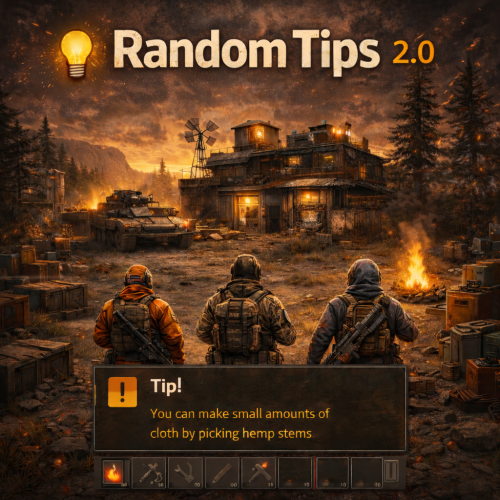
Version 2.0.0
742 downloads
Send Gametip messages on a timed interval to online players Features : Simple configuration. Sends Gametip messages on a configurable timed interval and duration (seconds). Can use a permission to ignore a player to get the messages. API support for other plugins to use its simplified queue system. Supports the QueuedPopups message system. (Requires the QueuedPopups plugin) Permissions : randomtips.exclude : To exclude the player from getting the Gametips sent by this plugin Configuration : Show Messages is set to false by default so it will not run the standard messages on plugin install. If you don't want to use a prefix , then you can leave it empty. { "Prefix": "[Krungh Crow] ", "Interval (seconds)": 60, "Enable Debug": false, "QueuedPopups": { "Duration (seconds)": 10.0, "Icon Sprite": "assets/icons/info.png", "Background Color (RGBA)": "0 0 0.65 0.6", "Text Color (RGBA)": "1 1 1 1", "Icon Color (RGBA)": "1 1 1 1", "Height (Pixels)": 38.0, "Font Size": 14 }, "Messages": [ "Join our Discord, click <color=orange>[view webpage]</color> button.", "We test several cool new plugins!", "Some spawns like animals and their stats can be set high.", "<color=red>Bradley Tiers</color> is tested here.", "Hitting barrels/nodes/trees or item pickup can trigger events, like npc animal bomb spawning." ] } API : void TIP(BasePlayer player, string message, float dur , bool warning) example call RandomTips?.Call("TIP", player, "Your text here", 6f ,true);Free -
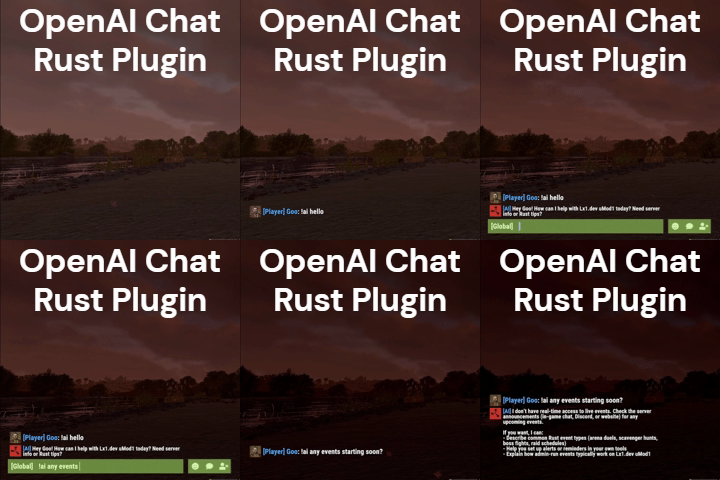
Version 2.2.0
310 downloads
AI assistant plugin for Rust game servers using the OpenAI Responses API. Players can ask questions in-game via a chat command (default: !ai) and receive AI-generated responses. Supports conversation context, a custom knowledge base for server-specific documents, multi-tier rate limiting, and optional integrations like Discord webhooks and BetterChat. Full Documentation Here Features Chat command trigger Conversation context Knowledge base (vector store) Customizable personalities Prompt injection filtering Message chunking Chat / Bot Configurable command prefix Global Chat Bot mode BetterChat integration Custom response colors Personality presets Team chat monitoring Rate Limits Per-player cooldowns Requests per minute cap Daily token budgets Per-player token limits Persistent usage tracking Integrations Discord webhook logging Optional web search Death Notes support Developer hooks API Reasoning model support Knowledge base made easy Use the Rust Server Knowledge Generator to build knowledge files for your server. Fill out a form (server info, wipe schedule, rules, commands, FAQ, etc.), use the AI Assistant or Quick Server Lookup (BattleMetrics), then either deploy to an OpenAI vector store from the site or download a .zip and sync from your server with openai.kb sync. See How It Works for the full guide. Commands and plugins In the Commands form section you can search and add plugins (from the default catalog or your own), add chat commands, and contribute commands for plugins. These feed into commands.txt for the knowledge base. Free AI Knowledge GeneratorFree -
Version 1.2.3
1,730 downloads
RUST Plugin Test Server TEST MY PLUGINS THERE! connect play.thepitereq.ovh:28050 Redeem Storage API enables you to consolidate all your plugin item sources into a single inventory. This means you can condense multiple storage containers into one and eliminate the need for free space in your inventory. Please note that this plugin doesn't have any standalone functionality; it requires another plugin that utilizes this API. Move your all plugin item rewards/outputs to one storage. You can create multiple custom redeem inventories. Each storage have their own data file, so it's easy to clear only certain inventories on wipes. RUST themed UI. Supports almost infinite amount of items. void AddItem(ulong userId, string name, Item item, bool popUp = false) - Moves the previously created item to the desired redeem inventory of the player. createredeemitem <storageName> <userId> <shortname> [amount] [skinId] [itemName] [popup (true/false)] - Console command for generating redeem items, optional way rather than using an API. { "Redeem Commands": [ "redeem", "red" ], "PopUp API Preset": "Legacy", "Redeem Storage Item Reminder (in seconds, 0 to disable)": 600, "Redeem Inventories": { "default": { "Default Redeem Inventory (only one)": true, "PopUp Message (configurable in lang file)": false, "Redeem Only In Safezone": true, "Redeem Only If Authed": true, "Allow When No Cupboard (works is option above is true)": false, "Drop Overflow Items Onto Ground (true = drop, false = delete)": true }, "shop": { "Default Redeem Inventory (only one)": false, "PopUp Message (configurable in lang file)": true, "Redeem Only In Safezone": false, "Redeem Only If Authed": false, "Allow When No Cupboard (works is option above is true)": false, "Drop Overflow Items Onto Ground (true = drop, false = delete)": true } } }Free -

Version 4.3.5
39 downloads
Friends Plugin for Rust Server "Friends" is a robust and flexible plugin designed to enhance the in-game friends system in Rust. It will help streamline the interaction between friends, simplify the process of authorization, and access to important game elements, and manage damage between friends. Key Features: Damage Control: An integrated feature of damage blocking among friends helps prevent accidental damage. This feature can be easily enabled or disabled by command. Enhanced Friends Authorization System: The plugin allows activating friends' authorization for a wide range of elements, including: Turrets SAM site Code locks Key locks Cupboards Upon removal from the friends' list, the player will automatically be deauthorized from all the listed elements. Remote Friend Invitation: With a special command, you can invite a player to be friends, even from afar. Authorization Settings Flexibility: Choose between two authorization methods for code locks - guest authorization ("guestPlayers") or full authorization ("whitelistPlayers"). Compatibility and Optimization: The "Friends" plugin is optimized for maximum performance and is compatible with many other plugins. Extensive API: The plugin offers a comprehensive API for developers, providing flexibility and the possibility of further customization. Detailed Logging System: "Friends" includes a logging system, providing transparency and control over activities. Optimize your gameplay with the "Friends" plugin for Rust server. It will help improve your gaming experience, simplify interactions with friends, and make your server safer and more manageable. Commands: /team - Additional info /team invite/add <Nickname> /team ff - Friendly fire Default Configuration: { "Chat commands": [ "team", "ff", "friend" ], "Maximum number of friends": 3, "Time to accept team invite (in seconds)": 20.0, "Enable friend authorization for turrets?": true, "Enable friend authorization for SAM sites?": true, "Enable friend authorization for code locks?": true, "Enable friend authorization for key locks?": true, "Enable friend authorization for cupboards?": true, "Authorization method for code locks (guestPlayers - guest authorization, whitelistPlayers - full authorization)": "guestPlayers", "Enable logging system ?": false, "Chat prefix (IQChat)": "<color=#5cd6skykey>[Friends]</color>\n" } API for Developers HasFriend(ulong playerId, ulong friendId) //Checks if the specified user is a friend of the player. HasFriends(string playerS, string friendS) //Checks if the player has friends by their string identifiers. IsFriend(ulong playerId, ulong friendId) //Checks if the specified user is a friend of the player. AreFriends(ulong playerId, ulong friendId) //Checks if the specified players are friends. AreFriends(string playerS, string friendS) //Checks if the specified players are friends by their string identifiers. IsFriends(string playerS, string friendS) //Checks if the player has friends by their string identifiers. GetFriends(ulong playerId) //Returns the player's friends list. GetFriendList(string playerS) //Returns the player's friends list by the string identifier. GetFriends(string playerS) //Returns the player's friends list by the string identifier. IsFriendOf(ulong playerId) //Returns a list of players who are friends of the specified player. IsFriendOf(string playerS) //Returns a list of players who are friends of the specified player by the string identifier. GetFriendList(ulong playerId) //Returns the friends list of the specified player.$8.99 -
[PluginReference] private Plugin TemporaryPermissions; There are 30 methods: IsReady User's Permissions: GrantUserPermission RevokeUserPermission UserHasPermission GrantActiveUsersPermission GrantAllUsersPermission RevokeActiveUsersPermission RevokeAllUsersPermission UserGetAllPermissions UserGetPermissionByExpiry UserGetAllPermissionsByExpiry ActiveUsersGetAllPermissions AllUsersGetAllPermissions User's Groups: AddUserGroup RemoveUserGroup UserHasGroup AddActiveUsersGroup AddAllUsersGroup RemoveActiveUsersGroup RemoveAllUsersGroup UserGetAllGroups ActiveUsersGetAllGroups AllUsersGetAllGroups Group's Permissions: GrantGroupPermission RevokeGroupPermission GroupHasPermission GrantAllGroupsPermission RevokeAllGroupsPermission GroupGetAllPermissions AllGroupsGetAllPermissions IsReady: Used to check if the TemporaryPermissions plugin is loaded and ready to work. The IsReady method returns true if it is ready, or null if it is not. (bool)TemporaryPermissions?.Call("IsReady");//Calling the IsReady method. If the result is not null(bool true), the plugin is ready. GrantUserPermission: Used to grant a temporary permission to a player. Returns true if the grant was successful. To call the GrantUserPermission method, you need to pass 5 parameters, 3 of which are optional: IPlayer or BasePlayer or <string>playerID - The player object or their Id; <string>permName - The name of the permission; <int>secondsToAdd or <DateTime>expireDate - Optional. The time in seconds to add, or the end date. If a number less than 1 is specified, or if this parameter is not specified, the permission will be valid until the wipe; <bool>fromNow or <DateTime>assignedDate - Optional. true/false to specify whether the seconds should be added to the current date or to the existing time, or an exact assignment date. Defaults to the current date; <bool>checkExistence - Optional. Whether to check for the existence of the permission. (bool)TemporaryPermissions?.Call("GrantUserPermission", player.UserIDString, "realpve.vip");//Calling the GrantUserPermission method without specifying the third parameter, to grant temporary permission until the wipe. (bool)TemporaryPermissions?.Call("GrantUserPermission", player.UserIDString, "realpve.vip", 0);//Calling the GrantUserPermission method with the specified number less than 1, to grant temporary permission until the wipe. (bool)TemporaryPermissions?.Call("GrantUserPermission", player.UserIDString, "realpve.vip", 3600, true, true);//Calling the GrantUserPermission method with the specified number of seconds to add. (bool)TemporaryPermissions?.Call("GrantUserPermission", player.UserIDString, "realpve.vip", expireDate, assignedDate, true);//Calling the GrantUserPermission method with the specified DateTime for the end and start of the temporary permission. RevokeUserPermission: Used to revoke a temporary permission from a player. Returns true if the revoke was successful. To call the RevokeUserPermission method, you need to pass 2 parameters: IPlayer or BasePlayer or <string>playerID - The player object or their Id; <string>permName - The name of the permission. (bool)TemporaryPermissions?.Call("RevokeUserPermission", player.UserIDString, "realpve.vip"); UserHasPermission: Used to check if a player has a temporary permission. Returns true if the player has the specified temporary permission. To call the UserHasPermission method, you need to pass 2 parameters: IPlayer or BasePlayer or <string>playerID - The player object or their Id; <string>permName - The name of the permission. (bool)TemporaryPermissions?.Call("UserHasPermission", player.UserIDString, "realpve.vip"); GrantActiveUsersPermission: Used to temporarily grant a permission to all online players. Returns the <int>number of successful grants of temporary permissions to players. To call the GrantActiveUsersPermission method, you need to pass 3 parameters, 2 of which is optional: <string>permName - The name of the permission; <int>secondsToAdd or <DateTime>expireDate - Optional. The time in seconds to add, or the end date. If a number less than 1 is specified, or if this parameter is not specified, the permission will be valid until the wipe; <bool>fromNow or <DateTime>assignedDate - Optional. true/false to specify whether the seconds should be added to the current date or to the existing time, or an exact assignment date. Defaults to the current date. (int)TemporaryPermissions?.Call("GrantActiveUsersPermission", "realpve.vip");// Calling the GrantActiveUsersPermission method without specifying the second parameter, to grant all online players temporary permission until the wipe. (int)TemporaryPermissions?.Call("GrantActiveUsersPermission", "realpve.vip", 0);//Calling the GrantActiveUsersPermission method with the specified number less than 1, to grant all online players temporary permission until the wipe. (int)TemporaryPermissions?.Call("GrantActiveUsersPermission", "realpve.vip", 3600, true);//Calling the GrantActiveUsersPermission method with the specified number of seconds to add. (int)TemporaryPermissions?.Call("GrantActiveUsersPermission", "realpve.vip", expireDate, assignedDate);//Calling the GrantActiveUsersPermission method with the specified DateTime for the end and start of the temporary permission. GrantAllUsersPermission: Used to grant a temporary permission to all players. Returns the <int>number of successful grants of temporary permissions to players. To call the GrantAllUsersPermission method, you need to pass 3 parameters, 2 of which is optional: <string>permName - The name of the permission; <int>secondsToAdd or <DateTime>expireDate - Optional. The time in seconds to add, or the end date. If a number less than 1 is specified, or if this parameter is not specified, the permission will be valid until the wipe; <bool>fromNow or <DateTime>assignedDate - Optional. true/false to specify whether the seconds should be added to the current date or to the existing time, or an exact assignment date. Defaults to the current date. (int)TemporaryPermissions?.Call("GrantAllUsersPermission", "realpve.vip");//Calling the GrantAllUsersPermission method without specifying the second parameter, to grant all players temporary permission until the wipe. (int)TemporaryPermissions?.Call("GrantAllUsersPermission", "realpve.vip", 0);//Calling the GrantAllUsersPermission method with the specified number less than 1, to grant all players temporary permission until the wipe. (int)TemporaryPermissions?.Call("GrantAllUsersPermission", "realpve.vip", 3600, true);//Calling the GrantAllUsersPermission method with the specified number of seconds to add. (int)TemporaryPermissions?.Call("GrantAllUsersPermission", "realpve.vip", expireDate, assignedDate);//Calling the GrantAllUsersPermission method with the specified DateTime for the end and start of the temporary permission. RevokeActiveUsersPermission: Used to revoke a temporary permission from all online players. Returns the <int>number of successful revokes of temporary permissions to players. To call the RevokeActiveUsersPermission method, you need to pass 1 parameter: <string>permName - The name of the permission. (int)TemporaryPermissions?.Call("RevokeActiveUsersPermission", "realpve.vip"); RevokeAllUsersPermission: Used to revoke a temporary permission from all players. Returns the <int>number of successful revokes of temporary permissions to players. To call the RevokeAllUsersPermission method, you need to pass 1 parameter: <string>permName - The name of the permission. (int)TemporaryPermissions?.Call("RevokeAllUsersPermission", "realpve.vip"); UserGetAllPermissions: Used to retrieve all temporary permissions of a player. Returns a Dictionary<string, DateTime[]> where the key is the permission name and the value is an array of 2 DateTimes: the first date is the assignment date and the second date is the expiration date of the permission. If the expiration date is set to default, it means the permission is valid until the wipe. To call the UserGetAllPermissions method, you need to pass 1 parameter: <string>playerID - The player's Id. (Dictionary<string, DateTime[]>)TemporaryPermissions?.Call("UserGetAllPermissions", player.UserIDString); UserGetPermissionByExpiry: Used to get the expiration date of a player's temporary permission, considering the temporary permission for the group they may belong to. The latest date is taken. Returns a DateTime[]: the first date is the assignment date and the second date is the expiration date of the permission. If the expiration date is set to default, it means the permission is valid until the wipe. To call the UserGetPermissionByExpiry method, you need to pass 2 parameters: IPlayer or BasePlayer or <string>playerID - The player object or their Id; <string>permName - The name of the permission. (DateTime[])TemporaryPermissions?.Call("UserGetPermissionByExpiry", player.UserIDString, "realpve.vip"); UserGetAllPermissionsByExpiry: Used to get the expiration date of all temporary permissions for a player, considering the temporary permissions for the group they may belong to. The latest date is taken. Returns a Dictionary<string, DateTime[]> where the key is the permission name and the value is an array of 2 DateTimes: the first date is the assignment date and the second date is the expiration date of the permission. If the expiration date is set to default, it means the permission is valid until the wipe. To call the UserGetAllPermissionsByExpiry method, you need to pass 1 parameter: IPlayer or BasePlayer or <string>playerID - The player object or their Id. (Dictionary<string, DateTime[]>)TemporaryPermissions?.Call("UserGetAllPermissionsByExpiry", player.UserIDString); ActiveUsersGetAllPermissions: Used to retrieve all temporary permissions of all online players who have temporary permissions. Returns a Dictionary<string, Dictionary<string, DateTime[]>> where the key is userID and the value is another Dictionary<string, DateTime[]>, where the key is the permission name and the value is an array of 2 DateTimes: the first date is the assignment date and the second date is the expiration date of the permission. If the expiration date is set to default, it means the permission is valid until the wipe. (Dictionary<string, Dictionary<string, DateTime[]>>)TemporaryPermissions?.Call("ActiveUsersGetAllPermissions"); AllUsersGetAllPermissions: Used to retrieve all temporary permissions of all players who have temporary permissions. Returns a Dictionary<string, Dictionary<string, DateTime[]>> where the key is userID and the value is another Dictionary<string, DateTime[]>, where the key is the permission name and the value is an array of 2 DateTimes: the first date is the assignment date and the second date is the expiration date of the permission. If the expiration date is set to default, it means the permission is valid until the wipe. (Dictionary<string, Dictionary<string, DateTime[]>>)TemporaryPermissions?.Call("AllUsersGetAllPermissions"); AddUserGroup: Used to temporarily add a player to a group. Returns true if the addition was successful. To call the AddUserGroup method, you need to pass 5 parameters, 3 of which are optional: IPlayer or BasePlayer or <string>playerID - The player object or their Id; <string>groupName - The name of the group; <int>secondsToAdd or <DateTime>expireDate - Optional. The time in seconds to add, or the end date. If a number less than 1 is specified, or if this parameter is not specified, the group will be valid until the wipe; <bool>fromNow or <DateTime>assignedDate - Optional. true/false to specify whether the seconds should be added to the current date or to the existing time, or an exact assignment date. Defaults to the current date; <bool>checkExistence - Optional. Whether to check for the existence of the group. (bool)TemporaryPermissions?.Call("AddUserGroup", player.UserIDString, "vip");//Calling the AddUserGroup method without specifying the third parameter to temporarily add a player, to a group until the wipe. (bool)TemporaryPermissions?.Call("AddUserGroup", player.UserIDString, "vip", 0);//Calling the AddUserGroup method with the specified number less than 1, to temporarily add a player to a group until the wipe. (bool)TemporaryPermissions?.Call("AddUserGroup", player.UserIDString, "vip", 3600, true, true);//Calling the AddUserGroup method with the specified number of seconds to add. (bool)TemporaryPermissions?.Call("AddUserGroup", player.UserIDString, "vip", expireDate, assignedDate, true);//Calling the AddUserGroup method with the specified DateTime for the end and start of the temporary permission. RemoveUserGroup: Used to remove a temporary group from a player. Returns true if the removal was successful. To call the RemoveUserGroup method, you need to pass 2 parameters: IPlayer or BasePlayer or <string>playerID - The player object or their Id; <string>groupName - The name of the group. (bool)TemporaryPermissions?.Call("RemoveUserGroup", player.UserIDString, "vip"); UserHasGroup: Used to check if a player has a temporary group. Returns true if the player has the specified temporary group. To call the UserHasGroup method, you need to pass 2 parameters: IPlayer or BasePlayer or <string>playerID - The player object or their Id; <string>groupName - The name of the group. (bool)TemporaryPermissions?.Call("UserHasGroup", player.UserIDString, "vip"); AddActiveUsersGroup: Used to temporarily add a group to all online players. Returns the <int>number of successful additions of the temporary group to players. To call the AddActiveUsersGroup method, you need to pass 3 parameters, 2 of which is optional: <string>groupName - The name of the group; <int>secondsToAdd or <DateTime>expireDate - Optional. The time in seconds to add, or the end date. If a number less than 1 is specified, or if this parameter is not specified, the group will be valid until the wipe; <bool>fromNow or <DateTime>assignedDate - Optional. true/false to specify whether the seconds should be added to the current date or to the existing time, or an exact assignment date. Defaults to the current date. (int)TemporaryPermissions?.Call("AddActiveUsersGroup", "vip");//Calling the AddActiveUsersGroup method without specifying the second parameter to temporarily add all online players to a group until the wipe. (int)TemporaryPermissions?.Call("AddActiveUsersGroup", "vip", 0);//Calling the AddActiveUsersGroup method with the specified number less than 1, to temporarily add all online players to a group until the wipe. (int)TemporaryPermissions?.Call("AddActiveUsersGroup", "vip", 3600, true);//Calling the AddActiveUsersGroup method with the specified number of seconds to add. (int)TemporaryPermissions?.Call("AddActiveUsersGroup", "vip", expireDate, assignedDate);//Calling the AddActiveUsersGroup method with the specified DateTime for the end and start of the temporary permission. AddAllUsersGroup: Used to temporarily add a group to all players. Returns the <int>number of successful additions of the temporary group to players. To call the AddAllUsersGroup method, you need to pass 3 parameters, 2 of which is optional: <string>groupName - The name of the group; <int>secondsToAdd or <DateTime>expireDate - Optional. The time in seconds to add, or the end date. If a number less than 1 is specified, or if this parameter is not specified, the group will be valid until the wipe; <bool>fromNow or <DateTime>assignedDate - Optional. true/false to specify whether the seconds should be added to the current date or to the existing time, or an exact assignment date. Defaults to the current date. (int)TemporaryPermissions?.Call("AddAllUsersGroup", "vip");//Calling the AddAllUsersGroup method without specifying the second parameter to temporarily add all players to a group until the wipe. (int)TemporaryPermissions?.Call("AddAllUsersGroup", "vip", 0);//Calling the AddAllUsersGroup method with the specified number less than 1, to temporarily add all players to a group until the wipe. (int)TemporaryPermissions?.Call("AddAllUsersGroup", "vip", 3600, true);//Calling the AddAllUsersGroup method with the specified number of seconds to add. (int)TemporaryPermissions?.Call("AddAllUsersGroup", "vip", expireDate, assignedDate);//Calling the AddAllUsersGroup method with the specified DateTime for the end and start of the temporary permission. RemoveActiveUsersGroup: Used to remove a temporary group from all online players. Returns the <int>number of successful removals of temporary groups from players. To call the RemoveActiveUsersGroup method, you need to pass 1 parameter: <string>groupName - The name of the group. (int)TemporaryPermissions?.Call("RemoveActiveUsersGroup", "vip"); RemoveAllUsersGroup: Used to remove a temporary group from all players. Returns the <int>number of successful removals of temporary groups from players. To call the RemoveAllUsersGroup method, you need to pass 1 parameter: <string>permName - The name of the permission. (int)TemporaryPermissions?.Call("RemoveAllUsersGroup", "vip"); UserGetAllGroups: Used to retrieve all temporary groups of a player. Returns a Dictionary<string, DateTime[]> where the key is the group name and the value is an array of 2 DateTimes: the first date is the assignment date and the second date is the expiration date of the group. If the expiration date is set to default, it means the group is valid until the wipe. To call the UserGetAllGroups method, you need to pass 1 parameter: <string>permName - The name of the permission. (Dictionary<string, DateTime[]>)TemporaryPermissions?.Call("UserGetAllGroups", player.UserIDString); ActiveUsersGetAllGroups: Used to retrieve all temporary groups of all online players who have temporary groups. Returns a Dictionary<string, Dictionary<string, DateTime[]>> where the key is userID and the value is another Dictionary<string, DateTime[]>, where the key is the group name and the value is an array of 2 DateTimes: the first date is the assignment date and the second date is the expiration date of the group. If the expiration date is set to default, it means the group is valid until the wipe. (Dictionary<string, Dictionary<string, DateTime[]>>)TemporaryPermissions?.Call("ActiveUsersGetAllGroups"); AllUsersGetAllGroups: Used to retrieve all temporary groups of all players who have temporary groups. Returns a Dictionary<string, Dictionary<string, DateTime[]>> where the key is userID and the value is another Dictionary<string, DateTime[]>, where the key is the group name and the value is an array of 2 DateTimes: the first date is the assignment date and the second date is the expiration date of the group. If the expiration date is set to default, it means the group is valid until the wipe. (Dictionary<string, Dictionary<string, DateTime[]>>)TemporaryPermissions?.Call("AllUsersGetAllGroups"); GrantGroupPermission: Used to grant a temporary permission to a group. Returns true if the grant was successful. To call the GrantGroupPermission method, you need to pass 5 parameters, 3 of which are optional: <string>groupName - The name of the group; <string>permName - The name of the permission; <int>secondsToAdd or <DateTime>expireDate - Optional. The time in seconds to add, or the end date. If a number less than 1 is specified, or if this parameter is not specified, the permission will be valid until the wipe; <bool>fromNow or <DateTime>assignedDate - Optional. true/false to specify whether the seconds should be added to the current date or to the existing time, or an exact assignment date. Defaults to the current date; <bool>checkExistence - Optional. Whether to check for the existence of the permission. (bool)TemporaryPermissions?.Call("GrantGroupPermission", "vip", "realpve.vip");//Calling the GrantGroupPermission method without specifying the third parameter, to grant temporary permission until the wipe. (bool)TemporaryPermissions?.Call("GrantGroupPermission", "vip", "realpve.vip", 0);//Calling the GrantGroupPermission method with the specified number less than 1, to grant temporary permission until the wipe. (bool)TemporaryPermissions?.Call("GrantGroupPermission", "vip", "realpve.vip", 3600, true, true);//Calling the GrantGroupPermission method with the specified number of seconds to add. (bool)TemporaryPermissions?.Call("GrantGroupPermission", "vip", "realpve.vip", expireDate, assignedDate, true);//Calling the GrantGroupPermission method with the specified DateTime for the end and start of the temporary permission. RevokeGroupPermission: Used to revoke a temporary permission from a group. Returns true if the revoke was successful. To call the RevokeGroupPermission method, you need to pass 2 parameters: <string>groupName - The name of the group; <string>permName - The name of the permission. (bool)TemporaryPermissions?.Call("RevokeGroupPermission", "vip", "realpve.vip"); GroupHasPermission: Used to check if a group has a temporary permission. Returns true if the group has the specified temporary permission. To call the GroupHasPermission method, you need to pass 2 parameters: <string>groupName - The name of the group; <string>permName - The name of the permission. (bool)TemporaryPermissions?.Call("GroupHasPermission", "vip", "realpve.vip"); GrantAllGroupsPermission: Used to temporarily grant a permission to all groups. Returns the <int>number of successful grants of temporary permissions to groups. To call the GrantAllGroupsPermission method, you need to pass 3 parameters, 2 of which is optional: <string>permName - The name of the permission; <int>secondsToAdd or <DateTime>expireDate - Optional. The time in seconds to add, or the end date. If a number less than 1 is specified, or if this parameter is not specified, the permission will be valid until the wipe; <bool>fromNow or <DateTime>assignedDate - Optional. true/false to specify whether the seconds should be added to the current date or to the existing time, or an exact assignment date. Defaults to the current date. (int)TemporaryPermissions?.Call("GrantAllGroupsPermission", "realpve.vip");//Calling the GrantAllGroupsPermission method without specifying the second parameter, to grant all groups temporary permission until the wipe. (int)TemporaryPermissions?.Call("GrantAllGroupsPermission", "realpve.vip", 0);//Calling the GrantAllGroupsPermission method with the specified number less than 1, to grant all groups temporary permission until the wipe. (int)TemporaryPermissions?.Call("GrantAllGroupsPermission", "realpve.vip", 3600, true);//Calling the GrantAllGroupsPermission method with the specified number of seconds to add. (int)TemporaryPermissions?.Call("GrantAllGroupsPermission", "realpve.vip", expireDate, assignedDate);//Calling the GrantAllGroupsPermission method with the specified DateTime for the end and start of the temporary permission. RevokeAllGroupsPermission: Used to revoke a temporary permission from all groups. Returns the <int>number of successful revokes of temporary permissions to groups. To call the RevokeAllGroupsPermission method, you need to pass 1 parameter: <string>permName - The name of the permission. (int)TemporaryPermissions?.Call("RevokeAllGroupsPermission", "realpve.vip"); GroupGetAllPermissions: Used to retrieve all temporary permissions of a group. Returns a Dictionary<string, DateTime[]> where the key is the permission name and the value is an array of 2 DateTimes: the first date is the assignment date and the second date is the expiration date of the permission. If the expiration date is set to default, it means the permission is valid until the wipe. To call the GroupGetAllPermissions method, you need to pass 1 parameter: <string>groupName - The name of the group. (Dictionary<string, DateTime[]>)TemporaryPermissions?.Call("GroupGetAllPermissions", "vip"); AllGroupsGetAllPermissions: Used to retrieve all temporary permissions of all groups that have temporary permissions. Returns a Dictionary<string, Dictionary<string, DateTime[]>> where the key is the group name and the value is another Dictionary<string, DateTime[]>, where the key is the permission name and the value is an array of 2 DateTimes: the first date is the assignment date and the second date is the expiration date of the permission. If the expiration date is set to default, it means the permission is valid until the wipe. (Dictionary<string, Dictionary<string, DateTime[]>>)TemporaryPermissions?.Call("AllGroupsGetAllPermissions");
-
OnTemporaryPermissionsLoaded: Called after the TemporaryPermissions plugin is fully loaded and ready. OnTemporaryPermissionGranted: Called after the player has been granted a temporary permission. OnTemporaryPermissionUpdated: Called after the player's temporary permission has been updated. OnTemporaryPermissionRevoked: Called after the player's temporary permission has expired or been revoked. OnTemporaryGroupAdded: Called after the player has been temporarily added to the group. OnTemporaryGroupUpdated: Called after the player's temporary group has been updated. OnTemporaryGroupRemoved: Called after the player's temporary group has expired or been removed. OnGroupTemporaryPermissionGranted: Called after the group has been granted a temporary permission. OnGroupTemporaryPermissionUpdated: Called after the group's temporary permission has been updated. OnGroupTemporaryPermissionRevoked: Called after the group's temporary permission has expired or been revoked. void OnTemporaryPermissionsLoaded(VersionNumber version = default) { Puts("The TemporaryPermissions plugin is loaded and ready to go!"); } void OnTemporaryPermissionGranted(string userID, string perm, DateTime expireDate, DateTime assignedDate) { Puts($"Player {userID} has been granted the temporary permission {perm} from {assignedDate} until {expireDate}."); } void OnTemporaryPermissionUpdated(string userID, string perm, DateTime expireDate, DateTime assignedDate) { Puts($"Player {userID}'s temporary permission {perm} has been updated. New expiration date: {expireDate}. Assigned date: {assignedDate}."); } void OnTemporaryPermissionRevoked(string userID, string perm, bool isExpired) { Puts($"Player {userID} has had the temporary permission {perm} revoked. Permission expired: {isExpired}."); } void OnTemporaryGroupAdded(string userID, string groupName, DateTime expireDate, DateTime assignedDate) { Puts($"Player {userID} has been added to the temporary group {groupName} from {assignedDate} until {expireDate}."); } void OnTemporaryGroupUpdated(string userID, string groupName, DateTime expireDate, DateTime assignedDate) { Puts($"Player {userID}'s temporary group {groupName} has been updated. New expiration date: {expireDate}. Assigned date: {assignedDate}."); } void OnTemporaryGroupRemoved(string userID, string groupName, bool isExpired) { Puts($"Player {userID} has had the temporary group {groupName} revoked. Group expired: {isExpired}."); } void OnGroupTemporaryPermissionGranted(string groupName, string perm, DateTime expireDate, DateTime assignedDate) { Puts($"Group {groupName} has been granted the temporary permission {perm}, valid from {assignedDate} until {expireDate}."); } void OnGroupTemporaryPermissionUpdated(string groupName, string perm, DateTime expireDate, DateTime assignedDate) { Puts($"Group {groupName}'s temporary permission {perm} has been updated. New expiration date: {expireDate}. Assigned date: {assignedDate}."); } void OnGroupTemporaryPermissionRevoked(string groupName, string perm, bool isExpired) { Puts($"Group {groupName} has had the temporary permission {perm} revoked. Permission expired: {isExpired}."); }
-
Developer API API Methods bool Deposit(string playerID, int amount) Returns true if successful. bool Deposit(string playerID, int amount, ulong toolCupboardID) Returns true if successful. bool Withdraw(string playerID, int amount) Returns true if successful. bool Withdraw(string playerID, int amount, ulong toolCupboardID) Returns true if successful. bool AddToWallet(string playerID, int amount) Returns true if successful. bool AddToBank(string playerID, int amount) Returns true if successful. bool AddToBank(string playerID, int amount, ulong toolCupboardID) Returns true if successful. bool RemoveFromWallet(string playerID, int amount) Returns true if successful. bool RemoveFromBank(string playerID, int amount) Returns true if successful. bool RemoveFromBank(string playerID, int amount, ulong toolCupboardID) Returns true if successful. bool ResetWallet(string playerID) Returns true if successful. bool ResetBank(string playerID) Returns true if successful. int GetWalletBalance(string playerID) Returns player's wallet balance. int GetBankBalance(string playerID) Returns player's bank balance. int GetBankBalance(string playerID, ulong toolCupboardID) Returns player's bank balance. void RefreshOverlay(string playerID) Refreshes a player's balance overlay GUI. Which API methods to use? There are many API methods available but the three below are the most commonly used in place of Economics and ServerRewards method calls. Check player's balance int GetWalletBalance(string playerID) Returns player's wallet balance. Remove money from player's balance bool RemoveFromWallet(string playerID, int amount) Returns true if successful. Add money to player's balance bool AddToWallet(string playerID, int amount) Returns true if successful.
-
Hook Methods // Temporarily disable all buffs for the target public void DisableBuffs(ulong id) // Enable disabled buffs for the target public void EnableBuffs(ulong id) // Temporarily disable xp gain for the target public void DisableXP(ulong id) // Enable xp gain for the target public void EnableXP(ulong id) // Returns if xp gain is disabled for the target public bool IsXPDisabled(ulong id) // Allows external plugins to roll loot using the Loot_Pickup buff. Returns true if successful. public bool RolledLootPickup(BasePlayer player) // Give skill points to the target public void GiveSkillPoints(BasePlayer player, int amount) // Add a global xp modifier. Only the highest value is used. public void AddGlobalXPModifier(string pluginName, float modifier) // Removes a global xp modifier. public void RemoveGlobalXPModifier(string pluginName) // Give the player xp. noMod is whether the xp amount should be modified by permissions, nighttime xp bonuses, rested xp etc. public void AwardXP(BasePlayer player, double value, string plugin, bool noMod = false) // Returns a double representing the total respec cost. public double GetTotalRespecCost(BasePlayer player) // Respecs the player void RespecPlayer(BasePlayer player, PlayerInfo playerData = null) // Returns a list<object[]> of items inside of the players pouch_items. object[] is made from the itemInfo class. /* public class ItemInfo { public string shortname; public ulong skin; public int amount; public float condition; public float maxCondition; public int ammo; public string ammotype; public int position; public int frequency; public Item.Flag flags; public KeyInfo instanceData; public class KeyInfo { public int dataInt; public int blueprintTarget; public int blueprintAmount; } public int contentsSlots; public List<ItemInfo> item_contents; public string text; public string name; public List<ItemOwnershipShare> ownershipShares; public int armorSlots; public object[] ToObject() { return new object[] { shortname, skin, amount, condition, maxCondition, ammo, ammotype, position, frequency, flags, instanceData, instanceData?.dataInt, instanceData?.blueprintTarget, instanceData?.blueprintAmount, contentsSlots, text, name, ownershipShares, armorSlots }; } } */ List<object[]> STGetExtraPocketsItems(ulong id) // Returns the max level. public int STGetMaxLevel() // Returns name, xp, prestige level, current level and xpdebt as a Dictionary<ulong, (string Name, double XP, int PrestigeLevel, int CurrentLevel, double XPDebt)> public object GetSkillTreeData() // Remotely updates player stats. public void RemoteUpdatePlayerStats(string userid, string json) // Returns a float with the buff value of the specified buff. float GetBuffValue(BasePlayer player, string skill) /* Returns: - Current level (int) - Current total xp (double) - XP value that the currently level started at (double) - XP value that the next level will start at (double) - XP Debt - PrestigeLevel */ object[] GetXPStats(ulong id) // Returns the current prestige level of the player object GetPrestigeLevel(ulong id) // Returns the xp amount for the specified level. public double GetLevelExp(int level) // Returns the player level public int GetPlayerLevel(BasePlayer player) // Forces the players pouch to be dropped. public void ForceDropPouch(BasePlayer player, bool bypassPerm) // Remotely set the yields for skill tree's yield system public void SetSkillTreeYields(Dictionary<int, float> dict) // Remote set the yield for the specified yield type. public void SetSkillTreeYield(int type, float multiplier) // Returns a string[] with the players levle and xp. public string[] ST_GetPlayerLevel(BasePlayer player) // Returns xp over and above the players current level. private double GetExcessXP(BasePlayer player) // Removes xp from a player (cannot go below level xp). private void RemoveXP(BasePlayer player, double value) // Returns the horse stats as a float or null if the horse isnt modified. private object STGetHorseStats(BasePlayer player, ulong id) // Returns if the container uid is an extra pockets container. public object IsExtraPocketsContainer(ulong uid) // Adds a skill from a plugin. public void AddNode(string tree, string node, bool enabled, int max_Level, int tier, float value_Per_Buff, string _buff, string _buffType, string icon_url, object[] _perms = null, ulong skin = 0, bool overwrite = false) Hook Calls // Returning non-null prevents yield from the Harvest_Grown_Yield skill. object STCanReceiveYield(BasePlayer player, GrowableEntity entity) object STCanReceiveYield(BasePlayer player, GrowableEntity entity, Item item) // Returning non-null prevents SkillTree from increasing the yield for dispensers (trees/rocks/animals). object STCanReceiveYield(BasePlayer player, BaseEntity entity, Item item) // Prevents skill tree from increasing the gather yield for collectible entities. object STCanReceiveYield(BasePlayer player, CollectibleEntity entity) // Returning non-null prevents the Lock_Picker skill from running. object STOnLockpickAttempt(BasePlayer player, BaseLock baseLock) // Returning non-null prevents SkillTree from handling dispenser gather skills. object OnSkillTreeHandleDispenser(BasePlayer player, BaseEntity entity, Item item) // Returning non-null prevents instant gather from triggering. object OnInstantGatherTrigger(BasePlayer player, ResourceDispenser dispenser, string pluginName) // Triggered when an instant gather skill creates a new item (before it is given to the player). void OnInstantGatherTriggered(BasePlayer player, ResourceDispenser dispenser, Item newItem, string pluginName) // Returning non-null prevents the item repair from happening. object STOnItemRepairWithMaxRepair(Item item) // Returning non-null prevents the Rationer from running. object STOnRationTrigger(BasePlayer player, Item item) // Returning non-null prevents the horses stats from being modified by the Riding_Speed skill. object STCanModifyHorse(BasePlayer player, RidableHorse horse, float value) // Returning non-null prevents the pouch from dropping. object STOnPouchDrop(BasePlayer player) // Returning non-null prevents the player from losing xp. object STOnLoseXP(BasePlayer player) // Returning non-null prevents the boats speed from being modified by the Boat_Speed skill. object STOnModifyBoatSpeed(BasePlayer player, MotorRowboat boat) // Returning non-null prevents bonus loot from being added to the container. object STCanReceiveBonusLootFromContainer(BasePlayer player, LootContainer container) // Triggered when the player levels up. void STOnPlayerLevel(BasePlayer player, int currentLevel, int newLevel) // Returning a non-null value prevents the xp gain. object CanGainXp(BasePlayer player, string plugin, double xp) object CanGainXp(BasePlayer player, BaseEntity source, double xp, string source_string) object CanGainXp(ulong userid, string plugin, double xp) // Returning non-null prevents the pouch from being opened. object STOnPouchOpen(BasePlayer player) // Triggered when the pouch is opened. void STOnPouchOpened(BasePlayer player, StorageContainer container) // Returning non-null prevents xp gain from a swipe card object OnGainXPFromSwipeCard(BasePlayer player, int cardLevel, ulong cardReaderID) // Returning non-null prevents the swipe card from being bypassed with the Build_Craft_Ultimate. object OnSwipeAccessLevelBypass(BasePlayer player, CardReader cardReader, Keycard card) // Returning non-null prevents the Raiding_Ultimate from acquiring a target. object OnRaidingUltimateTargetAcquire(BasePlayer player, Vector3 pos) // Triggered when a player advances a prestige levels void STOnPlayerPrestigeLevelled(BasePlayer player, int newPrestigeLevel) // Returning non-null will prevent the skill from triggering object STOnRespawnTree(BasePlayer player, ResourceEntity dispenser) // Add your xp gain modifier to the List<double> of hook mods to modify the xp gain. void OnXpGain(BasePlayer player, BaseEntity source, double xp, string source_string, List<double> HookMods)
-
i want to integrate the mods/plugins from https://codefling.com/plugins/multi-events?tab=details NOT the event viewer (MultiEvents.cs) but every other plugin in to this Events manager https://codefling.com/plugins/events-manager?tab=details and add an option to clear/ get rid of a selected category. i know MultiEvents.cs already has the mods integrated but it doesnt have a timer option and isnt as "user/idiot" proof
-
Action Hooks * Use these to forcefully interrupt or stop plugin behavior when a player becomes Combat or Raid blocked (e.g., using bgrade, skinbox, etc.): private void OnCombatBlock(BasePlayer player) private void OnRaidBlock(BasePlayer player) Check Hooks * Use these to check a player's current block status before allowing an action (e.g., using a command, teleporting, etc.): private bool IsCombatBlocked(BasePlayer player) | IsCombatBlocked(string player) | IsCombatBlocked(ulong player) private bool IsRaidBlocked(BasePlayer player) | IsRaidBlocked(string player) | IsRaidBlocked(ulong player) private bool IsEscapeBlocked(BasePlayer player) | IsEscapeBlocked(string player) | IsEscapeBlocked(ulong player)
-
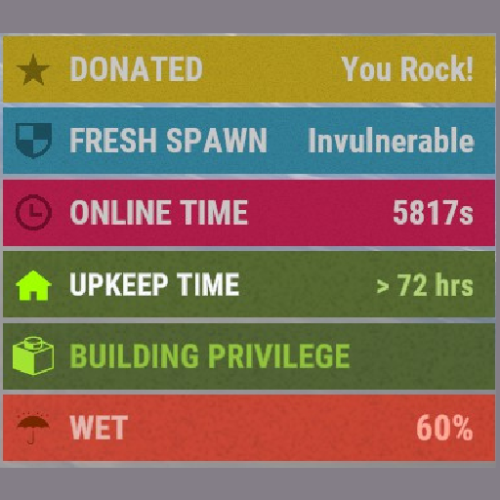
Version 1.1.3
3,965 downloads
This plugin does not introduce any functionality by itself, but rather provides a framework for other plugins to manipulate the status list that appears in the game UI on the right. New Version Available This plugin has been rewritten to improve performance! The new version is now called Simple Status and can be downloaded (for free) here: Why is it a new plugin and not just an update to this one? Because I understand that many people have already written awesome plugins that utilize CSF and in order to maximize performance, the plugin needed a complete overhaul. So instead of forcing all those developers to update their plugins, I'm letting CSF stay its own thing for now, but I strongly encourage developers to move to Simple Status when they can. With the release of this new plugin, I do not plan on updating CSF at this time. Positioning As of v1.1.0 you can optionally designate where on the screen the custom statuses are stacked. The vanilla position will stack the statuses nicely on top of the default game ones, this requires more server processing, but achieves a seamless look with the Rust UI. If you don't mind sacrificing that for greater performance, you can optionally change the position property to any other valid position and the plugin won't have to track all those vanilla Rust statuses. Valid Positions: top left top top right left vanilla (default) right bottom left bottom bottom right Performance Tuning If you are not seeing performance issues, there is no need to make any changes. As of v1.1.0 there are configuration options that will help you increase performance on your server by disabling/adjusting feature. If you are having performance issues with CSF, please refer to the following configuration tips: Tip 1: Avoid using the "vanilla" position In the config you have the option to specify a position. This is where the statuses for CSF are stacked. By default, this is set to "vanilla", which means that any custom statuses will stack on top of the vanilla rust ones. This provides a clean and seamless look, however, in order to achieve this, the plugin must calculate all the scenarios for which vanilla statuses are show and then redraw them for each player on the server - which can cause performance issue. For optimal performance, change the "Position" property to any other valid value (see the Positioning section). Tip 2: Make sure "Fast Refresh" is set to "false" By default, as of v.1.1.0, statuses are refreshed once every second, which means that it may take up to one second for a player's status to be removed from their screen. If you you enable "Fast Refresh" in the config, statuses will be updated at a much quicker rate, but this will put more stress on the server. For optimal performance, set "Fast Refresh" to false. Tip 3: Limit the number of CSF plugins that use global statuses The more plugins you have that rely on CSF the more updates will need to be made. If a CSF dependent plugin is written optimally (avoiding global/dynamic statuses) then it won't hurt performance much. However, if you are running a lot of plugins that *do* use dynamic/global statuses, then you might see performance issues. It is up to the developer of CSF dependent plugins to utilize CSF efficiently. Try disabling plugins one at a time to see which ones are causing poor performance. Developer API Check out this demo for a code example of how to use the API for this plugin. (Updated 9/15/2023) Note for developers: when possible, avoid using dynamic statuses, as they are a significant performance draw. If possible, instead manually update statuses when appropriate. // API Documentation for Custom Status Framework v1.0.5 // Returns a list of all statuses for a player, both vanilla and custom ones. List<string> GetStatusList ( BasePlayer basePlayer ) // Returns true if a player has a status matching the given id. bool HasStatus ( BasePlayer basePlayer, string id ) // Method for showing a simple temporary status to a player. // This status will appear and then disappear after some time. void ShowStatus ( BasePlayer basePlayer, string id, string color = null, string text = null, string textColor = null, string subText = null, string subTextColor = null, string imageLibraryIconId = null, string iconColor = null, float seconds = 4f ) // Creates a status for the given player. private void SetStatus ( BasePlayer basePlayer, string id, string color, string text, string textColor, string subText, string subTextColor, string imageLibraryIconId, string iconColor ) // Removes the specified status from the given player. private void ClearStatus ( BasePlayer basePlayer, string id ) // Performs a ClearStatus and then a SetStatus. // Useful if you want to simply refresh a status value. private void UpdateStatus ( BasePlayer basePlayer, string id, string color, string text, string textColor, string subText, string subTextColor, string imageLibraryIconId, string iconColor ) // Creates a global status with a static value. // The value of this status will not change, but will be dynamically applied to all // players who meet the specified condition function. private void CreateStatus ( string id, string color, string text, string textColor, string subText, string subTextColor, string imageLibraryIconId, string iconColor, Func<BasePlayer, bool> condition ) // Creates a global status with a dynamic value. // The value of this status will change, and is dynamically set for each player // based on the return of the dynamicValue function. // This status will be dynamically applied to all players who meet the specified // condition function. private void CreateDynamicStatus ( string id, string color, string text, string textColor, string subTextColor, string imageLibraryIconId, string iconColor, Func<BasePlayer, bool> condition, Func<BasePlayer, string> dynamicValue ) // Deletes a global status by id. private void DeleteStatus ( string id )Free





.thumb.png.ccf8a947948c9eb1445ad21a7931247b.png)



.thumb.png.d8730004887666a2775699ef18eb252c.png)