Search the Community
Showing results for tags 'realtime'.
Found 3 results
-
Version 2.1.0
459 downloads
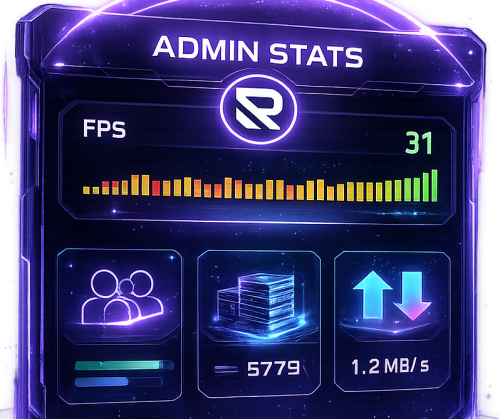
AdminStats - Server Monitor HUD Keep an eye on your server health while you play! AdminStats is a lightweight, always-visible HUD that shows real-time server performance metrics to administrators. Perfect for server owners who want to monitor performance while testing plugins, building, or just playing. What does it show? Server FPS - Color-coded (green = good, yellow = warning, red = critical) with a mini graph showing the last 30 seconds Players Online - Current / Maximum Entities - Total world entities Memory - Server RAM usage Network Traffic - Incoming and outgoing bandwidth Uptime - Time since last server restart Two Display Modes Full Mode - All stats in a compact panel Minimal Mode - Just FPS, super tiny, stays out of your way Switch between modes anytime with /adminstats mode Easy Positioning Place the HUD wherever you want: Top Left Top Right Bottom Left Bottom Right Custom position Adjust margins to fit perfectly with your other UI elements. Commands /adminstats - Toggle HUD on/off /adminstats mode - Switch between full and minimal mode Features Zero performance impact - updates once per second Auto-enables for admins on connect Sleek blur background that fits Rust's style Multi-language support (English, Portuguese, Spanish) Fully configurable colors, size, and position Permission-based (adminstats.use) Perfect for: Testing new plugins while monitoring server health Identifying performance issues in real-time Keeping track of player count and entity buildup Server owners who like to stay informed Lightweight. Unobtrusive. Essential.Free- 9 comments
- 2 reviews
-
- 1
-

-
- #admin stats
- #stats
- (and 15 more)
-
Version 1.0.4
19 downloads
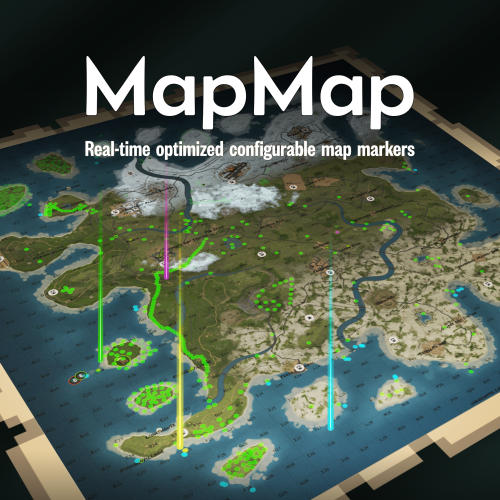
Ever loaded into a server and wondered... where is everyone? Those first few moments can make or break a new player's experience. MapMap turns that empty map into a vibrant, growing civilization MapMap adds beautiful, configurable map markers for 22 entity types, encouraging organic social interaction- all with minimal performance impact • New players see activity and stay longer • Organic towns and communities form • You control every aspect Supports Tool Cupboard Legacy Shelter Boat Building Station Player Boat Tugboat PT Boat RHIB Rowboat Kayak Submarine Hot Air Balloon (New!) Minicopter Attack Helicopter Scrap Transport Helicopter Car Bike Snowmobile (New!) Horse Train Engine Train Car Supply Drop (New!) Locked Crate (New!) Performance You Can Trust • Dynamic entities (boats, tugboats, vehicles) update in real-time with an incredibly efficient system, no unnecessary processing • Static entities (cupboards, shelters, stations) are updated only when created or destroyed, zero ongoing overhead • Adjustable update interval lets you fine-tune performance vs real-time accuracy Simple, Clean Configuration Match your server's theme or make each entity type instantly recognizable with 12 vibrant colors, alongside adjustable size and transparency- each individually configurable. Example: "UpdateInterval": 1.0, "ToolCupboard": { "Enabled": true, "Radius": 0.1, "Alpha": 0.3, "Color": "green" }, "LegacyShelter": { "Enabled": true, ... Colors • Red • Orange • Yellow • Lime • Green • Blue • Indigo • Purple • Magenta • Pink • White • Gray Ready to watch your server come alive? Get MapMap today and turn your next wipe into a story your players will talk about. Drop the file in your carbon/plugins folder, load the plugin c.load MapMap), and configure carbon/configs/MapMap.json to your liking if you adjust the config, save it, then run c.reload MapMap in the console I provide long-term support and am always open to bug reports and constructive feedback$19.99 -
.thumb.gif.f32a2f182ff8c24af53b7c58d4ef9e8a.gif)
Version 1.1.0
329 downloads
This plugin automatically displays active PVP zones on your server map in real-time. Perfect for enhancing your players' gaming experience during airdrops and special events. Key Features Automatic PVP zone display Markers appear instantly during events Perfect synchronization with airdrops and events Automatic marker removal when events end Performance and simplicity Lightweight plugin that doesn't impact server performance No configuration needed - works immediately Compatible with your existing plugins Benefits for your players Clear visibility of active combat zones Better strategic planning for PVP actions Reduced frustration from invisible zones More professional and modern interface Requirements This plugin requires the following dependencies to work: Marker Manager Modified : https://codefling.com/plugins/marker-manager-modified Zone Manager : https://umod.org/plugins/zone-manager Dynamic PVP : https://umod.org/plugins/dynamic-pvp Console Commands The plugin provides two console commands for administrators: ampz.reload Reloads the plugin configuration without restarting the server. Description: Allows you to apply configuration changes in real-time ampz.status Displays current plugin statistics. Information displayed: Active zone markers count Cached zones count Timer interval OnlyDynamicPvp mode status Installation Installation is simple: download the plugin and place it in your plugins folder. It works automatically without additional configuration. Important: Don't forget to properly configure Dynamic PVP so that zones are detected and displayed on the map.$11.99