New to Rust? Grab our free Rust for Beginners eBook Get it free →
How to Use eval in JavaScript: Syntax, Examples, and Security Risks

eval() evaluates a string as JavaScript source code. A direct call can read names in the surrounding scope, so the important question is where the string came from before you focus on its syntax.
How eval() evaluates a string
When its argument is a string, eval() parses and runs that string, then returns the completion value of the evaluated source. A string containing 2 + 2 returns 4, while a declaration often produces undefined.
The example below uses a fixed string so you can inspect the behavior without executing input from a form, URL, API response, or database.
const expression = "2 + 2";
console.log("expression:", eval(expression));

function directEvalReadsLocalScope() {
  const label = "local value";
  return eval("label");
}
console.log("direct eval:", directEvalReadsLocalScope());

function strictEvalKeepsDeclarationsInsideEval() {
  "use strict";
  eval("let createdInsideEval = 7");
  return typeof createdInsideEval;
}
console.log("strict eval declaration:", strictEvalKeepsDeclarationsInsideEval());

const settings = JSON.parse('{"theme":"dark"}');
console.log("JSON.parse:", settings.theme);

const operations = {
  add: (left, right) => left + right,
  multiply: (left, right) => left * right,
};
console.log("lookup table:", operations.multiply(6, 7));
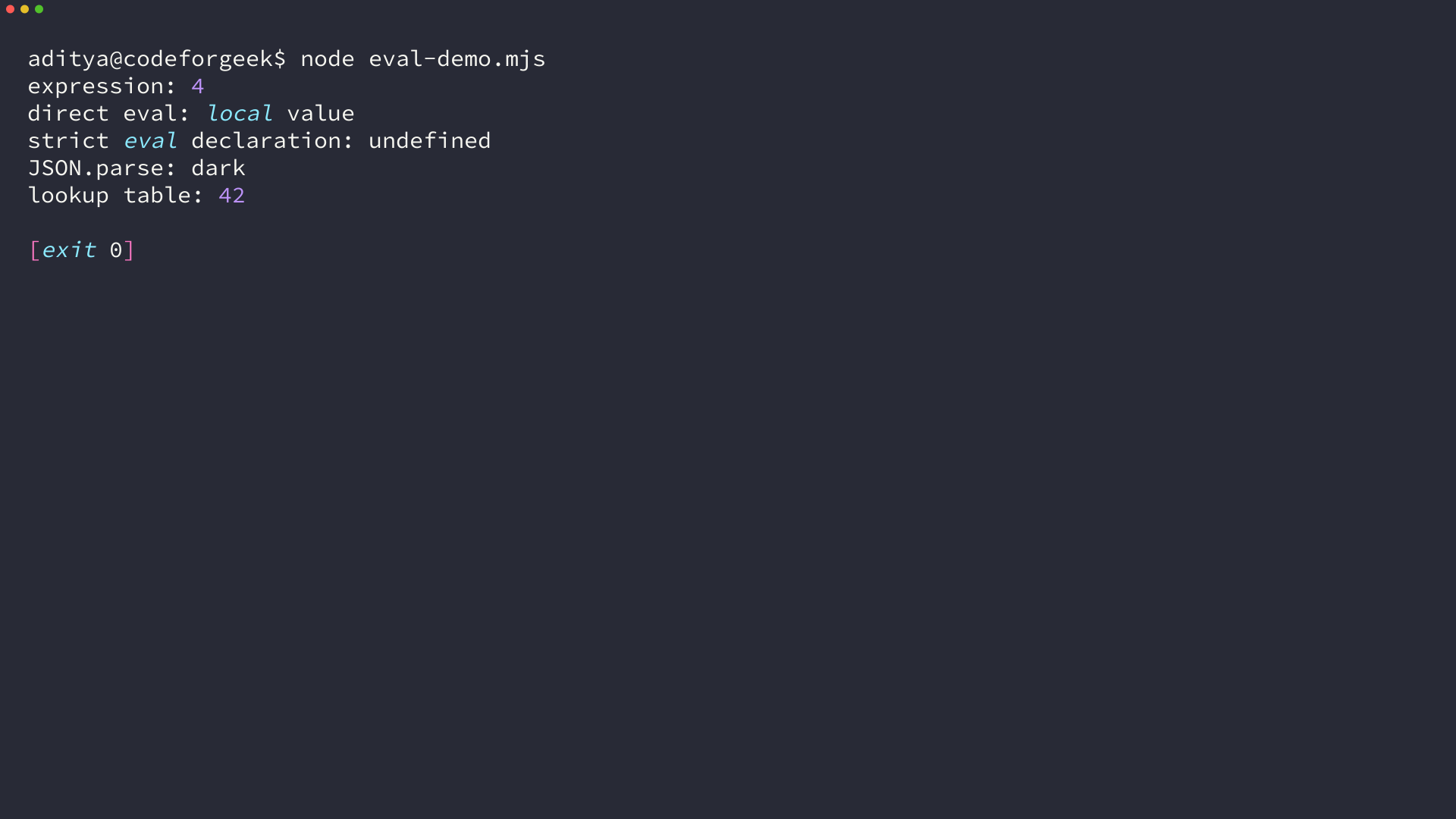
On Node v24.18.0, the command prints 4 for the expression and local value for the direct call. It also prints undefined after the strict-mode declaration because that declaration stays inside the evaluated code.
Direct eval can read the surrounding scope
A direct eval call uses the lexical environment where it appears, so eval(“label”) returns local value in the example because label belongs to the function that made the call.
In strict mode, a let declaration inside eval stays inside the evaluated source rather than becoming a name you can use outside it.
Untrusted strings are a security boundary
Never pass a string you do not fully control to eval(). If a request parameter, stored value, or API response reaches eval(), that source can execute with access to the environment available to the direct call.
Input validation after receiving a code string does not turn it into a safe contract. For broader server and browser defenses, see these web-development security practices.
Choose the construct that matches the job
If the string is data, JSON.parse() reads JSON without treating it as JavaScript source. The example accesses the theme field from JSON rather than evaluating an object-shaped string.
If you support a known set of operations, a lookup table makes that set visible in code. The multiply entry accepts two numbers and returns 42 for 6 and 7, with no text parsed as executable source.
The Function constructor also parses a string as code. It does not make untrusted input safe, so use it only when you own the generated source and have a separate reason to create a function dynamically.
Takeaway
Use eval() only when you control the complete source string and understand the direct-call scope it can observe. For data, use JSON.parse(), and for supported behaviors, model the choices explicitly with functions or a lookup table.
Reference