
Popis
wpForo is the first AI powered forum plugin for WordPress. Full-fledged yet easy and light forum solution for your WordPress website. Comes with modern and responsive forum layouts and styles. This WordPress forum plugin brings everything you need to run an efficient and professional community. Powerful and beautiful forum with unique features. The best alternative to bbPress forum plugin.
5 minutová instalace fóra!
1. Activate plugin and find forums on /community/ page, (/community-2/ if /community/ is used),
2. Manage Forum Page, Title, etc in Dashboard > wpForo > Board > Edit Board admin page,
3. Manage Forums in Dashboard > wpForo > Forums admin page,
4. Manage Forum Menu in Dashboard > Appearance > Menu admin page,
5. Manage Forum Widgets in Dashboard > Appearance > Widgets admin page,
6. Manage Forum Colors in Dashboard > wpForo > Settings > Colors & Styles admin page, you can choose forum color styles.
Support Forum and Demo: https://wpforo.com/community/
Forum Documentation: https://wpforo.com/docs/wpforo-v3/
GDPR Compliance: https://wpforo.com/docs/wpforo-v3/gdpr/
Multi-layout WordPress Forum Plugin
- Extended Forum Layout
- Simplified Forum Layout
- Question and Answer Forum Layout
- Threaded Forum Layout
- Boxed Forum Layout
Migrovat na wpForo
Free Migration Tool Go2wpForo: https://wpforo.com/docs/wpforo-v3/migrate-to-wpforo/
- Migrate bbPress forum to wpForo
- Migrate Asgaros forum to wpForo
- Migrate SimplePress forum to wpForo
- Migrate phpBB forum to wpForo
- Migrate SMF forum to wpForo
- Migrate Joomla Kunena forum to wpForo
- Migrate MyBB forum to wpForo
Integrace fóra
plugin wpForo fóra je dobře integrován s mnoha pluginy Profile Builder a Paid Membership, jako jsou pluginy BuddyPress, Ultimate Members, WooCommerce Membership, Paid Memberships Pro, MemberPress, Groups a SureMembers.
Překlad fóra
wpForo je plugin WordPress fóra se všemi možnostmi překladu pluginů. Opravdu bychom ocenili, kdybyste nám pomohli přeložit plugin fóra wpForo do vašeho jazyka zde.
VLASTNOSTI FÓRA
- 360° AI-Powered Features
- AI Semantic Search
- AI Topic Summarization
- AI Topic Suggestions
- AI Multi-Language Translation
- AI Chat Assistant
- AI Bot Reply & Suggest Reply
- AI Content Moderation
- AI Spam Detection
- AI Toxic Content Detection
- AI Tasks — Automated Topic Generation
- AI Tasks — Automated Reply Generation
- AI Tasks — Automated Topic Tag Moderation
- AI Analytics & Insights
- AI Knowledge Generation (RAG)
- AI Content Indexing – Text, Images, Documents
- Multi-board: Umožňuje mít více samostatných stránek fóra
- Multi-jazyk: Umožňuje fóra s různými jazyky
- Multi-layout: Čtyři moderní rozvržení fóra (Q&A, Threaded…)
- Navrženo pro malá a extrémně velká fóra/komunity.
- Migrujte z jiných fór pomocí nástroje Go2wpForo.
- Čtyři různá rozvržení a návrhy fóra.
- Šest sad barevných stylů fóra včetně tmavého stylu.
- Super responzivní fórum na všech typech zařízení.
- Živý systém oznamování uživatelů
- Vestavěné funkce SEO fóra.
- Vestavěné fórum Mapa stránek a ping vyhledávače.
- Vestavěný systém mezipaměti fóra.
- Vestavěné fórum Integrace Antispamu a Akismetu.
- Pokročilý systém profilů uživatelů fóra.
- Hodnocení členů fóra a odznaky.
- Vestavěné předplatné fóra/tématu.
- Systém pro správu fóra Drag and Drop.
- Téma a příspěvek front-end moderování.
- Témata a příspěvky fóra Přečtené / nepřečtené protokolování.
- Widget Tagy témat a Tagy.
- Styly fóra s různými barvami.
- Vestavěný, výkonný systém uživatelských skupin fóra.
- Sady přístupu k fóru pro každou uživatelskou skupinu a fórum.
- Forum Phrase System pro rychlý překlad.
- Soubory překladu WordPress .MO/.PO.
- Nástroje a možnosti pro soulad s GDPR
- Tlačítka pre sociálne siete
- Integrace BuddyPress
- Integrace konečného člena
Potřebujete více funkcí fóra?
Najít doplňky pluginu wpForo fóra na webových stránkách týmu gVectors…
Use of 3rd Party Services
wpForo connects to external services operated by gVectors Team for certain features. These connections are optional and only active when the corresponding features are enabled by the forum administrator.
gVectors AI API (api.gvectors.com, api.gvectors.net)
When AI features are enabled by the forum administrator, wpForo sends forum content (topics, posts, and metadata) to the gVectors AI API for processing. This includes:
- Content Indexing: Forum content is sent to embedding generation for vector database
- Semantic Search: Query is sent for embedding for vector search
- AI Translation: Forum text is sent for translation into other languages
- AI Summarization: Topic content is sent for automatic summary generation
- Content Moderation: New posts are sent for AI-powered content analysis
- AI Chat: Conversation context is sent for AI response generation
- Topic Suggestions: Forum data is sent for generating related topic recommendations
No data is sent to the AI API unless the forum administrator explicitly enables AI features, accepts the Terms of Service and Privacy Policy, and configures an API key. A fallback domain (api.gvectors.net) may be used automatically if the primary domain is unreachable.
Terms of Service
Privacy Policy
gVectors Addons Store (gvectors.com)
When using wpForo addons purchased from the gVectors store, the plugin communicates with gvectors.com to verify addon licenses and deliver automatic updates through the WordPress Dashboard. This includes sending your site URL and license key to validate your purchase and check for available addon updates.
Snímky obrazovky
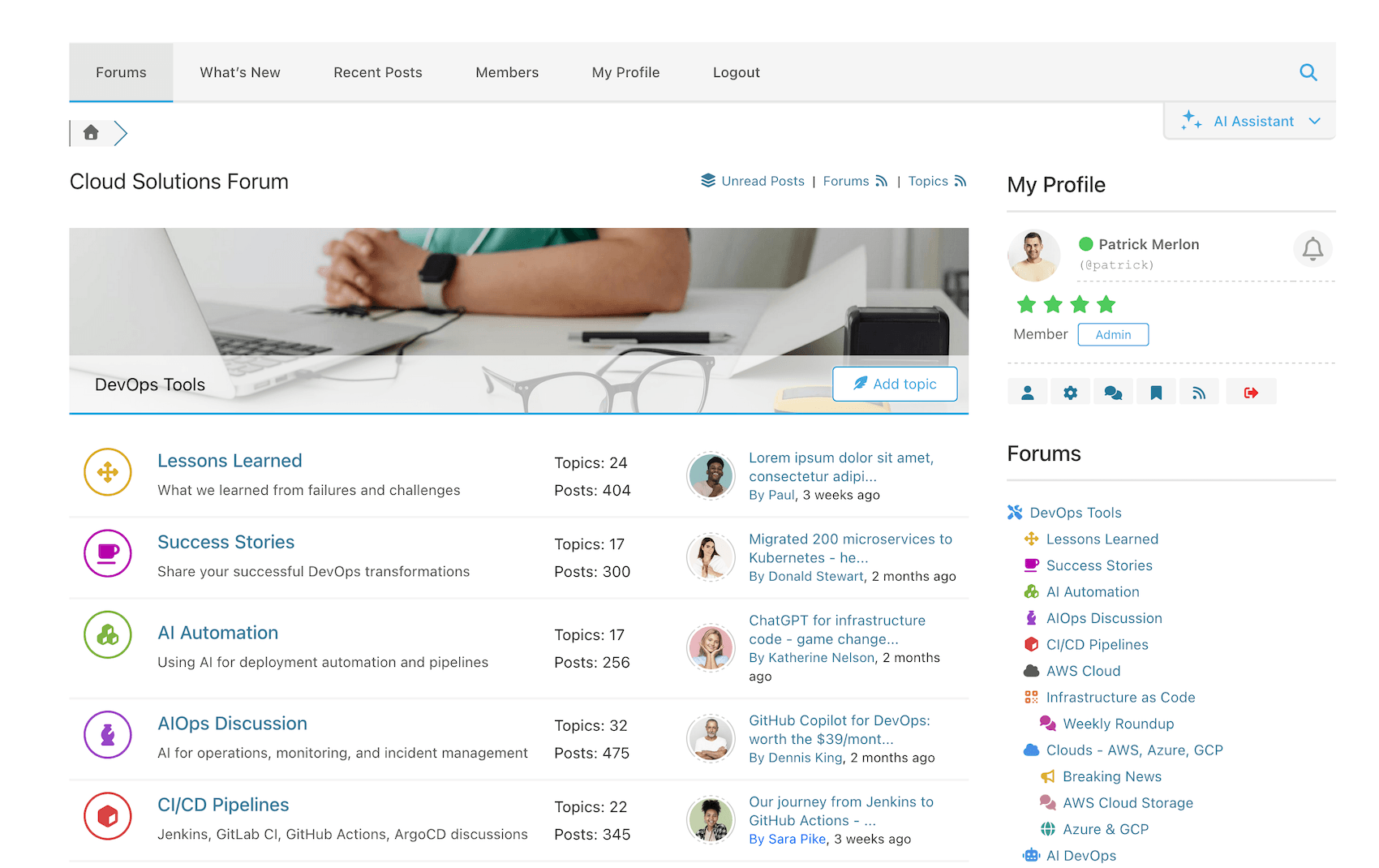
Simplified Forum Layout – Forums 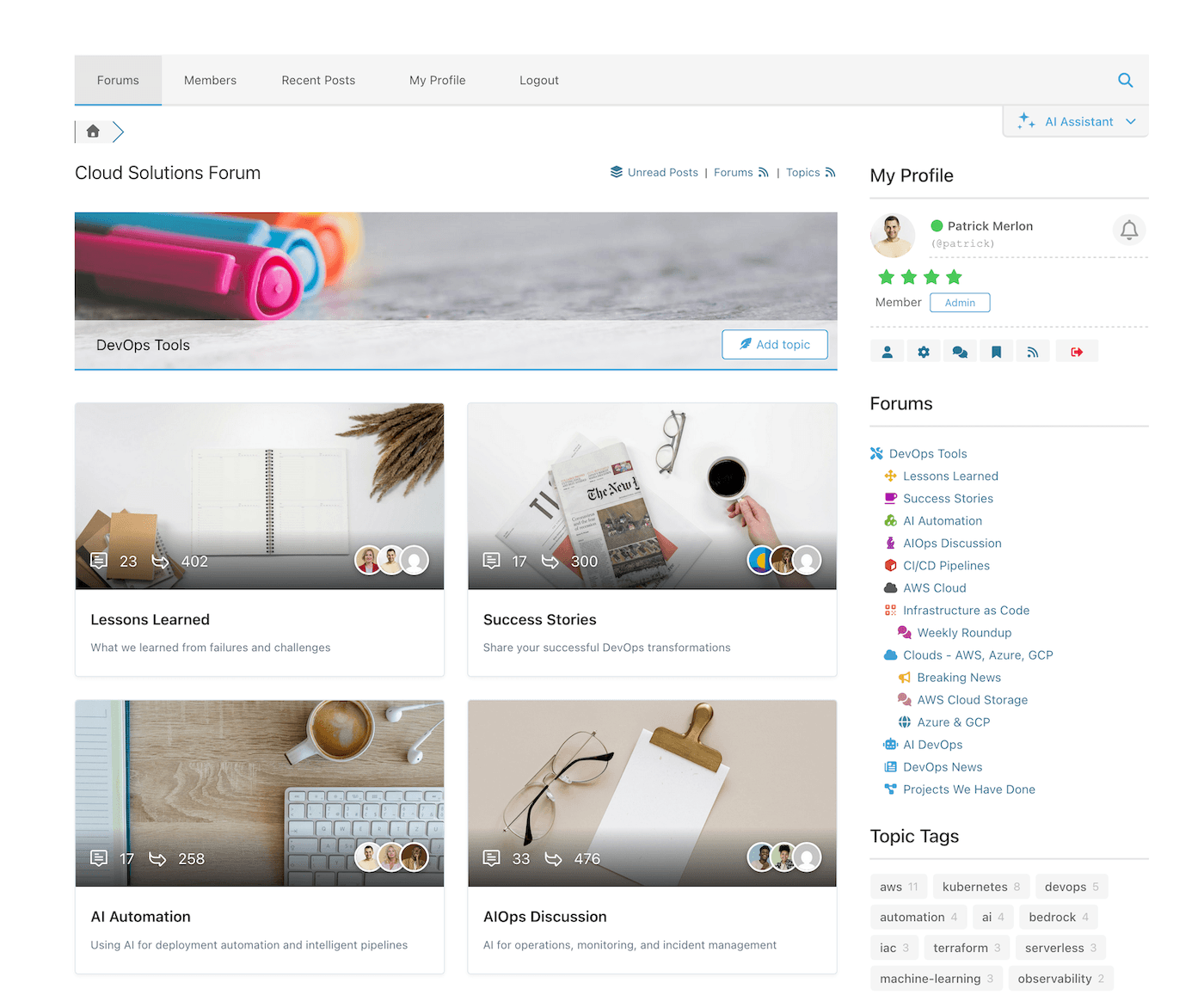
Boxed Forum Layout – Forums 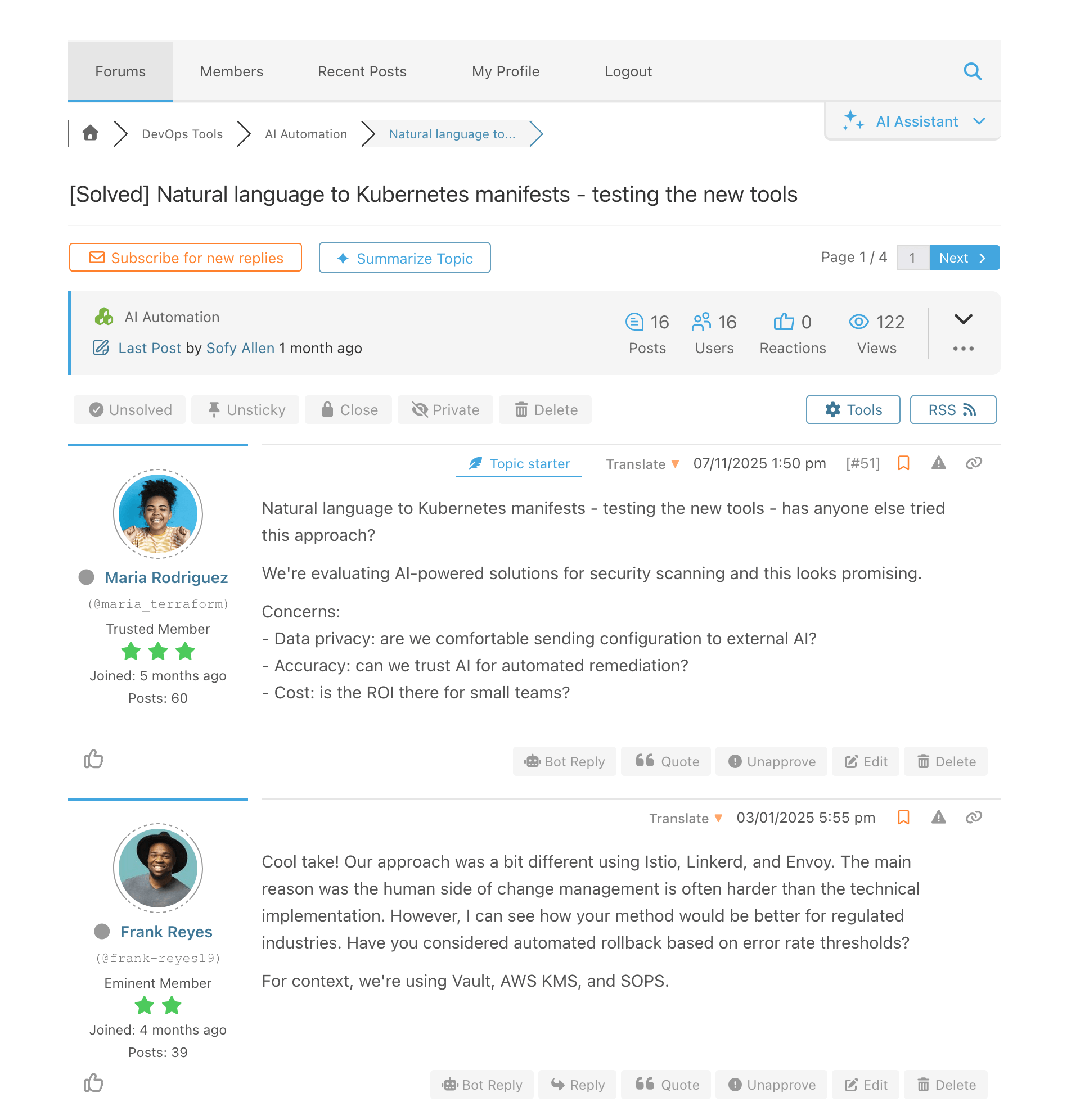
Simplified Forum Layout – Posts 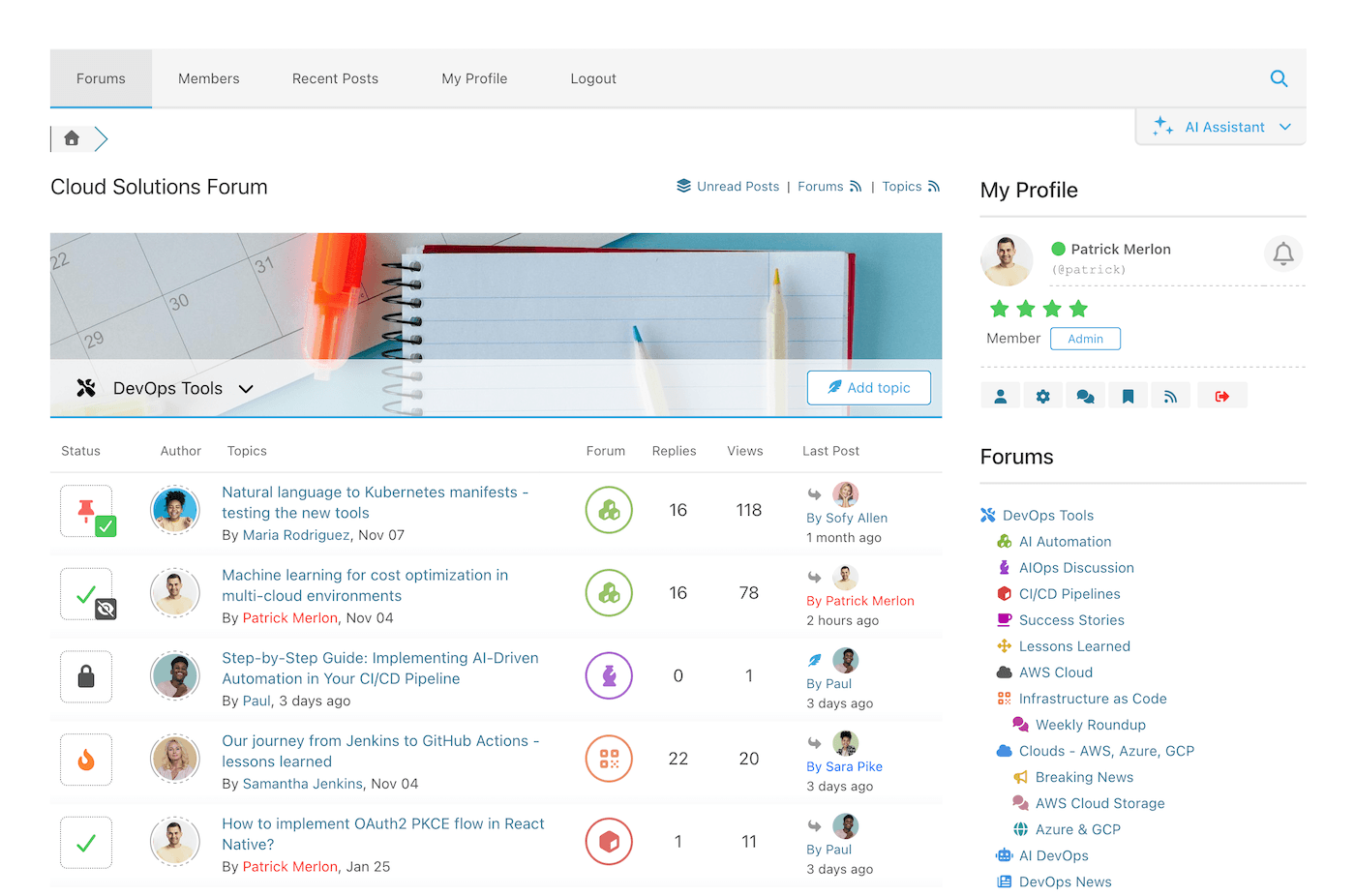
Threaded Forum Layout – Forums and Threads 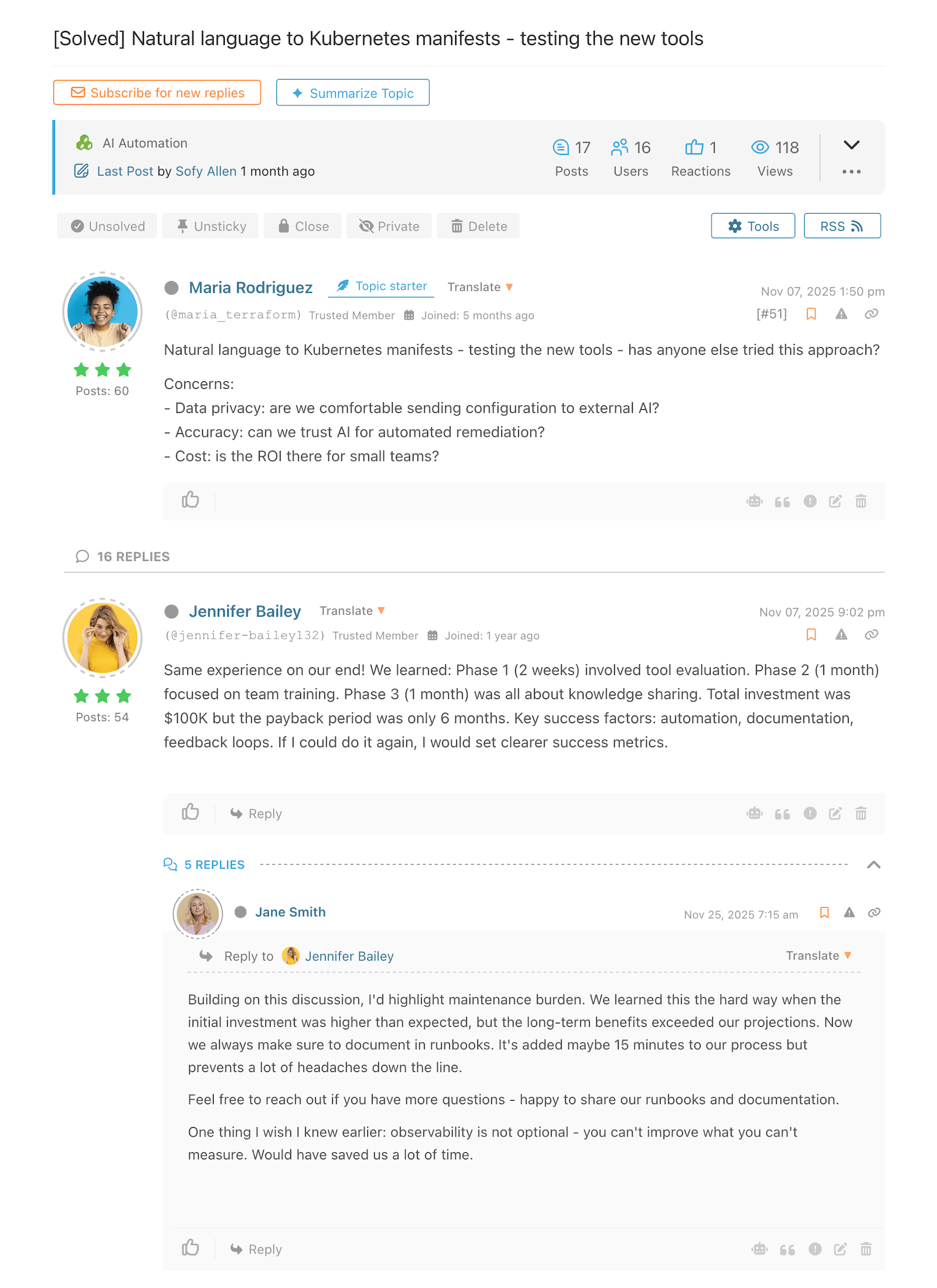
Threaded Forum Layout – Threads 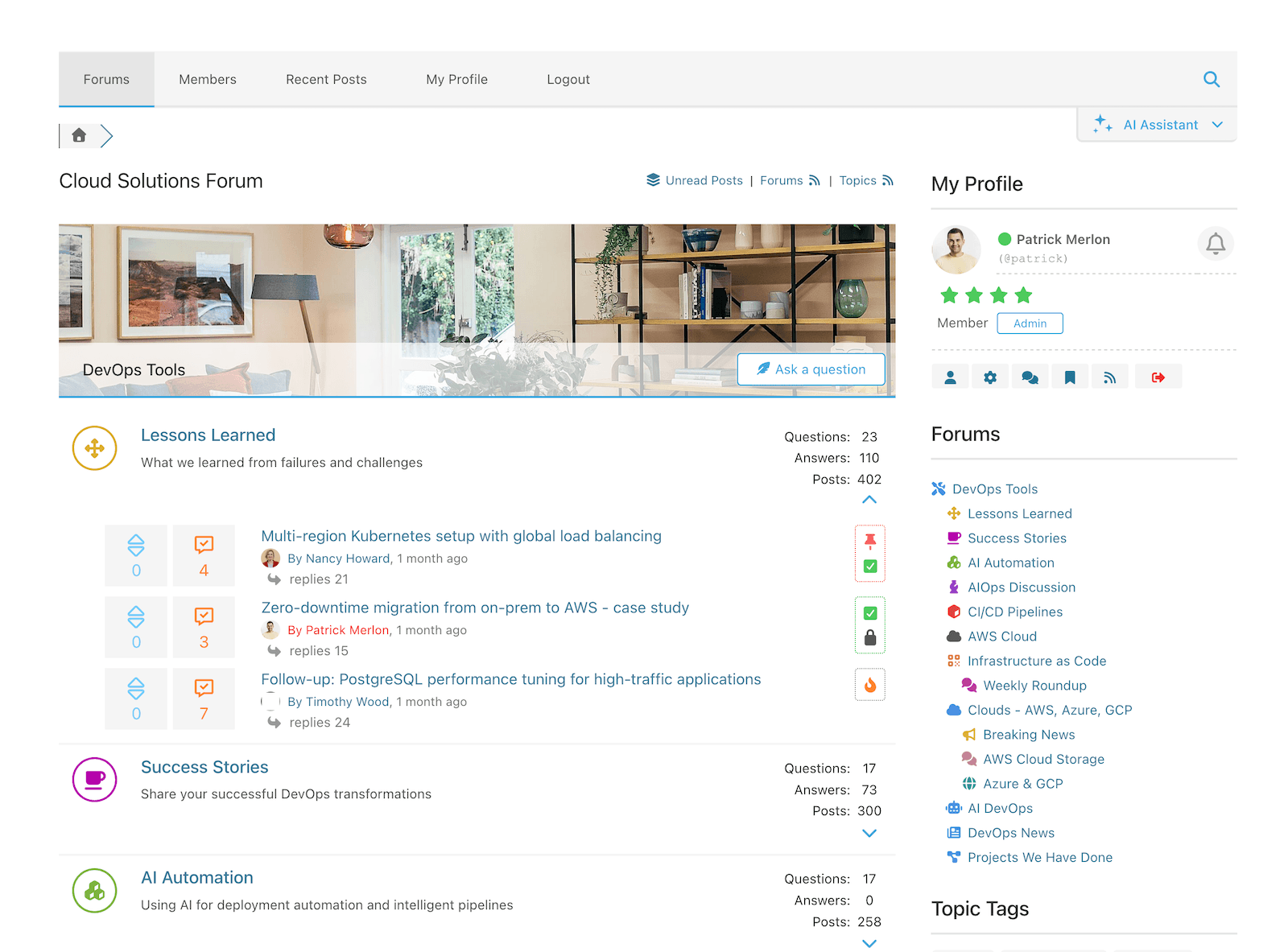
Question & Answer Forum Layout – Forums 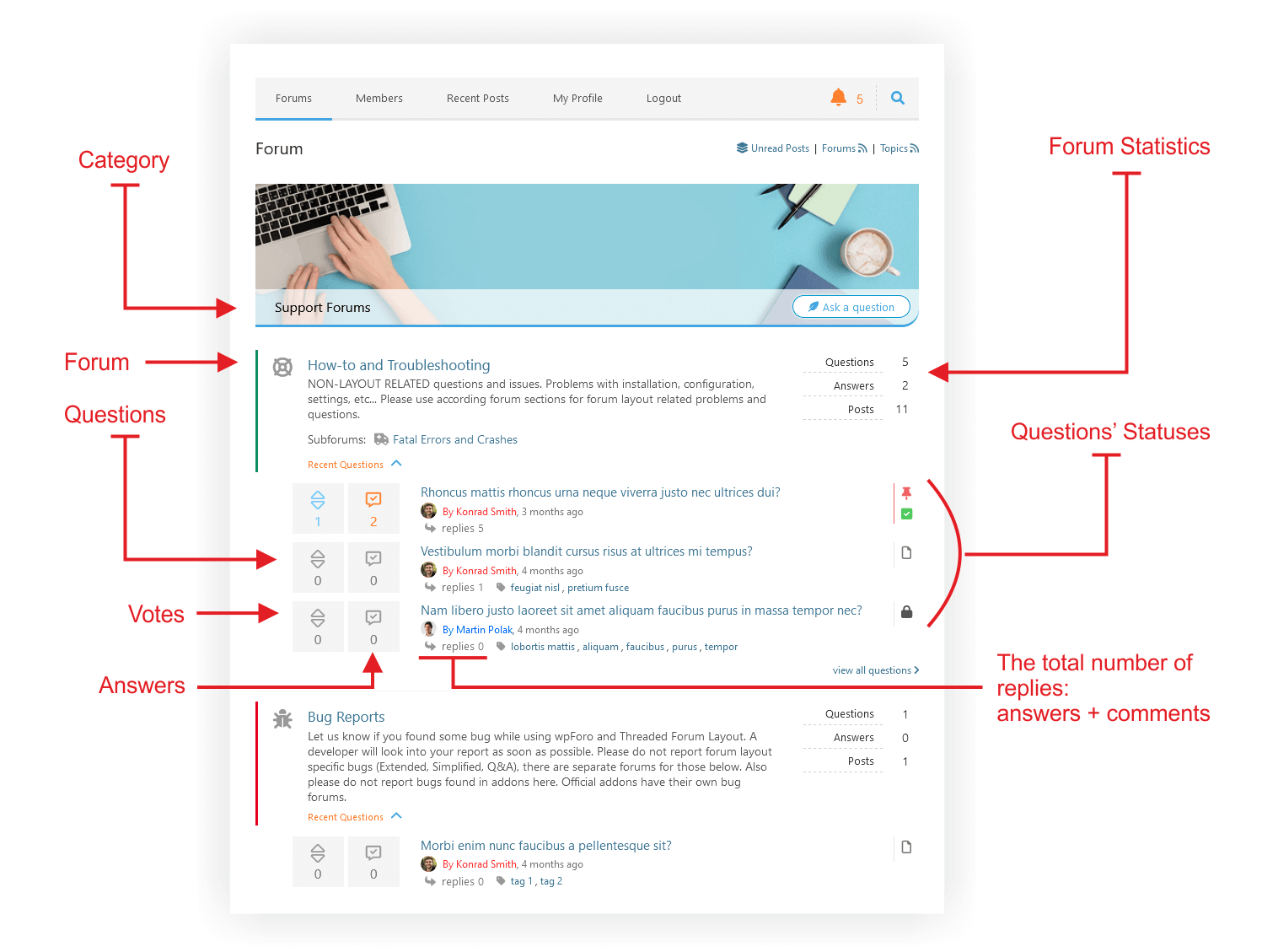
Rozvržení fóra otázek a odpovědí/ Fóra / Popsané 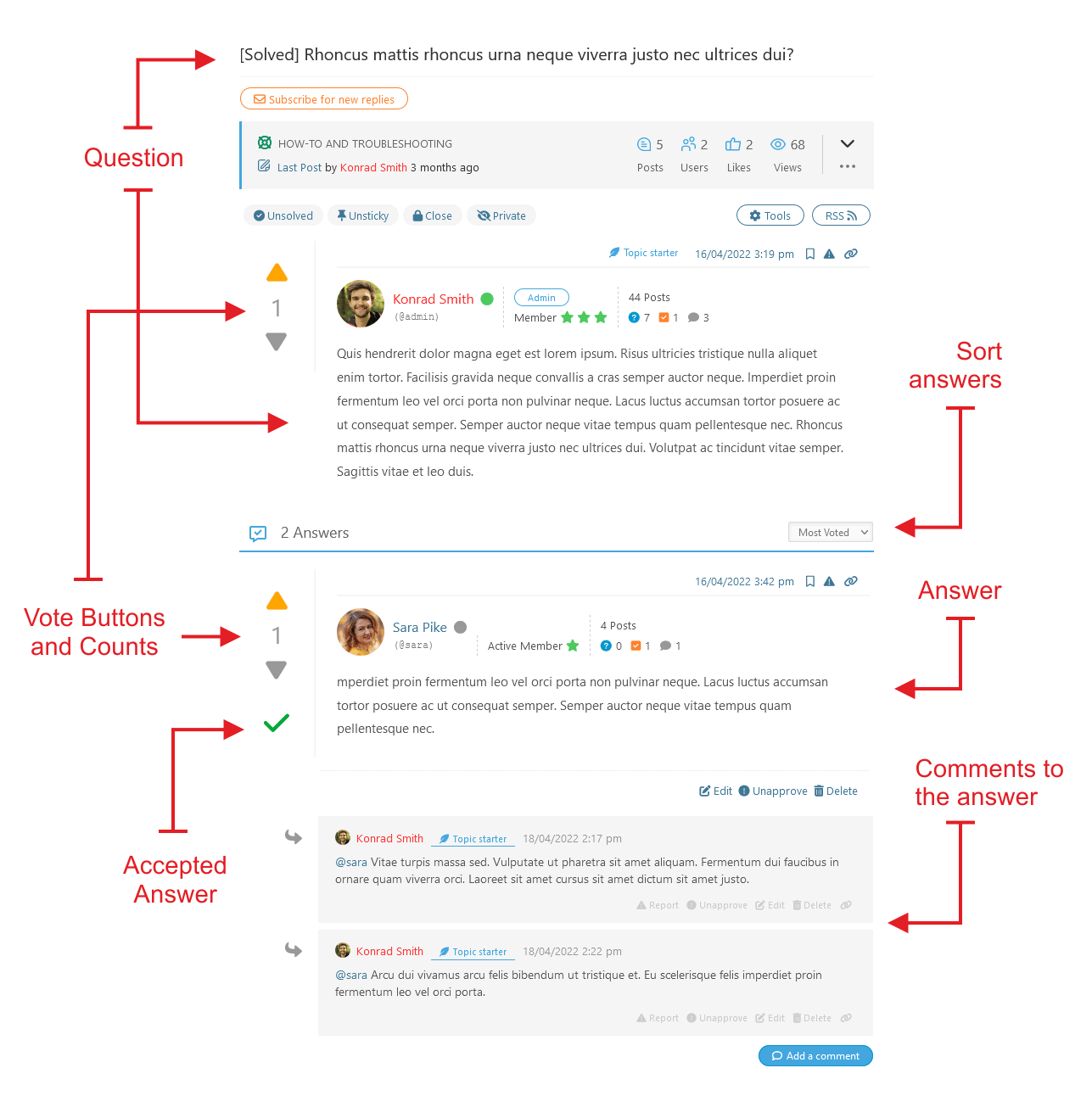
Rozvržení fóra otázek a odpovědí/vlákno otázek/ popis 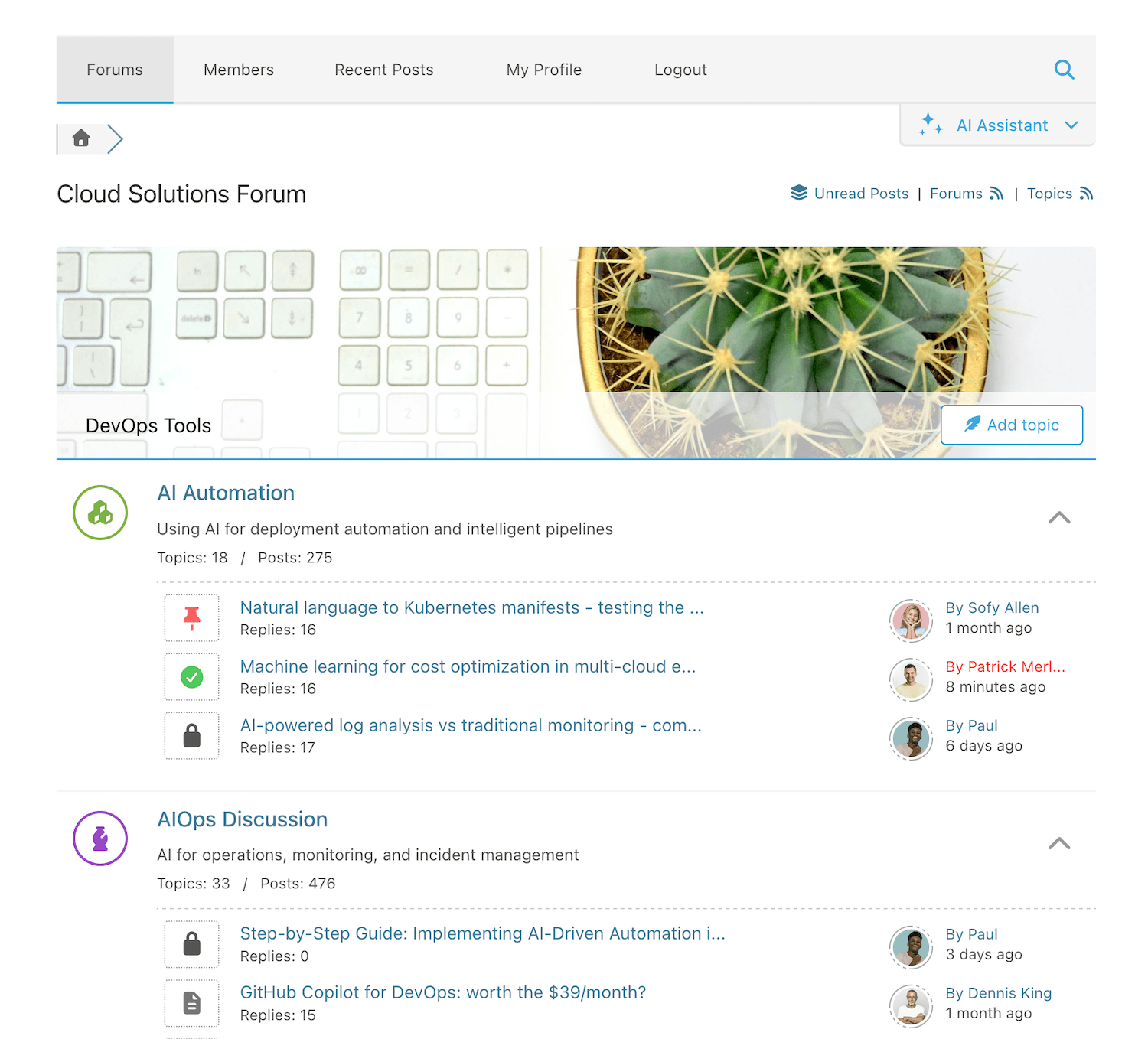
Extended Forum Layout – Forums 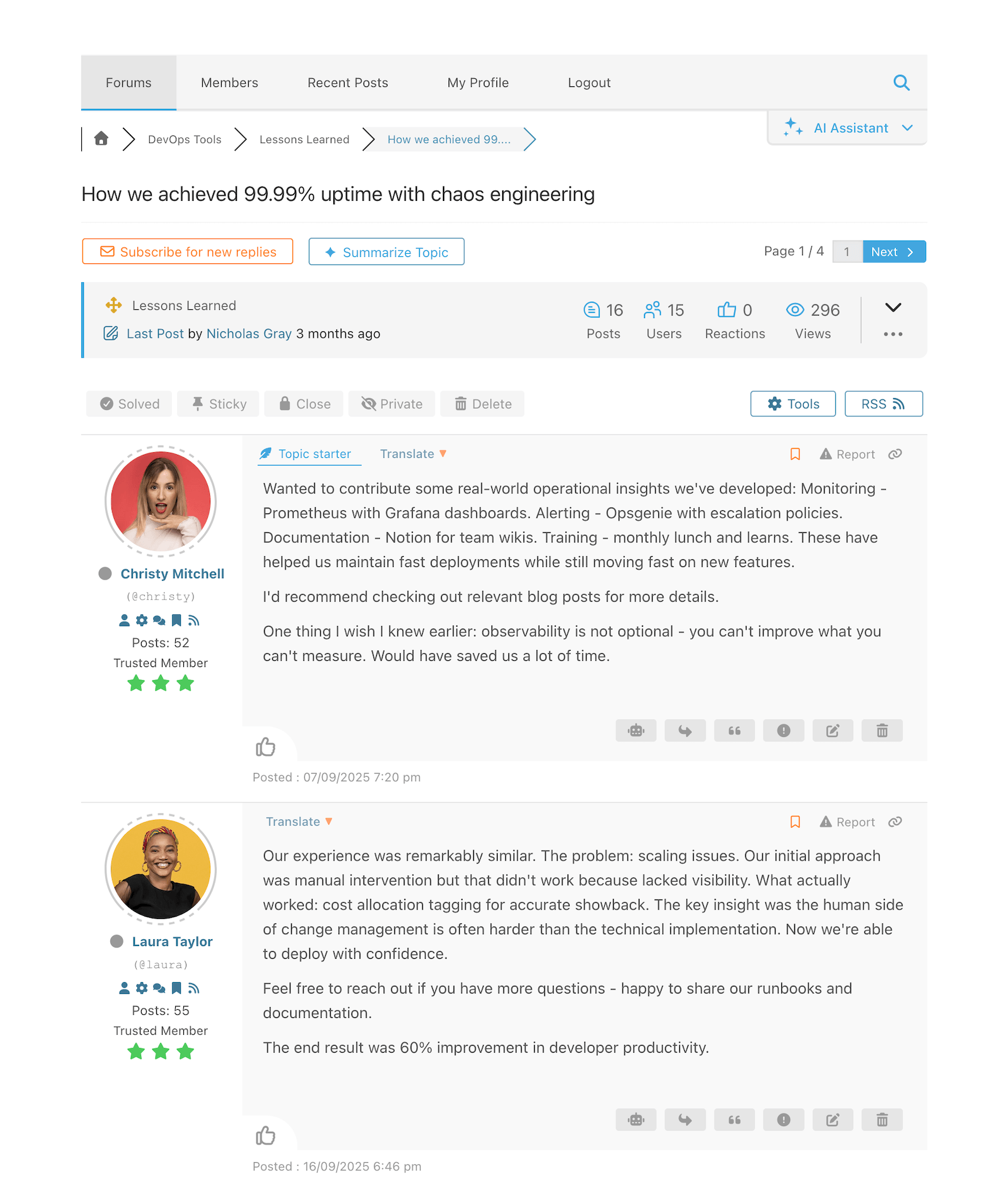
Extended Forum Layout – Posts 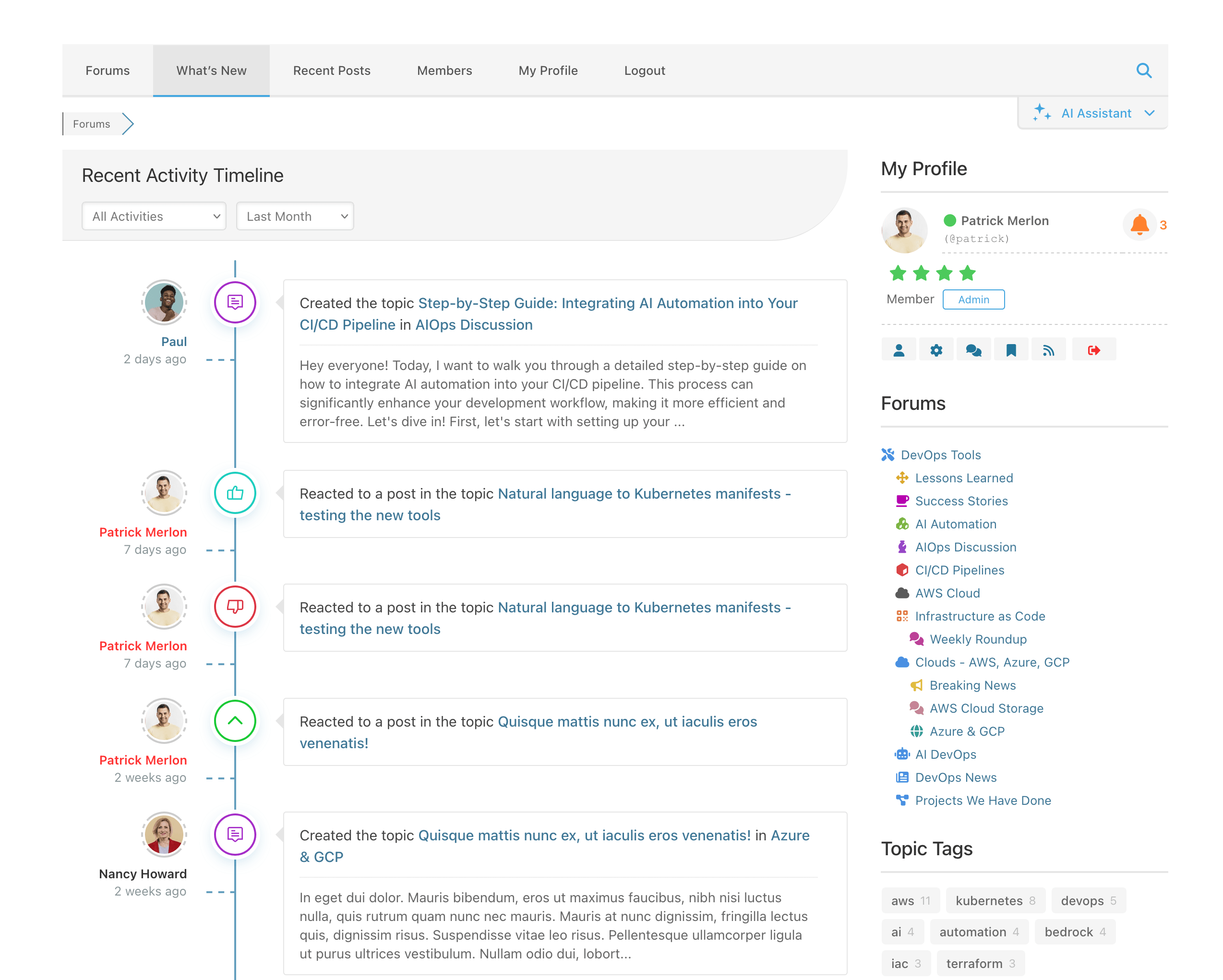
What’s New Page 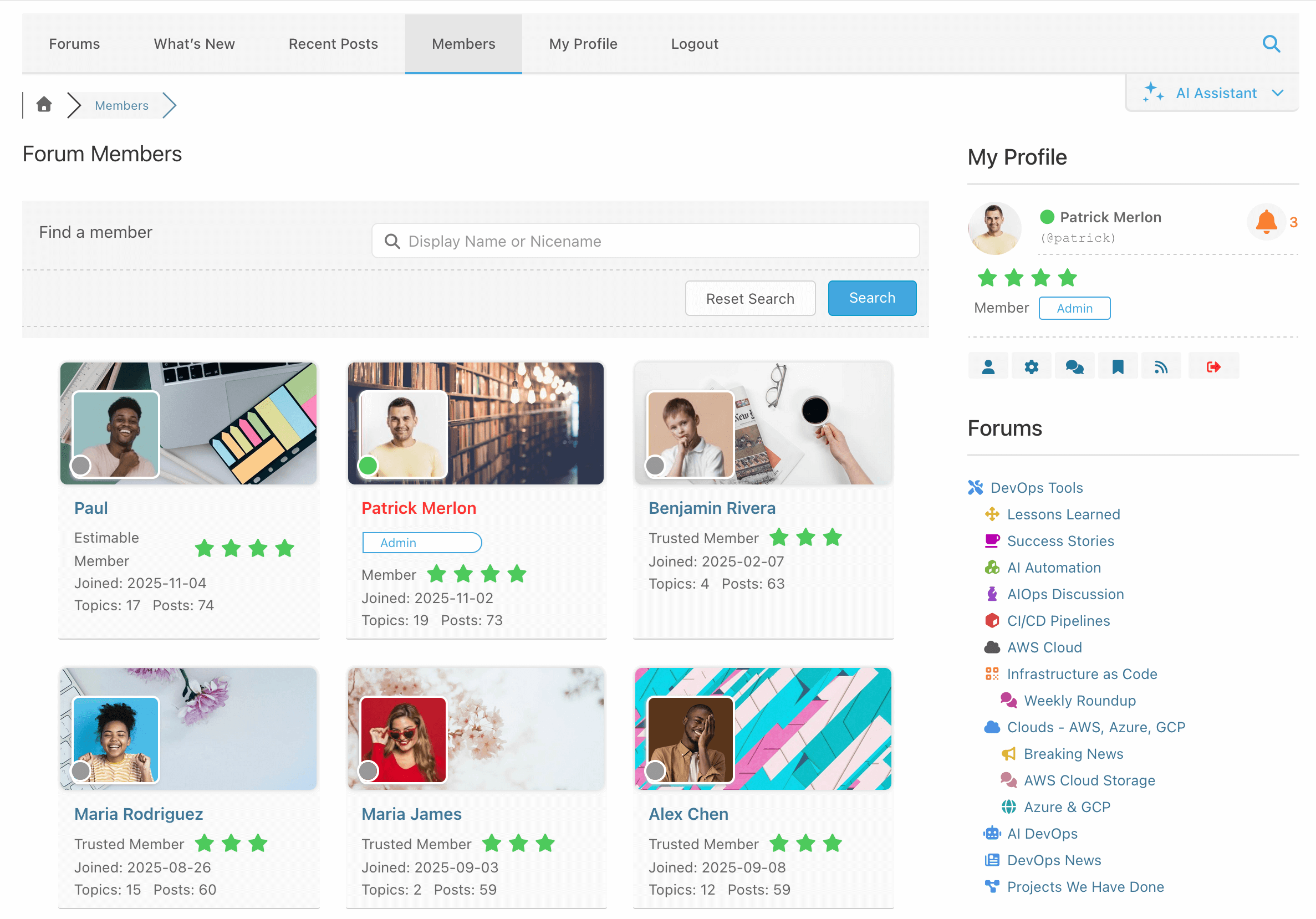
Members Page 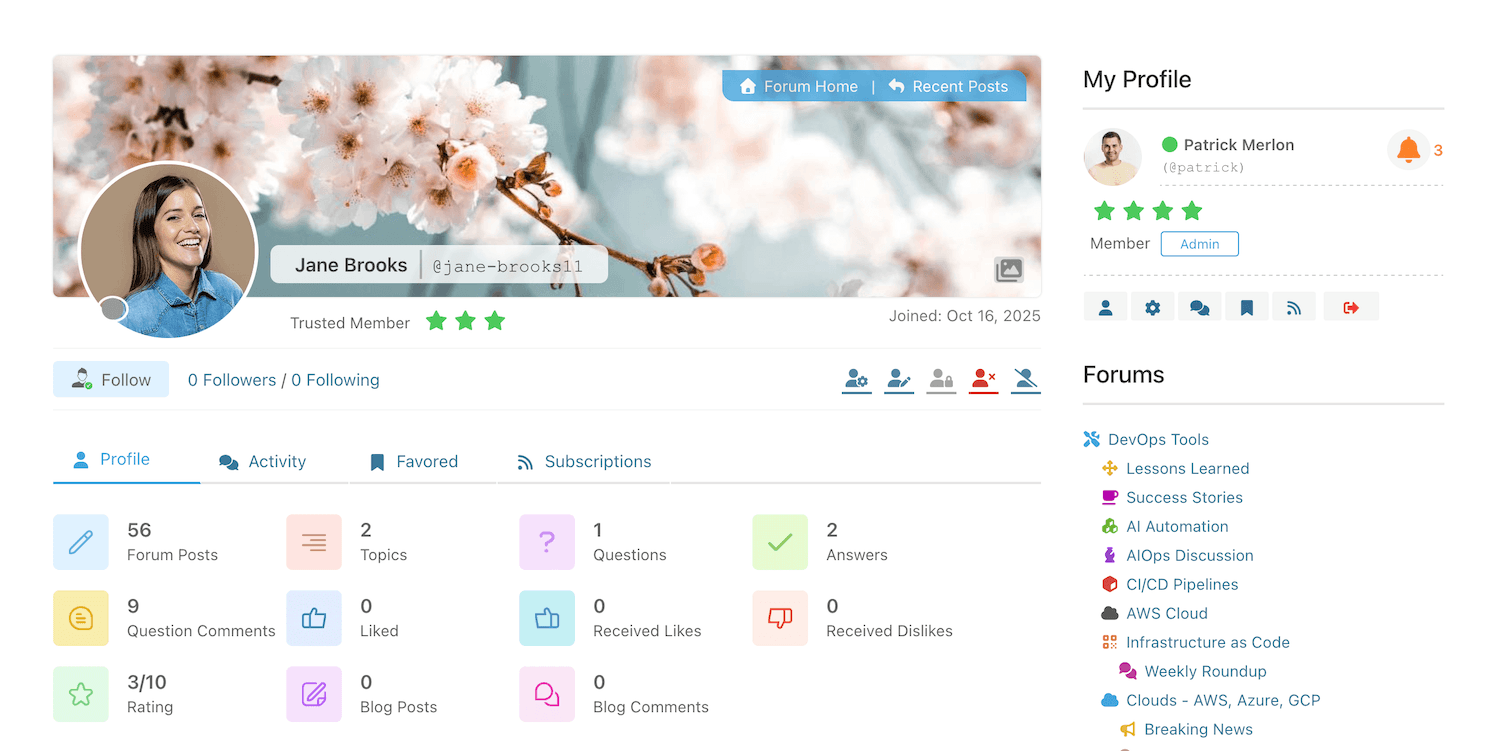
Stránka profilu člena s panely 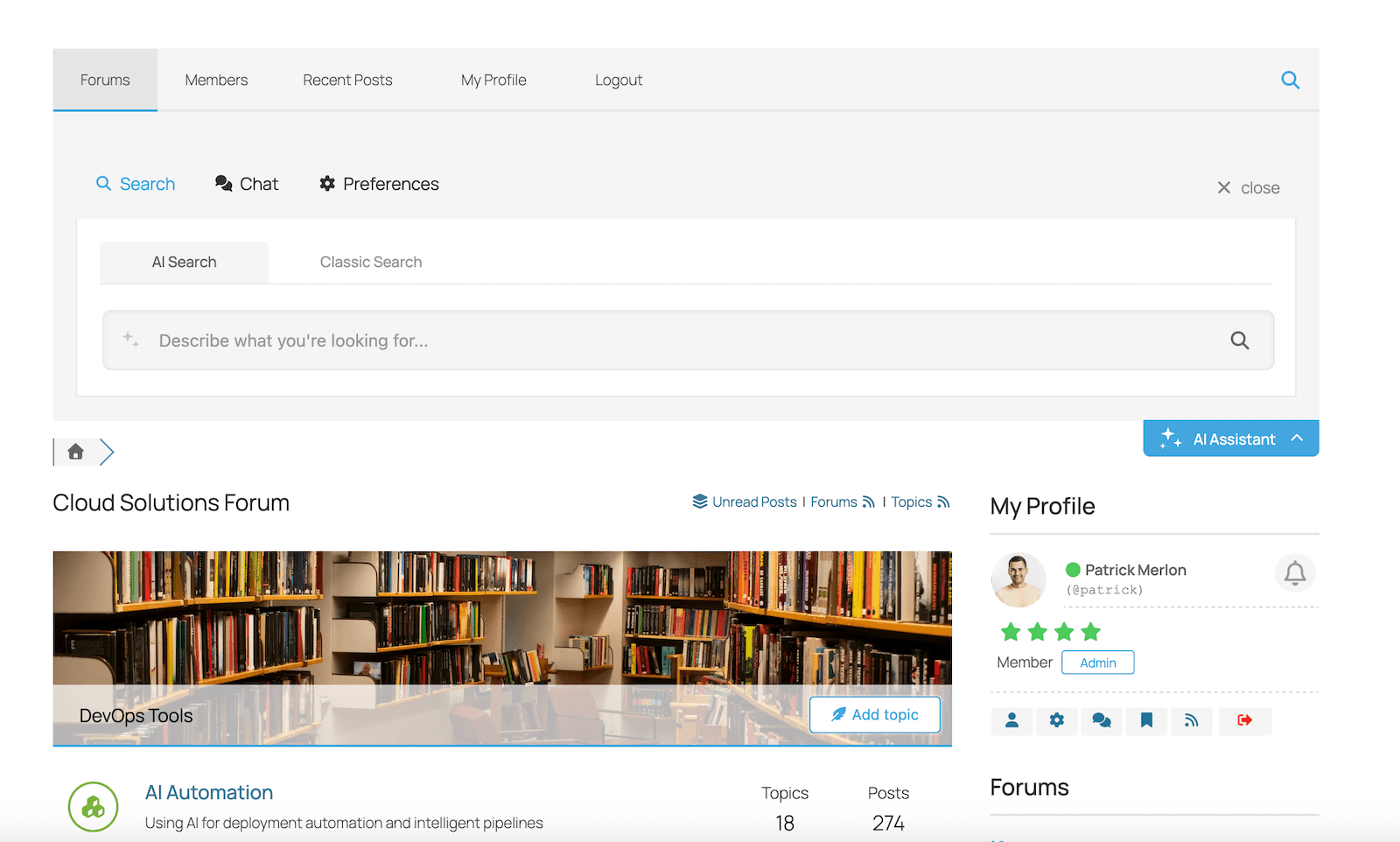
wpForo AI Assistant – Semantic Search Widget 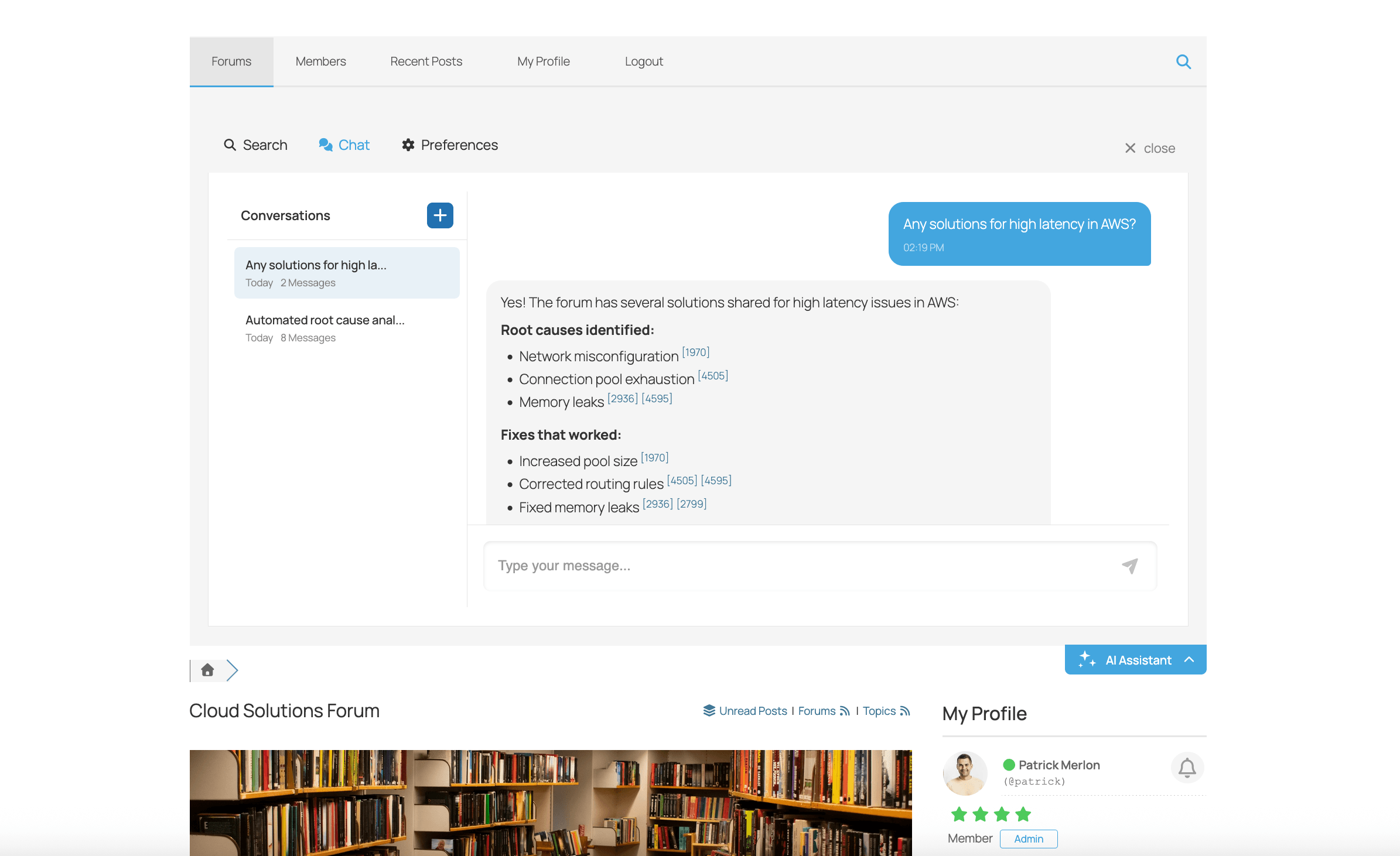
wpForo AI Assistant – Chat Bot Widget 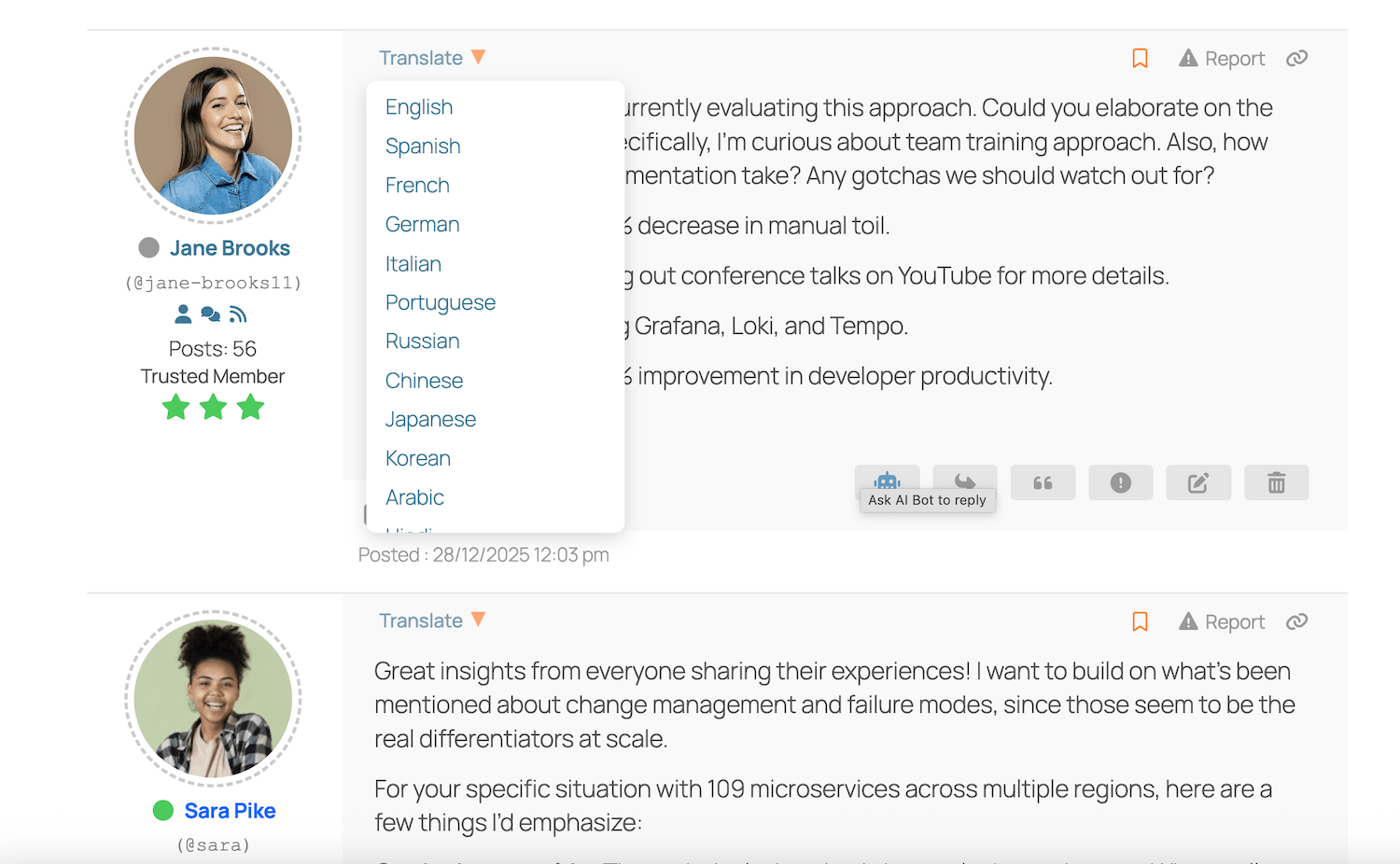
wpForo AI Translation 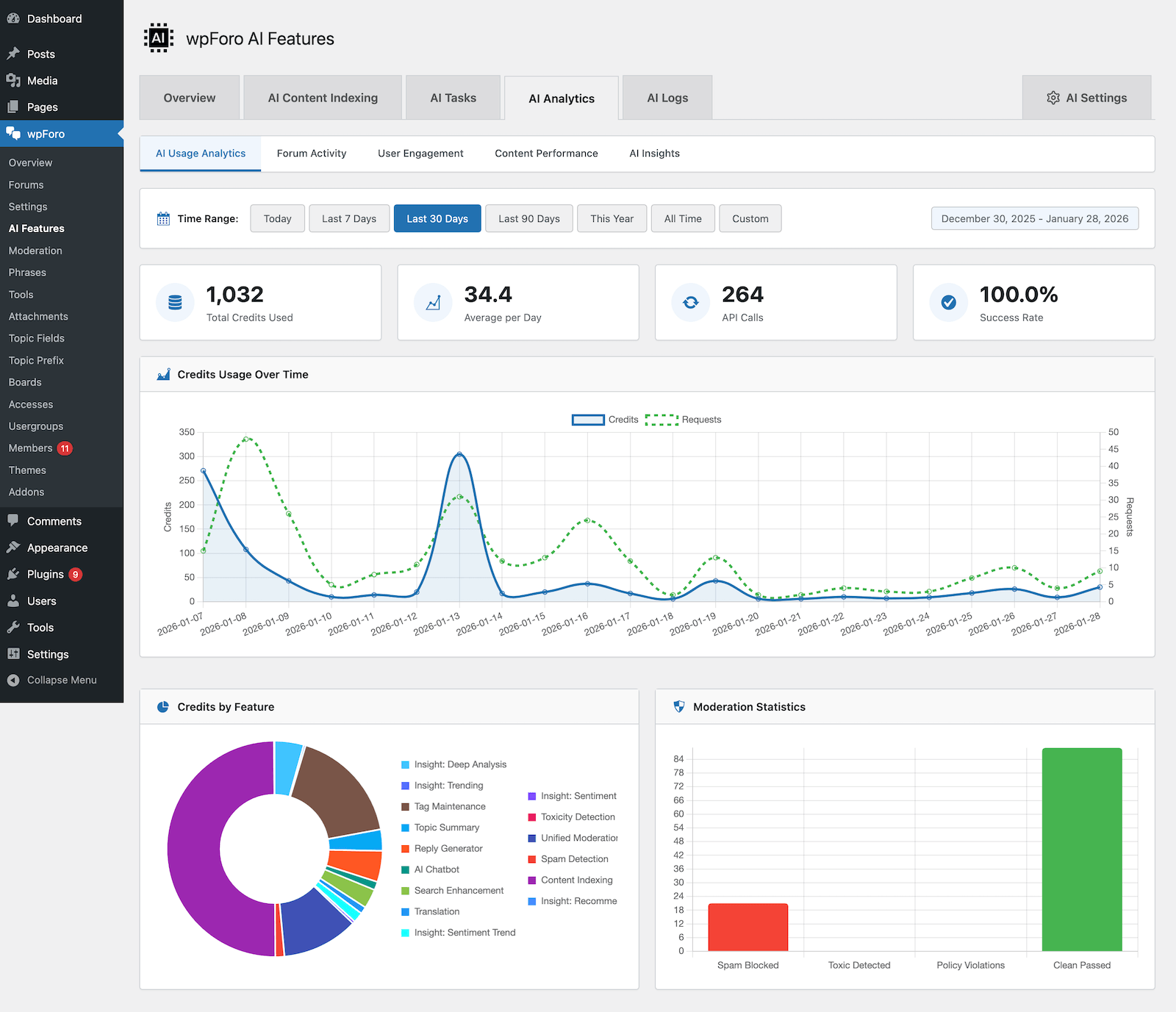
wpForo AI Analytics 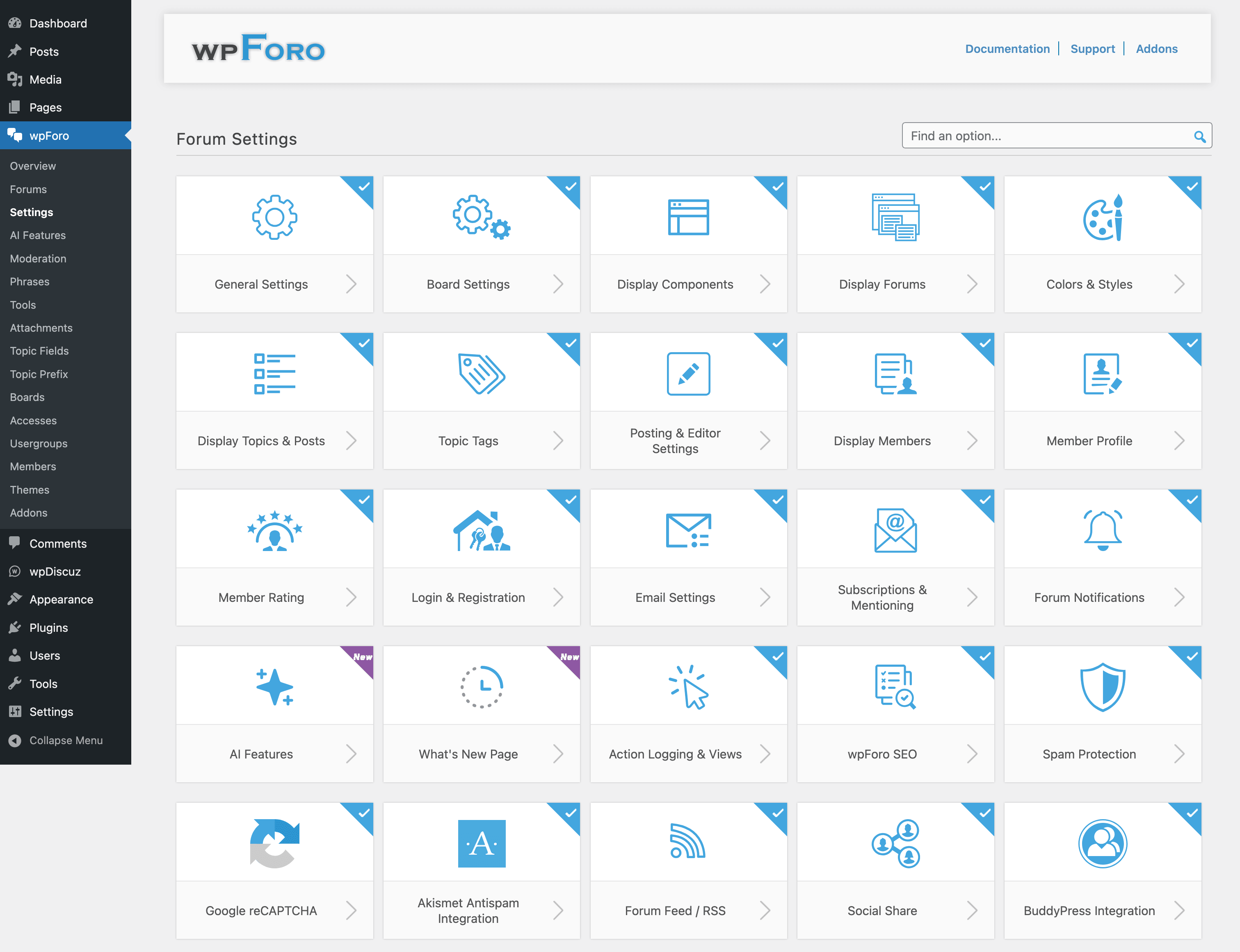
Pole nastavení řídicího panelu a stránka s jedním nastavením 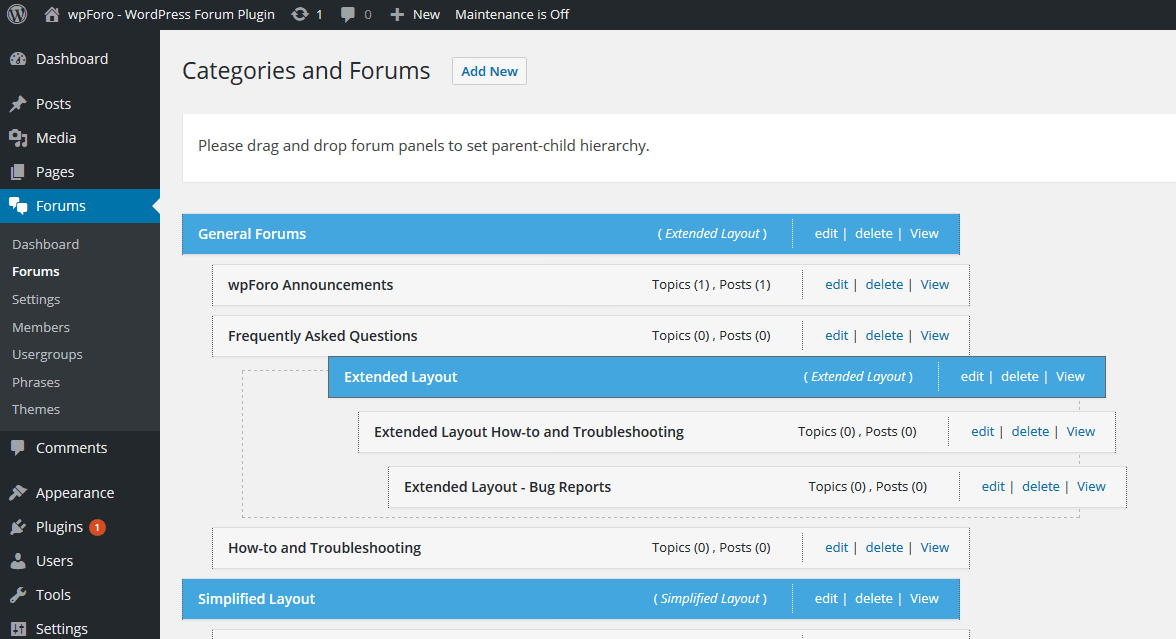
Přetáhněte správu fóra, snadno nastavitelná hierarchie fóra rodič-dítě


Bloky
Tento plugin poskytuje 7 bloků.
- wpForo Recent Topics Your forum's recent topics.
- wpForo User Profile & Notifications wpForo profile data and notifications
- wpForo Search wpForo search form.
- wpForo Topic Tags List of most popular tags.
- wpForo Forums Forum tree.
- wpForo Recent Posts Your forum's recent posts.
- wpForo Online Members Online members.
Instalace
- Nainstalujte plugin wpForo Forum na stránce Dashboard > Plugins admin. Poté jej aktivujte.
- Pokud máte více než 100 uživatelů, wpForo forum plugin vás vyzve k synchronizaci uživatelů.
- Správa fór na řídicím panelu > wpForo > Stránka pro správu fór,
- Spravovat nabídku fóra na řídicím panelu > Vzhled > Stránka administrace nabídky,
- Spravovat barvy fóra na Palubovce > Fóra > Nastavení > Stránka pro správu stylů, můžete zvolit barevné styly fóra.
Nejčastější dotazy
-
Stránka fóra – Jak změnit stránku fóra?
-
Stránka fóra – wpForo vytvoří stránku fóra s
/community/slug. URL fóra lze změnit v Dashboard > wpForo > Boards > Edit Board a změnit slug. Ujistěte se, že používáte trvalé odkazy WordPress. wpForo fóra nefungují s výchozí strukturou URL?p=1. Stránka fóra obsahuje pouze [wpforo] shortcode fóra. -
Menu fóra – wpForo menu fóra je běžné WordPress menu. Na stránce Dashboard > Appearance > Menu admin wpForo forum vytvoří novou navigační nabídku (horní panel nabídky fóra) nazvanou „wpForo Navigation (wpForo Menu)“. Nabídka fóra je připojena k umístění nabídky wpForo.
-
Postranní panel fóra a widgety – wpForo fórum je dodáváno s vlastním pravým (RTL vlevo) postranním panelem a widgety (Nedávná témata fóra, Nedávné příspěvky ve fóru, Vyhledávání ve fóru, Uživatelé fóra online).
-
Rozvržení fóra – Co je rozvržení fóra?
-
Rozvržení fóra – wpForo Fórum má rozvržení fóra a umožňuje vytvářet hybridní fóra. wpForo téma má vestavěný multi-layout systém. Každá sekce fóra (kategorie s fóry a subfóry) může být zobrazena s různým rozložením fóra.
-
Správce fóra – Jak přidávat / upravovat/ mazat fóra?
-
Správce fóra – novou kategorii, fórum nebo subfórum můžete přidat na stránce Dashboard > Forums > Forums admin. Fórum přidat / Fórum upravit / Fórum odstranit /Hierarchie fóra lze spravovat na stejné stránce správce.
-
Krátké kódy fóra – Jaké krátké kódy jsou k dispozici?
-
Forum Shortcodes – Od verze 1.0.0 můžete používat wpForo shortcodes.
-
Styly fóra – Jak změnit barvy fóra?
-
Styly fóra – Přejděte na stránku Dashboard > wpForo > Settings > Colors & Styles admin page. Zde najdete přední barvy a styly fóra wpForo. Můžete si vybrat barvy fóra: výchozí (modrá), červená, zelená, oranžová, šedá, tmavá. Můžete vybrat sadu barev fóra nebo přizpůsobit každou barvu ručně.
-
Člen fóra – Jak spravovat členy fóra?
-
Člen fóra – Členové fóra jsou stejní uživatelé WordPressu. wpForo fóra jsou plně integrována s WordPressem. Dodává se s vlastní přihlašovací a registrační stránkou fóra. Uživatelé získají pokročilý profil ve fóru. Všechny členy můžete spravovat na stránce Řídicí panel > Fóra > Administrace členů.
-
Reputace fóra – Co je reputace a odznaky členů fóra?
-
Odznaky a reputace členů fóra – fórum wpForo má jednoduchý, ale výkonný systém reputace uživatelů. V současné době vychází z počtu příspěvků na fóru.
-
Přístupy do fóra – Jak povolit/omezit uživatele na určitá fóra?
-
Přístupy do fóra a oprávnění – Přístupy do fóra jsou různé sady oprávnění fóra (CAN), které pomáhají administrátorům fóra kontrolovat (povolit/omezit) akce uživatelů v každém fóru.
-
Uživatelské skupiny fóra – Co je uživatelská skupina uživatelů fóra?
-
Uživatelské skupiny a oprávnění fóra – Aby bylo možné mít rozšířený systém oprávnění uživatelů fóra s plnou kontrolou nad všemi akcemi uživatelů fóra, wpForo přichází s vlastním systémem uživatelských skupin fóra.
-
Překlad fóra – Jak přeložit toto fórum?
-
Překlad fóra – wpForo fórum lze přeložit pomocí souborů PO/MO nebo můžete provést rychlý překlad pomocí systému frází wpForo Forum v Dashboard > wpForo > Stránka pro správu frází.
-
Forum GDPR Compliance – Nástroje a možnosti vyhovění GDPR
-
Fórum GDPR Compliance – wpForo má téměř všechny nástroje a funkce specifické pro fórum, aby vyhovovalo vašemu fóru GDPR. Přejděte na stránku správce wpForo > Nastavení > Soukromí a pravidla a projděte si všechny pokyny a možnosti.
Recenze


Autoři
wpForo Forum je otevřený software. Následující lidé přispěli k vývoji tohoto pluginu.
Spolupracovníci

Plugin „wpForo Forum“ byl přeložen do 18 jazyků. Děkujeme všem překladatelům za jejich pomoc.
Přeložte “wpForo Forum” do svého jazyka.
Zajímá vás vývoj?
Prohledejte kód, podívejte se do SVN repozitáře, nebo se přihlaste k odběru protokolu vývoje pomocí RSS.
Přehled změn
DŮLEŽITÉ POZNÁMKY k AKTUALIZACI
- Po aktualizaci odstraňte všechny mezipaměti a vyčistěte CDN, pokud máte
- Po aktualizaci vyprázdněte mezipaměť objektů Redis, pokud máte tuto mezipaměť povolenou
wpForo Forum v3.0 Release Summary
wpForo Forum 3.0.5 | 13.04.2026
- Security: Hardened sorting parameter validation
- Fixed: PHP warning for undefined board locale property in Task Manager
- Fixed: PHP warning for non-existent ram_cache method in AI Content Moderation
- Fixed: AI Indexing admin page unnecessary auto-refresh when jobs queued for future
wpForo Forum 3.0.4 | 12.04.2026
- Fixed: AI WordPress Content Indexing now works on hosts with disabled WP-Cron
- Fixed: AI Content Indexing admin page performance on large forums
- Fixed: Registration form losing field values when validation error occurs
- Fixed: Spam protection flow issues, enabled ‚Can pass moderation‘ allows new users to pass the moderation
wpForo Forum 3.0.3 | 10.04.2026
- Security: Prevent arbitrary file deletion
- New: Boxed Layout – Forum cover image is now fully clickable
- New: AI Search – Quality signal boosting for better result ranking
- New: AI Indexing – Progress tracking during local storage indexing
- New: AI Indexing – Noise filtering to improve search quality
- Improved: AI Topic Suggestions now respect forum access permissions
- Improved: AI performance with optimized default quality settings
- Improved: reCAPTCHA only loads on forum pages when needed
- Fixed: Auto-indexing spinner showing endlessly on active forums
- Fixed: Sticky topic icon priority in mixed layout mode
- Fixed: Local semantic search relevance thresholds
- Fixed: Empty forum access array causing search errors
wpForo Forum 3.0.2 | 08.04.2026
- Fixed: Subscription Manager shows empty forum tree on multi-board installations
- Fixed: Stale user permissions after switching boards on profile tabs
- Fixed: Board switcher only works one direction on profile pages (multi-board)
- Fixed: AI checkbox settings (chatbot_allowed_groups, bot_reply_includes) reset to defaults on every page load
- Improved: AI Content Indexing admin page performance on large forums
- Security: Prevent unauthenticated post disclosure via RecentPosts widget (Broken Access Control)
wpForo Forum 3.0.1 | 07.04.2026
- Version 3.0.1
- Fixed: Simplified and threaded forum layout issues on mobile screen
- Fixed: reCAPTCHA v3 doesn’t work in some cases
wpForo Forum 3.0.0 | 06.04.2026
-
New Theme: 2026
- New default theme – Modern, clean design with improved readability
- Forum Layouts – Extended, Simplified, Threaded, and Boxed layout options
- Members Page redesign – Improved member listing with better UX
- Topic Tags widget – Restyled with clean flat designThreaded Layout improvements
- New: Boxed Forum Layout
-
New Features
- Recent Activity (What’s New) Page
- Timeline-based activity feed showing forum actions
- Configurable activity retention with daily cleanup cron
- Mobile-responsive design
- Access control for viewing activities
- Delete button for moderators
-
Security & Spam Protection
- reCAPTCHA v2 Invisible support
- Less intrusive spam protectionreCAPTCHA v3 support
- Score-based invisible protectionEnhanced flood protection
- Time-window rate limiting to prevent spam floodsProper moderation log messages for flood protection
-
Forum Features
- „Make All Topics Private“ option
- For Ticket/Support forums
- Popular Tags
- Now clickable with links to forum tag searchTop Contributors
- Added usergroup, topics, and posts columnsAutofocus to search field
- Improved search UXMulti-language support for members search
-
Widgets
- Block widgets with improved functionality
- New UI for Topic Tags widget with clean flat design
-
Performance Improvements
- Static caching for wpforo_phrase()
- Significant speed boost for English locale
- Static caching for wpforo_is_bot() – Faster bot detection
- Subscription status caching – Faster frontend loading
- Semantic search caching – Avoid duplicate API calls
- Translation caching with post invalidation
-
AI Features (wpForo AI)
- Core AI Features
- AI Chatbot – Conversational AI assistant with conversation management
- AI Insights – Sentiment analysis, trending topics, and recommendations
- Content Moderation – AI-powered spam detection with configurable actions
- Topic Generator – Auto-generate discussion topics
- Reply Generator – AI-assisted replies with 23 style options
- Tag Maintenance – Automatic topic tagging
- Topic Summary – Summarize long discussions
-
Search & Indexing
- Semantic Search – Natural language search across forum content
- Local & Cloud Storage – Choose where to store embeddings
- Image Indexing – Multimodal RAG for Professional+ plans
- WordPress Content Indexing – Index custom post types
- Auto-indexing with configurable settings
-
Analytics
- AI Usage Analytics – Track credit consumption
- Forum Activity Analytics – Activity trends and statistics
- User Engagement analytics
- Content Performance analytics
- AI Logs with filtering and detail view
-
Other AI Improvements
- Bot Reply with tone and style options
- Topic Suggestions with related topicsTranslation support
- Activity retention settings
- Multi-board support for analytics
-
Security: Unauthenticated SQL Injection via ‚referer‘ Parameter
- Security: Missing Authorization to Authenticated (Subscriber+) Arbitrary Forum Post Modification via ‚guestposting‘ Parameter
wpForo Forum 2.4.17 – Last 2.x Version | 15.03.2026
- Security: Authenticated (Subscriber+) Arbitrary File Deletion
wpForo Forum 2.4.16 | 28.02.2026
- New: Admin notice announcing wpForo 3.0 AI Edition with links to introduction and beta program
- New: Auto-update protection — blocks automatic updates from 2.x to 3.x to prevent unattended major upgrades
- New: Inline warning on Plugins page when wpForo 3.0 update is available
- New: Auto-update toggle replaced with backup reminder when major version is pending
- Security: Added permission checks for post approve/unapprove actions
- Security: Added permission checks for topic close/open actions
- Security: Added permission checks for topic move, merge, and split actions
- Security: Added capability check for role synchronization
- Security: Fixed RSS feed exposing private and unapproved content
- Security: Fixed stored XSS via forum description output
- Security: Blocked SVG file uploads in avatar to prevent XSS
- Security: Replaced json_encode with wp_json_encode to prevent script injection
wpForo Forum 2.4.0 – 2.4.15 | 10.02.2026
wpForo Fórum v2.4 Shrnutí vydání
- Version 2.4.15
- Security: Vulnerability – Unauthenticated Time-Based SQL Injection
- ———
- Version 2.4.14
- Security: Vulnerability – Authenticated (Subscriber+) PHP Object Injection
- ———
- Version 2.4.13
- Security: Vulnerability – Unauthenticated SQL Injection
- ———
- Version 2.4.12
- Compatibility: PHP 8.5
- Compatibility: WordPress 6.9
- Security: Vulnerability – Unauthenticated SQL Injection
- Fixed: Multi-language integration issues with Polylang
- ———
- Version 2.4.11
- Security: Vulnerability – Unauthenticated Attacker to Post Revisions
- ———
- Version 2.4.10
- Security: Vulnerability Authenticated (Susbscriber+) SQL Injection
- Fixed Bug: PHP Error: array_filter(): Argument #1 ($array) must be of type array, string given in classes/Members.php:2032
- ———
- Version 2.4.9
- Security: Unauthenticated SQL Injection
- Security: Object unserialize code injection
- ———
- Version 2.4.8
- Added: New option in widgets to sort topics/posts randomly
- Fixed Bug: Post editor text/object alignment issue
- ———
- Version 2.4.7
- Removed: Unnecessary profile buttons of guest posters
- Removed: HTML tags from category description
- Security: Fixed IDOR vulnerability, Insecure Direct Object References
- Addon Support: The rich editor is modified to allow aligning (left,right,center) gif and inline attachment objects
- Addon Support: Supports displaying voters on poll result
- Fixed Bug: PHP Error on the activation process of a user registration. Fatal error: Uncaught TypeError: array_intersect(): Argument #1 ($array) must be of type array, null given in /wp-content/plugins/wpforo/includes/hooks.php:37
- Fixed Bug: Missing user information in the admin email when user deletes own account
- ———
- Version 2.4.6
- Security: Fixed XSS vulnerability, Stored Cross-Site Scripting
- Updated: Hooks to manage the email sending test and error report in the tools
- Fixed Bug: Text domain loading issue
- Fixed Bug: Link RSS Module and RSS Settings to disable if the module is disabled
- Fixed Bug: PHP Warning: Undefined array key max-number-value when wpForo is integrated with Profile Builder plugin.
- ———
- Verze 2.4.5
- Opravená chyba: Problém s rozvržením vláken na fóru na mobilních zařízeních
- Opravená chyba: Upozornění: Pokus o přístup k offsetu pole na null v ../functions-template.php
- Opravená chyba: Chybějící pole ‚url‘ (v ‚autor‘) se strukturovanými daty DiskuseForumPosting
- Opravená chyba: Chybějící pole ‚name‘ (v ‚comment.author‘) se strukturovanými daty DiskuseForumPosting
- ———
- Verze 2.4.3 – 2.4.4
- Přidáno: Diskuzní fórum (DiscussionForumPosting) strukturovaná data pro Vyhledávání Google
- Zabezpečení: Opraven problém s manipulací a eskalací oprávnění prostřednictvím skrytého parametru
- Opravená chyba: Problémy s integrací BuddyPress související se zastaralými funkcemi
- Opravená chyba: Detekce falešně pozitivních spamových souborů a upozornění na řídicím panelu
- Opravená chyba: Problémy související s PHP 8.4
- Opravená chyba: Problémy s ukládáním nastavení antispamu
- Opravená chyba: Robustnější řešení pro problém „Arbitrary File Reading“ změnou funkce
wp_remote_get()nawp_safe_remote_get() - ———
- Verze 2.4.2
- Zabezpečení: Neověřený libovolný soubor Čtení v aktualizaci
- Opravená chyba: V některých případech uživatel nemohl vidět vlastní soukromá témata
- Opravená chyba: Problém s tématy obsahujícími záporné číslo (-1234)
- Opravená chyba: Problém s x.com URL na stránkách profilu uživatele
- Opravená chyba: Strom fóra zobrazující problém související s mezipamětí sekundárních uživatelských skupin
- ———
- Verze 2.4.1
- Kompatibilita: WordPress 6.7
- Přidáno: Žádost o potvrzení před smazáním účtu
- Přidáno: E-mailové upozornění správcům, když uživatelé odstraní svůj účet
- ———
- Verze 2.4.0
- Přidáno: Export a Import nastavení. Umožňuje exportovat a importovat různé skupiny nastavení odděleně.
- Přidáno: Automaticky změnit stav příspěvku na neschválený, když jej oprávněný uživatel nahlásí.
- Přidáno: reCAPTCHA do formuláře [Přidat téma] na stránce vytvoření samostatného tématu (/add-topic/)
- SEO optimalizace: Zabraňte indexování dynamických adres URL pomocí parametrů get pro generování stránky po výběru možností v rozbalovacích nabídkách.
- SEO optimalizace: Přidána
rel="nofollow"k odkazům v aktivitě uživatele a oblíbeným stránkám. - Změněno: Zkrácené odkazy na téma a příspěvek dříve vykazovaly chybu 404, pokud byl obsah soukromý nebo neschválený. Nyní přesměrují na přihlašovací stránku, aby autorizovali uživatele před zobrazením obsahu.
- Nový doplněk: wpForo – Pokročilé reakce
