
Opis
wpForo is the first AI powered forum plugin for WordPress. Full-fledged yet easy and light forum solution for your WordPress website. Comes with modern and responsive forum layouts and styles. This WordPress forum plugin brings everything you need to run an efficient and professional community. Powerful and beautiful forum with unique features. The best alternative to bbPress forum plugin.
Instalacja forum w 5 minut!
1. Activate plugin and find forums on /community/ page, (/community-2/ if /community/ is used),
2. Manage Forum Page, Title, etc in Dashboard > wpForo > Board > Edit Board admin page,
3. Manage Forums in Dashboard > wpForo > Forums admin page,
4. Manage Forum Menu in Dashboard > Appearance > Menu admin page,
5. Manage Forum Widgets in Dashboard > Appearance > Widgets admin page,
6. Manage Forum Colors in Dashboard > wpForo > Settings > Colors & Styles admin page, you can choose forum color styles.
Support Forum and Demo: https://wpforo.com/community/
Forum Documentation: https://wpforo.com/docs/wpforo-v3/
GDPR Compliance: https://wpforo.com/docs/wpforo-v3/gdpr/
Wieloukładowa wtyczka forum WordPress
- Extended Forum Layout
- Simplified Forum Layout
- Question and Answer Forum Layout
- Threaded Forum Layout
- Boxed Forum Layout
Migracja do wpForo
Free Migration Tool Go2wpForo: https://wpforo.com/docs/wpforo-v3/migrate-to-wpforo/
- Migrate bbPress forum to wpForo
- Migrate Asgaros forum to wpForo
- Migrate SimplePress forum to wpForo
- Migrate phpBB forum to wpForo
- Migrate SMF forum to wpForo
- Migrate Joomla Kunena forum to wpForo
- Migrate MyBB forum to wpForo
Integracja forum
wpForo wtyczka forum jest dobrze zintegrowana z wieloma wtyczkami do tworzenia profili i płatnego członkostwa, takimi jak BuddyPress, Ultimate Members, WooCommerce Membership, Paid Memberships Pro, MemberPress, Groups i SureMembers.
Tłumaczenie forum
wpForo to wtyczka forum WordPress ze wszystkimi możliwościami tłumaczenia wtyczek. Bylibyśmy naprawdę wdzięczni, gdybyś mógł pomóc przetłumaczyć wtyczkę forum wpForo na swój język tutaj.
FUNKCJE FORUM
- 360° AI-Powered Features
- AI Semantic Search
- AI Topic Summarization
- AI Topic Suggestions
- AI Multi-Language Translation
- AI Chat Assistant
- AI Bot Reply & Suggest Reply
- AI Content Moderation
- AI Spam Detection
- AI Toxic Content Detection
- AI Tasks — Automated Topic Generation
- AI Tasks — Automated Reply Generation
- AI Tasks — Automated Topic Tag Moderation
- AI Analytics & Insights
- AI Knowledge Generation (RAG)
- AI Content Indexing – Text, Images, Documents
- Wielotablicowa: Umożliwia posiadanie wielu oddzielnych stron forum
- Wielojęzyczność: Umożliwia tworzenie forów w różnych językach
- Wieloukładowa: Cztery nowoczesne układy forum (pytania i odpowiedzi, wątki…)
- Przeznaczony dla małych i bardzo dużych forów/społeczności.
- Migracja z innych forów możliwa jest za pomocą narzędzia Go2wpForo.
- Cztery różne układy i projekty forum.
- Sześć zestawów stylów kolorów forum, w tym styl ciemny.
- Super responsywne forum na wszystkich rodzajach urządzeń.
- System powiadomień dla użytkowników na żywo
- Wbudowane funkcje SEO forum.
- Wbudowana mapa witryny forum i ping wyszukiwarki.
- Wbudowany system pamięci podręcznej forum.
- Wbudowany filtr antyspamowy forum i integracja z Akismet.
- Zaawansowany system profili użytkowników forum.
- Oceny i plakietki członków forum.
- Wbudowana subskrypcja forum/tematów.
- System zarządzania forum typu „przeciągnij i upuść”.
- Moderacja front-endu tematów i wpisów.
- Tematy i wpisy na forum. Rejestrowanie przeczytanych/nieprzeczytanych wpisów.
- Znaczniki tematu i widżet znaczników.
- Style forum w różnych kolorach.
- Wbudowany, zaawansowany system grup użytkowników.
- Dostęp do forum ustalany jest na podstawie grupy użytkowników i forum.
- System fraz forum umożliwiający szybkie tłumaczenie.
- Pliki tłumaczeń WordPress .MO/.PO.
- Narzędzia i opcje zapewniające zgodność z RODO
- Przyciski udostępniania w sieciach społecznościowych
- Integracja BuddyPress
- Integracja Ultimate Member
Potrzebujesz więcej funkcji forum?
Znajdź dodatki do forum wpForo na stronie internetowej zespołu gVectors…
Use of 3rd Party Services
wpForo connects to external services operated by gVectors Team for certain features. These connections are optional and only active when the corresponding features are enabled by the forum administrator.
gVectors AI API (api.gvectors.com, api.gvectors.net)
When AI features are enabled by the forum administrator, wpForo sends forum content (topics, posts, and metadata) to the gVectors AI API for processing. This includes:
- Content Indexing: Forum content is sent to embedding generation for vector database
- Semantic Search: Query is sent for embedding for vector search
- AI Translation: Forum text is sent for translation into other languages
- AI Summarization: Topic content is sent for automatic summary generation
- Content Moderation: New posts are sent for AI-powered content analysis
- AI Chat: Conversation context is sent for AI response generation
- Topic Suggestions: Forum data is sent for generating related topic recommendations
No data is sent to the AI API unless the forum administrator explicitly enables AI features, accepts the Terms of Service and Privacy Policy, and configures an API key. A fallback domain (api.gvectors.net) may be used automatically if the primary domain is unreachable.
Terms of Service
Privacy Policy
gVectors Addons Store (gvectors.com)
When using wpForo addons purchased from the gVectors store, the plugin communicates with gvectors.com to verify addon licenses and deliver automatic updates through the WordPress Dashboard. This includes sending your site URL and license key to validate your purchase and check for available addon updates.
Zrzuty ekranu
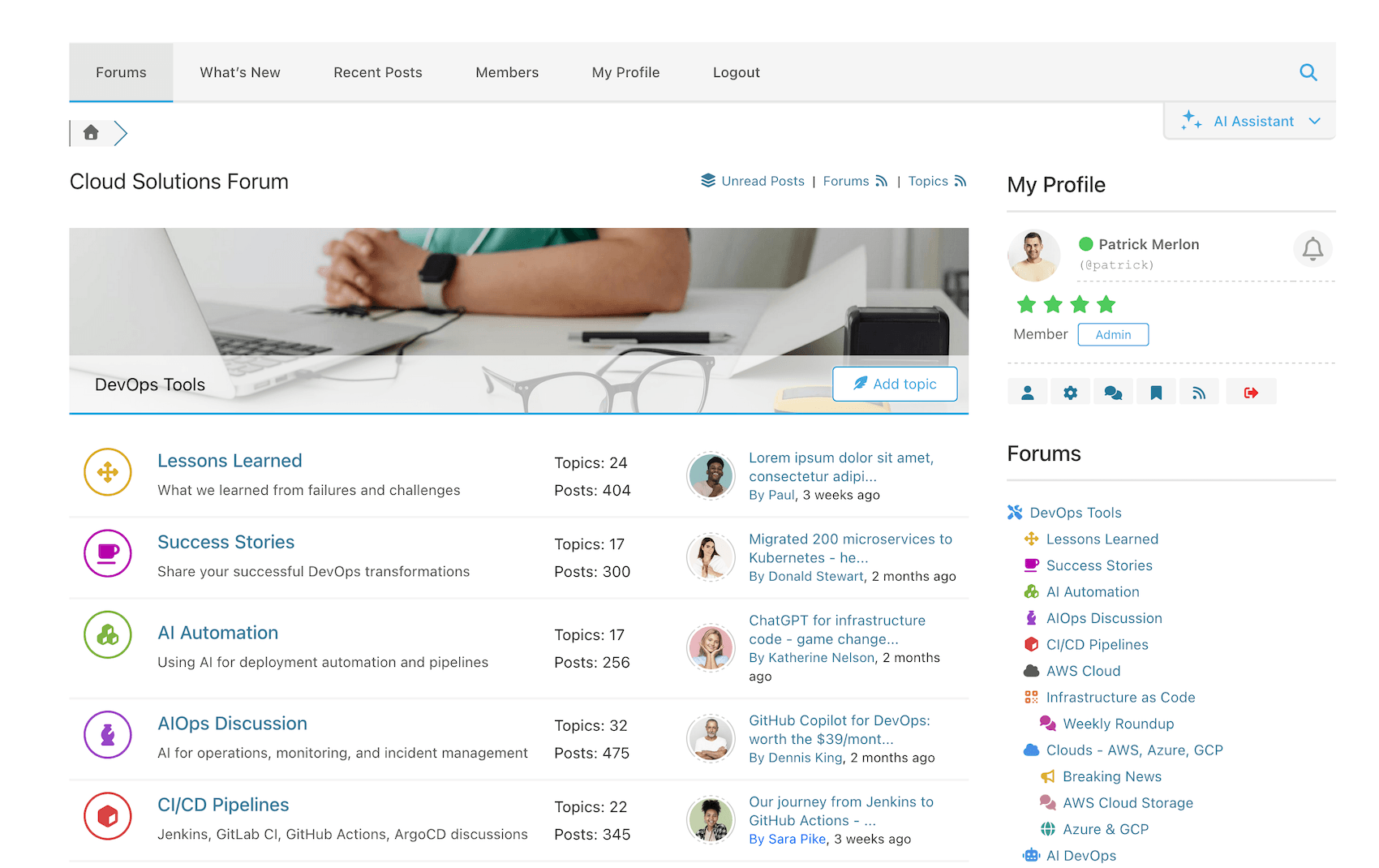
Simplified Forum Layout – Forums 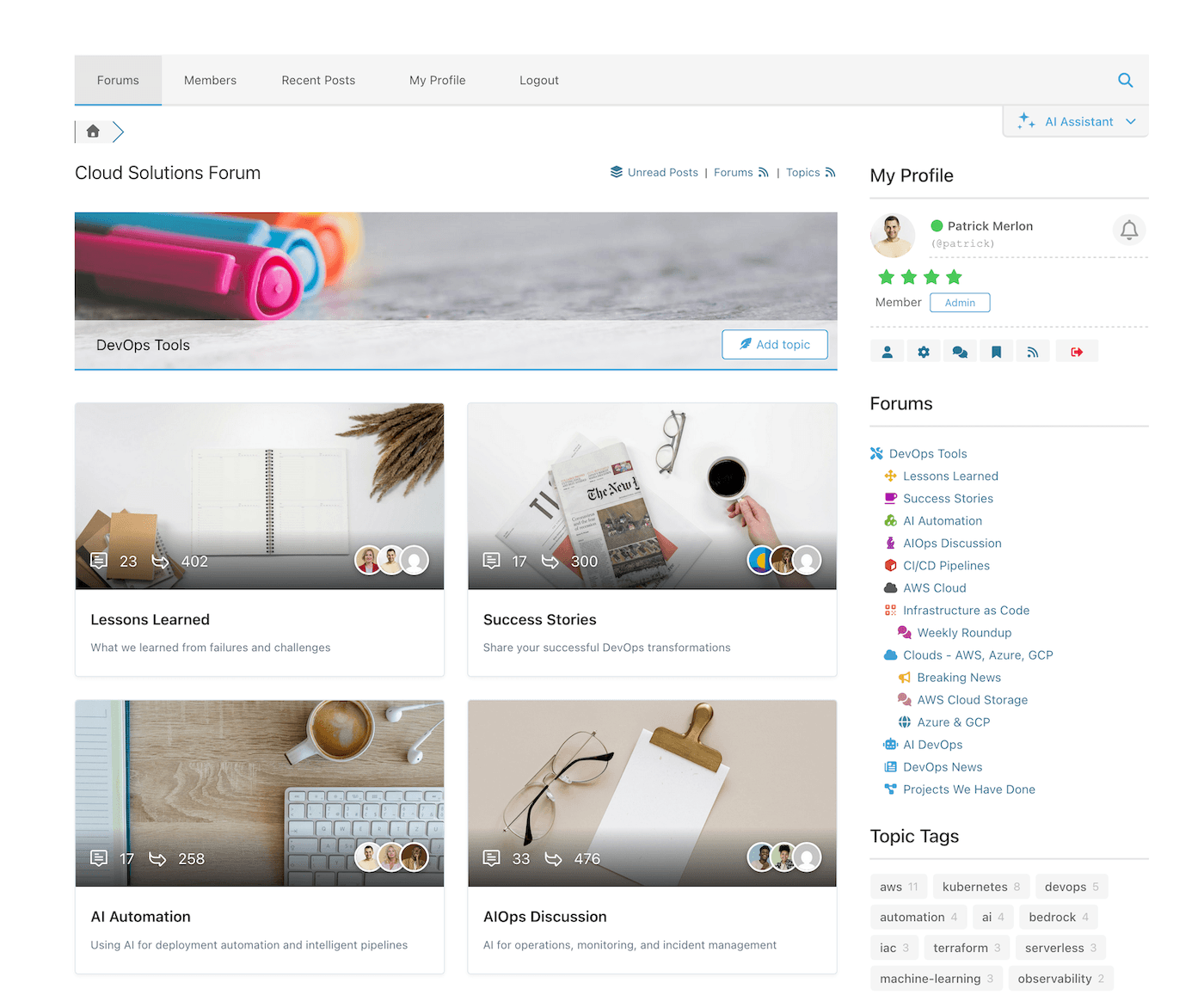
Boxed Forum Layout – Forums 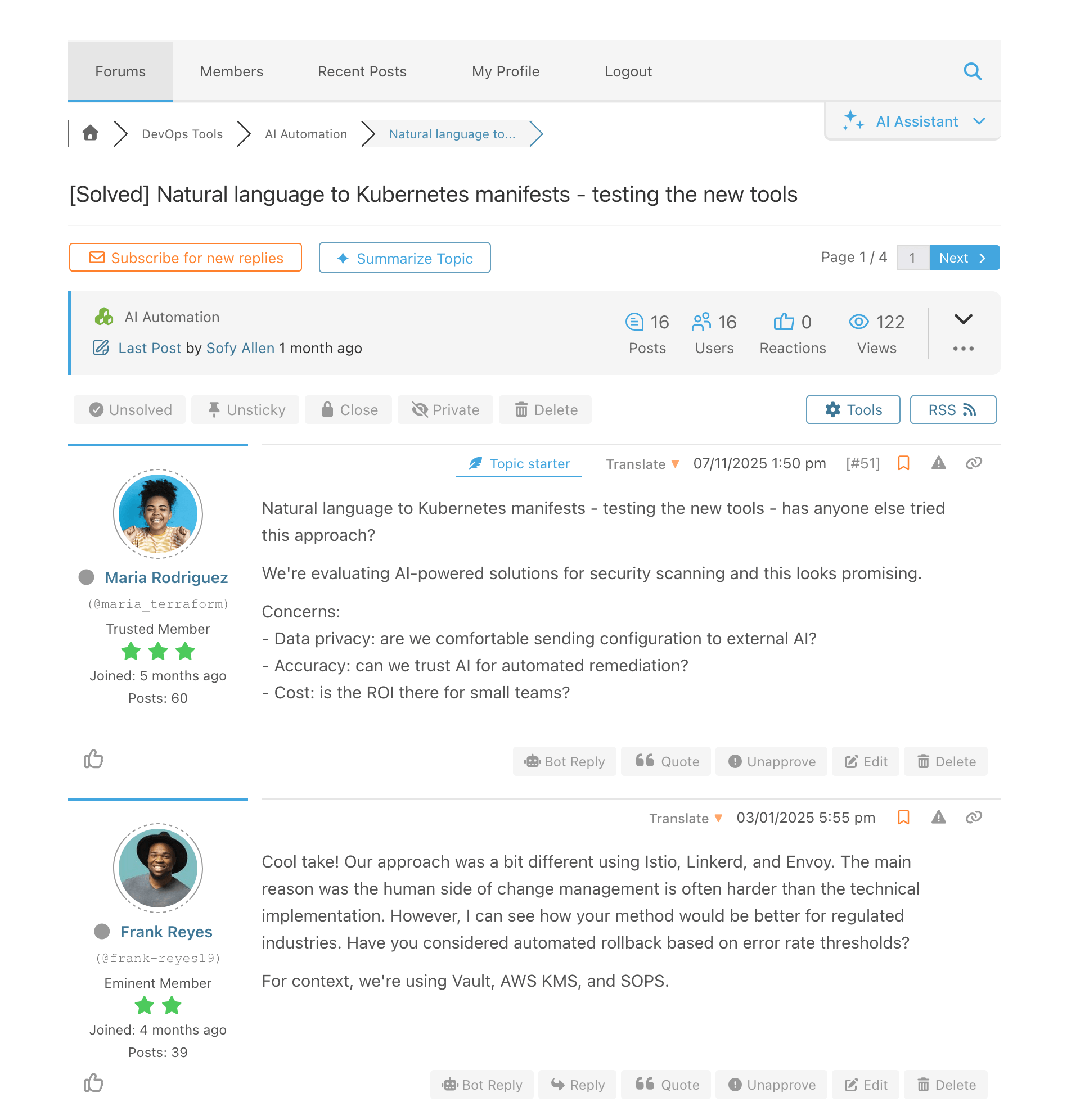
Simplified Forum Layout – Posts 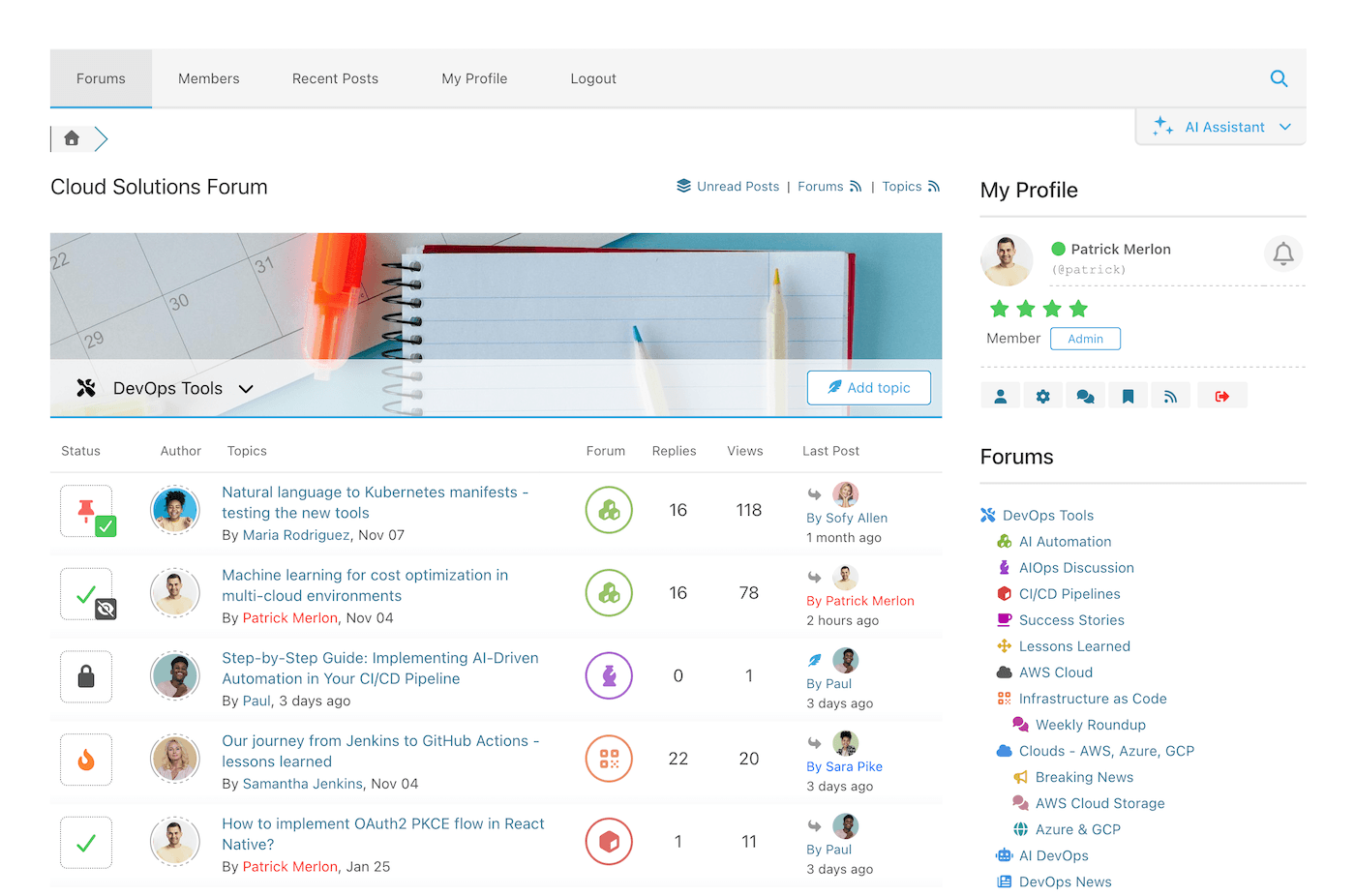
Threaded Forum Layout – Forums and Threads 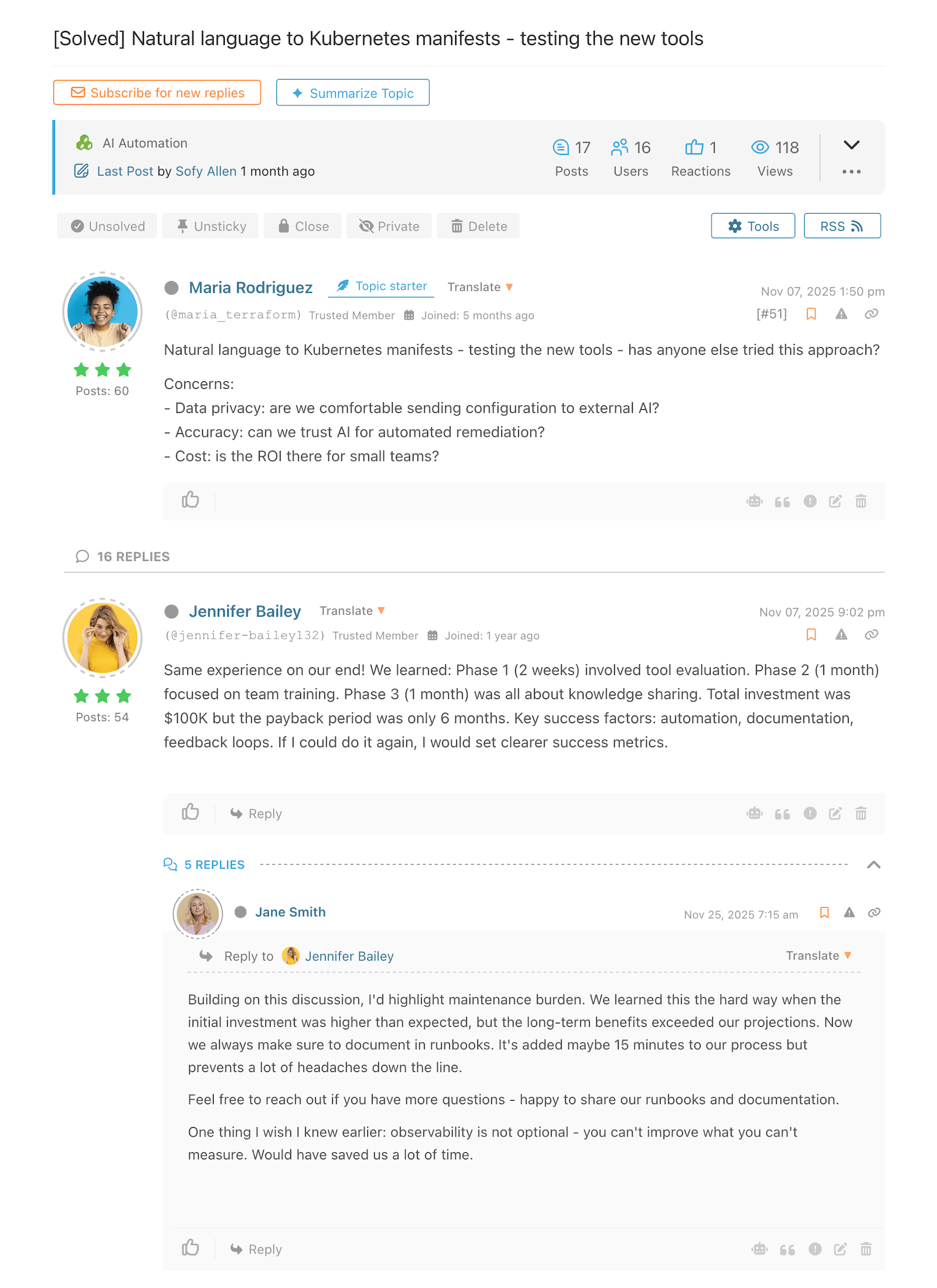
Threaded Forum Layout – Threads 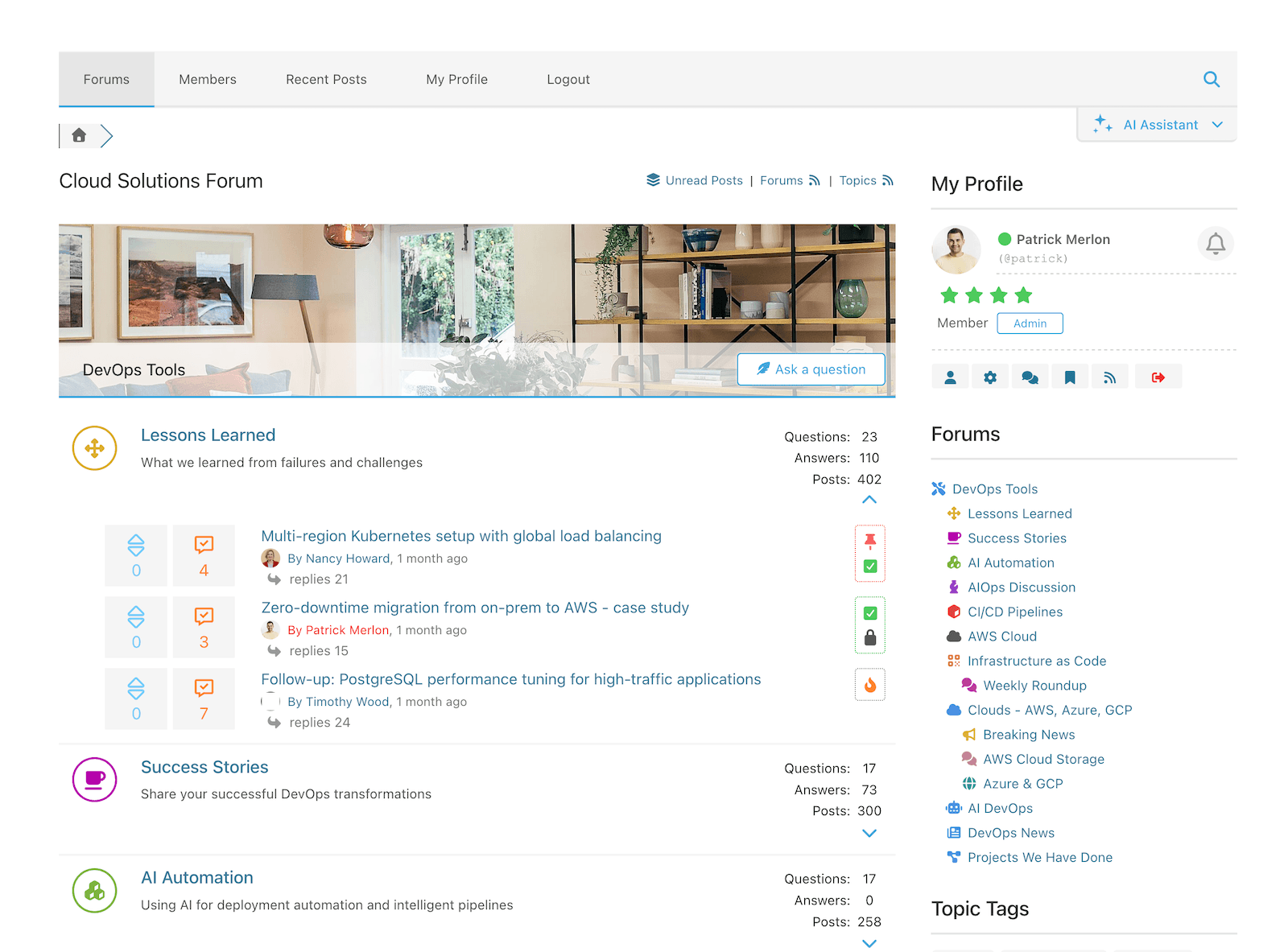
Question & Answer Forum Layout – Forums 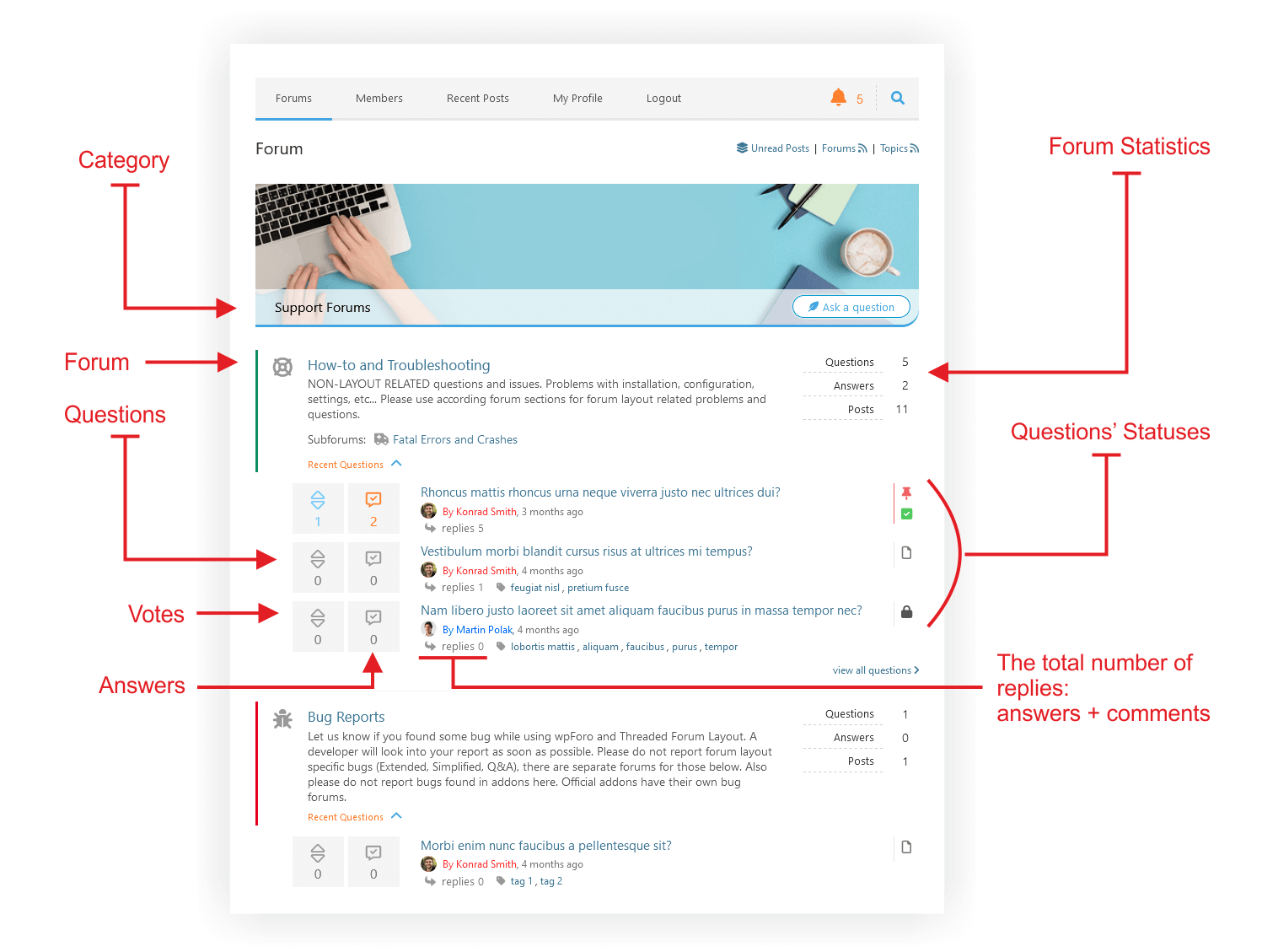
Układ forum pytań i odpowiedzi / Fora / Opisane 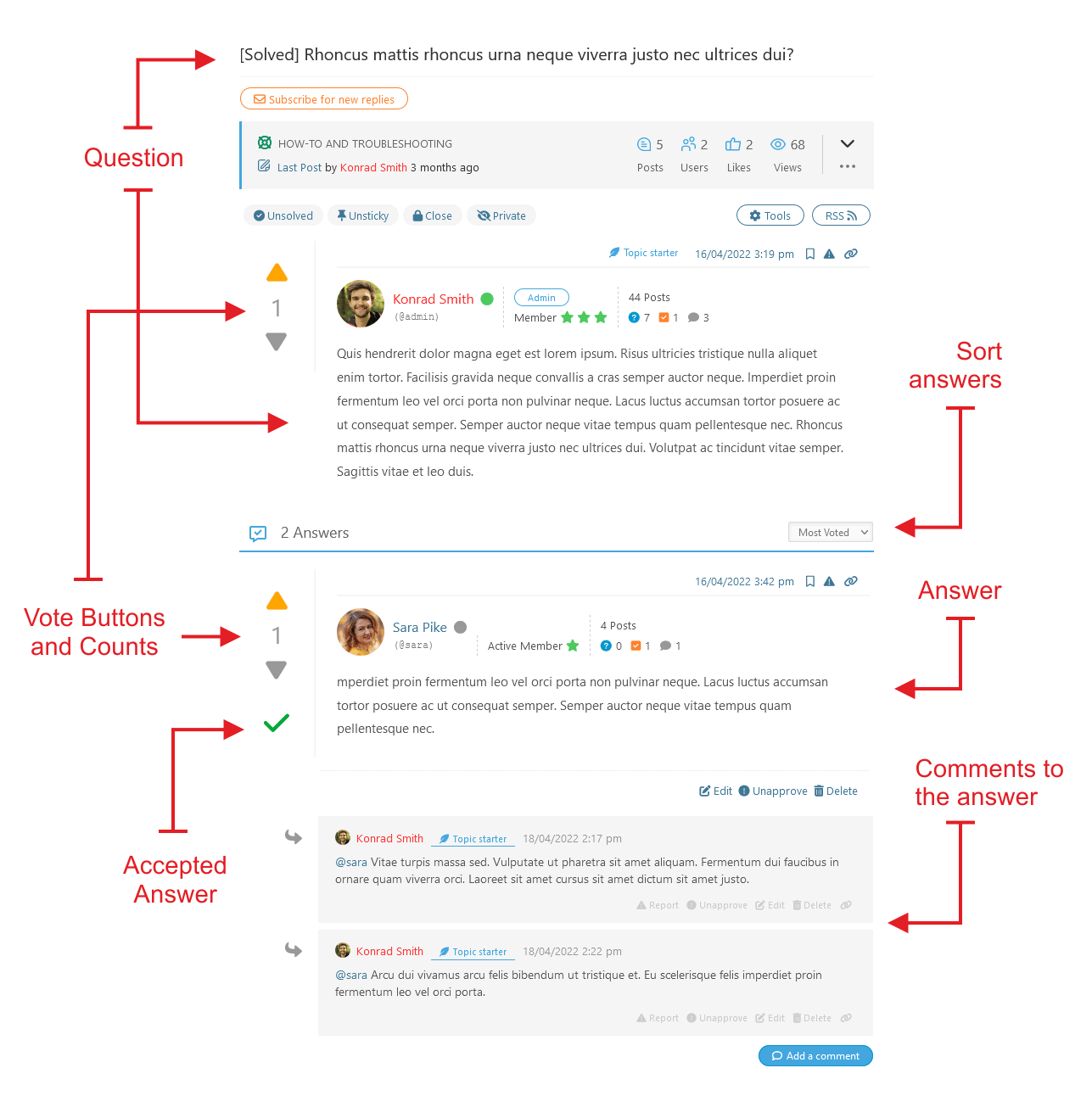
Układ forum pytań i odpowiedzi / Wątek pytań / Opisane 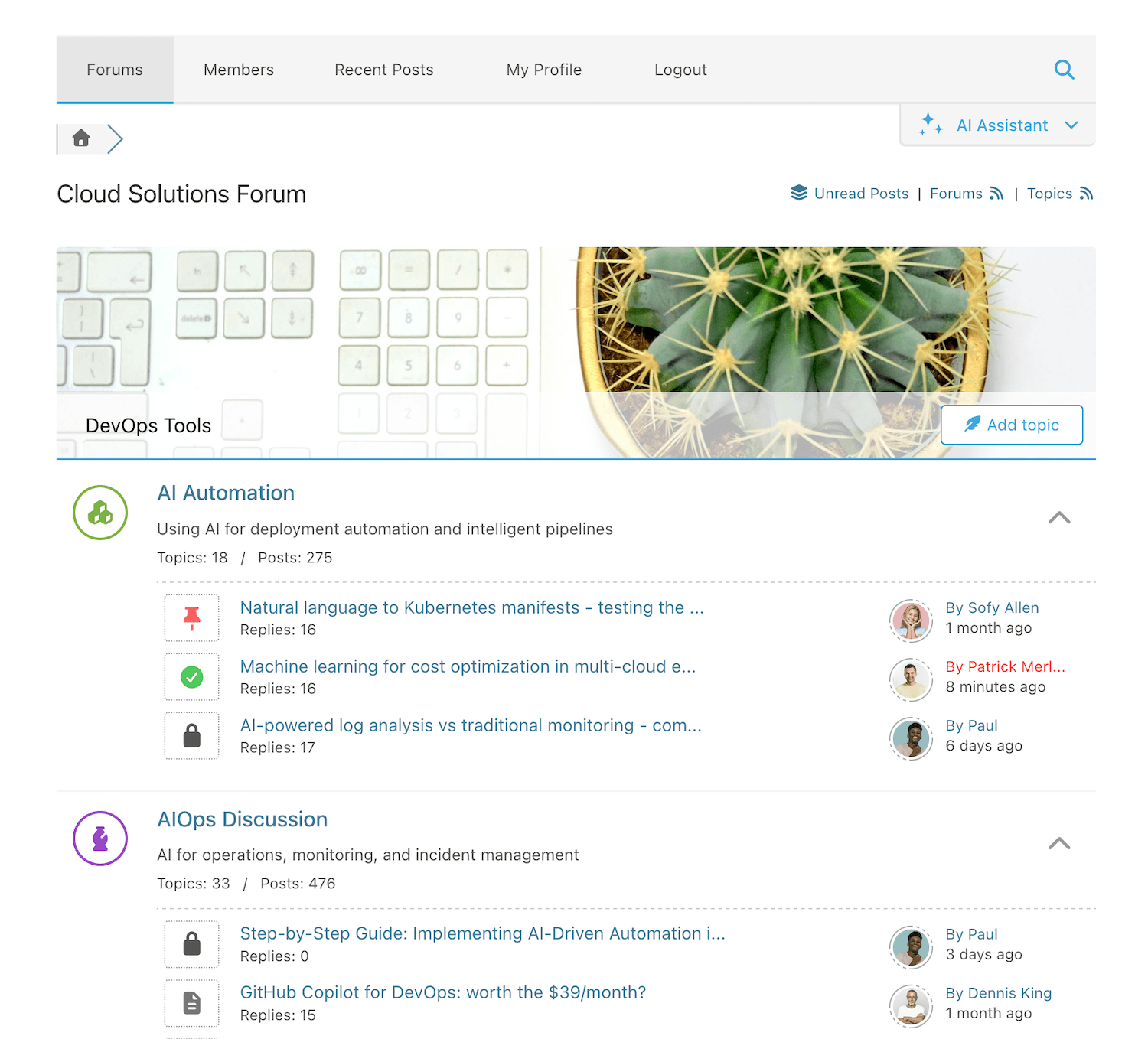
Extended Forum Layout – Forums 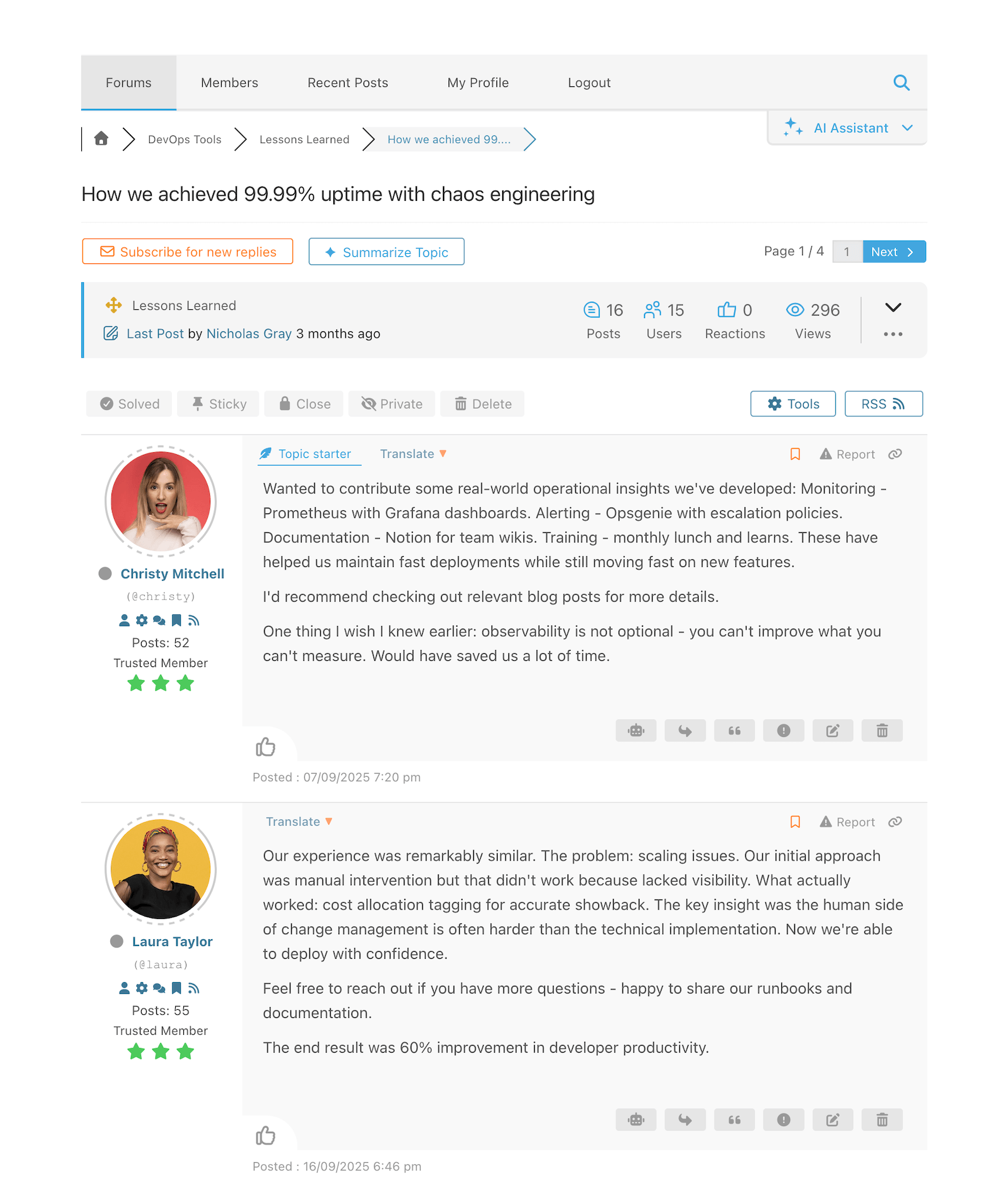
Extended Forum Layout – Posts 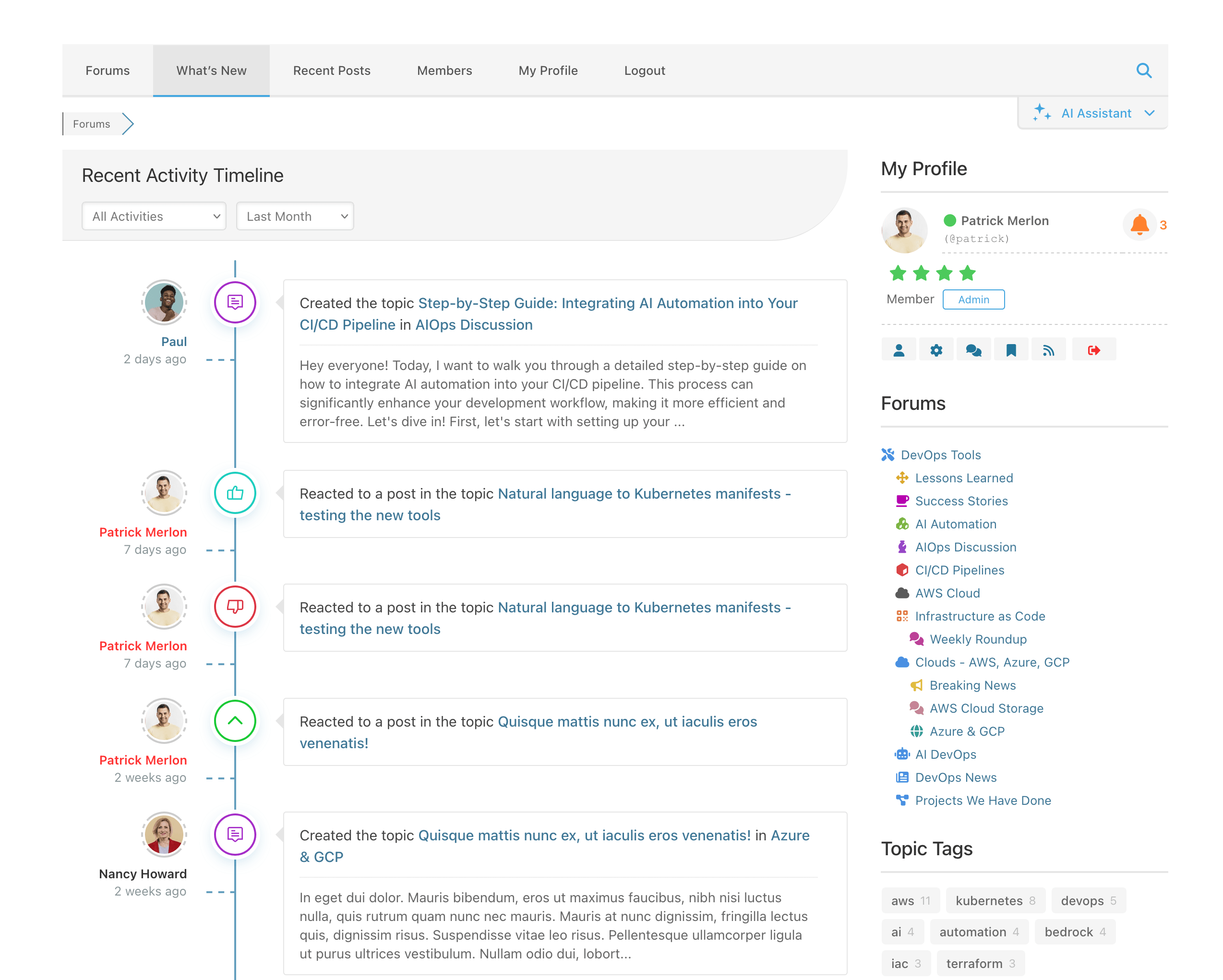
What’s New Page 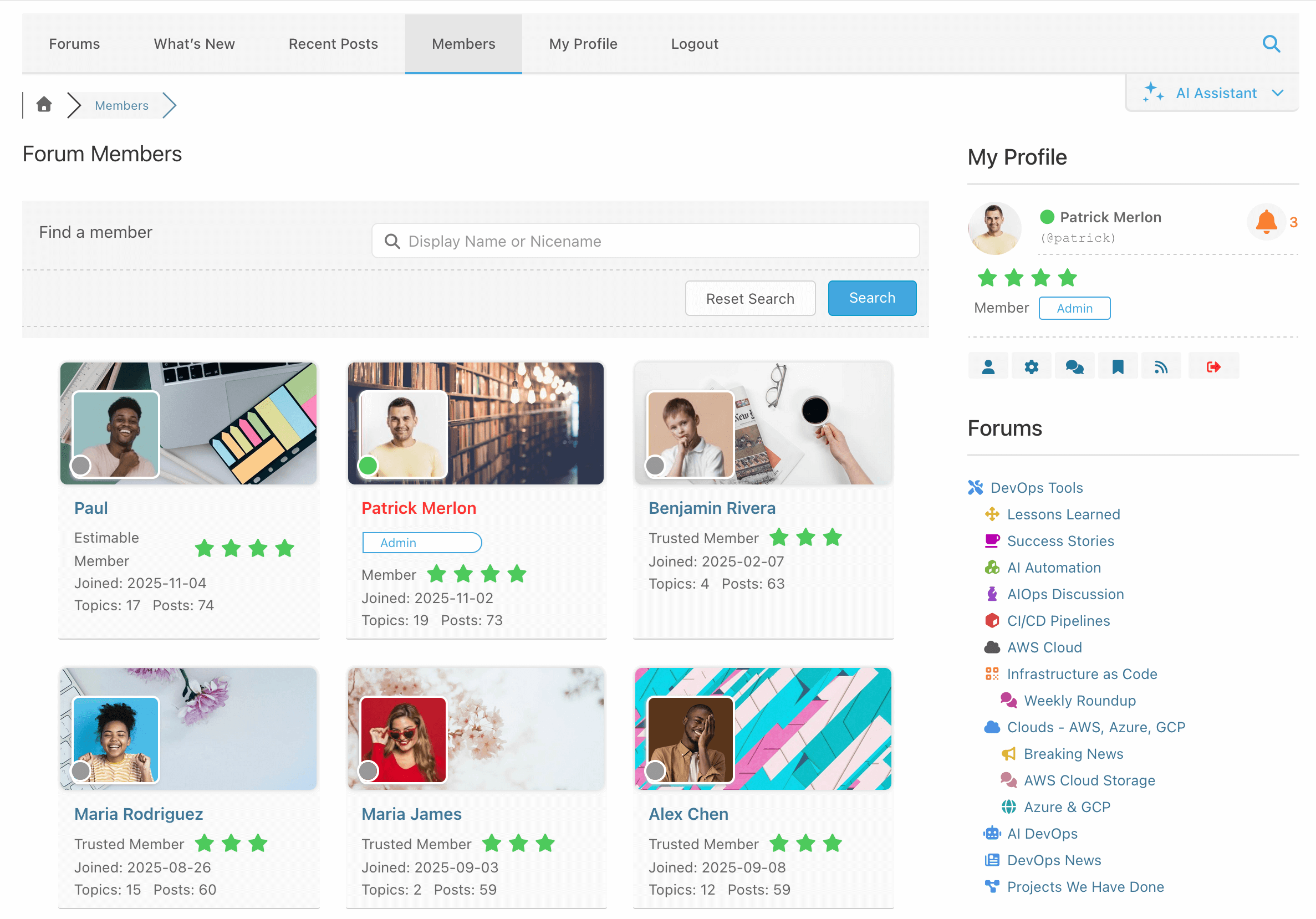
Members Page 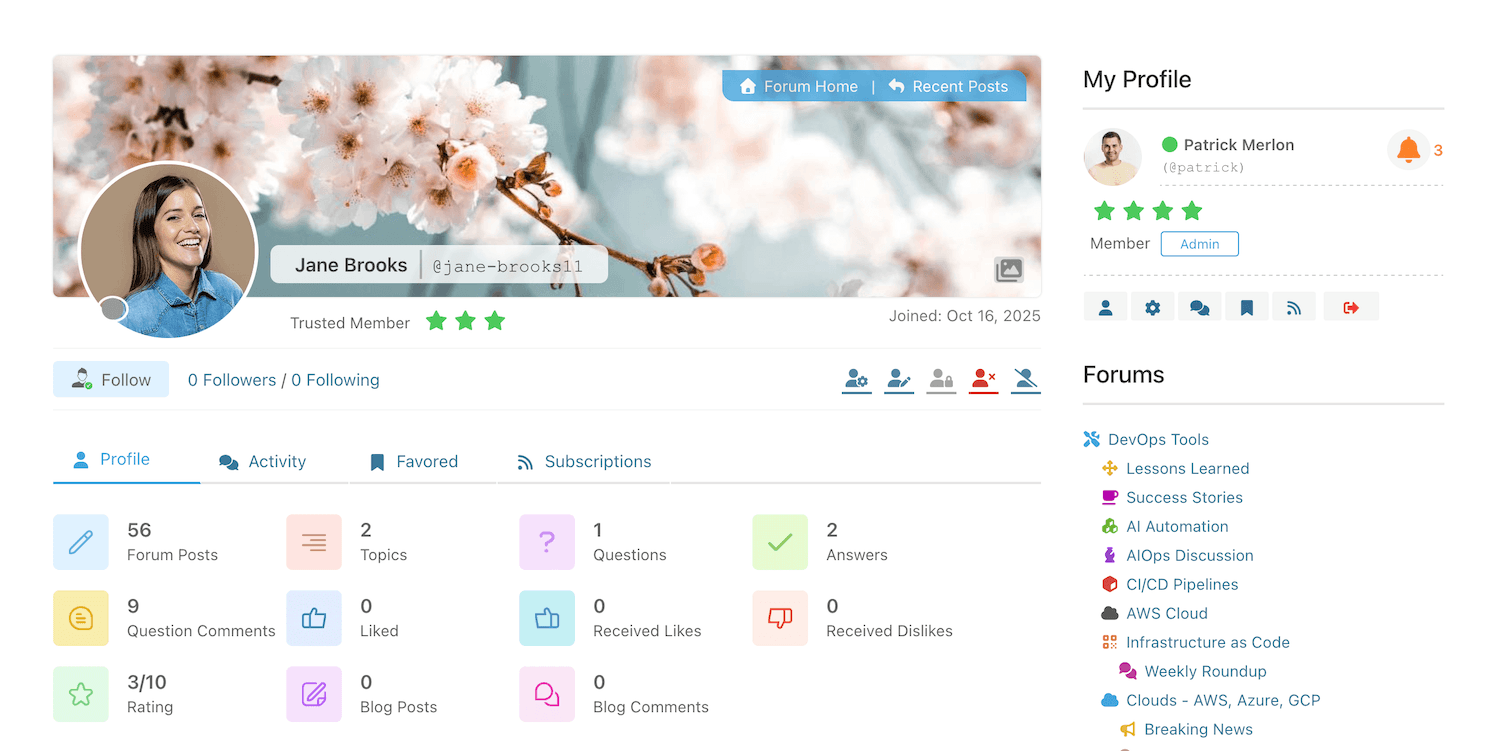
Strona profilu członka z kartami 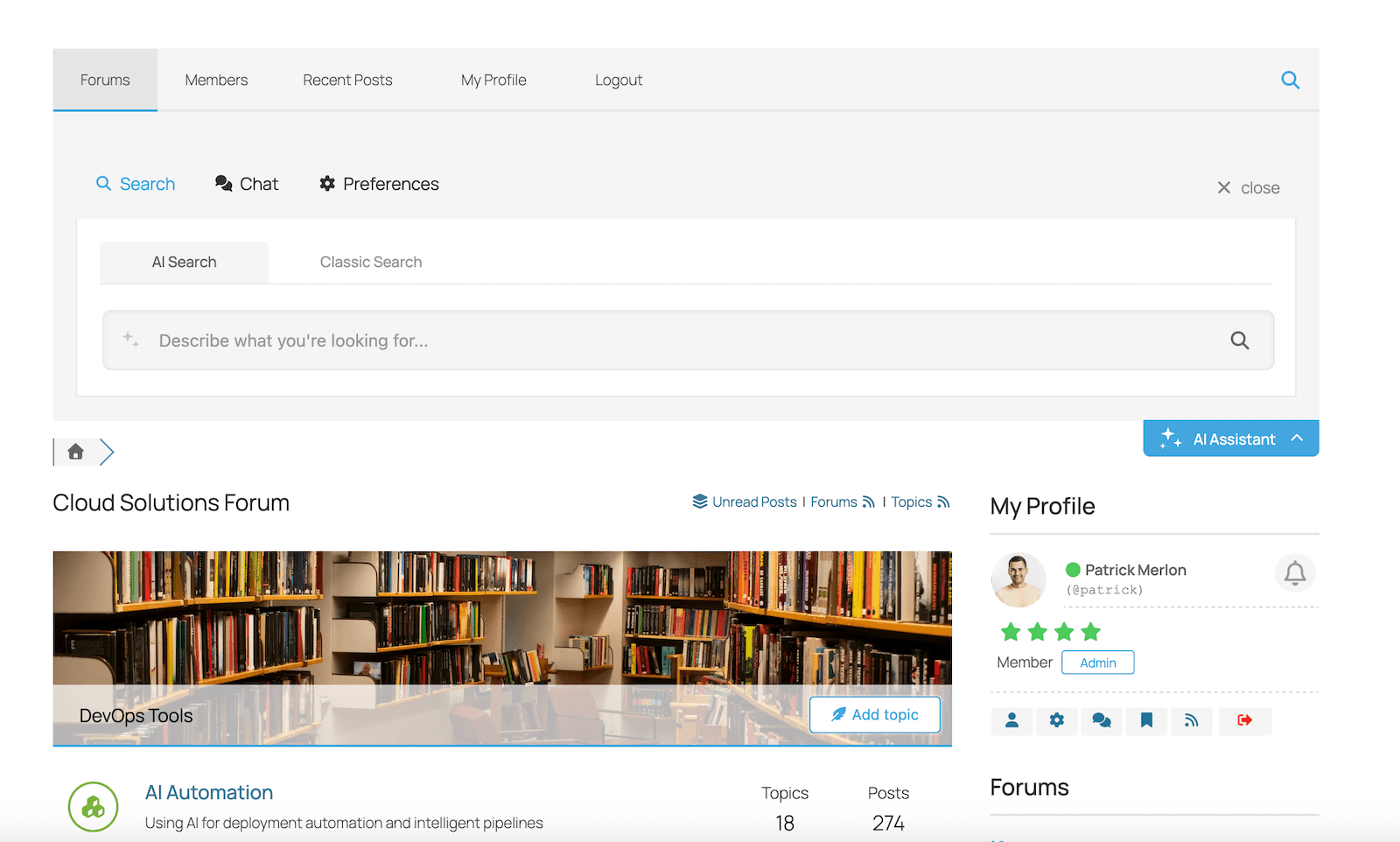
wpForo AI Assistant – Semantic Search Widget 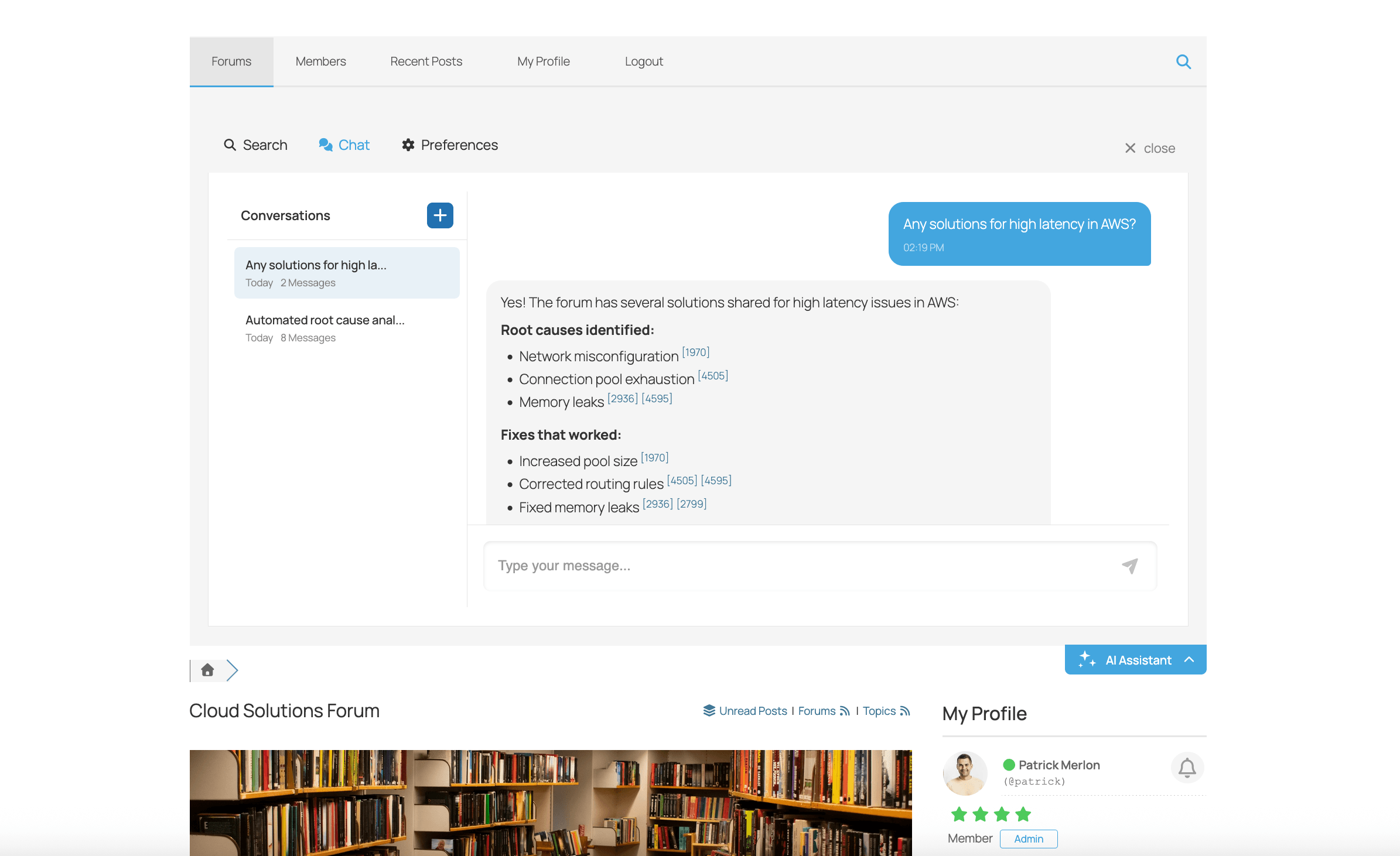
wpForo AI Assistant – Chat Bot Widget 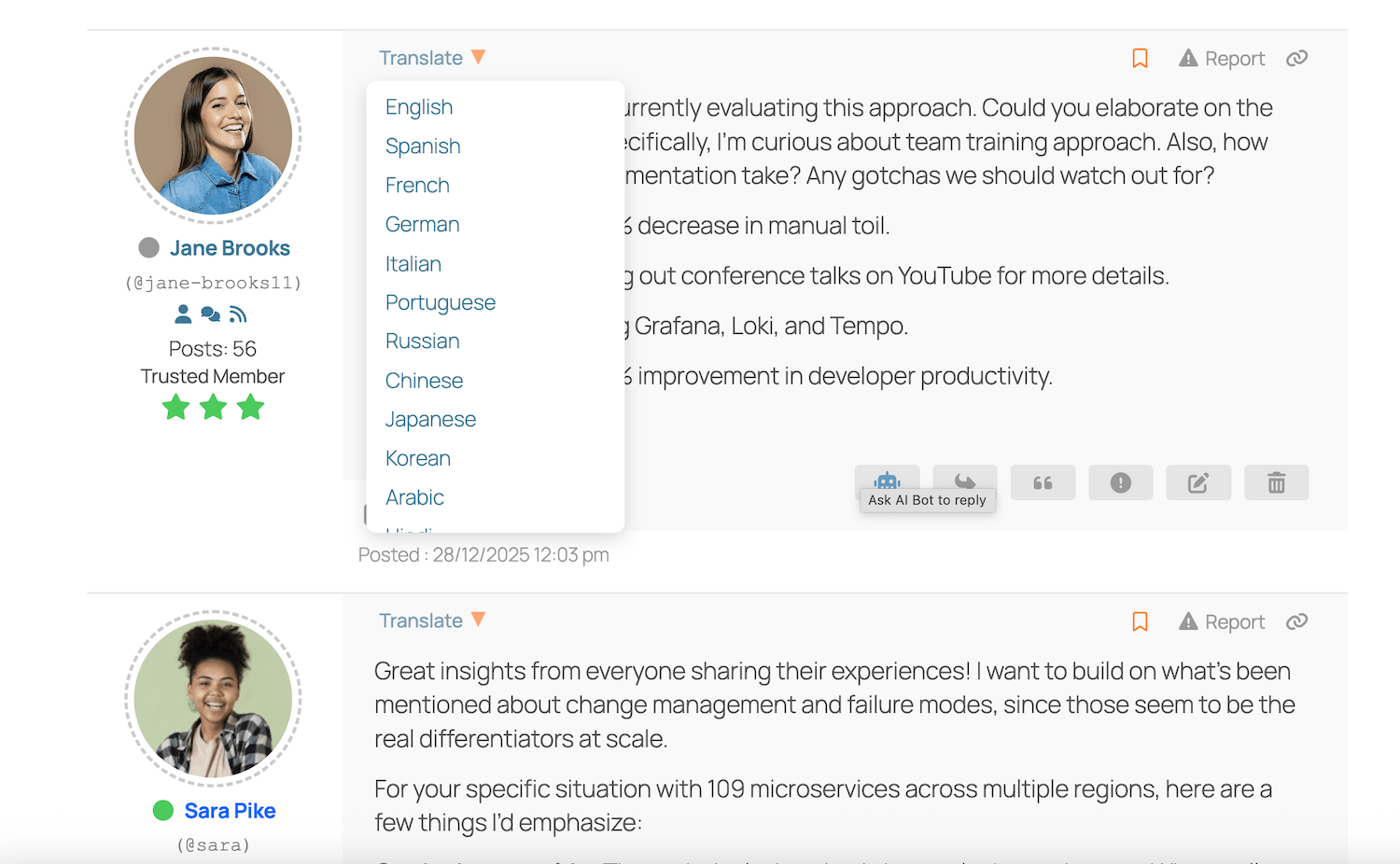
wpForo AI Translation 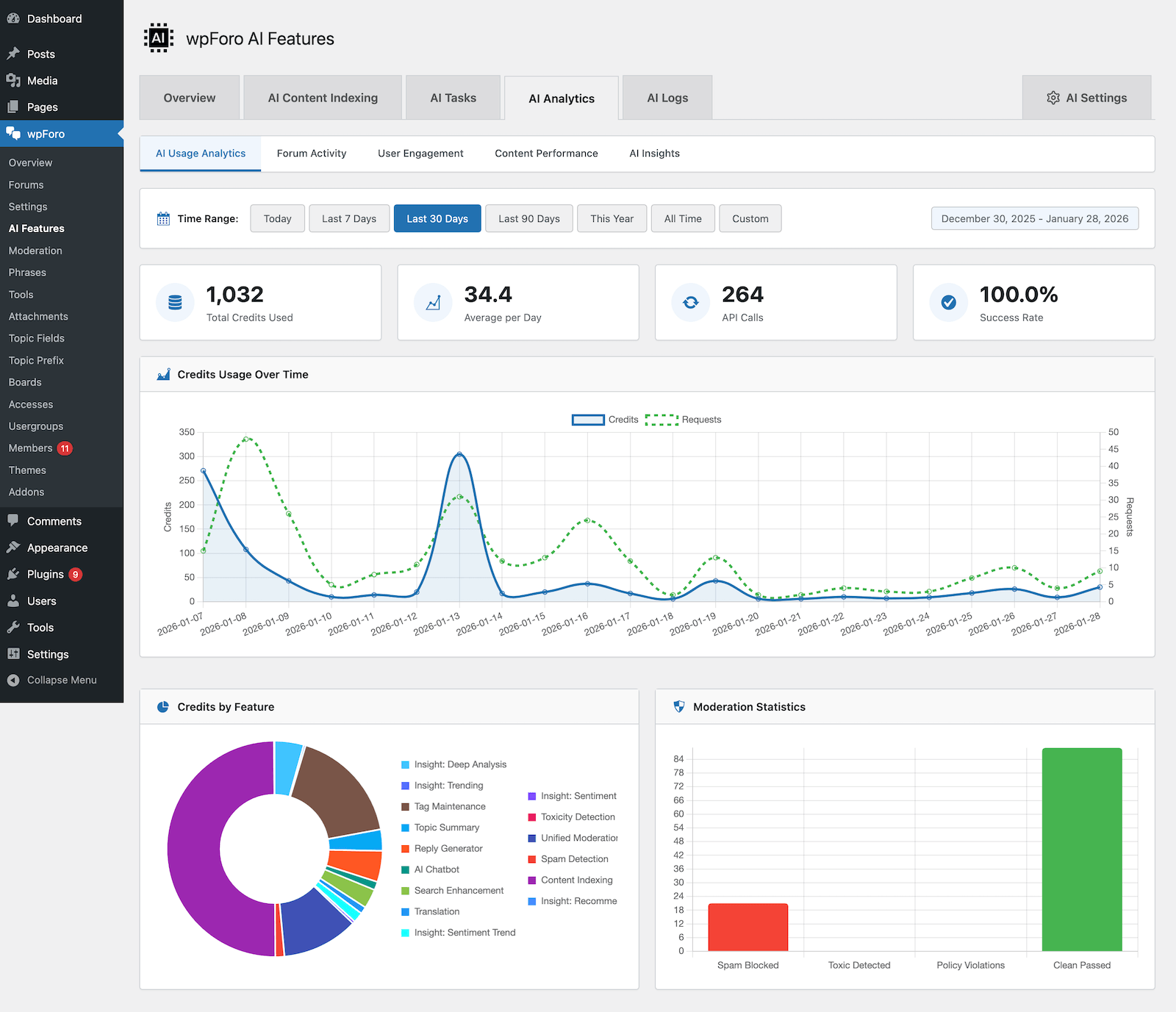
wpForo AI Analytics 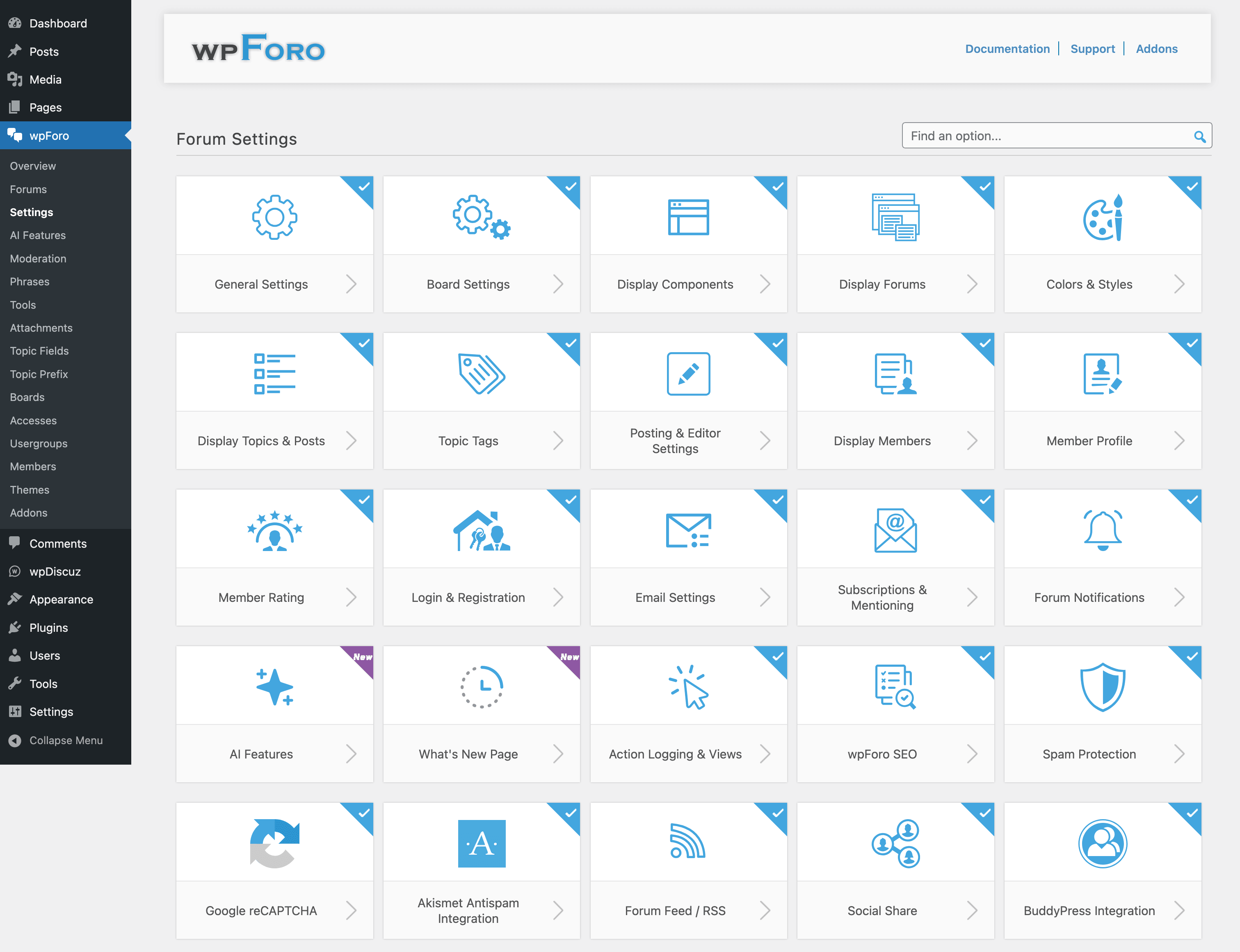
Pola ustawień kokpitu i pojedyncza strona ustawień 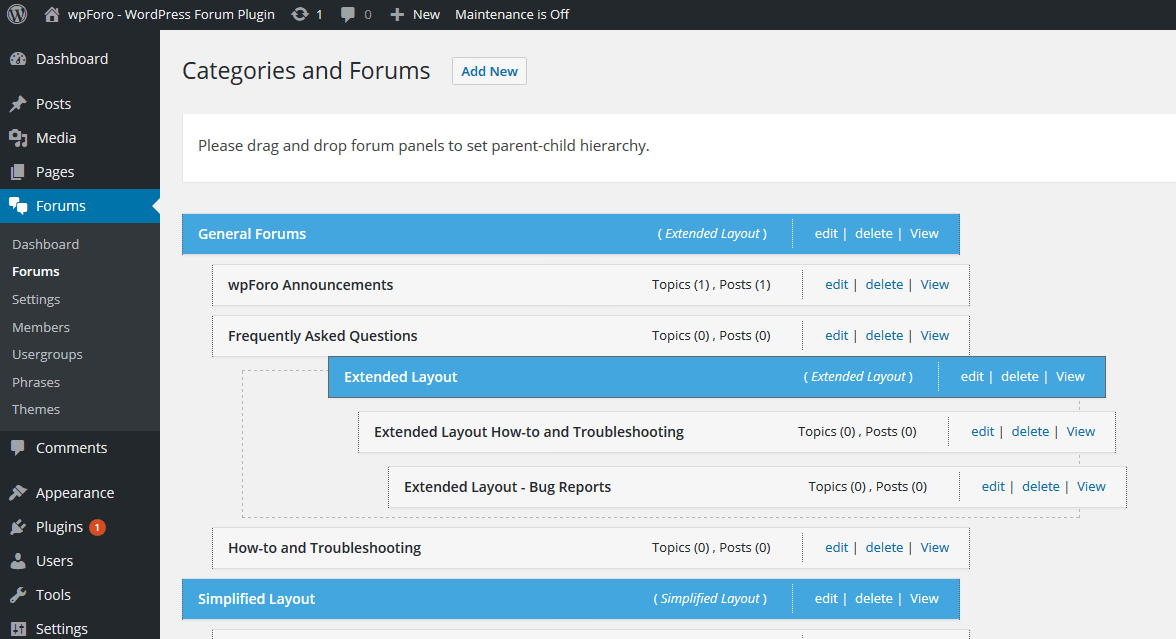
Zarządzanie forum metodą „przeciągnij i upuść”, łatwe ustawianie hierarchii forum nadrzędnego i podrzędnego


Bloki
Wtyczka dodaje 7 bloków.
- wpForo Recent Topics Your forum's recent topics.
- wpForo User Profile & Notifications wpForo profile data and notifications
- wpForo Search wpForo search form.
- wpForo Topic Tags List of most popular tags.
- wpForo Forums Forum tree.
- wpForo Recent Posts Your forum's recent posts.
- wpForo Online Members Online members.
Instalacja
- Zainstaluj wtyczkę wpForo Forum na stronie administracyjnej Kokpit > Wtyczki. Następnie ją włącz.
- Jeśli masz ponad 100 użytkowników, wtyczka forum wpForo poprosi o synchronizację użytkowników.
- Zarządzaj forami w Kokpit > wpForo > Fora na stronie administratora,
- Zarządzaj menu forum w Kokpit > Wygląd > Menu na stronie administratora,
- Zarządzaj kolorami forum na stronie administracyjnej Kokpit > Fora > Ustawienia > Style, gdzie możesz wybrać style kolorów forum.
Najczęściej zadawane pytania
-
Strona forum – Jak zmienić stronę forum?
-
Strona forum – wpForo tworzy stronę forum z uproszczoną nazwą
/community/. Adres URL forum można zmienić w Kokpit > wpForo > Tablice > Edytuj tablicę i zmień uproszczoną nazwę. Upewnij się, że używasz bezpośrednich odnośników WordPress. Fora wpForo nie działają z domyślną strukturą adresu URL?p=1. Strona forum zawiera tylko krótki kod [wpforo] forum. -
Menu forum – Menu forum wpForo to zwykłe menu WordPress. Na stronie administracyjnej Kokpit > Wygląd > Menu forum wpForo tworzy nowe menu nawigacyjne (górny pasek menu forum) o nazwie „Nawigacja wpForo (wpForo Menu)”. Menu forum jest dołączone do lokalizacji wpForo Menu.
-
Panel boczny i widżety forum – Forum wpForo posiada własny prawy (RTL lewy) panel boczny i widżety (ostatnie tematy na forum, ostatnie wpisy na forum, wyszukiwarka na forum, użytkownicy forum online).
-
Układy forum – Czym jest układ forum?
-
Układy forum – Fora wpForo ma układy forum i pozwala na tworzenie hybrydowych forów. Motyw wpForo ma wbudowany system wielu układów. Każda sekcja forum (kategoria z forami i pod forami) może być wyświetlana z innym układem forum.
-
Menedżer forum – Jak dodawać / edytować / usuwać fora?
-
Menedżer forum – Możesz dodać nową kategorię, forum lub pod forum na stronie administracyjnej Kokpit > Fora & Fora. Dodawanie forum / Edycja forum / Usuwanie forum / Hierarchia forum mogą być zarządzane na tej samej stronie administracyjnej.
-
Krótkie kody forum – Jakie krótkie kody są dostępne?
-
Krótkie kody forum – Począwszy od wersji 1.0.0 można używać krótkich kodów wpForo.
-
Style forum – Jak zmienić kolory forum?
-
Style forum – Przejdź do Kokpit > wpForo > Ustawienia > Kolory i style strony administracyjnej. Tutaj znajdziesz kolory i style front-endu forum wpForo. Możesz wybrać kolory forum: domyślny (niebieski), czerwony, zielony, pomarańczowy, szary, ciemny. Możesz wybrać zestaw kolorów forum lub ręcznie dostosować każdy kolor.
-
Członek forum – Jak zarządzać członkami forum?
-
Członek forum – Członkowie forum to ci sami użytkownicy WordPressa. Fora wpForo są w pełni zintegrowane z WordPressem. Posiadają własną stronę logowania i rejestracji na forum. Użytkownicy otrzymują zaawansowany profil forum. Możesz zarządzać wszystkimi członkami na stronie administracyjnej Kokpit > Fora > Członkowie.
-
Reputacja na forum – Czym jest reputacja i plakietki członków forum?
-
Plakietki członków forum i reputacja – Forum wpForo ma prosty, ale potężny system reputacji użytkowników. Obecnie opiera się na liczbie wpisów na forum.
-
Dostęp do forum – Jak zezwolić/ograniczyć użytkownikom dostęp do określonych forów?
-
Dostęp do forum i uprawnienia – Dostęp do forum to różne zestawy uprawnień forum (CAN) zaprojektowane, aby pomóc administratorom forum kontrolować (zezwalać/ograniczać) działania użytkowników na każdym forum.
-
Grupy użytkowników forum – Czym jest grupa użytkowników forum?
-
Grupy użytkowników i uprawnienia forum – Aby zapewnić rozbudowany system uprawnień użytkowników forum z pełną kontrolą nad wszystkimi działaniami użytkowników forum, wpForo oferuje własny system grup użytkowników forum.
-
Tłumaczenie forum – Jak przetłumaczyć to forum?
-
Tłumaczenie forum – Forum wpForo można przetłumaczyć za pomocą plików PO/MO. Można też wykonać szybkie tłumaczenie, korzystając z systemu fraz forum wpForo na stronie administracyjnej Kokpit > wpForo > Frazy.
-
Zgodność forum z RODO – Narzędzia i opcje umożliwiające zgodność z RODO
-
Zgodność forum z RODO – wpForo dysponuje niemal wszystkimi narzędziami i funkcjami specyficznymi dla forum, które pozwolą Ci dostosować swoje forum do wymogów RODO. Przejdź do strony administratora wpForo > Ustawienia > Prywatność i zasady i przejrzyj wszystkie instrukcje i opcje.
Recenzje


Kontrybutorzy i deweloperzy
„wpForo Forum” jest oprogramowaniem open source. Poniższe osoby miały wkład w rozwój wtyczki.
Zaangażowani

Wtyczka „wpForo Forum” została przetłumaczona na 18 języków. Podziękuj tłumaczom za ich wkład.
Przetłumacz wtyczkę “wpForo Forum” na swój język.
Interesuje cię rozwój wtyczki?
Przeglądaj kod, sprawdź repozytorium SVN lub czytaj dziennik rozwoju przez RSS.
Rejestr zmian
IMPORTANT NOTES for UPDATE
- After the update, please delete all caches and purge CDN if you have
- After the update, please flush Redis Object Cache if you have this cache enabled
wpForo Forum v3.0 Release Summary
wpForo Forum 3.0.5 | 13.04.2026
- Security: Hardened sorting parameter validation
- Fixed: PHP warning for undefined board locale property in Task Manager
- Fixed: PHP warning for non-existent ram_cache method in AI Content Moderation
- Fixed: AI Indexing admin page unnecessary auto-refresh when jobs queued for future
wpForo Forum 3.0.4 | 12.04.2026
- Fixed: AI WordPress Content Indexing now works on hosts with disabled WP-Cron
- Fixed: AI Content Indexing admin page performance on large forums
- Fixed: Registration form losing field values when validation error occurs
- Fixed: Spam protection flow issues, enabled 'Can pass moderation’ allows new users to pass the moderation
wpForo Forum 3.0.3 | 10.04.2026
- Security: Prevent arbitrary file deletion
- New: Boxed Layout – Forum cover image is now fully clickable
- New: AI Search – Quality signal boosting for better result ranking
- New: AI Indexing – Progress tracking during local storage indexing
- New: AI Indexing – Noise filtering to improve search quality
- Improved: AI Topic Suggestions now respect forum access permissions
- Improved: AI performance with optimized default quality settings
- Improved: reCAPTCHA only loads on forum pages when needed
- Fixed: Auto-indexing spinner showing endlessly on active forums
- Fixed: Sticky topic icon priority in mixed layout mode
- Fixed: Local semantic search relevance thresholds
- Fixed: Empty forum access array causing search errors
wpForo Forum 3.0.2 | 08.04.2026
- Fixed: Subscription Manager shows empty forum tree on multi-board installations
- Fixed: Stale user permissions after switching boards on profile tabs
- Fixed: Board switcher only works one direction on profile pages (multi-board)
- Fixed: AI checkbox settings (chatbot_allowed_groups, bot_reply_includes) reset to defaults on every page load
- Improved: AI Content Indexing admin page performance on large forums
- Security: Prevent unauthenticated post disclosure via RecentPosts widget (Broken Access Control)
wpForo Forum 3.0.1 | 07.04.2026
- Version 3.0.1
- Fixed: Simplified and threaded forum layout issues on mobile screen
- Fixed: reCAPTCHA v3 doesn’t work in some cases
wpForo Forum 3.0.0 | 06.04.2026
-
New Theme: 2026
- New default theme – Modern, clean design with improved readability
- Forum Layouts – Extended, Simplified, Threaded, and Boxed layout options
- Members Page redesign – Improved member listing with better UX
- Topic Tags widget – Restyled with clean flat designThreaded Layout improvements
- New: Boxed Forum Layout
-
New Features
- Recent Activity (What’s New) Page
- Timeline-based activity feed showing forum actions
- Configurable activity retention with daily cleanup cron
- Mobile-responsive design
- Access control for viewing activities
- Delete button for moderators
-
Security & Spam Protection
- reCAPTCHA v2 Invisible support
- Less intrusive spam protectionreCAPTCHA v3 support
- Score-based invisible protectionEnhanced flood protection
- Time-window rate limiting to prevent spam floodsProper moderation log messages for flood protection
-
Forum Features
- „Make All Topics Private” option
- For Ticket/Support forums
- Popular Tags
- Now clickable with links to forum tag searchTop Contributors
- Added usergroup, topics, and posts columnsAutofocus to search field
- Improved search UXMulti-language support for members search
-
Widgets
- Block widgets with improved functionality
- New UI for Topic Tags widget with clean flat design
-
Performance Improvements
- Static caching for wpforo_phrase()
- Significant speed boost for English locale
- Static caching for wpforo_is_bot() – Faster bot detection
- Subscription status caching – Faster frontend loading
- Semantic search caching – Avoid duplicate API calls
- Translation caching with post invalidation
-
AI Features (wpForo AI)
- Core AI Features
- AI Chatbot – Conversational AI assistant with conversation management
- AI Insights – Sentiment analysis, trending topics, and recommendations
- Content Moderation – AI-powered spam detection with configurable actions
- Topic Generator – Auto-generate discussion topics
- Reply Generator – AI-assisted replies with 23 style options
- Tag Maintenance – Automatic topic tagging
- Topic Summary – Summarize long discussions
-
Search & Indexing
- Semantic Search – Natural language search across forum content
- Local & Cloud Storage – Choose where to store embeddings
- Image Indexing – Multimodal RAG for Professional+ plans
- WordPress Content Indexing – Index custom post types
- Auto-indexing with configurable settings
-
Analytics
- AI Usage Analytics – Track credit consumption
- Forum Activity Analytics – Activity trends and statistics
- User Engagement analytics
- Content Performance analytics
- AI Logs with filtering and detail view
-
Other AI Improvements
- Bot Reply with tone and style options
- Topic Suggestions with related topicsTranslation support
- Activity retention settings
- Multi-board support for analytics
-
Security: Unauthenticated SQL Injection via 'referer’ Parameter
- Security: Missing Authorization to Authenticated (Subscriber+) Arbitrary Forum Post Modification via 'guestposting’ Parameter
wpForo Forum 2.4.17 – Last 2.x Version | 15.03.2026
- Security: Authenticated (Subscriber+) Arbitrary File Deletion
wpForo Forum 2.4.16 | 28.02.2026
- New: Admin notice announcing wpForo 3.0 AI Edition with links to introduction and beta program
- New: Auto-update protection — blocks automatic updates from 2.x to 3.x to prevent unattended major upgrades
- New: Inline warning on Plugins page when wpForo 3.0 update is available
- New: Auto-update toggle replaced with backup reminder when major version is pending
- Security: Added permission checks for post approve/unapprove actions
- Security: Added permission checks for topic close/open actions
- Security: Added permission checks for topic move, merge, and split actions
- Security: Added capability check for role synchronization
- Security: Fixed RSS feed exposing private and unapproved content
- Security: Fixed stored XSS via forum description output
- Security: Blocked SVG file uploads in avatar to prevent XSS
- Security: Replaced json_encode with wp_json_encode to prevent script injection
wpForo Forum 2.4.0 – 2.4.15 | 10.02.2026
wpForo Forum v2.4 Release Summary
- Version 2.4.15
- Security: Vulnerability – Unauthenticated Time-Based SQL Injection
- ———
- Version 2.4.14
- Security: Vulnerability – Authenticated (Subscriber+) PHP Object Injection
- ———
- Version 2.4.13
- Security: Vulnerability – Unauthenticated SQL Injection
- ———
- Version 2.4.12
- Compatibility: PHP 8.5
- Compatibility: WordPress 6.9
- Security: Vulnerability – Unauthenticated SQL Injection
- Fixed: Multi-language integration issues with Polylang
- ———
- Version 2.4.11
- Security: Vulnerability – Unauthenticated Attacker to Post Revisions
- ———
- Version 2.4.10
- Security: Vulnerability Authenticated (Susbscriber+) SQL Injection
- Fixed Bug: PHP Error: array_filter(): Argument #1 ($array) must be of type array, string given in classes/Members.php:2032
- ———
- Version 2.4.9
- Security: Unauthenticated SQL Injection
- Security: Object unserialize code injection
- ———
- Version 2.4.8
- Added: New option in widgets to sort topics/posts randomly
- Fixed Bug: Post editor text/object alignment issue
- ———
- Version 2.4.7
- Removed: Unnecessary profile buttons of guest posters
- Removed: HTML tags from category description
- Security: Fixed IDOR vulnerability, Insecure Direct Object References
- Addon Support: The rich editor is modified to allow aligning (left,right,center) gif and inline attachment objects
- Addon Support: Supports displaying voters on poll result
- Fixed Bug: PHP Error on the activation process of a user registration. Fatal error: Uncaught TypeError: array_intersect(): Argument #1 ($array) must be of type array, null given in /wp-content/plugins/wpforo/includes/hooks.php:37
- Fixed Bug: Missing user information in the admin email when user deletes own account
- ———
- Version 2.4.6
- Security: Fixed XSS vulnerability, Stored Cross-Site Scripting
- Updated: Hooks to manage the email sending test and error report in the tools
- Fixed Bug: Text domain loading issue
- Fixed Bug: Link RSS Module and RSS Settings to disable if the module is disabled
- Fixed Bug: PHP Warning: Undefined array key max-number-value when wpForo is integrated with Profile Builder plugin.
- ———
- Version 2.4.5
- Fixed Bug: Q&A forum layout threads issue on mobile devices
- Fixed Bug: Warning: Trying to access array offset on null in ../functions-template.php
- Fixed Bug: Missing field 'url’ (in 'author’) with DiscussionForumPosting structured data
- Fixed Bug: Missing field 'name’ (in 'comment.author’) with DiscussionForumPosting structured data
- ———
- Version 2.4.3 – 2.4.4
- Added: Discussion forum (DiscussionForumPosting) structured data for Google Search
- Security: Fixed issue with manipulation and privilege escalation via hidden parameter
- Fixed Bug: BuddyPress Integration problems related to deprecated functions
- Fixed Bug: False positive spam file detection and notification in the dashboard
- Fixed Bug: Problems related to PHP 8.4
- Fixed Bug: Issues with saving antispam settings
- Fixed Bug: More robust solution for „Arbitrary File Reading” problem by changing
wp_remote_get()function towp_safe_remote_get() - ———
- Version 2.4.2
- Security: Unauthenticated Arbitrary File Read in update
- Fixed Bug: In some cases user couldn’t see own private topics
- Fixed Bug: Problem with topic slugs containing negative number (-1234)
- Fixed Bug: Issue with x.com URL in users profile pages
- Fixed Bug: Forum tree displaying issue related the secondary user-groups cache
- ———
- Version 2.4.1
- Compatibility: WordPress 6.7
- Added: Request confirmation before deleting the account
- Added: Email notification to admins when users delete their account
- ———
- Version 2.4.0
- Added: Export and Import of settings. Allows you to export and import different groups of settings separately.
- Added: Automatically change a post status to unapproved when an eligible user report it.
- Added: reCAPTCHA to the [Add Topic] form in stand-alone topic creation page (/add-topic/)
- SEO Optimization: Prevent indexing dynamic URLs with get parameters for when page is generated after selecting options in dropdown menus.
- SEO Optimization: Added
rel="nofollow"to links in the user activity and favored pages. - Changed: Topic and post shortlinks previously showed a 404 error if the content was private or unapproved. Now, they redirect to the login page to authorize the user before displaying the content.
- New Addon: wpForo – Advanced Reactions
