 Skip to content


An AI-powered✦ customer service
platform for teams of all sizes


Trusted by 10,000+ Customer Service, Finance & IT teams
Trusted by 10,000+ Customer Service, Finance & IT teams
For teams just getting started with customer service.
Free plan includes:
Ticketing and support channels
- Email, Live Chat & Knowledge BaseManage customer emails as a team. Offer live chat anywhere on your website or in-app and setup a searchable and branded help center or knowledge base.
- Shared InboxesManage all your support channels seamlessly in one place
- CollaborationWork together as a team by sharing collision alerts and context via Notes and Drafts.
- Views Create and save your custom filter combinations as Views. Share it with your team or keep it private for streamlined collaboration.
- Out of Office Enable team members to schedule and manage their availability, ensuring new conversations are unassigned during their absence for seamless workflow continuity.
Integrations
- SlackIntegrate Slack channels with Hiver to receive Slack updates and notifications in real time.
Support
- Help centerDedicated knowledge bases with descriptive how-to articles and answers to FAQs
- 24*7 email and live chat supportHiver provides continuous, around-the-clock assistance through chat and email, ensuring timely help for any user inquiries or issues.
Ideal for small teams to deliver effortless, multi-channel support.
Ideal for small teams to deliver effortless, multi-channel support.
- AI ComposeAdjust tone, grammar, and content to sound more empathetic, confident, and concise — all based on your brand tonality.
- AI SummarizerTurn long email threads into crisp summaries so agents can catch up faster.
Everything in Free, plus:
Ticketing and support channels
- Internal Knowledge BaseLet your teams securely share and access sensitive documents internally. * You can set up either an internal or an external knowledge base at a time.
- Followers & Collision AlertsFollow email threads of interest to stay on top of critical customer issues. Get real-time notifications to prevent multiple agents from responding to the same ticket.
- Custom FieldsAdd custom data points to every conversation to use in reporting, automation workflows and the API.
- Linked ConversationsLink similar conversations to track related issues with shared visibility
Workflows
- ApprovalsEnsure faster approvals on requests from customers, vendors, or employees.
- Automatic AssignmentAuto-assign incoming emails in a round-robin fashion among your team members.
- Rule-based AutomationsBuild rule-based workflows to automate repetitive actions like triage, routing, and follow-ups
Analytics
- Analytics for ConversationsGet insights about your team's workload and performance, in terms of the conversations being handled.
Integrations
- Basic integrationsFetch business and customer data using out-of-the-box integrations with apps like Asana, Jira, QuickBooks, and more.

MOST POPULAR
For teams looking to scale their customer service operations
For teams looking to scale their customer service operations
- AI AgentsDeploy AI agents to automate complex workflows, including triaging, sentiment prediction, extraction, and resolution.
- AI CopilotGet a head start with AI-suggested responses for every ticket, and search across docs, SOPs, and more to find answers instantly, all in one place.
Everything in Growth, plus:
Ticketing and support channels
- Voice, WhatsApp & Portal Make and receive customer calls with Hiver’s Aircall integration, manage all your WhatsApp conversations from one shared inbox, and let customers raise and track issues through a branded portal.

- SLA & Business hoursEnsure customer contracts and business goals are met through defined resolution times. Set Business hours for your shared mailbox to track SLAs accurately during your team's operating hours.
- CSAT SurveysMeasure and boost customer satisfaction and engagement by running surveys to gauge customer feedback.
Workflows
- Load-balanced assignmentDefine an ‘Assignment Limit’ to prevent overloading of your team members
- CSAT & SLA-based workflowsCreate rule based automations using CSAT ratings received to improve customer engagement and trigger actions when SLAs are breached or nearing violation to keep responses on track.
Analytics
- CSAT & Sentiment Reports Analyze the satisfaction and AI-predicted sentiments of your customers through reports.
- Reports on Users, Tags & SLACreate performance reports and real-time dashboards segmented by users, tags, and SLA performance to track First Response time, Resolution time, and overdue or imminent conversations.
- Custom ReportsStart from scratch or build on pre-built reports to analyze your team’s performance.
Integrations
- Premium integrationsBuild smart workflows and automate daily tasks by integrating your favorite apps like Salesforce, Hubspot, Zapier and Hiver APIs.

Support
- Onboarding assistanceHiver provides users with complimentary onboarding assistance for seamless integration and effective use of its features.
For teams looking transform their support with advanced features
For teams looking transform their support with advanced features
- AI AgentsDeploy AI agents to automate complex workflows, including triaging, sentiment prediction, extraction, and resolution.
- AI CopilotGet a head start with AI-suggested responses for every ticket, and search across docs, SOPs, and more to find answers instantly, all in one place.
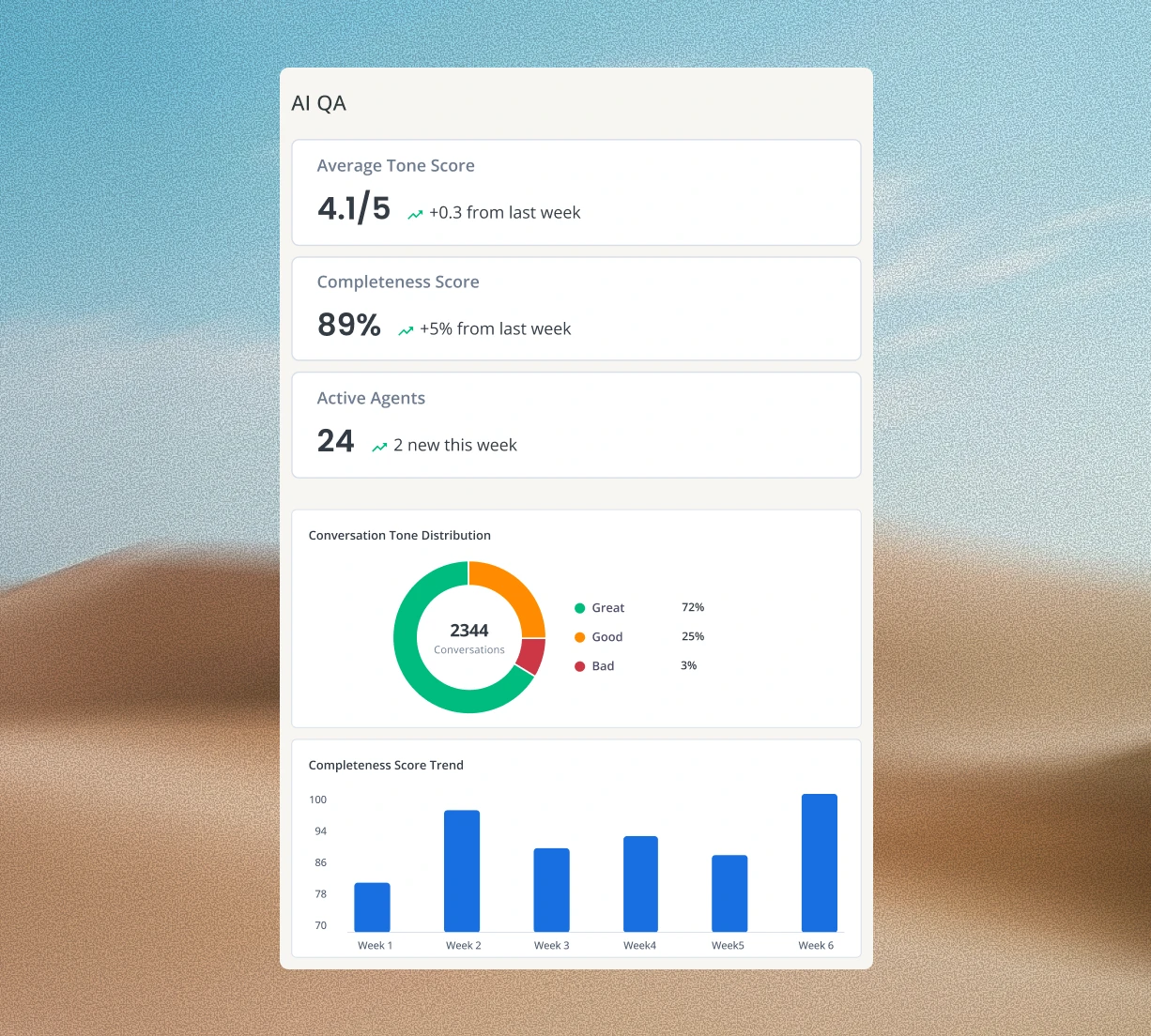
- AI QAEvaluates conversations and highlights quality gaps so teams can coach better and improve performance at scale.
- AI InsightsComing soonAnalyzes conversation data to reveal trends, inefficiencies, and opportunities for improvement.
Everything in Pro, plus:
Workflows
- Skill-based routingAutomatically assign conversations to team members based on their skill-set. For ex: emails containing the word ‘Reimbursement’ will be assigned only to the payroll specialists in the Finance team.
- Custom ObjectsImport external data from your CRM or an Excel sheet to create dynamic automation rules.
- Individual to Shared Inbox rulesAutomatically move emails from individual inboxes to a Shared Inbox, based on the sender’s email address or domain.
Security & Compliance
- Custom RolesCreate and assign tailored roles with specific permissions to fit your team's unique workflow needs.
- HIPAA complianceHiver ensures the confidentiality and security of patient healthcare information.
- OKTA SSO integrationSimplify access management with the convenience of single-sign-on functionality powered by Okta app integration.
Support
- Additional success servicesGet a customer success manager who will help and guide you to maximize value from Hiver platform including premier onboarding.
- Custom build hoursGet help with custom API and integration development.
Hiver AI
available across all paid plans
Deploy Hiver AI across all stages of customer service.
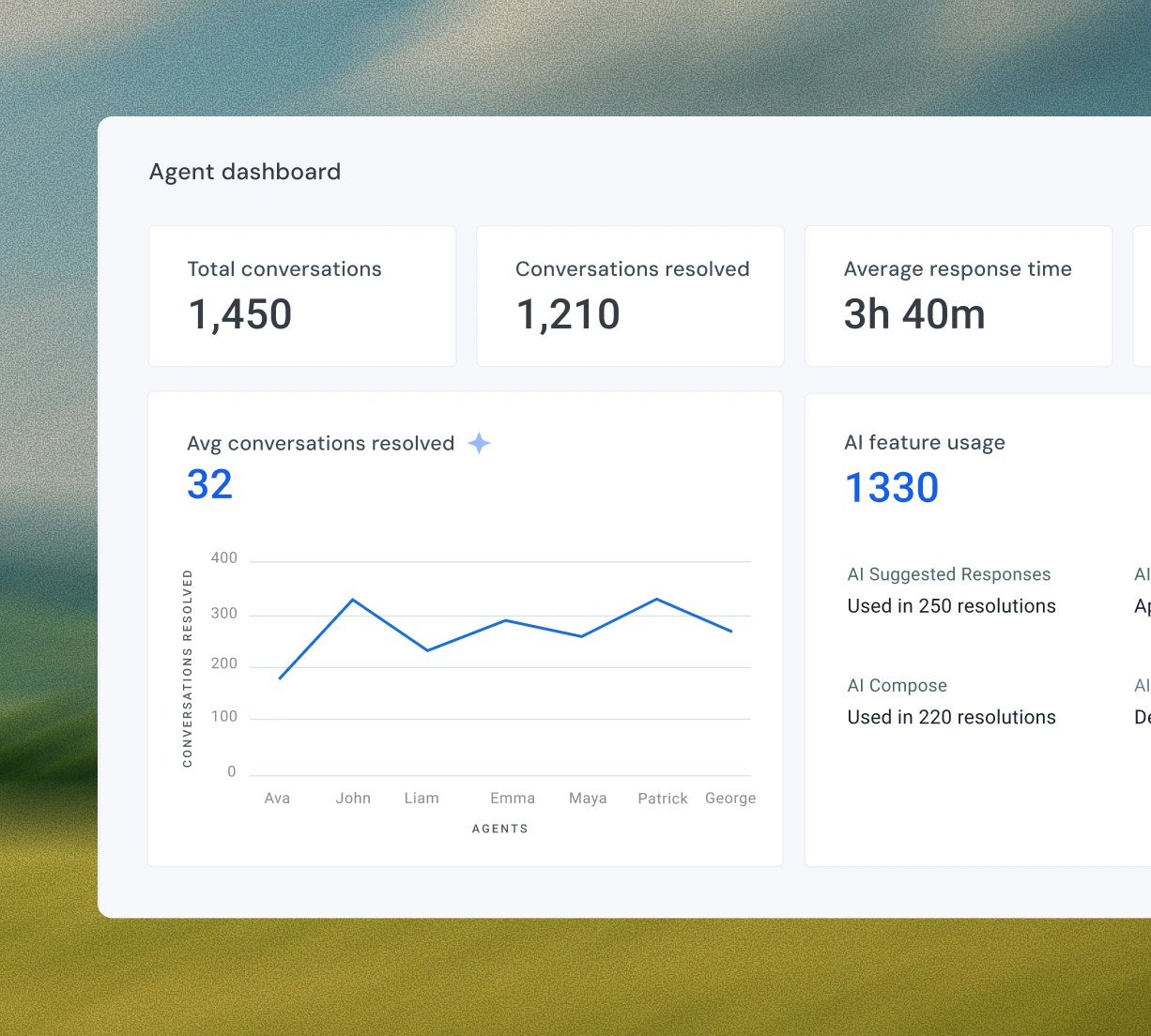
Autonomously resolve repetitive queries, extract key details, triage conversations, predict customer sentiment and auto-close thank-you replies, with minimal human effort.
- AI TaggingAutomatically categorize conversations by topic or type to improve routing and analytics.
- AI Sentiment AnalysisDetect tone and emotional signals to prioritize at-risk customers.
- AI ExtractPull structured info like order IDs or invoice amounts from emails into custom fields.
- AI Thank-you DetectorDetects closure phrases like “Thanks” or “Noted” and auto-closes resolved conversations.
- AI TasksEnhance Hiver Automations with AI-powered workflows by creating tasks you can automate at scale.
- AI ActionsComing soonHave your customer-facing AI Agent execute workflows like refunds, diagnostics, plan changes autonomously.
- AI AnswersInstantly answer common questions like order status, password resets, or basic policy inqueries — with no agent action required.
Contextually assist agents with AI. Draft context-aware replies, summarize long threads, refine responses, and proactively guide them towards a resolution.
- Ask AIFetch answers and next-best steps from your help center, SOPs, or past emails so you can respond and resolve faster.
- AI ComposeAdjust tone, grammar, and content to sound more empathetic, confident, and concise — all based on your brand tonality
- AI Suggested ResponseGet ready-to-send reply suggestions based on email context and knowledge base.
- AI SummarizerTurn long email threads into crisp summaries so agents can catch up faster.
Evaluate agent responses in real time for tone, grammar, and completeness. Coach your agents to ensure consistency and accuracy in every interaction.
- QA InsightsSurface quality insights and performance gaps — helping managers coach agents and refine processes over time.
- QA CoachEvaluate agent responses in real time — checking for tone, grammar, and completeness before it’s sent to ensure consistency and accuracy across every interaction.
Uncover conversation trends, flag quality gaps, score performance automatically, and surface coaching opportunities to improve service quality.
- AI ROI AnalysisComing soonShows where AI helps the most, and gathers input to improve suggestions over time
- AI TopicsComing soonAutomatically group customer conversations into meaningful themes, so you can spot trends.
- AI Customer HealthComing soonProvides a snapshot of current customer health and sentiment, e.g., DSATs, open issues, or volume spikes.
- AI Conversation InsightsComing soonAnalyze all customer conversations to surface trends, sentiment, bottlenecks, and actionable recommendations, so teams can improve their support quality and performance.
Hiver AI✦
Meet Hiver AI, your smart teammate for
all customer service touchpoints.
AI Copilot
Assist your team with contextual guidance in every conversation.
- AI SummarizerTurn long email threads into crisp summaries so agents can catch up faster.
- AI ComposeAdjust tone, grammar, and content to sound more empathetic, confident, and concise — all based on your brand tonality.
- Ask AIFetch answers and next-best steps from your help center, SOPs, or past emails so you can respond and resolve faster.
- AI Suggested ResponseComing soonGet ready-to-send reply suggestions based on email context and knowledge base.
AI Agents
Have AI autonomously carry out key actions without human intervention.
- AI TaggingAutomatically categorize conversations by topic or type to improve routing and analytics.
- AI Sentiment AnalysisDetect tone and emotional signals to prioritize at-risk customers.
- AI ExtractPull structured info like order IDs or invoice amounts from emails into custom fields.
- AI AnswersComing soonInstantly answer common questions like order status, password resets, or basic policy inqueries — with no agent action required.
- AI TasksComing soonTrigger workflows based on tags, sentiment, or keywords, without manual setup.
Frequently Asked
Questions
Is there a free version of Hiver?
Hiver has a free plan that comes with unlimited users and is ideal for teams who want basic triage capabilities to deliver stellar service across email, chat, WhatsApp, and voice.
How does the 7-day free trial work?
When you sign up, you instantly get access to our Elite plan for 7 days. We will email you when your trial expires. You can then select a plan and pay by credit card to purchase the product. If you choose not to continue, your account will be suspended.
Do I need a credit card to sign up?
No, you do not. You will only be required to input your credit card information when you upgrade to a paid subscription.
Which features can I use during the trial?
During your trial, you will have full access to the Elite plan without any limits and 24/7 priority support so you can experience the best of Hiver.
What happens at the end of my trial period?
If you do not upgrade your Hiver account during your trial period, your account will be suspended at the end of your trial. You can then either choose the free plan or re-activate your account by upgrading within 7 days from the date of the end of your trial.
I’m still evaluating Hiver. Can I request an extension of my trial?
Yes, just write to us at [email protected], and we’ll be happy to extend your trial to support your evaluation.
Can I pay for Hiver monthly?
Yes, all plans can be purchased month-to-month without a yearly contract. However, we urge you to take advantage of the annual discount to save up to 20% on your subscription cost.
Does Hiver offer discounted plans to nonprofits and NGOs?
Hiver is a proud supporter of organizations that do great things around the world. That’s why we offer discounted pricing for qualified nonprofit organisations. Schedule a demo to learn more about our pricing.
I’m migrating from another help desk to Hiver. Do you help with that?
Absolutely! We’ll help you migrate your data at no extra cost. Schedule a demo to see how we can assist with the migration.
How secure is Hiver?
Protecting your data’s confidentiality, integrity, and availability is central to our mission. Hiver is GDPR, SOC 2 Type II, ISO 27001, CCPA, and HIPAA compliant.
How do I import my existing emails to my Hiver shared inbox?
You can import up to 50 emails when setting up a Shared Inbox. Need to import more? Just write to us at [email protected], and we’ll help you with the process.
Do I need to pay for all my Google or Outlook account users?
No. You just pay for the users you enable to access Hiver. You can control this from within Hiver and change the users anytime. If you add new users to your Google or Outlook account, you can easily add them to Hiver.
Do you have any mobile apps?
Yes, the platform is available on both iOS and Android devices. You can download them from the Apple or the Google Play Store. Learn more here.


