The LabEx Online Python Interpreter and Playground offers a comprehensive online Python interpreter and sandbox environment, providing users with a full Python experience without local setup requirements. This versatile platform caters to Python beginners, experienced developers, and data scientists alike, offering an ideal space for exploration and experimentation with various Python technologies.
Using the LabEx Online Python Interpreter
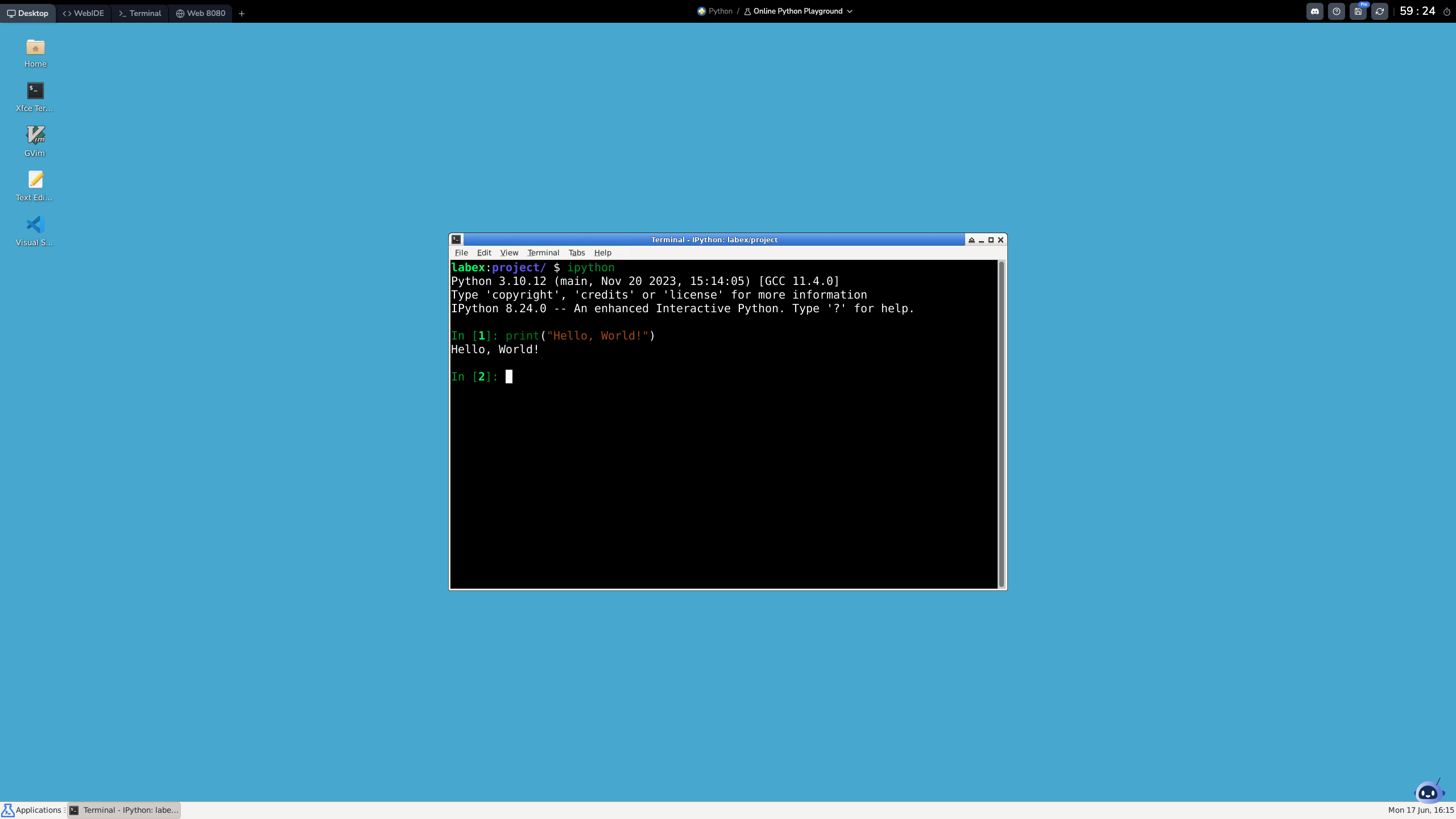
The LabEx Online Python Interpreter and Playground provides a user-friendly interface for interacting with a complete Python environment running on Ubuntu 22.04.
The embedded Online Python Interpreter below is a lite version. You can try out basic Python commands here. For the full experience, including features like Desktop and WebIDE, please visit the complete Online Python Interpreter and Playground.
Key Features and Navigation
Our Online Python Interpreter and Playground is designed for a seamless experience with powerful features:
Multiple Interfaces: Switch between a graphical Desktop, a WebIDE (VS Code), a command-line Terminal with an integrated Python interpreter, and a web preview on port 8080.
Environment Controls: Easily save or restart your environment from the top-right corner.
Full Python Experience: Get a complete Python interpreter environment with full access to install packages and perform Python development tasks.
AI-Powered Assistance: Labby, our AI assistant, is ready to help you with code, commands, and concepts.
Versatility and Convenience: No local setup required. Access your Online Python Interpreter from any device with a web browser.
Our Online Python Interpreter and Playground combines a full Python interpreter environment with cloud accessibility and AI assistance. It's the perfect platform for both beginners and experienced developers to build their Python skills.
Python Skill Tree on LabEx
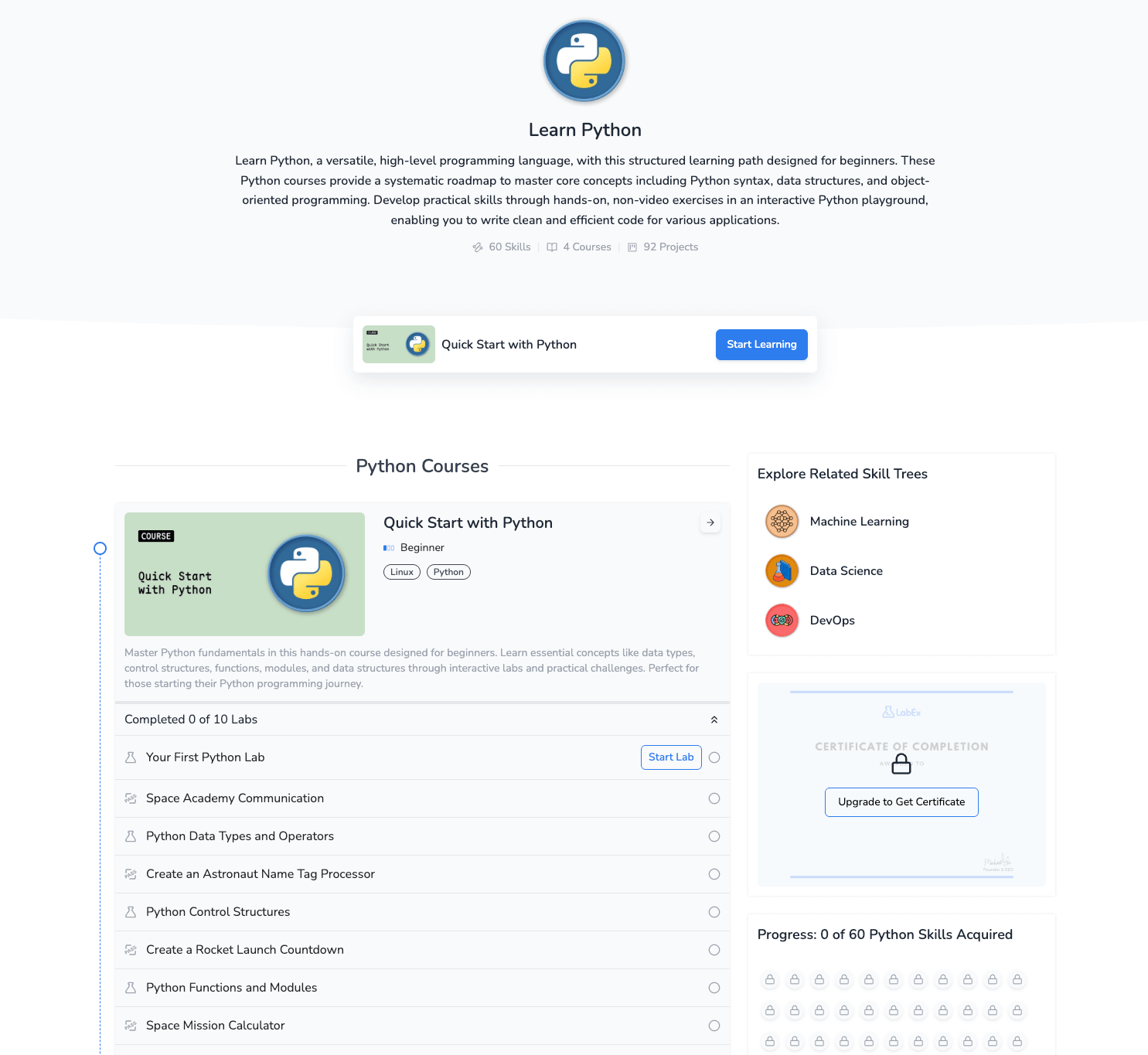
The Python Skill Tree on LabEx covers a wide range of essential Python skills, organized into several skill groups. Here's a detailed overview:
Basics
Fundamental Python concepts and syntax:
Syntax: Basic structure and rules of Python code
Data Types: Understanding and working with various data types (e.g., int, float, str, list, dict)
Control Structures: Implementing conditional statements and loops
Functions: Defining and calling functions, understanding scope
Input/Output: Handling user input and displaying output
Error Handling: Using try/except blocks for exception handling
Object-Oriented Programming (OOP)
Building and working with classes and objects:
Classes and Objects: Creating and using custom classes
Inheritance: Implementing inheritance relationships between classes
Polymorphism: Utilizing method overriding and overloading
Encapsulation: Using access modifiers and properties
Magic Methods: Implementing special methods like __init__, __str__, etc.
Data Structures and Algorithms
Efficient ways to store and manipulate data:
Lists and Tuples: Working with sequence data types
Dictionaries and Sets: Utilizing hash-based collections
Stacks and Queues: Implementing and using these abstract data types
Sorting Algorithms: Understanding and implementing various sorting methods
Searching Algorithms: Implementing linear and binary search
Big O Notation: Analyzing algorithm efficiency
File Handling and I/O
Working with external data:
File Operations: Reading from and writing to files
CSV and JSON: Parsing and creating structured data files
Database Interactions: Connecting to and querying databases (e.g., SQLite)
Web Development
Building web applications with Python:
Flask: Creating lightweight web applications
Django: Developing full-featured web applications
RESTful APIs: Designing and implementing APIs
Web Scraping: Extracting data from websites using libraries like Beautiful Soup
Data Analysis and Visualization
Tools for working with and presenting data:
NumPy: Performing numerical computations
Pandas: Manipulating and analyzing structured data
Matplotlib: Creating static, animated, and interactive visualizations
Seaborn: Generating statistical graphics
Machine Learning
Implementing machine learning algorithms:
Scikit-learn: Using machine learning algorithms for classification, regression, and clustering
TensorFlow and Keras: Building and training neural networks
Natural Language Processing: Processing and analyzing text data
Advanced Python
Specialized Python skills and concepts:
Decorators: Creating and using function and class decorators
Generators: Implementing and working with generator functions and expressions
Context Managers: Using the with statement and creating custom context managers
Multithreading and Multiprocessing: Implementing concurrent programming
Async Programming: Using async and await for asynchronous operations
Hands-on Labs
Practical, interactive labs to reinforce your Python skills:
Lab Exercises: Guided, step-by-step labs covering various Python topics
Challenges: Open-ended problems to test your problem-solving abilities
Projects: Comprehensive projects to apply your Python knowledge
For more detailed information and to start your Python learning journey, visit the Python Skill Tree on LabEx.
Begin Your Python Journey with LabEx Courses
For those new to Python, LabEx offers an excellent starting point with the "Quick Start with Python" course. This beginner-friendly course is designed to provide a solid foundation in Python fundamentals through practical, hands-on experience.
Quick Start with Python
This course comprises 10 labs that cover essential Python topics:
Your First Python Lab
Data Types and Conversion
Print Hello Python
Python Code Comments
Python Math and Augmented Assignment
Convert Hours to Seconds
Conditional Statements in Python
Python Data Structures Fundamentals
Variable Type Conversion
Exploring IPython's Interactive Computing Features
What sets LabEx courses apart is their hands-on approach. Instead of traditional lectures, you'll learn by doing in our Online Python Interpreter. This interactive method is backed by cognitive science research for better learning outcomes:
Active Learning: Actively engaging with the material improves retention. Our hands-on labs encourage you to apply concepts immediately.
Experiential Learning: Learning from experience is key. Our labs provide concrete scenarios to learn from your actions.
Cognitive Load Theory: We break down complex topics into manageable tasks, preventing cognitive overload and making it easier to learn.
Immediate Feedback: The Online Python Interpreter gives instant feedback, reinforcing learning and accelerating skill acquisition.
LabEx courses combine theory with practical application, providing an effective way to master Python. The Online Python Interpreter is your personal sandbox to experiment and learn in a safe environment. This hands-on approach accelerates learning and builds real-world confidence. Whether you're starting out or refining your skills, our courses offer a proven, hands-on path to mastering Python.
Online Python Interpreter FAQ
To help you better understand and utilize the LabEx Online Python Interpreter, here are answers to some frequently asked questions:
What are the advantages of using Python over other programming languages?
Python offers numerous advantages, including:
Easy to learn and read, with a clean and straightforward syntax
Practice regularly in the Online Python Interpreter.
Experiment with different Python libraries and frameworks.
Use all available interfaces (VS Code, Desktop, Web Terminal with Python interpreter).
Apply your skills to personal projects.
By leveraging the LabEx Online Python Interpreter and our associated courses, you can accelerate your learning and prepare for real-world applications.
Summary
The LabEx Online Python Interpreter offers a comprehensive and powerful environment for learning and working with Python. With its multiple interfaces, full Ubuntu 22.04 system with Python interpreter pre-installed, and integrated courses, it's the ideal platform for users of all levels.