Product updates
Keep track of announcements and product updates in MockFlow
Create, Brainstorm 3D Models in IdeaBoard – Games, Objects, Film & More
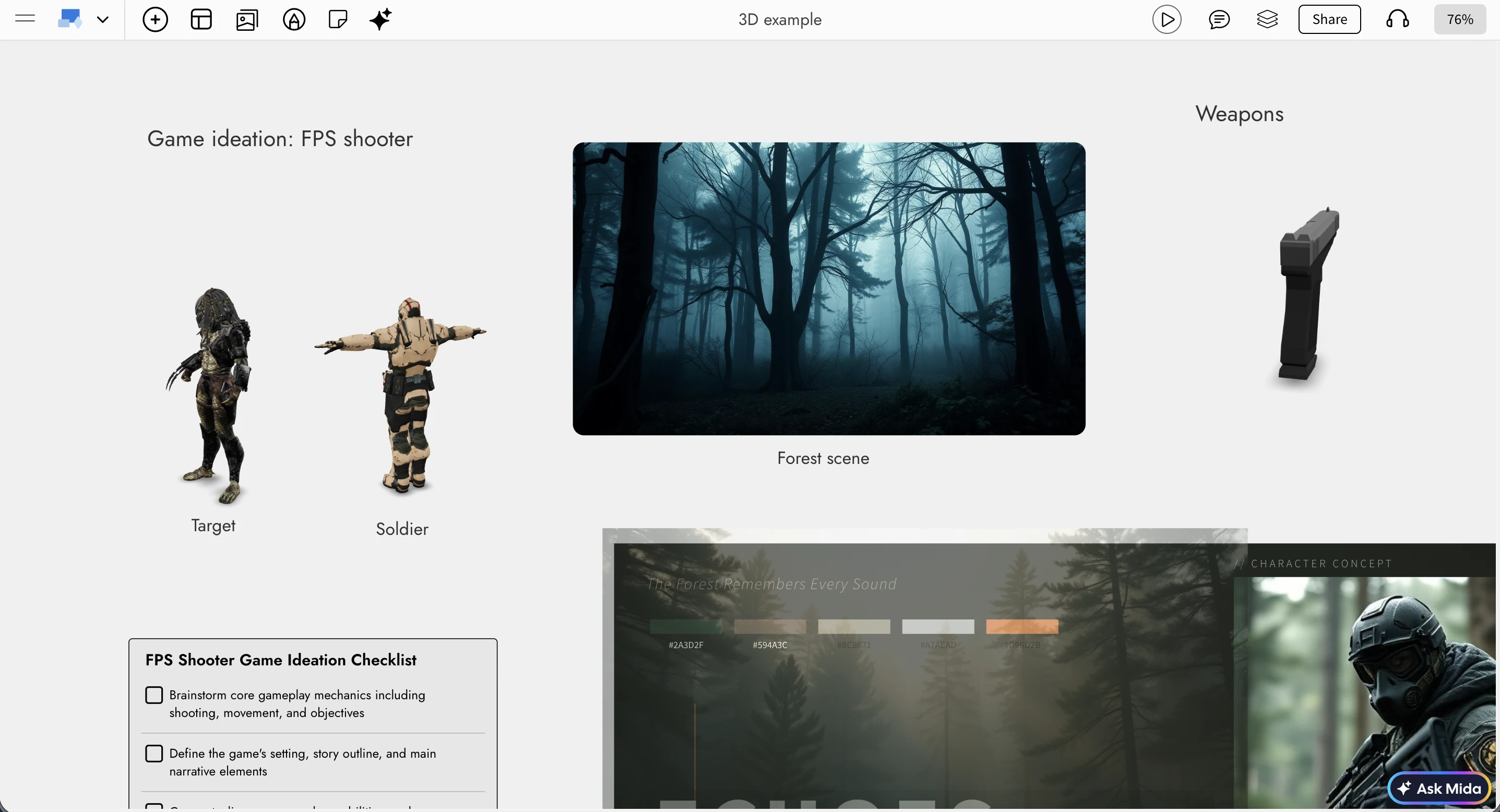
When whiteboard is digital, why restrict brainstorming to just sticky notes and images. There are many industries out there that use 3D designs. IdeaBoard now makes it easy to create, brainstorm with 3D objects (with AI) helping in ideation of games, interior designs, film , 3d print and more...
Whether you’re shaping early game concepts, visualizing product designs, or experimenting with film props and environments, IdeaBoard now gives your ideas real depth.
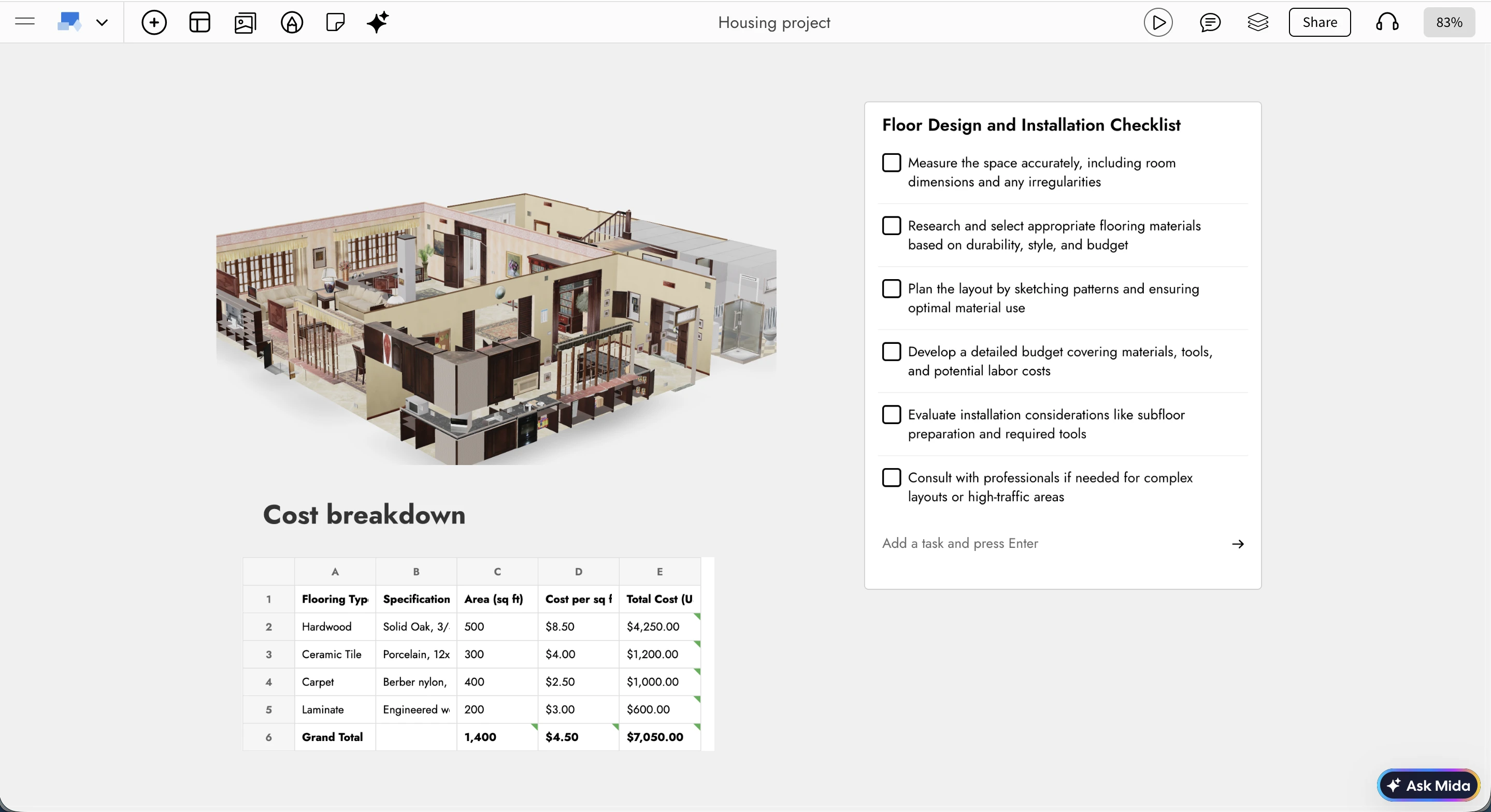
A New Dimension to Brainstorming
Brainstorming with 3D models adds an entirely new layer to visual thinking. You can now combine interactive 3D objects with everything you already use in IdeaBoard: sections, drawings, diagrams, notes, comments, reactions, images, and checklists.
This opens up powerful new use cases. You can build flow diagrams using 3D objects to explain iterations or transformations, create mood boards enriched with 3D assets for design inspiration, or plan projects visually by grouping 3D objects within sections and tracking progress through checklists. Teams can collaborate more clearly, align faster, and move from abstract ideas to tangible concepts right at the ideation stage.
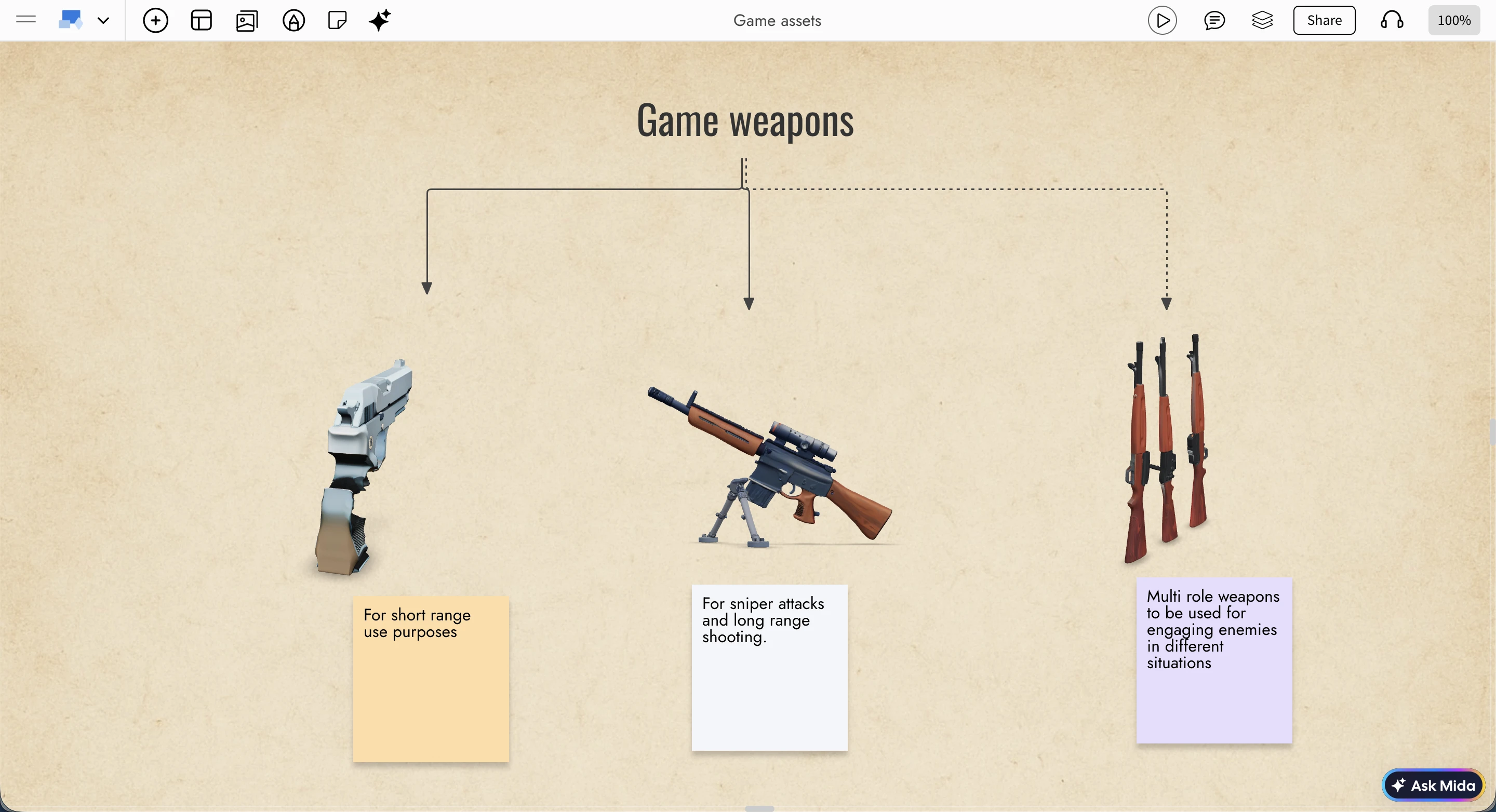
Advanced 3D Viewer Built for Whiteboarding
Unlike generic 3D viewers, IdeaBoard’s 3D viewer is built from the ground up specifically for whiteboarding and collaborative ideation. It’s fast, lightweight, and focused on the interactions that matter most during brainstorming.
You can auto-rotate a model for continuous viewing or switch to a fixed view that allows manual rotation, panning, and zooming. A wireframe mode is available for clearer inspection of structure and form, especially useful during early concept reviews. For focused exploration, models can be viewed instantly in full screen using the F key while interacting with them.
Create 3D Objects with AI
IdeaBoard doesn’t just let you import 3D models, it also helps you create them from scratch using AI. You can upload any 3D model in the popular GLB format, or skip imports altogether and start ideating directly in 3D.
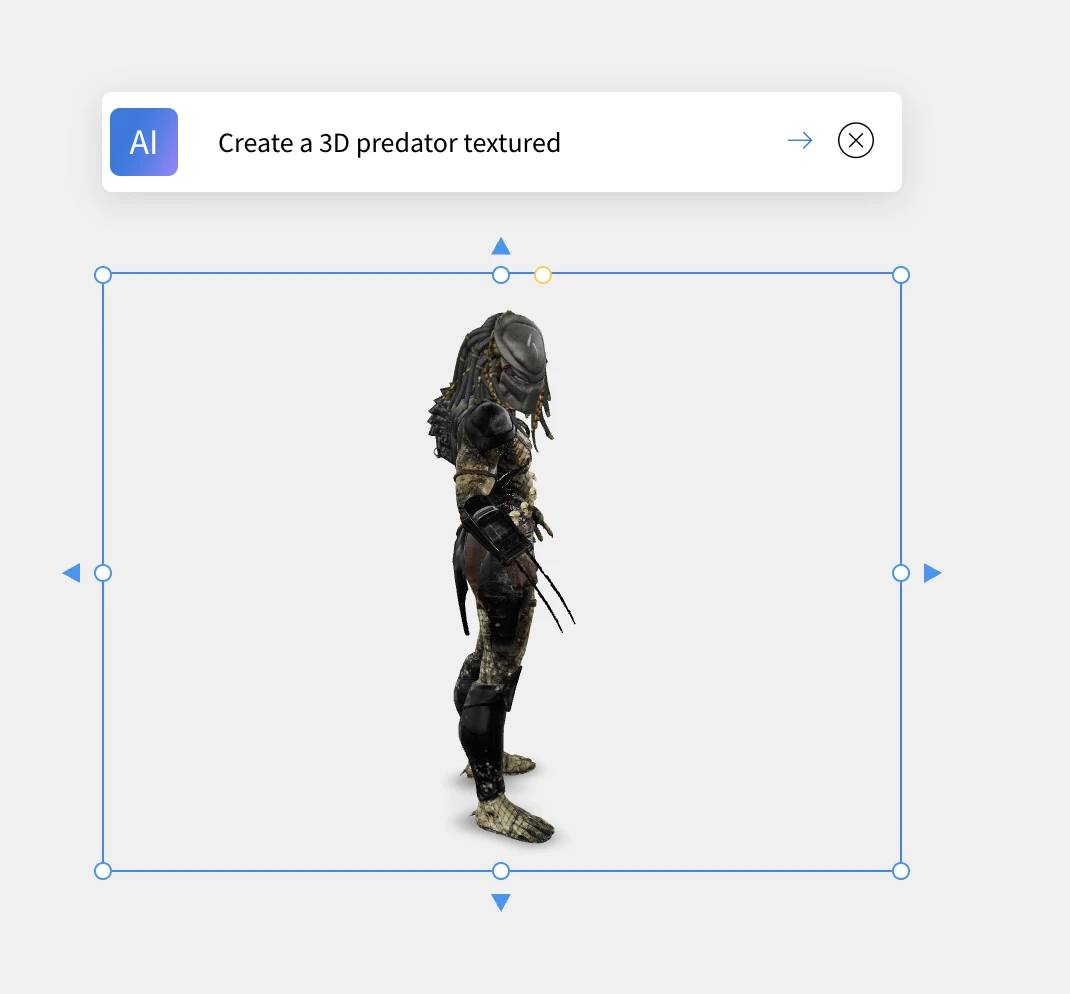
There are two AI-powered creation options. You can generate a 3D object from a text prompt—something as simple as "Make a Christmas tree" and see a model appear instantly. Alternatively, you can convert an existing image into a 3D object (as long as the image meets basic quality requirements for good results).
These features use your existing IdeaBoard AI credits, which can be topped up anytime, making it easy to experiment freely during brainstorming sessions.
Built for 3D-Driven Ideas
With native 3D brainstorming, IdeaBoard is now ideal for planning games, interior layouts, film concepts, manufacturing ideas, product prototypes, and any creative workflow that benefits from thinking in three dimensions. You can quickly explore early, imperfect ideas in 3D, refine them collaboratively, and evolve them visually without leaving your whiteboard.
In addition to native models, IdeaBoard also supports embedded viewers from platforms like Sketchfab, giving you even more flexibility to work with existing 3D content.
This update brings depth, clarity, and speed to visual ideation helping teams move from imagination to form, faster than ever.
ChatGPT app for IdeaBoard - now visualize without AI limits or signups
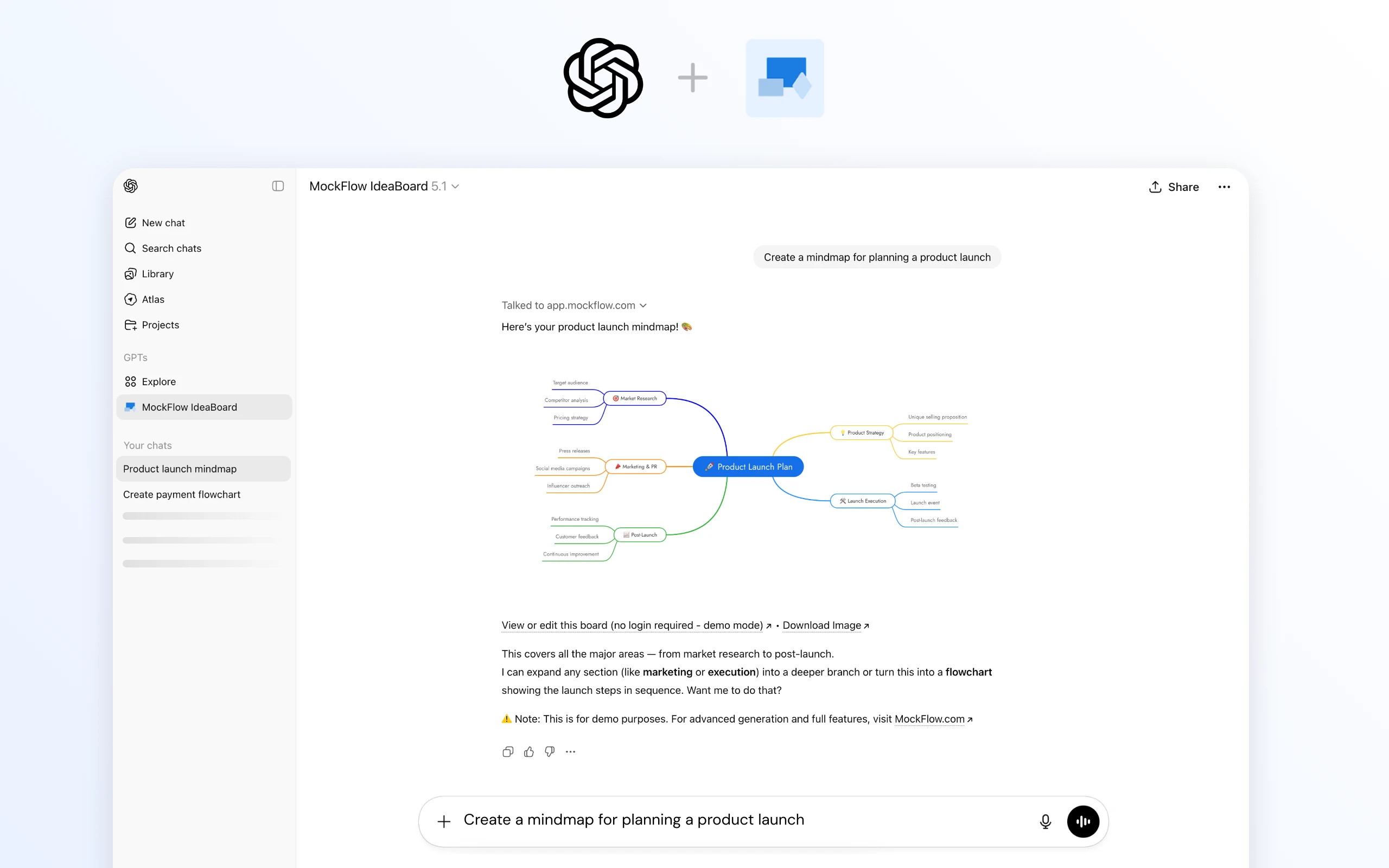
The new IdeaBoard ChatGPT app transforms ChatGPT from a text-only conversational assistant into a fully visual brainstorming companion. Instantly create mind maps, flowcharts, architecture diagrams, customer journey maps, spreadsheets, documents, and more directly inside your existing ChatGPT interface. No MockFlow account, no AI credit limits, and no setup required.
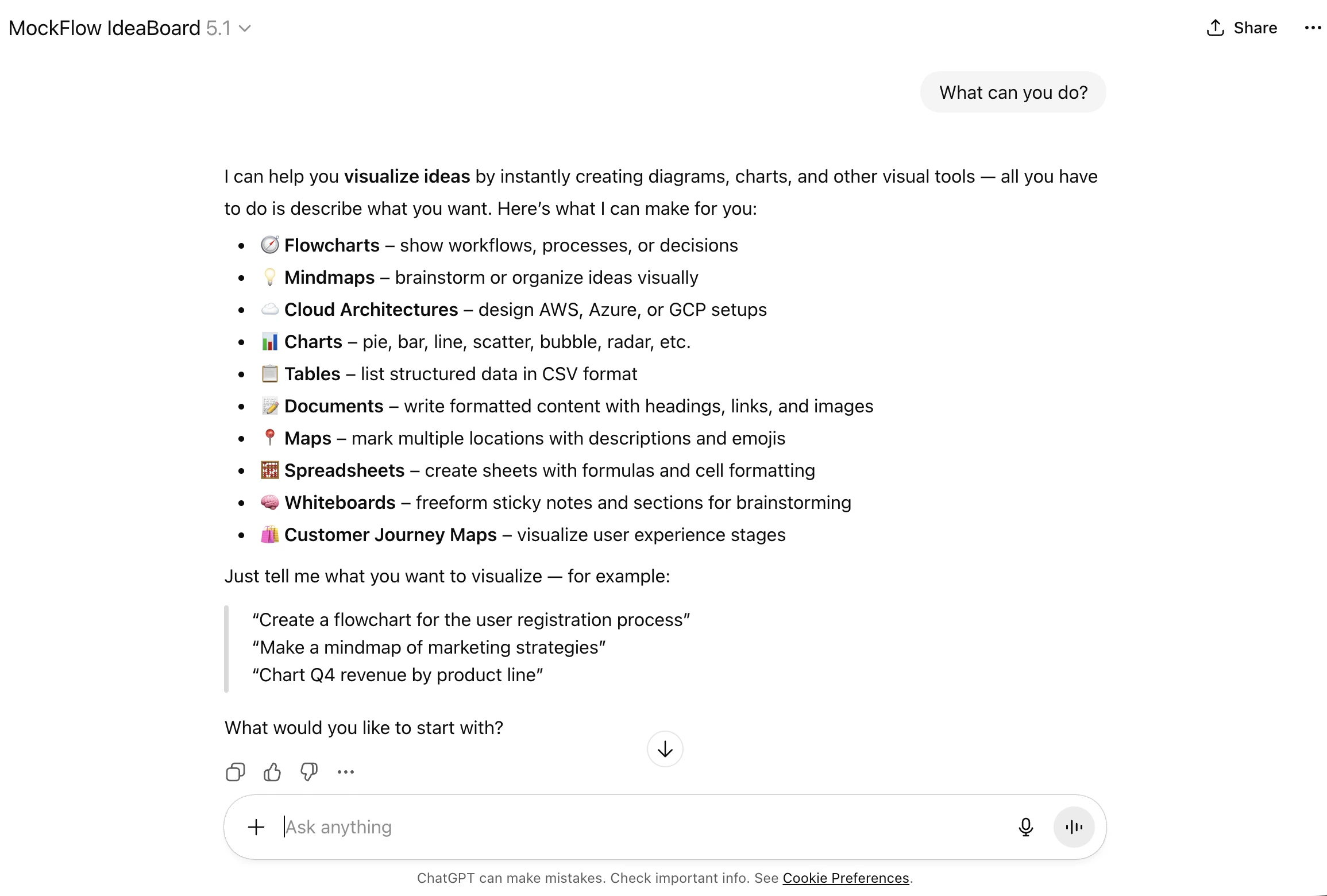
Getting Started
You likely need just one step:
- Open ChatGPT.
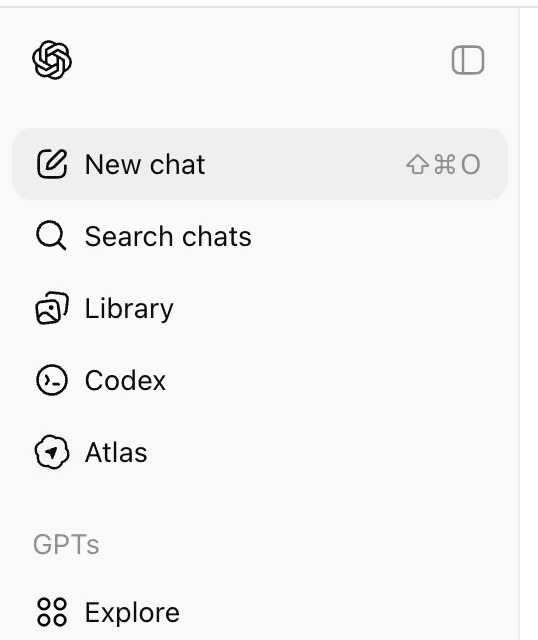
- Click Explore GPTs on the left sidebar.
- Search for "MockFlow IdeaBoard".
- Start chatting - no MockFlow login required, and no generation limits from our side.
Within seconds, ChatGPT will be able to output visuals instead of plain text.

How It Works
Once installed, the IdeaBoard action becomes available on all official ChatGPT apps in web, iOS, and Android.
- IdeaBoard provides a list of sample topics to try.
- You can also simply ask: “What can you do?” for a full capability overview.
- When you request something like: “Draw a flowchart for the payment process”,
- the IdeaBoard Visual API instantly generates the diagram and returns it to ChatGPT in a consistent, high-quality visual format.
This happens seamlessly in a few seconds everything stays inside your ChatGPT window.
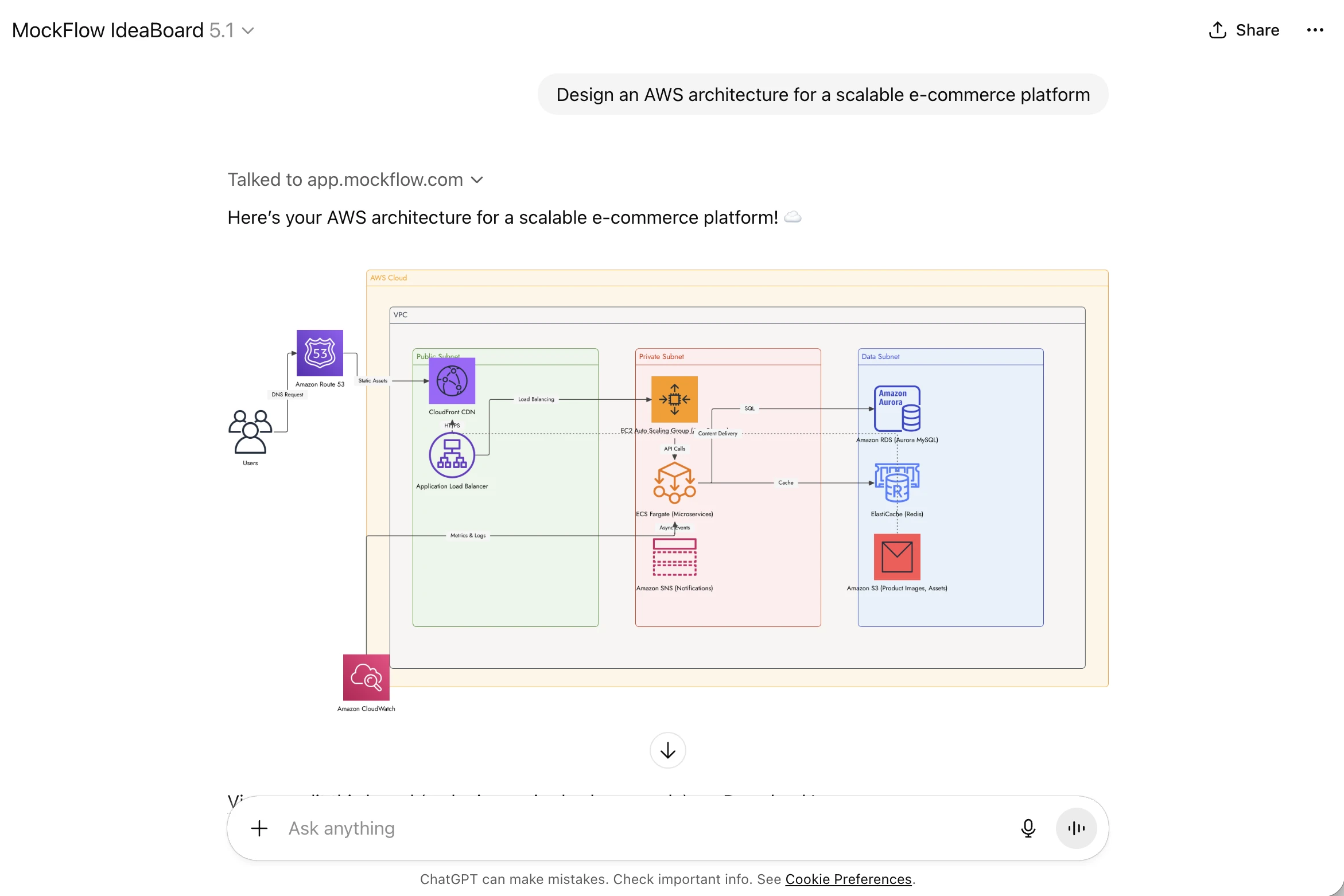
Why Not Just ChatGPT?
ChatGPT is exceptional at generating text, summaries, code, and even images.
But for structured visuals like flowcharts, mind maps, architecture diagrams, and brainstorming boards, native output formats are limited.
IdeaBoard fills this gap by offering:
- High-precision, purpose-built diagram rendering
- Consistent formatting across all visual types
- Editable and export-friendly outputs
You can compare the difference yourself by asking ChatGPT the same request with and without the IdeaBoard app installed.

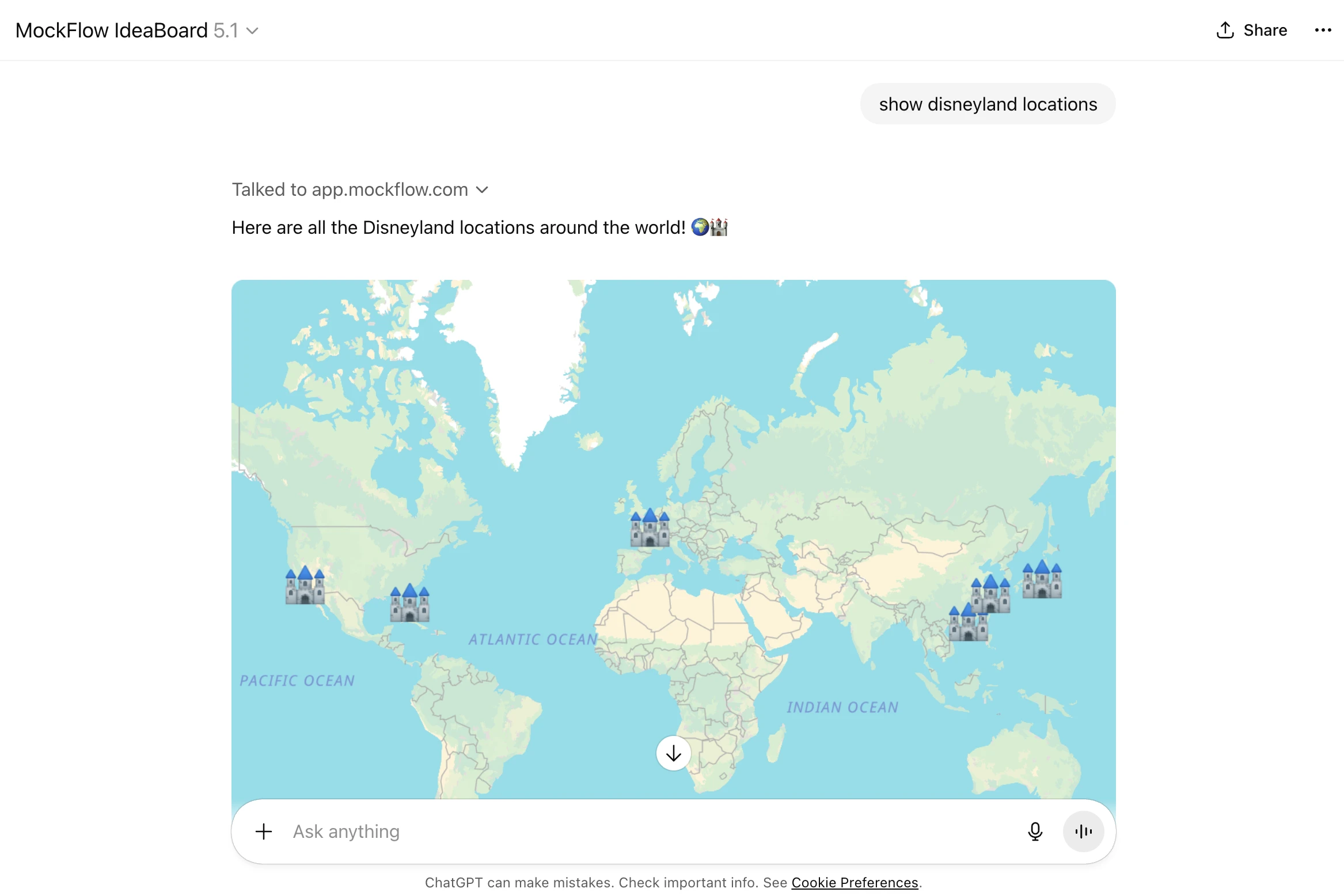
Can I Edit the Visuals?
Absolutely.
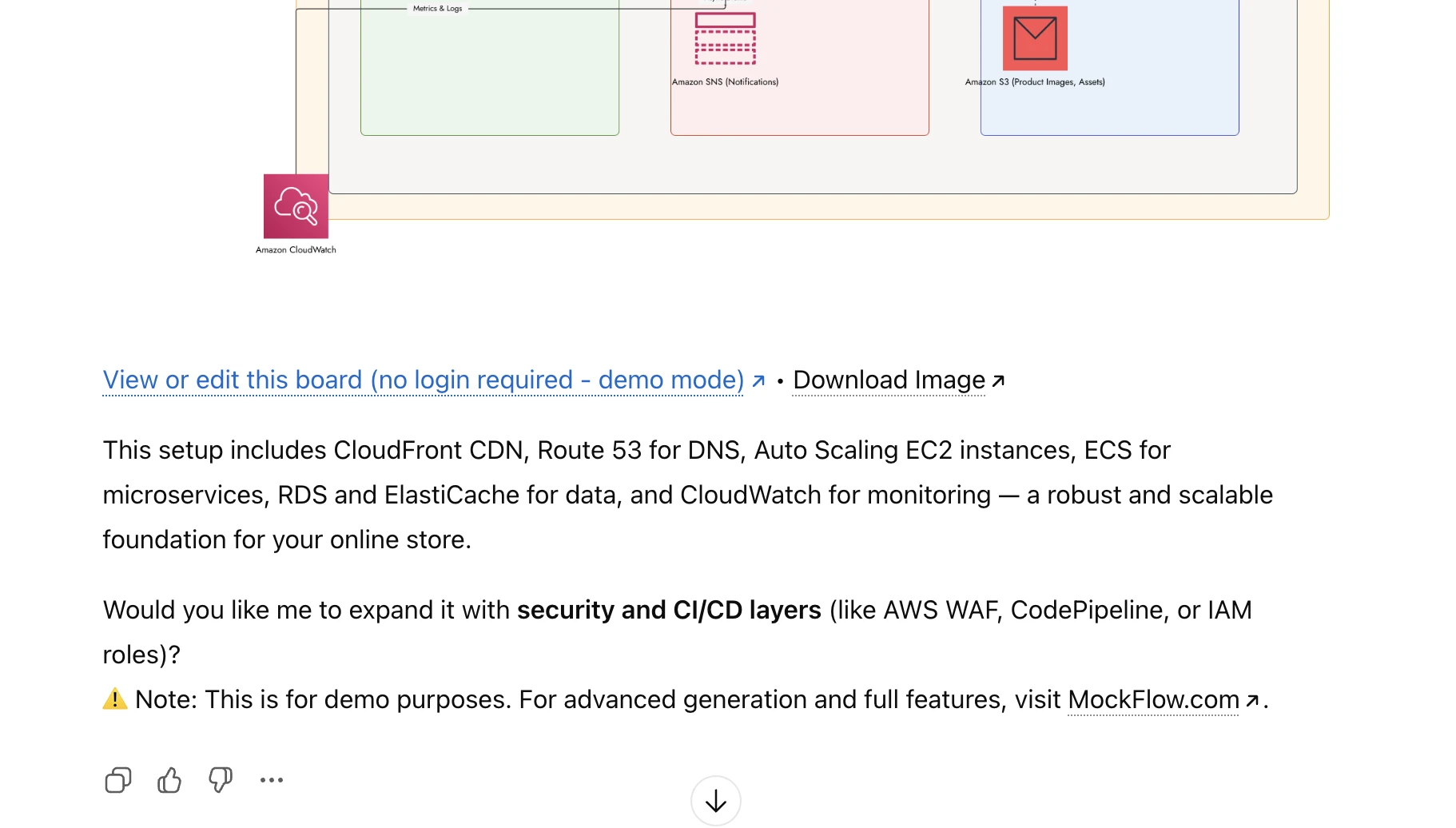
Every visual: flowcharts, user journeys, maps, brainstorm boards, flowcharts, cloud architecture diagrams and whatever supported is provided in two forms:
- A static image returned inside ChatGPT
- An editable, login-free demo project in IdeaBoard
Just click the “Edit” link to modify, refine, or export the visual.
No account is needed unless you want to save the board permanently to your MockFlow workspace.
Note: Login-less demo projects remain active for 24 hours and are deleted automatically afterward.
How ChatGPT Enhances Brainstorming in IdeaBoard
Beyond visualization, ChatGPT’s built-in capabilities supercharge your brainstorming workflow:
Voice-Driven Diagram Creation
Use ChatGPT’s voice mode to create visuals hands-free:
“Create a customer journey map for a food delivery app.”
Memory-Powered Iterations
ChatGPT remembers your conversation, so refining diagrams is effortless:
“Convert this bar chart into a table.”
“Expand the flowchart to include a manual review step.”
Brainstorm Using Your Files
Upload PDFs, study notes, PRDs, or documents and instantly convert them into structured IdeaBoard visuals like mind maps or workflows.
Mobile-Native Visualization
Use IdeaBoard seamlessly in ChatGPT for iOS or Android perfect for brainstorming on the go.
Pricing — Will I Be Charged?
No.
The ChatGPT app for IdeaBoard is 100% free to use.
- No generation limits
- No AI credits consumed by IdeaBoard
- No signup required
- Optional MockFlow login only if you want collaboration or advanced features
If you love the experience, we simply ask that you share the IdeaBoard ChatGPT app with your friends, colleagues, and teams.
👉 https://chatgpt.com/g/g-69359f625c208191bb28a24be729cd79-mockflow-ideaboard
About IdeaBoard
MockFlow IdeaBoard is a next-generation AI-powered whiteboard tool designed for visual thinkers. If you're coming from legacy brainstorming tools like Miro or Mural, IdeaBoard offers a faster, cleaner, and AI-first approach to mind mapping, flowcharting, and collaborative ideation.
Now reshape, modify and transform your ideas with IdeaBoard AI
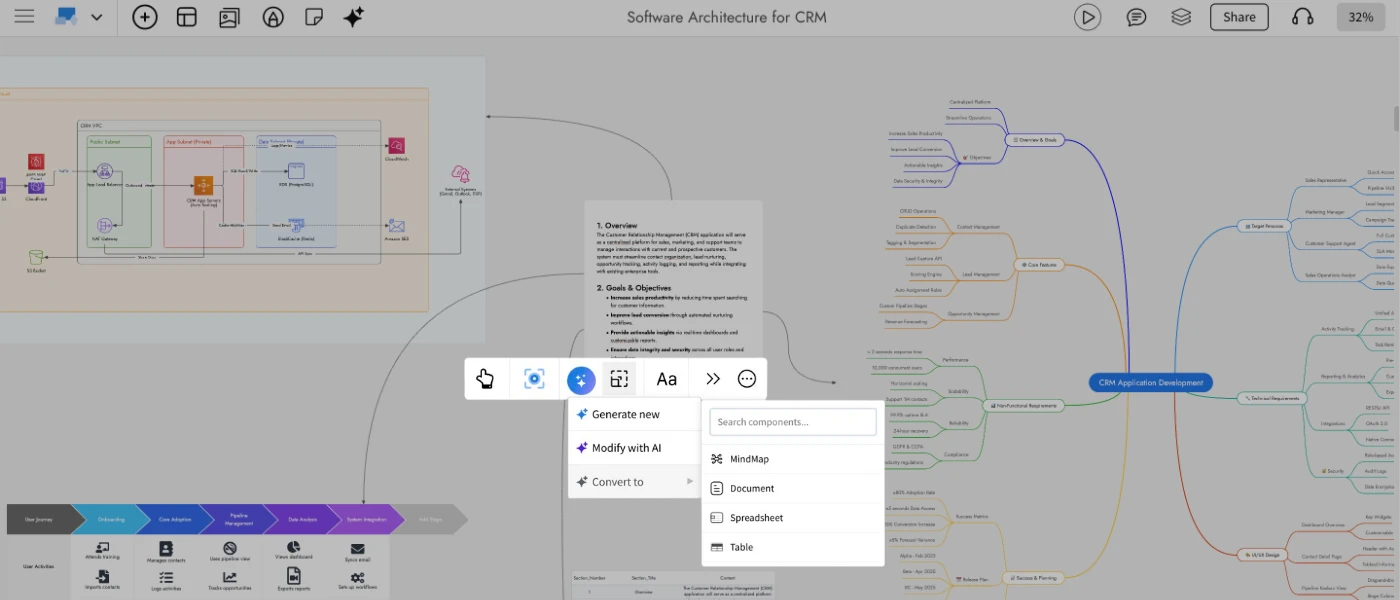
The latest IdeaBoard update brings powerful new AI driven transformations that let you reshape your ideas across formats with ease. Whether you want to turn a simple todo list into a structured mindmap, convert a data table into a document, or refine an existing component using a prompt- IdeaBoard AI now adapts to the way you think and work.
IdeaBoard has always offered a wide range of components for brainstorming, from basic stickies and documents to advanced diagrams like architecture maps and customer journeys. With AI, many of these can be generated or enriched instantly, for example, creating a mindmap for a social media plan or generating an AWS architecture diagram for a Netflix-like service. AI is not a requirement in IdeaBoard, but a creative accelerator that helps you ideate faster and get unblocked quickly.
Today’s release takes this one step further. You can now seamlessly reshape your concepts, update visual content, and transform ideas across formats all in a single click. Below is a look at what's new and how it elevates your brainstorming workflow.
Modify with AI
Use Modify with AI to enhance, refine, or clean up existing components without rebuilding them manually. Select any supported component — such as Maps, Documents, Tables, Lists, Stickies and open the Modify with AI option in the quick toolbar.
Enter a prompt describing what you want to change. Examples include:
- “Summarize this document.”
- “Add more locations to this map.”
- “Remove duplicate rows from this spreadsheet.”
IdeaBoard AI intelligently updates the selected component while preserving its structure.
Convert with AI
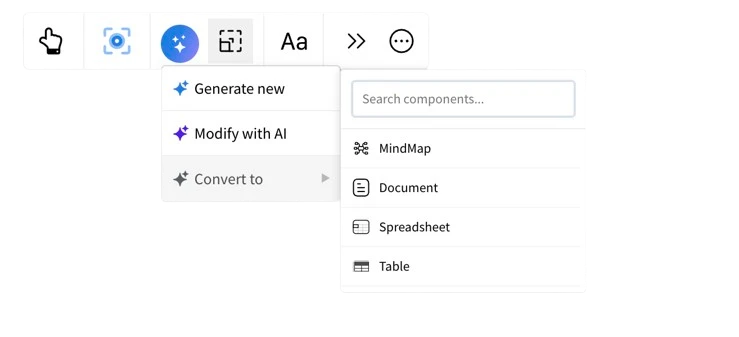
This feature unlocks an entirely new way to think visually. Convert with AI allows you to re-express the same idea in a different format offering fresh perspectives and new creative directions without starting from scratch.
Choose from a variety of supported output formats, including:
- Flowcharts
- Architecture diagrams
- Brainstorm clusters
- Moodboards
- Mindmaps
- Documents
For example, turn a long document into a flowchart, convert a table into a chart, or reshape a brainstorm group into a detailed technical model. It’s an effortless way to explore ideas through multiple lenses.
When converting between formats, you can also add an optional prompt to guide the AI and shape the output in a specific way. Once the new format is generated, IdeaBoard automatically draws a connection line from the original component to the transformed one, clearly indicating the relationship between the source and its new visualization.
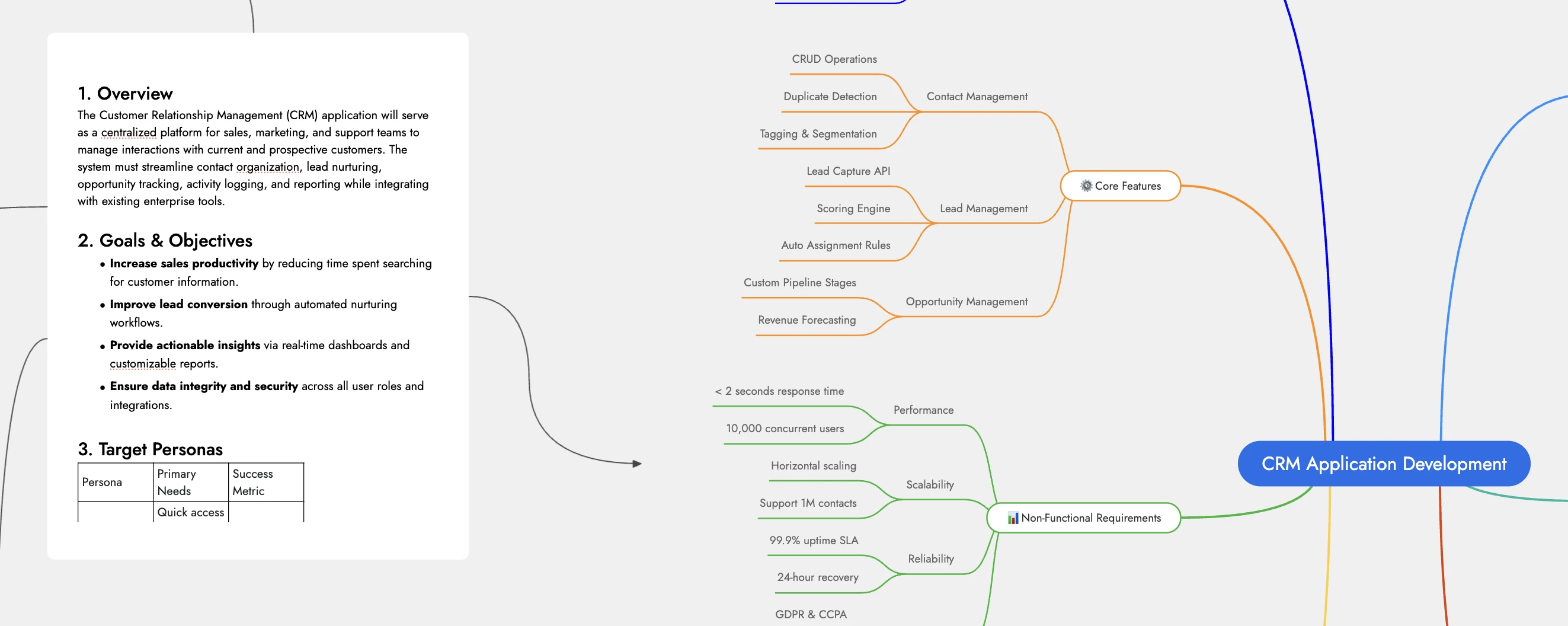
Use case scenarios:
- As in the hero example, a PRD document for a new CRM app can be instantly reshaped into a mindmap, an architecture diagram, or a customer journey — all in a click.
- Restructure any document with simple prompts, whether you need a translation, a summary, or a complete transformation.
- Convert a checklist into a clear process-oriented flowchart for easier execution and review.
- Turn a spreadsheet containing geo-tagged data into an interactive location-based map visualization.
WireframePro Chrome Ext Update — Now wireframe redesigns faster
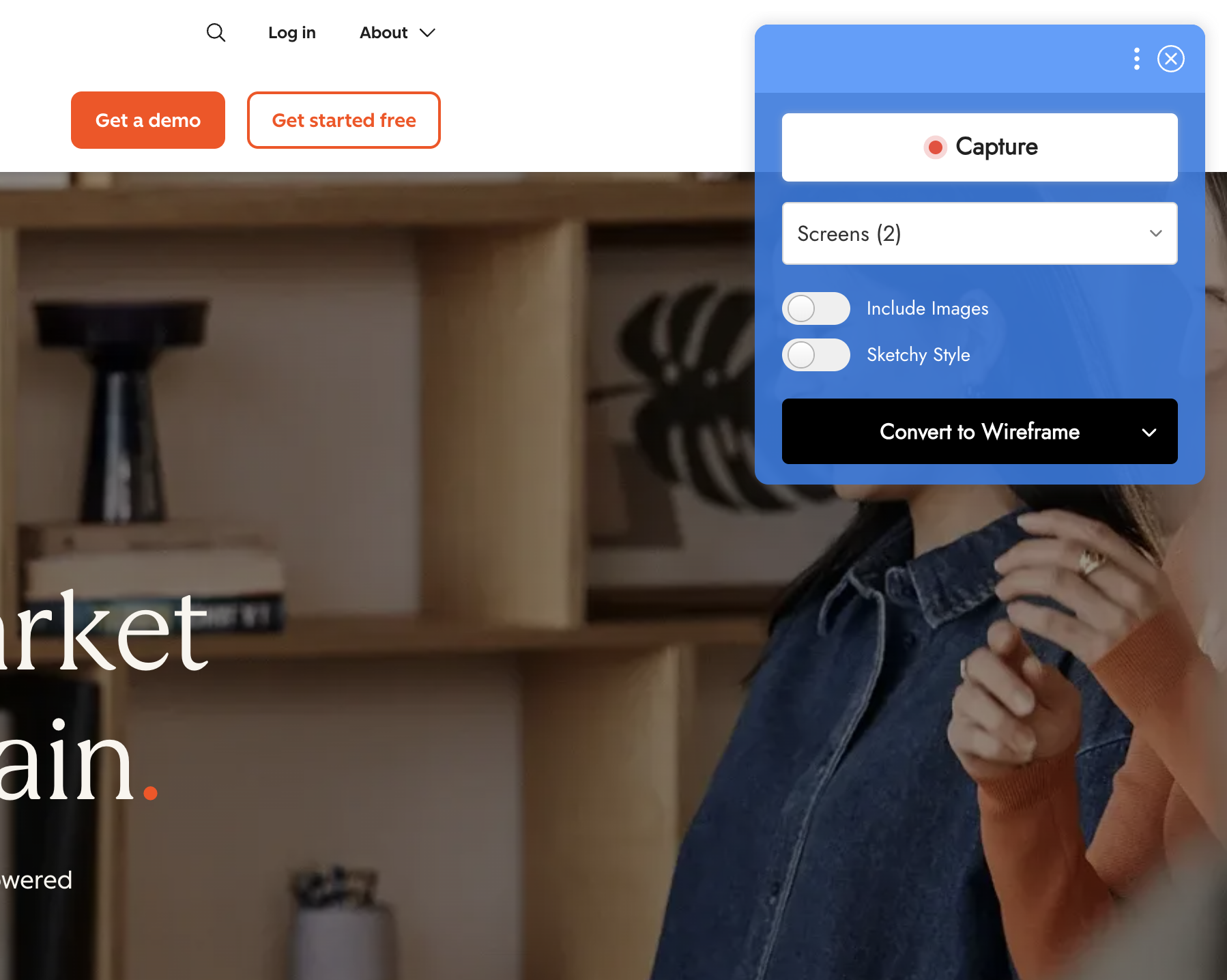

What’s New
A Refreshed Minimal UI
Multi-Screen Capture and Conversion
Free for All Plans
Live Presentations 2.0 in MockFlow — In-Sync View, Voice Support & Greater Control
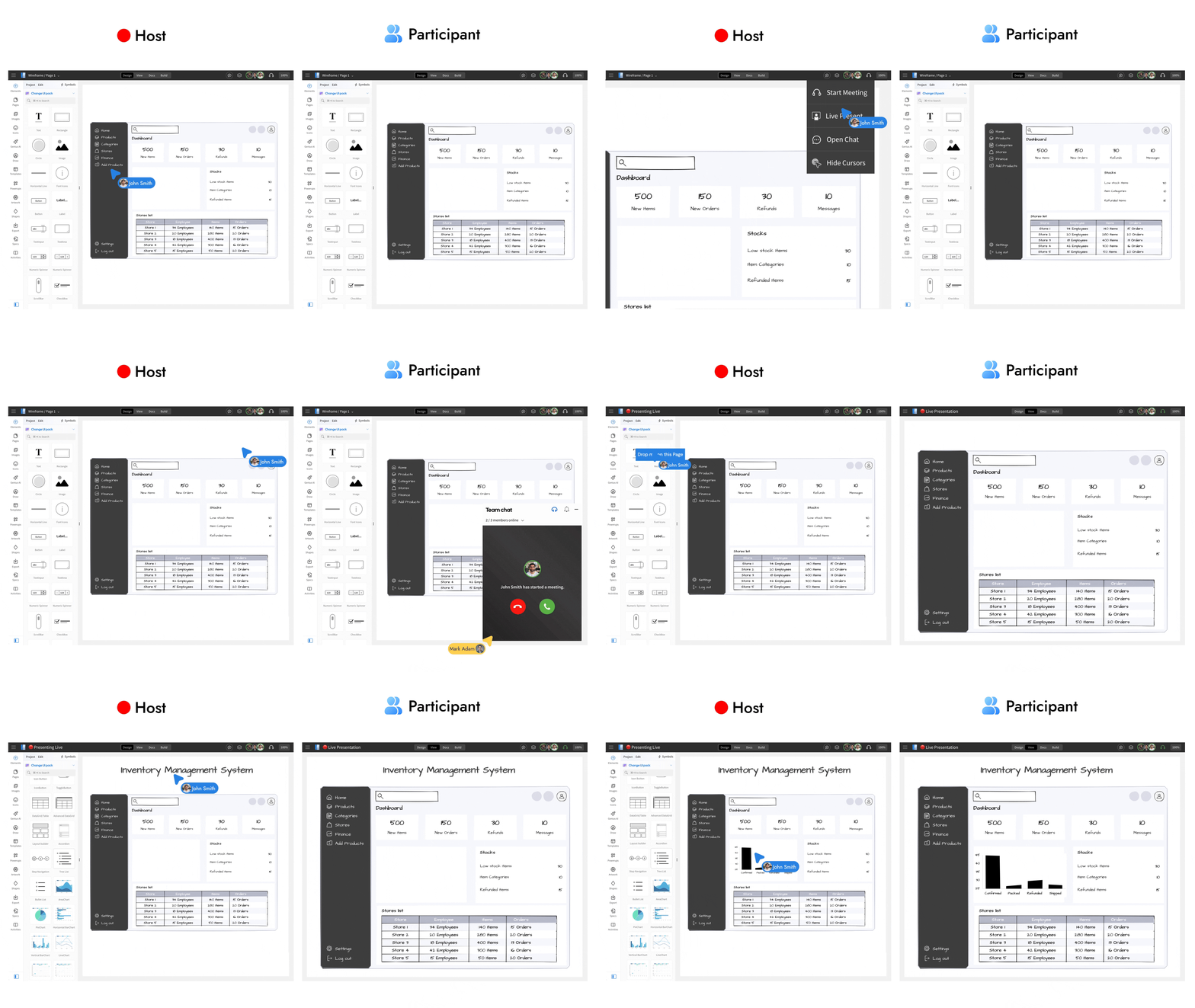
Enhance remote wireframing and brainstorming sessions with the all-new Live Present 2.0. This upgrade brings seamless in-sync navigation, built-in audio, easier access, and improved presentation flow for collaborative work.
What is Live Presenting in MockFlow?
Live Presenting allows you to share your wireframes or whiteboards with stakeholders such as clients, teammates, or investors in real time. Instead of screen sharing, everyone views the same project directly inside MockFlow, just as if they were gathered around the same screen. No downloads, installations, or browser extensions are required, collaborators simply open the shared link and join.
Easier access and joining experience
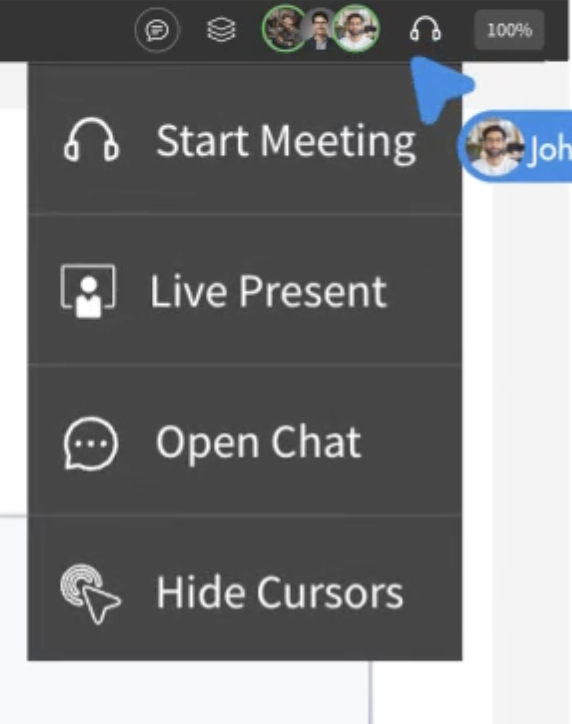
Starting a live presentation is now simpler. In both WireframePro and IdeaBoard, open the Collaboration menu and select Live Present from the top bar.
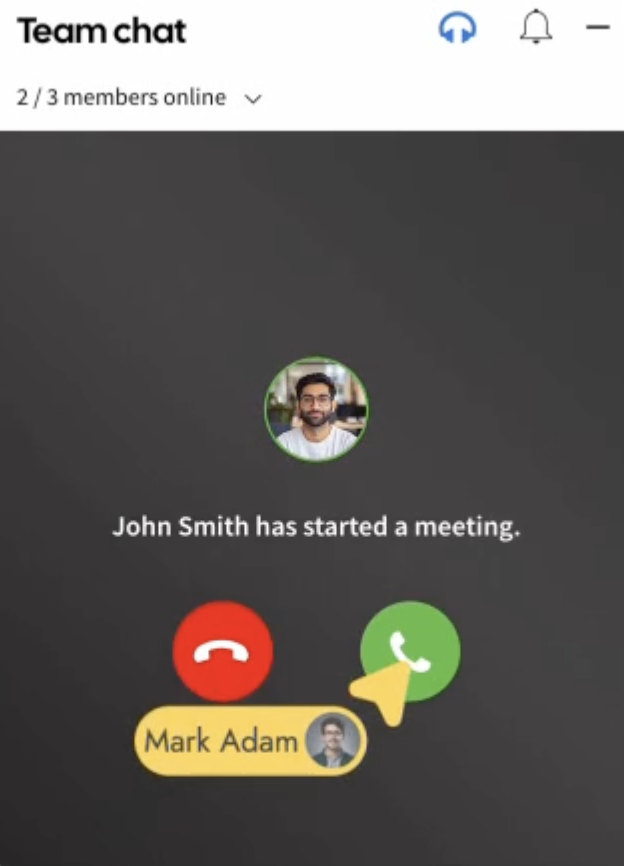
When collaborators have the project open or join midway they receive a visual alert with an audio chime, similar to an incoming call. One click on Accept brings them into the presentation instantly.
Clearer presentation state indicators
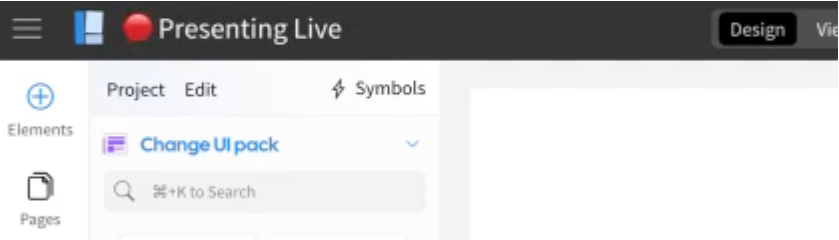
Live Present 2.0 introduces improved visual cues across the workspace. The header updates dynamically to show that a presentation is active, with separate states for presenters and audience. Hovering over the title provides more information about the session, ensuring every member understands whether they’re presenting or watching.
In-sync navigation
Once the session begins, the presenter controls navigation. Every scroll, zoom level, page change, or interaction is synchronized automatically across all viewers.
MockFlow adjusts positioning based on different screen resolutions and display densities so everyone sees the same content in the same way. This makes walkthroughs, non-linear navigation in IdeaBoard, and multi-page wireframe reviews fluid and intuitive.
Built-in audio and optional video
Live Presentations now start with the microphone enabled by default to keep presentations natural and conversational. Presenters can mute audio at any time and switch to in-app chat if needed.
Optional video can also be enabled from the collaboration bar to allow participants to see and hear the presenter, making remote sessions feel more personal and interactive.
A more connected and intuitive way to present
Live Present 2.0 delivers an upgraded remote collaboration experience that makes design reviews, brainstorming, and walkthroughs feel effortless and in-person — without screen sharing or meeting setup friction. This feature is available now for all paid plans in WireframePro and IdeaBoard.
Now create Non-Linear Presentations with Interactions in IdeaBoard
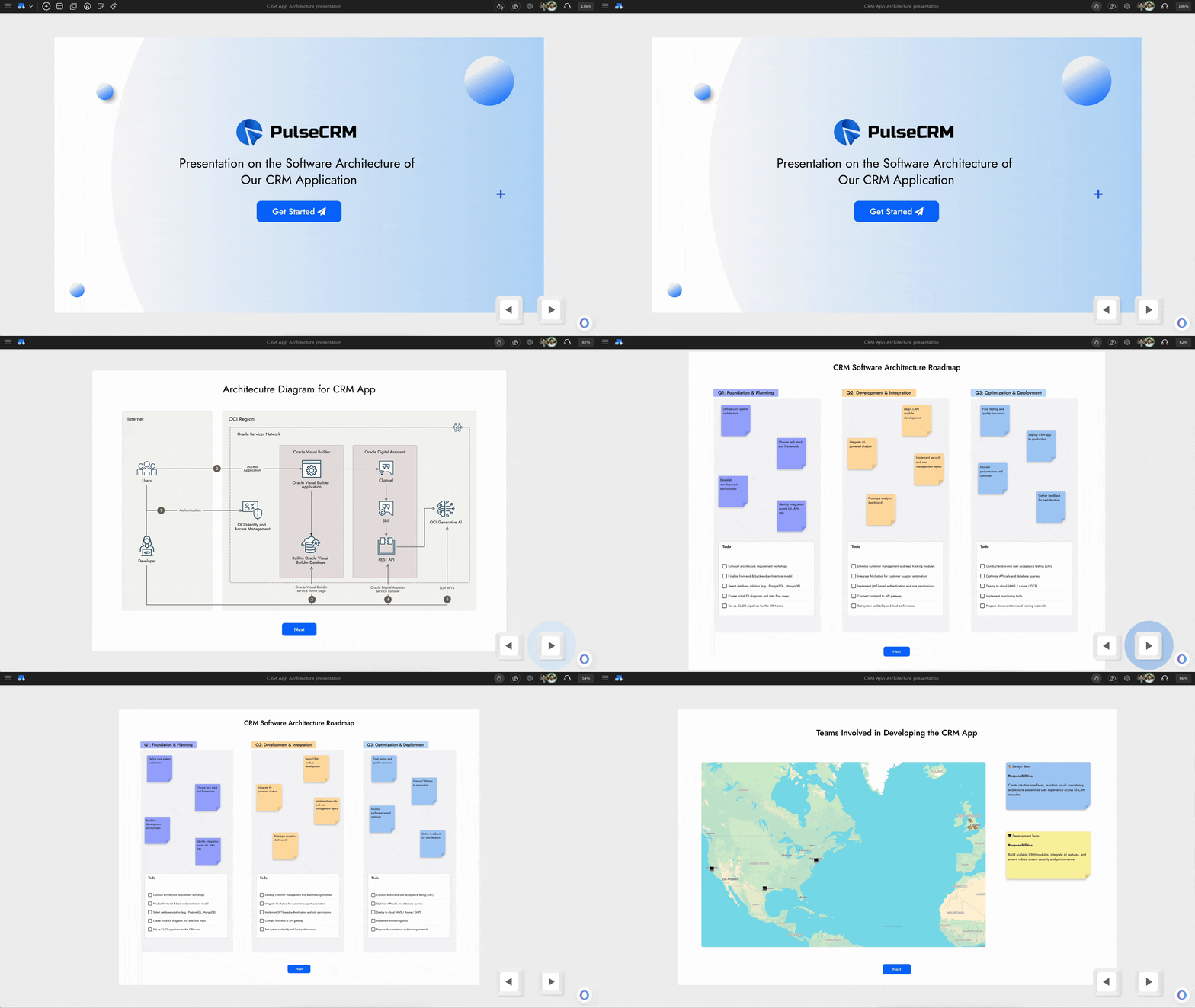
IdeaBoard now introduces interactive navigation between components, letting you craft dynamic, non-linear presentations with smooth zoom and scroll transitions. Engage your audience or team by turning any whiteboard into a clickable, guided experience perfect for storytelling, brainstorming walkthroughs, or product demos.
How to Add Interactions
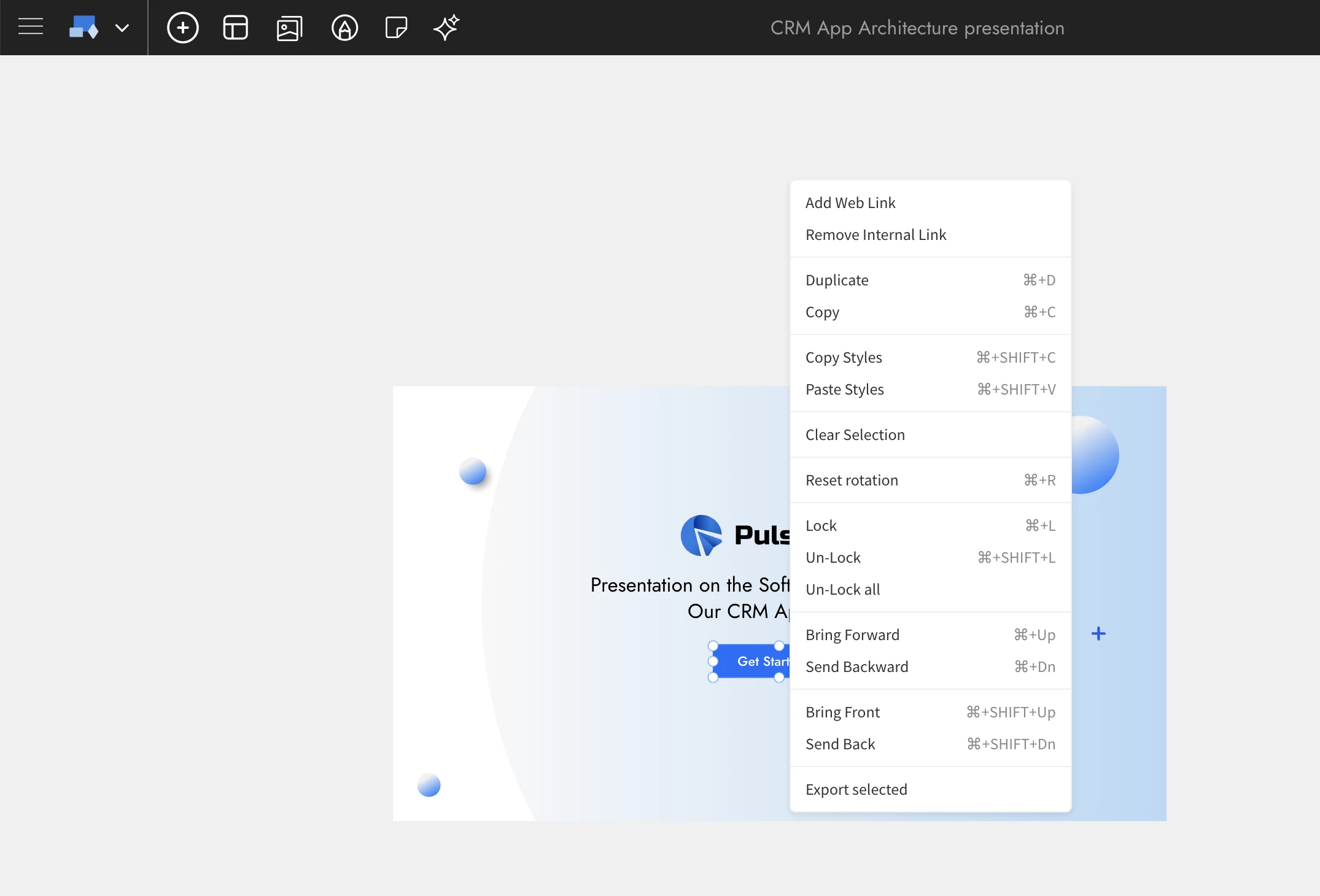
To get started, right-click on any supported component such as a button, sticky note, section, text box, or frame. You’ll see two new options in the context menu:
- Add Web Link: Create a hyperlink from your component to any external webpage or online resource.
- Add Internal Link: Connect one component to another within your whiteboard. You can link to large components like sections, mind maps, frames, or documents for presentation-style navigation.
By combining multiple internal links, you can establish a non-linear navigation path across different parts of your whiteboard, helping viewers explore ideas fluidly rather than following a rigid slide sequence.
How to Navigate Between Components
Once interactions are set up, click on any interactive component or use the right-arrow shortcut key to follow its link. IdeaBoard will automatically zoom and scroll to the target area, fitting it perfectly to your screen.
To return, press the left-arrow key—IdeaBoard remembers your navigation history, allowing seamless back-and-forth movement between connected components. This makes exploring complex boards effortless and immersive.
Use Cases for Interactive Whiteboards
Non-Linear Presentations:
Present ideas dynamically by jumping between sections based on audience input instead of following a fixed slide order. Perfect for brainstorming sessions, workshops, and agile reviews.
Interactive Storytelling and Product Demos:
Create narrative-style walkthroughs of user journeys or design concepts. Link wireframes, mockups, or idea clusters to demonstrate flow and context.
Flowcharts and Architecture Diagrams:
Showcase complex systems or workflows with interactive navigation. Link nodes, subsystems, or related diagrams to zoom into deeper layers of your architecture or process visualization.
Interactive Knowledge Maps and Documentation:
Build connected knowledge bases or process documents where each note or component links to supporting visuals or references, helping teams explore topics intuitively.
Training and Educational Boards:
Teachers and trainers can design guided learning paths—linking lessons, exercises, and examples into a structured yet explorative format that keeps learners engaged.
Sample demo: https://app.mockflow.com/iview/crmpresent#/mode/view
Final Note
With Interactions, IdeaBoard evolves from a whiteboard into an interactive presentation and storytelling platform. Whether you’re explaining workflows, teaching concepts, or mapping ideas, you can now guide your audience through your whiteboard with clarity, motion, and intent.
Enhanced Data Editor for Charts in WireframePro
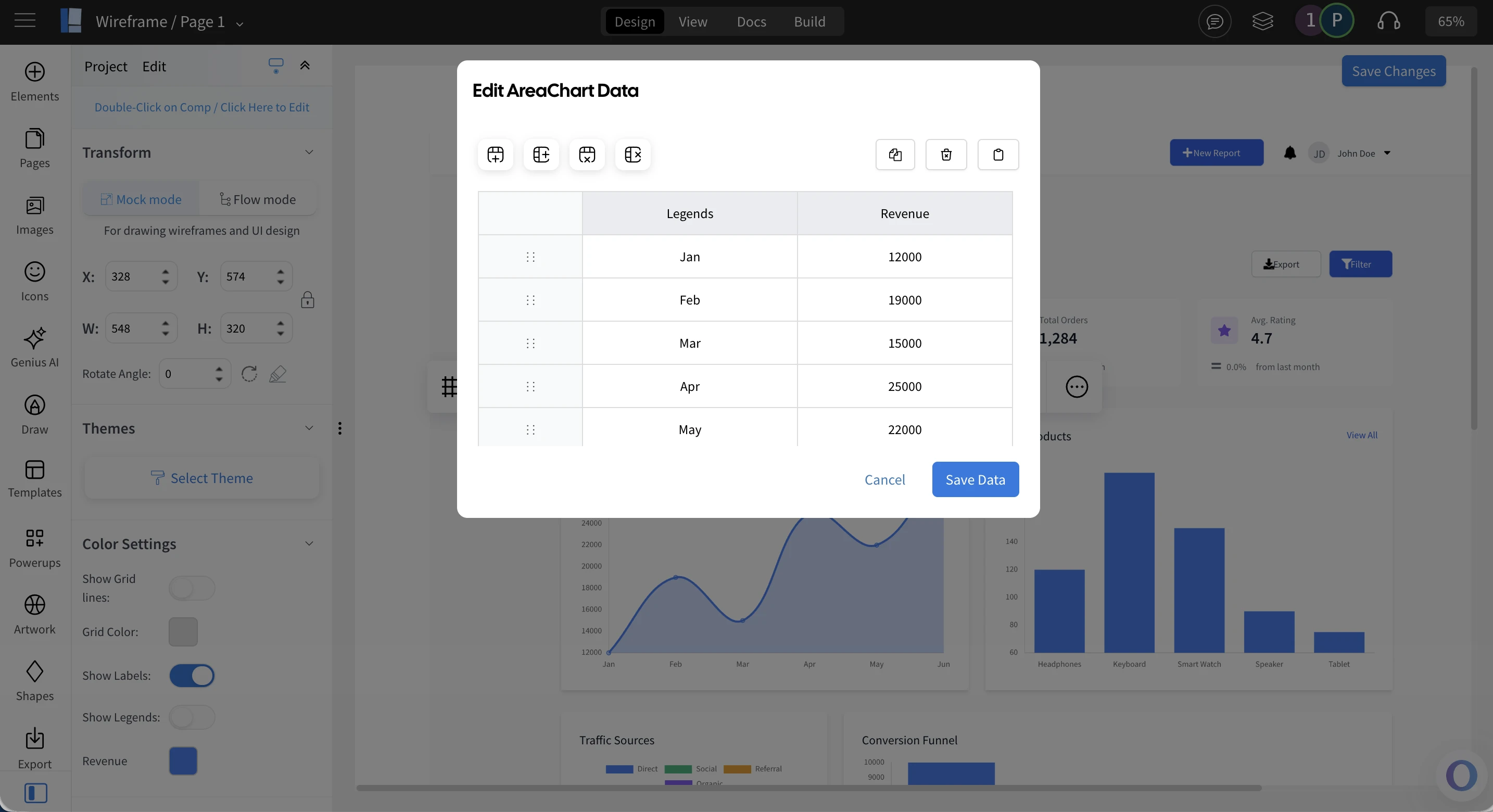
This update, makes editing chart data in WireframePro more intuitive, visual, and efficient helping you focus on design rather than data formatting. As Charts play a key role when wireframing dashboards, analytics, and insight-driven interfaces, this is very important.
A More Visual and Streamlined Chart Editing Experience
WireframePro offers a rich collection of built-in chart components including area, bar, line, radar, scalar, and bubble charts along with sketch style variants for hand-drawn wireframes.
Previously, editing chart data worked like modifying a CSV in a textbox. While convenient for quick copy-paste, it often felt tedious and error-prone, requiring extra effort to validate values manually. This experience didn’t align with our mission to keep UI ideation fast, simple, and friction-free.
With the new data editor, chart editing now feels as smooth as working in a spreadsheet dramatically improving accuracy, speed, and usability.
Introducing the New Chart Editor
The upgraded chart editor includes essential spreadsheet-like controls, tailored specifically for chart data. It intelligently adapts to different chart types and lets you:
- Add or remove rows and columns effortlessly
- Edit values directly with point-and-click interactions
- Sort data in one click
- Copy data or paste from Excel and CSV files
- Benefit from built-in validation to avoid formatting issues
Faster, Validated & Visual Chart Editing
Whether you're wireframing business dashboards, analytics screens, or data-rich reports, the new chart editor helps you shape your ideas faster and more accurately.
Try it today and give your wireframes cleaner, more realistic charts without sacrificing speed or creativity.
New maps component with AI for Whiteboard
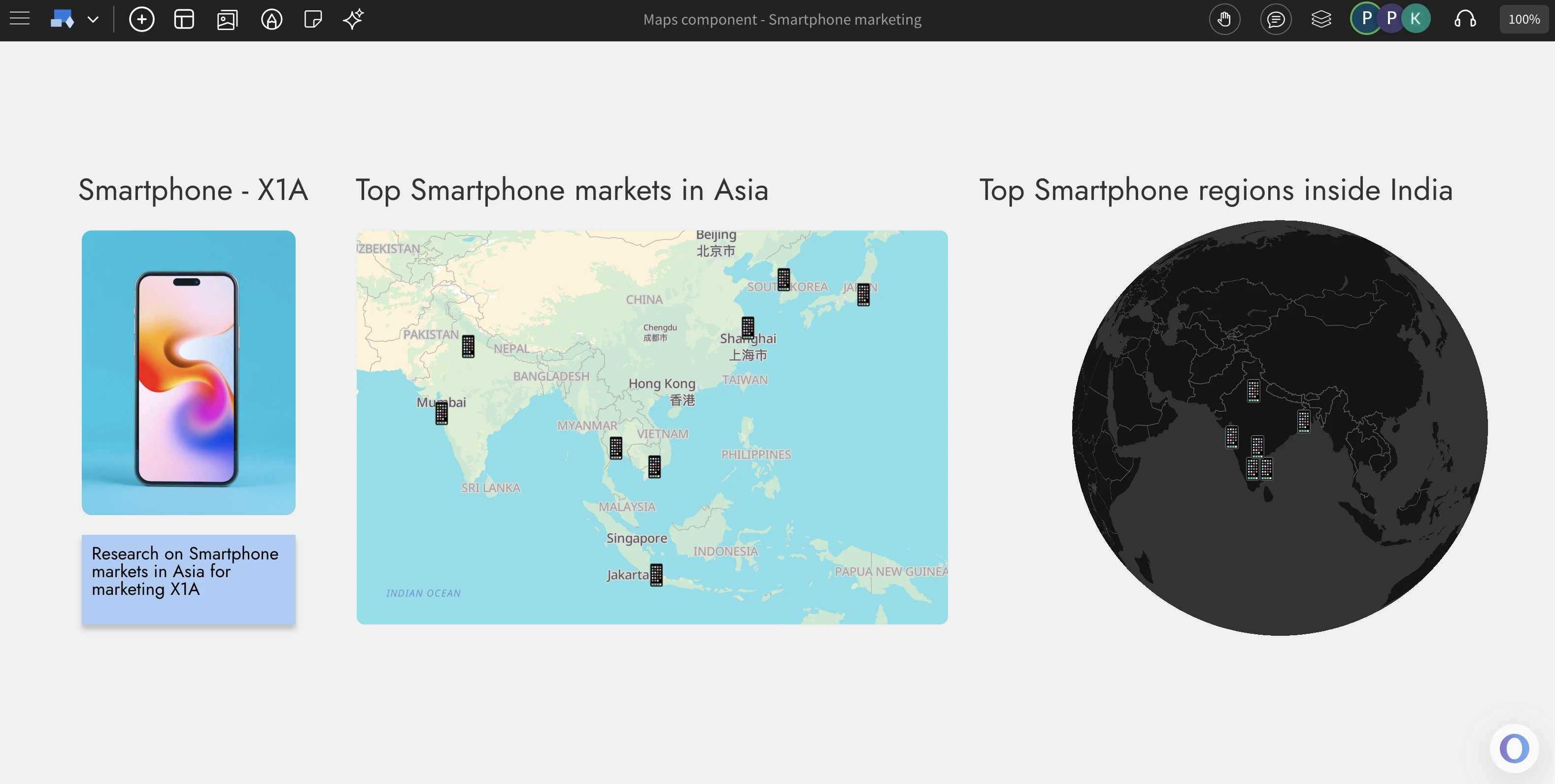
Now brainstorm with locations using the new maps component in IdeaBoard. Add location markers to ideate on geo based visualization. Available in flat or as 3D globe along with AI generation of markers.
Brainstorm with Maps
Maps play a vital role in brainstorming when your ideas or strategies are tied to geography. The new Maps component in IdeaBoard makes visualizing spatial ideas easy, accurate, and fully integrated into your whiteboard workflow. Unlike traditional mapping tools, this component is built specifically for whiteboarding allowing you to drag and drop multiple maps, resize, reposition, and customize them effortlessly. Explore different perspectives, themes, and locations to bring clarity and context to your geographic brainstorming sessions.
AI+Maps = geosome
Just like other smart components in IdeaBoard, the Maps component comes with built-in AI assistance to make map creation faster and smarter. Simply click the AI button in the settings and enter a prompt to generate a map for anything from F1 race circuits to top hospitals in Spain. The AI doesn’t just place locations it also adds contextual marker icons that visually represent your topic, such as race cars or hospital symbols. You can even generate complete map components using Mida, the MockFlow Intelligent Design Assistant, for instant, AI-powered geo visualization that fits perfectly into your whiteboard brainstorming.
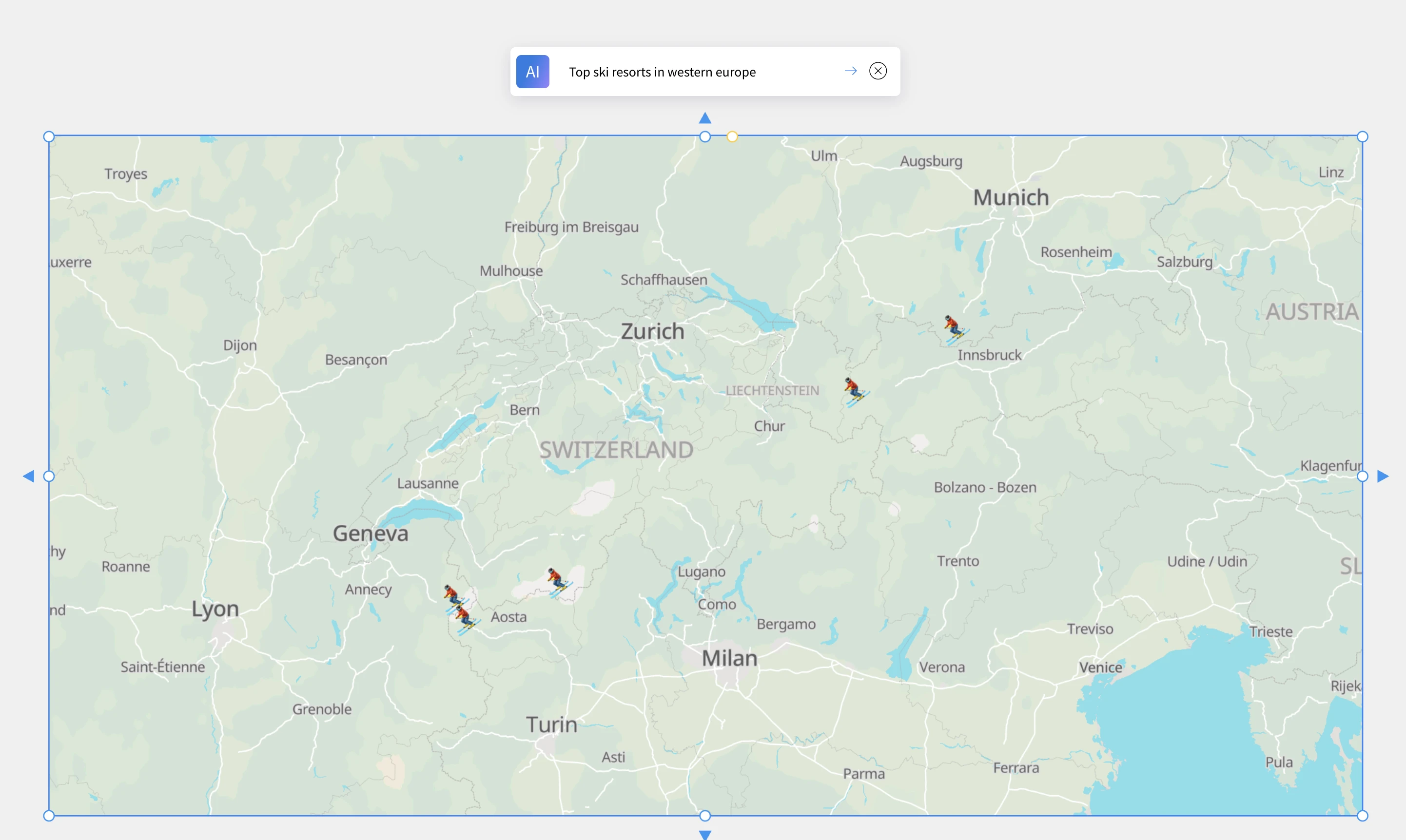
Perspectives and Themes
Experience maps the way you prefer either as a flat 2D view (Mercator projection) or a fully interactive 3D globe visualization. You can zoom, pan, rotate, and spin the globe effortlessly for dynamic exploration. Each perspective supports multiple visual themes currently including normal, dark, white, and gray allowing you to match your map’s appearance with your whiteboard’s overall design
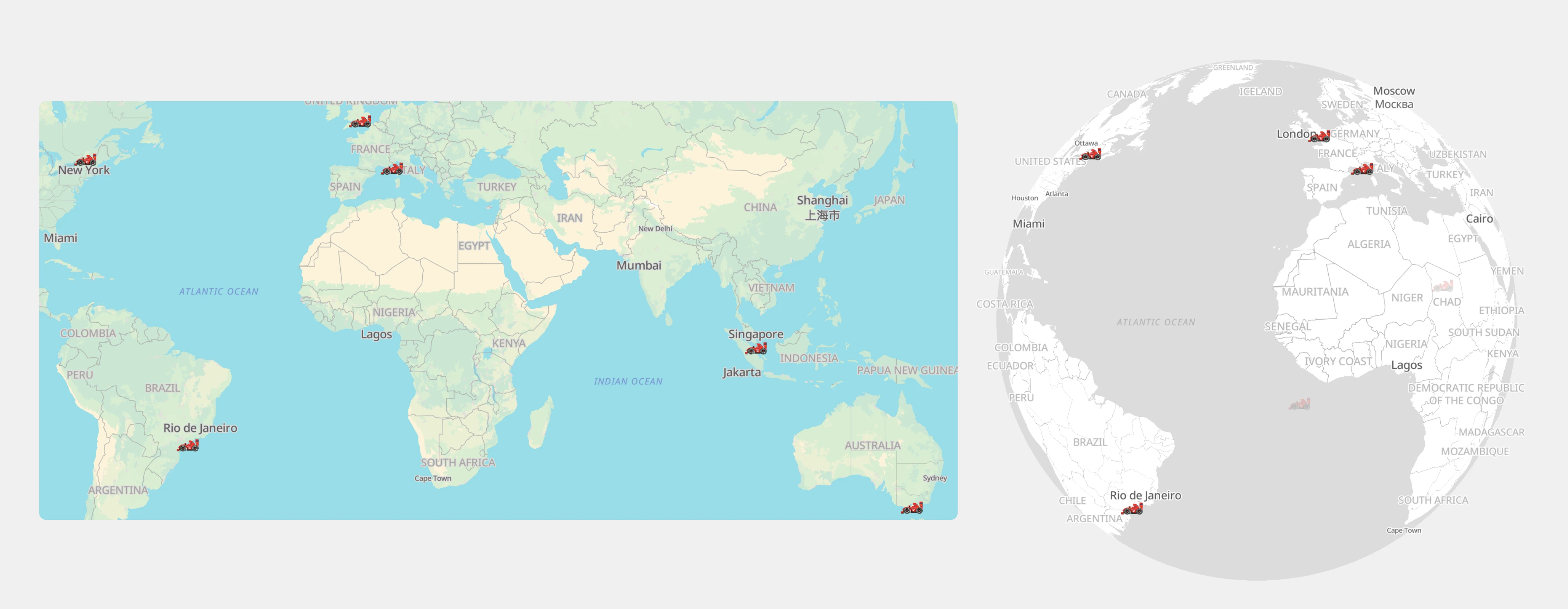
Unlimited and free usage of maps component
The Maps component in IdeaBoard is available with unlimited and free access for all users, including those on the Free Basic plan. Since MockFlow hosts its own dedicated maps server, you can explore, create, and collaborate without any usage limits or third-party restrictions. While AI-powered map generation depends on your available AI credits, the Maps component itself remains fully functional without AI, ensuring everyone can brainstorm visually with no barriers.
Use cases
- Market Planning: Visualize expansion opportunities, target cities, and regional strategies.
- Education & Research: Create interactive geography or data maps for learning and presentations.
- Event Mapping: Plan global events, tours, or campaigns with clear location markers.
- Team Collaboration: Coordinate remote teams and regional activities on a shared map.
- Travel & Exploration: Design travel itineraries or visualize destinations with 3D globe views.
Express Beyond Text: Add Video and Voice Comments in MockFlow Ideaboard
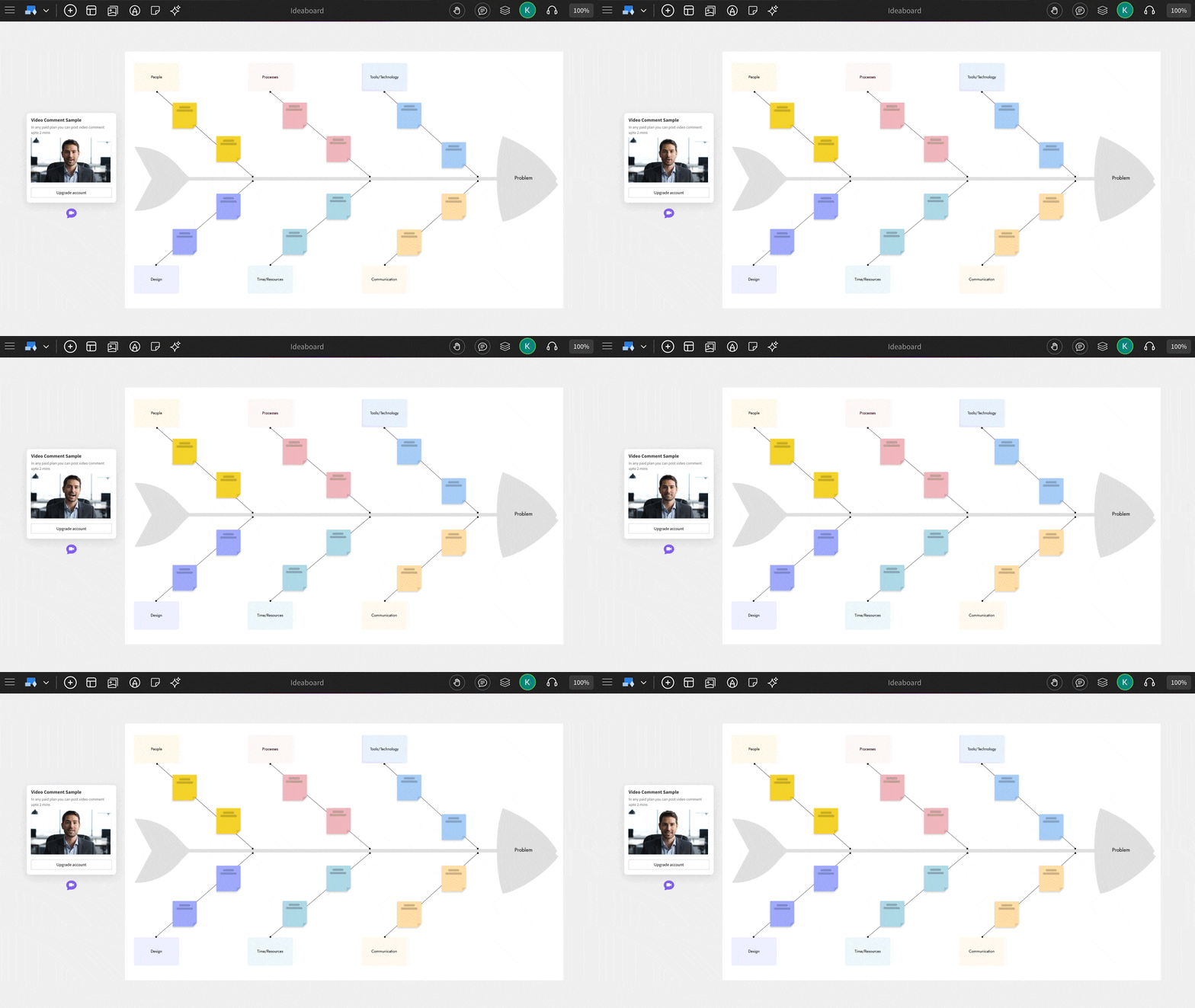
Comments in MockFlow IdeaBoard just got a major upgrade. With the new Comments 2.0, board members can now share feedback and ideas more naturally through video or voice comments. Whether it’s explaining a concept visually or adding quick audio feedback, discussions on your boards are now more contextual, expressive, and human than ever before.
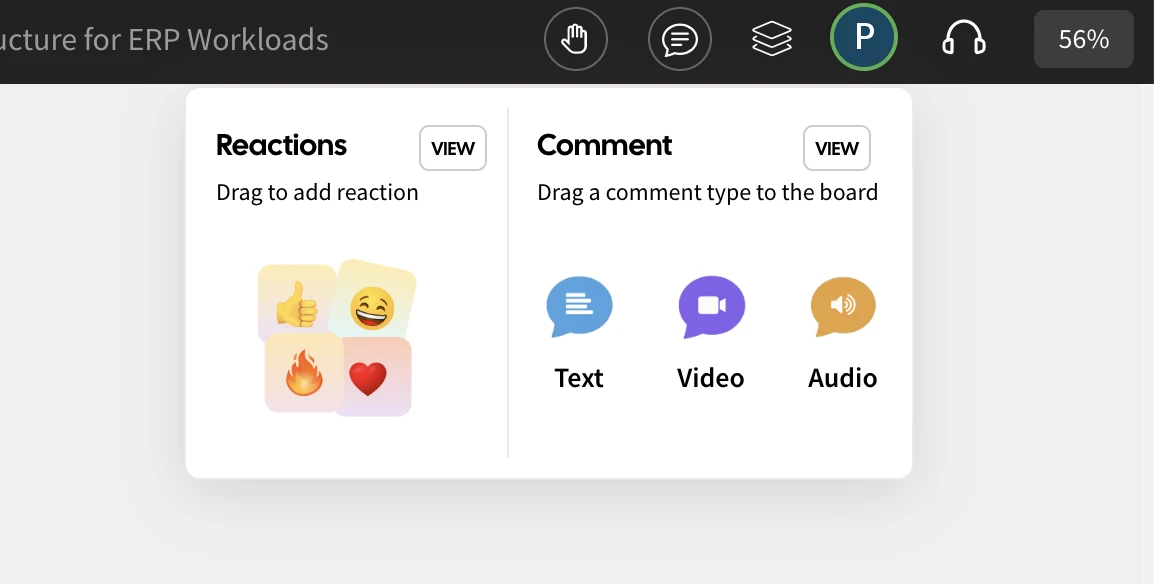
Express naturally
In IdeaBoard, comments are now treated as core components rather than simple add-ons. You can drag, position, or even attach them to specific sections just like any other element on your board. This makes feedback more collaborative, organized, and easy to follow within defined discussion threads.
While text comments work well for quick notes, they often fall short when it comes to expressing tone, emotion, or detailed thoughts. The latest update changes that board members can now record short video messages using their camera or share voice notes as audio comments, making communication more natural, personal, and expressive than ever before.
Press to Capture
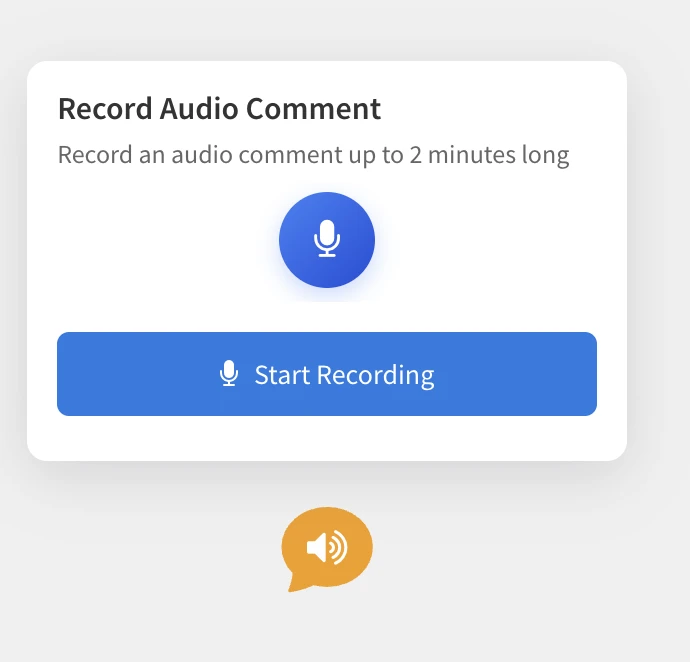
Adding a video or voice comment in IdeaBoard is as simple as adding a text comment. Just drag and drop a video or audio comment component onto your board. If camera or microphone access isn’t already granted, you’ll be prompted to enable it. Then, hit the Record button to capture your comment whether it’s a quick video message or a voice note.
Once the recording is done, you can preview your capture before uploading. If you’re not satisfied, simply re-record, it’s that easy. The entire process works seamlessly within your browser, with no need for plugins or extensions. Designed with a minimal and intuitive interface, it requires zero learning curve.
To keep things focused, audio and video comments are limited to 2 minutes, which helps maintain viewer attention and ensures faster playback while still giving you enough time to convey your ideas clearly.
Play Seamlessly
Playing back comments is effortless. Simply click on a video or audio comment to start playback instantly and click anywhere outside to stop. There are no unnecessary controls or clutter, just a smooth and natural experience that keeps the focus on the conversation. This intuitive interaction not only feels fluid but also adds a delightful, human touch that makes feedback far more engaging than plain text comments.
Stored Secure and Private
At MockFlow, privacy comes first that also includes your voice or video. All audio and video comments are securely stored using private URLs, ensuring they are never publicly accessible. Only the board members you’ve shared the project with have permission to view or play these recordings.
To further protect your privacy, audio and video comments remain hidden in public links or shared previews of the board. This way, your conversations stay confidential, secure, and accessible only to your team.
Use Cases
Audio and video comments open up a range of new possibilities inside IdeaBoard. Beyond making annotated comments on specific elements, they can be used for board announcements, video walkthroughs, async team updates, and more. When combined with other IdeaBoard components, these rich, multimedia comments unlock creative new ways to collaborate, communicate, and share context visually.
Important: Audio and Video comments are not available in basic plan. It requires IdeaBoard or Bundle plan. However basic users can get a glimpse on how it works in their account.
Introducing Mini-Mode in WireframePro: A Smarter, Faster Way to Wireframe
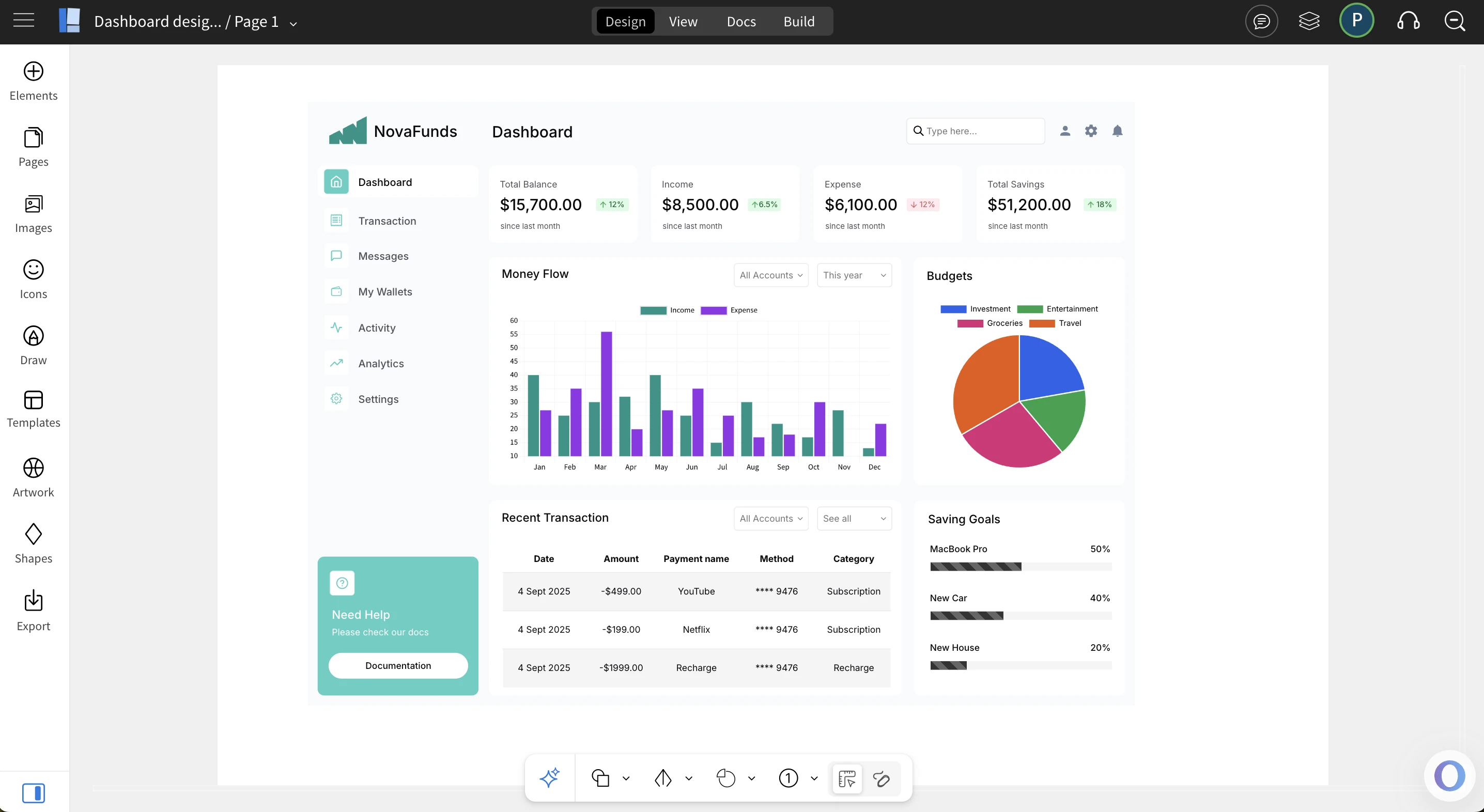
New Mini-Mode in WireframePro streamlines your workspace by reducing clutter, keeping key tools within reach, and giving you more canvas space for rapid, intuitive wireframing.
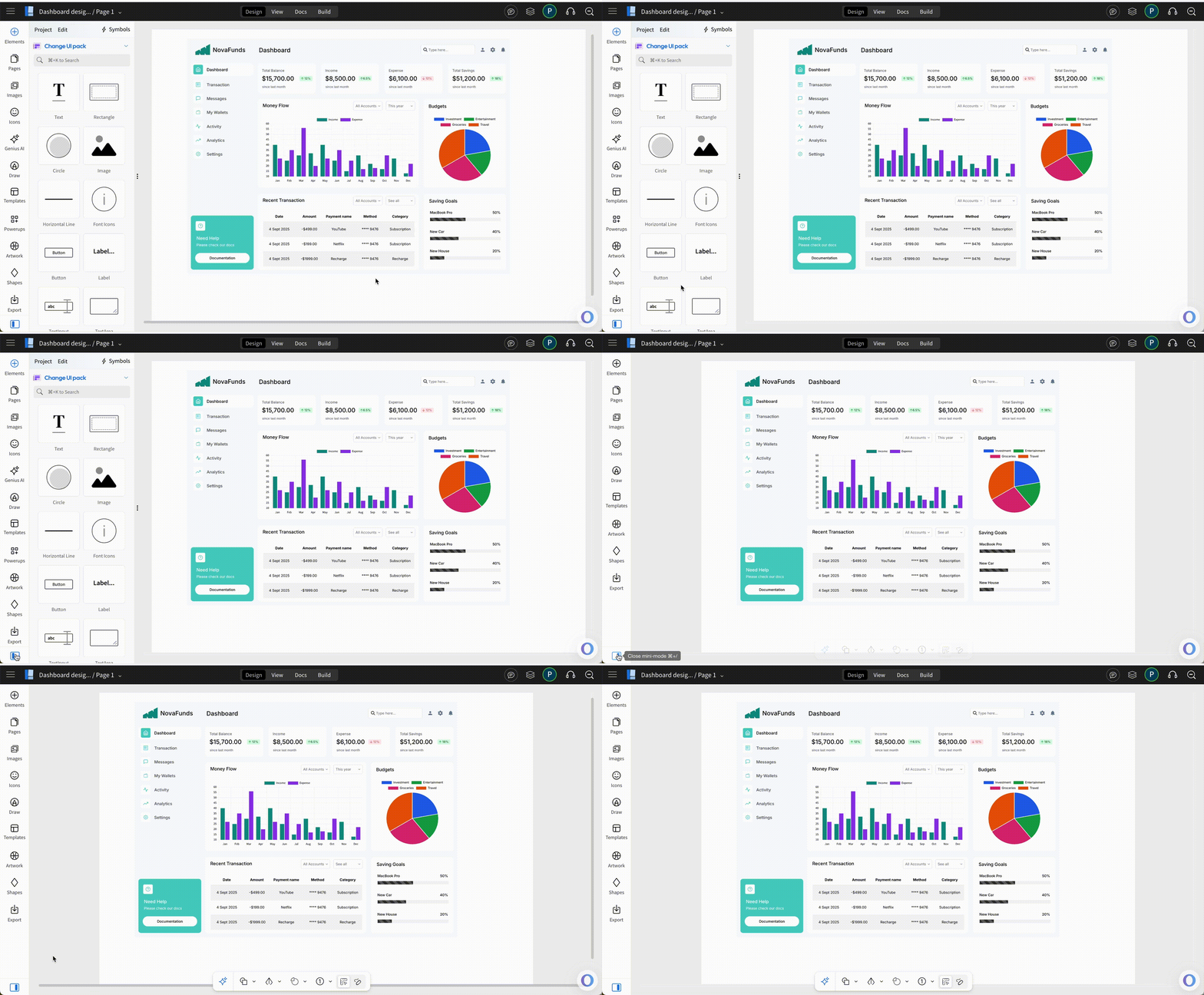
If you've been following our recent WireframePro updates, you’ll know we’ve introduced a host of invaluable features to MockFlow such as Build Mode for converting concepts into code, powerful AI tools, and expanded wireframing libraries. While these advancements are essential, wireframing should also feel like a natural extension of the designer’s thought process. To achieve this, creating UI concepts needs to resemble sketching on a real whiteboard clean, spacious, and free from unnecessary distractions. At the same time, designers must have quick access to the essential tools required to bring their ideas to life. The new Mini-Mode balances both, giving you more whitespace to think and the right functions at your fingertips
Backstory
This is how Mini-Mode was born. It’s not just a simplified version of the editor UI, but a carefully designed experience shaped by analyzing millions of heatmaps and wireframing usage patterns. The data revealed a clear trend: the more interface elements an editor displays, the less ergonomic the workflow becomes a challenge familiar to users of UI-heavy tools like Office or Photoshop. On the other hand, going too minimal can overwhelm users as they struggle to locate essential functions. Mini-Mode strikes the right balance, delivering a streamlined interface that enhances ergonomics while keeping the core functionality within easy reach.
Quick launcher
Mini-Mode delivers the right balance of UI by hiding non-essential elements while still keeping nearly 95% of WireframePro’s functionality instantly available without switching back to regular mode. It works by collapsing the sidebar into a smart overlay with related functions, while introducing a new always-on mini bottom bar featuring the most-used components. The result is a cleaner workspace that frees up significant whitespace, making both designing and viewing wireframes more seamless.

Shortcuts
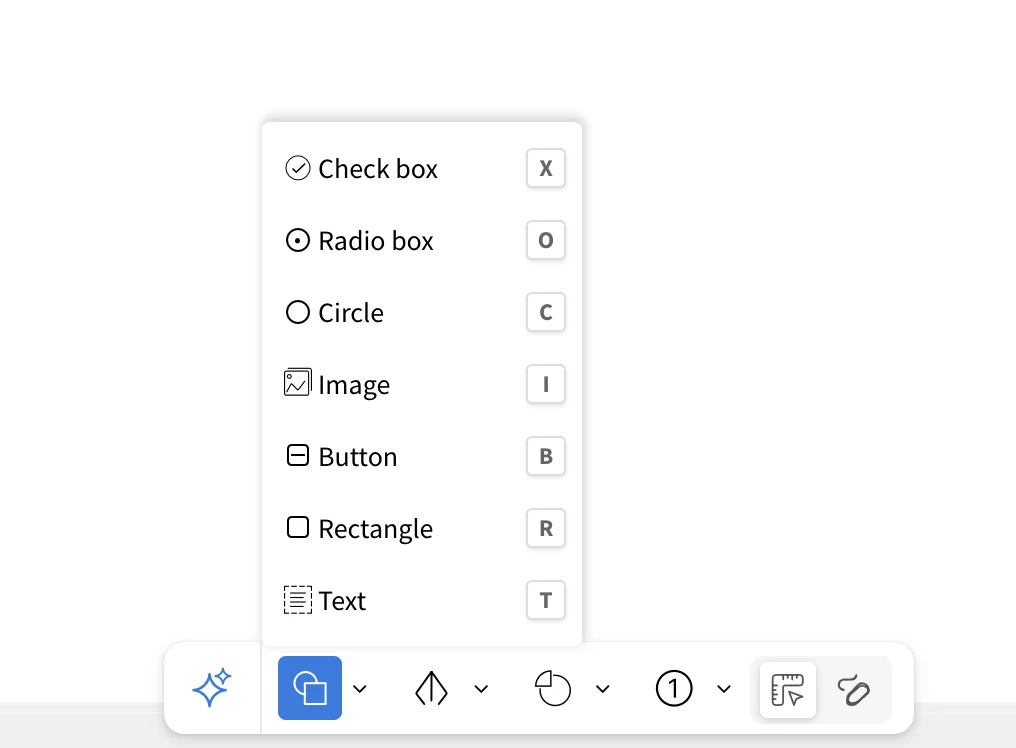
Mini-Mode also introduces handy shortcuts for AI features, drawing components, and even switching between Mini and Regular modes. The new slim bottom bar is the icing on the cake styled like a subtle notch, it stays out of the way while giving instant access to your most-used components in both wireframe and sketchy styles. And of course, Mida remains in the bottom-right corner as your always-on design assistant, now enhanced to deliver not only text responses but also image-based answers, 24/7
Our analysis shows that Mini-Mode is a clear success as it delivers the majority of WireframePro’s features within a minimal, distraction-free interface, enhanced by faster shortcuts. The result: users can focus less on navigating the UI and more on bringing their concepts to life. This is the future of WireframePro. We’re also proud to share that some of these ideas were inspired by our sister product, IdeaBoard, reinforcing our commitment to building tools that make visual design more natural and intuitive
Quick access to AI
AI is now at the forefront of modern software, and with Mini-Mode, it takes center stage in WireframePro. A new mini AI input box is built right into the bottom bar, giving you instant access to powerful commands. Simply type requests like generate wireframes, tables, diagrams, cloud architecture flowcharts, or even images and AI will bring your ideas to life within seconds. It’s speed, simplicity, and creativity combined.”

The Future
Clean, intuitive, and rapid that's what MockFlow stands for when it comes to designing UI concepts. With the new Mini-Mode, you can wireframe at the speed of your thoughts. Use Ctrl/Cmd / shortcut to toggle mini mode anytime.
IdeaBoard launches as an offline whiteboard app, work seamlessly without servers
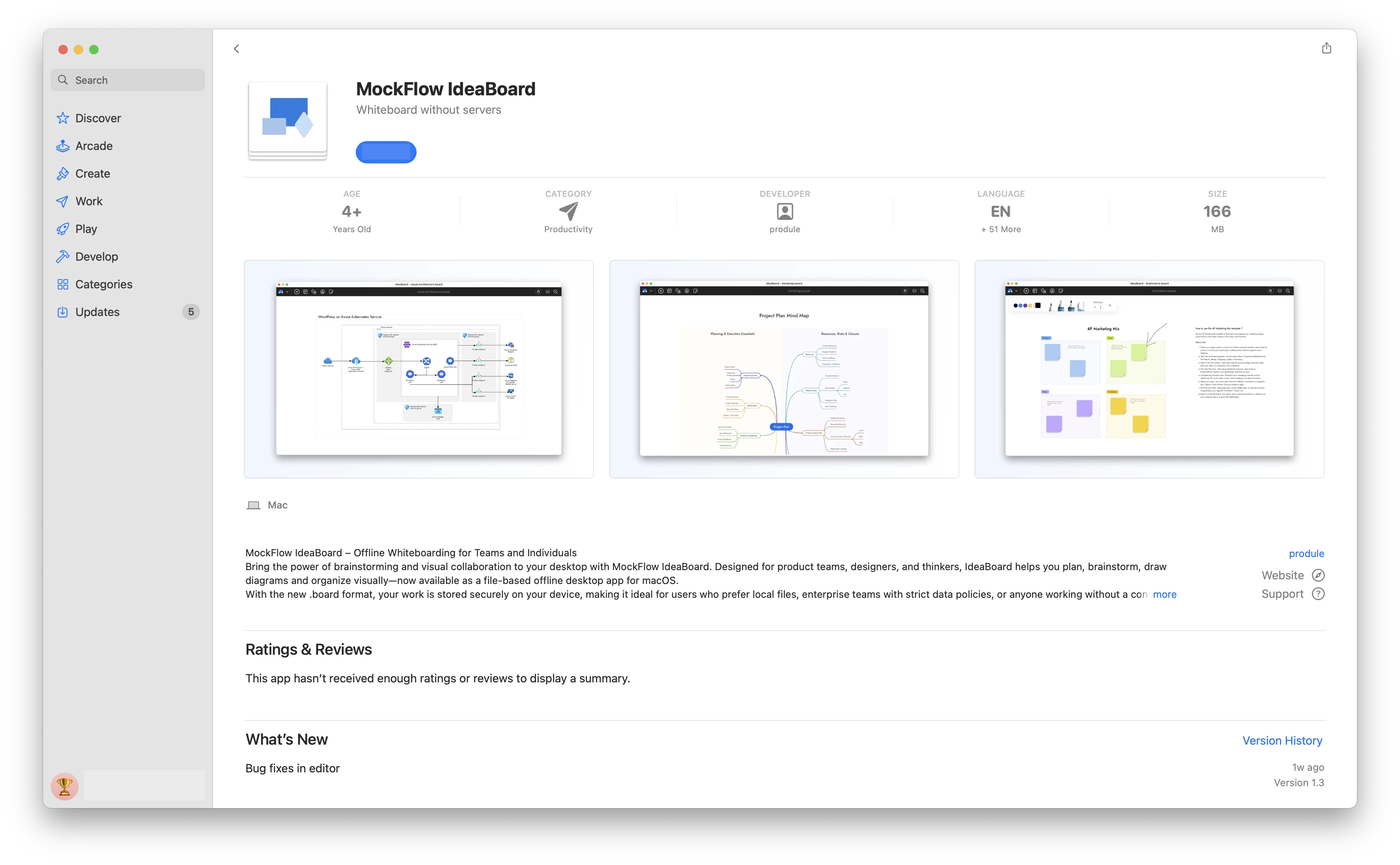
MockFlow IdeaBoard is now available on the Mac App Store as a secure, file-based offline whiteboard application. Designed for privacy, it requires no internet or servers to run. With a simple one-time purchase, you get unlimited brainstorming.
Whiteboard application that runs without servers
While IdeaBoard is best known as a collaborative online platform for real-time brainstorming, we've also built an offline edition that runs locally on your Mac. This file-based version was designed with two key goals in mind:
One-time purchase
Not every user needs a team-based, subscription whiteboard. Solopreneurs, freelancers, and individuals working in non-team environments may find paying for online collaboration features unnecessary, especially if their use case is simple or doesn't require AI. For them, the offline edition of IdeaBoard offers an affordable alternative. Available on the Mac App Store at a one-time launch price of $39.90, it provides most brainstorming features without recurring fees.
Full data ownership for enterprises
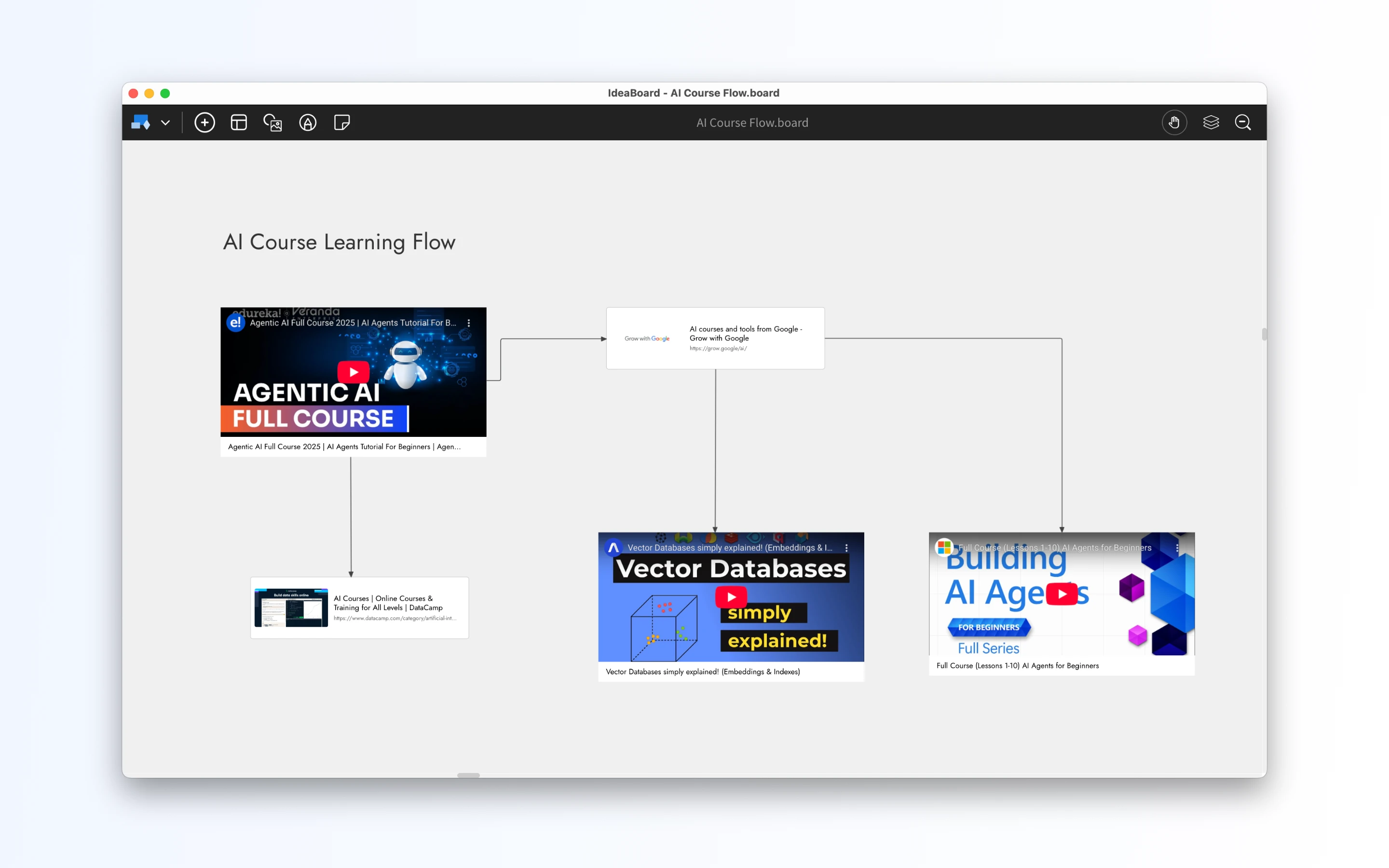
Brainstorming often captures the foundation of a company's next product, process, or breakthrough idea. For many enterprises, where data privacy and compliance are critical, storing this sensitive information on third-party servers may not be acceptable. With IdeaBoard for Mac, all whiteboarding data is saved locally as files, giving organizations complete ownership and control. These files can be seamlessly integrated into existing backup routines and security policies. For team collaboration, companies can securely share .board files using network storage or enterprise-ready file-sharing services like Dropbox or Box—just as they would with other important business documents.
⚠️ Important: Feature limitations
The IdeaBoard app on the Mac App Store offers a simplified, offline-first experience compared to the full online version. While it is actively maintained and updated, certain features are currently not available in this edition:
- Windows support – available only for Mac (Windows version coming soon)
- AI features and Mida bot – not included in the offline version
- Collaboration tools – no audio/video meetings, real-time team chat, or online co-editing
- Business integrations – no direct connections with apps like Microsoft Teams, Slack, or Office
- Component library limits – fewer shapes, icons, and advanced design components
With the advantages and limitations of the Mac App Store edition clearly outlined, you can choose the version of IdeaBoard that best fits your workflow whether you prefer the privacy and simplicity of a file-based offline app, or the full power of real-time collaboration in the online version.
New Keyboard Shortcuts for Faster Wireframing and Whiteboarding in MockFlow
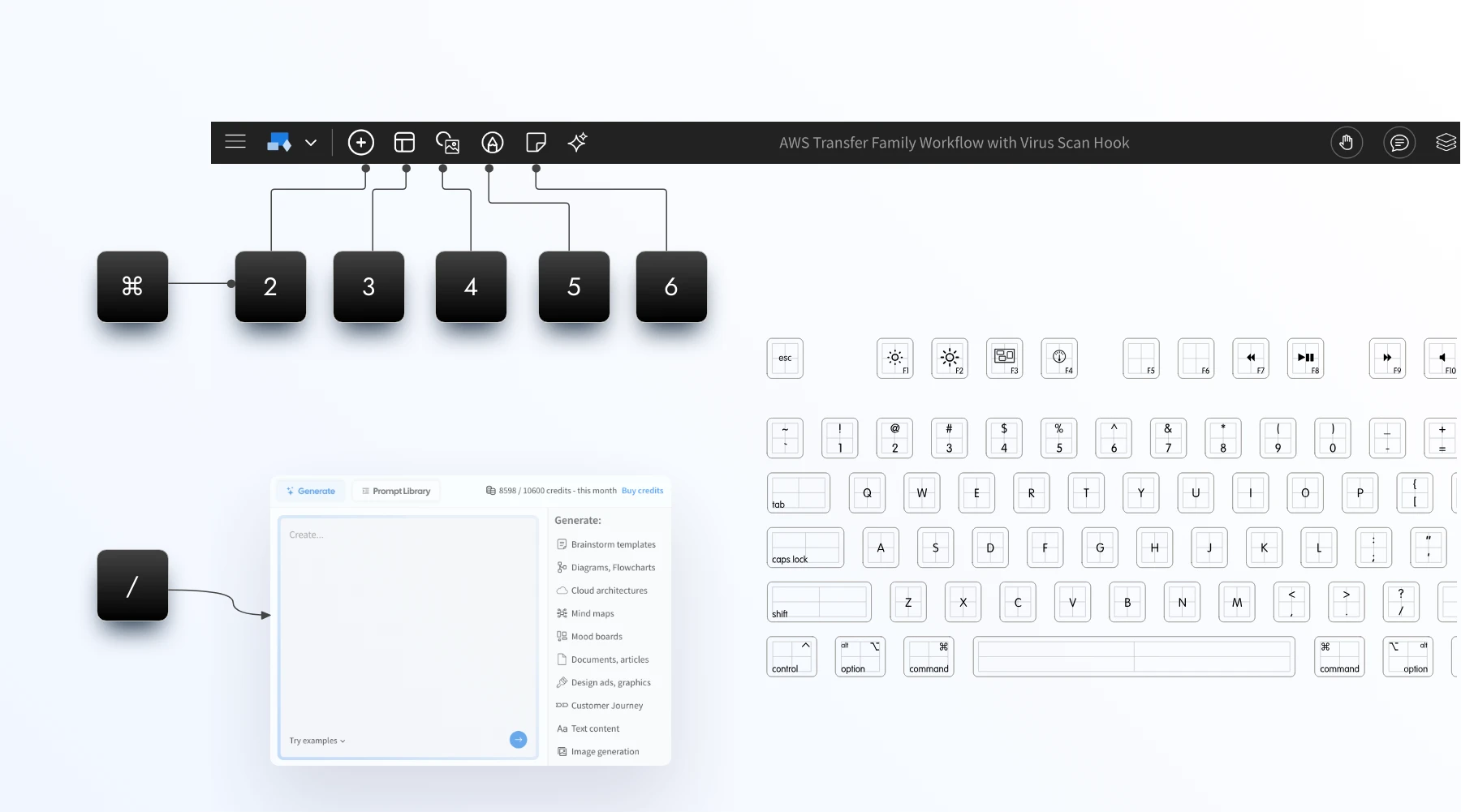
With the new shortcuts everything is in your finger tips, press '/' anytime to bring AI assist in WireframePro or IdeaBoard. Use Cmd + 2,3,4,5 to switch main tabs.
Type '/' to bringup AI toolbox:
Smarter design with AI is now just a slash away. In the editor, simply press ‘/’ to open AI tools instantly. Enter your prompt and generate wireframes, dashboards, mind maps, flowcharts, diagrams, images, or text whenever and wherever you need them.
⌘ + J = Mida Chat
Open Mida assistant inside editor for support, doubts, reporting issues, or even performing actions in both WireframePro and IdeaBoard.
⌘ + 2,3,4,5
Navigate your editor at lightning speed with new keyboard shortcuts. Use Cmd (Mac) or Ctrl (Windows) with numeric keys to instantly cycle through the main operations.
- In WireframePro, quickly switch between Components, Pages, Images, and Icons.
- In IdeaBoard, move seamlessly across Components, Templates, Library, Draw Mode, and Stationery.
This update saves clicks, reduces distractions, and keeps you focused on creating.
Contextual right-click menus
Alongside the new keyboard shortcuts, this release also introduces improved right-click menus when you select a blank canvas. These context-aware menus surface the most relevant options instantly, helping you add, organize, and design without breaking your flow.
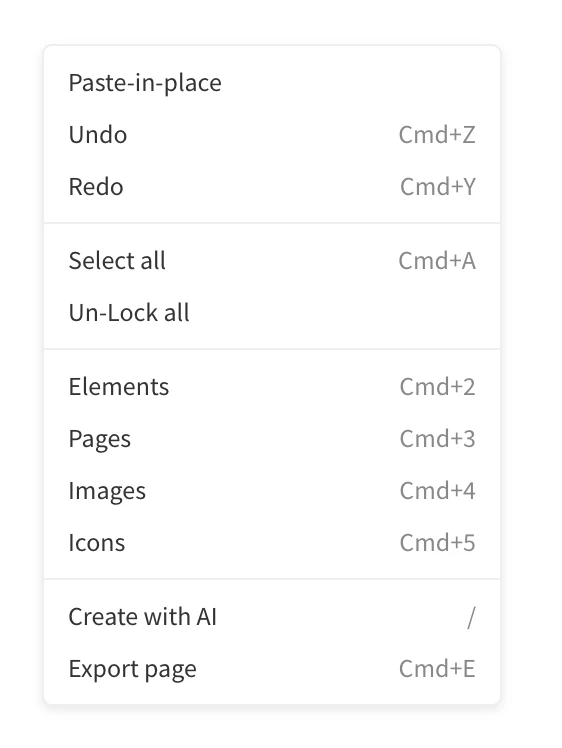
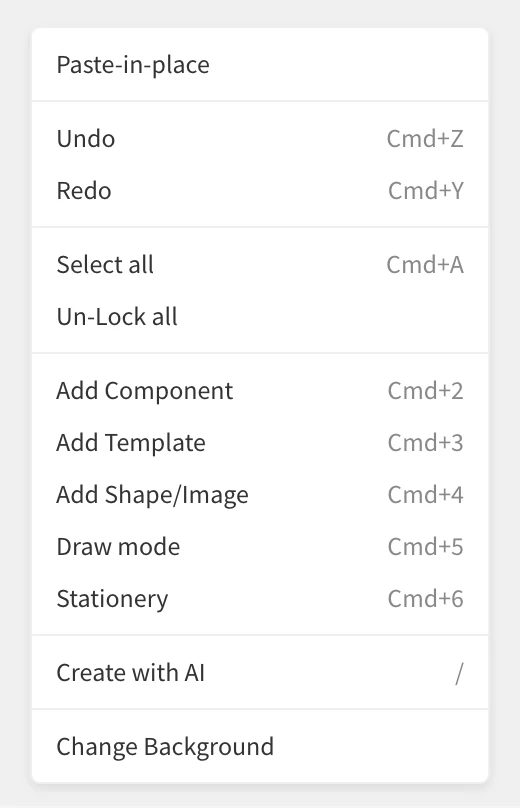
The above changes are now available in both web and desktop apps.
Generate dashboards, analytics, chart based wireframes with AI
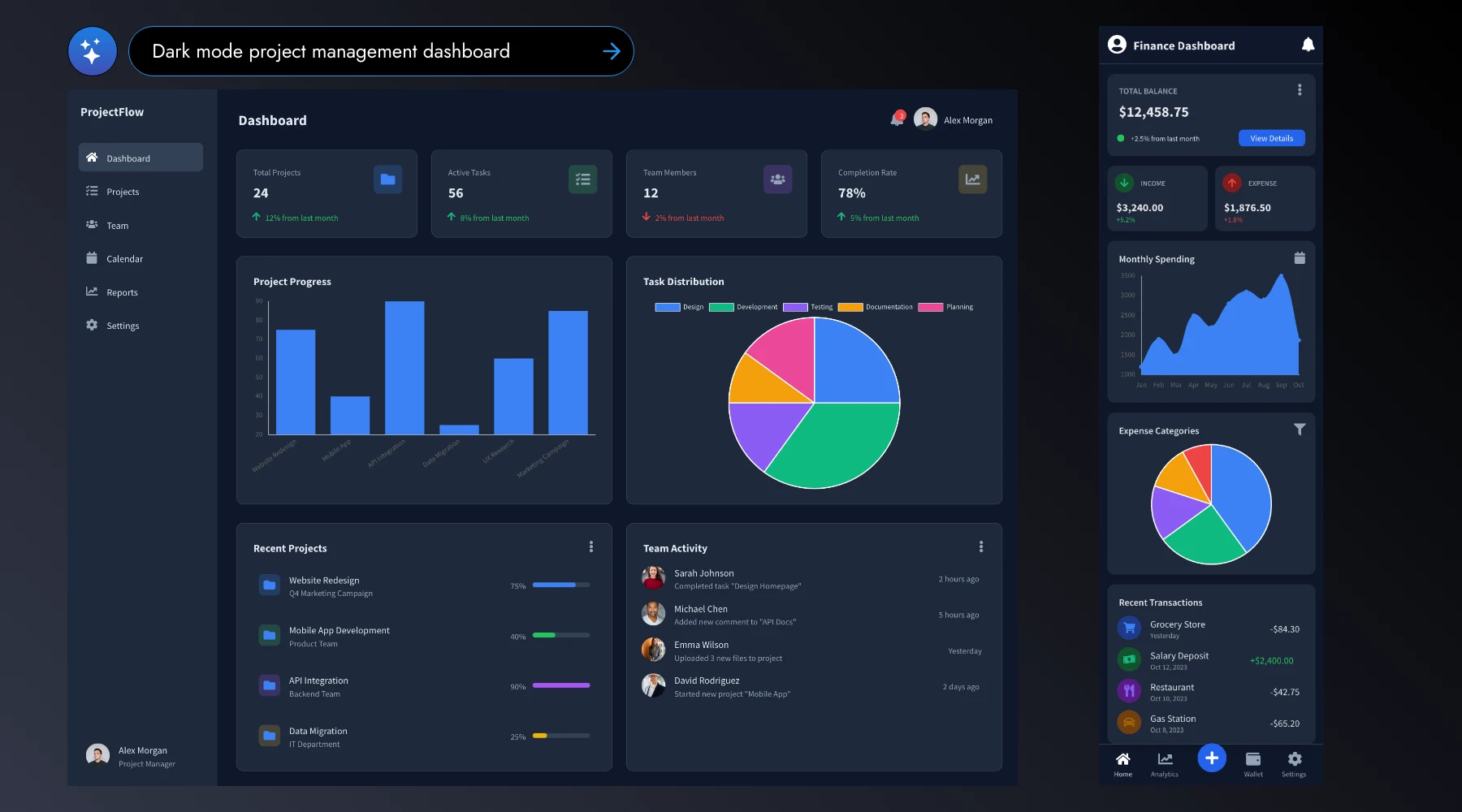
MockFlow AI just got smarter: wireframes generated with AI can now include real charts, analytics, and data visualizations. This makes it easier than ever to design dashboard wireframes and UIs that showcase graphs, reports, and insights.
Prompt-to-Wireframe creation in MockFlow continues to evolve with new features, fixes, and smarter generation. Today’s update is a major step forward, especially for wireframing business apps.
MockFlow has long supported native chart components to help teams brainstorm UIs with graphs. Now, this capability is extended to AI. With just a text prompt, you can instantly generate wireframes for dashboards, analytics, metrics, mobile charts, and more, making it easier to visualize complex data-driven interfaces.
For added flexibility, MockFlow AI also supports sketchy chart generation. By simply adding the keyword ‘sketchy’ to your prompt, you can create hand-drawn style wireframes that are perfect for early-stage brainstorming.
Prompt: CRM dashboard
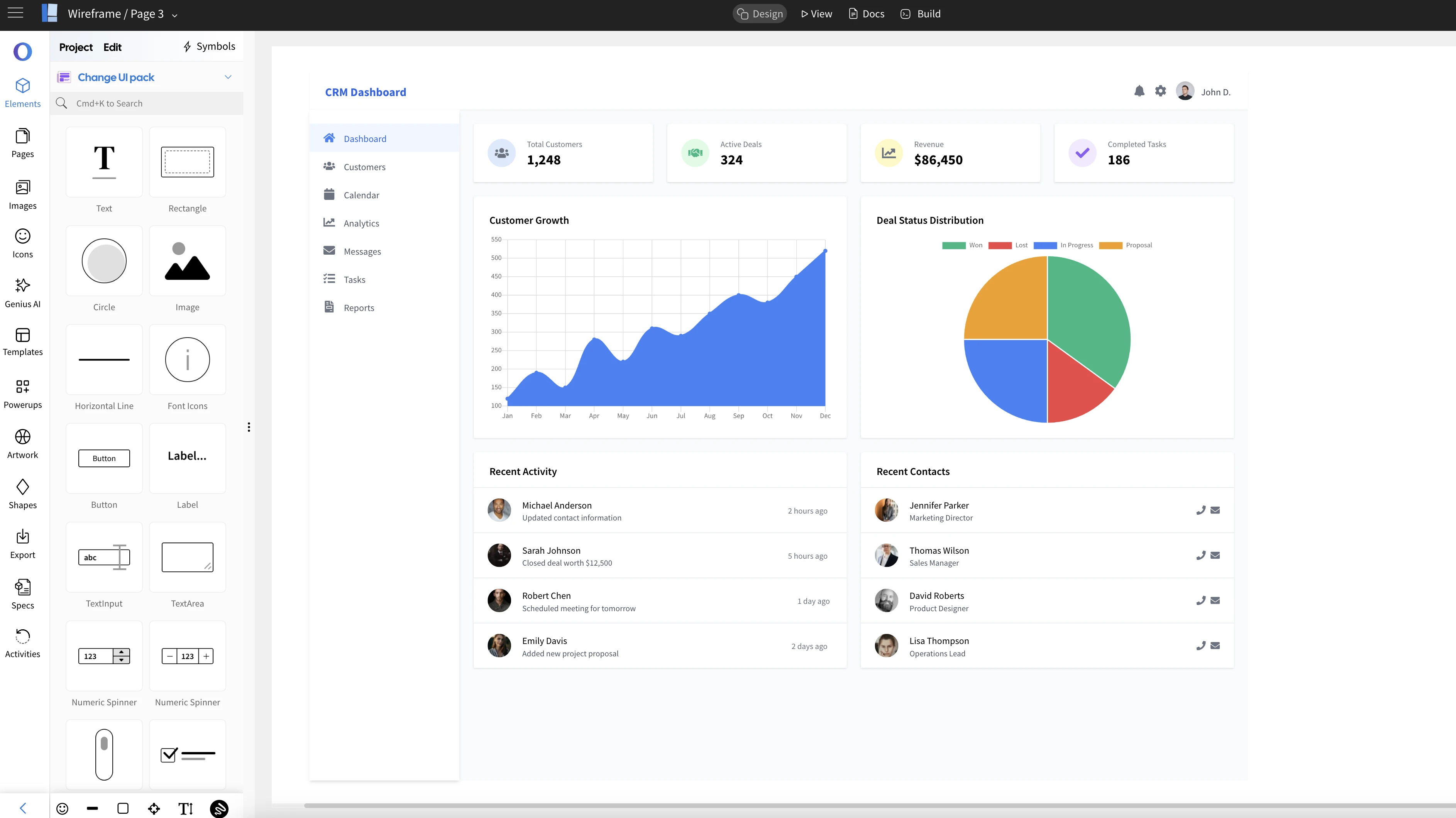
Prompt: Mixpanel like dashboard
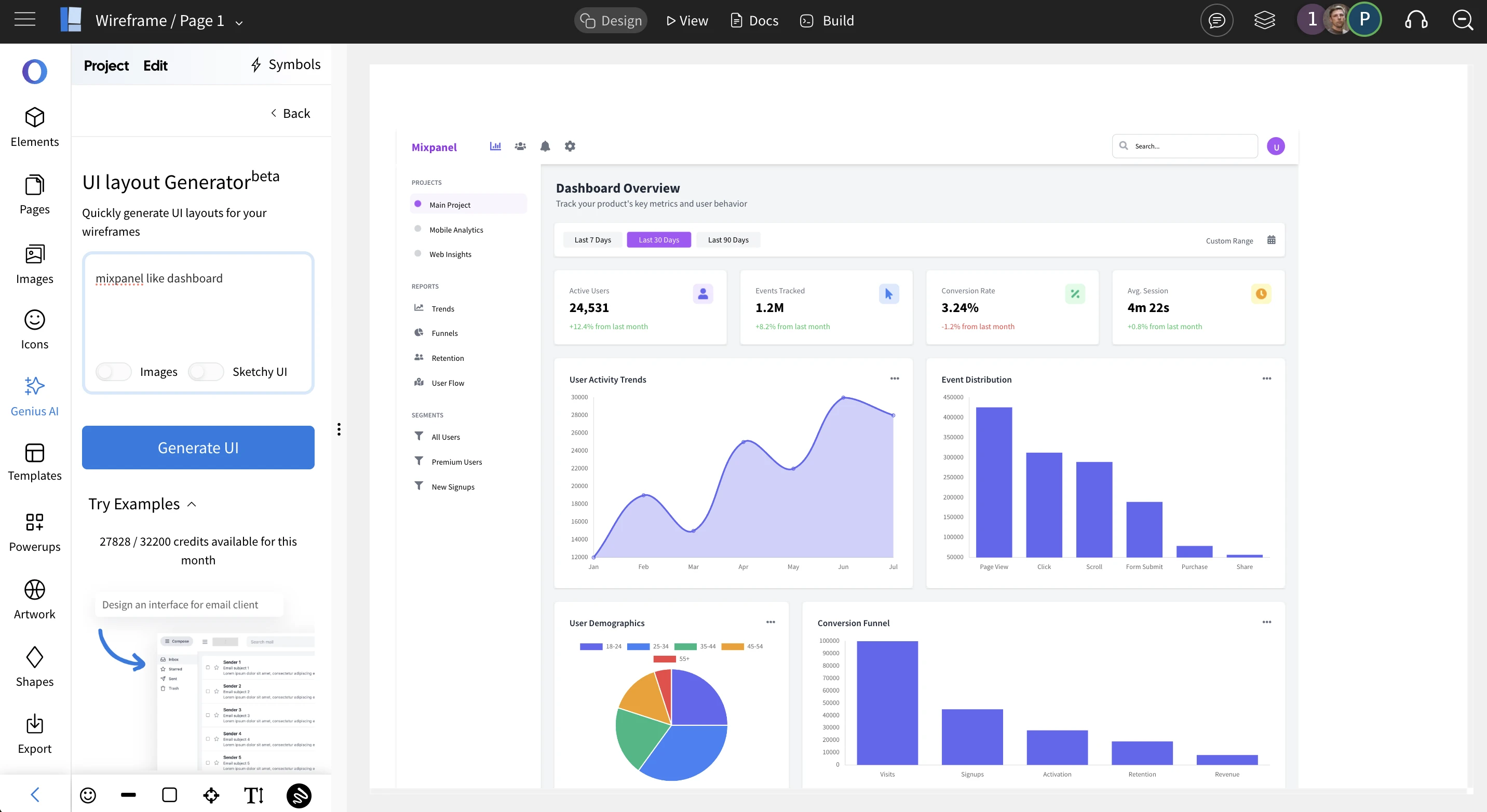
Prompt: Sketchy Google Analytics dashboard
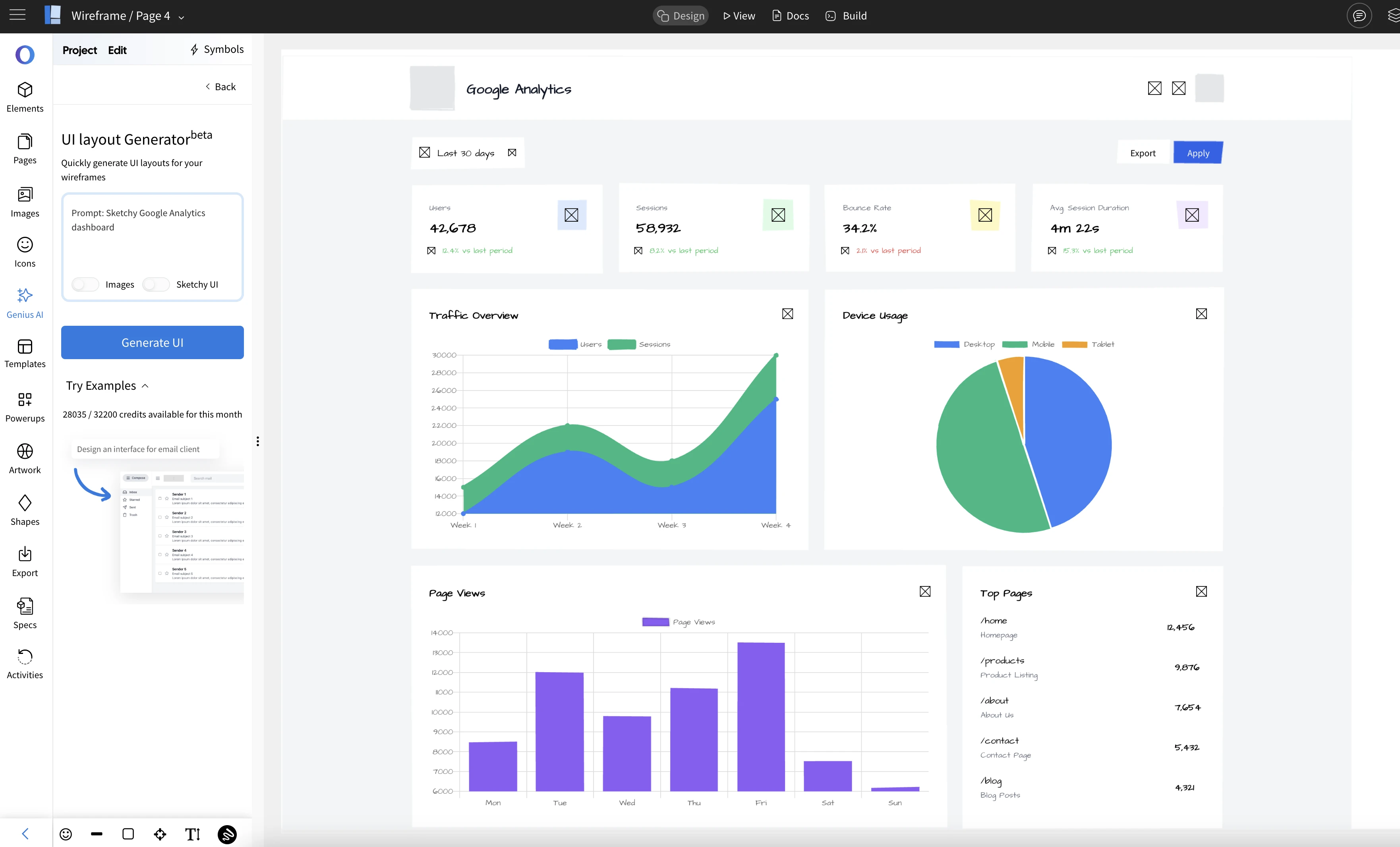
Prompt: Mobile app - Storage analytics
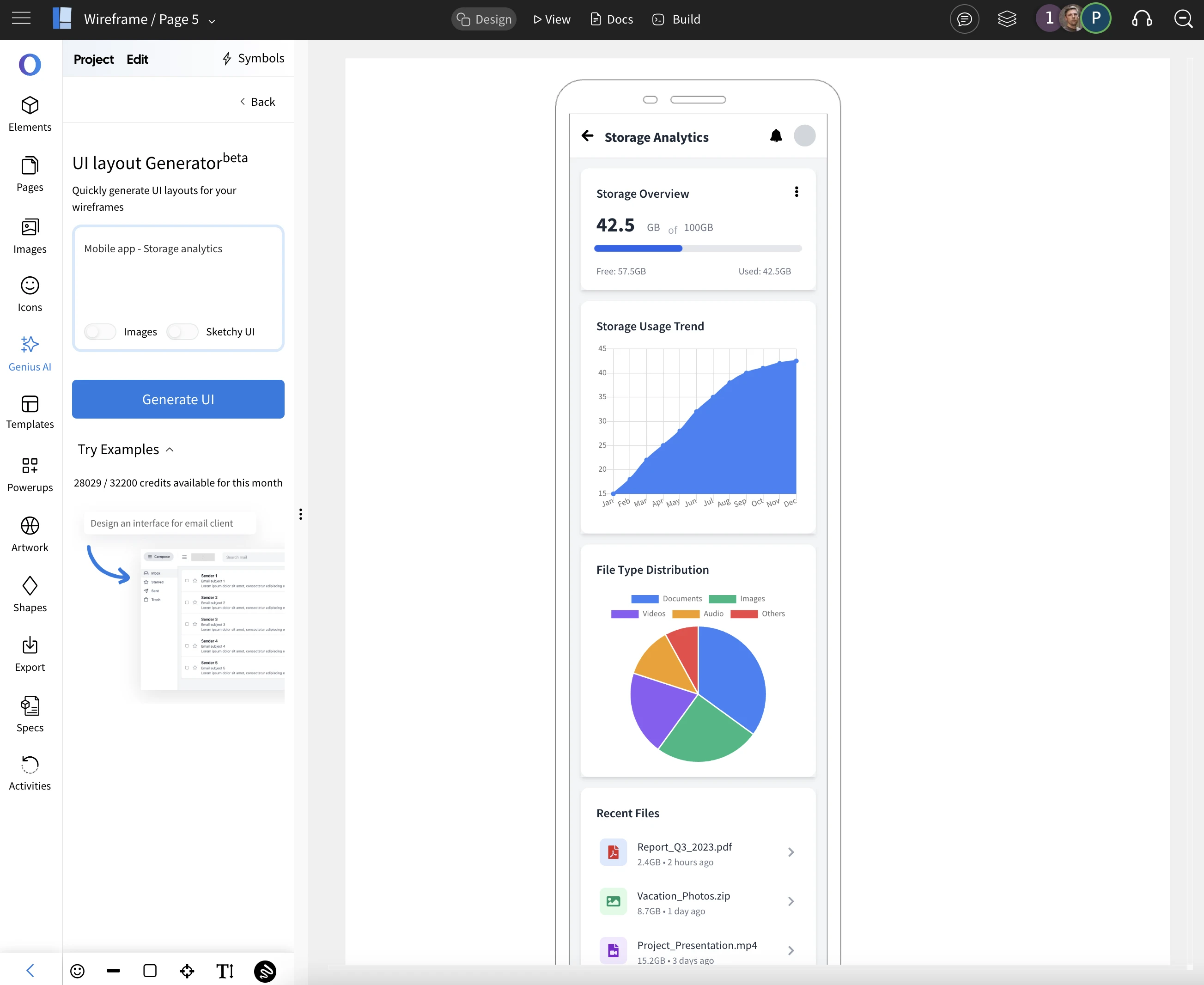
In this release, MockFlow AI now supports all built-in chart components—including Bar Chart, Line Chart, Area Chart, Pie Chart, Bubble, Scatter, and Radar. This means your AI-generated wireframes can instantly visualize a wide variety of data layouts. Coming soon, we’re also adding AI support for more native visualizations like Gauge and Treemap to make your dashboard wireframes even more powerful
Since AI is included in all plans, you can start exploring this feature right away. Simply generate wireframes with prompts like ‘Finance dashboard’, ‘CRM analytics’, or ‘Football club metrics’. You can also experiment by adding themes, modes, or specific visualizations you’d like to see in your design. Just bring your idea as a prompt and WireframePro will instantly turn it into a wireframe now even if it involves charts.
Bring Your Whiteboard to Life with Custom Backgrounds in IdeaBoard
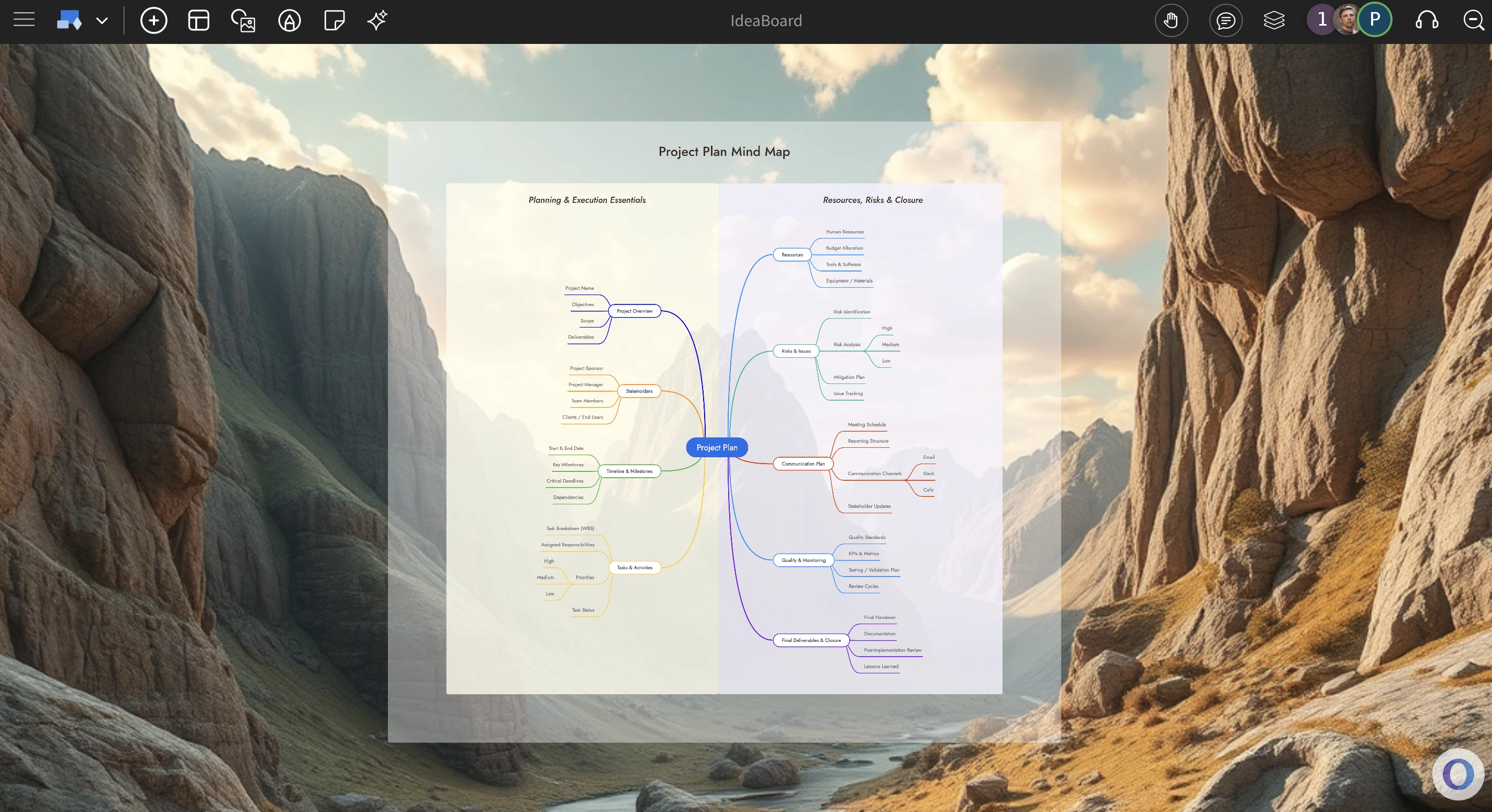
In IdeaBoard, your whiteboard need not be just white anymore, set vibrant wallpapers or background colors to the set tone, brand of your project whether you are designing a mindmap or in a brainstorming session, creating a diagram, IdeaBoard will now feel like your shared collaborative desktop between your team members that can be accessed anywhere.
MockFlow IdeaBoard is designed with a clean, distraction-free interface that features only a simple top bar. This minimal layout makes it the perfect canvas for wallpapers, as the unobtrusive content area allows your chosen background to shine through. By adding a wallpaper or background color to your whiteboard, you not only give it a desktop-like vibe but also create an immersive atmosphere tailored to your project’s purpose
This feature is especially useful across a wide range of use cases. Set a professional background for mind maps and strategy diagrams to keep the team focused, choose creative wallpapers for brainstorming sessions and mood boards to spark fresh ideas, or apply branded colors when designing flowcharts and project plans to maintain consistency. No matter the format, IdeaBoard backgrounds help you build an engaging, collaborative environment where ideas can grow.
Here are some use cases of using backgrounds in Ideaboard
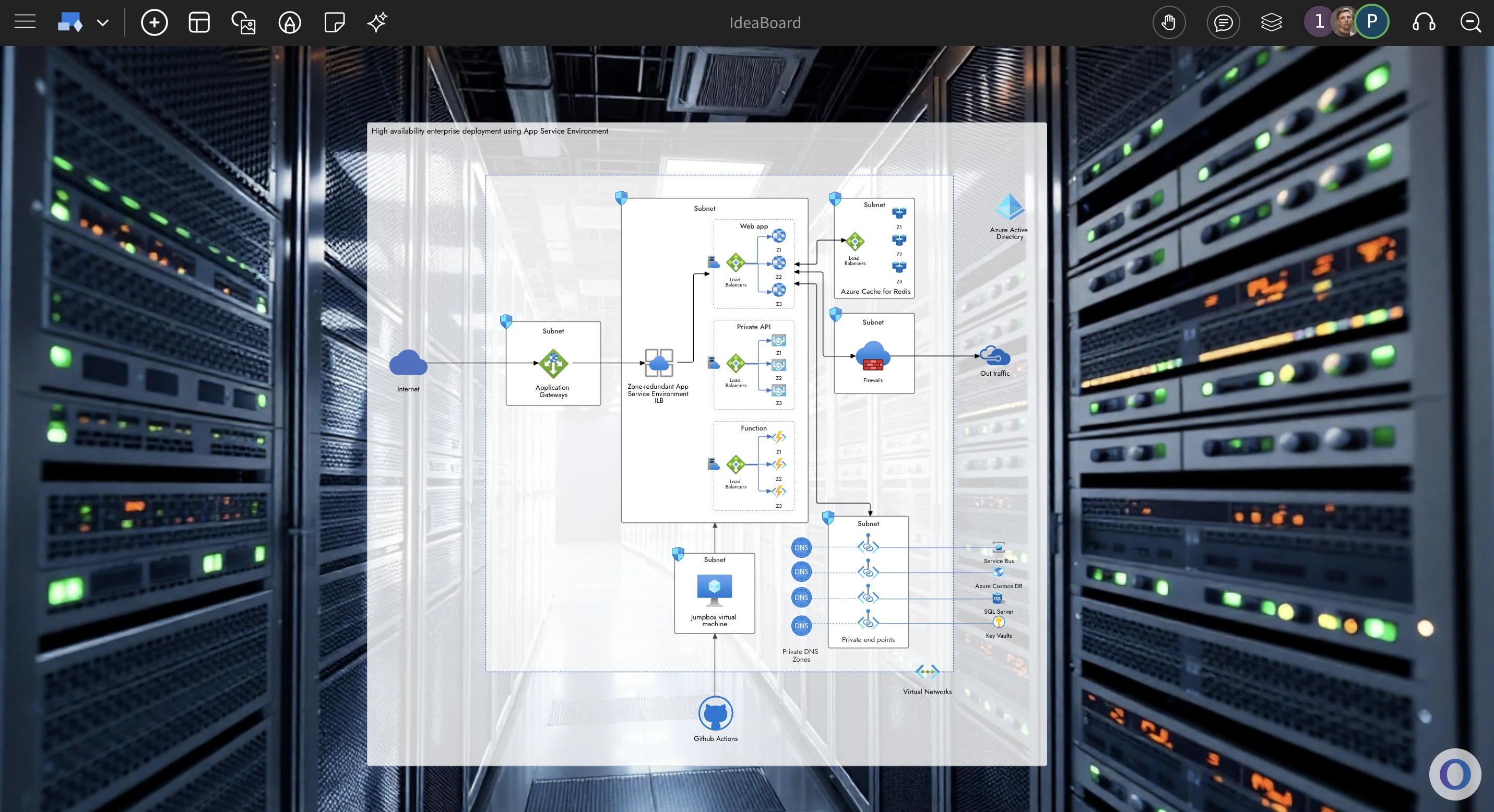
AWS chart on top of a server rack wallpaper
Brainstorming session with a Mandala chart with background of a meeting room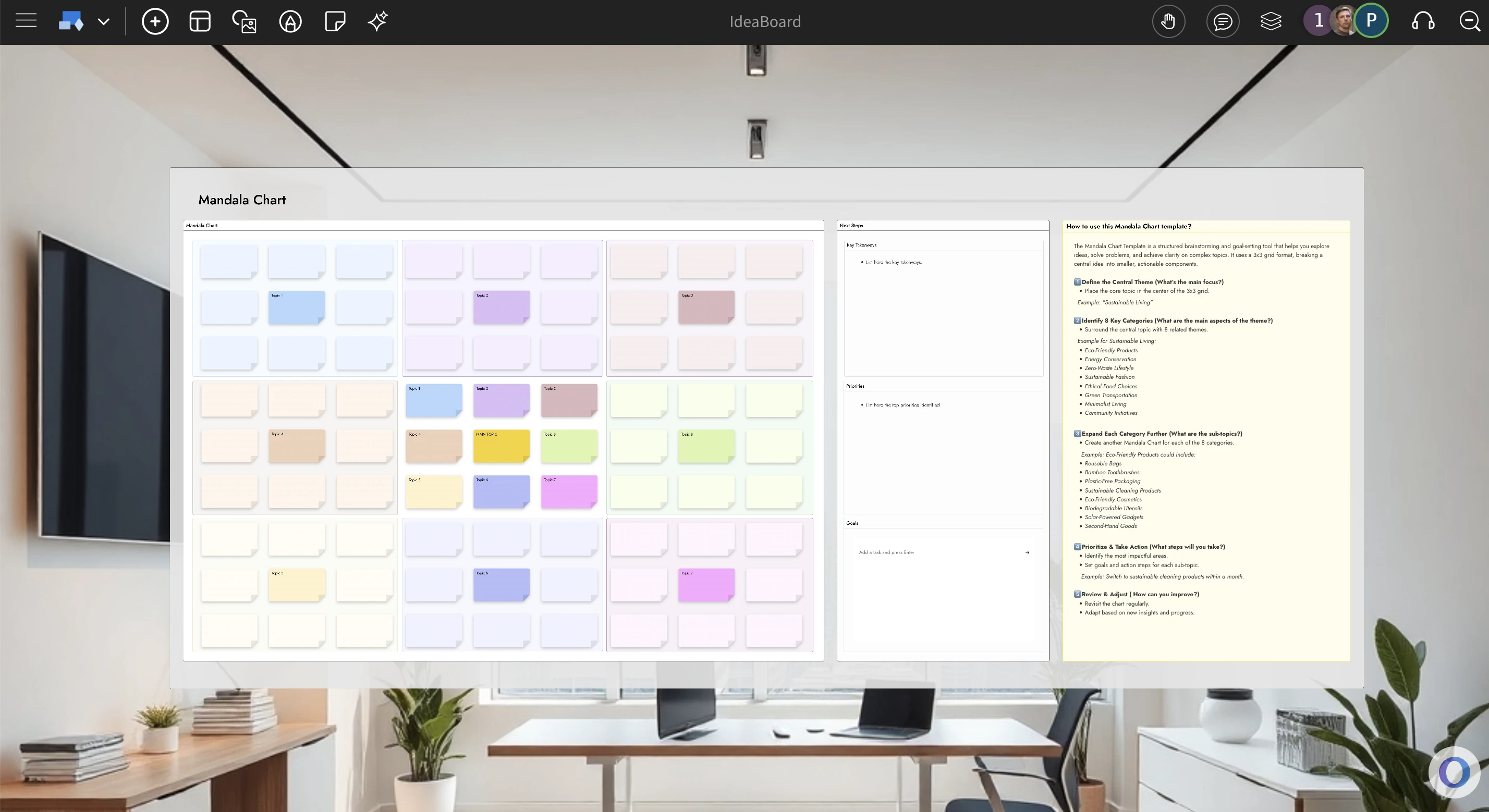
How to change background ?
To change background of your IdeaBoard project, either right click on the canvas or click the project title in the top toolbar to popup the project options modal. From here you can choose between plain colors, preset wallpapers or even upload or generate your own background wallpaper.
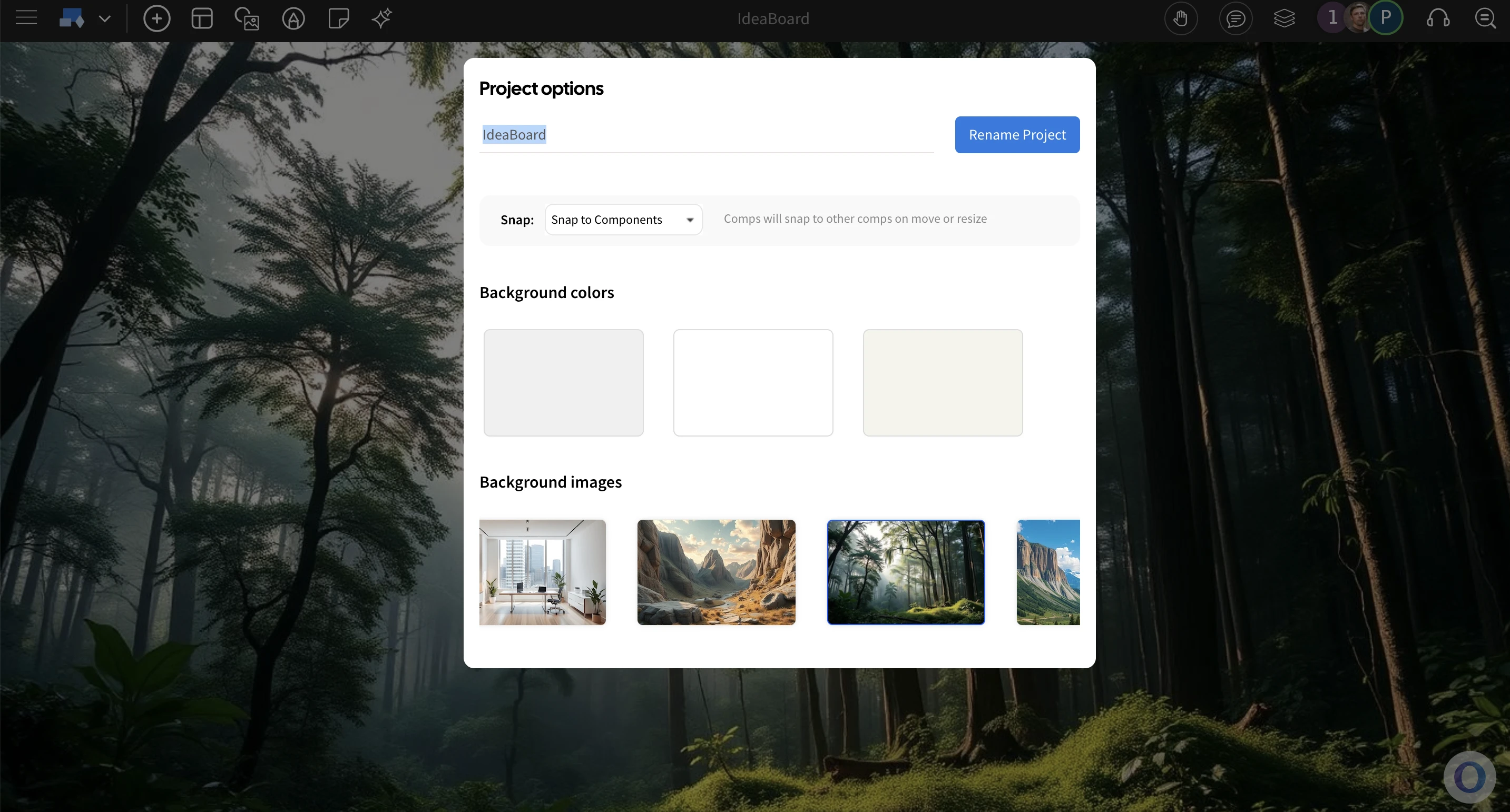
This feature is available in all plans including free basic, so try to convert your 'Whiteboard' into your own branded or contextual board.
New: Visual prompting for generating code in Visual Studio
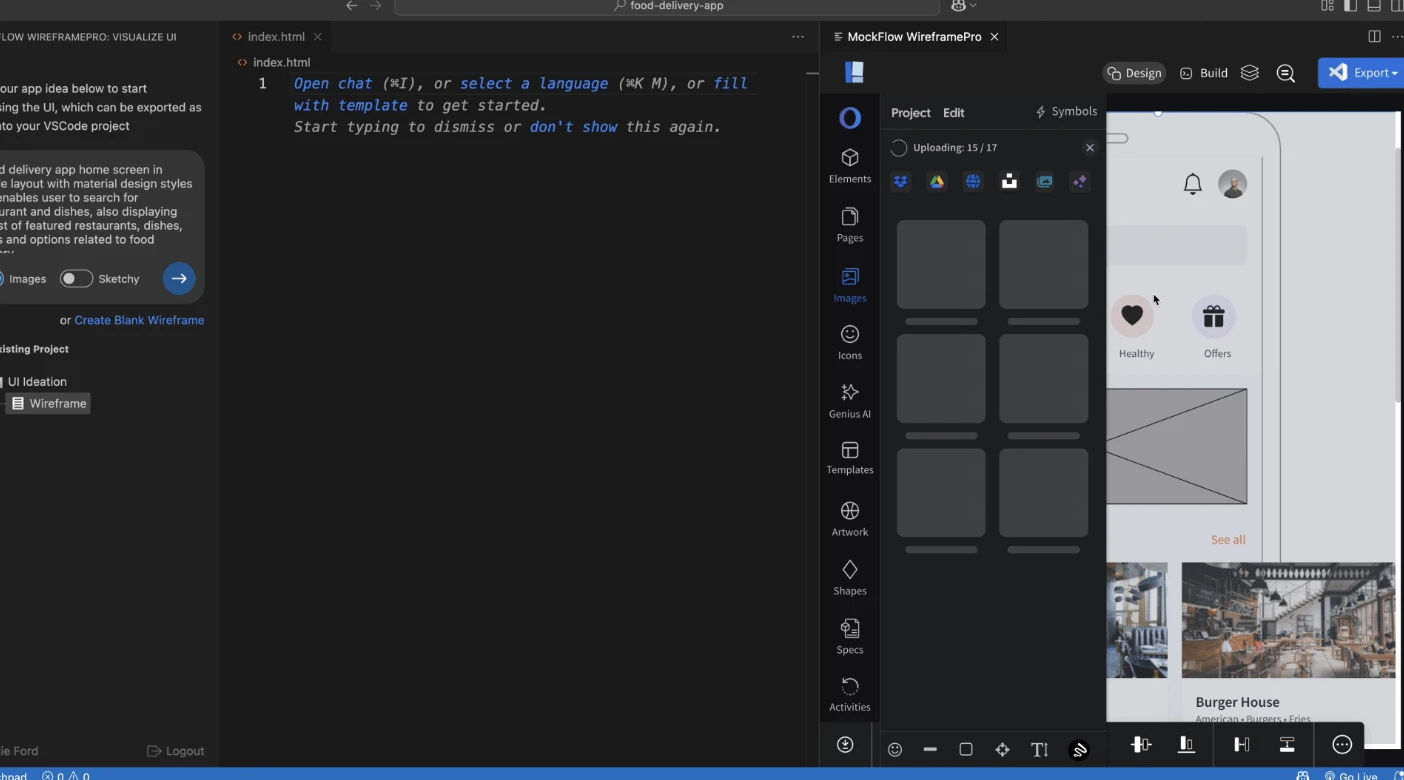
With the new MockFlow WireframePro extension for Visual Studio Code, you can instantly generate UI code through visual prompting. Simply draw your wireframes or leverage AI to bring your ideas to life, then convert them into production ready code in a click.
Bring ideas to life inside Visual Studio Code
MockFlow for Visual Studio Code lets you brainstorm and design UI ideas directly inside your favorite IDE. Use the built-in prompt box to have AI instantly generate your interface layout, or quickly sketch it yourself using the fastest visual UI design tool available.
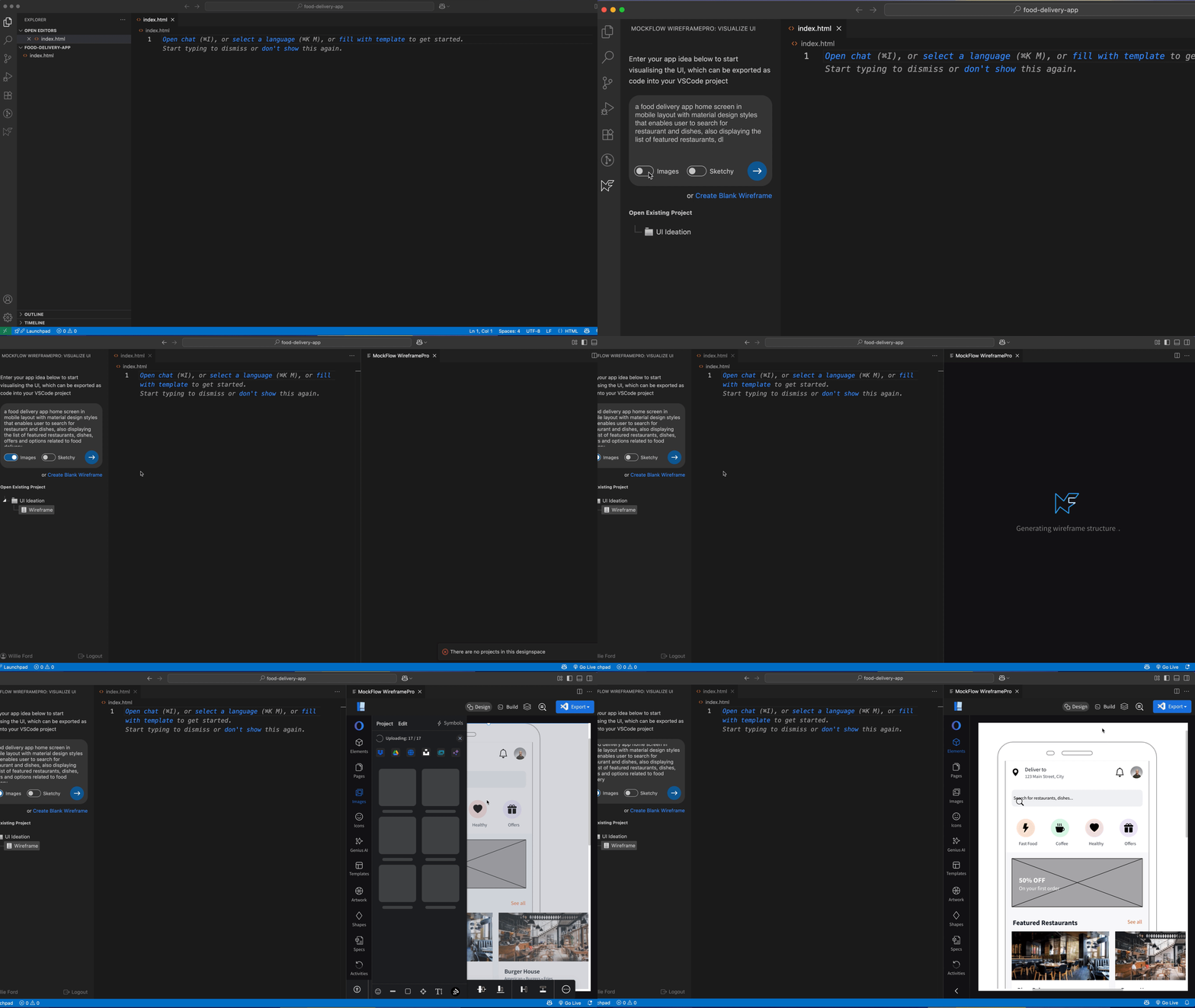
Tailored version for Visual Studio code
This extension integrates seamlessly with your Visual Studio Code IDE through a built-in MockFlow project sidebar, allowing you to create new wireframes or open existing ones. It also features a streamlined version of the WireframePro editor, ensuring a lighter, less cluttered editing experience inside Visual Studio Code.
Turn wireframes into actual code
With the integrated Build Mode in the MockFlow WireframePro extension, take your designs further by converting wireframes into clean, ready-to-use code and inserting it directly into your Visual Studio Code project files.
Build Mode lets you export any part of your wireframe whether it’s a single component, a section, or an entire page, into code. It supports all major frameworks in multiple versions, ensuring seamless integration with your project’s requirements.
Why brainstorming your UI is important
Wireframing is like sketching your ideas on a whiteboard, only better. It helps you brainstorm layouts, refine them quickly, and make changes before development begins. With rapid wireframing and code export, you can accelerate your workflow and save valuable development time.
Unlike other app builders, WireframePro extension only focuses on the UI that means it easily integrates with any new or existing Visual Studio projects and can be used as required.
The extension is available for Free in Visual Studio marketplace. Download and try now.
Introducing the Android 16 UI Kit for Wireframing – Now Available

Now ideate apps for Android 16 at lightning speed with this new wireframing UI-kit. With over 120 components and templates, brainstorming apps for Android 16 look and feel is now a breeze.
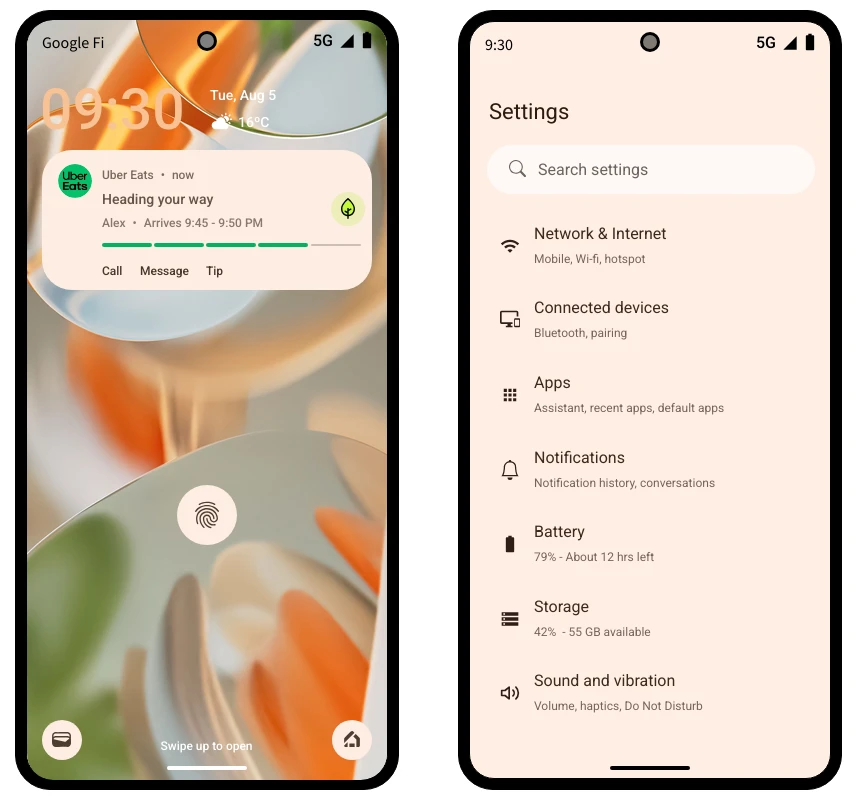
With the recent release of Android 16 and its shift to the new 'Material 3 Expressive' design standard, the Android user interface has undergone a significant visual and structural overhaul. To help you keep pace, our latest UI kit for WireframePro is tailored for wireframing apps that follow this new design language. It includes a wide range of components across multiple categories, making it easier to plan and prototype Android 16 apps with precision
- Frames
- Keypad
- Widgets
- Navigation
- Forms
- Buttons and Icons
- Tabs and sliders
- Templates
Before diving into advanced prototyping or development, it's essential to visualize your Android app ideas using the native design theme. With this Android 16 wireframe UI kit and MockFlow’s intuitive editor, you can quickly sketch app screens with no learning curve required. Effortlessly iterate your designs, explore different layouts, and communicate UI concepts more effectively, all while accelerating your development process.
IdeaBoard now adds free whiteboarding directly inside Atlassian Trello
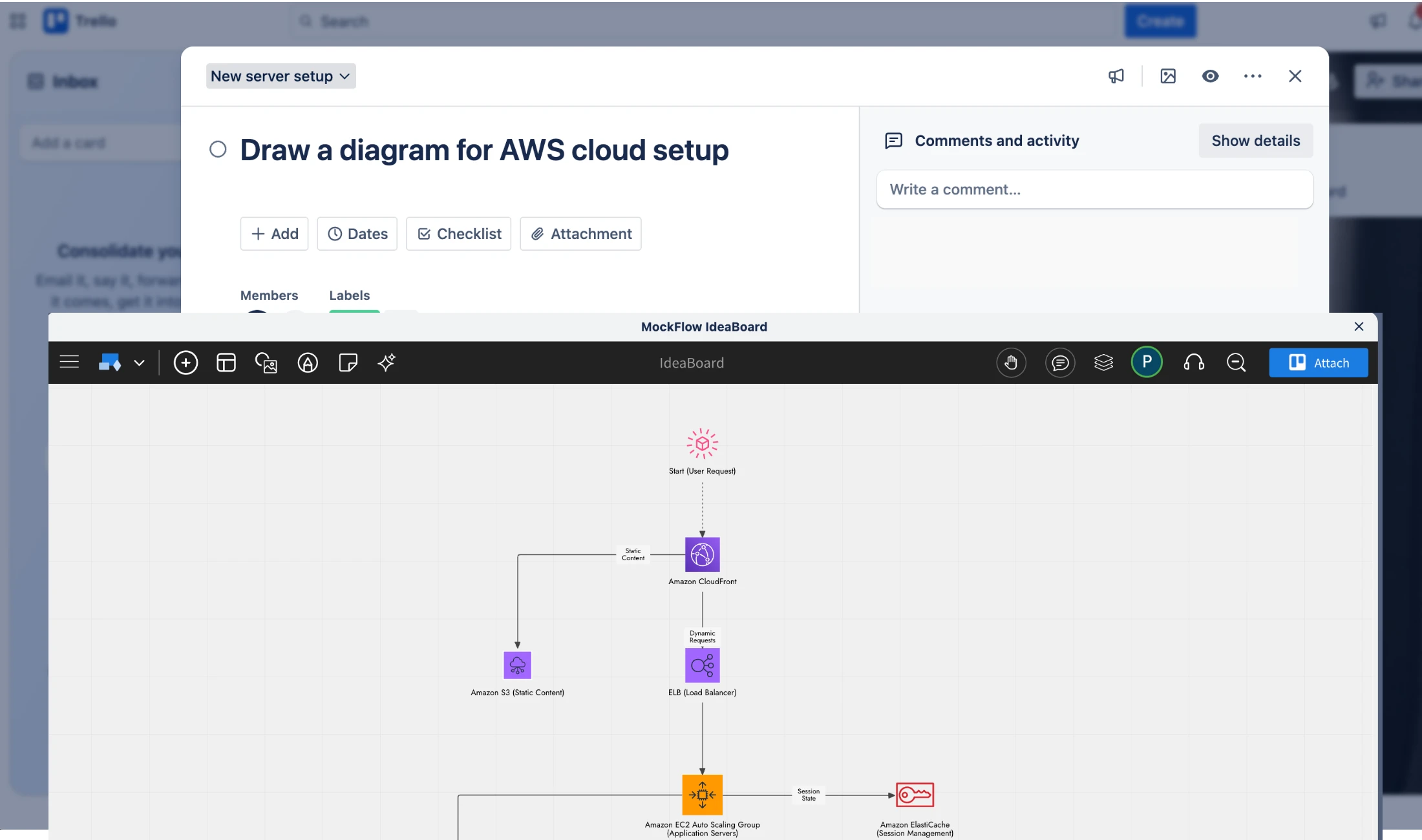
With the new IdeaBoard Power-Up for Trello, your team can now collaborate, brainstorm, create diagrams, and visualize ideas, without ever leaving your Trello board.
IdeaBoard is your visual canvas for seamless ideation. When brainstorming happens alongside task management, creativity flows effortlessly. With the new IdeaBoard Power-Up, Atlassian Trello users can easily sketch ideas, attach visual boards, and collaborate in real time all within Trello.
Whiteboard + Productivity = Success
Trello is a powerful productivity tool - fast, agile, and simple enough for teams of all kinds. But Trello tasks often remain text-heavy. While you can attach images to add context, it can be time-consuming, distracting, and limited in flexibility.
That changes now.
With the IdeaBoard Power-Up, you get a full-featured whiteboard experience right inside Trello. Make your tasks visual, easy to understand, and impossible to overlook.
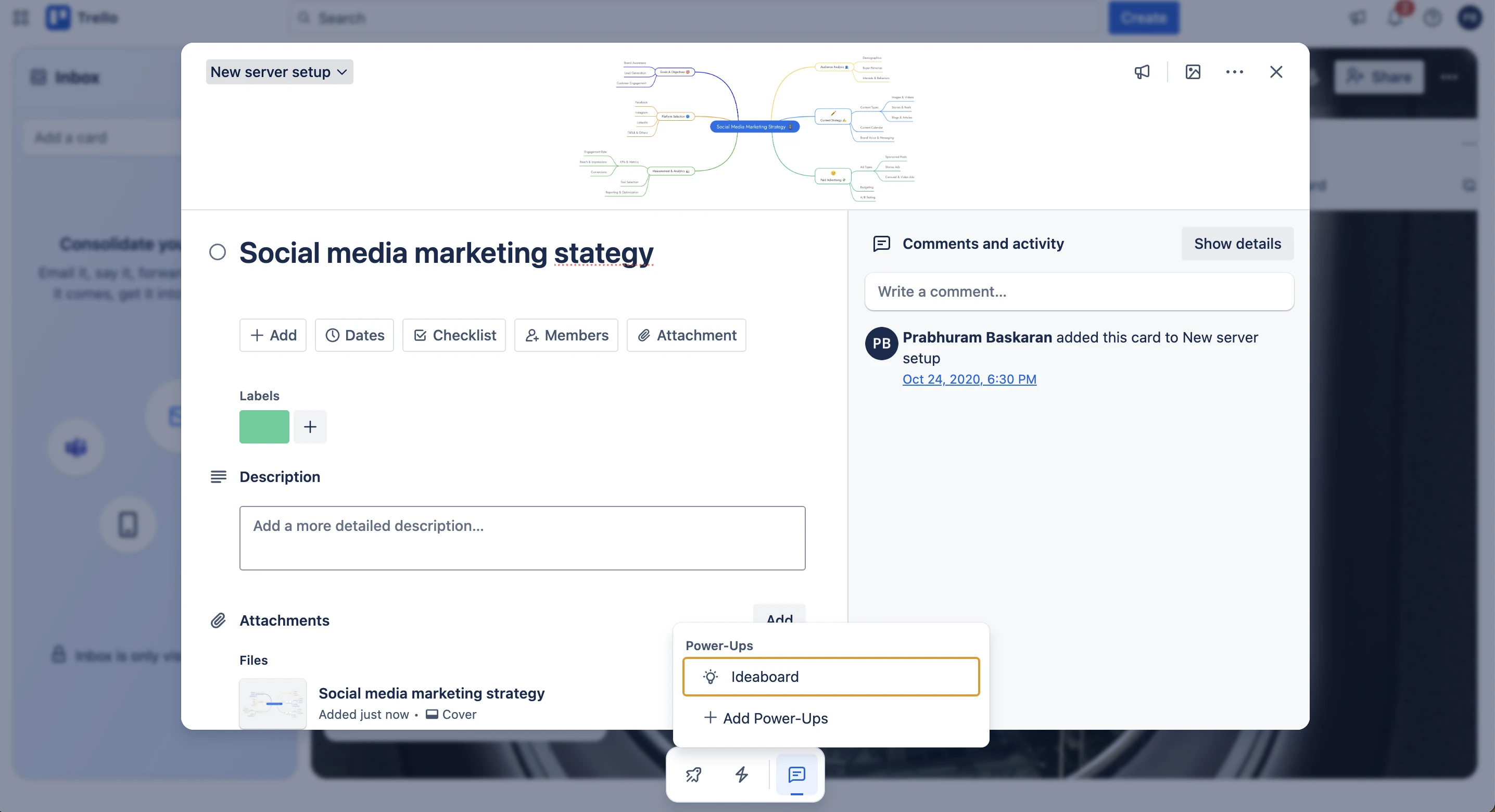
Real Use Cases of the IdeaBoard Power-Up in Trello
“Set up AWS SES for our email architecture”
→ Draw and attach a detailed AWS cloud diagram that clearly illustrates the workflow.
“Social media marketing strategy for product launch”
→ Create (or generate with AI) a visual mind map and connect your ideas in a structured way.
“Blog article for our new feature”
→ Collaborate on multiple documents in a single IdeaBoard—draft, review, and finalize content side by side in real time.
“Status board for the all-hands meeting”
→ Build a sticky note board that feels just like your physical whiteboard, but better—organized, collaborative, and always accessible.
Whatever you want to visualize or brainstorm, the IdeaBoard Power-Up brings it to life—right inside Trello.
MockFlow IdeaBoard is completely free and included in all MockFlow plans. Add the Power-Up to Trello and start visualizing your tasks today. Install now.
Free UI kits for MacOS 26, iPadOS 26, and watchOS 26 now available in MockFlow
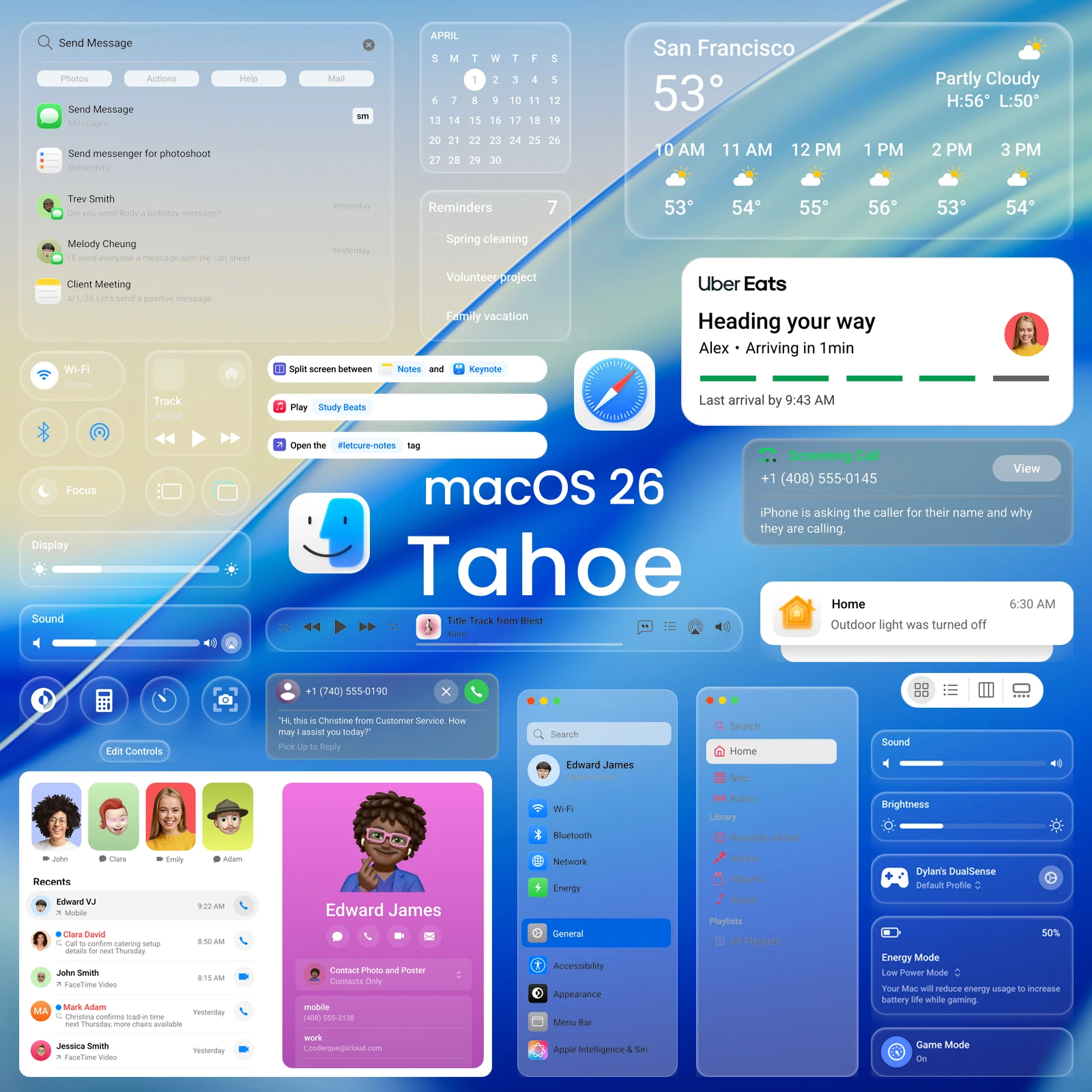
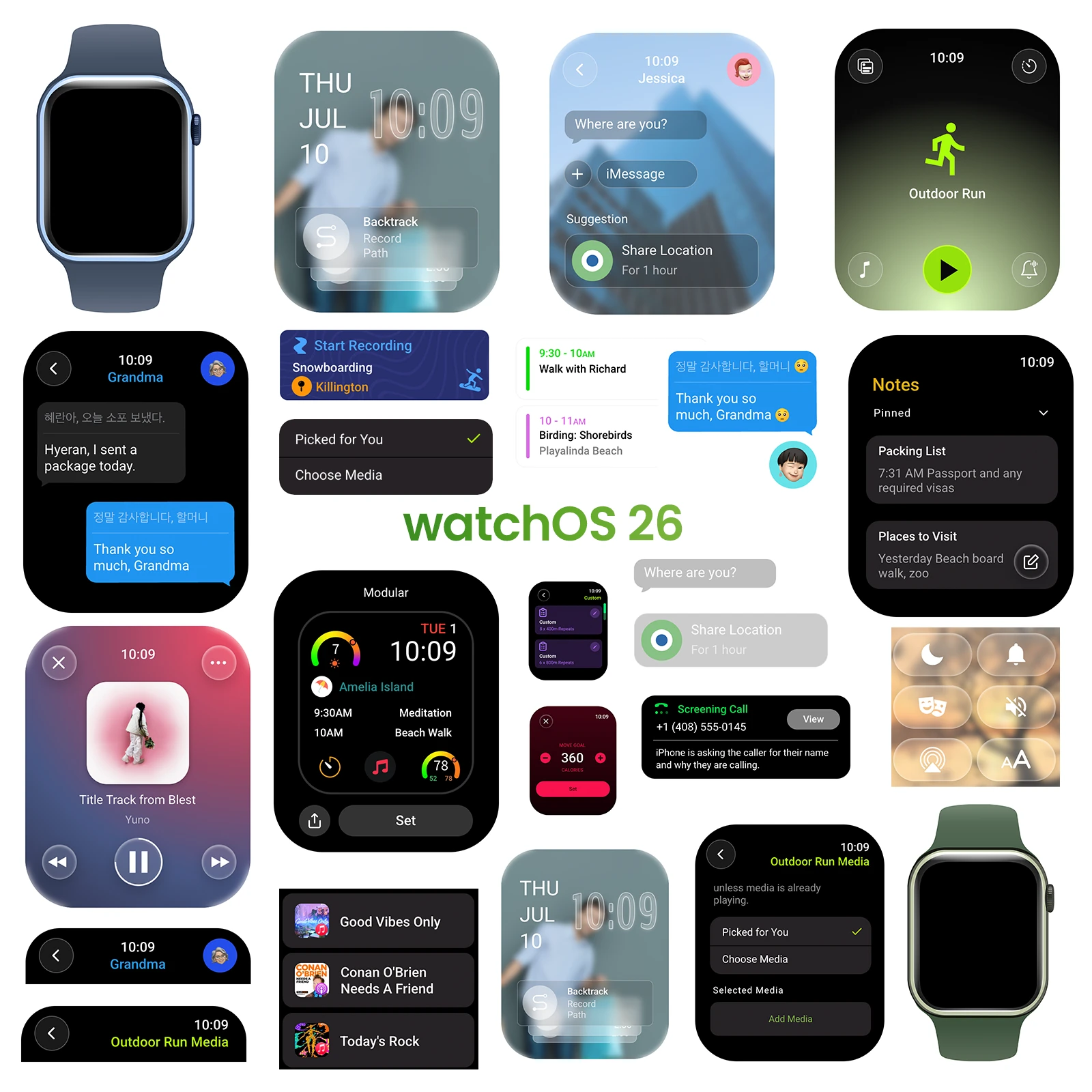
The latest UI kits are now available for MockFlow WireframePro users, featuring approximately 143 components for macOS 26, over 160 components for iPadOS 26, and a complete UI kit for the new watchOS 26.
Following our recent release of the iOS 26 UI kit designed for brainstorming iPhone apps with the new Liquid Glass theme, we’re excited to officially launch UI kits for the latest major versions of macOS, iPadOS, and watchOS.
Each UI kit also includes ready-made templates that showcase how the components come together in real app scenarios. What sets MockFlow apart from other UI design tools is its zero-learning curve and speed, it’s like sketching on a whiteboard, but with real, functional components. This makes it incredibly easy to iterate quickly and communicate UI ideas visually, while staying true to the original design theme—in this case, Liquid Glass.
WatchOS 26 wireframe component set preview
iPadOS 26 wireframe component set preview
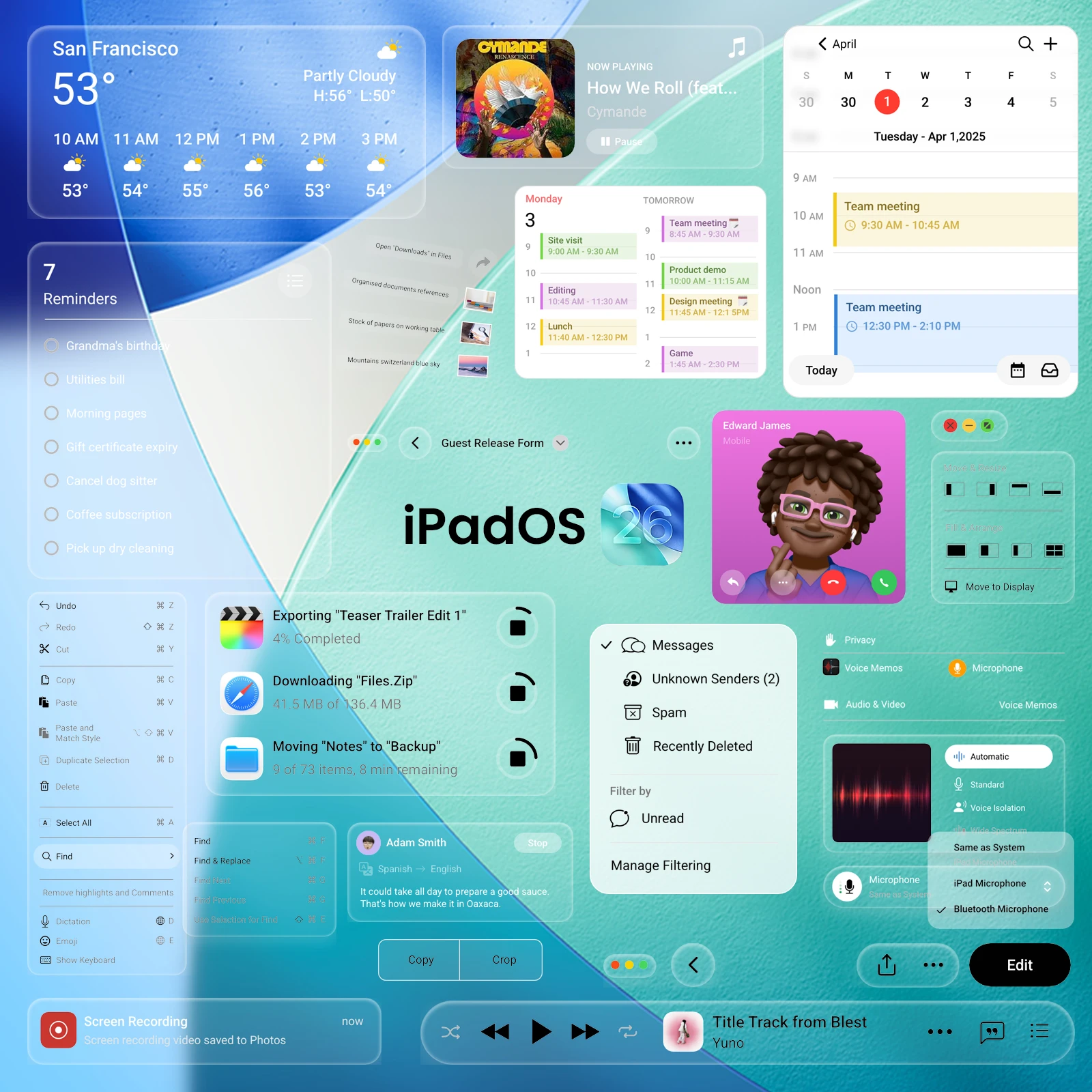
All UI packs are available for free in all MockFlow plans including basic.
Create Documents the Visual Way with the New Docs Component
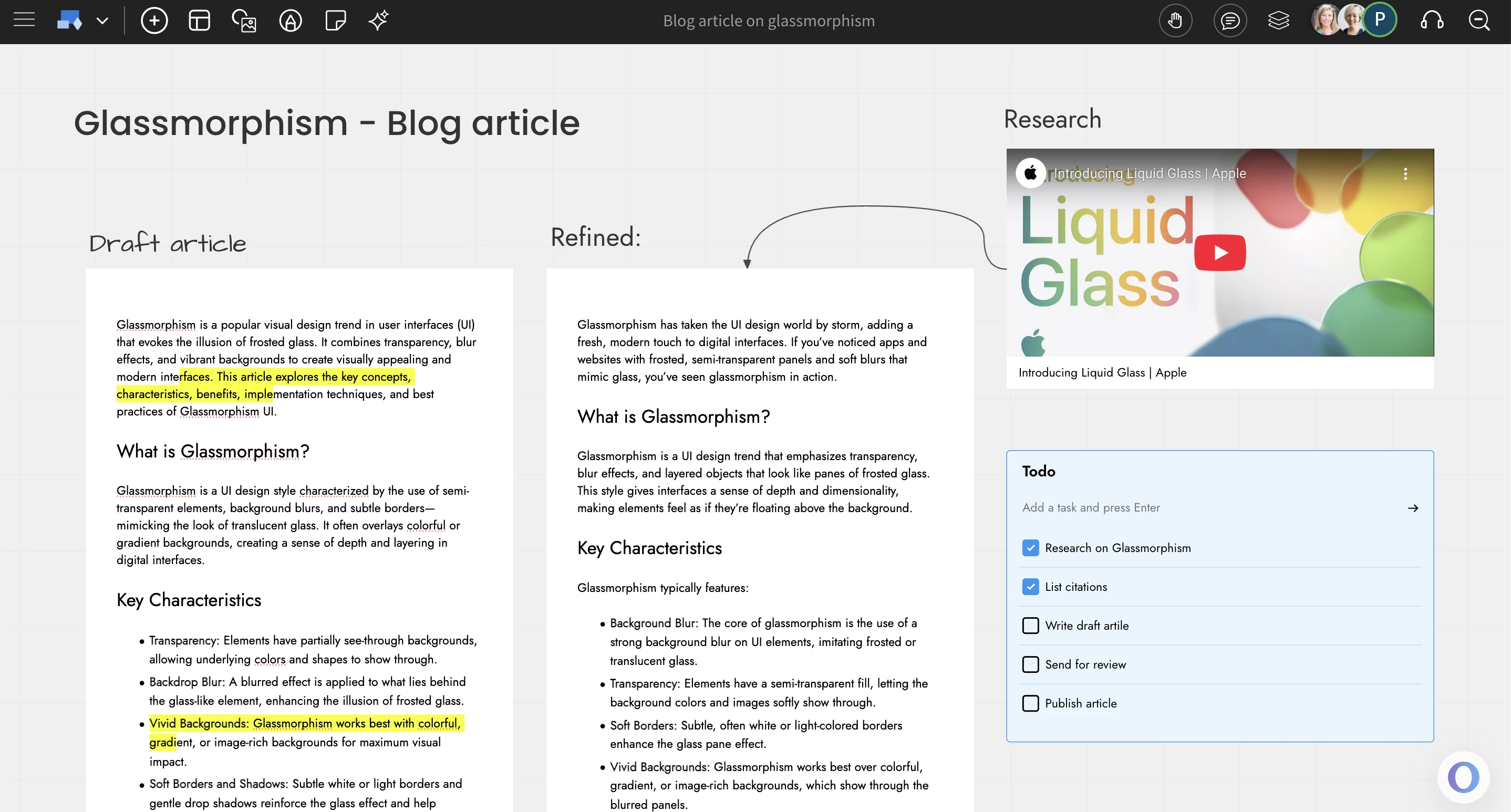
Create multiple docs side-by-side, connect docs with flows, combine docs with stickies, images, todos. Move away from the traditional method of writing documents and start creating them visually with IdeaBoard.
We are excited to introduce a new document component with advanced editing features inside IdeaBoard. By combining an infinite canvas with a familiar document editor, you get a fresh approach to writing and organizing content.
Traditional document tools like Google Docs were designed with printing in mind. While they are great for that purpose, they often fall short when used for web-based writing due to their limitations.
With the new document component in IdeaBoard, you can write, arrange, and visualize your content however you like. Your mind processes information more efficiently when everything is visible on one screen, reducing mental strain and helping you think more clearly.
Doc features
Style it the way you want
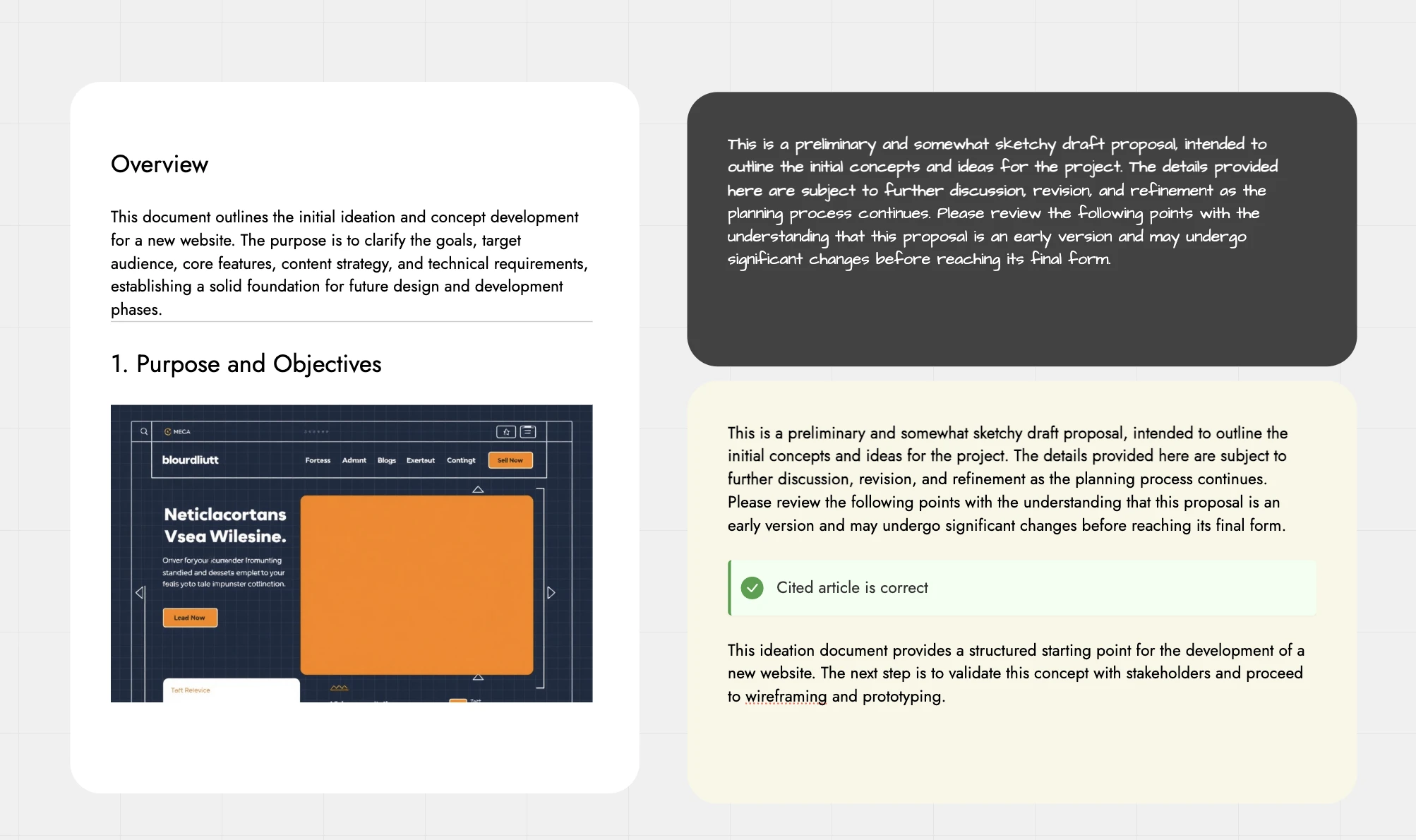
Real-time editing
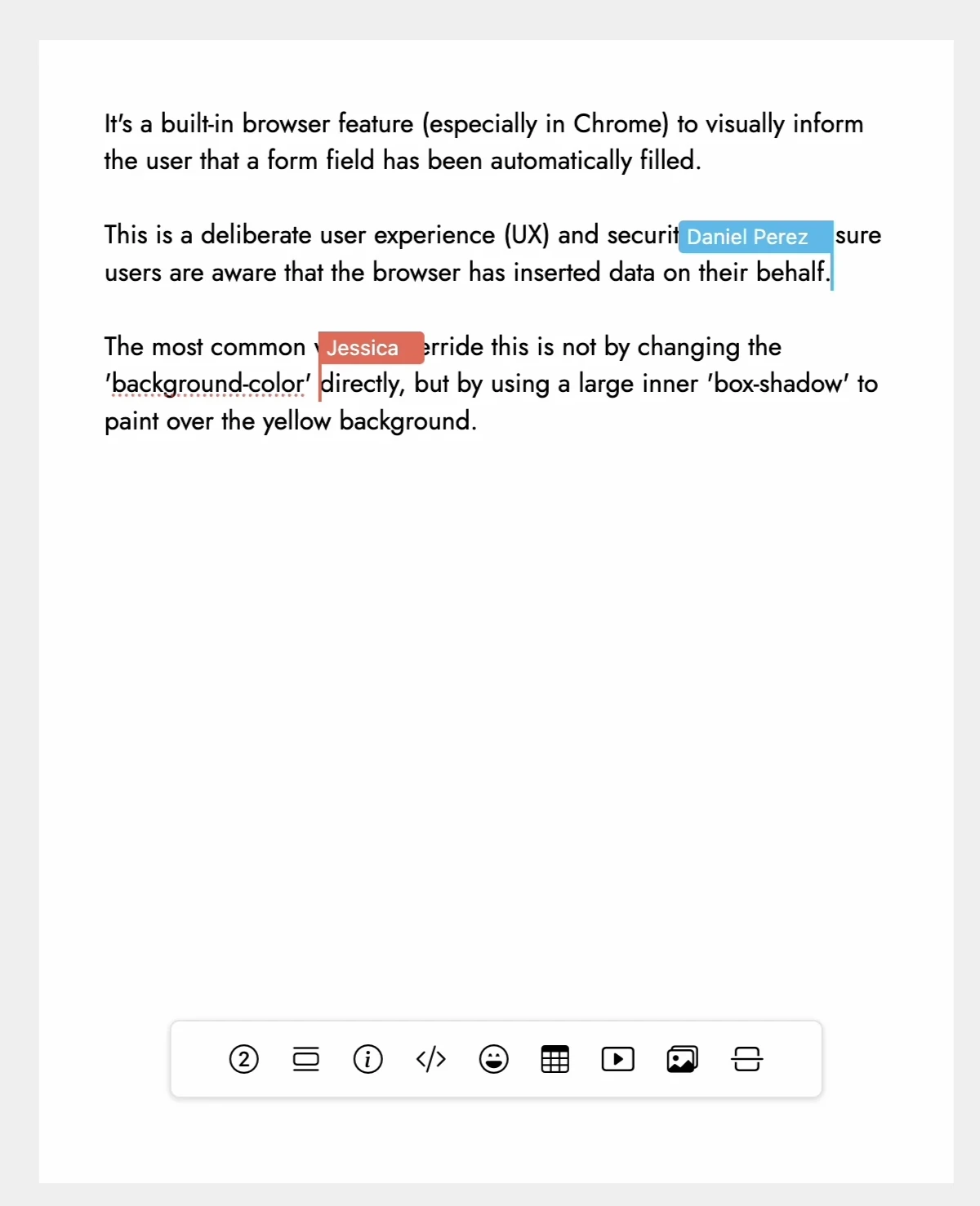
AI features:
Focus mode:
The document component supports IdeaBoard’s focus mode, designed to eliminate distractions while editing or reviewing. When enabled, only the document stays visible in the viewport, while all other elements are hidden. This provides a clean, isolated space for focused writing especially helpful when the canvas becomes cluttered or when zooming and panning interrupt the flow. You can also share just the document on its own using focus mode.
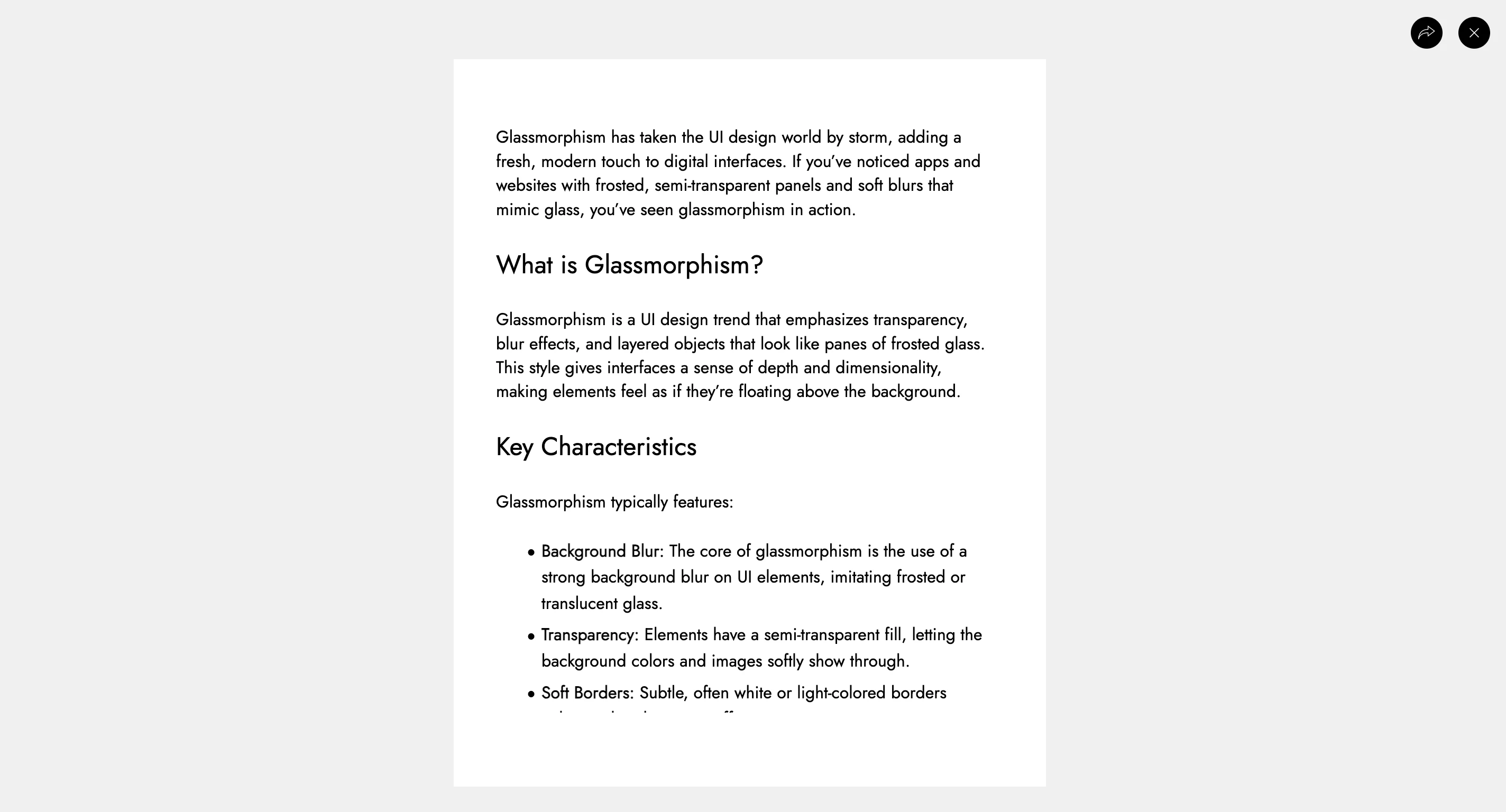
Example: https://app.mockflow.com/iview/MI0MLCFBssb#/mode/view/focus/D8be813c57937a67fcdee822eeba21d66
The Docs component in IdeaBoard offers a fresh, visual approach to creating and collaborating on documents. With powerful editing tools, seamless real-time collaboration, and AI-assisted writing, it redefines how documents are written and shared. Best of all, it's available for free across all MockFlow plans.
Introducing AI toolbox for brainstorming in IdeaBoard
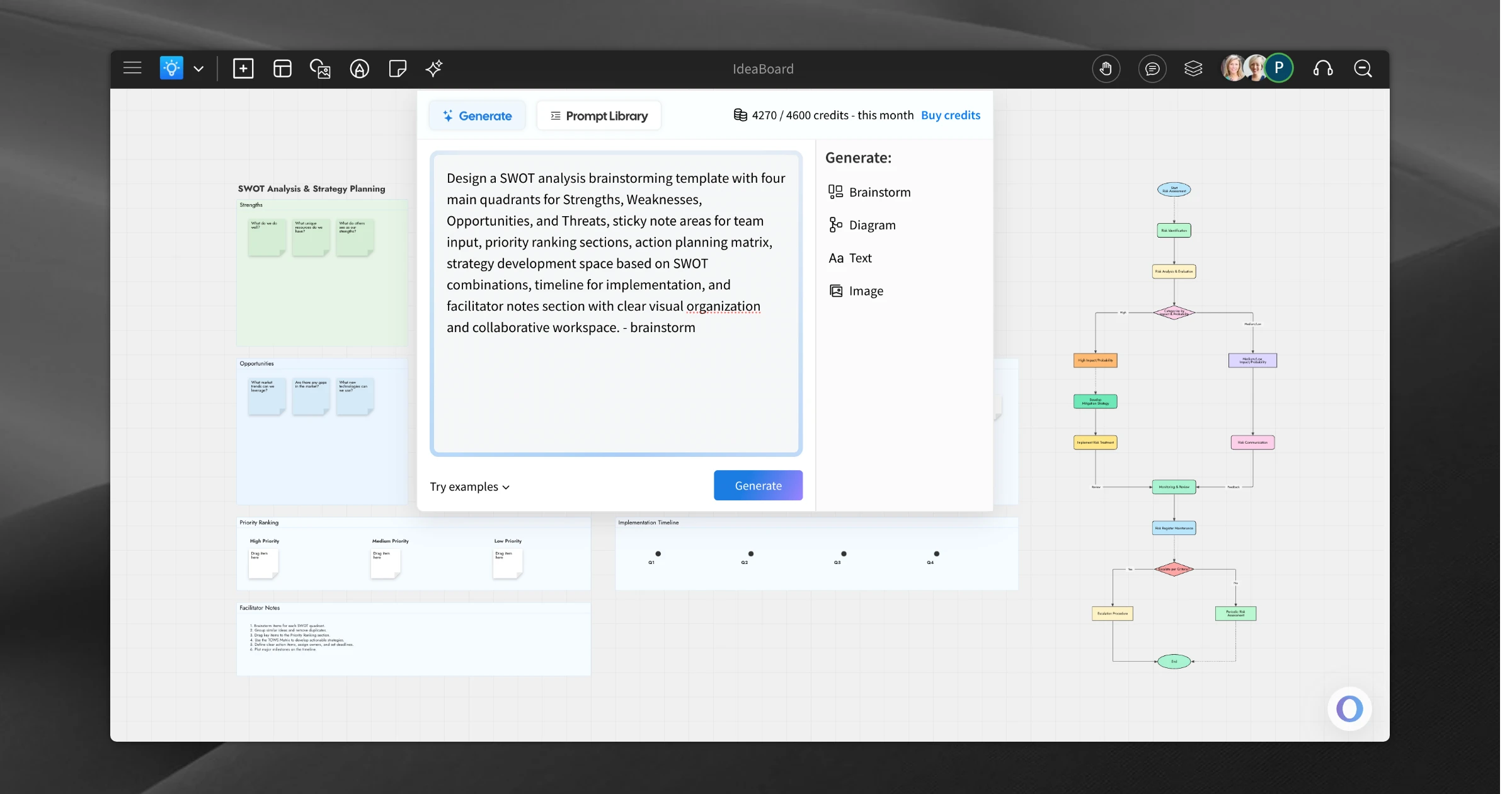
IdeaBoard: Generate custom whiteboard templates, flowcharts, cloud architecture diagrams with the new AI toolbox inside IdeaBoard editor. It also includes editable prompt library for ideas.
When we first launched IdeaBoard, our goal was to reimagine what online whiteboarding could be. Designed for the AI era, IdeaBoard combines a lightweight interface with powerful components, now enhanced by the new AI Toolbox. Together, they deliver a smarter, faster, and more intuitive whiteboarding experience for modern teams.
What is the AI Toolbox?
IdeaBoard is a whiteboard tool built to turn imagination into action. With its infinite canvas and ever-expanding library of components, it empowers you to think visually and collaboratively. Now, with the addition of the AI Toolbox, transforming your ideas into structured whiteboard layouts is easier than ever. Simply enter a prompt, and the AI will generate ready-to-use templates for brainstorming, strategy sessions, planning, diagrams, flowcharts, meetings, and more instantly.
Why Use AI When Templates Already Exist?
While our template store offers a wide range of pre-made options, the AI Toolbox goes a step further, it creates templates that don’t yet exist. Whether you need something highly specific to your business, project, or workflow, AI makes it easy. Just describe what you need, and it builds a tailored template in seconds.
Need a cloud architecture diagram for your upcoming SaaS app using AWS infrastructure? A custom Agile workflow for your product team? A MoodBoard for your new design system? A Kanban board for managing design approvals? The AI Toolbox can generate all of these and more without starting from scratch.
Prompt Library: Ready-to-Use, Fully Editable
The AI Toolbox includes a built-in Prompt Library filled with pre-written, editable prompts tailored for different use cases. Whether you're creating a brainstorming layout, a workflow diagram, or a strategic planning board, you can simply click to import a relevant prompt, customize it to your needs, and generate your whiteboard template instantly. It’s a fast, flexible way to kickstart your visual thinking without starting from a blank canvas.
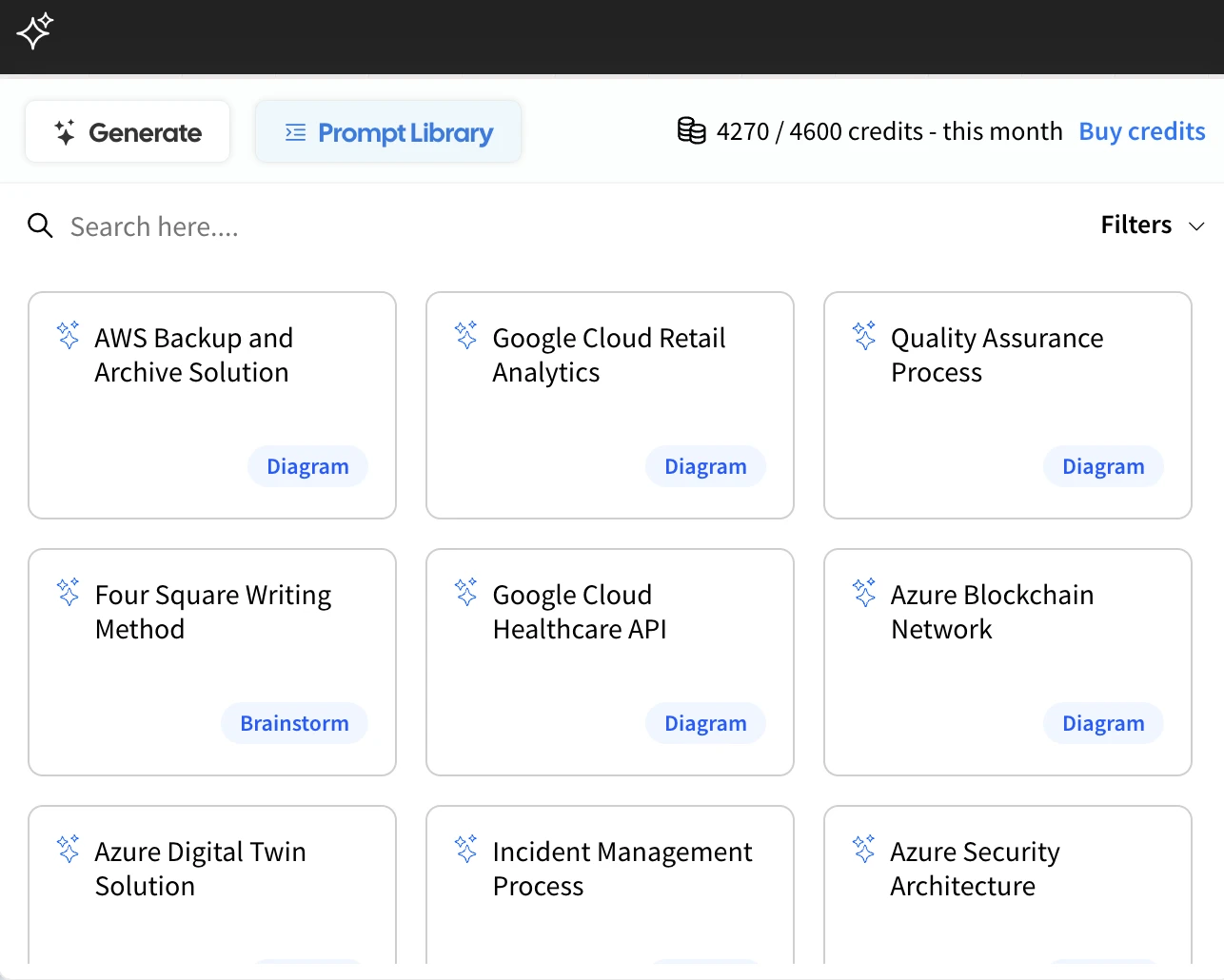
Running Out of AI Credits? No Problem.
Every paid MockFlow plan includes monthly AI credits that automatically refresh. But if you need more, the AI Toolbox lets you purchase additional credits anytime. These extra credits never expire as long as your base subscription remains active, so you can use them whenever inspiration strikes, without worrying about time limits.
The Future of the AI Toolbox
This is just the beginning for both IdeaBoard and its AI Toolbox. As IdeaBoard continues to grow with new components and smarter tools, the AI capabilities will evolve too. Expect even more intelligent features, deeper customization options, and advanced templates that adapt to your unique workflows, all powered by the expanding AI Toolbox.
Free wireframe kit for ideating iOS 26 liquid glass apps for iPhone

Brainstorm UI your future iPhone apps with the upcoming iOS 26 liquid glass concept. The UI kit comes with over 190 components in 15 categories along with wireframe templates.
Apple recently unveiled the beta of iOS 26 at WWDC, introducing a groundbreaking UI design language called Liquid Glass. Much like the early skeuomorphic design era and the later shift to flat UI, Liquid Glass marks a significant evolution in user interface design for iPhone apps.
This new aesthetic emphasizes translucency, fluid motion, and a glass-like visual texture that subtly blends UI elements into the background by allowing content to take center stage. It introduces a minimalistic approach to UI components, encouraging clarity, focus, and modern visual hierarchy.
Wireframe iOS 26 apps
Introducing the Complete Liquid Glass Wireframing Solution: 190+ Premium Components for iOS 26 Development

We're proud to announce the launch of our comprehensive wireframing component library, specifically designed for liquid glass application development. This powerful toolkit seamlessly integrates MockFlow's industry-leading wireframing platform with an extensive collection of 190+ pre-built liquid glass UI components, enabling designers and developers to accelerate their design workflow significantly.
Key Features & Benefits:
Our advanced wireframing solution empowers teams to rapidly prototype and visualize UI concepts, streamlining the design-to-development process. The intuitive interface facilitates quick iterations, allowing you to refine and finalize your design concepts before entering the development phase, ultimately reducing project timelines and costs.
Enhanced Development Workflow:
The integrated WireframePro build mode introduces seamless iOS SDK export functionality, providing developers with production-ready code that further accelerates development cycles. This feature bridges the gap between design and implementation, ensuring consistency and reducing manual coding requirements.
Availability & Access:
The complete Wireframe UI Kit for iOS 26 is now available at no cost to all users, making professional-grade wireframing tools accessible to teams of all sizes. Start designing your next liquid glass application today with our comprehensive component library.
Ready to transform your wireframing process? Access your free toolkit and begin creating exceptional user experiences.
Wireframe UI kit for Tailwind v4 released for websites and webapps

MockStore now offers 300+ wireframe components for Tailwind v4 website designs and over 200 components tailored for Tailwind v4 web app wireframing.
There’s no doubt that Tailwind has become the most popular frontend CSS framework for building modern websites and web apps. If you’re developing with Tailwind, fast design iteration is essential. The new Tailwind v4 UI kit offers dedicated UI kits for both websites and web apps, giving you a huge range of components across multiple categories. This allows you to jumpstart your UI ideas and focus on functionality, without getting bogged down by styling from scratch.
Why it matters ?
If you’re a non-technical user or a manager, MockFlow now makes it effortless to visualize your layout ideas in Tailwind with no coding or prior experience required. You can easily create and experiment with UI designs, making the process as simple and accessible as possible.
Convert to code
Pair this with our Build Mode in WireframePro, and you can instantly convert your wireframe designs into ready-to-use Tailwind frontend code with just a single click.

Wireframe Components available in Tailwind v4 for website UI kit:

Its free for all
As with all UI kits in MockFlow, this release reflects our commitment to supporting the community. The Tailwind v4 Wireframe UI Kits are available to all users including those on the free basic plan, so you can start designing right away without any barriers.
New in Build Mode: Select framework version during code export

Now easily export wireframes as code with build mode in the exact framework version you need—like Tailwind 4 , 3 or iOS SDK 17,16 , for seamless integration into your projects.
Why framework version matters?
Different versions of frameworks like Tailwind or iOS SDK or Android or Bootstrap can have changes in syntax, available components, and supported features. When you're working on an existing project, it's important that the generated code matches the exact version you're using otherwise, it can lead to broken styles, missing components, or compatibility issues.
By allowing you to choose the framework version in BuildMode during code export, WireframePro ensures that the generated code fits perfectly into your current setup. This eliminates the need for manual adjustments and helps you move faster from wireframe to production code with full confidence.
Expanded Framework with Version Support in Build mode
This release expands WireframePro’s capabilities with support for multiple versions of existing frameworks as well as entirely new ones. No matter which language or framework your project uses, you can now export wireframes into production-ready frontend code that fits right in. Just visualize your UI—WireframePro handles the rest.
Current Code Export Support in MockFlow
You can now convert your wireframe designs into frontend code across a wide range of frameworks and platform SDKs. Supported options include:
- Tailwind CSS: Versions 4, 3, 2
- Bootstrap: Versions 5, 4, 3, 2
- Material Design: Versions 3, 2
- Shadcn UI
- Bulma
- Ant Design
- React
- Vue.js
Platform SDKs:
- iOS: Versions 17, 16, 15
- iPadOS: Versions 17, 16, 15
- Android: Versions 34, 33, 32, 31
- Flutter: Versions 3, 2
- watchOS: Versions 10, 9, 8
- macOS: Versions 14, 13, 12
- Windows: Versions 11, 10
MockFlow continues to expand support to ensure your wireframes can be seamlessly translated into code that matches your tech stack.
IdeaBoard File mode - makes whiteboard data on-premise and git-integrated

The MockFlow Desktop app for Mac (Apple Silicon and Intel) and Windows (x64) offers several advantages, including native OS integration, a distraction-free experience, faster loading times, and now, file mode. We’re excited to introduce file mode for IdeaBoard, expanding beyond our existing wireframe app.
What is file mode?
Similar to Microsoft Office files like .ppt or .doc, you can now save and open IdeaBoard projects as files with the .board extension. All your whiteboard data—including drawings, images, and assets—is packaged into a single file. This offers several benefits: you don’t need the cloud or a server to open or edit your project, and sharing is as simple as sending any other file. You can easily use your preferred file sharing or storage service, such as Dropbox or Google Drive. Businesses can also keep their own copies for backup and compliance, without relying on MockFlow to store their data.
Encrypted whiteboard files
File mode is designed especially for businesses, allowing you to use IdeaBoard without concerns about servers, backups, uptime, or hosting. However, since these projects are saved as files, they can be easily shared and might unintentionally fall into the wrong hands. To address this, file mode offers optional encryption for IdeaBoard files. You can secure your whiteboard files with a passkey of your choice, and MockFlow protects your .board files using industry-standard 256-bit encryption. The encryption key is stored within the file itself, so your project cannot be opened, viewed, or edited without the correct passkey. You can change the key as often as needed, and no cloud support is required for encryption or decryption..

Git-based collaboration
Git is a distributed version control system known for managing code and files in collaborative workflows. With IdeaBoard’s file mode, you can include whiteboard files directly within your existing git projects. This means architecture diagrams, logic flows, brainstorming sketches, and workflows can all be stored and versioned alongside your project data—right within your git or GitHub repositories.
Built-in version control
IdeaBoard’s .board files come with optional built-in revision control. Since whiteboard content often evolves, tracking changes and revisiting previous versions is essential. The integrated revision system lets you view, compare, and restore past versions of your whiteboard projects - all without needing any cloud support.

What’s Missing in File Mode?
While file mode offers many unique advantages, it does not include some features available in the online version of IdeaBoard, such as:
- Video conferencing and chat
- Comments or collaborative tools
- Real-time editing in the cloud
These features remain exclusive to the online IdeaBoard experience.
Can I use IdeaBoard file mode ?
File mode is exclusive to IdeaBoard’s business yearly plans and is designed specifically for enterprise needs. It’s not available on all plans. For more details and pricing, please visit our pricing page.
New! Build mode - Convert wireframes into production code

Introducing Build mode
How it is different from other code generators?
Is build mode now available ?
New Minimap in the Editor for Effortless Navigation

What is a page minimap?
The minimap streamlines the process of working with large wireframes containing multiple screens. Instead of frequently zooming, panning, and scrolling, the minimap offers a bird’s-eye view of the entire page and allows for quick navigation to specific sections.
Now experience Dark Mode in MockFlow Dashboard and Editor

How to switch ?

Dashboard in dark mode:

Updated UI kit for Android to version 15

- Frames
- Keypad
- Top nav
- Bottom nav
- Buttons
- Form elements
- Tabs and Slider
- Lists
- Dialog boxes
- Notification
- Widgets
- Icons
- Popups
- Misc elements
Android UI kit is available free for all MockFlow plans.
Now track team activity in Design Spaces

Design Spaces in MockFlow serve as a brainstorming hub where businesses can ideate, create, collaborate, and evaluate their next big software ideas, design updates, client projects, and more. It’s more than just a folder for grouping projects; it's a dynamic space where projects, team members, and ideas come together. Today, alongside space analytics, we’re excited to introduce "Space Activities.".
With Space Activities, members can easily track key actions within the space and see when they occurred. They can also quickly search for specific activities— for instance, searching "delete" will display all deletion actions, whether it’s an image, project, or page removal. Only essential activities relevant to the space are recorded, ensuring members have access to vital updates.
Benefits of space activity
- Overall activity viewer of all projects inside a space
- Track activity by member
- Relate between member responsibilities and activities done
- Search activities or filter by type
- Visual timeline that also displays related thumbnails
Note: This feature along with Space Analytics is only available for Business and Enterprise plan users.
AI Feature series 4: Convert Website/Webapp to Wireframes

Stop spending time wireframing your existing UI—try our Chrome extension that instantly converts any website, web app, or internal app into editable wireframe designs.
We’re thrilled to announce a new addition to our AI-powered features: a Google Chrome browser extension that transforms any user interface viewed in the browser into a wireframe design. This powerful tool makes it easier than ever to update, ideate, and refine UI designs effortlessly.
Why would you need it?
Consider a scenario where your business has developed and currently uses a web-based internal supply chain management software for handling logistics. Over time, as requirements evolve, new modules and updates are needed. Directly assigning these updates to developers without a clear design process often leads to wasted time and effort, as coding is a detailed process that can’t be easily reversed. Much of this effort can be saved by providing developers with a clear UI mockup or wireframe as a specification. However, creating a wireframe from scratch can be time-consuming, especially for existing software, since the project manager or designer would first need to recreate the original design.
With this new extension, you can instantly convert your existing UI into a fully editable wireframe with a single click, allowing you to explore new styles and design ideas with ease.
Scenarios explained:

Convert specific sections or components
The new Chrome extension offers two powerful options: you can either convert the entire page or screen into an editable wireframe, or interactively select specific sections—such as a sidebar, header, or feature—or individual components like a tab bar, list, or grid. These selected elements can then be used in your wireframe just like any other component, giving you full flexibility and control over your design.

Note: This Chrome extension is currently in beta, so there may be some differences from the original design.
It is freely available for all plans including Basic. Install now from chrome store.

