Image

Autopsy Of A Freshly Cooked 10Gbit SFP+ Network Adapter

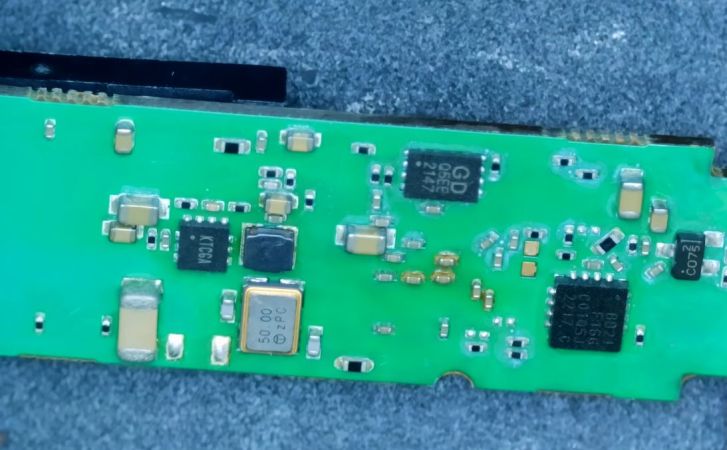
With the advent of affordable 2.5 Gbit, 5 Gbit, and 10 Gbit consumer networking gear, more and more people are taking advantage of these higher networking speeds, with [This Does Not Compute] having used 10 Gbit SFP+ modules over regular Cat-5e copper to connect to a NAS in the next room. Only problem was that after a while these SFP+ modules began to start dropping frames. On taking a closer look at these modules, he found that they were running pretty hot: 40°C while idle. A teardown of one of these modules showed severe discoloration due to heat.
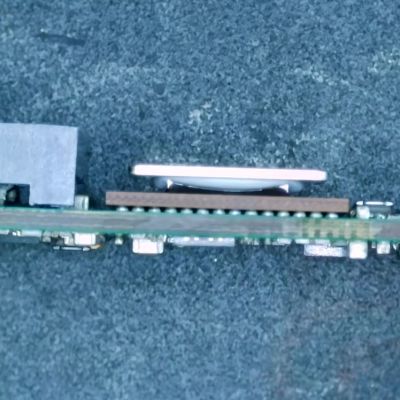
Side view of the SFP+ module's PCB. (Credit: This Does Not Compute, YouTube)
Side view of the SFP+ module’s PCB. (Credit: This Does Not Compute, YouTube)

Inside these 10Gbit modules is the Marvell-branded Alaska X 88X3310/40P PHY, which despite the ‘low-power’ claims have a metal heatsink glued onto the actual IC and thermally coupled to the module’s metal enclosure. The other side of the PCB was quite discolored, further indicating how hot these modules run in operation. Some digging revealed that this can go up to around 2.5 watts.

Perhaps the most fascinating part of this teardown is the discovery of an 8051-based MCU that’s responsible for telling the switch the module is put into that it is a 30-meter multi-mode fiber module, presumably for compatibility purposes. It’s definitely an interesting feature of these FS-branded SFP+ modules.

These old modules were replaced with Wiitek-branded modules that are supposed to use only up to around 1.5 watts in operation courtesy of a newer chipset, in the hope that these wouldn’t fry themselves. At idle these do however still run at 30 °C. As noted in the comments, it might be a good idea to have active airflow over high-speed networking gear like this, as they generally can get pretty hot and sometimes crispy.

The final solution for the video’s networking problem was to just run single-mode fiber to the room and use appropriate SFP+ modules for that, also because these run noticeably cooler. If you still have room in your cable ducts, that would seem to be the optimal solution.

Continue reading “Autopsy Of A Freshly Cooked 10Gbit SFP+ Network Adapter”
Image

Revisiting Making Your Own Internet Router In 2026

After my recent misadventures setting up an OpenWrt installation on a scruffy e-waste-level x86 PC, quite a few people chimed in with feedback, criticism and friendly hostility regarding things like a presumed ‘x86 bias’. There were also some system-related things that simply didn’t seem to want to work, such as booting from an SD card with a USB adapter, which cut short a lot of the actual OpenWrt testing that I had intended. This made it mostly an enlightening look at what issues you can run into when ‘quickly’ throwing an OpenWrt router together with some junk parts these days.

In this second article I’ll try to address as many of these points as possible, as well as attempt to show off an actual working OpenWrt installation in action. In addition, since just using random junk x86 PC parts was the way to go back in the late 90s/early 2000s doesn’t mean that this is still the way in 2026, so I’ll be taking a look at alternatives that exist today. This includes everything from mini PCs, to ancient business PCs being sold for peanuts, as well as more dedicated (ARM-based) hardware solutions.

Continue reading “Revisiting Making Your Own Internet Router In 2026”

Image

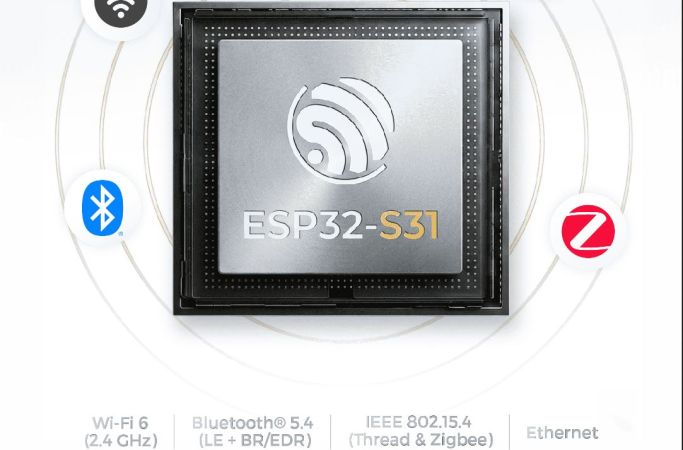
Espressif’s New ESP32-S31: Dual-Core RISC-V With WiFi 6 And GBit Ethernet

In a move that’s no doubt going to upset and confuse many, Espressif has released its newest microcontroller — the ESP32-S31. The confusing part here is that the ESP32-S series was always the one based on Tensilica Xtensa LX7 cores, while the ESP32-C series was the one using RISC-V cores.

That said, if one looks at it as a beefier -S3 MCU it does have some appealing upgrades. The most obvious improvements are with the use of WiFi 6, as well as Bluetooth Classic and LE 5.4, including LE Audio. There is also Thread and Zigbee support for those who are into such things.

The Ethernet MAC got a bump from the 100 Mbit RMII MAC in previous MCUs and is now gigabit-rated, while the number of GPIO is significantly higher at 60 instead of 45 on the -S3. On the RAM side, things are mostly the same, except for DDR PSRAM support, with octal SPI offering up to 250 MHz compared to 80 MHz on the -S3.

On the CPU side the up-to-320 MHz RISC-V cores are likely to be about as powerful as the 240 MHz LX7 cores in the -S3, based on the ESP32-C series performance in terms of IPC. Overall it does seem like a pretty nice MCU, it’s just confusing that it doesn’t use LX7 cores with the series it was put into. When this MCU will be available for sale doesn’t seem to be known yet, with only samples available to select customers.

Image

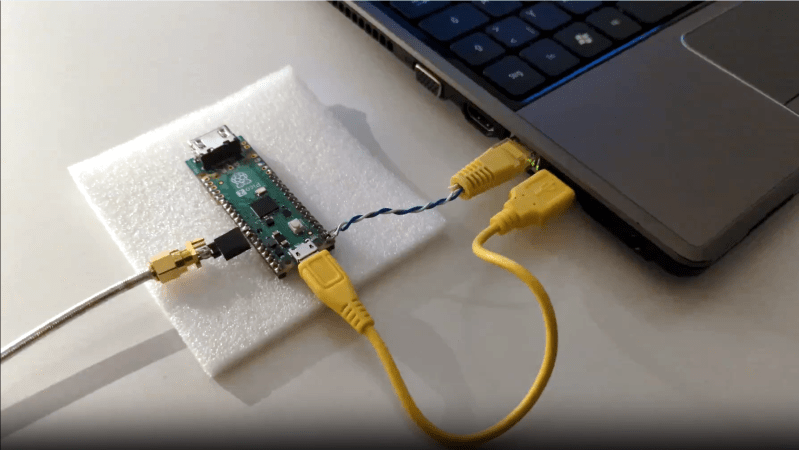
Bit-banged 100 MBit/s Ethernet Transmission On Raspberry Pi Pico

The Raspberry Pi Pico is a very capable board, but it’s still a surprise to see bit-banged 100 MBit/s Fast Ethernet implemented on one. [Steve]’s Pico-100BASE-TX library allows an RP2040 (or RP2350) microcontroller to stream data at roughly 11 Mbyte/s, enough to implement 100 MBit/s Fast Ethernet transmission.

We’ve seen 10BASE-T implemented on a Pico, but it takes a lot more than just shoveling bits faster to get 100BASE-T working. 10BASE-T uses two voltage levels and Manchester encoding, but 100BASE-T uses three voltage levels, which [Steve] cleverly implemented on the Pico with two GPIOs, and far more complex encoding. Check out the repository’s README for details as well as a couple example applications.

[Steve] tells us that to the best of his knowledge, this is the first bit-banged 100 MBit/s Ethernet implementation using a microcontroller. It’s transmit-only — reception being an entirely different beast — but it’s possible some enterprising soul might find a solution. If you do, be sure to let us know all about it!

Image

Listening To Ethernet Via Eurorack

Ethernet is how we often network computers together, particularly when they’re too important to leave on a fussy WiFi connection. Have you ever thought about listening to Ethernet signals, though? Well, you totally could, with the NSA selector from [wenzellabs].

The NSA selector is a Eurorack module, designed for use as part of a larger modular synthesizer. There are lots of fun jokes and references on the PCB, but the front panel really shows you what this module is all about. It’s got a pair of RJ45 jacks, ready to receive your Ethernet cables through which data is flowing. They’re paired with a single audio output jack. “Any bit on the network will be sent to the audio output,” [wenzellabs] explains.

The device operates in a relatively simple fashion. Network traffic from one jack is forwarded to the other, unmodified. However, it’s also spat out to a simple digital-to-analog converter and turned into audio. This thing doesn’t play digital audio formats or anything like that—it just turns raw Ethernet signalling into audible noise.

Raw signal noises might not sound very appealing, but let’s be real here. If you liked nice sounds, you wouldn’t be into Eurorack. Skip to 25:46 in the video below if you just want to hear the final product.

Continue reading “Listening To Ethernet Via Eurorack”

Image

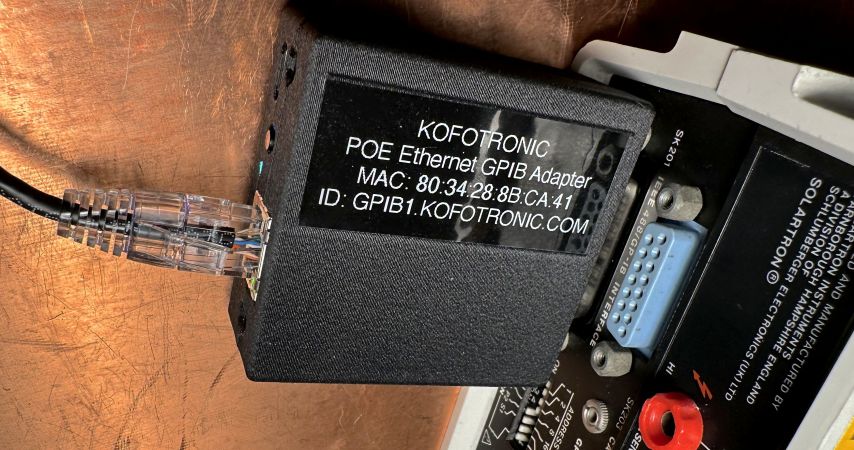
PoE-powered GPIB Adapter With Ethernet And USB-C Support

In the world of (expensive) lab test equipment the GPIB (general purpose interface bus) connection is hard to avoid if you want any kind of automation, but nobody likes wrangling with the bulky cables and compatibility issues when they can just use Ethernet instead. Here [Chris]’s Ethernet-GPIB adapter provides an easy solution, with both Power over Ethernet (PoE) and USB-C power options. Although commercial adapters already exist, these are rather pricey at ~$500.

Features of this adapter include a BOM total of <$50, with power provided either via PoE (802.3af) or USB-C (5V-only). The MCU is an ATmega4809 with the Ethernet side using a Wiznet W5500 SPI Ethernet controller. There is also a serial interface (provided by a CH340X USB-UART adapter), with the firmware based on the AR488 project.

The adapter supports both the VXI-11.2 and Prologix protocols, though not at the same time (due to ROM size limitations). All design documents are available via the GitHub repository, with the author also selling assembled adapters and providing support primarily via the EEVBlog forums.

Image

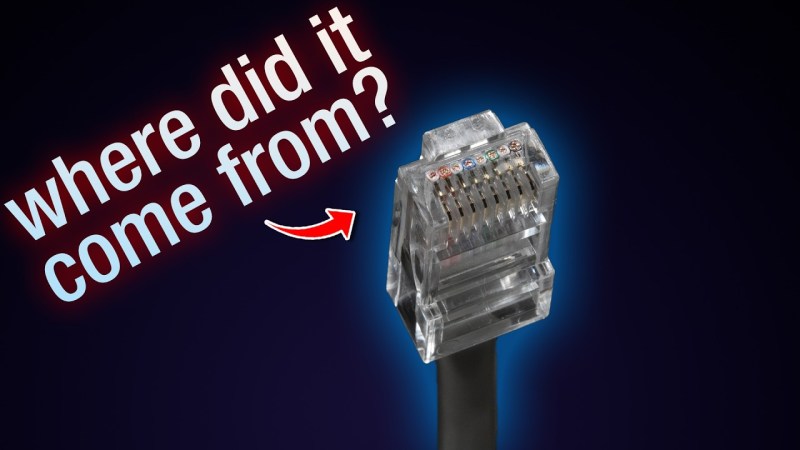
The Twisted History Of Ethernet On Twisted Pair Wiring

We all take Ethernet and its ubiquitous RJ-45 connector for granted these days. But Ethernet didn’t start with twisted pair cable. [Mark] and [Ben] at The Serial Port YouTube channel are taking a deep dive into the twisted history of Ethernet on twisted pair wiring. The earliest forms of Ethernet used RG-8 style coaxial cable. It’s a thick, stiff cable requiring special vampire taps and lots of expensive equipment to operate.

The industry added BNC connectors and RG-58 coax for “cheapernet” or 10Base2. This reduced cost, but still had some issues. Anyone who worked in an office wired with 10Base2 can attest to the network drops whenever a cable was kicked out or a terminator was dropped.

The spark came when [Tim Rock] of AT&T realized that the telephone cables already installed in offices around the world could be used for network traffic. [Tim] and a team of engineers from five different companies pitched their idea to the IEEE 802.3 committee on Feb 14, 1984.

The idea wasn’t popular though — Companies like 3COM, and Digital Equipment Corporation had issues with the network topology and the wiring itself. It took ten years of work and a Herculean effort by IEEE committee chairwoman [Pat Thaler] to create the standard the world eventually came to know as 10Base-T. These days we’re running 10 Gigabit Ethernet over those same connectors.

For those who don’t know, this video is part of a much larger series about Ethernet, covering both history and practical applications. We also covered the 40th anniversary of Ethernet in 2020.

Continue reading “The Twisted History Of Ethernet On Twisted Pair Wiring”