If you’re not into Wayland as a display manager, it seems like your options are slowly dwindling. Xorg isn’t exactly a hotbed of activity, and the one fork everyone knows about is best known as a political lightning rod. Luckily, Rust developers can apparently never see a tool without pulling it into their heavily oxidized bucket of crabs, so we now have another option: the creatively named yserver, released under the MIT license by [joske].
The name, yserver, for the record, is just a placeholder name, but we rather like the simple logic of “Y comes after X” — sure, you could call it X12, but that could imply continuity, and this is a clean break. It’s also not a full reimplementation of the huge, sprawling mess that Xorg has become over the decades. It can’t launch multiple screens and thus lacks full multi-monitor support. So, for now, it may be too bare-bones for some people’s use cases.
As it uses Vulkan, it is limited to relatively modern hardware, but has been tested on Intel, AMD, Nvidia, and Apple chips. The target kernel is good old Linux, but the docs do cover compiling for FreeBSD; just be aware that that’s very much a secondary target. FreeBSD users are probably used to that, though.
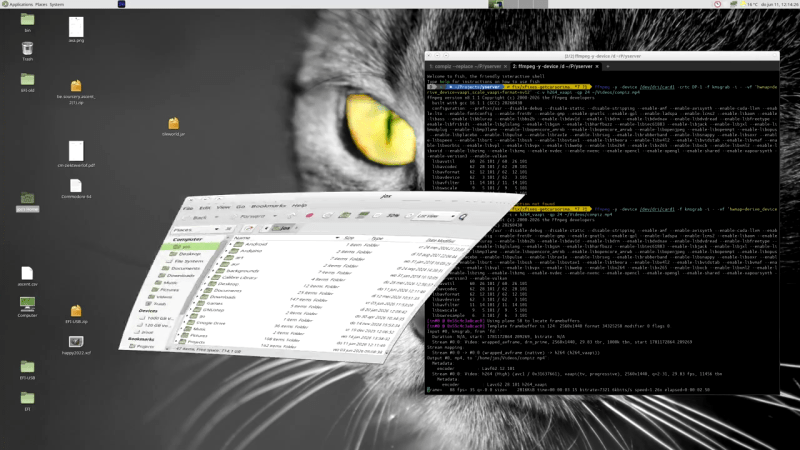
On Linux, a standalone DRM/KMS yserver can successfully run not just window managers but full desktops — specifically MATE, Cinnamon, and XFCE, as they’re not on the Wayland bandwagon. It even supports Compiz, in case you missed the cube and wiggly window animations. You can also use yserver via Xwayland or even Xorg. Speaking of Xorg, [joske] has run the X.Org X Test Suite (xts5) against this proposed successor, and it currently scores 66.2%, which seems pretty good considering the project explicitly does not plan to copy all of Xorg’s functionality.
Aside from multiple screens, one thing that would have been neat to see is support for the Asterinas rust-based Linux-compatible kernel — though if that project achieves full Linux compatibility, that may be a non-issue. Even if you aren’t an oxidization enthusiast, you might find reasons to be happy to see more competition in the display-manager market — after all, Wayland Will Never Be Ready For Every X11 User. If Xorg really is destined to the slow death critics predict, perhaps yserver could cover the holdouts.