Image

Mauchly And Eckert’s Other Computers

If you ask a random person who [John Mauchly] or [J. Presper Eckert] were, you’d probably get a blank stare. Ask a Hackaday reader, and you have a better shot. People who know will tell you that the two were behind the famous ENIAC, which may or may not have been the first computer, but was certainly influential in kicking off the modern computer era. They worked at Penn, and now [Holly Mengel] of Penn’s Kislak Center for Special Collections, Rare Books, and Manuscripts wants to introduce us to the other computers they worked on after ENIAC.

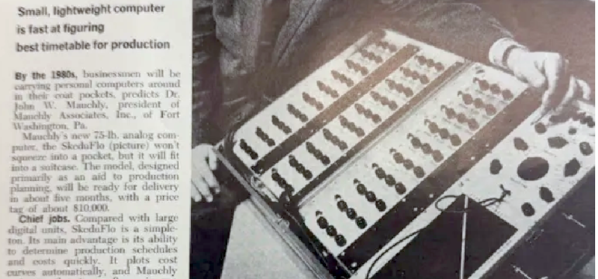
We will admit that we knew about EDVAC and UNIVAC. But we’ll also confess we didn’t know about BINAC or Skeduflo, a computer in a rather large suitcase. BINAC can claim to be the first digital computer that was commercialized, although you could argue that since it was fairly limited and, reportedly, never worked after it was delivered. Supposedly, the customer disassembled it, shipped it to a secure facility, and hired a freshly graduated engineer to rebuild it, which didn’t go very well.

We couldn’t find much about Skeduflo, other than that it was a 75-pound analog computer made for critical path method (CPM) analysis. You set up the problem with a patchboard and potentiometers, and the result came out on an analog plotter. Those details are from a PMI interview with [Morgan Walker] and [Jim Kelley].

It makes sense that these inventors didn’t just finish off ENIAC and retire to a tropical island. While UNIVAC had a good bit of success and EDVAC was very influential, the others are arguably fairly obscure. UNIVAC even has a Disney connection.
Image

Rare IBM PC Brought Back To Life

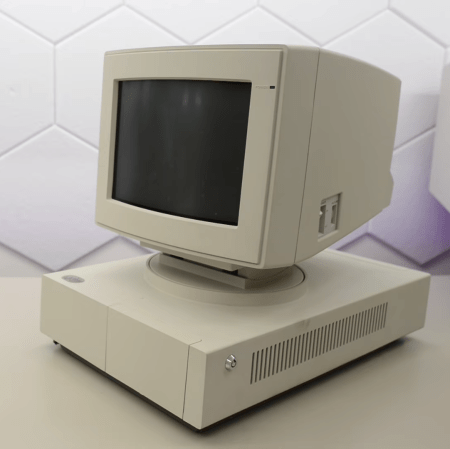
[Epictronics] happens to have a rather special machine in his possession. It’s a rare IBM PC prototype or concept machine from the late 1980s known as the IBM 7496 Executive Workstation. It’s a striking thing, with a rather enticing case design that has the monitor permanently attached on a nifty swivel mount. Only… the machine wasn’t working, so some repairs were in order!

The video is essentially teardown that gives a wonderful look at the internals of this oddball machine, which differs rather a bit from more mainstream IBM product of the era. The video is also about repairs and upgrades, too. The real work begins with pulling out the 720K double-density floppy drive, which has a number of faults preventing it from working reliably. Running a machine off floppies alone is as frustrating today as it was back then, so [Epictronics] goes further by adding in an XT-IDE card to allow the machine to interface with a hard drive. An AdLib clone soundcard completes the upgrades to make this unique unit as capable as you’d want it to be given those industrially good looks. The machine has the obscure, shortlived MCGA graphics subsystem, which really fits its oddball nature, but it will nevertheless play a fair few games of its era if such is demanded of it.

If you’re a fan of the early days of the IBM PC, or you just like watching retro computers pulled apart and delicately put back together, this is a great video to watch over lunch or dinner. If your tastes are more Commoderian, we’ve got some content more to your tastes as well. Video after the break.

Continue reading “Rare IBM PC Brought Back To Life”

Image

3 KB Solitaire Fits In QR-Code, Runs In DOS

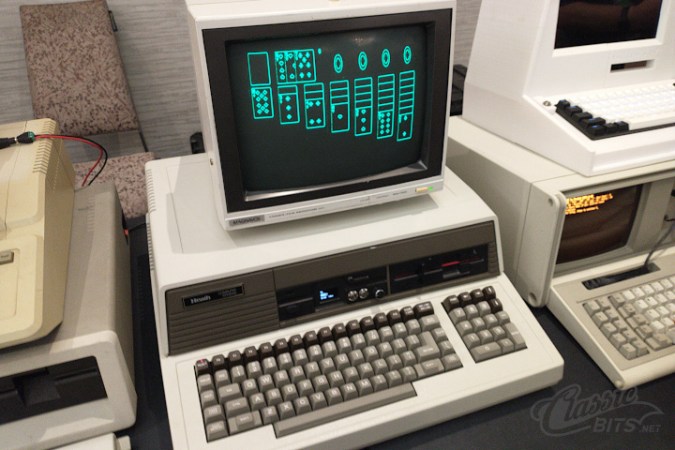
In these days of hundred-gigabyte-and-more monster games, it can be nice to stop and remember what a human can do with assembly language and very, very little storage space. In this case, only 3 KB — yes, three kilobytes — to play TinySol, a tiny solitaire game for DOS that’s compatible with the common CGA/EGA/VGA graphics modes. [ClassicBits] even fits the 640×400 AT&T 6300 mode that was used for some GRiD computers in that 3 KB.

The “full” version is actually 3.5 KB. That extra half kilobyte gets you the ability to load and save games, plus mouse support. The 3 KB version you must play through to the end using only the keyboard, but if you’re hitting this on the minimal-supported-hardware target of the IBM 5150, you probably don’t have a mouse. The smaller build can still score the game, auto-finish, congratulate you on a win, and even automatically detect the correct graphics mode for you. It can also be launched from a QR code, which [LGR] demonstrates in a video embedded below. Check it out for a play demo, but it’s Klondike Solitaire. If you don’t know what to expect by this point, you must not have used a PC in the last 30 years.

Even smaller versions of TinySol are available if you know you’re only going to need, say CGA, but even with 360 KB floppies we’re not sure we’d feel the need to save a kilobyte. If it doesn’t fit on the floppy, just print it onto the sleeve as a QR code, like [ClassicBits] did with the floppies he was giving away at Vintage Computer Festival Southwest 2026. Well, technically that’s the “Tiny” version on the QR code, but we have faith there’s some visual code that could hold the 3 KB “medium” game.

[ClassicBits] takes care to point out that his game is 100% human-written, which is something you cannot guarantee even for retro assembly-language products. We’ve already seen that Claude can code for the Z80, which means the 8088 won’t escape it either. Of course these old machines have a lot to recommend them if you want to escape modernity and learn to code without the help.

Continue reading “3 KB Solitaire Fits In QR-Code, Runs In DOS”

Image

The PC OS That Would Have Blown Your Mind Back In 1984

As far as desktop microcomputers for mere mortals went in the first half of the 1980s, there was a sharp distinction between home computers such as the many 8-bit machines we regularly see here, and what you might call professional computers such as a CP/M word-processor or the earliest IBM PCs. These were conservative machines, boring even, with command line interfaces and mostly text-mode software.

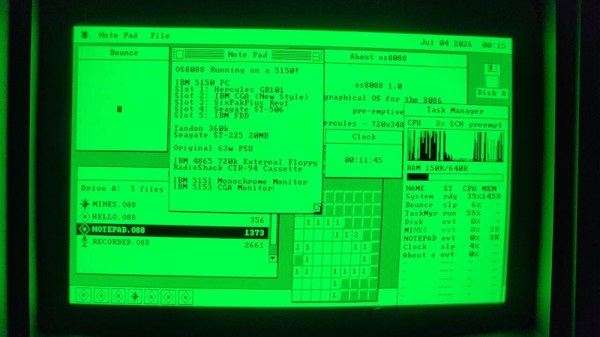
When the middle of the decade saw the arrival of mass-market machines such as the Macintosh or the Amiga with their beautiful GUIs, a PC with DOS couldn’t yet compete. [Jggonz] then is over four decades late with the beautiful os8088, a fully-functional OS for 8088 IBM PCs and clones, with a very slick Mac-style GUI.

os8088 is a single-floppy OS that provides preemptive multitasking and fully loadable software alongside that GUI, unlike other similar projects we’ve seen it’s not an all-in-one compiled application that just looks like an OS. There’s a second floppy with a suite of software that would have been seriously impressive back in the day, with games, graphics, and demos. It’s a shame that this thing appeared in 2026 when there is little need of it.

You can try it for yourself either on real hardware, your own emulator, or even in an in-browser emulator. Sadly it’s not OS enough to fulfill the requirements for a Daily Drivers test drive, but it’s definitely fun to play with. Bonus, if you run it on a Book8088.

Image

PC-1: The 1954 Computer With No Tubes, Relays, Or Transistors

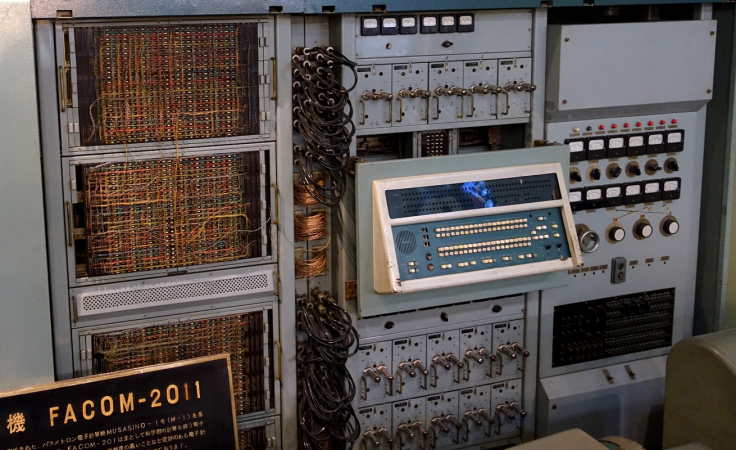
However you make a digital computer, you need something to represent a binary digit. Usually this is some form of switch: a relay, a tube, or a transistor, although there have been other ways to represent state. In 1954, [Eiichi Goto] of Japan invented the parametron, a resonant circuit using a ferrite core and a capacitor that could be moved between two phases.

According to [Goto’s] 1959 paper, the device is effectively a parametric oscillator, similar to some used at UHF frequencies by hams. The idea is that a tuned circuit is set to some frequency and driven with twice that frequency.

A What?

A parametron is essentially a resonant circuit made with inductors or capacitors whose reactance is varied at twice its resonant frequency. That “pumping” causes the circuit to oscillate at half the pump frequency. The neat trick is that there are two equally stable oscillation states at half the pump frequency, separated from each other by 180° of phase. Those two phases become binary 0 and 1. Depending on the incoming signals, one phase will win over the others.

Continue reading “PC-1: The 1954 Computer With No Tubes, Relays, Or Transistors”

Image

Whatever Happened To The Computer Of Tomorrow, Anyway? The Xerox Alto Story

You’ve almost certainly heard of the Xerox Alto, the machine that pioneered the desktop-mouse-keyboard interface and inspired Steve Jobs to produce the Apple Lisa and Macintosh computers. It wasn’t just having a desktop, though– so much of our modern computing paradigm was invented on these machines. Given that, why aren’t we all using Xerox clones instead of Apples or PCs descended from the IBM compatibles? [Ctrl+Alt+Fail] has a video that answers the question: whatever happened to the computer of tomorrow, anyway?

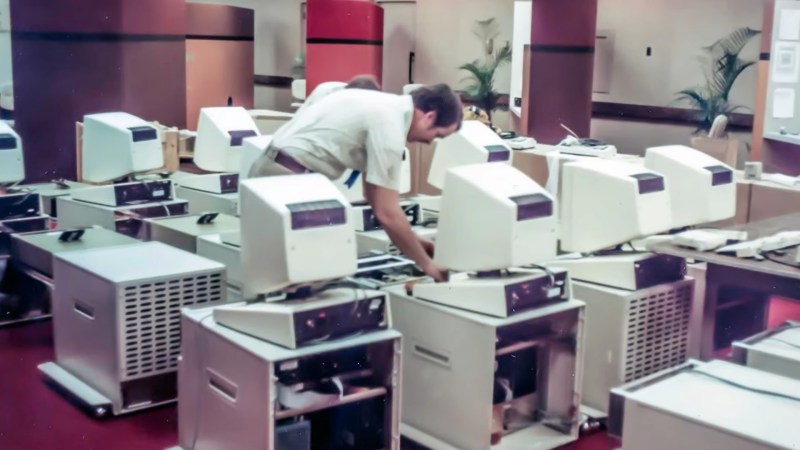
It goes through the whole story of the Alto, from its introduction at Xerox PARC in the 1970s to its demise. At the introduction, the engineers showed of the What You See Is What You Get word processor, networked the machines together to show off e-mail and that anyone could use the office laser printer. It all seems very familiar now, but at the time, it was a revolution. An expensive one. The monitor sitting on the desk wasn’t the computer, after all: that was a large filing-cabinet sized desk sitting underneath. Only about 2000 were ever built, so what happened?

It wasn’t just that the first units cost twelve grand USD to build in 1973 money– about 90 large today by CPI, or for the gold bugs that’s 96 oz or 2.7 kg. It wasn’t worth its weight in gold, but it was close. Still, that wasn’t the problem: later models would be cheaper. The problem was that Xerox refused to sell the thing in the 70s. They saw the potential of a paperless office, and it scared them. Sure, they could sell a computer, once. They wouldn’t get a monthly service fee, nor the cost of the toner, drums and other consumables the Alto wouldn’t need. So they sat on it, and let others like Steve Jobs who didn’t have an existing business empire to lose take their ideas and run with them.

It seems shortsighted, but Xerox had already lost millions on big iron computing around the same time the Alto came along, and every business decision after that was carefully weighed on its projected revenue. Compared to a copier that printed money for Xerox as surely as it printed paper, the Alto just didn’t look like it could pay for itself. It looked likely to lose them a lot of money, which, in fact the adoption of the personal computer ultimately did. Hindsight is 20/20 and it’s easy to play Monday Morning Quarterback and say these developments were inevitable and Xerox should have run out in front, but [Ctrl+Alt+Fail] does a good job of explaining the logic from the Xerox boards’ point of view, which makes the video very much worth a watch.

If you can’t get enough Alto, we can also point you to what it takes to restore one, what almost killed one, and why you shouldn’t mine bitcoin with one.

Continue reading “Whatever Happened To The Computer Of Tomorrow, Anyway? The Xerox Alto Story”

Image

The BBC Tetris Companion

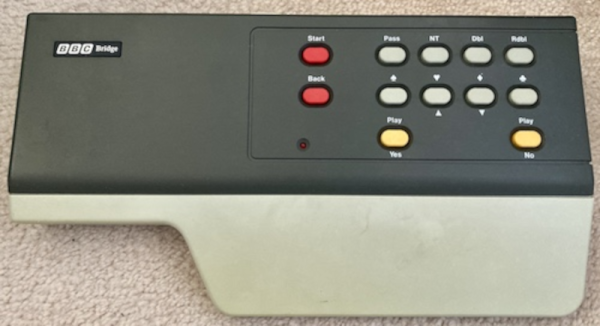
[Leaded Solder] took on an interesting challenge. The BBC, apparently, produced a game console known as the BBC Bridge Companion that connected to your TV and helped you learn to play Bridge back in 1985. At £200, we doubt many were sold new, but there were nine ROM cartridges available, presumably at an additional cost. [Leaded Solder] doesn’t care about playing bridge, but decided to teach the computer itself to play Tetris.

Inside is what you might expect for 1985. A Z80 and TI video chip, although naturally enough, it is the PAL variant. With 16K of VRAM the machine would have been very capable for its day. Unlike some game systems, the Bridge Companion runs its own code before launching what’s on the ROM cartridge. That required a few evenings of reverse engineering to figure out the correct header. Meanwhile, the surplus real hardware needed a quick repair on its cartridge slot before he could test it with real metal.

There were more hurdles, including adapting the PAL output for a composite monitor. Don’t miss the second part of the series for more technical details, and we’ll be interested in following the posts to their conclusion later this month.

Oddly enough, we think this is the first time the BBC Bridge Companion has made an appearance on Hackaday. However, we’ve had no shortage of card shufflers.