Hackaday Links Column Banner

Hackaday Links: August 2, 2026

About a month ago, we brought you word that the commercial rescue mission designed by Katalyst Space to save NASA’s Swift gamma-ray observatory had reached orbit and early indicators were looking good. Unfortunately, it didn’t take long for things to start going sideways, and up until very recently, the situation seemed pretty dire. But according to an interview with Katalyst’s CEO published yesterday by Ars Technica, the company has made some impressive progress on getting things back under control.

For reasons unknown, the robotic vehicle started tumbling out of control last week. Shortly after that, mission controllers lost contact with Swift. After 24 hours without contact from the ground, the spacecraft automatically performed a sort of “hard reset” in an attempt to regain communications. That got it talking again, but somewhere along the way the craft overheated, which in turn cooked the control circuitry for the reaction wheels, which would usually be used to control its orientation. Not great, not terrible.

As of yesterday’s update, we now know that engineers have figured out a way to gimbal the thrust from the craft’s xenon-fueled electric thrusters — which were originally intended for orbit-raising — to counteract its spinning. It’s slow going as these thrusters don’t have a lot of kick, but it seems to be working. We’ll keep an eye on this one and let you know when we know more.
Continue reading “Hackaday Links: August 2, 2026”

Image

Pong-like Cabinet For Classic Dinosaur Jumper

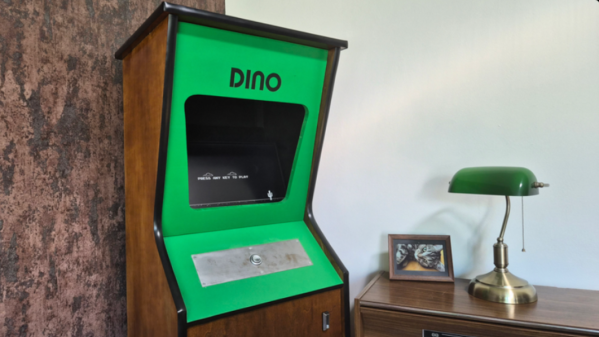
Back when Google ran a functional search engine, there used to be all kinds of quirky, fun antics hidden in their products. From Easter eggs in certain search results, to a flight simulator hidden in Google Maps, to funny, engaging April Fools jokes, it was a lighter, less corporate time. Now, though, to recreate any of that early Google magic, we have to do it on our own, and [Paul] has come up with an arcade cabinet for the classic Google Chrome dinosaur game that does just that.

Although the Dinosaur Game is still available in modern versions of Google Chrome, it lends itself almost perfectly to an arcade cabinet. Built from 18 mm plywood, the cabinet is standard DIY arcade fare with a built-in shelf to house the electronics and a 4:3 flatscreen monitor for a display. The Raspberry Pi 3B is also just enough to run the game, but the software running on it is unique. The Pi runs an operating system called FullPageOS, which automatically loads a modified version of the Dino jumper in full-screen mode. It’s been changed to look more like an arcade game than a browser Easter egg, with features like a leaderboard and an automatic-play screensaver mode, and the build is rounded out by a cactus-shaped scratching post to accompany the cabinet.

As for gameplay, we couldn’t ask for a simpler user interface. A single button is all that’s needed for this game, and it’s surprisingly engaging. It is a bit large for a single-button game, even with its reduced-width cabinet, so if you’re looking for something smaller, you could always base it on a tabletop arcade system instead.

Image

Google Earth Desktop Client To Be Retired In 2027

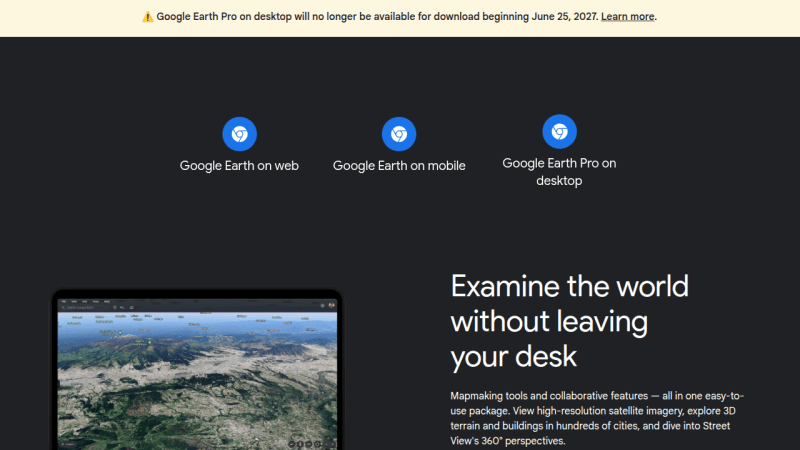
Come next year, those looking to explore the globe virtually via Google Earth will have to do so on their smartphone or from within their browser, as the search giant has decided to discontinue the service’s desktop client in June 2027.

The good news is, the lights won’t be going out immediately. According to a post made on Google Earth’s official support community by Community Manager [Aamir F.], the June cutoff date applies to new downloads, but nothing is changing on the backend, so existing installs will continue to work.

Continue reading “Google Earth Desktop Client To Be Retired In 2027”

Hackaday Links Column Banner

Hackaday Links: March 1, 2026

We’ll start this week off with a bit of controversy from Linux Land. Anyone who’s ever used the sudo command knows that you don’t see any kind of visual feedback while entering your password. This was intended as a security feature, as it was believed that an on-screen indicator of how many characters had been entered would allow somebody snooping over your shoulder to figure out the length of your password. But in Ubuntu 26.04, that’s no longer the case. The traditional sudo binary has been replaced with a one written in Rust, which Canonical has recently patched to follow the modern convention of showing asterisks on the password prompt.

As you might expect, this prompted an immediate reaction from Linux greybeards. A bug report was filed just a few days ago demanding that the change be reverted, arguing that breaking a decades-old expectation with no warning could be confusing for users. The official response from a Canonical dev was that they see it the other way around, and that the change was made to improve the user experience. It was also pointed out that those who want to revert to the old style of prompt can do so with a config change. The issue was immediately marked as “Won’t Fix”, but the discussion is ongoing.

Speaking of unexpected changes, multiple reports are coming in that the February security update for Samsung Galaxy devices, which is currently rolling out, removes several functions from the Android recovery menu. After the update is applied to phones such as the S25 and Fold 7, long-standing features, such as the ability to wipe the device’s cache partition or install updates via Android Debug Bridge (ADB), disappear.

Continue reading “Hackaday Links: March 1, 2026”

Image

Google Is Building A New OS

Windows, macOS, and Linux are the three major desktop OSs in today’s world. However, there could soon be a new contender, with Google stepping up to the plate (via The Verge).

You’ve probably used Google’s operating systems before. Android holds a dominant market share in the smartphone space, and ChromeOS is readily available on a large range of notebooks intended for lightweight tasks. Going forward, it appears Google aims to leverage its experience with these products and merge them into something new under the working title of “Aluminium OS.”

The news comes to us via a job listing, which sought a Senior Product Manager to work on a “new Aluminium, Android-based, operating system.” The hint is in the name—with speculation that the -ium part of Aluminium indicates its relationship to Chromium, the open-source version of Chrome. The listing also indicated that the new OS would have “Artificial Intelligence (AI) at the core.” At this stage, it appears Google will target everything from cheaper entry level hardware to mid-market and premium machines.

It’s early days yet, and there’s no word as to when Google might speak more officiously on the topic of its new operating system. It’s a big move from one of the largest tech companies out there. Even still, it will be a tall order for Google to knock off the stalwart offerings from Microsoft and Apple in any meaningful way. Meanwhile, if you’ve got secret knowledge of the project and they forget to make you sign an NDA, don’t hesitate to reach out!

Image

The Browser Wasn’t Enough, Google Wants To Control All Your Software

A few days ago we brought you word that Google was looking to crack down on “sideloaded” Android applications. That is, software packages installed from outside of the mobile operating system’s official repository. Unsurprisingly, a number of readers were outraged at the proposed changes. Android’s open nature, at least in comparison to other mobile operating systems, is what attracted many users to it in the first place. Seeing the platform slowly move towards its own walled garden approach is concerning, especially as it leaves the fate of popular services such as the F-Droid free and open source software (FOSS) repository in question.

But for those who’ve been keeping and eye out for such things, this latest move by Google to throw their weight around isn’t exactly unexpected. They had the goodwill of the community when they decided to develop an open source browser engine to keep the likes of Microsoft from taking over the Internet and dictating the rules, but now Google has arguably become exactly what they once set out to destroy.

Today they essentially control the Internet, at least as the average person sees it, they control 72% of the mobile phone OS market, and now they want to firm up their already outsized control which apps get installed on your phone. The only question is whether or not we let them get away with it.

Continue reading “The Browser Wasn’t Enough, Google Wants To Control All Your Software”

Image

A Look Back At Google’s 2015 Chromecast

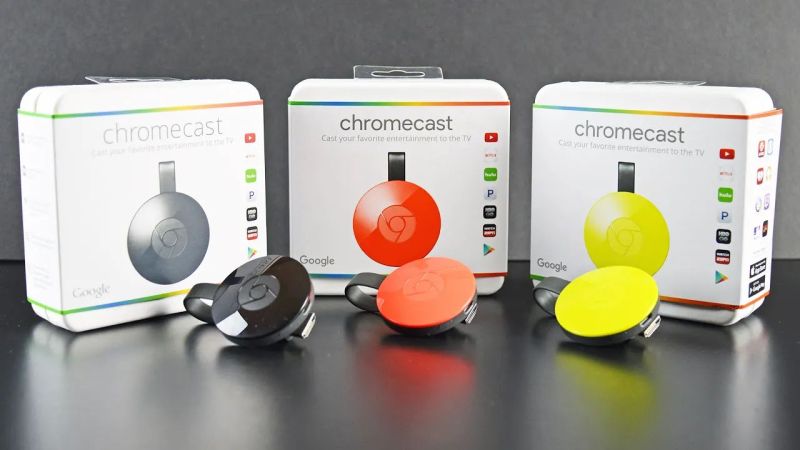
Google’s Chromecast was first released in 2013, with a more sophisticated follow-up in 2015, which saw itself joined by the Chromecast Audio dongle. The device went through an additional two hardware generations before the entire line of products was discontinued earlier this year in favor of Google TV.

Marvell's Armada 88DE3006 dual-core Cortex-A7 powers the second-generation ChromeCast. (Credit: Brian Dipert, EDN)
Marvell’s Armada 88DE3006 dual-core Cortex-A7 powers the second-generation Chromecast. (Credit: Brian Dipert, EDN)

In addition to collecting each generation of Chromecast, [Brian Dipert] over at EDN looked back on this second-generation dongle from 2015 while also digging into the guts of a well-used example that got picked up used.

While not having any of the fascinating legacy features of the 2nd-generation Ultra in his collection that came with the Stadia gaming controller, it defines basically everything that Chromecast dongles were about: a simple dongle with a HDMI & USB connector that you plugged into a display that you wanted to show streaming content on. The teardown is mostly similar to the 2015-era teardown by iFixit, who incidentally decided not to assign any repairability score, for obvious reasons.

Most interesting about this second-generation Chromecast is that the hardware supported Bluetooth, but that this wasn’t enabled until a few years later, presumably to fix the wonky new device setup procedure that would be replaced with a new procedure via the Google Home app.

While Google’s attention has moved on to newer devices, the Chromecast isn’t dead — the dongles in the wild still work, and the protocol is supported by Google TV and many ‘smart’ appliances including TVs and multimedia receivers.