a.append(x) adds x to the list as a single item, no matter what x is. a.extend(iterable) iterates through the argument and adds each item individually. a += b compiles to the same bytecode as a.extend(b); they're literally interchangeable on lists. But there is a related operator that is NOT interchangeable: a = a + b builds a brand new list and rebinds the name, while a += b mutates the existing list in place. If any other name still points to the original list, the mutation is visible through that name too. That single distinction explains nearly every "why did my list change?" bug in the issue trackers. This piece is one of 17 short explainers in our Python Concepts Explained reference.Key Takeaways
append(x)addsxas one item, even ifxis itself a list.[1, 2].append([3, 4])gives[1, 2, [3, 4]].extend(iterable)spreads the iterable's items into the list.[1, 2].extend([3, 4])gives[1, 2, 3, 4].+=is the operator form ofextend.disshows they compile to identical bytecode. Both mutate in place.- The
+=vs+trap:a += bmutates;a = a + brebinds. If another name aliases the same list,+=changes both views,a + bdoes not. - Skip
insert()for tail operations.insert(0, x)is O(n) because every existing item shifts right. Usecollections.dequewithappendleftfor queues; useappendfor tails.
The Three Operations at a Glance
The fastest summary:append takes one item; extend and += both spread an iterable. Pick by what you have.| Operation | Adds | Mutates self? | Returns |
|---|---|---|---|
a.append(x) | x as one item | yes | None |
a.extend(it) | each item of it | yes | None |
a += b | each item of b | yes (in place) | the same list (rebinds the name) |
a = a + b | each item of b | no (new list) | a new list |
append(x): One Item, Whatever It Is
append takes its argument and puts it at the end of the list. Whatever you pass becomes one new element, regardless of its type.a = [1, 2]
a.append(3)
# [1, 2, 3]
a.append("hello")
# [1, 2, 3, 'hello']
a.append([4, 5])
# [1, 2, 3, 'hello', [4, 5]] ← list becomes a single nested element
a.append({"k": "v"})
# [1, 2, 3, 'hello', [4, 5], {'k': 'v'}]
[4, 5] spread into the outer list, you needed extend or +=. The "I accidentally created a nested list" bug is one of the top three Python beginner questions on Stack Overflow.

extend(iterable): Spread the Iterable's Items
extend iterates through its argument and adds each item one at a time. The argument must be iterable; anything else raises TypeError.a = [1, 2]
a.extend([3, 4])
# [1, 2, 3, 4]
a.extend((5, 6)) # tuples are iterable
# [1, 2, 3, 4, 5, 6]
a.extend(range(7, 9)) # any iterable works
# [1, 2, 3, 4, 5, 6, 7, 8]
a.extend("ab") # strings are iterable too, character by character
# [1, 2, 3, 4, 5, 6, 7, 8, 'a', 'b']
extend("hello") adds 'h', 'e', 'l', 'l', 'o' as five separate items. If you wanted the string as one element, you needed append.Rule:
append when you have one thing; extend when you have an iterable whose items you want spread.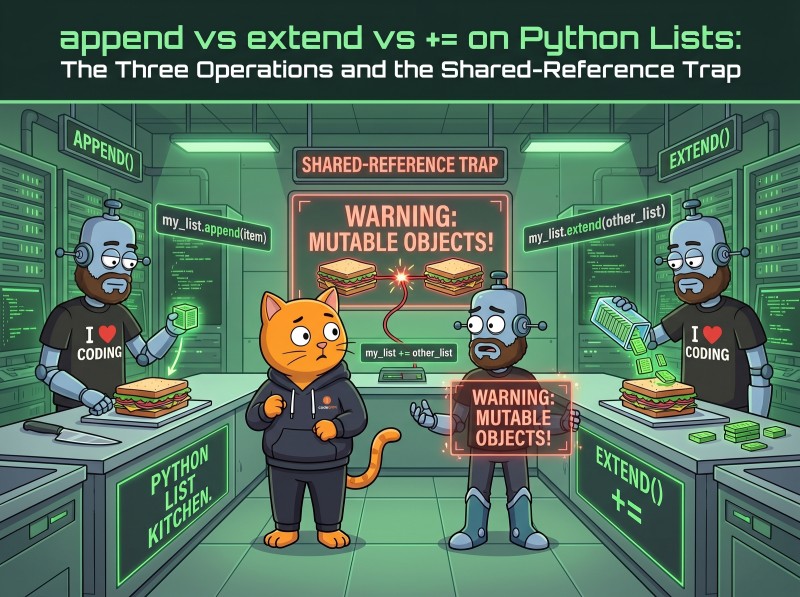
+=: Identical to extend, with One Twist
+= on a list compiles to exactly the same operation as extend.a = [1, 2]
a += [3, 4]
# [1, 2, 3, 4]
+=, any iterable works (just like extend), but on the right of +, you need a list (lists support __add__ only with other lists). Compare:a = [1, 2]
a += (3, 4) # OK, tuple is iterable
# [1, 2, 3, 4]
a = a + (3, 4) # TypeError: can only concatenate list (not "tuple") to list
+= is more permissive than +. It also mutates instead of building a new list, which is usually what you want for performance but can backfire on shared references (next section).The += vs + Trap: Shared References
This is the bug that ships to production. a += b mutates the list in place; a = a + b creates a new list and rebinds the name a. If anything else still points to the original list, the two behaviors diverge.# With +=: mutation visible through every alias
a = [1, 2]
b = a # b is a second name for the same list
b += [3]
print(a) # [1, 2, 3] ← a changed too
print(a is b) # True ← same object
# With + and reassignment: no aliasing
a = [1, 2]
b = a
b = b + [3] # creates a NEW list, rebinds b
print(a) # [1, 2] ← unchanged
print(a is b) # False ← different objects now
arg += [x] mutates the caller's list, while arg = arg + [x] only rebinds the local parameter (covered in our pass-by-reference explainer). The connection to shallow copy is direct: every shallow-copy gotcha is really an aliasing question, and += is one of the easiest ways to trigger it.Rule: if other names might point to the same list and you don't want them to see the change, use
a = a + b. Otherwise prefer a += b for the in-place efficiency.+= Works on Tuples Too (But Doesn't Mutate)
A subtle nuance most articles skip: += works on tuples, but the meaning is different.t = (1, 2)
t += (3,)
print(t) # (1, 2, 3)
+= looks for __iadd__ first (the in-place version); tuples don't have one. It then falls back to __add__, which creates a new tuple. The name t is rebound to that new tuple. The original tuple is unchanged; you can't observe it because t no longer points to it.t = (1, 2)
u = t # u aliases the original
t += (3,)
print(t) # (1, 2, 3)
print(u) # (1, 2) ← u still points to the original tuple
+. The practical upshot: += on a list mutates and is visible through aliases; += on a tuple rebinds and is not. The operator looks the same; the semantics depend on whether the type is mutable.Bytecode Proof: += Is Literally extend
To prove the equivalence, ask dis for the bytecode:import dis
def use_extend(a, b):
a.extend(b)
def use_iadd(a, b):
a += b
dis.dis(use_extend)
dis.dis(use_iadd)
use_extend:                          use_iadd:
  RESUME                               RESUME
  LOAD_FAST  a                         LOAD_FAST  a
  LOAD_ATTR  extend                    LOAD_FAST  b
  LOAD_FAST  b                         LIST_EXTEND  1
  CALL  1                              STORE_FAST a
  POP_TOP                              RETURN_CONST None
  RETURN_CONST None
a by the contents of b. += does a single LIST_EXTEND instead of extend's attribute lookup plus call, which is why += is a few percent faster on tight loops. Functionally, they're indistinguishable. The dis module docs describe all the opcodes if you want to dig deeper.Performance: Three Different Complexities
The three operations have different asymptotic behaviors that matter for large inputs.| Operation | Complexity | Notes |
|---|---|---|
a.append(x) | O(1) amortized | Occasional reallocation when the list grows past its capacity. Average remains constant. |
a.extend(b) / a += b | O(k) where k = len(b) | One pass through the right-hand iterable |
a = a + b | O(n + k) | Builds a new list of length n+k, then rebinds. No mutation. |
a.insert(0, x) | O(n) | Every existing element shifts one position right |
O(1) amortized claim for append deserves a note: each individual call is O(1) on average, but occasionally the list runs out of capacity and Python reallocates a bigger one, copying all existing items. The cost is paid once and spread across many cheap appends, which is the meaning of "amortized" (Wikipedia on amortized analysis). For practical purposes, treat append as O(1).insert(): Why It's Almost Always Wrong
list.insert(i, x) puts x at index i, shifting every existing item from i onward one position right.a = [1, 2, 3, 4, 5]
a.insert(0, 0)
# [0, 1, 2, 3, 4, 5] ← 1, 2, 3, 4, 5 all shifted right
- Queue (FIFO)? Use
collections.dequewithappendleft(O(1)) andpop(O(1)). - Stack (LIFO)? Use a list with
appendandpop(both O(1) at the tail). - Sorted insertion? Use
bisect.insort: finds the position in O(log n) and inserts in O(n), much faster than scanning manually.
insert() is appropriate only when the index is small, the list is short, or you're inserting into the middle of a structure you don't expect to scale. It almost never beats one of the alternatives.Real-World Patterns
Three patterns where picking the right operation makes the code faster, clearer, or both.Building a list incrementally
The simplest pattern: a loop that appends items.def squares(n):
out = []
for x in range(n):
out.append(x * x)
return out
[x*x for x in range(n)]. Use append in a loop when the body has multiple lines or branching that wouldn't fit in a comprehension.Flattening chunked data
Combining results from a batched API or a database paginator:all_users = []
for page in fetch_pages():
all_users.extend(page)
extend spreads each page into the accumulator. append would create nested lists; += would work but reads slightly less clearly here. For the chunking side of this pattern see our split-list-into-chunks explainer.Defensive concatenation when others hold the list
When you must not mutate the caller's list:def with_extra(items, extra):
return items + extra # new list; caller untouched
# Or the explicit form:
def with_extra(items, extra):
return list(items) + list(extra)
+ form is the safe choice here. += would mutate items, surprising the caller.Common Mistakes
Five traps to watch for: Mistake 1:appending a list and getting a nested list. [1, 2].append([3, 4]) gives [1, 2, [3, 4]]. If you wanted the items spread, use extend or +=.
Mistake 2: extending with a string and getting characters. a.extend("hi") adds 'h' and 'i' as separate items. Strings are iterable; append treats them as one element.
Mistake 3: assuming += doesn't aliase. a += b mutates whatever a points to, and every alias sees it. For independence, use a = a + b or copy first.
Mistake 4: insert(0, x) in a hot loop. Each call shifts the whole list. For front-insertion at scale, switch to collections.deque.
Mistake 5: chaining append. a.append(1).append(2) raises AttributeError because append returns None, not the list. The same applies to extend; both mutate-and-return-None as a deliberate signal that you shouldn't chain.Frequently Asked Questions
What is the difference between append and extend in Python?
append(x) adds x as a single item, no matter what x is. So a.append([3, 4]) gives you a list with [3, 4] as the LAST element, nested. extend(iterable) iterates through the argument and adds each item one by one. So a.extend([3, 4]) gives you a list with 3 and 4 as the last two elements, flattened. Use append for one item; use extend when you want to spread the items of an iterable.Is += the same as extend on a Python list?
Yes, functionally identical. dis.dis() shows the bytecode for a += b on a list compiles to a LIST_EXTEND operation, the same instruction that a.extend(b) emits. Both mutate the list in place. The only difference is readability: extend is explicit about extending; += is shorter but obscures the mutation.What is the += vs + trap with Python lists?
a += b mutates the list in place; if another name points to the same list, that name now sees the mutation. a = a + b builds a new list and rebinds the name; the original list (and anything that points to it) is untouched. So a = [1,2]; b = a; b += [3] makes a equal [1,2,3], but b = b + [3] leaves a as [1,2]. The trap costs people real debugging time.

Does += work on tuples in Python?
Yes, but it doesn't mutate the tuple. Tuples are immutable; they have no __iadd__ method. Python falls back to __add__, which creates a new tuple, and then rebinds the name. So t = (1,2); t += (3,) leaves you with a new tuple (1,2,3) bound to t. The original tuple object is unchanged. The same fallback happens for any immutable type that supports addition.Should I use list.insert in Python?
Almost never, unless you specifically need to insert at the front or middle. insert(0, x) is O(n) because every existing item has to shift one position to the right. For a queue, use collections.deque, which has appendleft() in O(1). For sorted insertion, use bisect.insort. The only common legitimate use of insert is inserting at index 0 for short lists where the O(n) cost is invisible.The Bottom Line: One Item, Many Items, In-Place vs New
append for a single item. extend or += for an iterable's worth of items. += mutates in place; + with reassignment builds a new list. The trap most production bugs come from: += on a list visible through multiple names changes all of them. Once that one rule is internalized, every "why did my list change?" question becomes a 10-second diagnosis. And remember insert(0, x) is O(n); reach for collections.deque when you need front insertion at scale. For the rest of the most-asked Python concept questions, browse the full Python Concepts Explained index.
Drill List Operations Until They're Reflex
CodeGym's Python track turns the append/extend distinction into muscle memory through 800+ hands-on tasks across 62 levels. The AI validator checks every submission in seconds; the AI mentor explains what broke when you get stuck. First level free; full plan on the pricing page. Learn Python on the free track →Learn more about our mission and terms of service. Published article was last reviewed on 2026-06-03.

GO TO FULL VERSION