Depends on
Required for this file to work correctly.
About Dialogs
Give your Rust NPCs something to say

Write what an NPC says and let players choose their reply. Each choice can open another line of dialogue, remember a decision, or trigger an action on the server.
Oxide and Carbon · Requires Player Event States and PimpMyCUI 1.4.0
Open the PimpMyRust configurator →
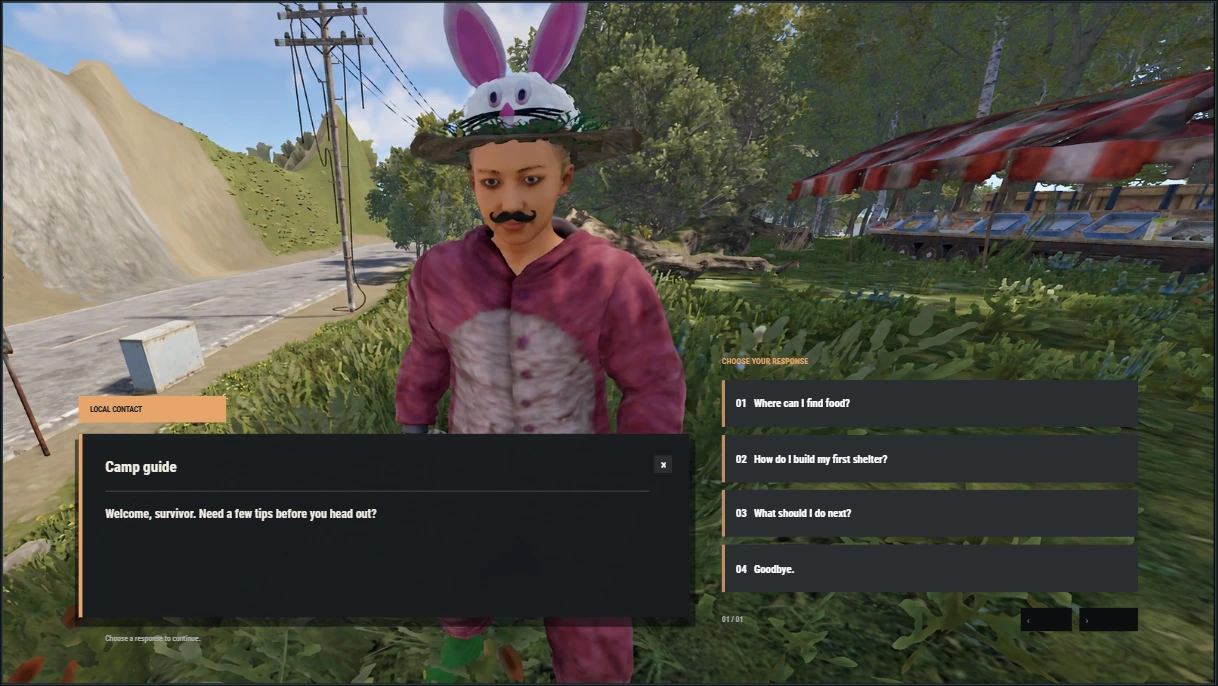
Cinematic Ember · opening conversation with the camp guide
A reply changes what happens next
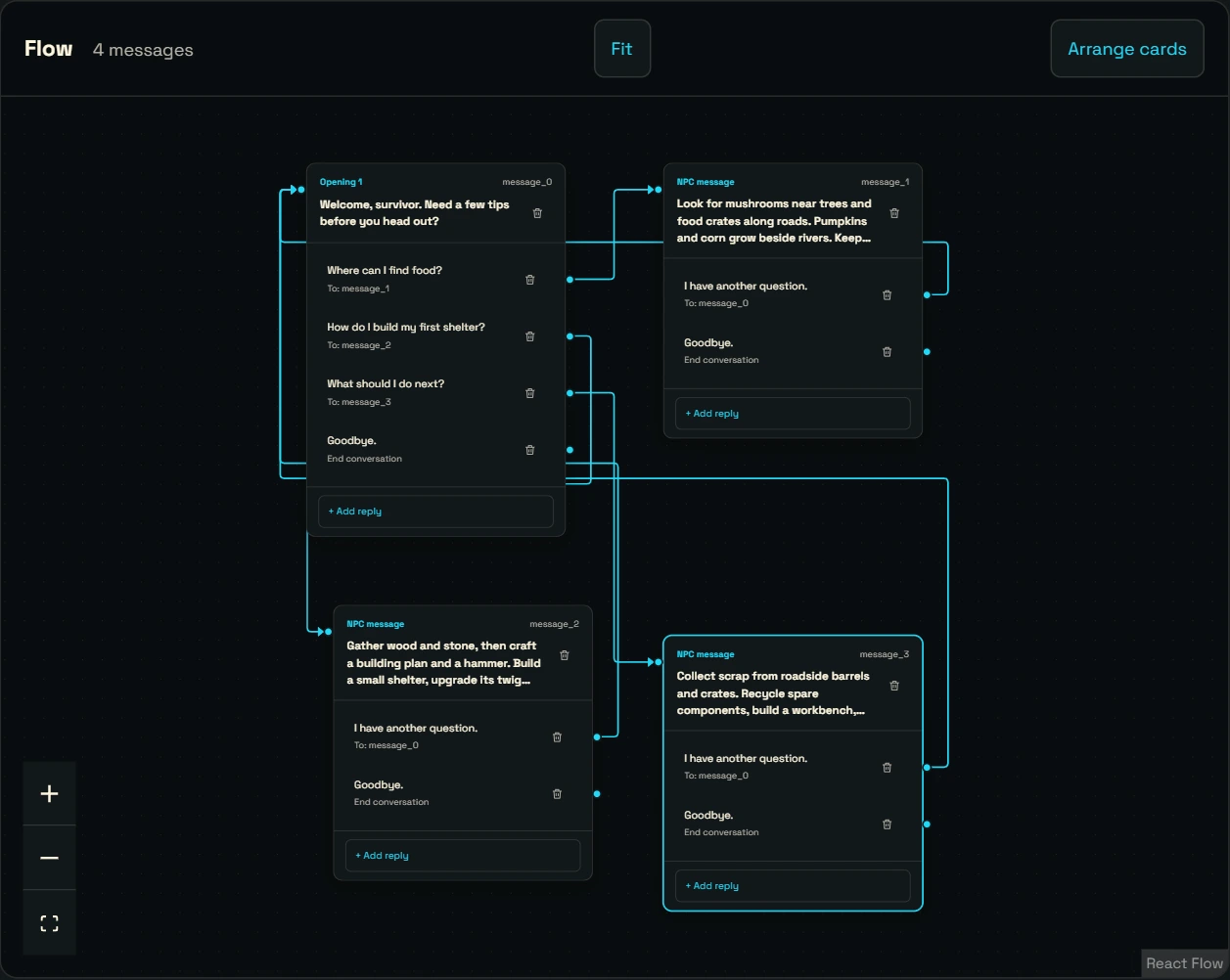
In the configurator’s example, the camp guide welcomes a new player. Ask about food and the guide points them to mushrooms near trees. Ask about a shelter and the guide gives building advice.
- Continue or end the conversation. Link each reply to another message or close the dialogue.
- Remember earlier choices. Player Event States records a decision for each player. For example, a second NPC can offer a reply after the player has spoken to the guide.
- Trigger an action. Run a server command or call a function exposed by another plugin after the player replies.
Three ways to open a dialogue
- Talk to an NPC. Create the character with a compatible plugin such as Human NPC, then assign its ID to a dialogue in the JSON or in PimpMyRust.
-
Use a server command. Open the conversation for a connected player with
dialogs.show <steamid> <dialogue-id>. -
Open from another plugin. Developers can open the conversation for a player with the
ShowDialog_APIAPI.
Five included menu layouts
Cinematic Ember is the default. The other layouts are Wasteland Radio, Monument Dossier, Arctic Signal, and Carbon Terminal. Each page shows up to four replies, with arrows to browse the rest.
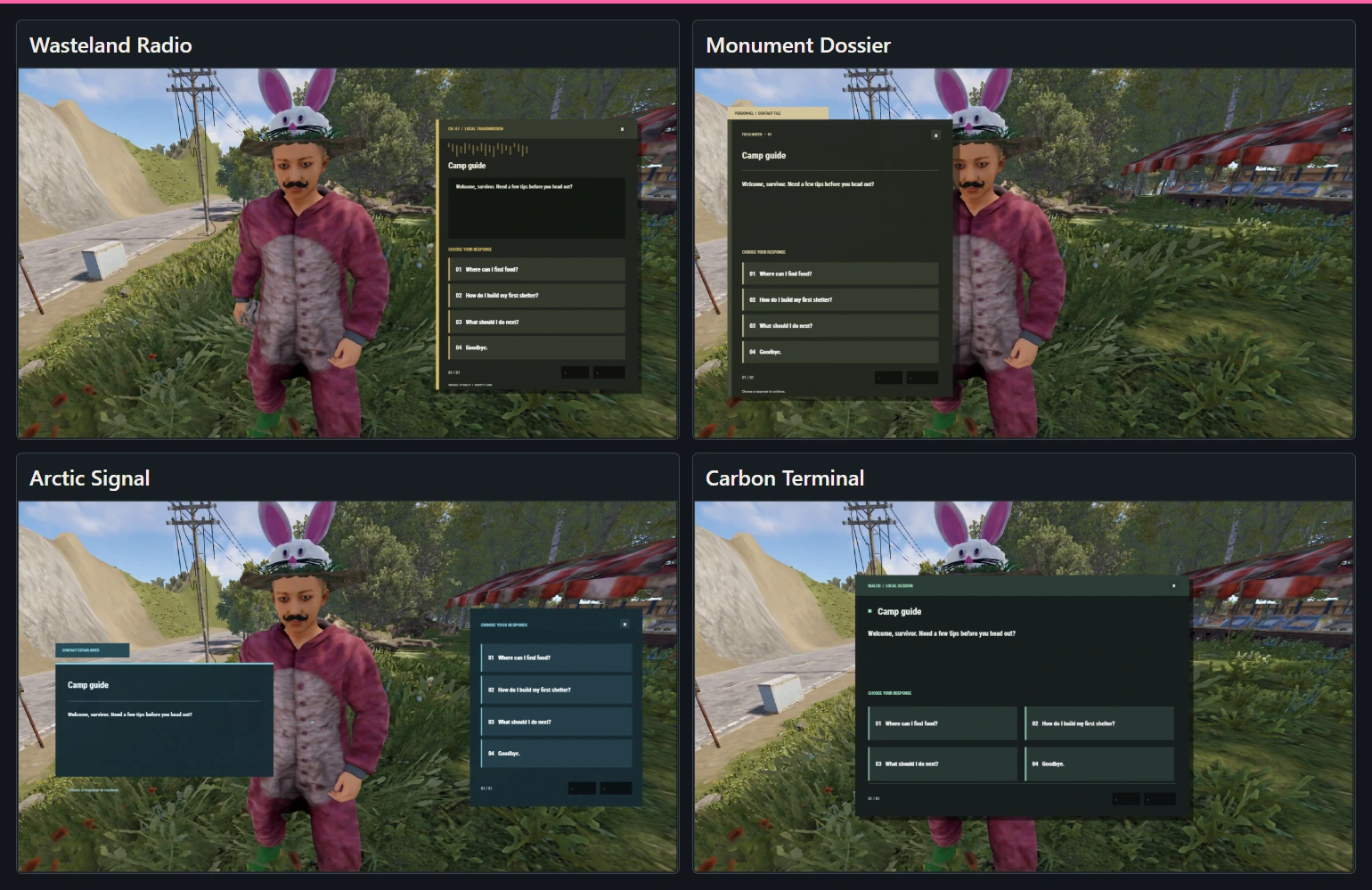
In Appearance, choose one layout for all dialogues or a different one for a specific conversation. Navigation buttons are available in French and English. Write the dialogue in any language you choose.
Write your dialogues in PimpMyRust

- Under Dialogues, create a conversation, import your files, or select Create example.
- Add NPC messages and player replies. In the graph, connect a reply to the message that follows it. You can also edit the content in the list view.
- Download the files for your server. You can also edit the JSON files directly.
Manual installation
-
Extract the ZIP and merge its folders into
oxide/orcarbon/. -
The ZIP includes Player Event States and PimpMyCUI 1.4.0. Load both before Dialogs. Keep
config/Dialogs.jsonand the conversation files indata/Dialogs/. In game, open the supplied example with/dialog_show FirstVisitas an administrator. -
To use an NPC, add its ID to
data/Dialogs/DialogsNpcsData.json.
Dialogs includes five layouts. Set the global layout or one per conversation in config/Dialogs.json.
You can edit the JSON directly or use the optional PimpMyRust configurator.
Installation guide → · Codefling support →