

Make your Webflow website more accessible
- 14-Day free Trial
- No credit card required
- Cancel anytime
Join 2k+ Companies already saving hours with Softinio.





Scan your Webflow website your way
Smart scanning
Deep scan your Webflow website and find accessibility issues in seconds.
AI explanations
Get simple AI explanations to understand each issue and how to fix it manually.
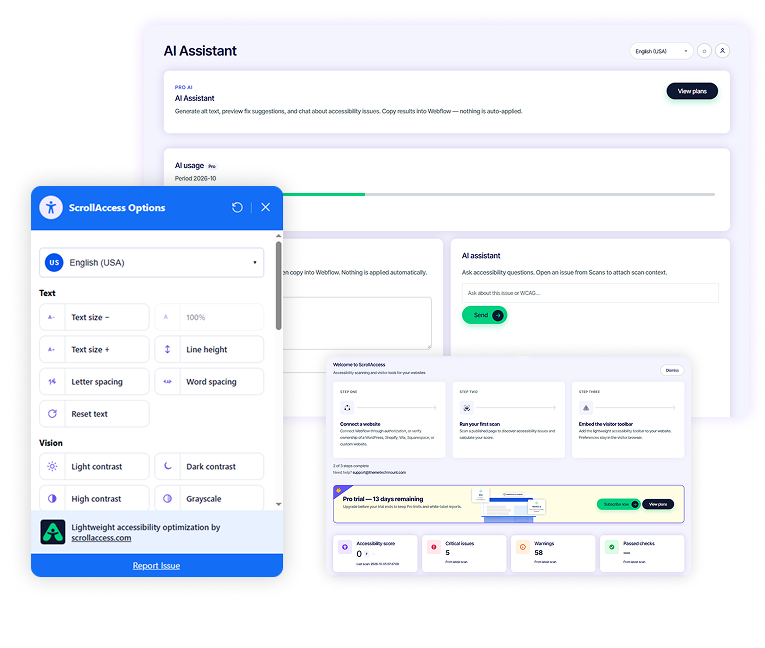
Accessibility toolbar
Add a customizable toolbar with multiple accessibility controls for your visitors.
Detailed reports
Track your progress with detailed reports and accessibility scores.
WCAG 2.2 AA
Aligned with WCAG 2.2 AA standards and industry best practices.
Designer friendly
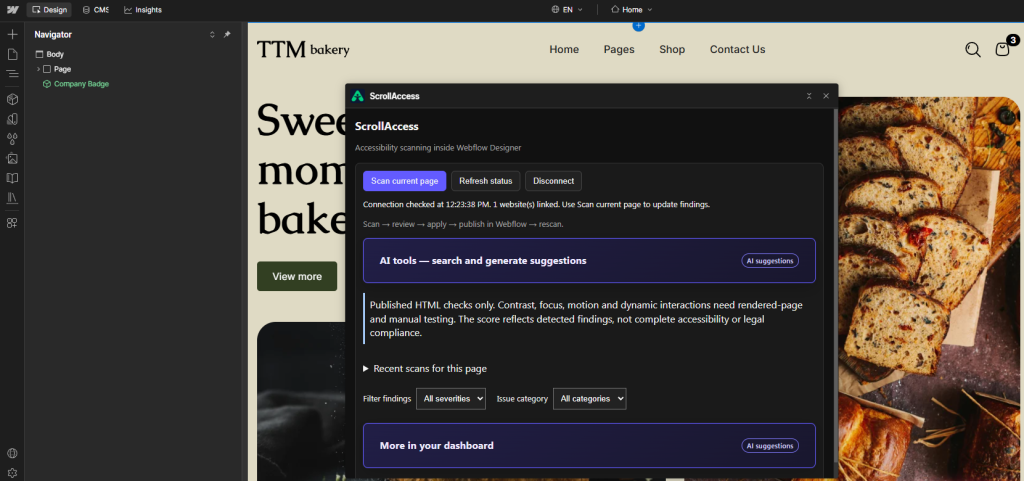
Scan pages directly from Webflow Designer with one click.
Scan your Webflow website your way
Connect ScrollAccess to Webflow Designer
Install the App
Generate Your Key
Copy the Key
Connect Webflow
Start Scanning
Scan from Webflow designer
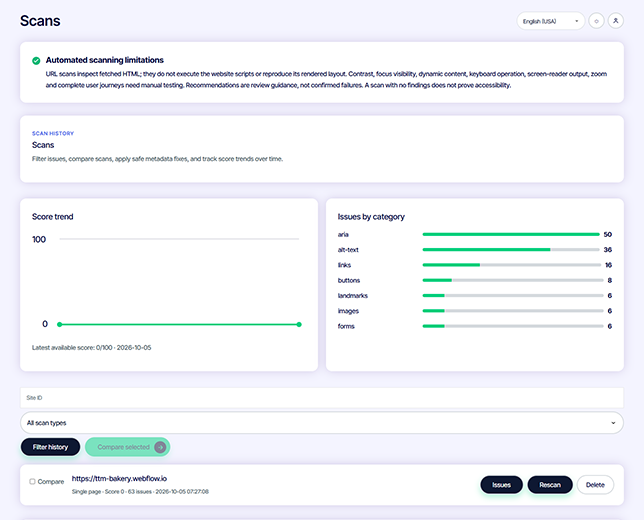
Scan from the scrollaccess dashboard
How ScrollAccess work
Connect Your Webflow Website
Choose How You Want to Scan
Scan pages while working directly inside Webflow.
2). ScrollAccess Dashboard
Run and manage accessibility scans from your ScrollAccess workspace..
Understand the Findings
Improve & Track Progress
See where your team spends time
- AI Powered accessibility assistant
Understand accessibility issues with AI
- Clear issue explanations
- Practical improvement suggestions
- AI Powered alt text Suggestions
- Contextual accessibility guidance
- Learn accessibility as you improve
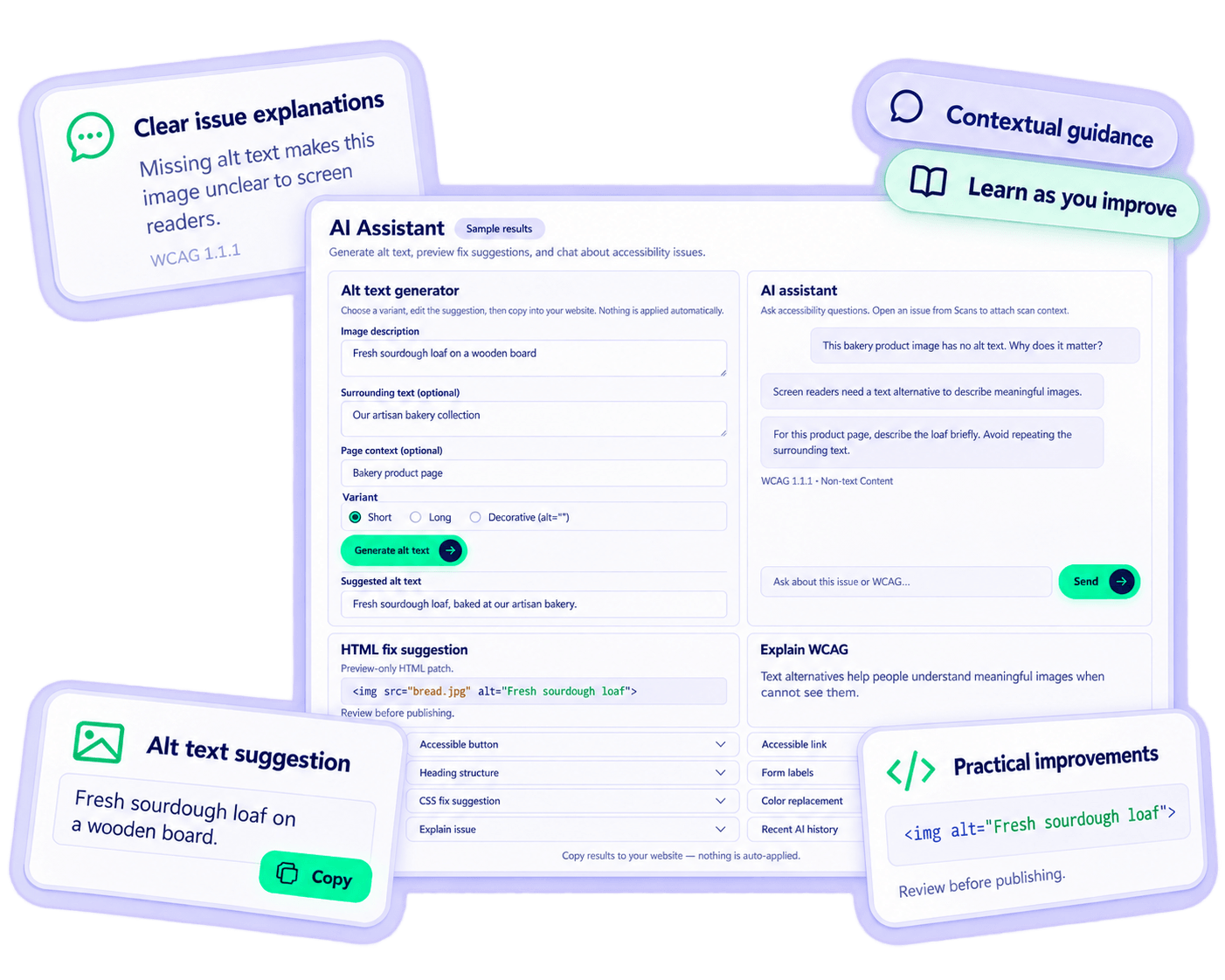
AI does not fix issues automatically. You need to review the detected issues and manually apply the recommended changes in your Webflow site.
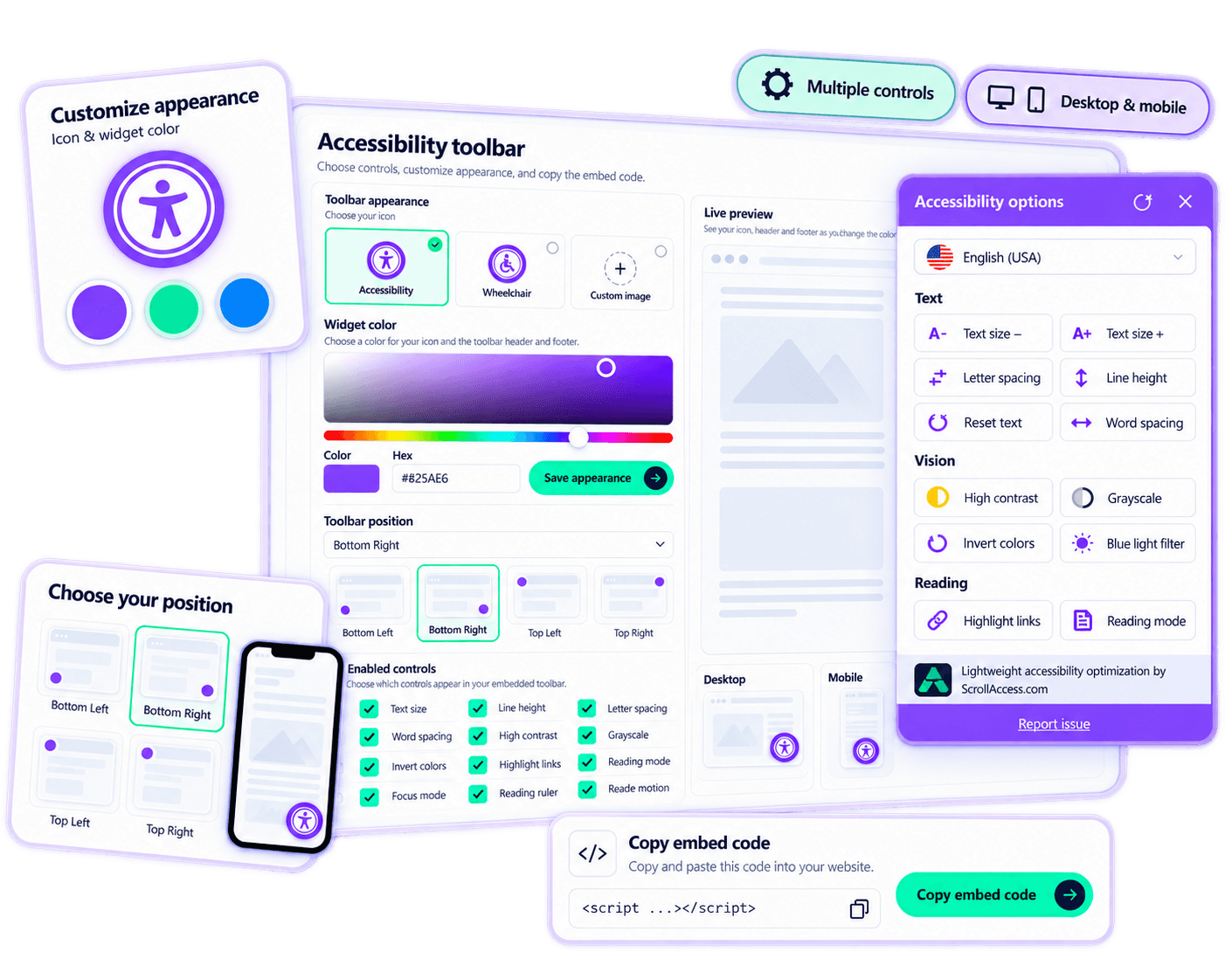
- Customizable accessibility toolbar
Give every visitor more control over their experience
- Multiple accessibility controls
- Customizable toolbar appearance
- Flexible toolbar positioning
- Responsive across devices
- Easy website integration
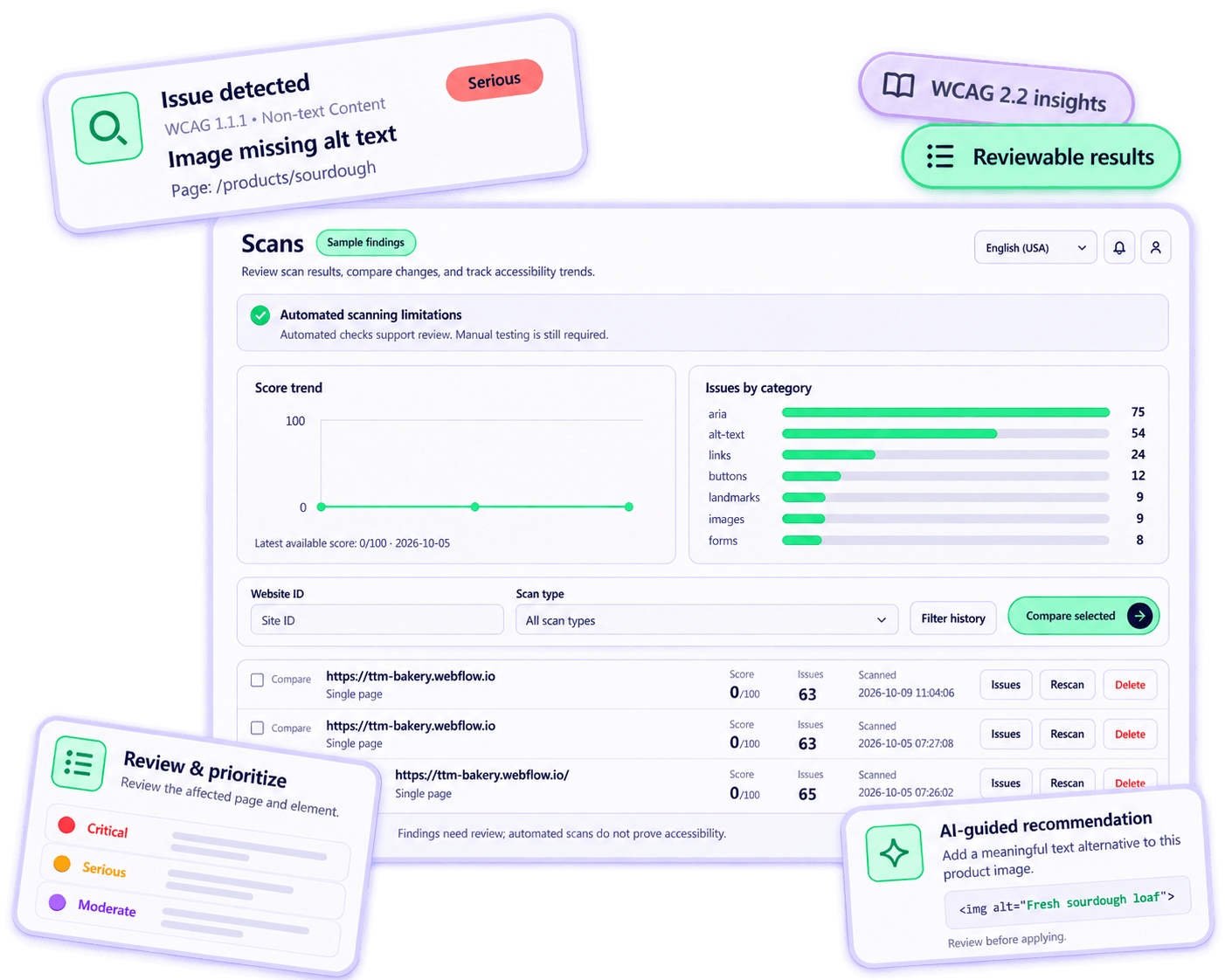
- Automated website accessibility scanner
Detect accessibility issues. understand what matters. improve with confidence.
- Accessibility issue detection
- Reviewable scan results
- WCAG related insights
- Issue severity & prioritization
- AI guided recommendations
Built for agencies & accessibility teams
Manage multiple websites
Keep accessibility scans, findings, and website activity organized across multiple client or business websites.
Team collaboration
Bring your team together to review accessibility findings and coordinate ongoing improvement work.
Client ready reports
Create clear accessibility reports to share findings, progress, and website accessibility insights with clients .
Track accessibility progress
Monitor scan results and accessibility trends over time to understand how websites are improving.
Save time with automation
Schedule accessibility scans and reports to reduce repetitive work and track website changes.
Works with the platforms you already use
WordPress
Webflow
Shopify
HTML
Duda
Joomla
PrestaShop
Custom system
Simple pricing. powerful accessibility tools
Frequently asked questions
ScrollAccess connects with your Webflow workflow through the ScrollAccess Webflow App and dashboard. You can scan pages directly from Webflow Designer or use the ScrollAccess dashboard to run scans, review accessibility findings, access WCAG-related insights, use AI-guided explanations, manage reports, configure your accessibility toolbar, and track progress over time.
Yes. Install and launch the ScrollAccess App in Webflow Designer, then connect it using your ScrollAccess Designer API Key. Once connected, you can run accessibility scans from your Webflow workflow to identify potential accessibility issues while working on your site.
Yes. ScrollAccess gives you two ways to scan your Webflow website. You can scan from Webflow Designer or run and manage scans from the ScrollAccess dashboard. The dashboard also provides access to detailed findings, scan history, reports, AI guidance, and accessibility management tools.
Your Designer API Key is available from the settings area of your ScrollAccess dashboard. Copy the key and enter it in the ScrollAccess Webflow App when prompted to connect the app with your ScrollAccess account.
ScrollAccess can automatically check for a range of potential accessibility issues and organize findings with relevant WCAG-related information, severity, and guidance. Automated testing cannot identify every accessibility barrier, so manual testing should also be part of a complete accessibility review.
No. ScrollAccess helps you identify and understand potential accessibility issues and provides guidance, including AI-assisted explanations and suggestions. You should review the recommendations and make appropriate changes to your Webflow website, then re-scan to verify your improvements.
Yes. ScrollAccess provides a customizable visitor accessibility toolbar that can be configured for your website. It gives visitors additional controls for adjusting their browsing experience. The toolbar complements your accessibility efforts but does not replace fixing accessibility issues in the underlying website.
ScrollAccess provides automated scanning, WCAG-related insights, AI guidance, manual-review tools, reporting, and visitor accessibility controls to support your accessibility efforts. However, automated tools cannot identify every accessibility barrier, and ScrollAccess does not guarantee WCAG conformance or legal compliance. Manual testing and appropriate remediation may also be required.
No matching FAQs found.
