
Accessibility assistant
Customizable website accessibility assistant
- AI Accessibility Scanner
- Accessibility Toolbar
- WCAG Insights
- Works Across Platforms
Join 2k+ Companies already saving hours.
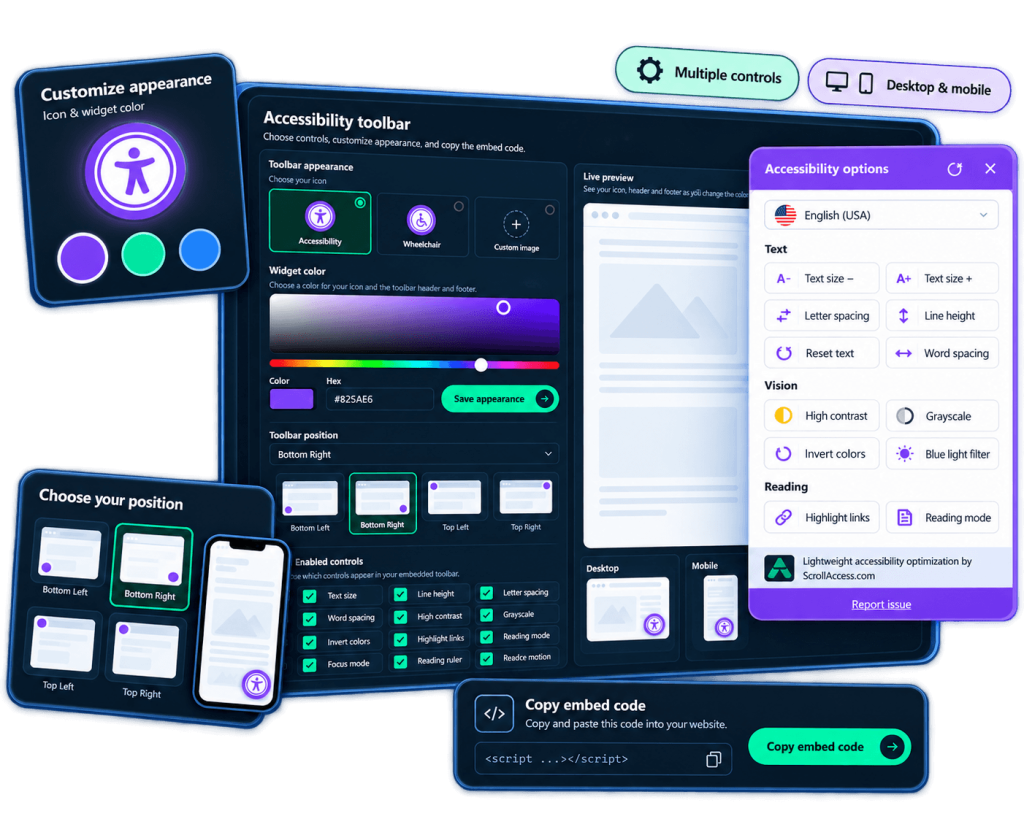
Accessibility controls for your visitors
Multiple accessibility controls
Provide controls for visual, content, navigation, and other accessibility preferences.
Customizable appearance
Configure the toolbar icon and appearance to better fit your website.
Flexible positioning
Choose where the accessibility toolbar appears on your website.
Website specific settings
Configure toolbar preferences individually for connected websites.
Language & translation options
Configure supported toolbar languages and translations for different audiences.
Cross platform setup
Add the toolbar across supported CMS platforms, eCommerce systems, website builders, and websites.
Accessibility assistant
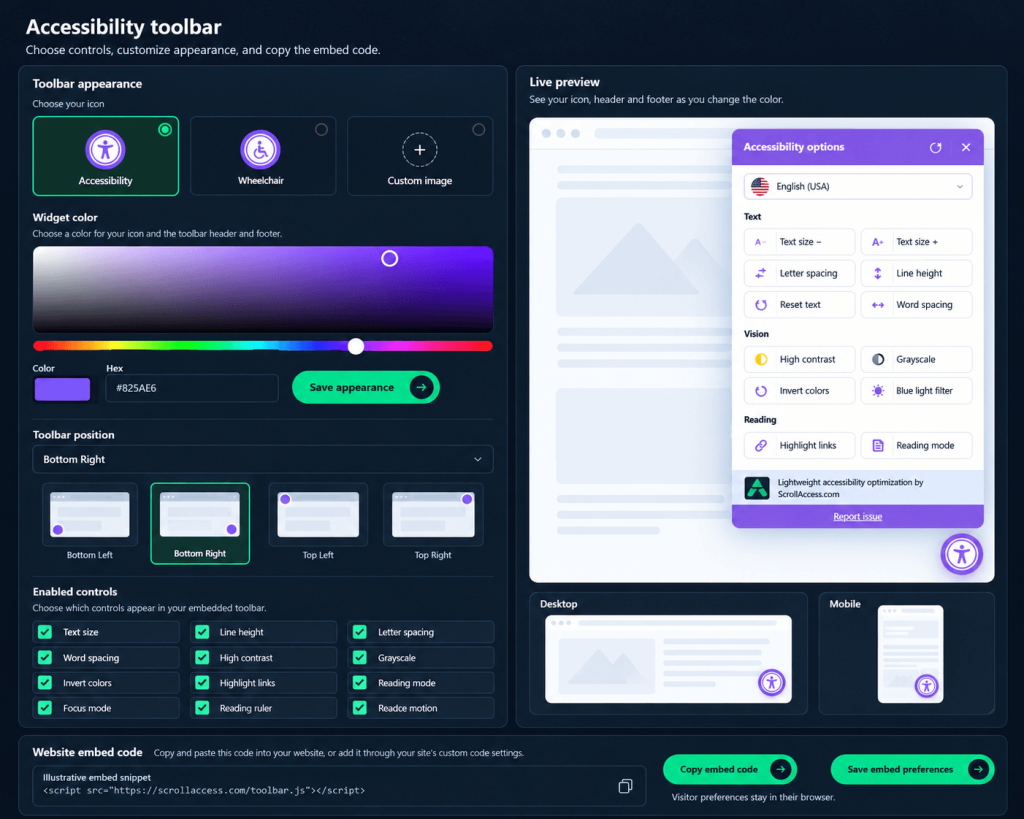
A simple toolbar.A better experience
- Easy to enable and customize
- Matches your website's design
- Works across all supported platforms
Frequently asked questions
No. Visitors can use the installed toolbar directly on your website. Website owners sign in to ScrollAccess to manage its setup and settings.
Yes. Enable the controls you want to offer, including text size, spacing, contrast presets, reading aids, link highlighting, and reduced motion.
Yes. Choose a preset icon or provide a custom image, then position the toolbar in the top-left, top-right, bottom-left, or bottom-right corner.
Yes. Use account defaults for consistent settings or enable website-specific preferences for individual connected websites.
Sign in, connect your website, and configure the toolbar in Settings. Copy the generated embed code and add it to your website using the installation method appropriate for your platform.
Yes. Enable the translation control and configure a supported translation provider. Some providers require an API key, and usage may incur charges from that provider.
Toolbar preferences are stored locally in the visitor’s browser. They may reset if the visitor clears browser storage or uses another browser or device.
No. The toolbar offers browsing preferences; it does not repair underlying accessibility issues or guarantee WCAG or legal compliance. Use scanning, code improvements, and manual testing alongside it.
No matching FAQs found.
