
Newest Software Marching Into the Tool Parade
Discover the freshest SaaS tools and software listings added to Tool Parade across every software category.
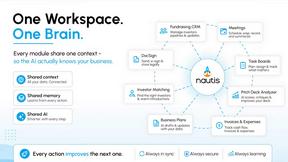

MemeAIVideo
Built this for the Hotel Lobby / AI rap duo trend: two photos in, a turn-taking mic booth clip out—no prompts.

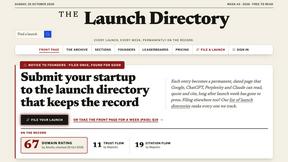
The Launch Directory
The Launch Directory keeps every product launch permanently on the record. Submit once - Google, AI, and founders can find it forever.

ImageGenerator
Create and edit AI images online with multiple models, text-to-image, image-to-image, background removal, and upscaling.

dreamina ai
Make any images possible — generate, edit, and transform images with AI models like GPT Image and Gemini in seconds.

Dola AI
Freemium AI creative studio: generate images and videos, edit photos and films, compose 3D scenes, and work with docs, sheets, slides and PDFs.
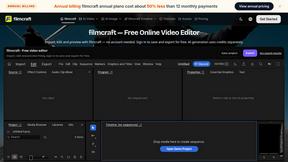
filmcraft
Free online video editor in your browser: import, color, audio and preview with no account. Optional AI tools use credits.
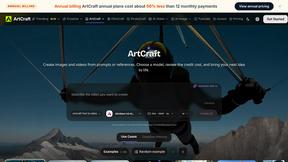
ArtCraft
Browser creative studio for images, video and 3D: compose, edit, stage scenes and organize references. AI generation uses credits.
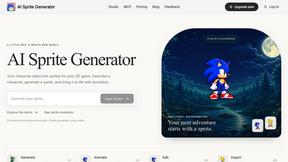
AI Sprite Generator
AI Sprite Generator is a browser-based AI tool for creating pixel art sprites and animations for 2D games.
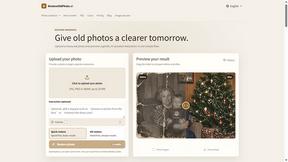
RestoreOldPhoto
Restore old photos with RestoreOldPhoto.ai: repair scratches, creases and fading, sharpen faces and details, and optionally colorize family memories.

Two-Minute Drill
A free daily football strategy game: call the plays in real NFL late-game situations, manage the clock, and see how your decisions grade.

Quotelyo
Use free browser-based tools for SIP, compound interest, loan EMI, savings goals, budgeting, debt payoff, inflation and FD/RD. No sign-up required.
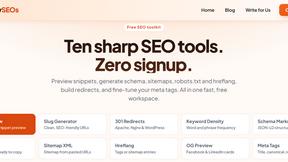

Emailyy
Free email tools for signatures, subject lines, HTML previews, word counts, and email headers. Browser-based, simple to use, and no signup required.
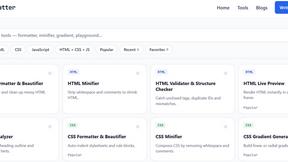
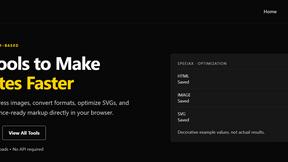



CloneWebsite
Clone any webpage pixel-perfect, export HTML/CSS/ZIP or React/Vue components.

GenX
All-in-one AI workspace to generate images, videos, and audio with multiple leading AI models.

Uniclip
Clip pages, take full-page screenshots and batch-capture list data to Notion, Feishu, Obsidian, Markdown, CSV or JSON.

TroveKey
Search tabs, Chrome bookmarks and history, run browser commands, and save webpages and social posts locally—no account.

AiAgeFilter
Free AI age filter: upload an adult portrait, add 10-40 years, meet your older self. No app needed.

AppIconGenerator
Generate iOS and Android app icons from any image and export all platform sizes for free.

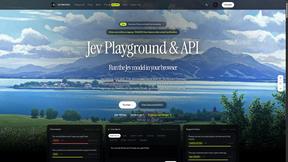
JevModel
AI decision workbench that compares model answers side by side

Bloom
An adaptive AI tutor that turns topics or your materials into courses, lessons, and answers tailored to how you learn.
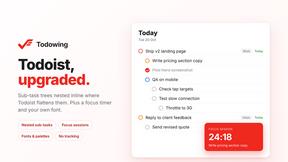
Todowing
Chrome extension that nests Todoist sub-tasks inline in Today, Upcoming, and filter views, with a focus timer, custom fonts, and color palettes.
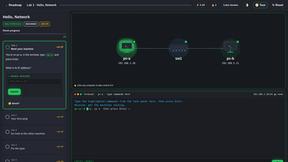
PracticeNetworking
Master networking with interactive, hands-on practice directly in your browser. Solve real terminal challenges, debug routes, and build core IT skills

Nano AI
Create and edit AI images, generate videos, and compare models in one creative workbench.
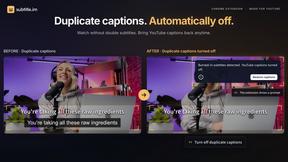
subtitle.im
Chrome extension for existing YouTube captions. Local OCR helps handle duplicates by your settings. Free 10-video trial; optional Pro.
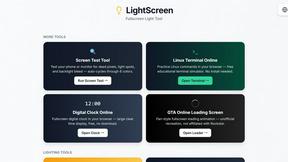
LightScreen
Free light screen tool online. Turn any display into a flashlight, ambient light, or solid-color screen. No download or sign-up.
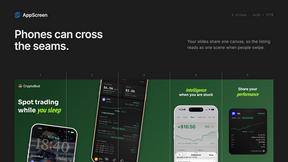
AppScreen
Browser editor for App Store and Google Play screenshots, with iPhone, iPad and Android frames.

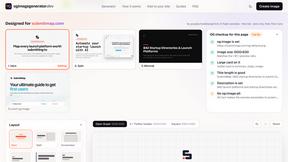
ogimagegenerator.dev
Paste a URL and AI designs on-brand Open Graph images from your page's colours, fonts and logo. Free, no sign-up.

Screen Issues
Free Online Screen Test Tool - Instantly diagnose dead pixels, lines, color issues, and flickering. Multiple test modes, no download needed.

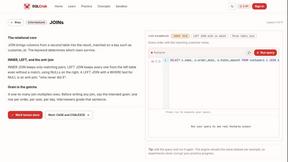
SQLCrab
SQLCrab is a website where you can practice SQL database queries right in your web browser. It uses a real Postgres database engine so you can learn

Browse Tools by Category
About Latest tools
The latest page features recently reviewed and published tools that have joined the Tool Parade directory. Discover fresh SaaS tools, newly launched applications, and emerging software options across categories including AI, marketing, productivity, development, and collaboration.
Every new tool is reviewed by our editorial team before it appears here, so you can trust that recent additions meet our standards for quality, accuracy, and relevance. New listings span a wide range of categories and pricing models, giving you early access to emerging options that may not yet appear in broader search results or mainstream review sites.
Our editorial team adds new tools to the parade several times per week, keeping the showcase current with the latest software entering the market.
Frequently Asked Questions
How often are new tools added?
New tools join the parade several times per week. Our editorial team evaluates launches, user submissions, and market trends to keep the showcase growing and relevant.
How do you decide which tools to list?
Each tool is reviewed for real-world functionality, pricing transparency, documentation quality, and overall value to professionals before it is approved for the parade.
Can I submit my own tool?
Yes. We accept submissions from solo developers, startups, and large companies alike. Visit our submit page to get your tool reviewed for the Tool Parade directory.
Are all listed tools free to use?
No. The parade includes free, freemium, and premium tools. Each listing clearly shows its pricing model for easy filtering and budget-conscious comparison.
Are new listings verified before appearing here?
Yes. Every tool goes through our editorial review process to verify accuracy, functionality, and relevance before it is published. Only approved listings appear on the latest page.
How are the newest listings sorted?
Listings are displayed in reverse chronological order with the most recently published tools shown first. This ensures you always see the freshest additions at the top of the page.
