

Press kit
Logos, screenshots and facts about WP Admin Online
Everything you need to write about, list or recommend WP Admin Online. Use anything on this page without asking. If you need something that is not here, email us and a person will reply.
The facts
- Product name
- WP Admin Online
- Wordmark
- wp-admin.online
- Website
- https://wp-admin.online
- What it is
- A hosted dashboard for looking after many WordPress sites at once
- Who uses it
- Agencies, freelancers and in-house teams with more than one WordPress site
- Maker
- Michal Slepko, founder of Rootscope
- Connector plugin
- RS Remote Site Manager, free on WordPress.org
- Pricing
- Free for unlimited sites. Paid plans from $19 a month.
- Alternative to
- ManageWP, MainWP, WP Umbrella, WP Remote
- Press contact
- [email protected]
- X
- @michal_codes
One line · 164 characters
One dashboard for every WordPress site you manage: safe updates with rollback, uptime and security monitoring, backups and client reports. Free for unlimited sites.
Short · 245 characters
See what needs doing across every WordPress site you manage. Safe plugin updates with snapshots, screenshot checks and automatic rollback, uptime and security monitoring, backups in the EU or US, and PDF client reports. Free for unlimited sites.
Long
WP Admin Online is a hosted dashboard for people who look after more than one WordPress site: agencies, freelancers and in-house teams. Install a small connector plugin on each site and the dashboard pulls in WordPress, plugin and theme versions, vulnerabilities, PHP end-of-life, SSL and domain expiry, cron, database health and PHP errors. Every morning it turns all of that into a Today's work list sorted by what matters.
Updates are grouped by risk with security fixes first. A Safe update takes a database snapshot, runs the update, compares before-and-after screenshots of pages you choose, and rolls back on its own if a page changed. AI risk assessment reads each changelog against the site's PHP and WordPress versions before you click. Low-risk updates can run automatically inside a maintenance window.
Uptime checks run as often as every minute and are confirmed from several locations before you are alerted. Backups run daily, weekly or monthly to EU or US storage and are verified by checksum. Security monitoring flags new administrators, login attacks, changes to wp-config.php and vulnerable plugins. Clients get a scheduled PDF report with their logo, and never need an account. You can also connect Claude or ChatGPT and ask about your whole fleet in plain English.
The free plan covers unlimited sites with Quick updates, vulnerability, SSL and domain alerts, one-click login and a public status page. Paid plans start at $19 a month and include every feature; only the number of sites changes.
Name and taglines
Write the name as WP Admin Online, three words. The wordmark wp-admin.online is for the logo only. Not WPAdmin Online, WP-Admin Online or wpadmin.online.
-
Know what needs doing across every WordPress site you manage
Primary · 60 characters
-
Every WordPress site you manage, in one dashboard
Short · 49 characters
-
Safe WordPress updates with rollback, uptime and backups
Feature-led · 56 characters
-
Manage all your WordPress sites. Free for unlimited sites.
Price-led · 58 characters
Logos
Keep the icon on its own colours. Put the cream wordmark on navy or black and the ink wordmark on white or light grey. Do not stretch, recolour or add effects. The SVG wordmarks need the Manrope typeface, so use the PNGs wherever fonts are not under your control.




Product images
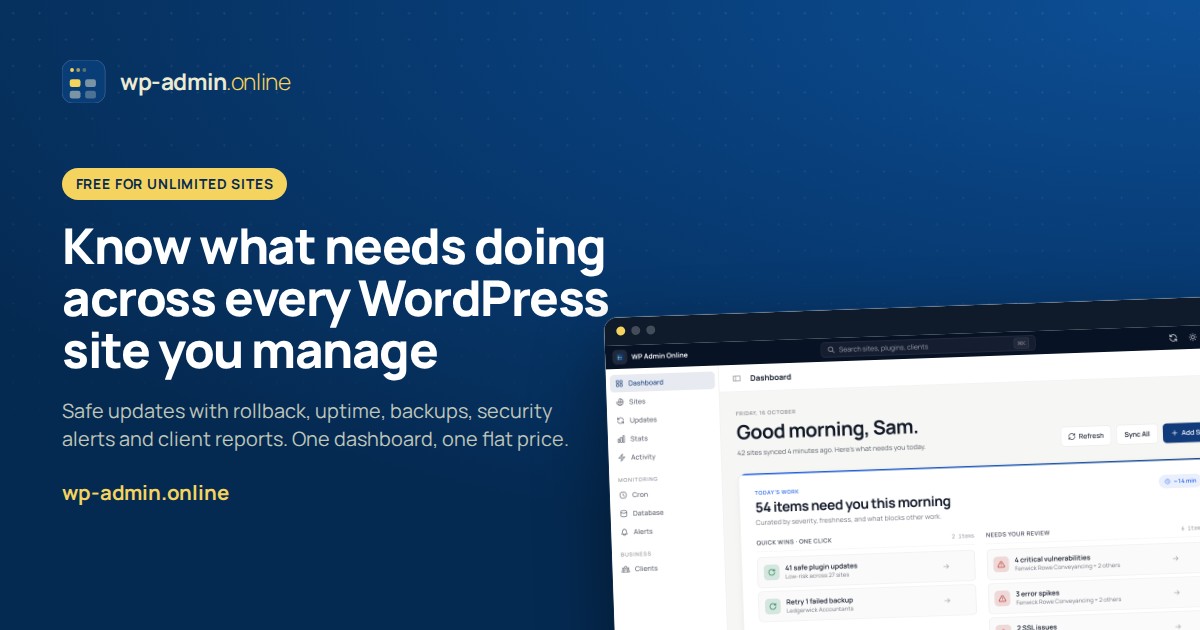
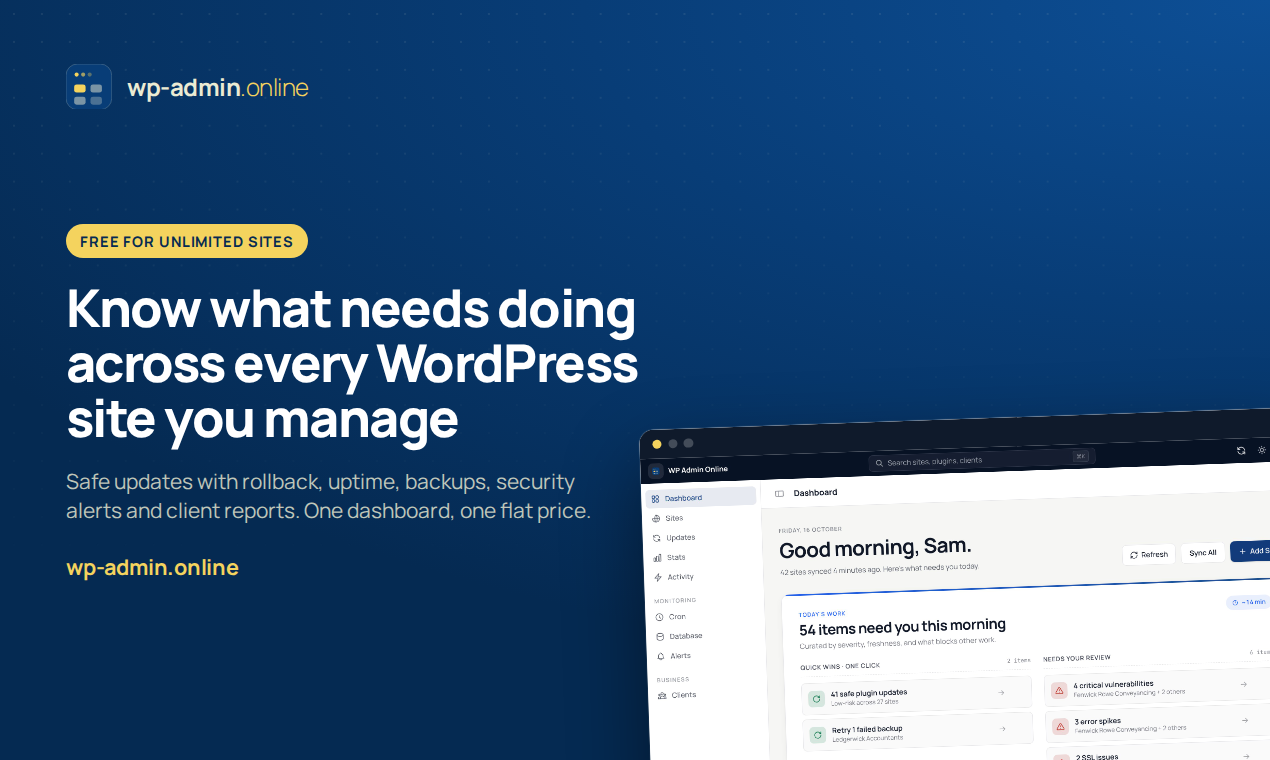
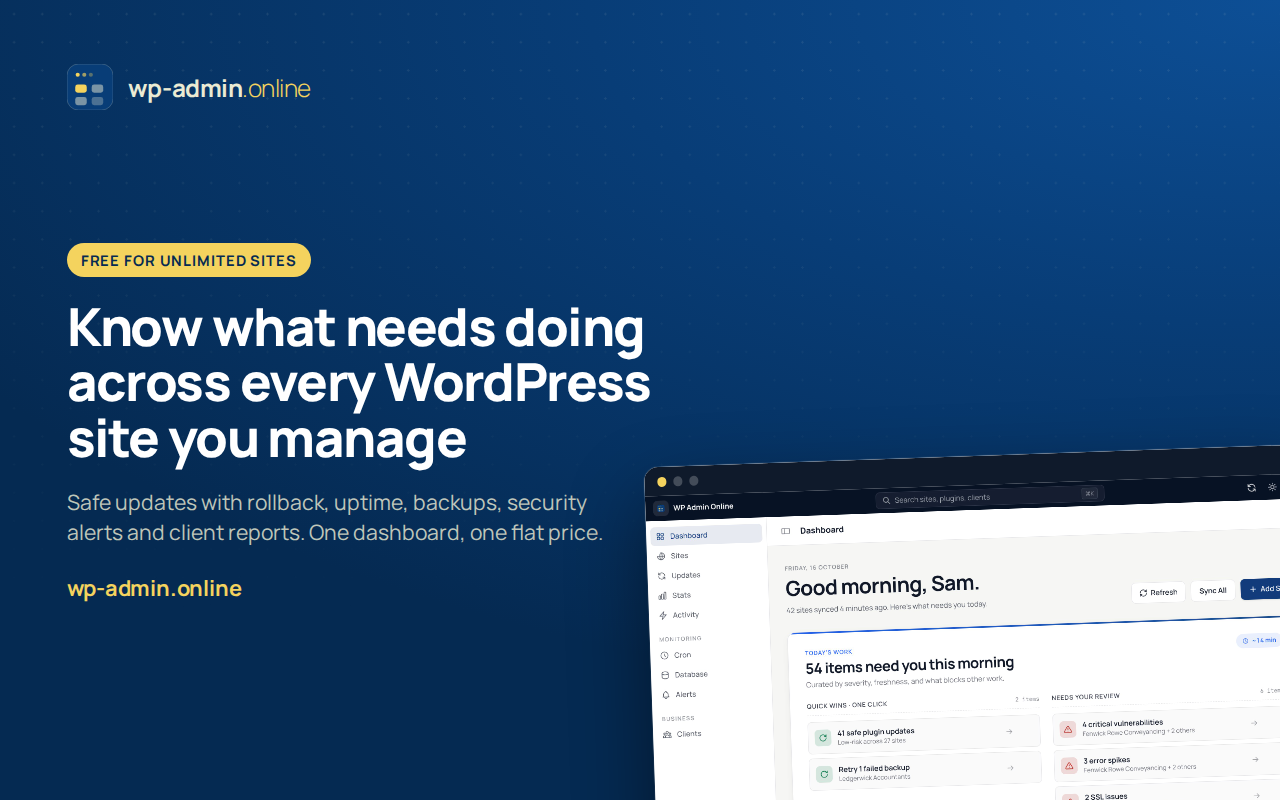
The card shows the primary tagline, the free plan and the dashboard, in the sizes launch sites and social networks ask for.
Screenshots
Taken from our demo fleet, in the order we suggest for a gallery. Each one is also fine on its own.
-
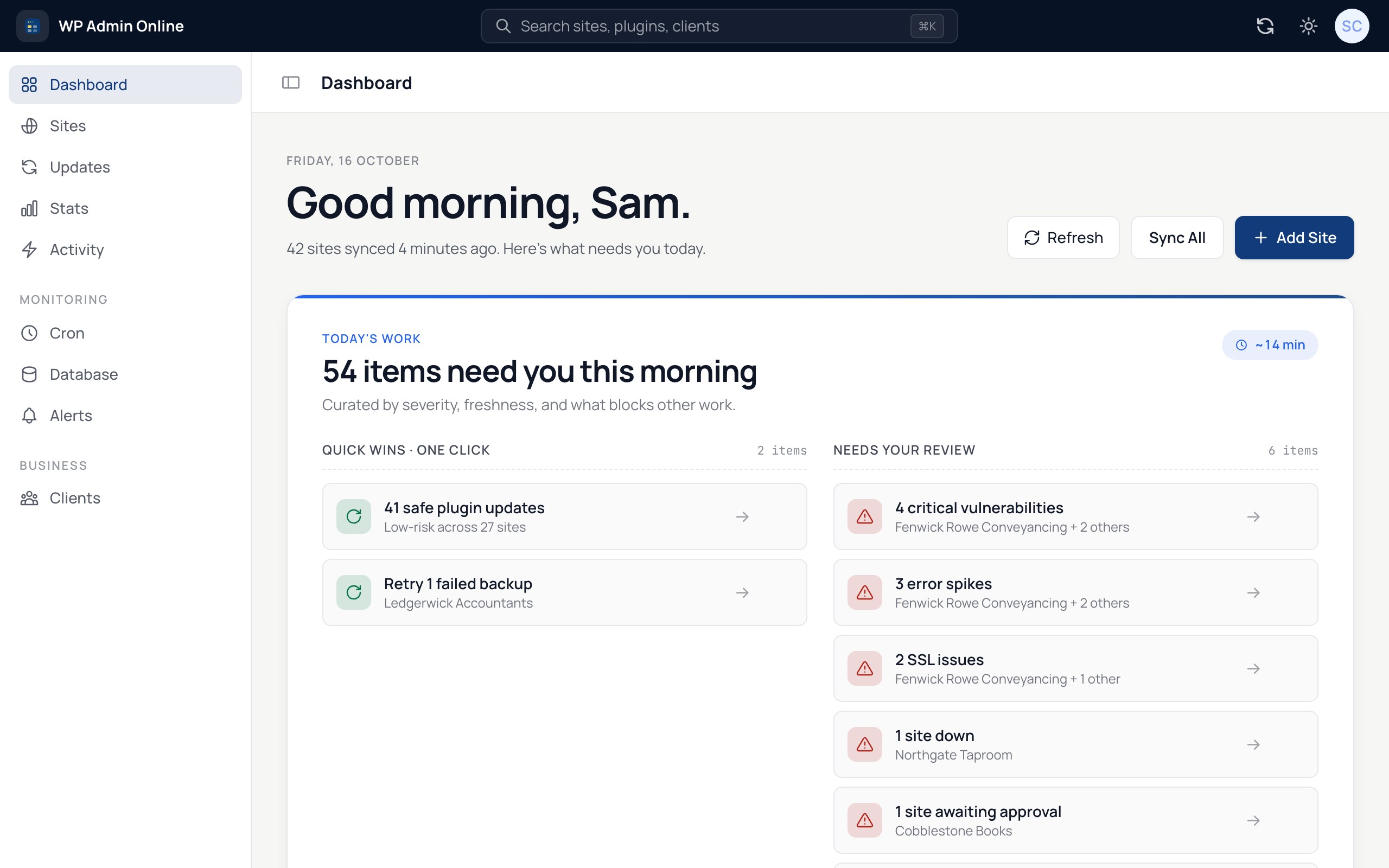
1. Today's work: 54 items across 42 sites, sorted by severity JPG -
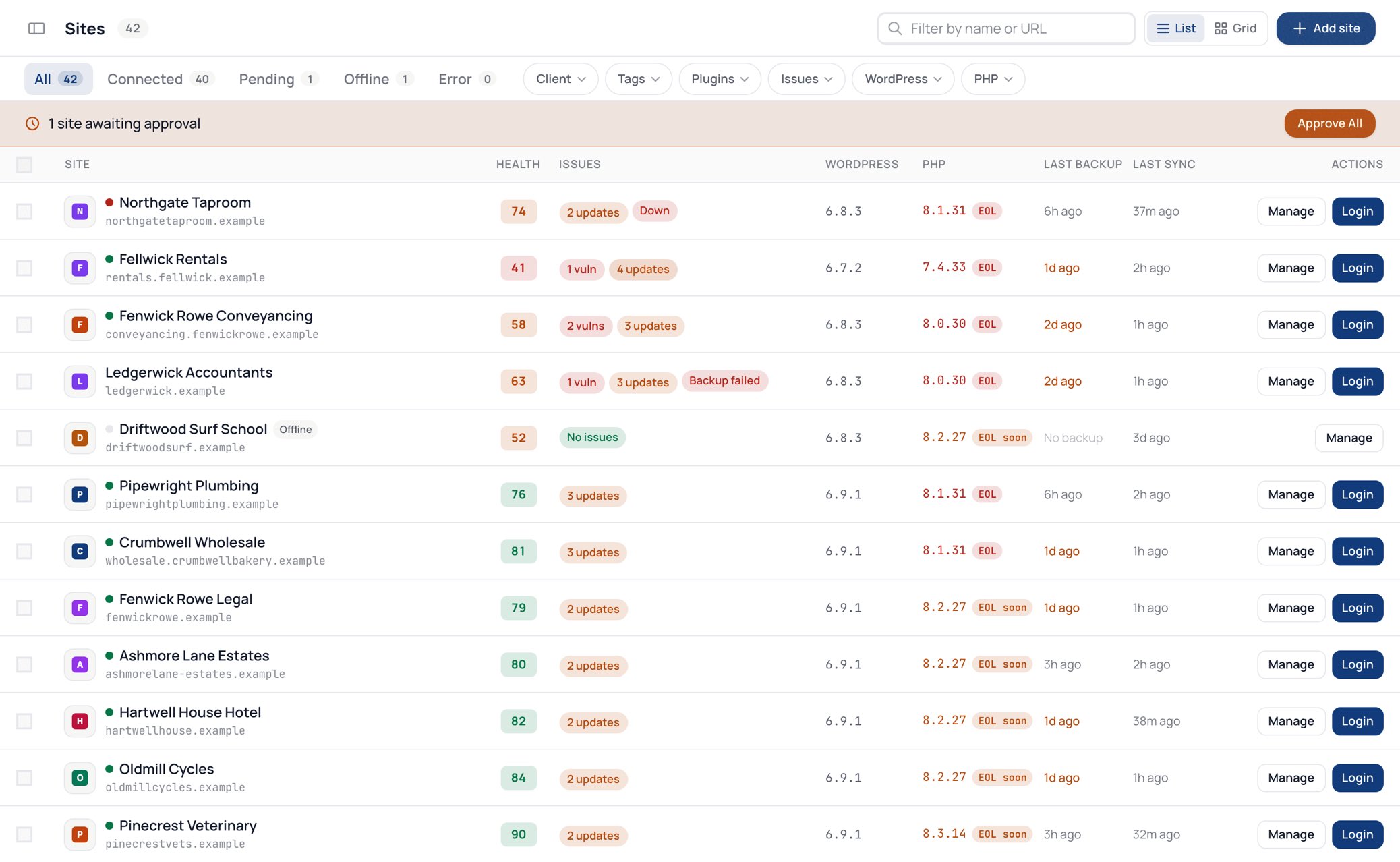
2. Every site with health score, updates, vulnerabilities and last backup JPG -
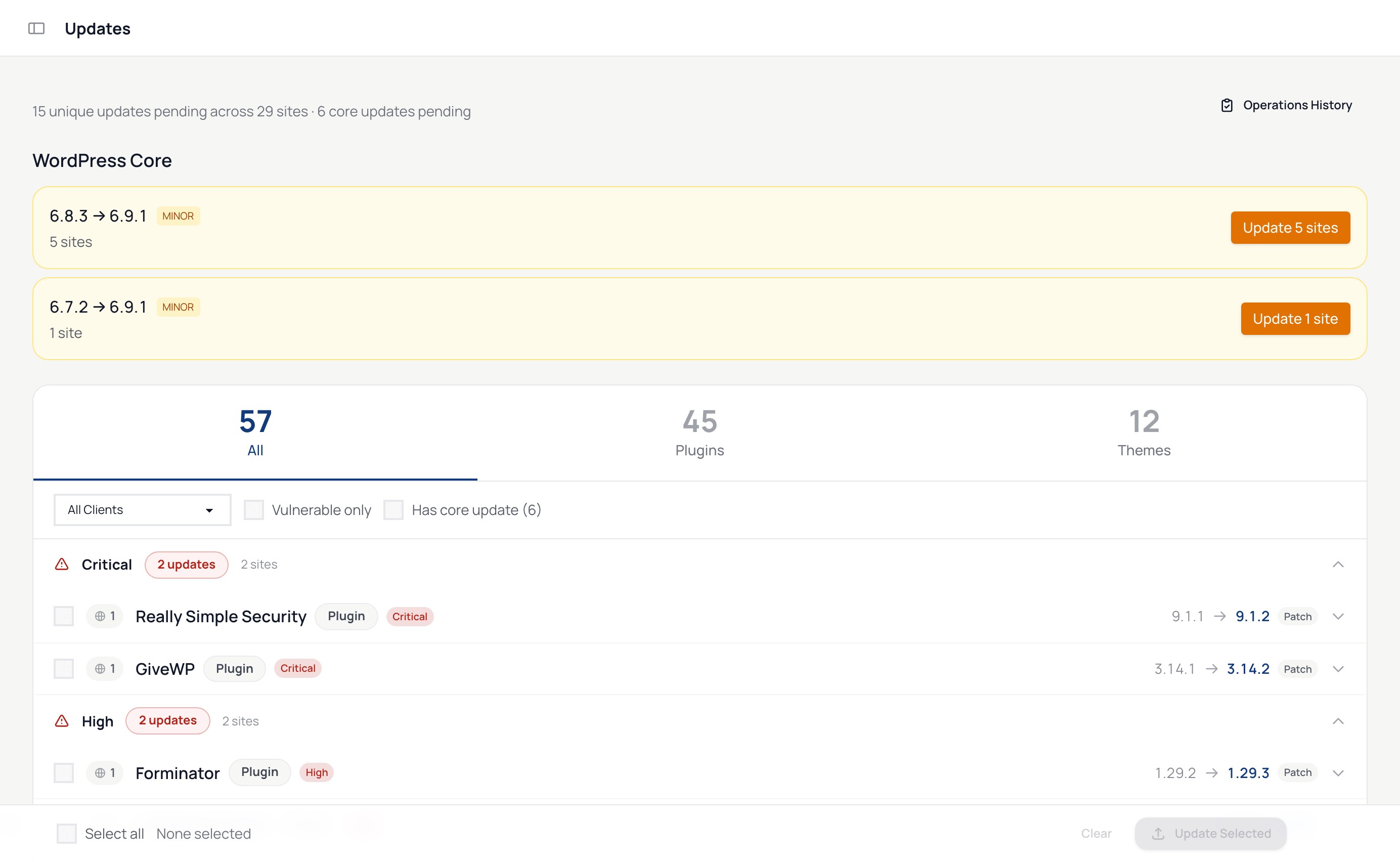
3. Updates grouped by risk, security fixes first JPG -
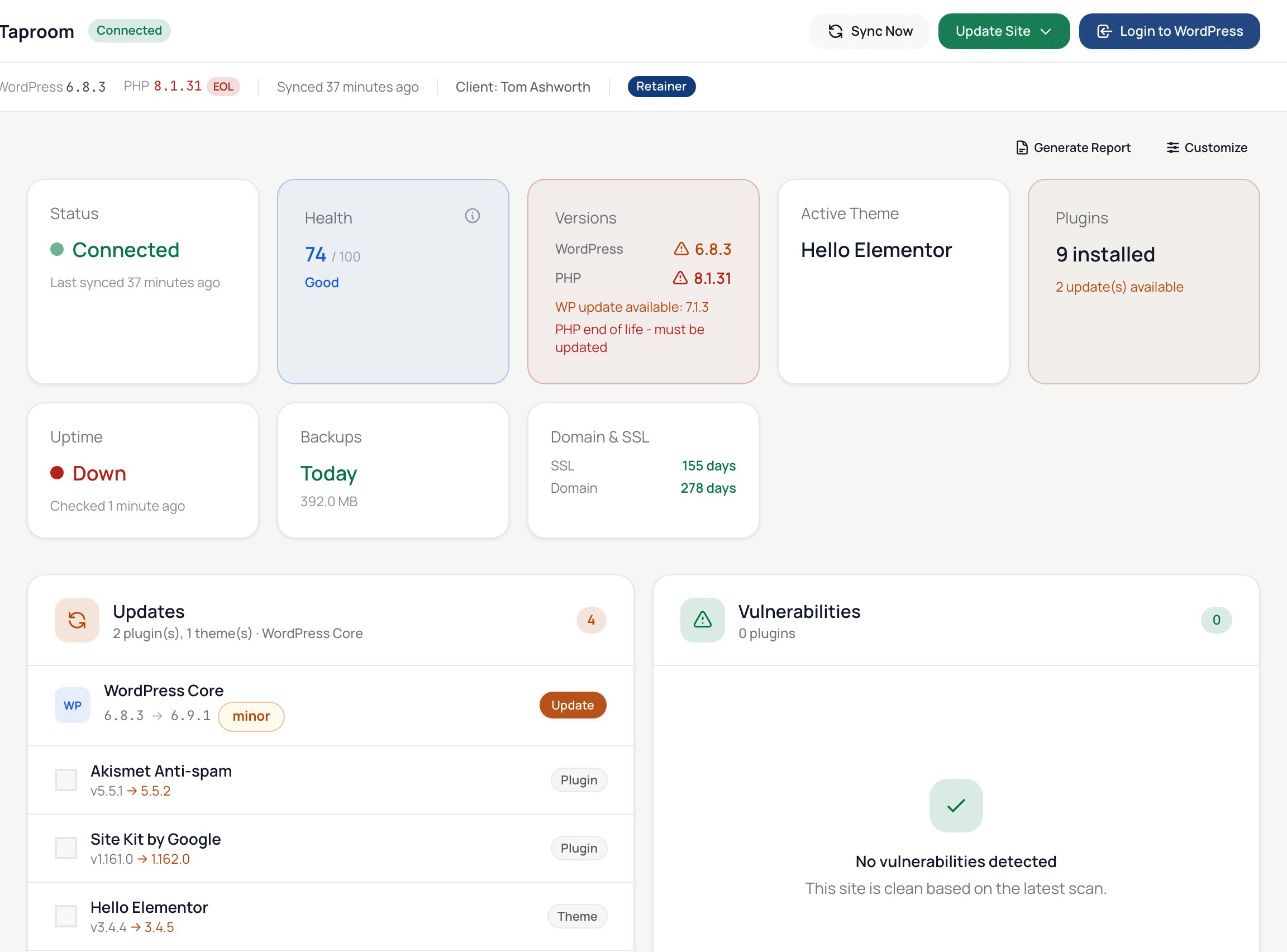
4. One site: health, versions, uptime, backup, SSL and domain expiry JPG -
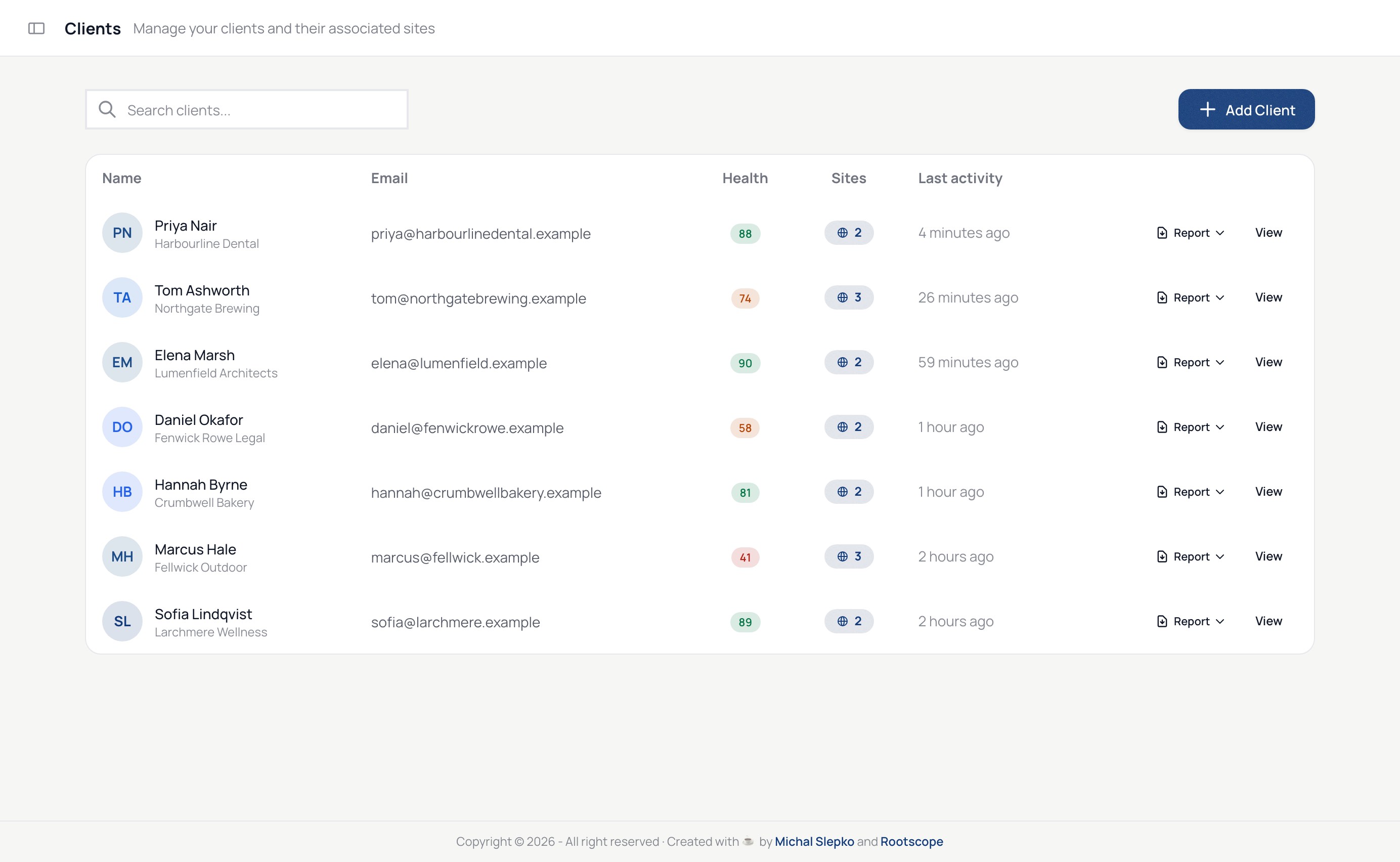
5. Clients with their sites, health and a report button JPG -
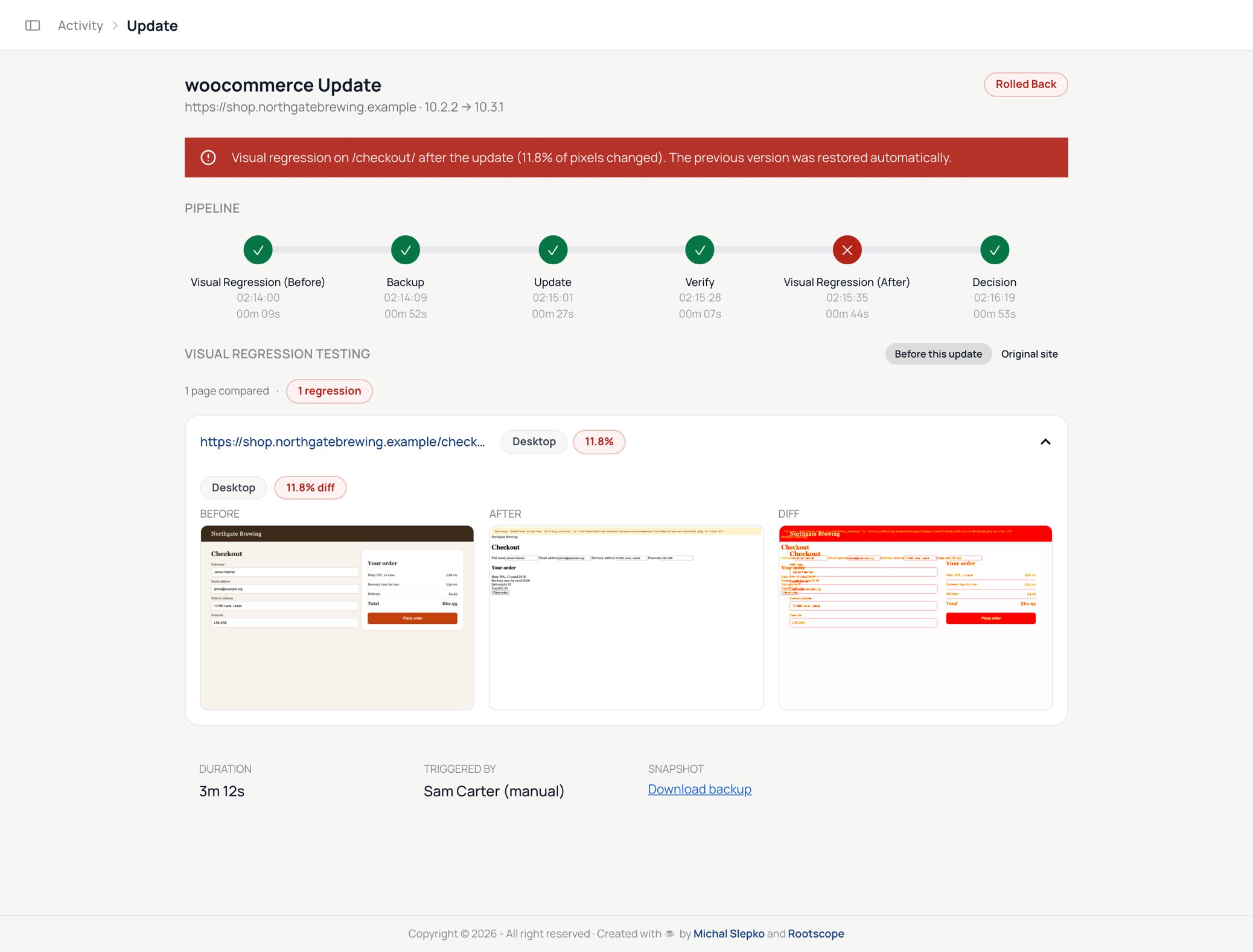
6. A Safe update that rolled back after the screenshot check JPG -
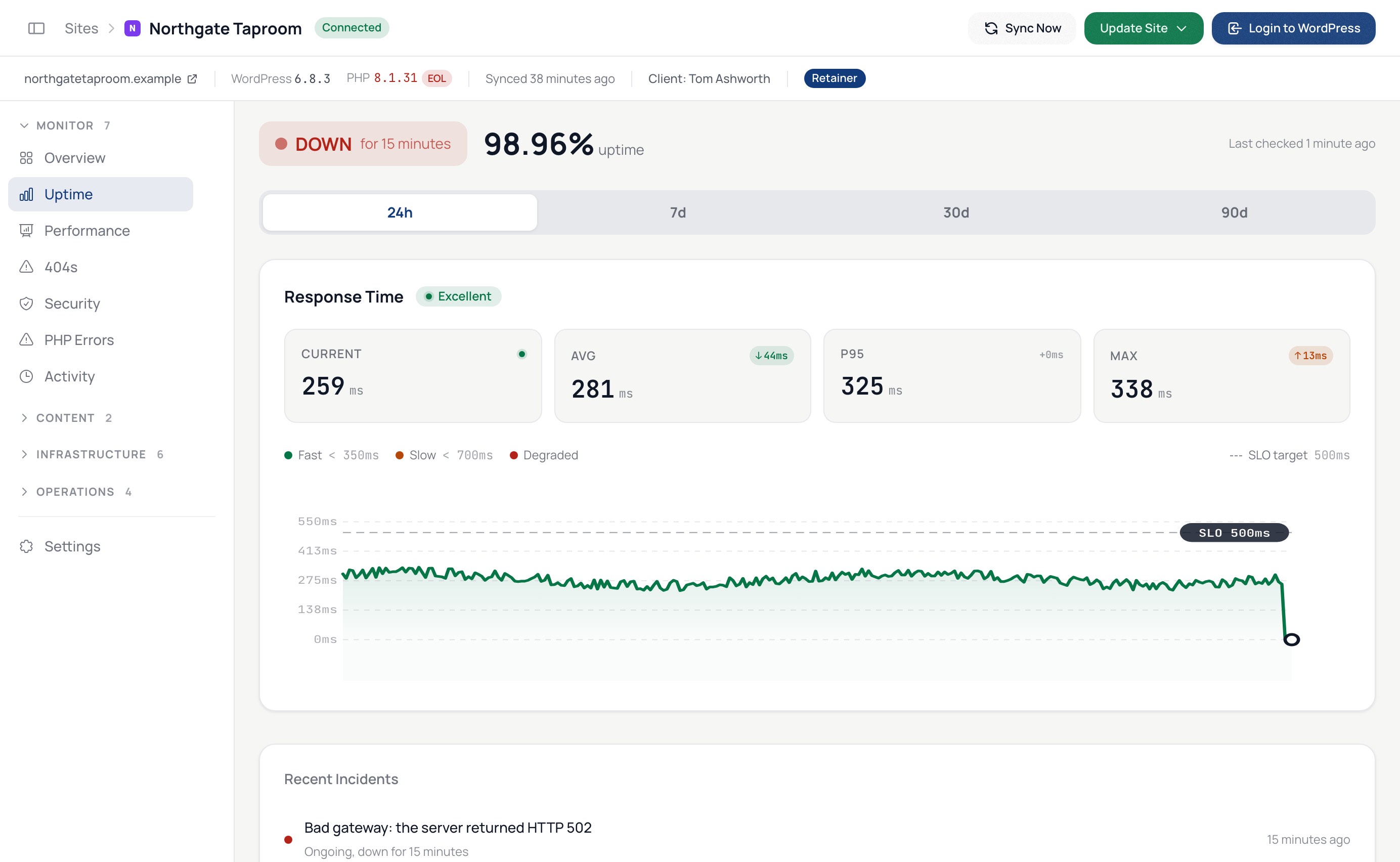
7. Uptime checks confirmed from several locations JPG -
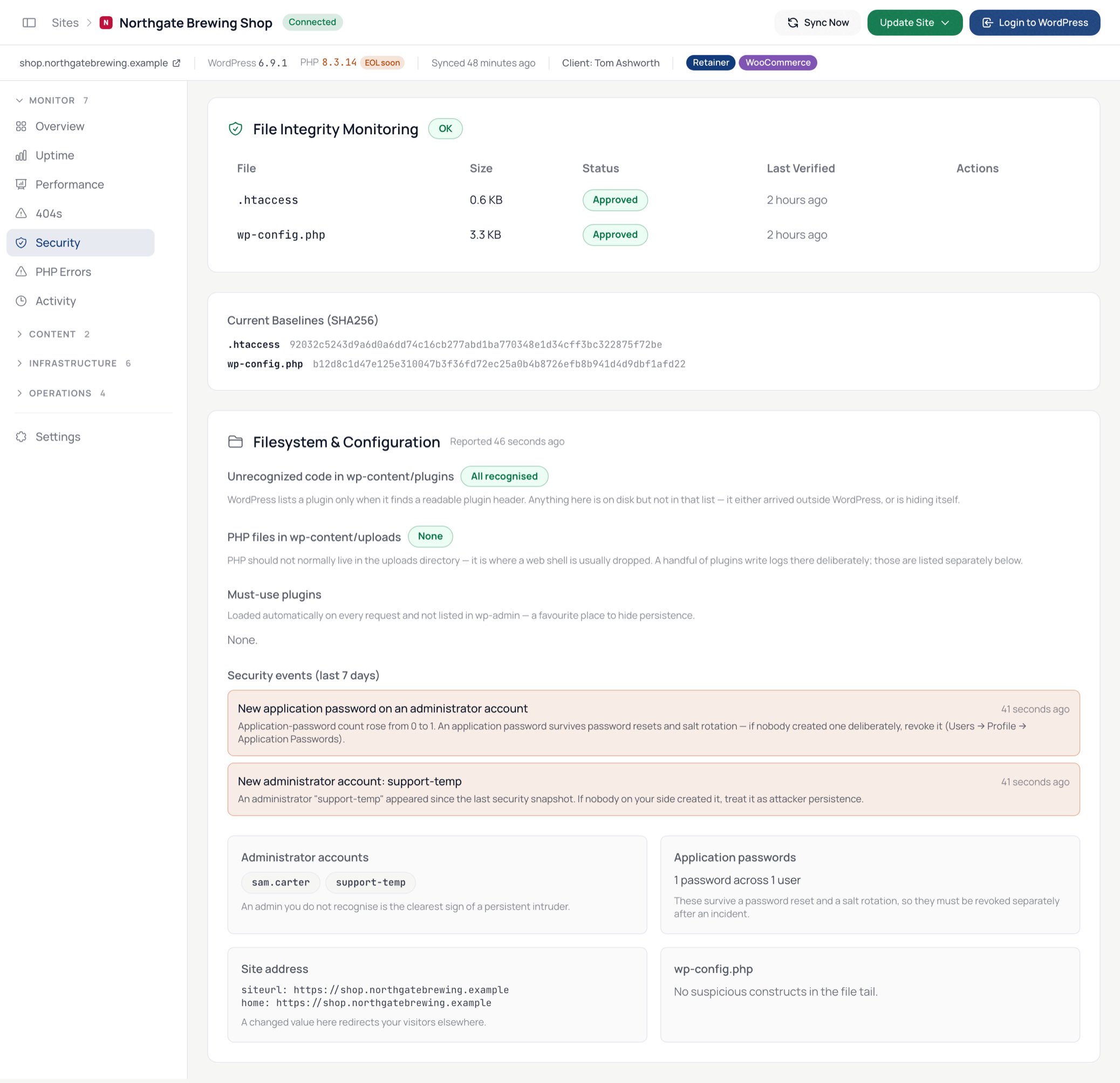
8. Security: administrators, logins, wp-config and vulnerable plugins JPG -
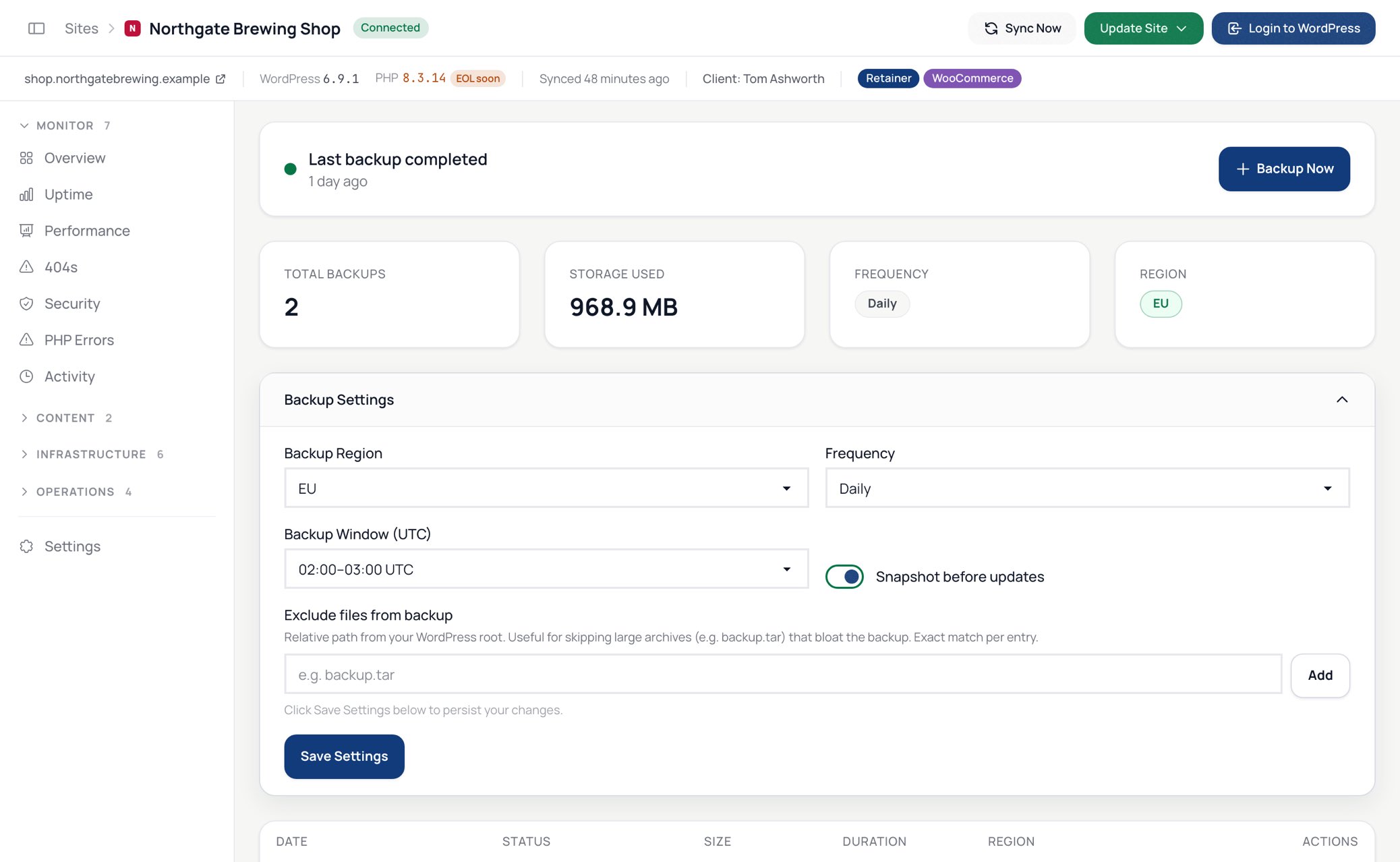
9. Scheduled backups, verified and ready to download JPG -
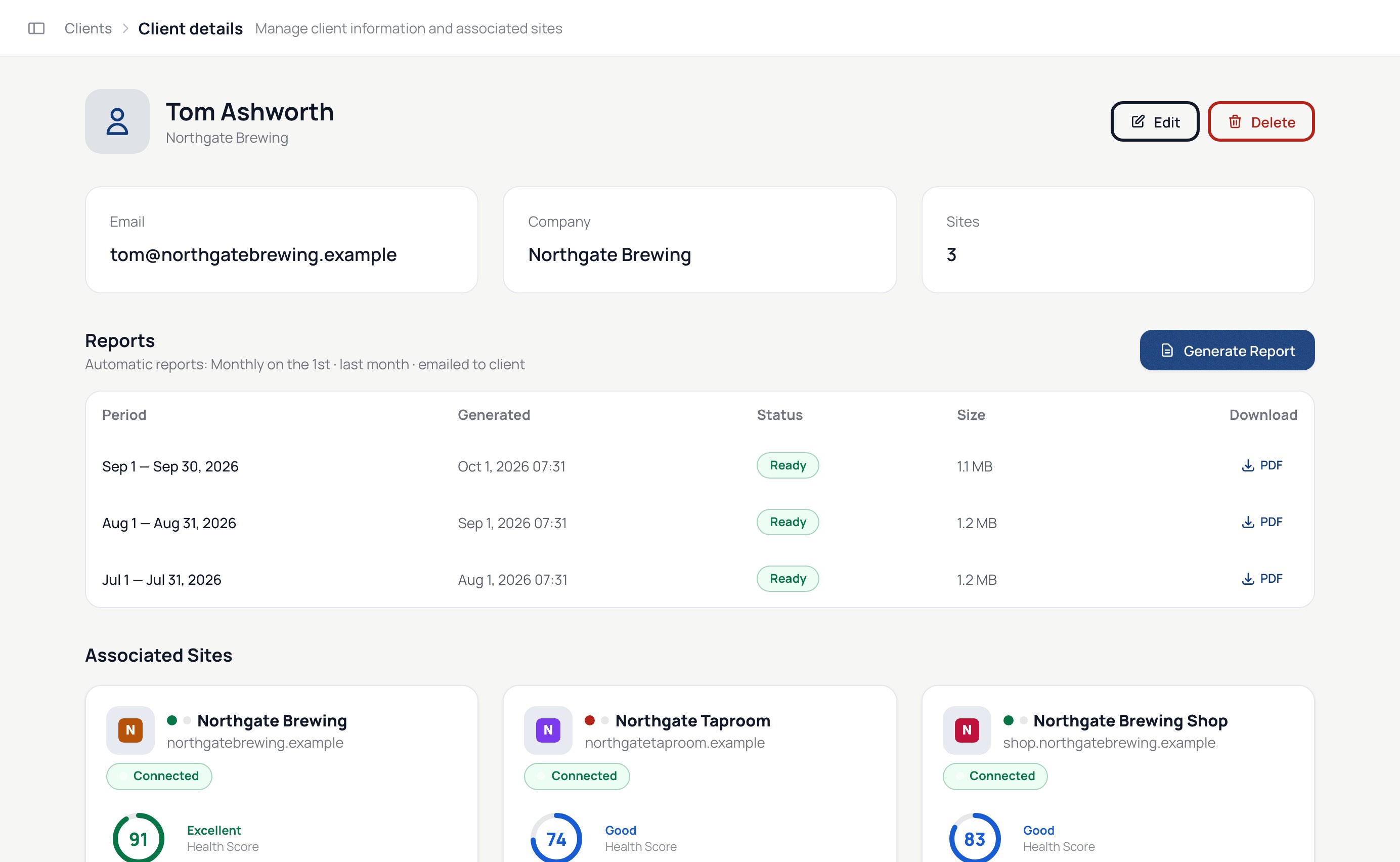
10. A scheduled PDF report with the client's logo JPG -
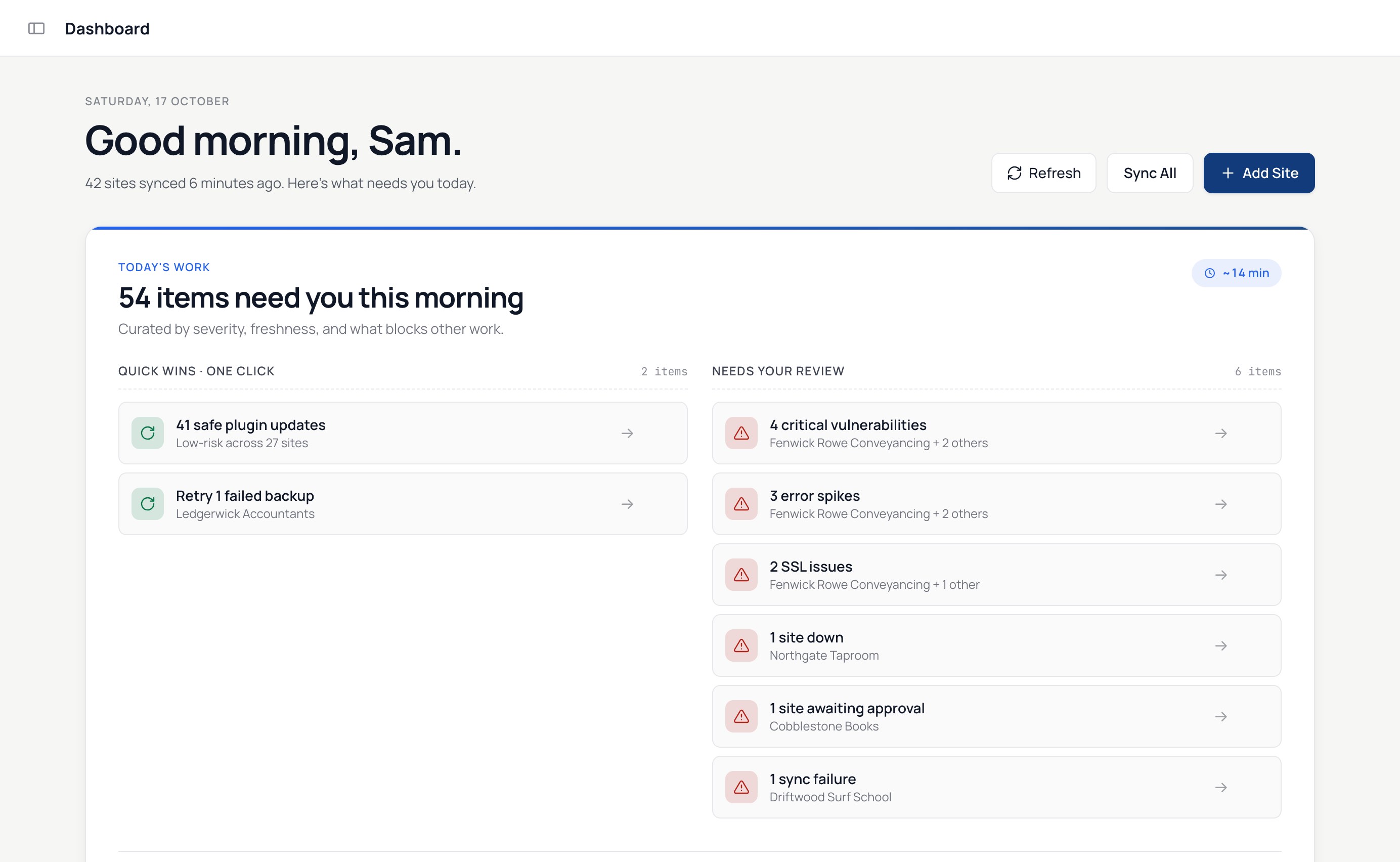
11. Close-up of the Today's work list JPG


Key features
Lead with the first six where space is short.
-
1
Every site in one list. Health score, vulnerabilities, pending updates, PHP end-of-life, last backup and last sync. Filter by client, tag, plugin or issue and act on the whole selection.
-
2
Today's work. A daily list of what needs doing, sorted by severity and what blocks other work.
-
3
Safe bulk updates with rollback. Snapshot first, before-and-after screenshots of the pages you choose, automatic rollback if a page changed. Core, plugins and themes, up to eight sites at a time.
-
4
AI risk assessment. Reads each changelog against the site's PHP and WordPress versions and flags breaking changes before you click.
-
5
Auto-updates in maintenance windows. Low-risk updates apply themselves; the rest wait for review.
-
6
Uptime monitoring. Checks every 1 to 60 minutes, confirmed from several locations before you are alerted. Public status page and uptime badge per site.
-
7
Scheduled backups. Daily, weekly or monthly, database and files, stored in the EU or the US, verified by checksum, downloaded as one zip.
-
8
Security monitoring. Vulnerable plugins and themes, new administrators, login attacks, changes to wp-config.php and mu-plugins.
-
9
SSL, domain, cron, database and PHP error monitoring on one page per site.
-
10
One-click login to any wp-admin with a single-use token that expires in five minutes. No passwords stored.
-
11
Clients and PDF reports. Group sites by client, schedule a branded report of the month's work. Clients never need an account.
-
12
Alerts where you work. Email, Slack and webhooks.
-
13
Ask Claude or ChatGPT. A read-only connector answers questions about updates, vulnerabilities, backups and uptime across the fleet.
-
14
Weekly broken-link crawl of every site.
-
15
Nothing to host. The dashboard is hosted; you install only the GPL connector plugin from WordPress.org.
Pricing
-
Free
Unlimited sites
-
Starter
$19 a month
Up to 10 sites
-
Growth
$49 a month
Up to 25 sites
-
Pro
$79 a month
Up to 150 sites
Colours and type
The typeface is Manrope. The wordmark sets "wp-admin" at weight 700 and ".online" at weight 300 in yellow.
-
Navy
#083D77
Primary, icon tile
-
Deep navy
#052A52
Card gradients
-
Yellow
#F4D35E
Accent, ".online" in the wordmark
-
Cream
#EBEBD3
Text on navy
-
Ink
#0A0A0A
Wordmark on light backgrounds
Talk to the maker
WP Admin Online is built and supported by Michal Slepko at Rootscope. For interviews, review accounts, quotes or anything missing from this page:


