Image

Simplifying Slide Rule Calculations With Trig

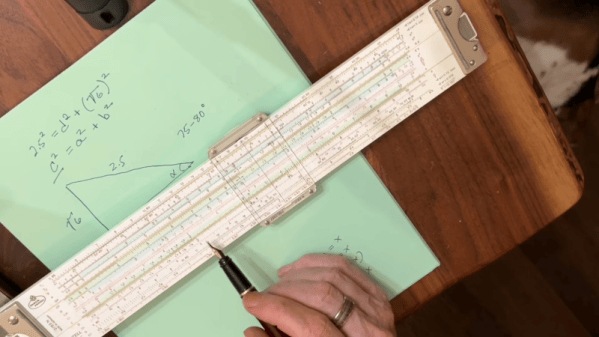
[Bob the Science Guy] remembers how to use a slide rule. Even after all these years, it is pretty easy to remember how to multiply and divide. If you can’t remember, you can usually work it out, as long as you understand how slide rules work. But what about sine, cosine, and quadratics? [Bob’s] been making videos about topics like this, and if you’ve wanted to put your slide rule collection to practical use, you’ll enjoy these videos. You can see one below.

The trick to the slide rule is that it is deceptively simple. You are in effect adding logarithms and then taking an antilog. The issue is that you still have to have some intuition about the scale of the answer since 2×3 works out the same as 2×3000 or 200×300.

Continue reading “Simplifying Slide Rule Calculations With Trig” →

Image

45 Years Later, The Sinclair ULA Design Documents Surface

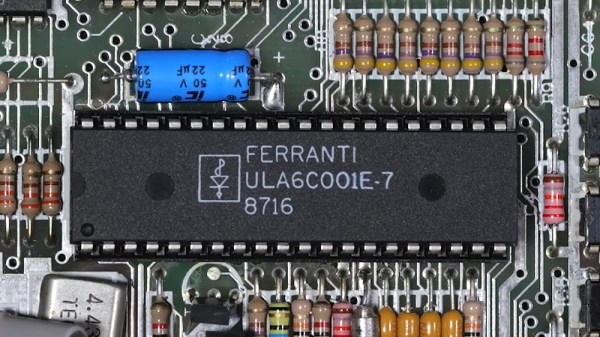
In the 8-bit home computer boom of the early 1980s, Sir Clive Sinclair’s machines were always among the cheapest on the market, often packing a surprising level of sophistication in their limited hardware. If there was one component that was key to their success it was the Ferranti ULA, or Uncommitted Logic Array, a clever way to make an ASIC from a chip containing a library of logic parts ready made. The Sinclair ULAs have been reverse engineered, but their full details have remained a mystery. Until now it seems, because here’s [Happy Little Diodes] with a treasure trove of original Ferranti design documents covering all the Sinclair parts.

The documents were picked up on eBay, and contain folders with printouts, engineering drawings, and hand written design notes. They cover the full range of Sinclair products of the era, including the ZX81 and Spectrum, the ZX printer, the Microdrive, the Spectrum Interface 1, and even the curious little flat screen TV. Oddly the IP is now held by the satellite broadcaster Sky as the holder of Amstrad’s portfolio, but fortunately Sky have recognised their historical importance and allowed their sharing with minimal changes. They’re all catalogued with download links in a Google spreadsheet, so dig in and see what you can find. Of particular interest are the ULAs that haven’t been reverse engineered yet, and the subtle differences between different versions of the same ULA as the engineers tried to fix bugs. The video is below the break.

If you’re curious about the ULA and Ferranti, we linked to a period film about it.

Continue reading “45 Years Later, The Sinclair ULA Design Documents Surface” →

Image

C64 Hardware Simulator Isn’t (Just) For Playing Around

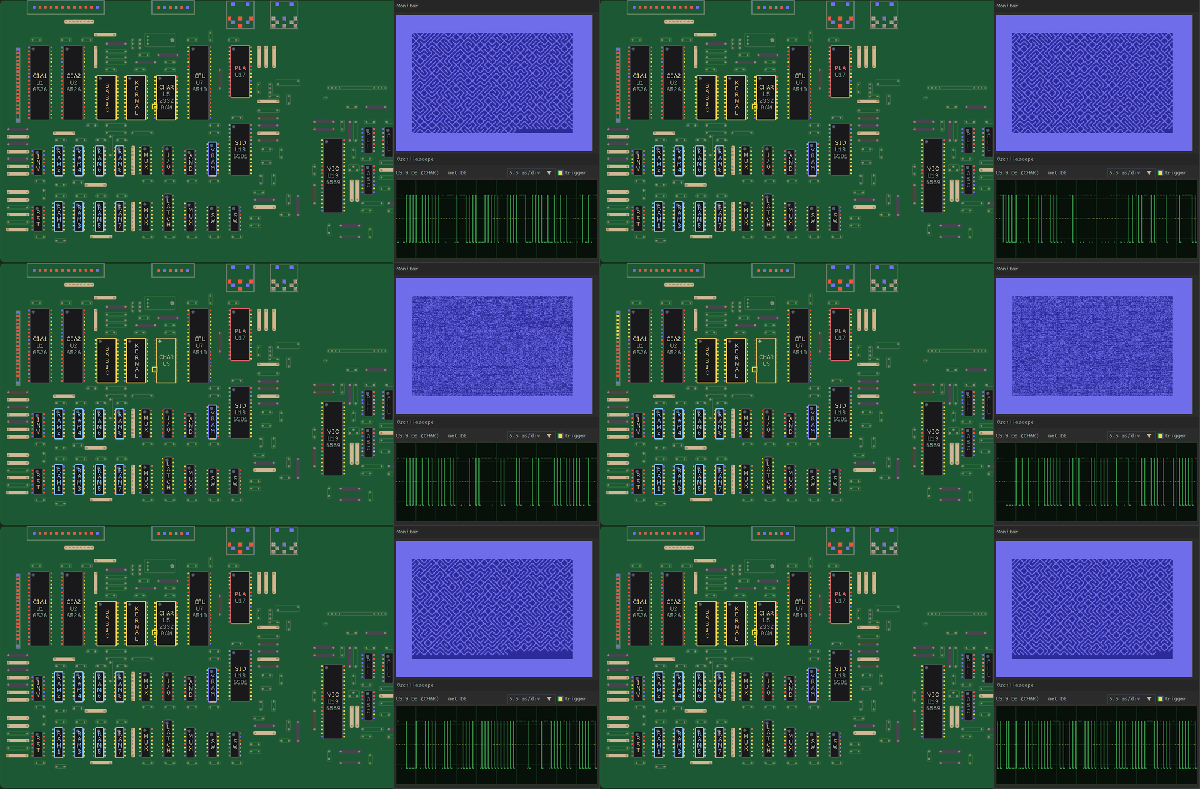
If you want to play old Commodore games, there are C-64 emulators available for just about any platform– but most of them are so high level, they’re really meant for just that: playing games. [antirez] has a different goal with his c64-hw-sim project— it’s a lower-level emulation that simulates every chip and every connection on an ASSY 250407 motherboard, and all the chips on it, too. Ever wondered what happens when a specific chip is missing, or a random pin is shorted to ground or forced high? You can do all that in software, with no risk of harming antique hardware.

While that might be a fun bit of faffing about for a certain sort electronics sadist, the real utility is to learn about the hardware, both in the abstract and to help you troubleshoot a board you might have. It’s likely that many given failure modes reproduce the same effects– lots of things can knock out the display output, for example–but at least if you’ve reproduced a flaw in software you can try testing the hardware to see if that’s the cause of your problem. Assuming the simulation covers your hardware issue, anyway.

There’s cycle-accurate chip emulation for the processor, CIAs, SID and VIC-II via code by [Andre Weissflog], a.k.a. [flooh]. Meanwhile analog circuitry in the video, audio and power sections are not simulated so not everything fault will be replicable here. Still, it might be a neat tool– just don’t try and run any games on it, because even on high-end modern hardware it only runs at about one-third speed. That’s fast enough for diagnostics, but not so much for Maniac Mansion, never mind Elite. 

Speaking of Elite, did you know the source– both of the port and the original– is available with comments? If you want an emulator you can play, you can get it on everything from microcontrollers like Teensy to your personal computer.

Thanks to [Salvatore] for the tip!

Image

2026 Retrocomputing Challenge: USBSID-Pico Has Two SIDs, Many Inputs

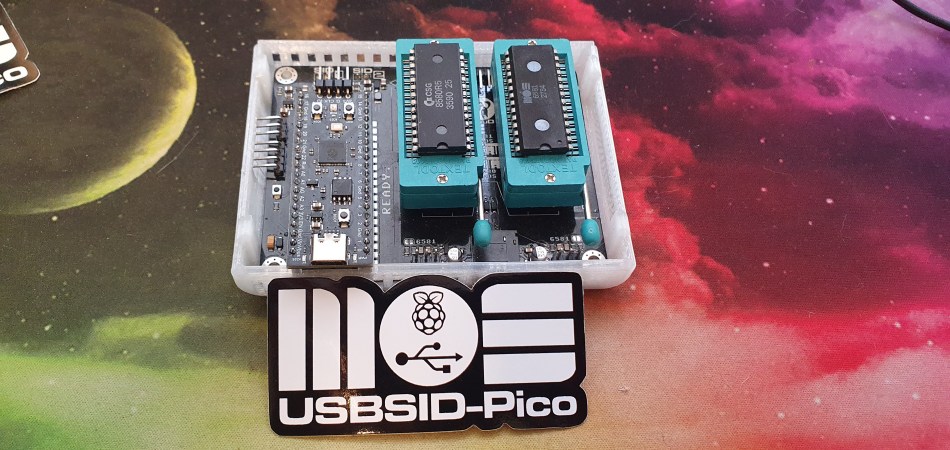
We’ll give you three guesses what the most important bits of silicon in [LouD]’s USBSID-Pico are, and two don’t count. Yes, there’s a Raspberry Pi Pico, and a pair of the unforgettable SID chips from MOS– the sound chip of the C64, the die that launched a thousand chiptunes. Well, unless you build it with a hardware SID replacement, but the goal of this device is to get SIDs hooked up to modern hardware.

To that end, USBSID-Pico can be controlled via USB– obviously– in the form of CDC/WebUSB/WebSerial but also MIDI, and even ASID, which is a specific protocol for streaming SID register data over MIDI. You might be wondering the point, since surely you can get cycle-accurate SID emulation on an RP2040, right? Well, not everyone agrees that cycle-accurate emulation is accurate enough; like the people who swear by the subtle distortions tube amplifiers introduce into the sound, some say the chip’s own inaccuracies give the sound out of the physical device a unique vibe emulators don’t match. That’s a fight for others to litigate; we just appreciate the work that went into getting these old sound chips talking to modern hardware, and getting the project certified as Open Source Hardware.

This combination of old sound and new microcontroller makes the USBSID-Pico a good entry for our ongoing retrocomputing contest, particularly the retro-modern category. Just be aware of PAL and NTSC differences with these old chips, or your beeps and boops might be out of tune. They haven’t made them in decades, but there are more than a few modern replacements for the MOS 6581.

Image

Using A Waffle To Check The Health Of Your Wii U’s NAND Flash

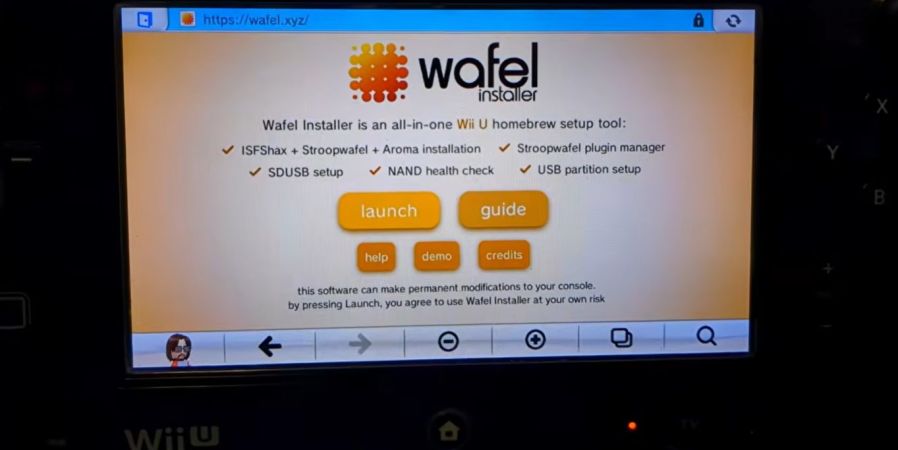
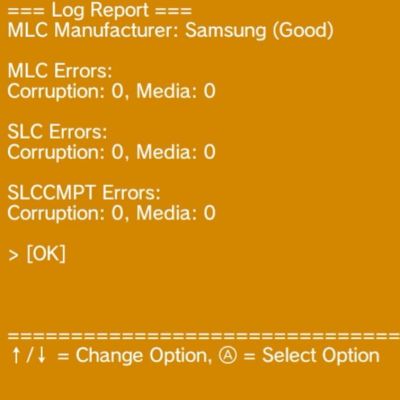
ImageGame consoles tend to have a weak spot or two that will take certain units out sooner than they would due to normal parts aging. In the case of the Wii U it’s the eMMC storage IC with the console’s firmware and any user data that likes to keel over, with the SK Hynix variant reportedly developing faulty cells much sooner than the Samsung and Toshiba chips. If you want to check the health of these eMMC ICs in your Wii U, you can do so easily now with the Wafel Installer project by [zer00p].
This doesn’t take much more than navigating to the wafel.xyz URL on the Wii U to launch the installer on any (unmodified) Wii U, or alternatively starting it from an SD card if you’re running a homebrew-enabled console. This can also install the Stroopwafel CFW, ISFSax and the Aroma homebrew environment, but the NAND testing option in the installer’s menu is what you want to select if you’re not into homebrew or have already cracked open the console for said sweet homebrew action.

All of this is covered in this video by [FunkyScott47], whose Wii U’s Samsung-branded eMMC is fortunately still all fine, but it shows off the variety of tests available. Unless the eMMC is already quite cooked this should take only a minute or two, so it’s pretty good for ease of mind.

With the heavily waffle, syrup and stroopwafel-coded naming scheme for these tools we can not be held responsible for a sudden case of the munchies, of course.

Continue reading “Using A Waffle To Check The Health Of Your Wii U’s NAND Flash” →

Image

Emulating A Floppy Drive By Emulating The Drive Itself

The Commodore 1541 is famously the floppy drive for the Commodore 64 series of 8-bit computers, and can be found with relative ease. Not so well known is its 1551 sibling — the drive made for the Commodore 16 and Plus/4 machines.

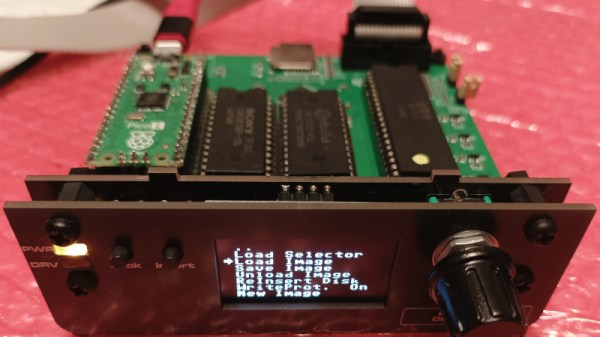
They’re particularly rare in 2026, so [Maciej Witkowiak] has made an emulator. But it’s not just modern silicon emulating the whole thing. Instead it’s the same 6510 and ROM you might have found on the original, talking to a Pi Pico emulating the drive hardware. It’s a gloriously over the top solution to the problem of emulating a disk drive, the reason being that it started life as a daughter board plugged into an original drive mainboard.

Complementing the Pico is a CPLD for glue logic, and an OLED for selecting disk images. The Pico even generates the clock and IRQ timing for the venerable 8-bit part. The ROM is 64k in size, room enough for both the original firmware and enhanced community versions. The whole thing can be found in a GitHub repository, should you wish to have a go yourself.

Long time Hackaday readers will know [Bil Herd] as one of our contributors. If you’re interested in the back story to the series of computers that included the Commodore 16, his book makes for interesting reading.

Image

DECing Out The Homelab With An AlphaServer 2100

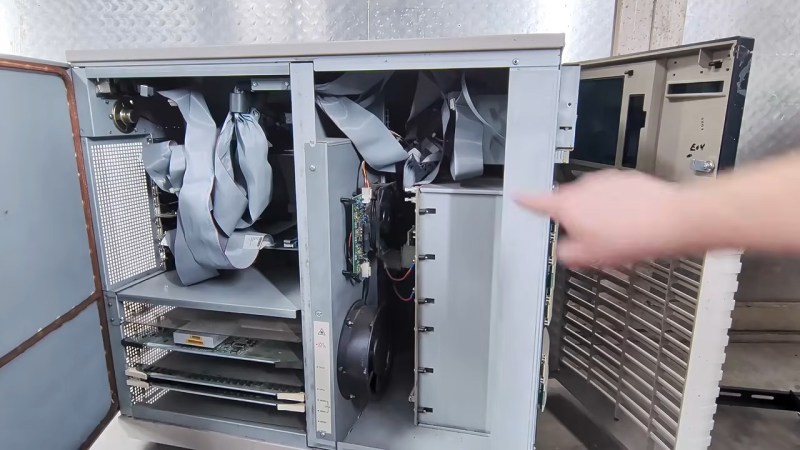
Retrocomputer enthusiasts have a bad rap as nerds who just want to play old video games. There’s some truth in this, but the reality is that we’re nerds who want to do all sorts of things with old hardware — everything from consoles to servers. Servers like the DEC AlphaServer 2100 [derelictelectronics] picked up at Vintage Computer Festival Midwest this year. He was kind enough to record a tour for those of us who missed seeing these early Alpha machines in their heyday.

DEC did sell these units with multiple-CPU reports from the get-go, but the [derelictronics] particular model has  a single CPU board carrying a 64-bit Alpha RISC processor. This machine from 1994 dates to near the height of the RISC wars when it seemed everyone needed to have their own high-end architecture, all of them RISC. While the machine could host up to 2GB of RAM, the example [derelictelectronics] found only has 256 MB, which was still not a small number for 1994!

Continue reading “DECing Out The Homelab With An AlphaServer 2100” →