
CGMood Studio Sets And Upload Guidelines

Learn how to get compliant to our guidelines.
Want to share and sell your assets with us? We keep our standards high, and that includes your previews. They should portray your object in a natural way, not altering its original colours, while showing nice, soft shadows.
You are free to use your own studio set, but since we want our gallery to follow a common standard, we strongly suggest you start from ours.
Studio set tutorials
Product studio set
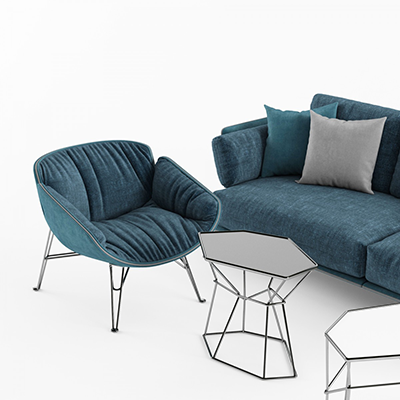
Presenting a chair, a sofa, a lamp? Our product studio sets provide a starting point for product visualization. The images done with our default studio sets are conform to our presentation standards.
PBR material studio set (simple)
If you are submitting a physically-based material, you should use this set in order to be compliant to our preview guidelines.
Material/shader studio set (complex)
This studio set is an alternative to visualize materials or shaders with a more complex behavior: refraction, thickness, procedural properties, or sophisticated reflections.
Good preview examples
Click any image to enlarge.

White matte set (default)
A white matte background usually works fine for most models.

Product detail
A correct example of detail shot using a white matte set and a zoom camera.

Wall set
Consider using this when your products work best with a wall.

Dark infinite set
A dark background helps when your subjects are bright and you want them to pop out.

PBR material set (simple)
PBR materials should always be presented with a ball on a white matte background.

PBR material detail (simple)
Detail shot using the close-up camera included in the simple material studio set.

Contextualized materials
Sometimes the material ball is not enough. Add wider shots to show how surfaces behave.

Material set (thickness)
A non-PBR brass shader with procedural dirt effects.

Material set (thickness detail)
Detail shot using the included close-up cameras.

Water shader
A water shader using the complex material set.

Contextualized water shader
A real-usage example of the water shader.

Preview image rules
Archive structure
Below is an example of a correct archive.
-
my-lamp.zip
- my-lamp.fbx At least an export format is required
- my-lamp-fstorm.max
- my-lamp-vray.max
-
/textures
- brushed_steel.jpg
- wood_diffuse.jpg
- wood_bump.jpg
- wood_specular.jpg
What makes a good 3D model?
Our moderation process is based on objective criteria:
