
Navigate with ease
Take control of your website navigation with Bricks. Enjoy the convenience, flexibility, and creative possibilities that come with our navigation elements.
Build advanced & fully customizable navigation menus
Our nav nestable element offers you endless possibilities to create menus that perfectly match your vision. Whether you want to nest dropdowns, multi-level menus, mega menus, or unique menu structures, the nav nestable gives you the freedom to craft menus that go beyond the ordinary.

Populate more complex navigation through bold and visually appealing mega menus.

Optimize screen space and enhance accessibility with an Offcanvas menu. Smooth-sliding navigation for mobile-friendly designs.

Optimize the mobile viewing experience for every device through breakpoint-specific styles. To build truly user-friendly, responsive design for optimized mobile browsing.

Streamline navigation with efficient, accessible and user-friendly dropdowns. Improve content categorization and space utilization.

Leverage the familiar WordPress Menu screen for seamless, maintainable menu creation. Blend custom design and ease of use.
Accessibility
All menu elements come with built-in accessibility to allow every visitor to navigate and understand your site with ease.
Animated toggles
Add a touch of playfulness to your website's navigation. Enjoy smooth transitions and engage users with interactive menu toggles.
Fully customizable
Get creative and add any element you desire! Enhance your menus with images, videos, tabs, and more. The possibilities are limitless.
Supercharge your WordPress menus
Designing high-quality desktop and mobile menus with the Nav Menu element is a breeze. You can populate with any of your WordPress menus and easily style them for desktop and mobile. Turn any submenu into a multi-level or mega menu as needed.

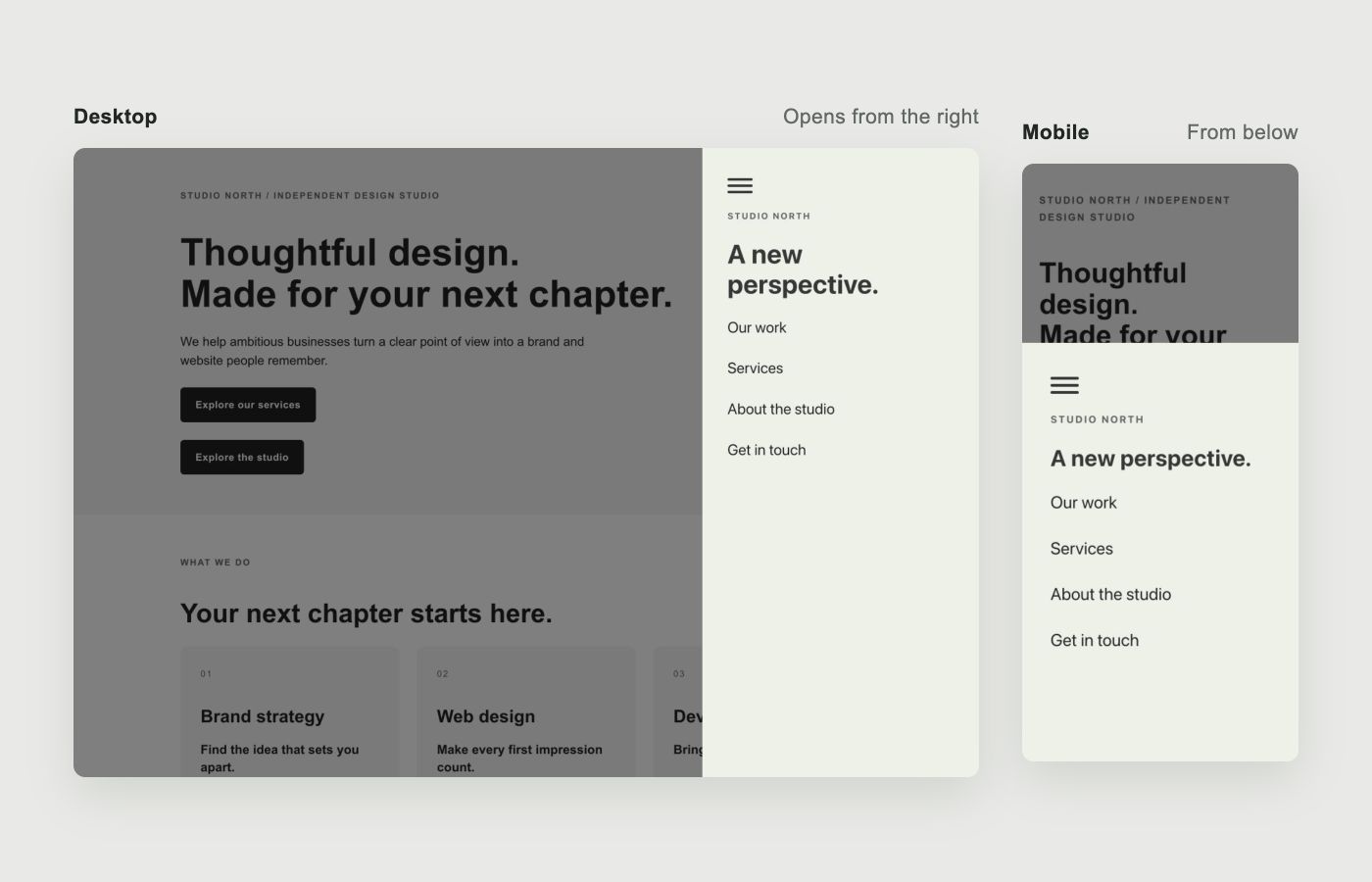
Open your menu from the right direction
Keep navigation and extra content off-screen until visitors open it with a toggle. Choose the opening direction for each breakpoint—for example, a panel that slides in from the right on desktop and from the bottom on mobile.
